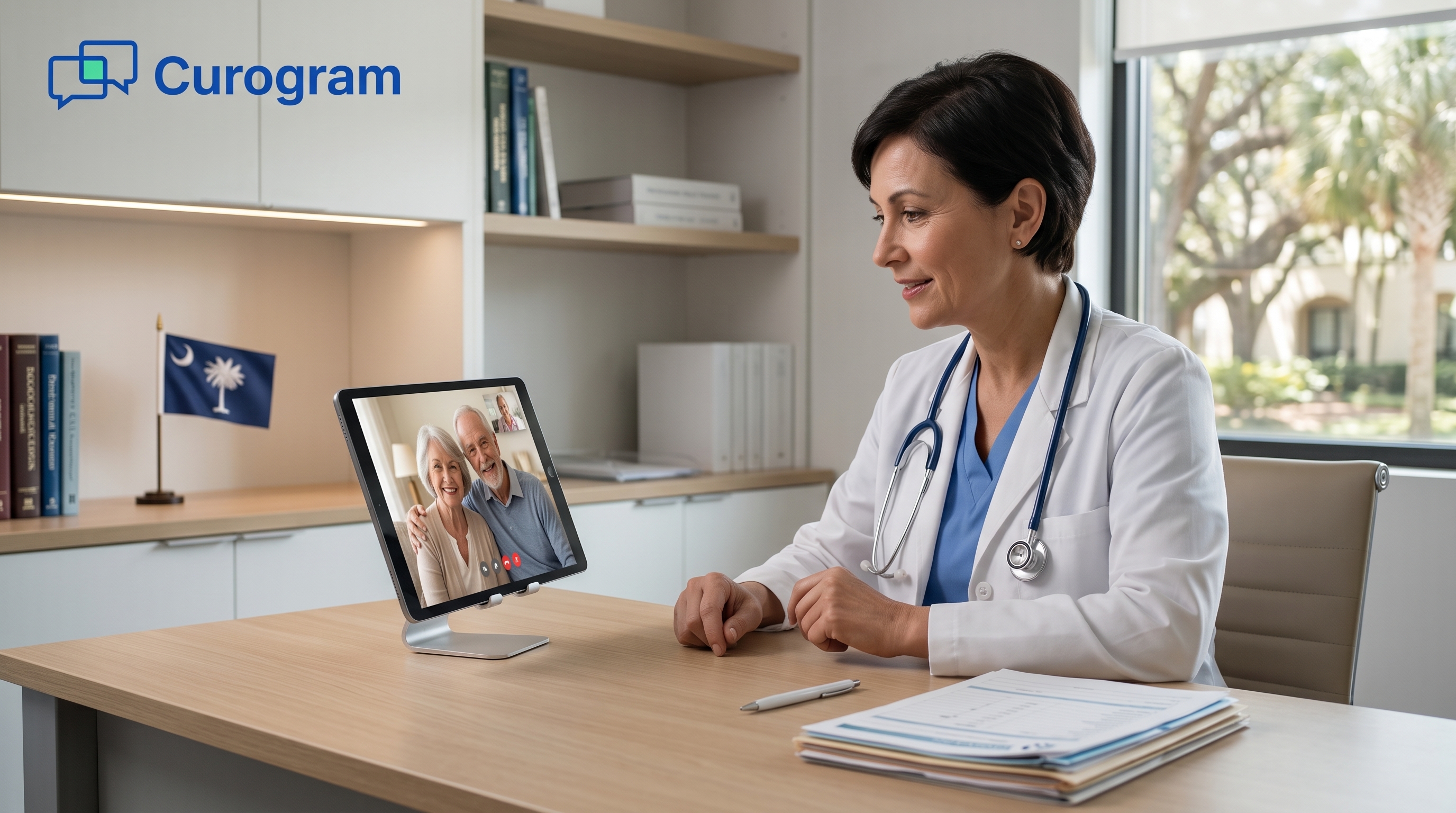
Telemedicine South Carolina: What You Should Know About It | Blog
Looking to capture the telehealth market? Here are the best methods that will help you practice telemedicine in South Carolina profitably and...

11 min read
Michael Hsu
:
Published
Updated
Plenty of practices still think of telehealth as a video call with a booking link attached. That worked in 2020, when the goal was getting any visit online fast. Six years later, it leaves a lot of work on your staff’s plate.
Telemedicine now covers four kinds of service: live video, store-and-forward, remote patient monitoring, and mobile health. Each one touches your front desk, your charts, and your billing queue. A tool that runs video well but can’t send the visit to your EHR leaves someone retyping notes after the last patient leaves.
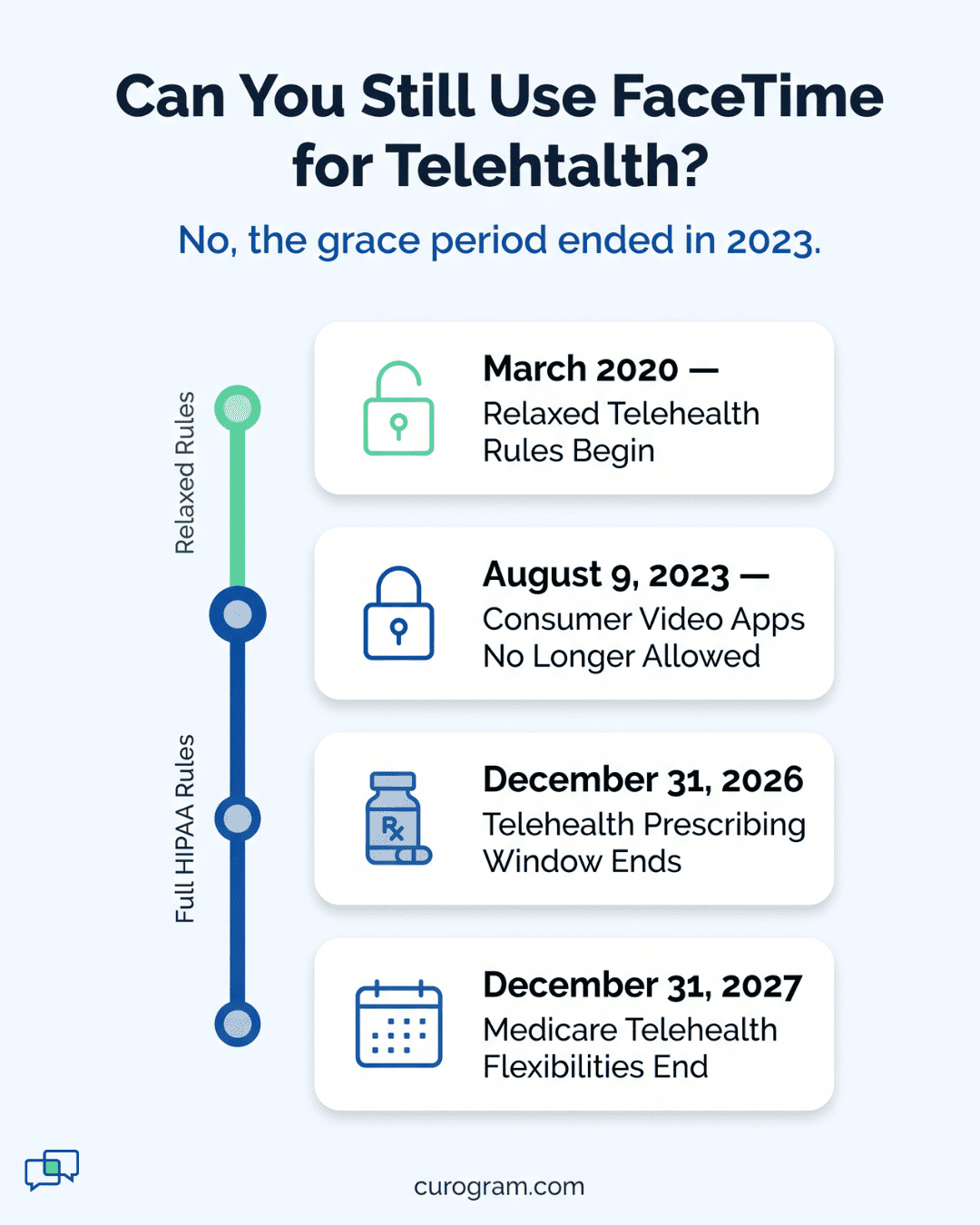
The stakes are higher than they were. Medicare’s telehealth flexibilities now run through December 31, 2027, and patients expect a remote option when they pick a practice. The HIPAA grace period that let clinics use FaceTime ended in 2023, so whatever you choose has to meet the full rules.
The best telemedicine platform protects patient data, syncs with your EHR and billing, is easy for patients to use, and comes with support that answers during clinic hours. Price matters once a vendor clears those four bars, and not before.
This guide walks through the four types of telemedicine services and where each one fits in your practice.
Doctors have shared health information from a distance for well over 100 years. The telephone and the telegraph made it possible first. Live video changed the most, because it gave patients a real option besides the exam room.
Telemedicine means using digital tools to deliver care from a distance, including diagnosis, treatment, and monitoring. The internet made it work in real time. Now a doctor and patient can see and hear each other on screen, which comes close to an in-person visit.
Remote care covers four main types of service. Each one handles a different part of the work your team already does in the office.
| Type of Service | What It Does | Example |
|---|---|---|
| Live Video Calls | Connects a provider and patient face to face in real time | A consult held over two-way video |
| Store-and-Forward | Sends recorded health history, such as images and documents, to another provider | A doctor sends scans, blood test results, or photos of a skin rash to a specialist for review |
| Remote Patient Monitoring | Delivers health data the patient collects at home to a doctor somewhere else | A patient wears a Wi-Fi or Bluetooth device that tracks and reports heart rate |
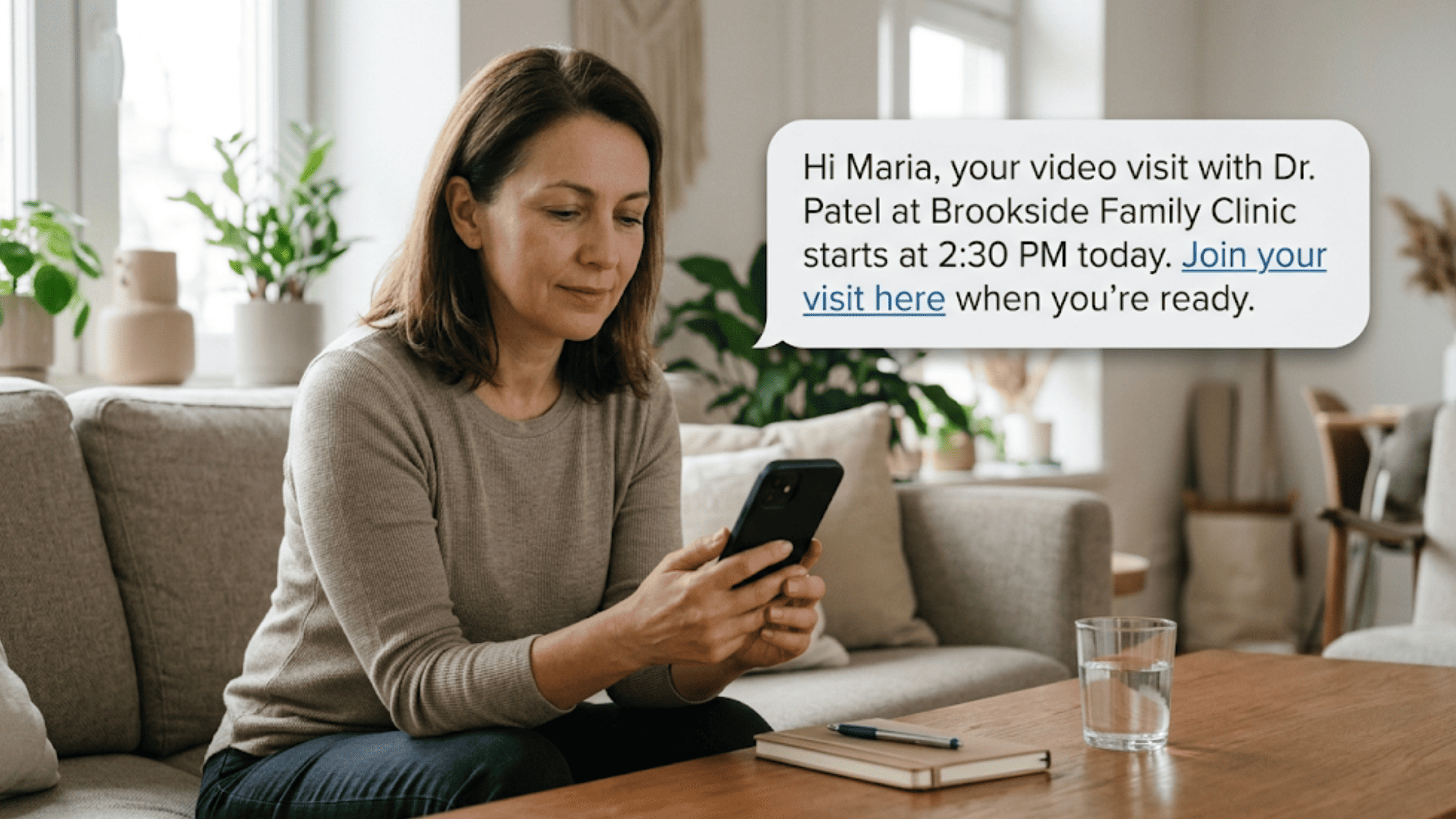
| Mobile Health | Uses phones and tablets for care tasks | A patient gets a text about an upcoming visit or a reminder to take medication |
Live telehealth connects a provider and a patient over a secure video link in real time. Your doctors can see and hear the patient, which helps them judge the patient’s condition more accurately. Most remote care setups are built around this kind of call.
The call doesn’t have to be one-on-one. Most live platforms let others join, which helps when a patient needs support during the visit:
Your providers can also use the same tools with each other, for peer-to-peer consults and for training.
For many patients, a video call is their first contact with a new doctor. It’s a safe way to build the trust that responsible, effective treatment depends on.
Store-and-forward care is one of the oldest forms of remote medicine. Digital tools made it much faster. A file that once went by mail or fax can now reach another provider or a patient as soon as it’s sent.
Your team can use it to forward:
Nobody has to be online at the same time. A dermatologist can review a rash photo between appointments, and a patient can open a test result on their phone that evening.
Exchanges can go to patients or from one provider to another for a second opinion. On a secure platform, every file stays private either way.
Lots of patients already wear devices that track blood pressure, heart rate, or blood sugar. Wireless connections changed what those devices can do. Over Wi-Fi or Bluetooth, each reading goes straight to the patient’s doctor in real time.
Before that, patients had to check their own numbers and write them down. The difference shows up in three places:
| Patient Logs by Hand | Device Sends Over Wi-Fi or Bluetooth | |
|---|---|---|
| Who records the reading | The patient | The device, automatically |
| Chance of errors | High: missed or miscopied numbers | Low: readings arrive as measured |
| Emergency response | Slow, since the doctor sees the numbers later | Fast, since your team sees a bad reading as it comes in |
More complex equipment can be monitored this way too. Dialysis machines can now be checked from a distance. Remote monitoring also helps your care team manage patients on ventilators (respirators).
Mobile health uses phones and tablets to pass information between doctors and patients quickly and safely. Most patients keep a phone within reach all day. That makes it the most direct way for your practice to send alerts, reminders, and other notices in real time.
Those messages can cover three kinds of information:
| Type | Example Message |
|---|---|
| Treatment | A reminder the day before a visit, or a nudge to take a medication |
| Disease prevention | A prompt to book a flu shot or a yearly screening |
| Health education | A short guide on caring for a new condition at home |
Examples are illustrative

Telehealth won’t replace in-person care anytime soon. Some conditions and procedures need a hands-on visit, and that won’t change. Its biggest strength is triage, which means sorting out which patients need to come to the office or hospital and which don’t.
That cuts down on visits that didn’t need to happen, so your team can spend exam-room time on the patients who do. Telehealth platforms work well for:
The wider benefits fall into three areas:
| Problem | How Telemedicine Helps |
|---|---|
| Access | Reaches patients in remote areas or places short on doctors |
| Patient experience | Cuts travel time and time spent in the waiting room |
| Cost | Lowers what care costs, for patients and for providers |
Health systems around the world struggle with all three. Adding remote care to your practice is one of the most direct ways to make care easier to reach.
Practices that use telemedicine platforms report fewer:
Part of the reason is timing. Patients can ask about their condition in real time and report problems as they happen. Your team can respond early, which lowers the need for costly acute care.
Mental and behavioral health providers were the first to adopt telemedicine software. Video let therapists reach patients during critical periods, and it has played a role in suicide prevention. Telehealth remains the most popular tool for treating mental health issues and keeping them from getting worse.
The COVID-19 pandemic exposed big gaps in the US health system. The country spends heavily on healthcare every year. Even so, many people who needed care during the outbreak couldn’t get it.
Telemedicine helped close some of those gaps. States with more flexible telehealth rules handled the pandemic better. Three things made the difference:
Live video kept both patients and providers safer during the pandemic. Crowded waiting rooms and offices were easy places to catch the virus. Patients who didn’t need a hospital bed or acute care could get help through telemedicine instead.
That held true for patients with COVID-19 and for patients with any other illness who still needed care.
Fewer face-to-face contacts also protected doctors, nurses, and front-desk staff. Health systems were already short on workers. Every provider who got sick left fewer people to treat patients.
During the outbreak, some telehealth vendors helped hospitals and clinics set up COVID-19 testing sites. Each site needed fast, safe triage. That depended on steady contact between doctors and patients, so telemedicine tools ran around the clock.
Curogram was one of those vendors. Our platform offers two-way texting and live video chat in real time. Patients and physicians use both to book appointments, schedule screenings, and hold first visits remotely.
We teamed with United Memorial Medical Center in Houston, Texas, to set up the first drive-thru testing site in the country. Our software handled three steps for each patient:
As case counts climbed, doctors struggled to keep track of every infected patient. Those recovering at home faced real risk, because COVID-19 could turn worse without warning. A patient who seemed stable in the morning could need urgent care by night.
Telemedicine tools let doctors watch these patients in real time. They could guide each recovery from a distance, which meant one doctor could cover more patients. Where local doctors were scarce, providers from other regions and states could step in and take over treatment.
Remote care had limits. An out-of-state doctor couldn’t intubate a patient, for example. But they could help manage patients on ventilators (respirators), which freed local staff for hands-on work.
.png?width=2000&height=1125&name=Telemedicine%20Software%20A%20Guide%20for%20Practitioners%20%20Curogram%20Blog-inline%20(1).png)
Plenty of telemedicine vendors are competing for your practice, and many look alike in a demo. Picking one is harder than it seems.
Telehealth visits follow the same rules as in-office care. You’re held to the same regulations and the same standard of care, whether the patient is in your exam room or on a screen.
That puts real weight on the platform you choose. Before you launch a telemedicine practice or add remote visits to the one you run, check every vendor against these five points:
| What to Check | Priority |
|---|---|
| Data privacy and security | Must-have |
| Secure communication channels | Must-have |
| Integration with your other medical software | Should-have |
| An interface that’s easy for patients and staff | Should-have |
| Technical support and training from the vendor | Should-have |
Mishandling patient data can lead to disciplinary action and, in serious cases, prosecution. Even without legal trouble, a breach of doctor-patient confidentiality can wreck your practice’s reputation. Pick a vendor that builds security into the platform from day one.
At minimum, the software you choose should include these three features:
| Feature | What It Protects Against |
|---|---|
| Encryption | Outsiders reading patient data while it’s sent or stored |
| Password protection | Anyone without access opening patient records |
| Data backup | Losing records to a crash, outage, or human error |
Most practices use more than one channel for telehealth. Video handles visits, texts handle reminders, and staff message each other all day. Every one of those channels needs to be private and secure.
Start by checking whether each tool is HIPAA compliant. The Health Insurance Portability and Accountability Act became law in 1996. It sets the rules for how patients’ personal health information is handled. Those rules apply to healthcare providers whether they see patients in person, remotely, or both.
Our platform covers both sides of practice communication:
| Feature | Who Uses It | What It’s For |
|---|---|---|
| Two-way texting | Your staff and your patients | You send reminders and updates, and patients book visits or ask questions |
| Internal messaging | Your staff | Fast, secure messages between team members |
Free consumer apps like FaceTime aren’t HIPAA compliant, and they aren’t secure enough for telemedicine.
Telemedicine saves the most time when it cuts admin work your staff already does by hand. That only happens if the platform connects with the software your practice runs on. Two connections matter most:
| Integration | Without It | With It |
|---|---|---|
| EHR | Staff type the same visit details into two systems, which takes time and invites errors | Records update automatically, so staff time goes back to patients |
| Billing | Telehealth visits need manual coding and claim entry | Each visit is coded correctly and sent to claims right away |
Billing integration matters most if your practice relies on insurance reimbursement. It still saves steps on direct-pay visits.
We connect with over 700 EHRs, so your clinical records stay current without double entry. See more integrations here.
A patient tries to join a video visit two minutes before it starts. They can’t find the link, so they call your front desk, and now the visit starts late. A clear, simple interface prevents that call.
Plenty of patients aren’t comfortable with tech, so every step should work without help. Check that patients can easily find:
When that information is easy to find, your team fields fewer questions and phone calls. Simple screens also cut down on errors during scheduling and registration. An easy platform can help draw in new patients, too.
Look for a platform with a virtual clinic and waiting room. Patients check in, wait, and get called in, just like at the office. Because the steps feel familiar, most patients adjust to them quickly.
Telemedicine runs on software that needs regular updates and upkeep. Even the best platform will have hardware and software problems sometimes. A webcam stops working, an update breaks a login, or a patient’s audio cuts out mid-visit.
When that happens with a full schedule, you need help fast, ideally in real time. Before you sign with a vendor, ask:
Good training means your staff can handle the basics on their own. That leaves support calls for the real problems.
Price is often the first thing practices compare. A low monthly fee won’t help much, though, if patients can’t join visits or support never picks up. None of the leading telemedicine vendors are free, but most offer a free trial, so use it.
Moving your practice to telemedicine takes time and adjustment. Test the features with your own staff and patients before you sign. Aim for a long-term partner, because switching later means retraining staff, moving data, and teaching patients a new way to join visits.
Some popular telemedicine vendors stack up like this:
| Vendor | HIPAA Compliance | Ease of Use | Technical Support |
|---|---|---|---|
| Curogram | Yes | ★★★★★ | ★★★★★ |
| Medici | Yes | ★★★★★ | ★★★★ |
| Mend Software | Yes | ★★★★ | ★★★★ |
| Updox | Yes | ★★★ | ★★★★ |
| NextGen Virtual Visits | Yes | ★★★ | ★★★★ |
| Secure Telehealth | Yes | ★★★ | ★★★ |
| Synzi | Yes | ★★★ | Not available |
Picture a busy Tuesday afternoon. A patient can’t find the video link, a finished visit needs to land in the EHR, and a claim has to go out before close. The platform you choose decides whether your team handles all of that in one place or bounces between four.
That’s why price should be the last thing you weigh. Start with what protects patients and saves staff time: HIPAA-compliant channels, a real connection to your EHR and billing, and support that answers during clinic hours. A cheaper tool that misses any of those costs more in phone calls and fixes.
Texting is a good place to see the difference. Based on our internal data, practices using Curogram’s automated texting cut inbound calls by 24%. Those are calls your front desk no longer has to take while patients wait at the window.
Telehealth works best when it fits the way your practice already runs. Schedule a demo with us and bring your toughest scheduling day. We’ll walk you through how Curogram handles it.
A live video visit happens in real time, with the doctor and patient on screen together. Store-and-forward is sent now and reviewed later. A provider or patient uploads a scan, a test result, or a photo of a skin rash, and the receiving doctor opens it when they’re free. It works well for second opinions and for reviews that don’t need a conversation.
During the COVID-19 emergency, the HHS Office for Civil Rights relaxed HIPAA enforcement so practices could use consumer apps like FaceTime. That grace period ended on August 9, 2023. Consumer apps aren’t built to meet HIPAA’s rules for protecting patient data, so a breach on one exposes your practice to fines and lost trust. A HIPAA-compliant platform with encryption, password protection, and data backup closes that gap.
Without integration, someone on your team types each telehealth visit into the EHR by hand, then enters it again for billing. Every re-entry takes time and invites typos. When the telehealth platform syncs with your EHR and billing system, the visit record updates on its own and the claim goes out coded correctly. Your staff gets that time back for patients.
Ask how fast support responds to an urgent ticket and whether help is available during your actual clinic hours, including early mornings or evenings if you see patients then. Problems like a broken login or frozen video tend to hit mid-visit, with a patient waiting. Also ask whether training covers every role, from doctors to the front desk, so your team can fix small issues without calling.
Put the trial through a normal clinic day. Have a few patients book, get reminders, and join a video visit, and count how many call your front desk for help. Check whether each visit lands in your EHR without retyping. Send a test support ticket and time the reply. Compare price only after the platforms that pass those checks are on your shortlist.
Looking to capture the telehealth market? Here are the best methods that will help you practice telemedicine in South Carolina profitably and...

Looking to capture the telehealth market? Here are the best methods that will help you practice telemedicine in Washington profitably and...
Looking to capture the telehealth market? Here are the best methods that will help you practice telemedicine in Virginia profitably and successfully.