
1 min read
Emergency Patient Communication for WebPT Clinics
 Jo Galvez : Mar 3, 2026, 4:10:30 PM
💡 Emergency patient communication for WebPT clinics works best with pre-built SMS broadcast tools.When snow days, power outages, or provider...
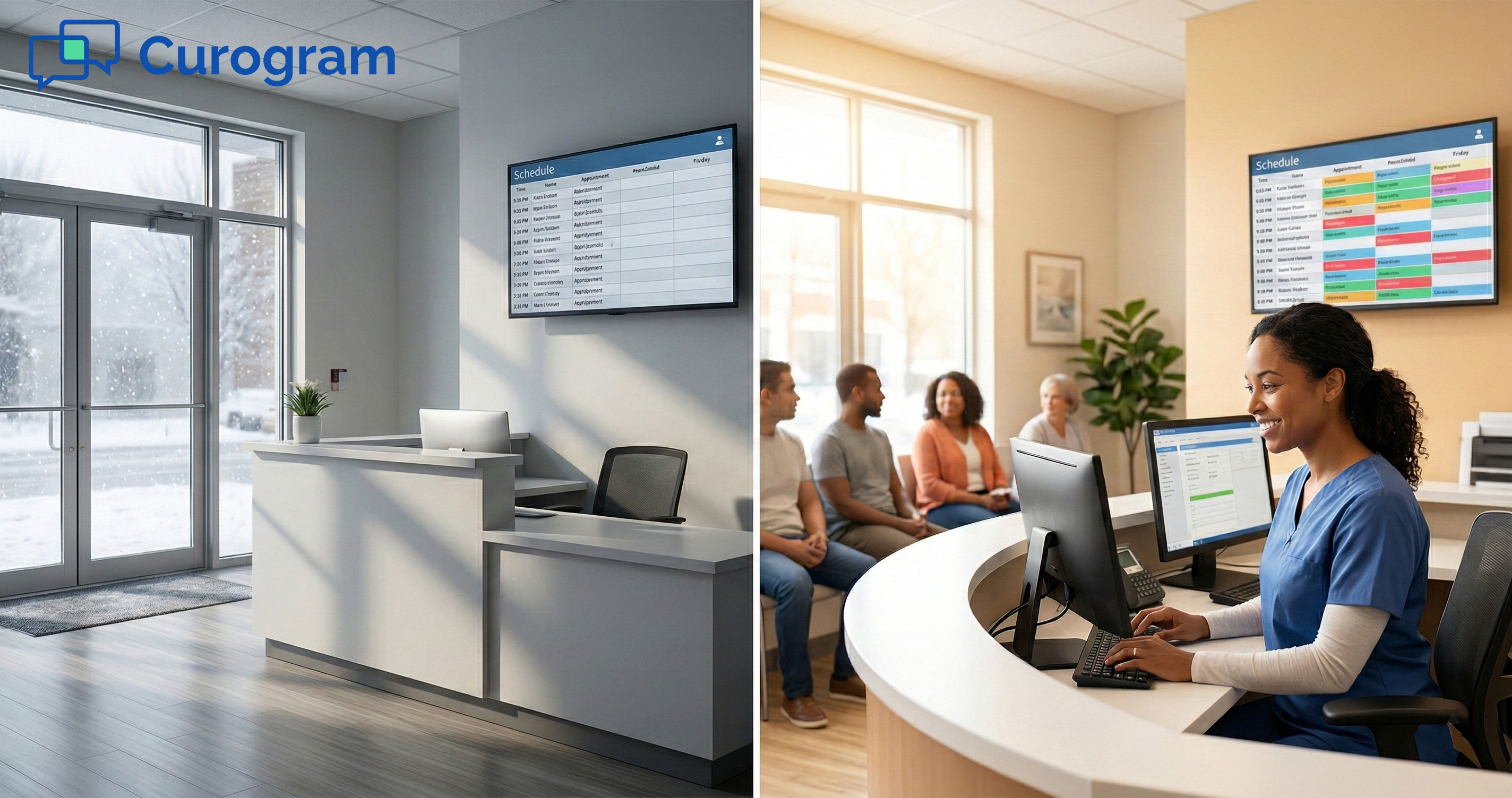
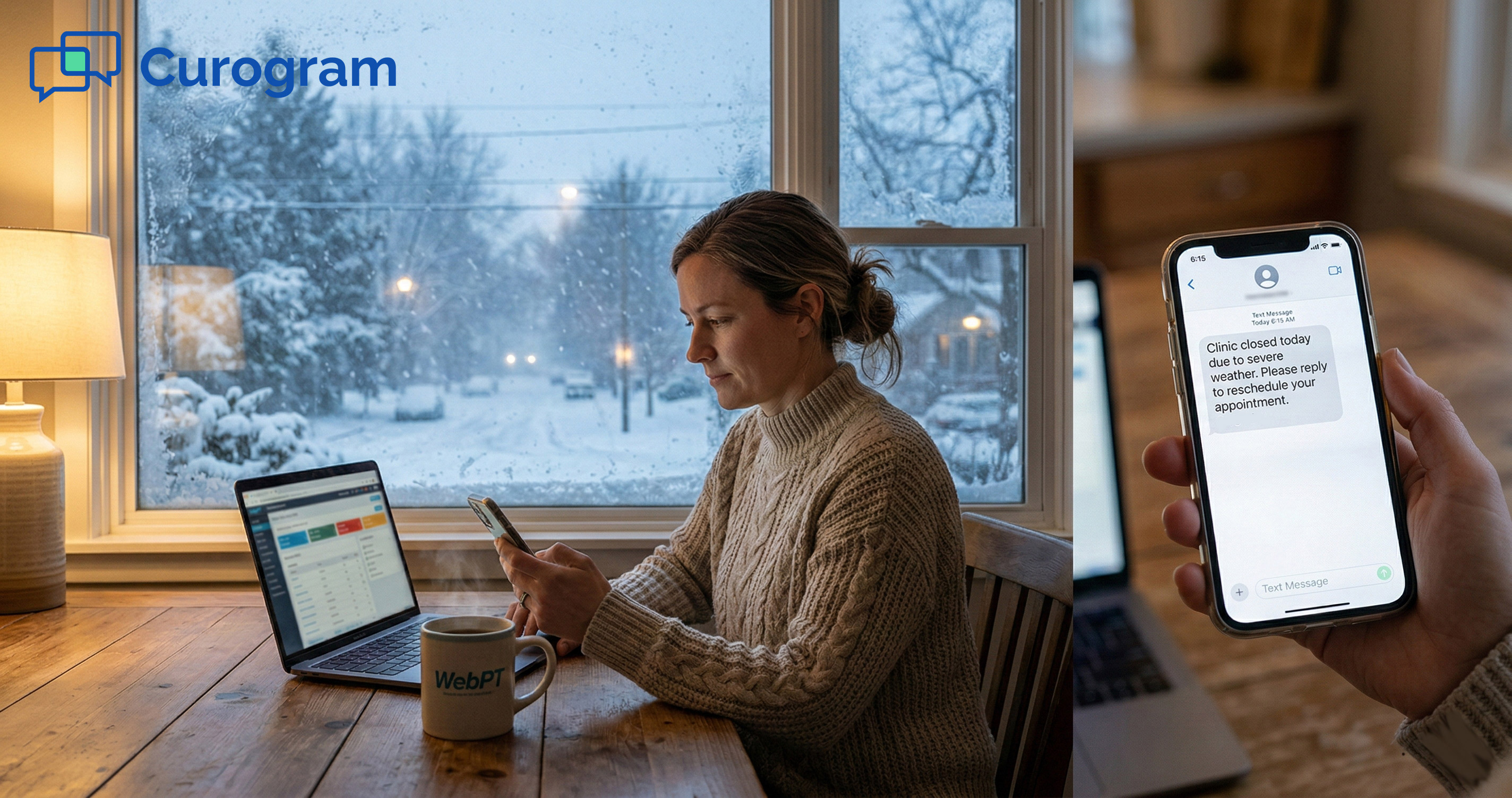
Picture this. It's 5 a.m., and your phone lights up with a winter storm alert. School closures are rolling in. Your clinic has 60 patients on the books today. And every one of them is about to get cancelled.
For most PT practice owners, this moment triggers a painful chain of events. Staff scramble to call each patient one by one. Voicemails pile up. Half the patients never pick up. By the time the storm clears, the damage is done. That day's revenue is gone.
But here's the thing: the revenue doesn't have to stay lost. The real problem isn't the closure itself. It's what happens after. It's the slow, clunky process most clinics use to try to recover.
When your only tool is a phone call, you're fighting the clock with both hands tied. You can only reach one patient at a time.
Every hour that passes, the odds of that patient rebooking drop. An appointment delayed by a week? That's often an appointment lost for good.
This is where 2-way broadcast texting changes the game. Instead of chasing patients, you reach all of them at once with a single message.
Instead of just telling them "we're closed," you ask them when they can come back. That one shift turns a crisis into a same-week rebound.
In this article, we'll break down exactly how clinics recover lost revenue from clinic closure using Curogram's 2-way SMS broadcasts with WebPT.
We'll cover the real cost of a lost day, the step-by-step workflow for rapid rebooking, and how the fastest clinics save up to 90% of their weekly visit volume.
Every clinic owner knows the sting of a cancelled day. But few sit down and count the real cost. The truth is, a single closure does more damage than most people think.
It's not just one bad day. It's a chain of missed visits, lost income, and patients who fall off their care plan.
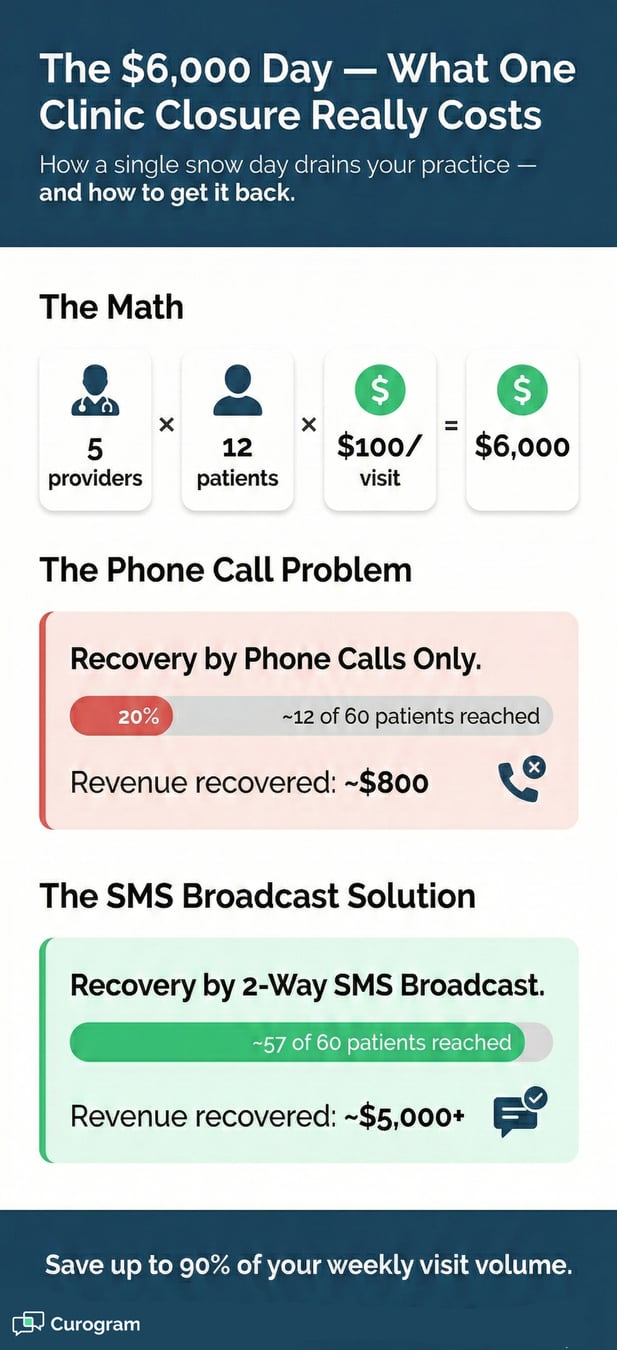
Let's say your clinic has 5 providers. Each one sees 12 patients per day. At $100 per visit, that's $6,000 in a single day.
One snow day wipes that out in full. That number only grows if you run a larger practice.
|
Factor |
Value |
|
Providers on staff |
5 |
|
Patients per provider/day |
12 |
|
Revenue per visit |
$100 |
|
Total daily revenue at risk |
$6,000 |
|
Patients reached by phone (avg.) |
~20% |
|
Revenue recovered same week (no system) |
~$1,200 |
That table tells a clear story. Without a fast system in place, you're lucky to save 20% of the day's income. The rest? Written off.
Now multiply that by two or three snow days per winter, and you're looking at $12,000 to $18,000 gone.
The dollar amount on the schedule is just the start. When patients miss a visit, their plan of care takes a hit. For PT clinics, a skipped session can mean a full reset on progress.
That patient may not come back at all. Based on our internal data, practices that fail to rebook within 48 hours see a sharp drop in patient retention.
There's also the staff cost. Your front desk team spends hours making calls, leaving messages, and waiting for callbacks.
That time could be spent on check-ins, billing, or patient intake. Instead, it's burned on a task that has a very low return rate.
Here's the cold truth about phone-based rebooking. Most patients don't answer. And the ones who do often say, "Let me check my schedule and call you back." They rarely do.
Your staff calls. Patient doesn't pick up. Staff leaves a voicemail. Patient calls back an hour later. Staff is now on another call. This loop can repeat three or four times before a single visit gets rebooked.
Multiply that by 60 patients, and your team is buried for the entire day. Trying to minimize the financial impact of snow days through phone calls alone is a losing game.
WebPT is a strong tool for managing your schedule and tracking patient progress. But when it comes to mass rescheduling, there's a gap.
WebPT shows you who was cancelled. It gives you a clear view of the empty slots. What it doesn't offer is a bulk reschedule button or a way to contact all those patients at once.
That's the missing link. You need a bridge between knowing who needs to rebook and actually reaching them fast. Without that bridge, even the best practice management system leaves you stuck making calls one by one.
Most closure notices are dead ends. They tell the patient what happened, but they don't give the patient a next step. That's the core shift Curogram brings to the table.
Instead of saying "We are closed," you ask, "When can you come in?" That one change turns a passive message into an active booking tool.
The beauty of 2-way broadcast texting is its speed. You don't need a complex setup. You don't need a new platform.
If you're already using Curogram with WebPT, the whole process takes minutes. Here's how it works in three clear steps.
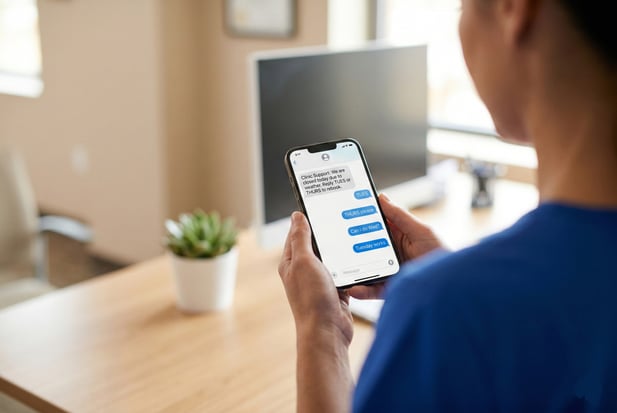
As soon as you decide to close, open Curogram and create a broadcast. Select all patients on today's schedule. Type a short, clear message with open slots for the rest of the week.
For example: "We are closed today due to the weather. Reply TUES to book Tuesday or THURS for Thursday."
This mass text for appointment rescheduling goes out to every patient at once. No dialing. No voicemails. No waiting. Within seconds, your entire patient list knows the plan.
Here's where 2-way texting shines. Patients don't just read the message. They reply, and they do it fast.
SMS has a 98% open rate, and most replies come in within 90 seconds. Your inbox fills up with clear answers: "TUES," "THURS," or "Can I do Wednesday instead?"
Because it's a real conversation, staff can handle edge cases on the spot. A patient with a conflict? Offer them a different slot.
A patient who can't come in at all? Place them on a priority waitlist. This flexibility is what sets WebPT rescheduling automation apart from one-way blast tools.
Replies are only half the picture. You still need to get those patients onto the actual schedule. That's where your staff and WebPT work together to close the loop.
Once a patient confirms their new day, staff drags and drops the visit in WebPT. It's a quick, manual step that keeps clinical accuracy intact.
Curogram doesn't auto-move appointments, and that's on purpose. You want a human confirming each slot to avoid double-booking or scheduling errors.
This workflow gives you the best of both worlds. The speed of a mass text combined with the precision of a manual confirmation in your EMR. It's fast, it's safe, and it keeps your schedule clean.
In many cases, you can't fit an entire day's worth of patients into normal hours later in the week. That's okay. The fix is simple.
Extend provider hours on Thursday and Friday by one or two hours each. Let patients know those extended slots exist in the original broadcast.
This approach spreads the load across the week. It avoids cramming patients into a single make-up day.
It keeps your team from burning out. The goal is to rebook cancelled patients in WebPT without wrecking the rest of the week's flow.
Speed is the secret weapon. The faster you reach a patient after a closure, the more likely they are to rebook.
It sounds simple, but it's the one factor that separates clinics that bounce back from clinics that write off the loss. Here's why the 90% recapture rate isn't just a dream number.
Patient behavior follows a clear pattern. In the first hour after a cancellation, most patients are still in "care mode." They expected to come in today.
Their schedule was built around that visit. Reach them now, and they'll rebook on the spot.
Wait two hours, and things change. The patient moves on with their day. They fill the slot with errands, work, or rest.
By the next morning, the visit feels like something they'll "get to eventually." A week later, they may drop off the care plan entirely.
This is why texting beats calling every time. A mass text hits every patient's phone in seconds. Based on our internal research, practices that send a broadcast within 30 minutes of a closure decision see reply rates above 70%. That's a massive head start compared to the 20% reach rate of phone calls.
There's a reason the message asks patients to reply with a specific day. It locks in commitment. When a patient types "TUES" and hits send, they've made a mental decision.
They've claimed a spot. That small act of effort makes them far more likely to show up.
Compare that to a voicemail that says, "Call us back to reschedule." There's no urgency. No action. No commitment.
The patient who replies to a text is already rebooked in their mind. The patient who listens to a voicemail is already moving on.
Let's revisit the scenario. You lost a Monday. That's $6,000 off the books. Here's what recovery looks like with and without a broadcast system.
|
Method |
Patients Reached |
Same-Week Rebooks |
Revenue Saved |
|
Phone calls only |
~12 of 60 (20%) |
~8 visits |
~$800 |
|
2-way SMS broadcast |
~57 of 60 (95%) |
~50 visits |
~$5,000+ |
The gap is striking. With phone calls, you save maybe $800. With a 2-way broadcast, you save over $5,000 in the same week.
You might lose the day, but you don't lose the week. That's the essence of PT practice revenue continuity.
Think beyond one storm. Most clinics face three to five closure events per year. That could be weather, power outages, or provider illness.
If each event costs $6,000 and you recover 90% each time, you're saving $16,000 to $27,000 annually. That's real money that stays in your practice instead of vanishing from the schedule.
Based on our internal data, practices using 2-way broadcast texting report a 10-20% increase in revenue, with each recovered appointment adding directly to the bottom line. The system pays for itself after a single event.

Below are the most common questions practice owners ask about using 2-way broadcast texting for clinic closures. If you don't see your question here, reach out to our team for a quick answer.
No, and that's by design. Curogram does not move appointments in WebPT on its own. Auto-scheduling could lead to double bookings, missed provider preferences, or patients placed in the wrong time slot. Those kinds of clinical errors create bigger problems than the ones you're trying to solve.
Curogram handles the conversation. It sends the broadcast, collects patient replies, and keeps the thread open so staff can confirm details.
Once the patient picks a day, your team moves the slot in WebPT with a simple drag and drop. The whole exchange takes seconds, not minutes.
This setup keeps the human in the loop. Your staff reviews each change before it hits the schedule.
That means no surprises, no conflicts, and no risk of placing a patient in a slot that doesn't match their care needs.
In healthcare, accuracy is non-negotiable. Automated scheduling tools can miss nuances like provider-specific requirements or time-sensitive treatment windows.
By keeping the final confirmation step with your staff, you protect both the patient experience and your clinical integrity.
That's a fair concern, and it comes up often. Not every week has room to absorb 60 extra visits.
But that doesn't mean those patients have to be left hanging. There are two strong options to keep them engaged and on their care plan.
Use your broadcast to offer displaced patients first priority on your waitlist. If a cancellation opens up in the next few days, they get the slot before anyone else.
This keeps the patient connected to your practice and shows them you value their time. It also feeds your smart waitlist system, which fills gaps before they become lost revenue.
For certain visits, a virtual session may work. Home exercise reviews, progress check-ins, or patient education can often happen over video.
This won't replace every in-person session, but it keeps the patient moving forward. It also protects the visit count for the week, which matters for PT practice revenue continuity.
Yes. By a wide margin. Email and text serve different purposes, and when it comes to urgent rebooking, text wins every time. Here's why.
|
Channel |
Open Rate |
Avg. Response Time |
|
|
~20% |
Hours to days |
|
SMS Text |
~98% |
~90 seconds |
That table says it all. Email sits in an inbox that patients check once or twice a day, if that. A text message pops up on their screen within seconds.
When you need patients to act fast, SMS is the only channel that matches the urgency.
Think about your own behavior. If your dentist emails you about a rescheduled visit, you might read it tonight. If they text you, you read it now. Your patients are no different.
When revenue is on the line, and patient care hangs in the balance, you need the channel with the highest open rate and the fastest response time. That's text. Every time.
Financial strength in a clinic isn't about luck. It's about having the right process ready before the crisis hits.
The practices that bounce back fastest aren't the ones with the best weather forecasts. They're the ones with systems built for speed.
When a closure strikes, you don't need a complex game plan. You need one thing: the ability to reach every patient in minutes and give them a way to rebook on the spot. That's it. Everything else is noise.
Email has a 20% open rate and slow response times. Phone calls reach maybe one in five patients. Text messages? They have a 98% open rate and a response time measured in seconds. When revenue is on the line, speed matters more than anything else.
That's why the fastest path to recover lost revenue from clinic closure is a 2-way text broadcast. It's instant. It's two-sided. And it gives patients a reason to act right now, not "sometime later."
The best time to set up your broadcast workflow is before you need it. Save a template in Curogram. Train your staff on the three-step process.
Run a test blast so everyone knows how it works. Then, when the next storm or sick call hits, you're not scrambling. You're executing.
Clinics that treat rebooking as a standard process, not an emergency reaction, are the ones that maintain revenue week after week.
They don't write off snow days. They don't accept the loss. They turn every closure into a same-week recovery.
Stop treating closures as write-offs. You've seen the math, the workflow, and the results.
The gap between losing $6,000 and saving $5,000 of it comes down to one choice: how fast can you reach your patients?
Schedule a demo today and turn your next emergency into a revenue win.
1 min read
Jo Galvez : Mar 3, 2026, 4:10:30 PM
💡 Emergency patient communication for WebPT clinics works best with pre-built SMS broadcast tools.When snow days, power outages, or provider...
1 min read
Jo Galvez : Feb 13, 2026, 9:00:01 AM
💡 To fill schedule gaps in Prime Clinical Systems, the most direct method is targeted broadcast messaging through Curogram. Practices filter...
1 min read
Jo Galvez : Mar 24, 2026, 5:00:00 PM
💡 Patient recall phone calls drain staff time at small Practice Fusion clinics. Front desk teams spend 3 to 4 hours each week chasing overdue...