

8 min read

HIPAA-Compliant Texting for TherapyNotes: Add Secure SMS

HIPAA-Compliant Texting for TherapyNotes: Add Secure SMS
💡 TherapyNotes is a top-tier EHR for charting and billing, but it has no native HIPAA-compliant SMS. TherapyPortal exists, yet most behavioral health clients rarely log in. That gap pushes staff back to the phone for daily call lists.

Curogram fills that gap. It works alongside TherapyNotes as a secure 2-way text layer. There is no API hook, no migration, no new EHR to learn.

Clients confirm sessions, ask quick questions, and pay balances by text. Based on our internal data, Curogram users see no-show rates 53% lower than the industry average.

For a mid-sized practice, that can recover tens of thousands in monthly revenue, without changing your charting setup.

Picture a Monday at a busy therapy practice. Voicemails stack up. The front desk starts calling clients one by one. By noon, half the week is still unconfirmed.

Most TherapyNotes practices know this routine well. The EHR is great for notes, claims, and scheduling.

But it was never built as a real client messaging tool. Clients are left with a portal they rarely open.

Behavioral health clients are not casual portal users. Many are managing anxiety, ADHD, PTSD, or depression.

Extra logins and new passwords add friction at the worst moment. So messages go unread, and sessions slip through the cracks.

Meanwhile, your team is stuck on the phone. Calls take 3 to 4 minutes each, including hold time and voicemails.

That is 2 to 3 hours daily, just chasing confirmations. The portal looks active on paper, but in practice, it feels silent.

The cost adds up faster than most owners track. No-show rates in behavioral health often run 20% to 23%.

For a mid-sized practice, that can mean tens of thousands in lost revenue every single month. And the team still feels worn out.

The good news: you do not need a new EHR. You need the missing piece TherapyNotes never built, a secure text channel that meets clients where they already are. No portal logins, no app downloads, no risky migration.

That is where TherapyNotes HIPAA compliant client texting through Curogram fits. It runs next to your EHR, not through it.

Staff still chart and bill inside TherapyNotes. Clients text from their normal phone app, the same way they text family.

In this guide, we will break down the portal problem, the text layer that solves it, and the real numbers behind faster confirmations. By the end, you will see how to fix the gap without disrupting your team. 

The Villain: The Portal Paradox

TherapyNotes earned its name through clean charts and tight billing. Its portal, TherapyPortal, was a smart add-on for its time.

But messaging through a portal asks clients to do extra work, and many simply will not. Below is why the portal model breaks down for behavioral health, and what it costs you each month.

Why Clients Skip the Portal

TherapyPortal needs clients to remember a URL, a login, and a password. For most adults, that is already a hurdle. For a client with anxiety or ADHD, it can feel like one step too many.

Texting feels normal. Logging in to read a single line of text does not. So portal messages sit unread, even when the front desk has tried twice. The channel exists, but it is not where your clients live.

The Hidden Drop-Off

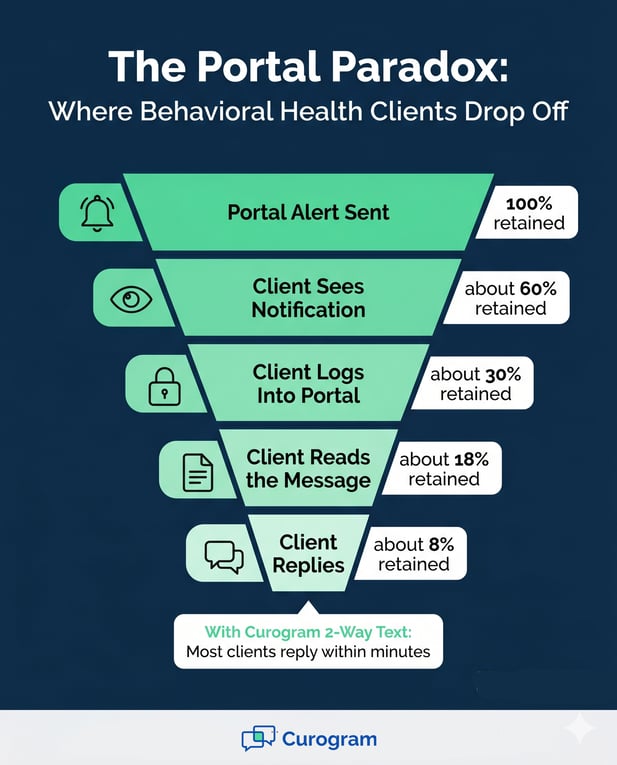
Many practices think the portal is working because it is set up. But adoption tells a different story. When you look at open rates and reply rates, the gap is wide.

Texts get read fast. Portal alerts get lost. That is the core of the paradox, the tool is there, but the channel is wrong.

The Phone Tag Trap

When the portal fails, the phone takes over. Front-desk staff start a long list of outbound calls each morning. Each call eats 3 to 4 minutes once you add hold time and voicemail.

Multiply that by 50 to 80 calls a day. That is 2 to 3 hours of pure call work, before any new client even walks in. The team is busy, but not productive.

What Burnout Looks Like Up Close

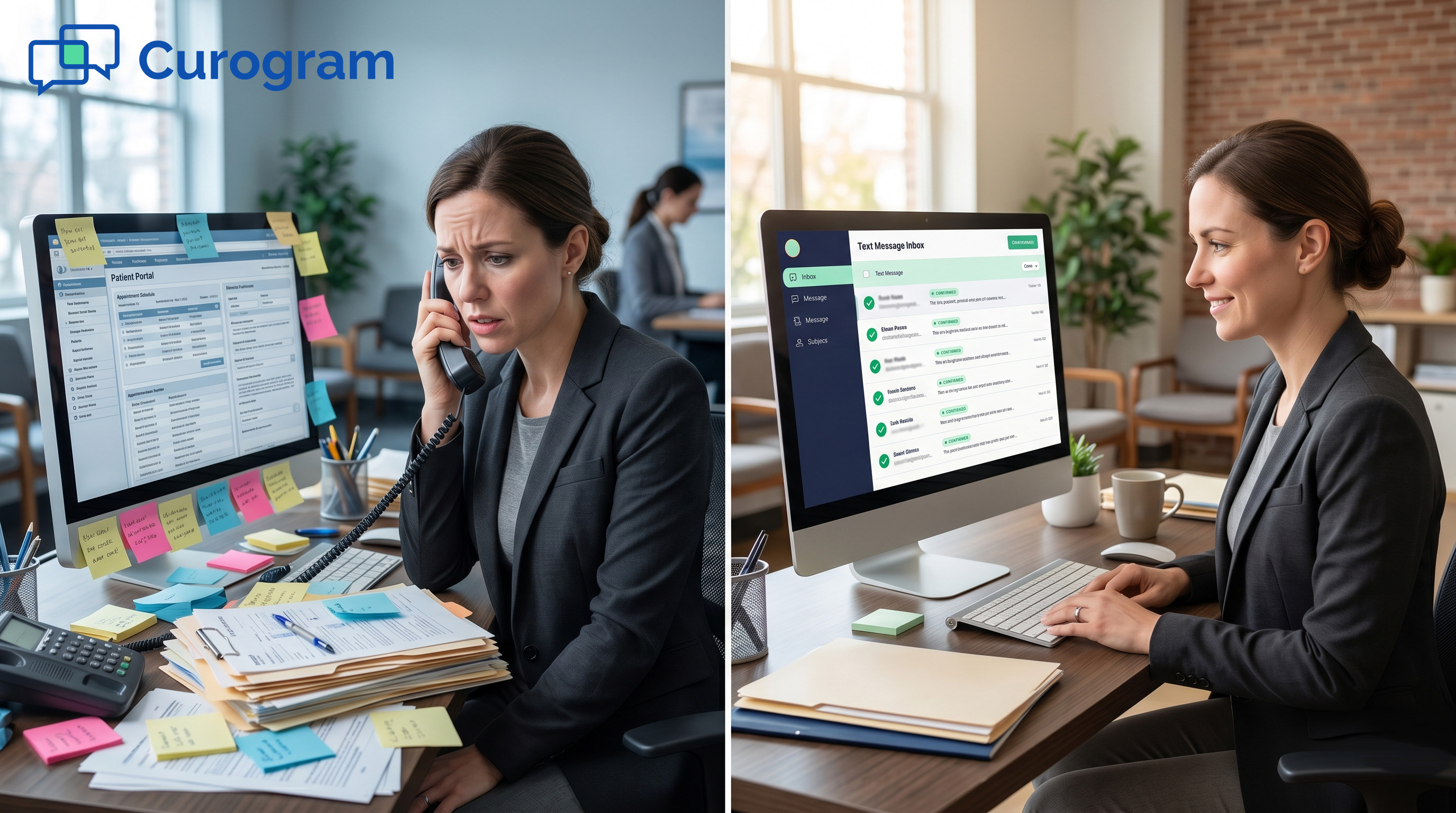
Practice managers feel it first. Sticky notes pile up. The phone never stops. Real client requests slip behind a wall of confirmation calls.

It is not a staffing problem. It is a workflow problem. The portal pushed the load back to the phone, and the phone cannot scale.

The Financial Toll of Empty Slots

No-show rates in behavioral health often run 20% to 23%. Psychiatry sits near the top of that range. Each empty slot is lost revenue you cannot easily refill on short notice.

For a 10-clinician practice booking 25 sessions per clinician a week, a 20% no-show rate is huge. Based on our internal research, that can mean tens of thousands in lost revenue every month. Over a year, the number stings even more.

Here is what the math looks like at a typical mid-market practice:

Practice Size

Weekly Sessions

Lost Slots at 20% No-Show

5 clinicians

125

~25 per week

10 clinicians

250

~50 per week

20 clinicians

500

~100 per week


Now add the cost of admin staff hired just to call clients. The picture gets worse. The portal was meant to cut that work, not multiply it.

The owner is stuck. They love TherapyNotes for charting. Yet every week, money walks out the door, and the team burns out from the manual fix.


Infographic showing behavioral health patient drop-off in portals vs. fast text replies

The Guide: The Missing Text Channel

You do not need to replace what works. You need to add what is missing. Curogram is that add-on, built as HIPAA compliant texting for therapists who already trust TherapyNotes for charts. It is the secure text layer that completes your stack without forcing a switch.

A Side-by-Side Setup, Not a Migration

TherapyNotes has no public API for outside messaging tools. That has stopped many practices from adding modern text features. Curogram solves this by running alongside TherapyNotes, not through it.

Staff keep charting and billing inside TherapyNotes. They handle client texts in Curogram. Two tabs, one workflow, zero data migration.

This is the TherapyNotes secure messaging alternative that respects your existing system.

Why Side-by-Side Works

No new EHR means no months of staff retraining. No risk of broken billing during a cutover. Your clinical work stays exactly where it is.

Front-desk staff often pick up Curogram in under 10 minutes. The learning curve is small because the inbox feels familiar.

Smart Routing for Real Practice Teams

Curogram offers a smart routing inbox. Clients text one main practice number. Messages get sorted by topic, like scheduling, billing, or clinical questions.

The right staff member sees the right thread. No more cross-talk, no missed handoffs. It feels less like a phone line and more like a calm shared inbox.

Built-In Compliance, Not Bolted On

Every message is encrypted in transit and at rest. Full audit logs come standard. Curogram is SOC 2 Type II certified and provides a Business Associate Agreement by default.

For practices under 42 CFR Part 2, consent flows are built in. So 2-way SMS for behavioral health practices stays inside the rules on every single thread.

Meeting Clients Where They Already Are

Behavioral health clients are not the same as quick urgent care visits. They need steady, low-friction contact. A text fits that need far better than a portal alert ever could.

Curogram works through the client's own native texting app. No app downloads. No new passwords. No extra steps when life already feels heavy.

This is what makes the right text therapy clients HIPAA compliant setup look like. The channel is secure, but the client experience is normal. That is the unlock most portals miss.

A Real TherapyNotes Client Communication Solution

Think of Curogram as the TherapyNotes patient engagement platform that should have come built-in. It covers reminders, rescheduling, billing nudges, and intake form delivery, all by text.

Front desks send forms by SMS. Clients tap, fill, and return. The same channel also handles payment links and waitlist offers when a slot opens up.

The result is one calm channel for almost every routine touchpoint. Staff stop chasing. Clients stop missing. The practice keeps the EHR it already knows.


The Success: Clients Text, Staff Breathe, Sessions Fill

Once the text channel is live, the daily rhythm shifts. The phone stops ringing for routine confirmations.

Staff move from reactive calling to proactive scheduling. Real numbers back this up, both from our internal data and from practices we have walked alongside.

The Numbers That Matter

Based on our internal data, Curogram practices see no-show rates 53% lower than industry averages. For behavioral health baselines of 20% to 23%, that is a major recapture.

One Curogram client, Atlas Medical Center, cut their no-show rate from 14.20% to 4.91% in just three months. That result is 3 times better than the industry average and shows what a strong text workflow can do.

Why the Drop Is So Sharp

Texts get read in minutes, not days. Confirmations happen in one tap. Reschedules happen before the slot is wasted.

That speed compounds. Every saved slot is fresh revenue, and every reschedule keeps care on track.

Here is a quick view of typical no-show baselines next to Curogram client averages, based on our internal data:

Specialty

Industry Avg No-Show

Curogram Client Avg

Behavioral Health

20% – 23%

Roughly 53% lower

Atlas Medical Center

14.20%

4.91% in 3 months

Mixed Specialties

Varies

~75% confirmation rate


The Communication Unlock

When text takes over routine work, the front desk gets its time back. Staff stop dialing and start managing one calm inbox. That shift is what we call the communication unlock.

Clients respond faster. Slots refill from the waitlist by text. The whole practice feels lighter, even on a heavy schedule day.

From Reactive to Proactive

Practice managers stop firefighting. They start spotting trends, like which clinicians have the most gaps or which days run hot.

That data turns into smarter scheduling. The practice stops bleeding small inefficiencies and starts running with intent.

A Real Day, Re-Imagined

Picture a Thursday afternoon at your practice. Every Friday session is confirmed by text. Two clients needed to reschedule, and both did so in a 30-second thread.

Both empty slots were refilled by waitlist clients within the hour. The billing coordinator sent 15 SMS payment links, and 8 clients paid before close.

The owner checks the dashboard and sees a full schedule. No frantic calls. No silent portal. Just steady, secure flow.

Why Staff Stay Longer

Front-desk burnout often comes from constant phone pressure. Remove that pressure, and morale lifts.

Staff who feel in control stay longer. That alone protects revenue, since each hire and retrain is costly.

If this rhythm sounds like the upgrade your practice needs, a short demo will show how the workflow maps to your week.

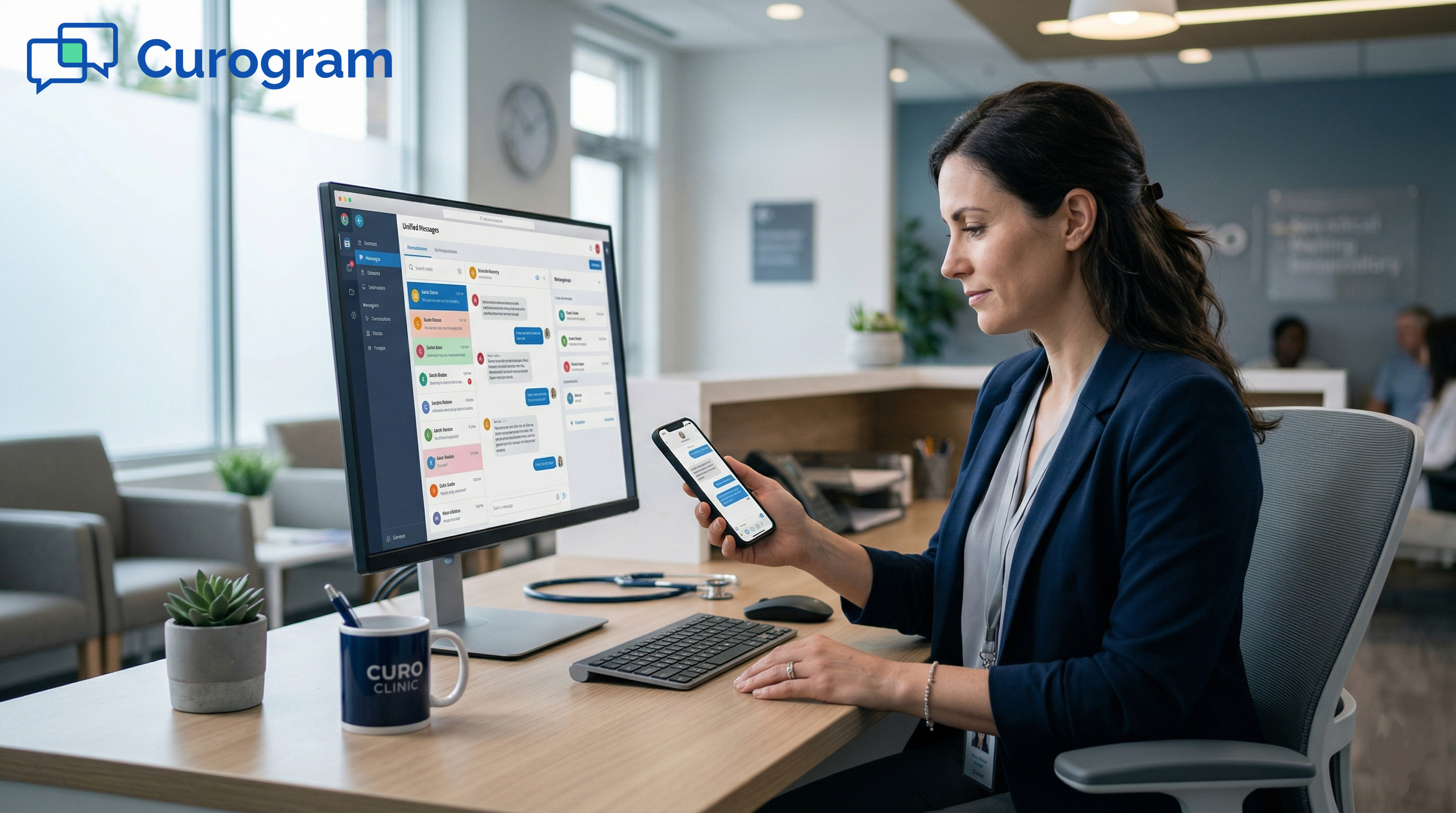
Happy behavioral health professional manages appointments on her smartphone in a modern office

ConclusionKeep TherapyNotes, Add Curogram, Problem Solved

TherapyNotes does what it was built to do: charts and billing. Curogram does what it does not: client messaging. Together, they form a stack that fits how real behavioral health practices run today.

You keep your trusted EHR. You add the text layer your team has needed for years. There is no migration risk and no months of relearning core systems.

Staff stay in TherapyNotes for clinical work. Clients reach your front desk by text. The flow is simple, clean, and built for daily use.

Setup happens alongside your current workflow. There is no API to wire up and no client data to move.

Your billing, notes, and templates all stay put. Only the silent gap gets filled.

Modern behavioral health clients expect text contact. They text their dentist, their stylist, and their kid's school. Your practice should feel just as easy.

When you meet clients on their main channel, you reduce friction at the most fragile moments. That builds trust, and trust drives retention.

From intake forms to billing nudges, SMS handles routine touchpoints fast. Staff focus on people, not phones.

Clinicians focus on care. Owners watch revenue grow without adding headcount.

If your practice is still chasing confirmations by phone, the gap is costing you.

TherapyNotes is for your clinical work. Curogram is for your clients' communication. Keep one. Add the other. Watch the silence turn into steady, secure flow.

A short walkthrough will show how to close it without changing anything else.

Bring your current schedule, your no-show rate, and your team's biggest pain point. We will map how Curogram fits in 15 minutes.

Book Your Personalized Demo Today. See Curogram in action with a TherapyNotes-specific walkthrough.


Frequently Asked Questions

How does Curogram stay HIPAA-compliant for behavioral health clients?

Curogram encrypts every message in transit and at rest, with full audit trails. It is SOC 2 Type II certified, and a Business Associate Agreement comes standard. For 42 CFR Part 2 cases, consent flows are built into the platform. So secure messaging stays compliant by design, not by patchwork.

Why does TherapyNotes need a separate texting tool at all?

TherapyNotes was built as a clinical documentation system, not a messaging hub. It has no native 2-way SMS and no public API for outside tools. That leaves a real gap for client communication. Curogram fills that gap as a side-by-side layer, so you do not need to switch EHRs.

How will my staff handle two tools without doubling their workload?

Front-desk staff use TherapyNotes for charts and billing, and Curogram for client texts. There is no double data entry, and the inbox feels like a normal messaging app. Most teams learn it in under 10 minutes. Practices often report less total work, since SMS replaces hours of manual calling.

Why do behavioral health clients respond better to texts than portals?

Many clients are managing anxiety, ADHD, or depression, which makes extra logins harder than they sound. A portal asks them to break their normal flow to read one short note. Texts arrive in the app they already check all day, so reply rates jump. The channel fits how clients live, not how systems are built.

How fast can a practice see no-show rates drop after starting?

Many Curogram clients see clear drops in the first 60 to 90 days. Atlas Medical Center cut no-shows from 14.20% to 4.91% in just three months. Based on our internal data, average Curogram practices run 53% below industry baselines. The speed of impact depends on how quickly your team adopts the text workflow.