10 min read
The 10-Minute Recall Campaign for Tebra Office Managers
Mira Gwehn Revilla
:
April 6, 2026
- Replace hours of manual calling with a single broadcast text to every overdue patient on your list
- Set up a recall campaign in about 10 minutes using smart filters and saved message templates
- Route every patient reply to a single staff dashboard for fast scheduling
- Reach 200, 500, or 1,000+ patients at once with a merge-field message that feels personal
- Based on our internal data, one practice hit a 35% appointment reconversion rate and recovered 1,240 patients
Every Tebra office manager knows the recall list is there. It sits in the EHR, growing by the quarter. Hundreds of overdue patients who need annual visits, follow-ups, or screenings. And the only tool to reach them? The phone.
Here's the problem. Staff start calling, reach a handful of people, and then the front desk gets slammed. The list goes back in the drawer. Nobody picks it up again until next quarter — if at all. It's the phone call that never gets made.
This is why so many office managers say there's no way to contact patients at scale using Tebra's recall list. The platform handles reminders, portal messages, and one-to-one texts well.
But it has no broadcast or mass text feature for recall outreach. That leaves front desk teams stuck with a phone-based recall workflow that eats up staff time and still doesn't get the job done.
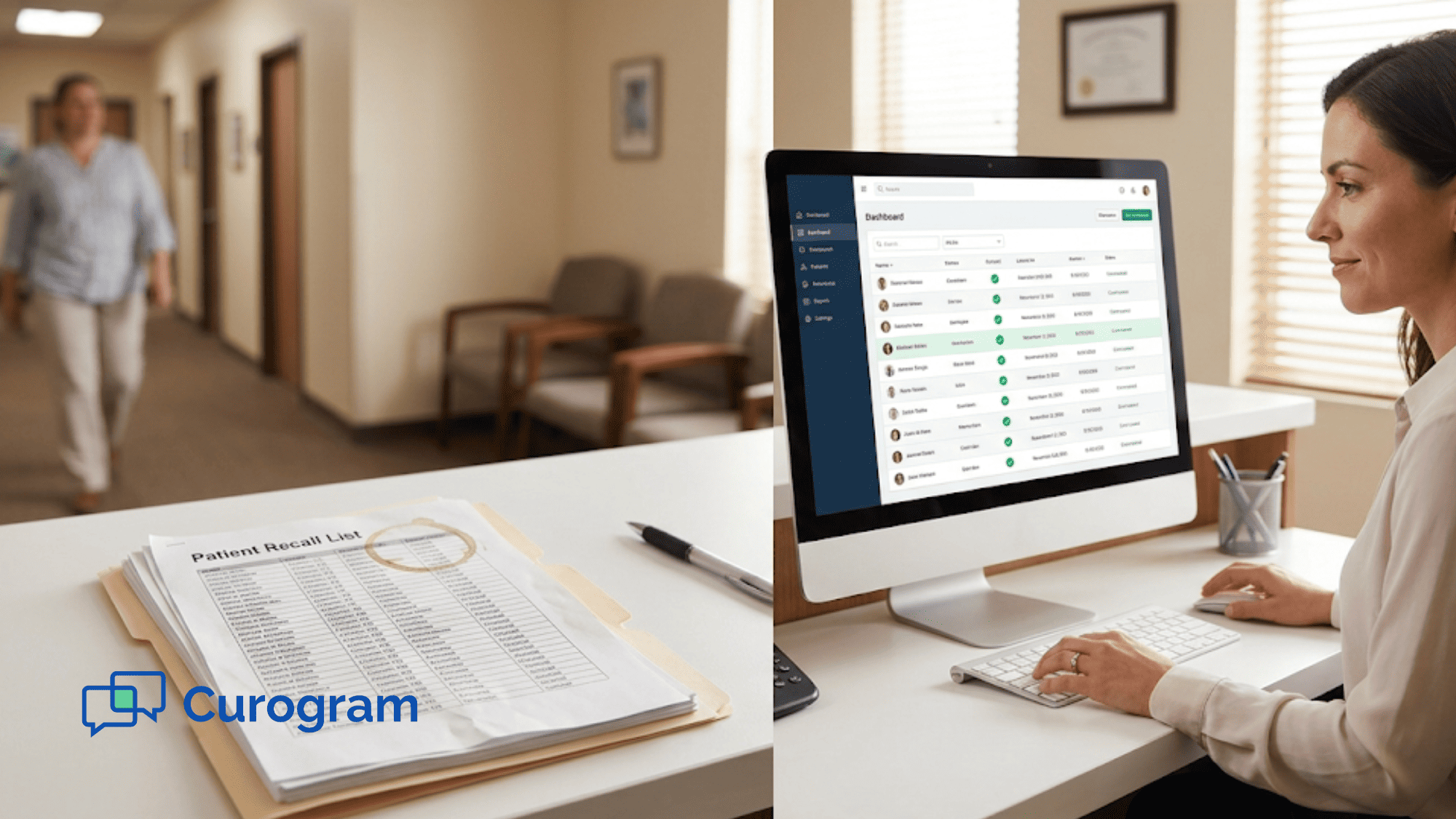
Curogram changes this. With broadcast text messaging, a Tebra office manager can run a patient recall campaign in about 10 minutes — with no phone calls, no extra staff, and no wasted afternoons on hold. You select your overdue patients, write a quick message, and hit send. Responses flow into one dashboard where staff can schedule on the spot.
Based on our internal data, one multi-location practice recovered 1,240 patients through recall campaigns alone, with a 35% appointment reconversion rate. That's real revenue from a staff workflow that used to produce nothing but frustration.
This article walks through the exact problem, the math behind why phone-based recall fails, and how broadcast text gives Tebra practices a faster, smarter way to bring overdue patients back. Whether you run a single-site clinic or a growing group, this 10-minute approach can replace months of failed phone outreach.
The Villain: The Phone Call That Never Gets Made
The recall list is not a mystery. Every office manager sees it. Pull the report from Tebra and there it is: 400 patients overdue for yearly visits, 200 who haven't come in for six months, and 150 due for screenings. The data is right there.
But the only tool to act on it is the phone. So the office manager asks a staff member to start calling.
Two hours later, they've dialed 35 numbers, reached maybe 12 people, and booked 4 appointments. Then a rush of patients walks in, the phones ring, and the calling stops. The list goes back in the file. It stays there until next quarter.
This is the office manager phone call recall workflow — and it's deeply inefficient with staff time. Not because anyone is lazy. Because the front desk has 80 or more incoming calls each day, walk-in patients, insurance checks, and live scheduling to manage. Recall calling always loses the priority contest.
The Math That Doesn't Work
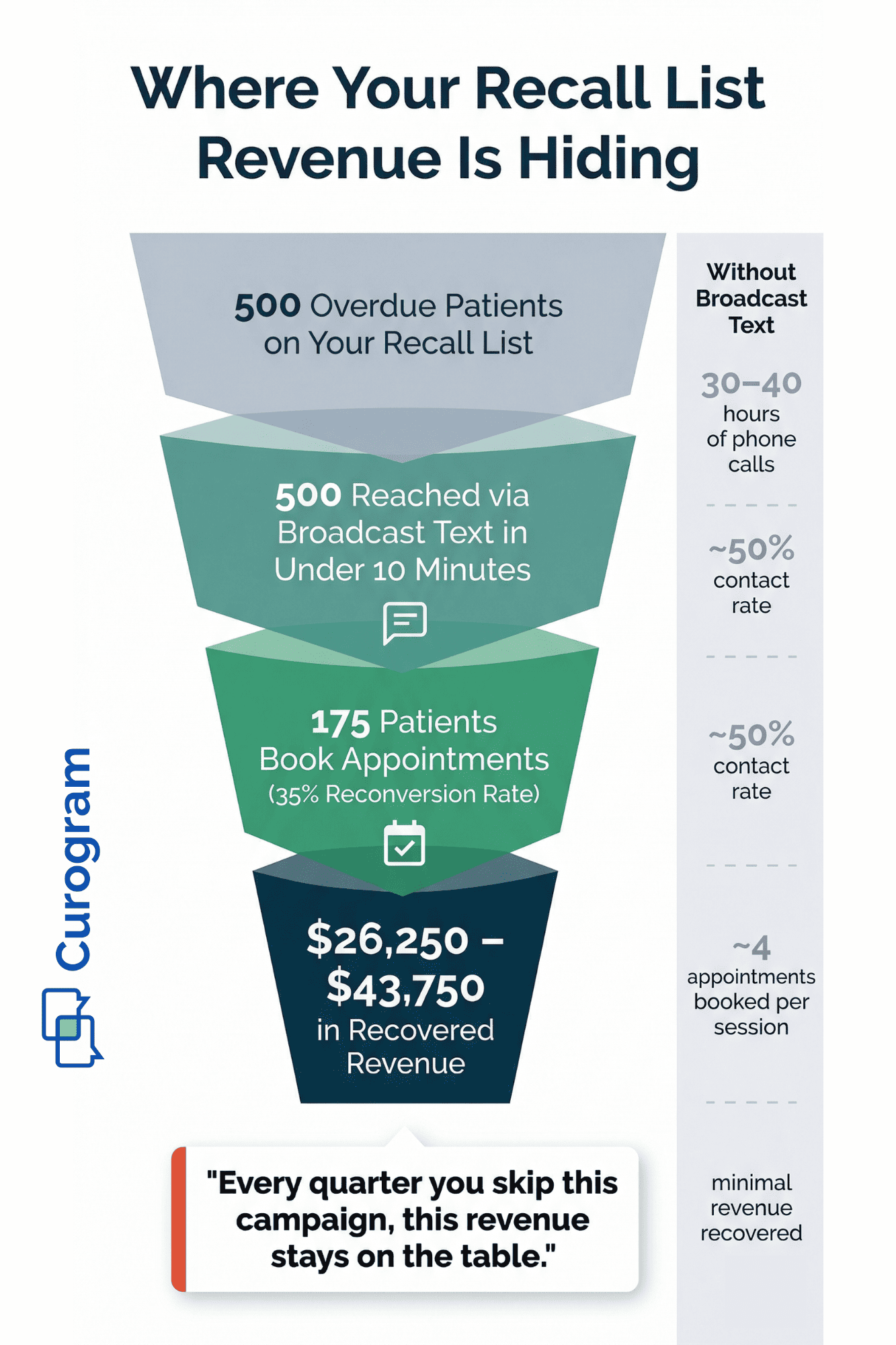
Let's break this down. A staff member can call about 15 to 20 patients per hour. Roughly half pick up. That means for a list of 600 overdue patients, your team needs 30 to 40 hours of pure phone time just to attempt the list once.
|
Task |
Number |
|
Overdue patients on recall list |
600 |
|
Calls per hour (staff average) |
15–20 |
|
Contact rate (reach a live person) |
~50% |
|
Hours needed to attempt full list |
30–40 |
|
Working days (calling only, nothing else) |
4–5 full days |
For a practice with two or three front desk staff, that's not a planning issue. It's a staffing issue no one can solve without extra hires. The list doesn't get called because calling through it would take an entire work week of one person doing nothing else. And no small practice can spare that.
The Frustration That Builds
Each quarter, the list grows by 100 to 200 patients. The office manager feels it: patients not being reached, revenue not being recovered, and care gaps getting wider. They try fixes.
Maybe they carve out a morning hour for calls. Maybe they ask providers to mention it during visits. Each fix works for a week and then breaks down under the weight of daily tasks.
The front desk team is already stretched thin. Adding recall calls to their plate is like asking someone to mop the floor during a flood. The work never ends, and the water keeps rising.
Why It Feels Personal
Office managers often feel a personal weight from the recall gap. They know these patients need care. They know the practice is losing money. They also know they can't add more hours to the day.
The result is a quiet, ongoing frustration. "We should really do something about that recall list" becomes a phrase everyone agrees with and nobody acts on. Not because they don't care — but because the phone just doesn't scale for this kind of outreach.
The practice has a Tebra recall list but no way to contact patients at scale. The data is there. The channel to act on it is not.

The Guide: The 10-Minute Recall Campaign
Curogram's broadcast text turns recall from a staff-hours problem into a 10-minute task. Here's how the workflow looks for a Tebra office manager running a patient recall campaign with no phone calls needed.
Open Curogram. Select your patient segment — say, everyone not seen in six months or longer. Write your message using merge fields like patient name, last visit date, and provider name. Hit send. The whole list — 200, 500, even 1,000 patients — gets a text that feels personal. Responses land in one dashboard where staff can schedule right away.
That's it. That's the broadcast text recall campaign setup, and it takes about 10 minutes at a Tebra practice. No call sheets. No voicemail scripts. No afternoons lost to dial tones.
The Campaign Builder with Smart Filters
This isn't a basic mass text blast. The campaign builder lets you create finely tuned outreach. Here are just a few examples of what an office manager can target:
- Patients aged 50 and up who are overdue for screenings
- Patients with diabetes who haven't had an A1c test in six months
- Kids due for well-child visits, grouped by age
- All patients linked to a certain provider who haven't been seen in 90 or more days
Each campaign can have its own message, send time, and follow-up plan. Better yet, once you build a campaign, you can save the template and reuse it. Think flu season, back-to-school physicals, or annual wellness month. The work gets easier every time.
How It Fits with Tebra
Broadcast campaigns work alongside — not instead of — your Tebra setup. The recall data still comes from the EHR. Curogram simply gives you the outreach channel that Tebra doesn't offer. When patients reply and book, those appointments go into Tebra's calendar like any other visit.
Your office manager doesn't need to learn a whole new system. The only new piece is the campaign builder itself — and most users run campaigns on their own within the first week. Tebra staff running a recall campaign can use Curogram's dashboard for response routing and scheduling without switching between tools.
Built for Growing Practices
If your practice has more than one site, broadcast campaigns run on a per-location basis. Each office targets its own recall list with location-specific messaging. Responses route to the right front desk.
For example, say you want to run a flu shot campaign across three sites. You can send different messages per location, each with that office's own scheduling link. No need for a central call center. The text channel handles the volume that phones never could.
This is how automated patient recall outreach can truly eliminate manual calling — even at scale.
The Success: One Campaign, One Week, Dozens of Appointments
Based on our internal research, one multi-location practice recovered 1,240 patients using Curogram's recall campaigns. The appointment reconversion rate was 35%. That means more than a third of the overdue patients who received a broadcast text ended up booking and showing up within a month.
These weren't active patients who just needed a nudge. They had fallen off the schedule entirely — missed follow-ups, skipped screenings, or simply stopped coming in. Without the broadcast campaign, they were effectively lost to the practice. The staff time it took to reach them? Minutes per campaign.
Let's put that number into context for a typical Tebra practice.
Say you have 500 overdue patients on your recall list. At a 35% reconversion rate, that's 175 patients who book and come in. Now, the average primary care visit brings in roughly $150 to $250 in revenue, depending on payer mix and visit type.
The Shift: From Annual Guilt to Monthly Pipeline
Before broadcast text, most practices treat recall as a chore. It sits on the to-do list, tied to shame. Every quarter, someone pulls the report, sighs, and the cycle repeats. The recall list is a symbol of what the team knows it should be doing but can't.
With Curogram, the recall list becomes a pipeline. Instead of a 600-name printout gathering dust, it's a shrinking list. Each month, the office manager sends a campaign, recovers a batch of patients, and watches the number go down. For the first time in years, progress is visible.
The office manager stops measuring recall by hours on the phone. They start measuring it by reconversion rate, booked visits, and revenue recovered per campaign. That shift — from guilt to pipeline — changes how the entire team feels about recall outreach.
A Real-World Example
Here's what this looks like in action. A 4-provider Tebra practice has 750 patients on its recall list. The office manager decides to try Curogram's broadcast messaging.
Week 1
The office manager opens Curogram on a Tuesday morning. She selects all patients not seen in six months or more. She writes a short, friendly message: "Hi [First Name], it's been a while since your last visit with [Provider Name]. We'd love to get you back on the schedule. Reply YES or call us to book." She hits send.
Within 48 hours, 87 patients reply. By Friday, 62 have confirmed appointments. The practice fills 62 slots that would have stayed empty.
At $150 to $500 per visit (depending on the type), that's roughly $9,300 to $31,000 in visit revenue — from 10 minutes of work.
Week 5
The office manager runs a second campaign. This time, she targets patients due for flu shots. She uses a saved template, tweaks the message, and sends. Another 45 appointments booked.
The recall list is shrinking for the first time in two years. Staff morale is up. The front desk isn't spending hours on the phone chasing patients. And the practice has a repeatable system it can run every month.
Why Text Works Better Than Calls
It's not just about speed. Text outreach works better because of how patients behave today. Most people don't answer unknown numbers. Voicemail gets ignored. But text messages have a near-instant open rate — most are read within minutes.
A broadcast text also gives the patient control. They can reply when it's easy for them — during lunch, after work, or on the weekend. There's no phone tag, no missed connections. The patient texts "YES," the staff sees it in the dashboard, and the appointment gets booked. It's simple for both sides.
For a Tebra office manager managing a patient recall campaign, this is what automated outreach looks like when it actually works.
The staff workflow changes from hours of dialing to minutes of texting. The overdue patients get reached. The phone stays free for the people who are calling in right now.
The Multi-Specialty Advantage
Broadcast text recall isn't limited to primary care. Pediatric practices use it for well-child visit reminders by age group. OB-GYN offices target annual exam reminders. Multi-specialty groups run campaigns by provider, by condition, or by insurance type.
Each specialty has its own version of the overdue patient problem. But the fix is the same: stop relying on calls that don't get made and start texting at scale. Whether you're in primary care, pediatrics, or a growing group practice, the broadcast text recall campaign works the same way.

How Curogram Turns Your Tebra Recall Data into Booked Appointments
Tebra is good at tracking who needs to come back. It logs overdue visits, flags care gaps, and builds recall reports. The problem is what happens next.
Once that list is in front of your office manager, there's no built-in tool to reach those patients at scale. No broadcast channel. No mass text option.
Curogram bridges that gap. It takes the data your EHR already holds and gives you a direct line to every overdue patient on the list. The recall data stays in Tebra. The outreach happens through Curogram. When a patient texts back and books, the appointment goes straight into Tebra's calendar.
Think of it like this: Tebra knows who needs to come back. Curogram gives you the how. The EHR holds the data. The broadcast text activates it.
This is the core value for any Tebra practice that's been sitting on a growing recall list. You don't need a new EHR. You don't need a call center. You need a channel that can reach 500 patients in the time it takes to write one message. Curogram is that channel.
For practices across primary care, pediatrics, and multi-specialty groups, this setup turns patient recalls from a staff burden into a 10-minute workflow. And based on our internal data, the results speak clearly: 35% reconversion, 1,240 patients recovered, and recall lists that finally get smaller instead of bigger.
Conclusion: Stop Calling, Start Texting
Phone-based recall doesn't work. Not because your staff isn't trying — but because the math doesn't add up. Thirty to forty hours of call time for a list that could be reached in minutes with a single text campaign. The phone is the wrong tool for this job.
Tebra doesn't offer a broadcast option. That's the gap. And every week that gap stays open, your practice loses appointments, revenue, and the chance to close care gaps for patients who need to come back.
Curogram's broadcast text fixes this. One campaign. Ten minutes. Every overdue patient on your list gets a personal message. Responses route to the dashboard. Staff books the appointments. The recall list shrinks.
The results are hard to ignore. Based on our internal data, practices using Curogram's recall campaigns have seen a 35% reconversion rate — turning overdue names on a spreadsheet into booked, revenue-generating appointments.
This isn't about adding more to your staff's plate. It's about replacing the work that never gets done with a workflow that takes 10 minutes. The office manager picks the segment, writes the message, and sends. Replies flow to the dashboard. Appointments get booked. Done.
Whether you run a solo primary care office or a multi-site group, the math is the same. Phone-based recall doesn't scale. Broadcast text does. And every week without it is another week of lost visits and lost revenue.
Your recall list is revenue waiting to happen. Every quarter you wait is another quarter of lost visits and widening gaps in care. Ten minutes can change that.
You already have the patient data — you just need the right channel. Book a demo to see broadcast recall in action and start recovering lost appointments.
Frequently Asked Questions
Every response routes to Curogram’s office dashboard — the same inbox the front desk uses for all patient text communication. Patients who reply “YES” or ask about availability can be scheduled immediately by staff. The conversation becomes a standard one-to-one text exchange from that point forward. There’s no separate broadcast inbox to monitor; everything flows through the unified dashboard.
Most patients ignore calls from unknown numbers. Texts get read within minutes and let patients reply on their own time — no phone tag, no missed connections, no voicemail that never gets returned.
Each location runs its own campaign with site-specific messaging and scheduling links. Responses route to the correct office dashboard, so no central call center is needed.