
9 min read

Contrast Prep Protocols: Automating CT & MRI Preparation Instructions

Contrast Prep Protocols: Automating CT & MRI Preparation Instructions
💡 Automated prep SMS sequences integrated with StreamlineMD reduce the burden of manual prep calls. They trigger protocol-compliant appointment confirmations, prep instructions, and follow-up messages based on procedure type and timing.

For operations managers, this means redirecting 2-3 hours of daily staff time away from prep calling and toward higher-value work.

Implementation takes 2-3 weeks. Staff training is minimal. ROI is visible within 30 days. Imaging centers using this approach have cut no-show rates by up to 65% and reduced prep call labor costs by as much as 80%, based on Curogram client data from clinical settings.

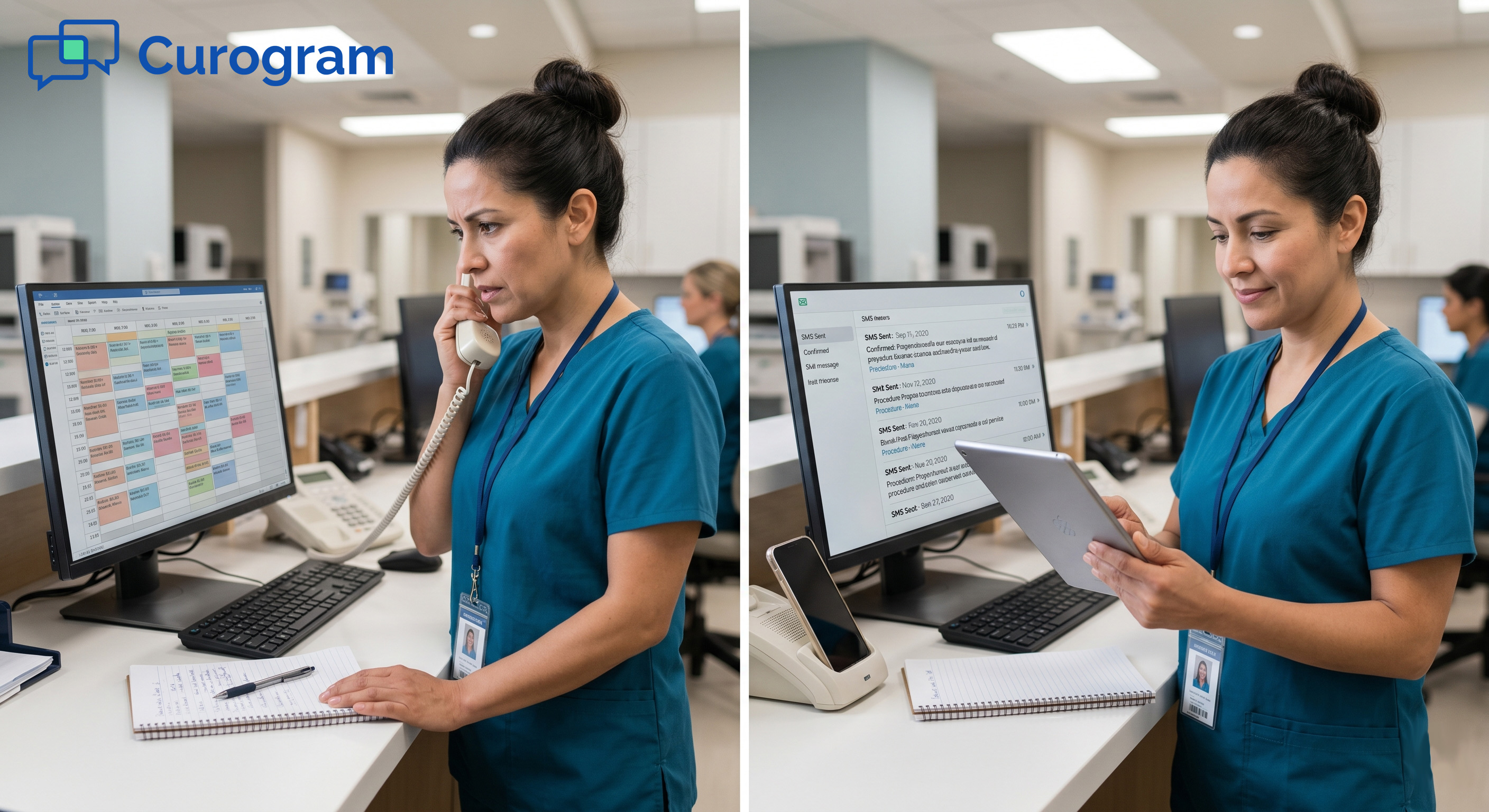
If your team spends hours every day calling patients about prep instructions, you already know the problem. The calls go to voicemail. Staff leave messages. Patients call back when the front desk is busy. Then the whole cycle starts again.

This is what we call the prep call treadmill. It is exhausting, it is expensive, and it does not have to be this way.

For imaging centers running 20 to 40 studies per day across multiple modalities, manual prep calls are a massive drain. Staff are stuck dialing instead of helping patients in the office.

Because different people deliver the prep instructions, patients often get different information. That inconsistency leads to prep failures, last-minute cancellations, and lost revenue.

The good news: this is a solvable problem. Automated prep SMS sequences, integrated directly with StreamlineMD, can replace most of those calls.

This playbook walks you through how it works, how to set it up, and what to expect on the other side. 

The Villain: The Prep Call Treadmill

Before you can fix the problem, you need to see it clearly. Most operations managers know prep calls take time, but few have done the math. When you break it down, the numbers are hard to ignore.

Quantifying the Current State

Start with a simple baseline. How many studies does your center run per day? How many of those require specific prep? How long does each call take, including voicemail, callbacks, and chart documentation?

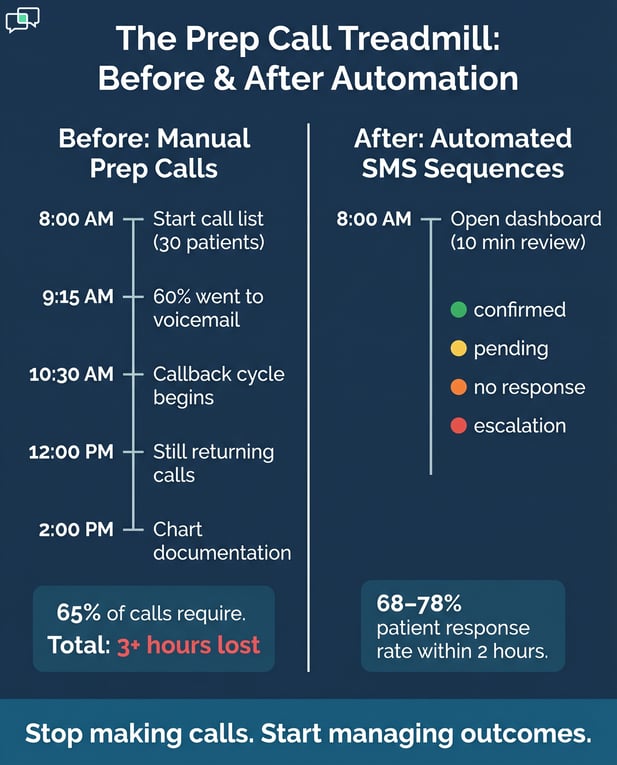
A mid-size imaging center running 30 studies per day might spend 6 minutes per call on average. That adds up to 180 minutes, or 3 full hours, every single day. At a fully loaded staff cost, this can translate to $75,000 or more in annual prep call labor.

And that estimate assumes calls go smoothly. In reality, voicemail compliance hovers around 25-35%, which means roughly 65% of calls require a follow-up. That eats another 30-45 minutes daily, on top of the original estimate.

The Hidden Cost of Inconsistency

Manual prep calls do not just cost time. They cost consistency. When three different staff members call three different patients about a contrast CT, the instructions they deliver may vary.

One mentions the metformin hold. Another does not. One says fast after 8 PM. Another says nothing after midnight.

Those small differences create big problems. Patients show up unprepared. Studies get canceled. Slots go unfilled.

Based on Curogram client data from clinical settings, imaging centers relying on manual calls see no-show and cancellation rates between 15% and 25%.

The Downstream Effects

Prep failures ripple through the whole operation. Canceled studies mean empty slots. Empty slots mean lost revenue. For a 30-study-per-day center, even a 10% cancellation rate from prep non-compliance can mean tens of thousands of dollars in monthly revenue loss.

Beyond revenue, staff morale takes a hit. Nobody wants to spend their day leaving voicemails. When your best people are tied up on the prep call treadmill, they are not doing the work that actually moves your practice forward.

Why Voicemail Alone Does Not Work

Voicemail was never designed for delivering complex medical prep instructions. Patients miss messages. They do not write things down. They call back with questions, and then the cycle of back-and-forth begins again.

SMS is different. It is immediate, it is readable, and it sits in the patient's pocket. Patients can re-read their instructions the morning of the appointment. They can reply with a question. They do not have to remember what was said in a voicemail they half-listened to at lunch.

Based on Curogram client data from clinical settings, modality-specific SMS sequences see first-response rates of 68-78% within two hours. That is two to three times higher than voicemail compliance in the same settings.

Table 1: Manual Prep Calls vs. Automated SMS Sequences

Factor

Manual Prep Calls

Automated SMS Sequences

Average daily time cost

2-3+ hours

10 min (dashboard review)

Consistency across staff

Variable

100% consistent

Voicemail/response rate

25-35%

68-78% within 2 hours

Annual labor cost (est.)

$70K-$135K

Reduced by 65-80%

No-show rate (typical)

15-25%

Below 8% (target)

Source: Curogram client data from clinical settings.


Infographic comparing manual patient calls vs automated SMS sequences for clinics

The Guide: The Prep Automation Engine

Once you see the prep call treadmill for what it is, the next step is clear. You need a system that delivers the right prep instructions to the right patient at the right time, without relying on a staff member to place every call.

That is exactly what automated appointment reminders, built on modality-specific SMS sequences in Curogram, are designed to do.

How the Integration Works

Curogram connects to StreamlineMD via FHIR R4 and HL7 APIs. This is a secure, structured link between your scheduling platform and your patient communication system.

When a new appointment is booked in StreamlineMD, Curogram detects it and automatically triggers the right SMS sequence based on procedure type.

No manual handoff. No staff intervention. The system reads the appointment, matches the procedure code to the correct prep sequence, and delivers the messages on schedule.

Procedure Code Mapping: The Critical First Step

The most important part of the setup is mapping your procedure codes to the right SMS sequences. Every CT angiography code maps to the CT angiography prep sequence.

Every cardiac MRI maps to the cardiac MRI sequence. Every vascular duplex maps to its own sequence with the right compression garment instructions.

This mapping is done once during onboarding, in collaboration with clinical leadership. Your physician, owner, or nursing supervisor reviews and approves each sequence before anything goes live. After that, the system runs automatically, every single time, with zero variability.

This is the core promise of automated prep SMS sequences that eliminate prep calls: same instructions, every patient, every time.

The Three-Week Implementation Timeline

Week one is the technical setup. Curogram connects to StreamlineMD, procedure codes are mapped, and message sequences are drafted and reviewed by clinical leadership. Week two is a pilot.

Most practices start with one high-volume, low-complexity modality, such as ultrasound. Staff watch the dashboard, respond to patient questions, and give feedback on message timing and wording.

Week three is the full rollout. After the pilot is validated, automation is enabled for all procedure types.

From that point on, staff transition from making calls to managing the dashboard. That shift alone changes the entire rhythm of the day.

Table 2: Implementation Timeline at a Glance

Week

Focus

Who Is Involved

Week 1

Technical connection, procedure code mapping

IT admin, Curogram onboarding team

Week 2

Pilot with one modality (e.g., ultrasound)

Front desk staff, operations manager

Week 3

Full rollout to all procedure types

Entire clinical and admin team


What Staff Actually Do After Go-Live

After automation is live, the daily workflow looks very different. Instead of working through a call list, staff open the Curogram dashboard each morning.

The dashboard shows confirmed appointments in green, pending responses in yellow, non-responses after 24 hours in orange, and escalation cases in red.

This 10-minute morning review replaces 3 to 4 hours of ad-hoc prep calling. Staff focus on the cases that actually need attention, not the ones the system has already handled.

When patients text back with questions, staff respond directly via SMS using pre-written, protocol-compliant templates. If a patient sends a message that requires clinical judgment, the dashboard flags it for nurse or physician review.


The Success: Automated Appointment Reminders Transformation

The real test of any system is what happens after it goes live. Automated appointment reminders, when set up correctly, do not just save time.

They change how your entire operation runs. Staff work more calmly. Patients show up prepared. Cancellations drop. And the metrics make the case clearly.

Dashboard Management in Practice

The Curogram dashboard is the operations manager's single source of truth for patient communication. Every confirmed appointment, every pending response, every escalation, all of it is visible in one place. You do not need to dig through call logs or chase down staff to find out what happened with a patient.

Color-coded status indicators let staff prioritize immediately. Green means done. Red means action needed now.

The goal is to keep as many items green as possible, and the automation handles most of that work without any human input.

Handling Patient Responses Efficiently

One of the biggest benefits of SMS-based prep communication is how it handles patient questions. Instead of calling back and navigating hold times, patients text their question and get a fast, clear reply.

Pre-written response templates cover the most common prep questions for each modality. Staff select the right template, confirm it fits the situation, and send it.

Complex or clinical questions are escalated immediately, with the dashboard making the handoff clear and documented.

This is also where the imaging center automated appointment reminders setup pays off in unexpected ways. Staff spend less time on routine questions and more time on cases that actually need their expertise.

Managing Clinical Escalations

Some patient responses require immediate clinical review. If a patient texts that they took their metformin before a contrast CT, the dashboard flags it in red.

Staff text back with a clear, protocol-guided message, asking the patient to call and discuss before proceeding.

If the patient does not call, the system prompts a follow-up. A nurse assesses renal function and makes the clinical call: reschedule or clear for the procedure.

Nothing falls through the cracks because every unresolved escalation stays visible until it is resolved.

This kind of structured escalation used to happen by chance, when a prep call happened to reach the right person at the right time. Now it is built into the workflow, every single time.

Real-World Results

The results speak for themselves. Atlas Medical Center reduced its no-show rate from 14.20% to 4.91% in just three months, a 65% reduction that put them 3 times better than the industry average.

That result came directly from switching to automated appointment reminders with a structured confirmation and prep sequence.

Across Curogram clients in radiology settings, the average no-show rate is 11.03%, compared to an industry average of 23%, based on Curogram client data from clinical settings. That is a 53% lower no-show rate than the industry baseline.

For a practice running 30 studies per day at an average of $1,200 per study, even a 10% improvement in no-show rates adds up to more than $100,000 in recovered revenue per month.

The ROI on automated appointment reminders dashboard management is not theoretical. It shows up in real numbers, within real timeframes.

Beyond no-shows, practices also report a meaningful reduction in same-day cancellations caused by prep non-compliance. When patients receive clear, consistent, modality-specific instructions days before their appointment, they show up ready.

That is the simplest way to describe what the prep automation engine actually delivers.

Table 3: No-Show Rate Comparison

Setting

No-Show Rate

Notes

Industry average (all specialties)

~23%

Baseline without automation

Curogram radiology clients (avg.)

11.03%

Curogram client data from clinical settings

Atlas Medical Center (before)

14.20%

Prior to Curogram implementation

Atlas Medical Center (after 3 months)

4.91%

65% reduction, 3x better than industry avg.

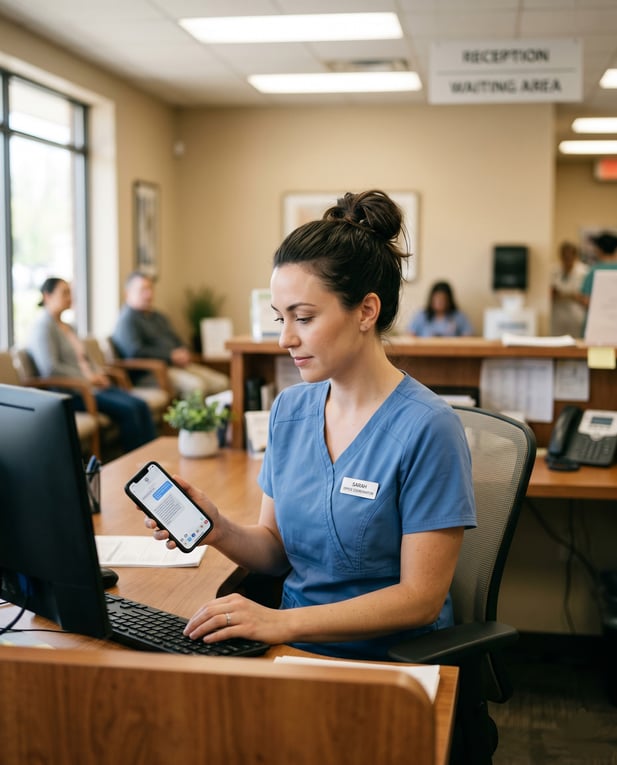
Healthcare staff looking at a text message in a smartphone

Conclusion: Transform Your Automated Appointment Reminders Workflow

The prep call treadmill is a known problem with a clear solution. Integrating Curogram with StreamlineMD lets imaging centers automate the routine, handle the complex, and give their teams their time back.

This is not about replacing your staff. It is about freeing them from work that a system can do better.

Automated sequences are consistent. They do not get tired. They do not forget to mention the metformin hold. They send the right message to the right patient at the right time, every time, without fail.

Operations teams do not need more people. They need smarter workflows. The data backs this up: practices that implement automated appointment reminders through Curogram see measurable improvements in no-show rates, prep compliance, staff productivity, and revenue within the first 30 days.

The path to reducing manual workload with automated appointment reminders starts with one step: seeing the system in action.

When you understand how the dashboard works, how procedure codes map to sequences, and how escalations are handled, the decision becomes much easier.

If you are a practice manager or operations lead who is tired of the prep call grind, this is your playbook. The technology is ready. The integration is proven. The only thing left is to start.

Ready to see it in action? Schedule a demo and watch how practice managers review confirmations and manage escalations in just 10 minutes a day.    


Frequently Asked Questions

What if we use paper-based scheduling instead of StreamlineMD?

Curogram integrates with StreamlineMD's digital scheduling, not paper-based systems. If your center still uses paper, you will need to move to digital scheduling first. This is a best practice for any practice serious about automation. Digital scheduling is the foundation that makes everything else possible.

How does automated prep SMS work for high-risk procedures?

Most practices choose to automate high-volume, routine procedures like ultrasound and standard CT, while keeping manual calls for higher-risk cases like angioplasty or ablation. This hybrid approach still recovers 60-70% of the labor savings available from full automation. It also lets your team stay closely involved in cases where that level of oversight matters most.

Why does procedure code mapping matter so much during setup?

Procedure code mapping is the step that connects StreamlineMD's scheduling data to Curogram's SMS sequences. If a code is mapped incorrectly, a patient could receive the wrong prep instructions.

Getting this right during onboarding, with clinical leadership review, ensures every patient gets the correct sequence for their specific procedure. It is the one-time investment that makes the whole system reliable.

How does the dashboard help reduce manual workload for staff?

The Curogram dashboard gives staff a real-time view of every patient's confirmation status, all in one place. Instead of working through a call list, staff review the dashboard each morning and focus only on cases that need action.

This 10-minute daily review replaces hours of ad-hoc calling. The shift from reactive calling to proactive dashboard management is where most of the time savings come from.

How does automated appointment reminder automation affect prep compliance?

Automated SMS sequences deliver the same modality-specific instructions to every patient, every time, with no variation by staff member. Patients receive their prep details days in advance, with a follow-up reminder closer to the appointment.

Because the instructions are in writing and easy to re-read, patients arrive better prepared. Curogram client data from clinical settings shows first-response rates of 68-78% within two hours of the initial SMS, compared to 25-35% for voicemail-based outreach.