7 min read

Text Open Dental Patients | No Portal, No App Needed

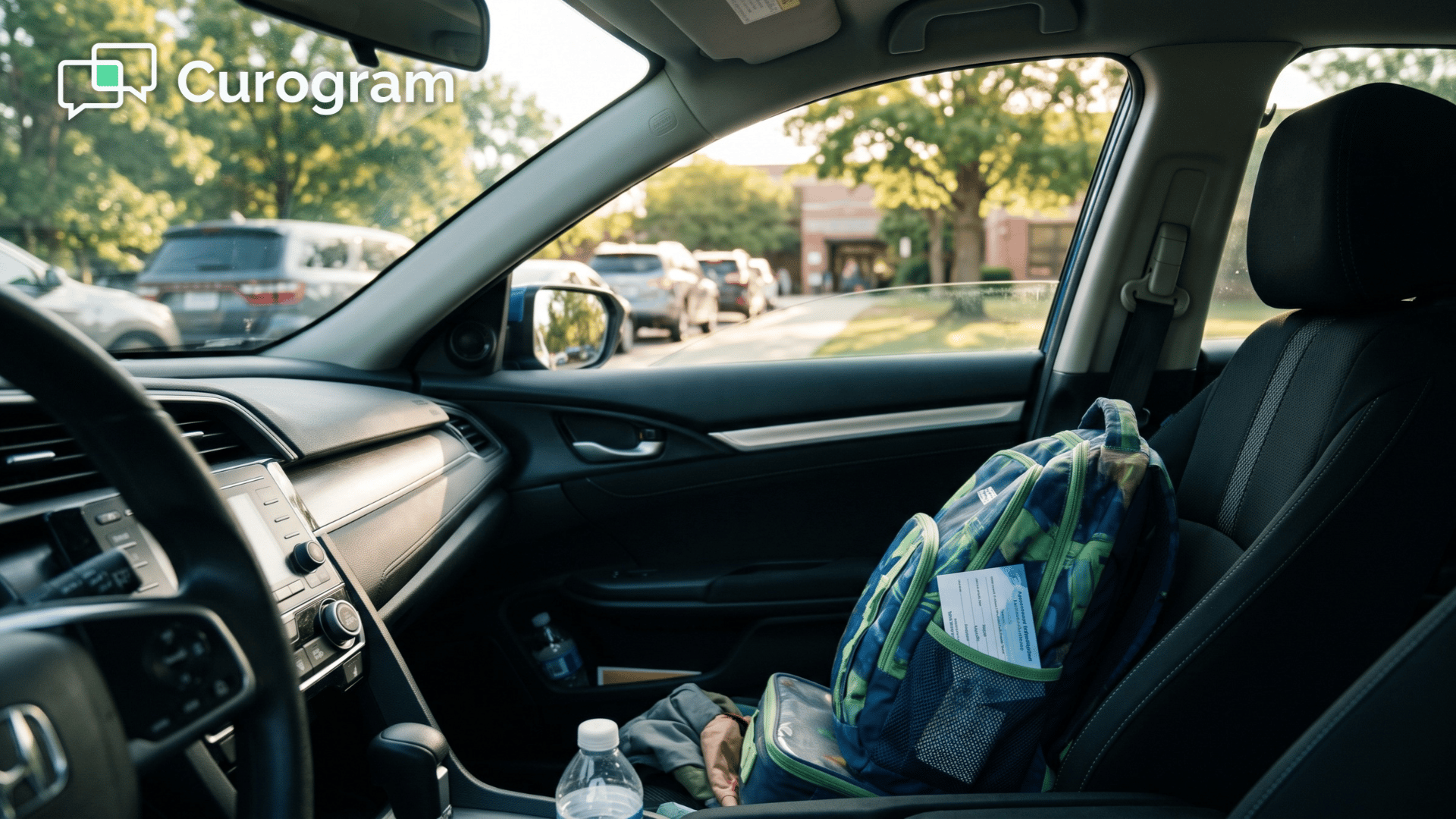
Car in a school pickup line, where busy parents confirm dental appointments by text
💡 Texting Open Dental patients without portal login or app downloads is what Curogram's "One Inbox" makes possible.

It adds HIPAA-compliant, two-way SMS that requires nothing from patients except a phone that receives texts, with no account, password, or application.

Open Dental's portal works well for patients who register and log in, but busy parents, teenagers, and retirees often never will. Their only real reply path becomes a phone call, and practices miss 28–38% of inbound calls.

With Curogram, reminders and replies stay in the patient's everyday text thread. Clients confirm at rates above 75%, and Atlas Medical Center reduced no-shows from 14.20% to 4.91% in three months.


Your patient portal has a guest list, and most of your patients never made it on.

That isn't a criticism of the portal itself. Open Dental's Patient Portal does good work for people who register, remember a password, and log in regularly. The trouble is everyone else, and in a busy dental office, everyone else is usually the larger group.

Consider who actually fills your schedule: a father booking cleanings for three children between meetings, a 15-year-old orthodontic patient in braces who hasn't opened an email since school started, and a retiree who simply wants to know whether Tuesday still works. None of them wants extra homework, and a portal login feels exactly like homework.

So they do what people naturally do: they telephone your office, or they don't, and the appointment quietly disappears from the schedule.

Here's the frustrating catch.

Practices miss 28–38% of inbound calls, and only 14% of new patients leave a voicemail, while the rest move on to the next office in their search results. Reaching dental patients who don't answer calls turns out to be the same problem as patients who can't reach you.

Open Dental does offer integrated texting, but every outgoing message carries a separate per-message fee. We call that "The Add-On Meter," and when each text costs money, offices tend to send fewer of them. Patients experience the result as silence, a ringing phone, or a login screen they never finish.

This article examines the communication problem from the patient's side of the dental chair. You'll see why portals miss so many people and what no-login patient communication for dental offices looks like in everyday practice.

You'll also learn how Curogram's "One Inbox" works alongside Open Dental to reach every patient on the channel they already check dozens of times a day.

How the Add-On Meter Looks From the Patient's Chair

Where the portal falls short

Let's be fair first:

Open Dental's Patient Portal is included for practices on support, and it genuinely serves engaged patients who enjoy checking their information online.

For everyone else, "log into the portal" becomes a chore they'll postpone indefinitely.

Open Dental's texting also runs on a meter:

$0.04 for each outgoing text in the U.S., on top of a monthly access fee. That small charge quietly shapes office habits, because teams send fewer messages when every one adds to the bill.

As a result, the patient's easiest way to respond is still your phone line.

One reply, one lost visit

Here's how a simple reply can turn into an empty chair:

  1. An automated reminder arrives for Mia's Thursday afternoon cleaning.
  2. Her mother texts back: "Can we do 4 p.m.? Mia has practice."
  3. The front desk is buried in phone calls and check-ins, so the reply sits unanswered.
  4. Mom calls during her lunch break, waits through hold music, and eventually hangs up.
  5. Thursday arrives, Mia doesn't, and the appointment slot goes unfilled.

That gap can cost $200–$400 in lost production for the day, and it started as a text anyone could have answered in ten seconds. Frustrated parents also share their experiences, and 86% of prospective patients read reviews before they book.

The numbers behind the drop-off

Missed calls accumulate quickly, especially during busy mornings. Practices miss 28–38% of inbound calls, and only 14% of new patients leave a voicemail before trying another office.

Each new patient who hangs up is worth about $850 in immediate value and up to $8,000 over a lifetime.

No-shows follow a remarkably similar pattern. The average dental no-show rate runs around 15%, while practices that rely on text-based outreach report rates as low as 1.9%.

The people behind the numbers

These aren't faceless statistics;

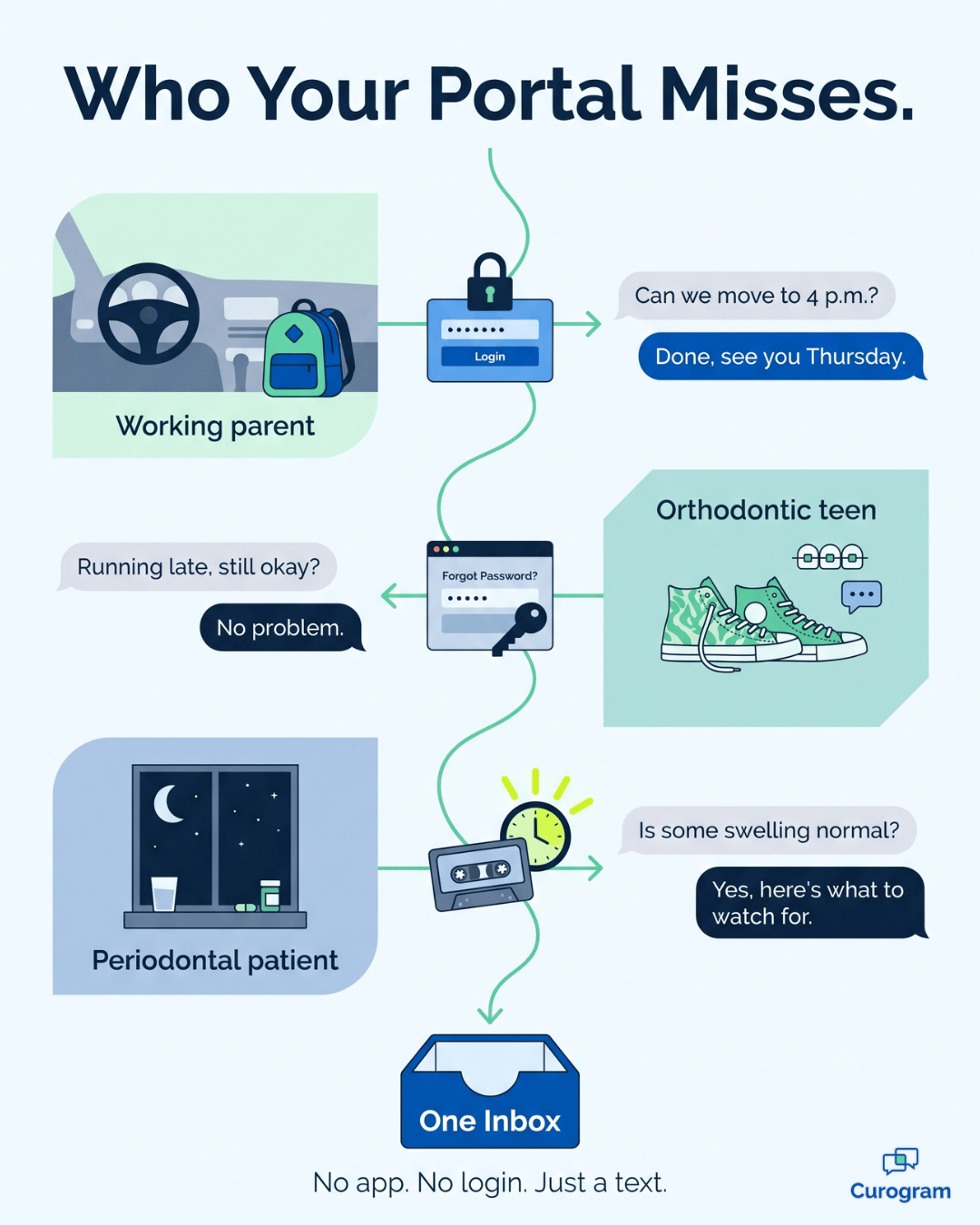
They're the working parent who'll answer a text from the school pickup line but will never sit through a portal login.

They're the orthodontic teen who practically lives in a messaging app. And they're the periodontal patient with a post-op question at 7 p.m. who would rather type it than explain it to a voicemail box.

Infographic of three dental patients a portal misses and how texting reaches each one

Patient Communication That Asks for Nothing

Curogram flips the usual setup. Instead of asking patients to come to the practice's tools, the practice goes to the patient's text thread. That's the channel people check dozens of times a day. Texts are opened at a 98% rate, and more than 55% of consumers say they prefer text reminders.

Think of it as dental patient texting, no app download required.

Curogram's 2-way HIPAA-compliant texting lets patients simply reply. Consent and opt-out are handled automatically, and the conversation stays secure without the patient doing anything.

There's nothing to download, register, or remember.

The SMS vs patient portal in dentistry question isn't really either-or. The portal serves the people who want it, and text reaches everyone else. That's why texting works as a patient portal alternative for dental practices without replacing the portal itself.

Your engaged patients keep their logins, and everyone else gets a text they can answer.

Open Dental stays your system of record for charts, the schedule, and the ledger. Curogram connects through an integration agent that reads your Open Dental appointments, so reminders go out without double entry.

Stop playing phone tag! Reduce your call volume by 50% with Curogram's HIPAA-compliant 2-way texting platform.  

One honest note:

Confirmation status doesn't write back to Open Dental automatically. And while appointment syncing relies on access to your office server, Curogram's inbox itself runs in the cloud.

Here's how that plays out by specialty:

  • Pediatric dentistry: A parent can handle reminders for all three kids in one text thread, right from the same phone.
  • Orthodontics: A teen texts a photo of a poking wire, and your team decides if it truly needs an emergency slot.
  • Periodontics: A quick post-op check-in by text feels more personal than a missed call ever could.

What Changes When Every Patient Gets Reached

Atlas Medical Center isn't a dental office, but its results show what happens when messages land where patients actually look. Using Curogram, Atlas cut no-shows from 14.20% to 4.91% in three months.

That's a drop of about 65% in just one quarter. Across Curogram clients, confirmation rates run above 75%.

The bigger change is in how outreach feels to patients.

Communication moves from notification to conversation, and the difference shows up at every touchpoint:

  Notification habit Conversation habit
Reminders An announcement with a phone number attached A text the patient can answer right in the thread
Reschedule requests A phone call, hold time, maybe a voicemail A quick reply your team handles by text
Post-op questions Wait until the office opens and call Typed in seconds and answered by staff
Patient setup Portal account and password None
Who gets reached Registered, engaged patients Anyone with a phone that gets texts

Now look at the after picture. Patients confirm appointments from the pickup line, ask follow-up questions by text, and arrive with answers already in hand.

No one makes an account or installs an app. No one gets sent to voicemail, and no one gets left out. That's the dental appointment texting patient experience at its best: easy for patients and calmer for your team.

Getting Started With Curogram and Open Dental

Adding a no-login text channel doesn't mean replacing anything you already use. Your Open Dental setup stays exactly where it is, and Curogram connects alongside it.

Here's what a typical rollout involves:

  1. Connect the integration. An integration agent is set up with access to your Open Dental server, which lets Curogram read your appointment data.
  2. Plan for a short timeline. Setup usually takes 2–5 days from start to finish.
  3. Choose your message flow. Decide which reminders and confirmation requests go out, and when patients should receive them.
  4. Assign who answers. Pick the team members who will monitor the shared inbox, so patient replies get a timely response.
  5. Keep the schedule current. Because confirmation status doesn't write back to Open Dental automatically, decide who will update confirmed appointments in Open Dental.

Once everything is in place, your patients don't have to do anything differently. Their next reminder simply arrives as a text message, and they answer it the same way they answer everyone else in their lives.

Reach Patients in the Thread They Already Use

Your portal serves the patients who prefer it, and that's worth keeping, but at most dental practices, those patients are the minority, and everyone else needs a simpler connection to your team.

Curogram gives them that convenient path, because texting Open Dental patients without portal login or app downloads means your outreach lands where people already look. Reminders receive answers, questions get typed instead of abandoned on hold, and reschedules happen in a quick exchange instead of an endless round of phone tag.

Here's a helpful way to divide the responsibilities: Open Dental is for your charts, your schedule, and your ledger, while Curogram is for your patients' convenience. It asks nothing of them except a glance at the smartphone already in their hand.

That shift also changes how you should measure success. Portal signups and voicemail counts only show you who was willing to jump through hoops. Answered messages show you who you genuinely reached, so if you want to know whether your patient communication is working, count the conversations.

Start with the patients you hear from least: the parent who never calls back, the teenager who ignores email, and the retiree who dreads automated phone menus. They're frequently the same individuals behind your no-shows and your busiest telephone hours.

Give them an easy, familiar way to communicate with you, and they usually will.

Schedule a Demo to see the complete patient experience, from the first text to a confirmed appointment. You'll see how Curogram works alongside Open Dental and how your team would manage replies in one shared inbox. 


Frequently Asked Questions

Is it secure to text dental patients who never created a portal account?

Yes. Curogram is HIPAA-compliant and works under a Business Associate Agreement with your practice. It also manages consent and opt-out automatically. Patients don't need an account for the channel to be secure, because the platform handles compliance for them.

What about patients who prefer the portal, or who don't text?

Nothing is taken away. Open Dental's portal keeps serving registered patients who like it, and staff can still call patients who ask for calls. Curogram simply adds the channel most people already prefer. More than 55% of consumers choose text reminders, and texts are read at a 98% open rate.

Can patients opt out of text messages easily?

Yes. Standard reply-to-opt-out works on every message. Curogram tracks consent status automatically, so your practice can stay on top of HIPAA and TCPA requirements without spreadsheets or manual checks.

How does Curogram connect to Open Dental?

Curogram uses an integration agent that connects to your Open Dental database and pulls in appointments. Setup typically takes 2–5 days and requires access to your Open Dental server. Confirmation status doesn't write back to Open Dental automatically, so Open Dental stays the place where your team manages the schedule.

Do patients need to download an app or remember a password?

No. Patients get standard text messages on the phone they already use, and they reply the same way they'd text a friend. There's no app, no login, and no account to set up. Curogram's secure online forms follow the same no-login approach for intake and consents, and easy telemedicine lets patients join a video visit from a link.No. Patients get standard text messages on the phone they already use, and they reply the same way they'd text a friend. There's no app, no login, and no account to set up. Curogram's secure online forms follow the same no-login approach for intake and consents, and easy telemedicine lets patients join a video visit from a link.

Patient Communication Without Portal Login | Meditab IMS Texting

Patient Communication Without Portal Login | Meditab IMS Texting

70% of patients skip CarePortal. Curogram lets Meditab IMS patients text your practice—no app, login, or password. See the experience. Book a demo.
Read More
Patient Texting, No Portal Login | CharmHealth

Patient Texting, No Portal Login | CharmHealth

Patients ignore portal invites and forget passwords. See how CharmHealth practices reach them by plain SMS — 98% open rates, no login, no OTP. Book a...

Read More
Why OncoEMR Patients Need Text Communication, Not Portal App Download

Why OncoEMR Patients Need Text Communication, Not Portal App Download

Learn why OncoEMR oncology patient text communication no portal app download helps chemo patients confirm visits, get lab results, and reach their...

Read More