8 min read

Open Dental Front Desk Texting | One Shared Inbox

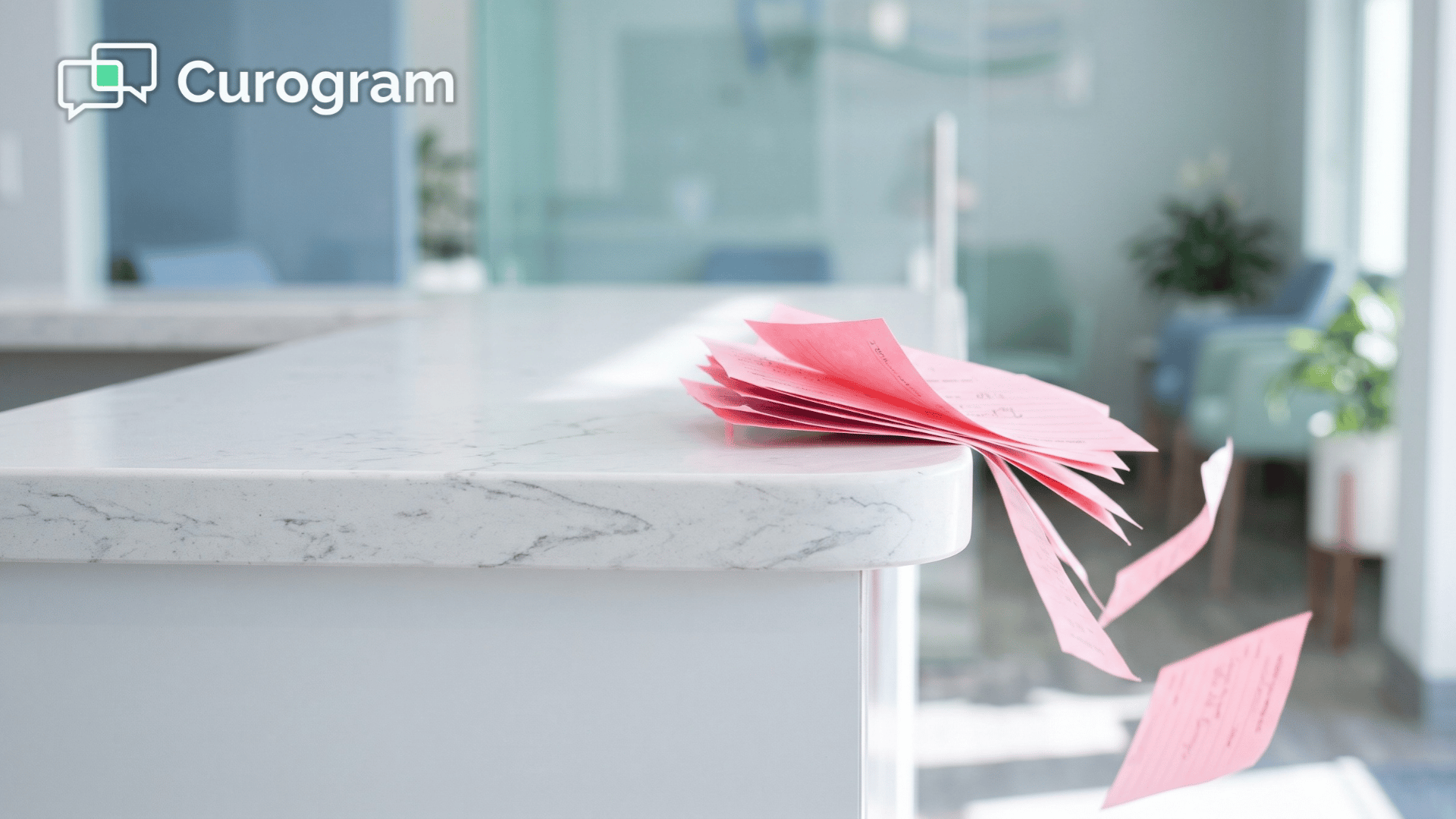
Callback slips sliding off a dental front desk counter, showing missed patient calls
💡 An Open Dental patient texting workflow for front desk staff starts by moving routine patient conversations off the phone and into one shared, HIPAA-compliant text inbox. Confirmations, reschedules, and insurance questions get answered by text, by whoever is free.

Open Dental's Integrated Texting charges $0.04 per outgoing U.S. message. Curogram replaces that "Four-Cent Conversation" with flat-rate, unlimited two-way texting, while Open Dental stays the system of record.

The payoff is fewer calls and a calmer desk. Curogram clients see confirmation rates above 75%, and Atlas Medical Center cut no-shows from 14.20% to 4.91% in three months.


Four cents doesn't sound like much, since it's less than a postage stamp. At the front desk of a busy Open Dental practice, though, those four cents are often where hours of productive time quietly disappear.

Open Dental's Integrated Texting charges $0.04 for each outgoing text message in the U.S., plus a monthly access fee per location. Because every reply carries a meter, many teams start rationing their messages, and the telephone becomes the default communication channel again. We call this pattern the four-cent conversation.

The problem is that the telephone can't keep pace with patient demand. Dental practices miss 30–38% of incoming calls during business hours, and only about 14% of new patients leave a voicemail when nobody answers. Everyone else simply contacts the next practice on their list.

Meanwhile, your administrative team fields the same handful of questions all day long, from crown deliveries to cleaning reschedules to insurance cards. Each conversation takes several minutes, and only one person can hold a telephone at a time.

An Open Dental patient texting workflow for front desk staff solves this with one practical change. Routine patient conversations move off the phone line and into a shared, HIPAA-compliant text inbox, where everyone at the front desk can see each thread, respond to it, or hand it off. Nothing depends on whoever happened to notice it first.

Curogram provides that inbox at one flat rate, without per-message charges. Open Dental remains your system of record for charts, scheduling, and the ledger, while Curogram manages the quick back-and-forth that consumes the day.

This guide explains why the telephone keeps winning, how a shared inbox operates next to Open Dental, and what changes when your team stops playing phone tag.

We'll also walk the complete workflow, from the morning huddle to the end-of-day review.

Why Your Front Desk Still Lives on the Phone

Open Dental is a dependable core system that keeps your schedule, clinical charting, and financial ledger in one place, at a price many practices appreciate.

The gap appears in how patients communicate with you. Most of those conversations still travel through a phone line that only one person can answer at a time.

The Morning Before the Morning

By 7:45, the voicemail light is already blinking, and by 8:10, one caller is on hold while two patients wait to check in.

A hygiene patient wants to reschedule her cleaning, and someone handles that identical request by phone for the eleventh time this week.

Then there's yesterday's text reply, still unanswered because everyone assumed a coworker had already responded. In the back of your mind sits a quieter worry: what if the eConnector stalled overnight, and nobody notices until the no-shows begin?

The Math Behind the Busy Signal

Consider a simple illustrative example. Suppose your two-person front desk makes and receives 80 calls a day, and each call lasts five to six minutes.

That adds up to roughly 6.7 to 8 hours of phone time, which is nearly an entire workday for one employee.

Missed calls cost even more. Most new patients won't leave a message, and the first-year value of a new dental patient typically ranges from $850 to $1,300. Every unanswered new-patient call can therefore send real revenue to the practice down the street.

The People Paying for It

Your front desk coordinator finishes every shift behind, regardless of how efficiently she works. Your office manager can't take a lunch break without the phones rolling to voicemail. Meanwhile, the practice is paying four cents a message for a tool that still hands everyone the telephone.

Hiring additional help isn't simple, either. The ADA Health Policy Institute reports that staffing tied for the top challenge dentists expected heading into 2026. When adding people isn't realistic, you need to get more value from the hours you already have.

How a Shared Inbox Changes the Front Desk Day

The solution isn't another phone line. It's a shared team inbox for dental practices, where every patient text is visible to the entire front office. Messages no longer get stuck in one person's queue, and replies no longer depend on who happened to glance at the screen.

Curogram's powers that inbox. Your team can create templates and saved replies for the questions they answer every day, including directions, paperwork status, rescheduling, and insurance questions.

Oral surgery teams can keep pre-op instructions ready to send in seconds, and because texting is unlimited and flat-rate, nobody needs to monitor a meter.

Here's how a dental office texting workflow can run across a typical day:

  1. Morning huddle. Open the inbox before the first patient arrives. Overnight replies are already waiting, so the team divides them and gives each thread an owner within minutes.
  2. Confirmations. Responses to arrive as texts instead of callbacks. Staff record confirmations and cancellations in Open Dental, since Curogram doesn't write appointment status back to the system.
  3. Rescheduling. When a patient asks to move a cleaning, staff check the Open Dental schedule, offer two open times by text, and book the one the patient picks.
  4. Midday questions. A question like "Is my crown in?" gets a saved reply instead of a five-minute call, and balance questions can move to from the same inbox.
  5. Hand-offs. When a conversation needs the hygiene coordinator or office manager, assign it, and they'll see the full message history.
  6. End-of-day review. Before leaving, scan for open threads and assign anything left for tomorrow, so nothing slips through overnight.

Stop playing phone tag! Reduce your call volume by 50% with Curogram's HIPAA-compliant 2-way texting platform.  

Curogram works alongside Open Dental rather than replacing it. Appointments flow from your Open Dental schedule into Curogram, while Open Dental remains the system of record for charts, appointments, and the ledger.

Because the inbox runs in the cloud, your team can keep texting even if the office server or eConnector goes down. Schedule updates from Open Dental still need that server, though, so they resume once it's back online.

Patients don't need a portal or a mobile app to take part. They simply [reply to a text message], the same way they'd answer a friend.

This setup fits best in recall-heavy general dentistry. When patients reply to overdue-hygiene outreach, the hygiene coordinator can work those replies without leaving her chair.

For oral surgery front desks, the inbox is where questions before and after surgery get answered in writing, within minutes, with a record to show for it.

What It Looks Like When the Front Desk Finishes on Time

If you want to reduce dental front desk call volume, start with the calls that are really just quick questions. Once those conversations move to a channel your team can realistically manage, the results tend to follow.

Curogram client data from clinical settings shows confirmation rates above 75% and a 50% reduction in call volume.

Atlas Medical Center, a Curogram client, reduced its no-show rate from 14.20% to 4.91% in three months. That result comes from a medical setting rather than a dental one, but the lesson transfers: when patients can respond on their own schedule, more of them actually do.

That's the genuine dental phone tag solution, because a text thread waits for the patient while a voicemail waits for your staff.

As an illustrative example, if a typical text exchange takes about 30 seconds of staff time, one person could handle roughly ten of them in the time a single five-minute call used to require.

Front desk moment On the phone In the shared inbox
First thing in the morning A voicemail backlog to clear before 8:00 Overnight replies already sorted and assigned
Check-in Patients wait while a caller is on hold Staff give check-ins their full attention
Confirmations Calls and callbacks to each patient Replies arrive by text; staff update Open Dental
Who owns the follow-up Whoever picked up The whole team can see it, and each thread has an owner
Cost per message $0.04 per outgoing text with Integrated Texting Flat rate with unlimited texting

This is how you improve Open Dental front office efficiency without adding staff. Your morning huddle begins with a schedule where confirmations have already arrived, and voicemail stops functioning as a to-do list.

Most importantly, cutting confirmation calls at the dental front desk frees up time for the patients standing directly in front of you.

Rolling Out the Shared Inbox Without Disrupting Your Day

Changing how your front desk communicates can sound like a major project. In practice, the setup is fairly contained, because Open Dental stays exactly where it is and Curogram connects to it from the side.

Most of the real work involves agreeing on a few team habits before the first patient replies.

Here's what to plan for before launch:

  • Server access. The Open Dental connection runs through an integration agent that needs access to your office server, so bring in whoever manages your IT early.
  • Timeline. Implementation typically takes two to five days.
  • Data flow. Appointments flow from Open Dental into Curogram, but confirmation status doesn't write back, so decide who updates Open Dental each morning.
  • Cost. Texting is flat-rate, while the Open Dental integration carries its own monthly fee per treating location.

Next, set a few simple ground rules for the team. Decide who checks the inbox first each morning, how long a thread can sit before someone claims it, and which questions deserve a saved reply.

A short list of five or six templates covering directions, reschedules, and paperwork status is a practical starting point.

Finally, monitor two numbers during the first month: daily calls and open threads at closing time. If calls drop while open threads stay near zero, the workflow is performing well. If threads begin accumulating, revisit who owns the inbox at each hour of the day.

Stop Paying by the Text and Start Finishing the Day

The fastest efficiency improvement available to an Open Dental front office isn't a new hire or a new phone system. It's moving routine calls into one shared text inbox with a predictable flat rate, so your team recovers hours and your patients receive faster answers.

Consider how the work divides. Open Dental is built for your side of the practice, including the schedule, clinical charts, and financial ledger. Curogram is built for your patients' side: the thirty-second questions that currently cost a phone call, a voicemail, and sometimes four cents a message on top.

Those questions won't stop arriving. Patients will always want to know whether their restoration is ready, whether they can reschedule a cleaning, or how to prepare for surgery. The only real decision is where those questions land, either on one person at a time or in front of your entire team.

Here's a practical exercise for this week.

Count the voicemails waiting for you tomorrow morning, then pull this month's eServices invoice and review the per-message charges. Together, those two numbers reveal what the four-cent conversation actually costs your practice.

Now imagine one inbox that handles both problems. Confirmations return as text messages, and rescheduling happens in a single thread instead of a game of phone tag. Every message is documented, every conversation has an owner, and nobody on your team finishes the day behind.

Curogram connects to your Open Dental schedule and adapts to the way your team already works. Your staff won't need to learn a new practice management system.

They'll simply stop handling by phone what a text message can accomplish faster.

Ready to see it on your own numbers? Book a Consultation with Curogram. Bring your daily call count, and we'll map your front desk workflow live.


Frequently Asked Questions

Is a shared texting inbox HIPAA-compliant for our whole front office to use?

Yes. Curogram is HIPAA-compliant and uses role-based access, so your entire front office can work from one inbox under your Business Associate Agreement. Every message is logged, which means a text conversation leaves an audit trail that a phone call never does.

Will my front desk have to learn another complicated system on top of Open Dental?

No. If your team can send a text message, they can work in the Curogram inbox, and your existing Open Dental workflows stay the same. Patients don't need to download an app or sign up for a portal, because they simply reply to a text.

Does Curogram charge per text like Integrated Texting does?

No. Curogram texting is one flat rate with unlimited two-way messaging, so there's no $0.04-per-message meter. The Open Dental integration carries its own monthly fee per treating location, and our team will walk you through it before you decide.

Does Curogram update appointment status in Open Dental?

No. Curogram pulls appointments from your Open Dental schedule, so reminders and conversations line up with your day. Confirmations and cancellations appear in the Curogram inbox, and your staff then update the appointment status in Open Dental.

How long does it take to connect Curogram to Open Dental?

Setup typically takes two to five days. The integration runs through an agent that needs access to your Open Dental server, so plan to loop in whoever handles your office IT.

Two-Way Texting for Open Dental | HIPAA, One Flat Rate

Two-Way Texting for Open Dental | HIPAA, One Flat Rate

Open Dental charges $0.04 per text with no shared inbox. Curogram offers flat-rate HIPAA texting, helping one client cut no-shows to 4.91% in 3...

Read More
CureMD Front Desk Texting Workflow | Cut Call Volume

CureMD Front Desk Texting Workflow | Cut Call Volume

Front desks field 80+ calls daily even with CureMD’s AI on the phones. Curogram’s shared text inbox moves routine questions to texts — 98% SMS open...

Read More
CharmHealth Front Desk Texting Workflow | Cut the Calls

CharmHealth Front Desk Texting Workflow | Cut the Calls

Your front desk fields 80+ calls a day while texts hide in Messages > Text Messages > All. See the Curogram workflow that moves them to one shared...

Read More