
Easy Telehealth for Meditab IMS Practices | Text-Link Video Visits
 Aubreigh Lee Daculug : May 26, 2026, 8:00:00 AM
Meditab telemedicine needs apps or portal logins. Curogram launches HIPAA-compliant video visits by text link—no app or login.
It's 10:57 AM. Your 10:00 AM virtual visit hasn't started. The patient is somewhere in her kitchen, trying to remember an Apple ID password so she can finish downloading the telehealth app.
Your front desk is on the phone with her. Your provider is staring at an empty screen. Your 11:00 AM in-person patient is staring at the lobby clock.
This is what telehealth looks like in too many practices. Not the version in the brochure. The real one.
Virtual care was supposed to free up your day. Instead, app-based platforms have created a new kind of bottleneck. Staff spend hours each week walking patients through downloads, logins, and camera settings. Providers fall behind before the first visit even starts.
The promised efficiency gains get eaten by troubleshooting calls.
Industry estimates suggest 20–30% of telehealth visits at app-dependent practices require some form of pre-visit tech support. That's not a small leak. That's a steady drain on every clinical day.
For practice managers and operations directors running Meditab IMS, this friction shows up across every department.
Primary care, pain management, dermatology, gastroenterology, multi-specialty groups — the pattern repeats. The clinical work is fine. The connection is broken.
This article walks through how to launch telehealth Meditab IMS practice no IT requirements no app downloads, and what that workflow actually looks like in real operations.
You'll see where the staff time goes today, why current setups keep failing, and how a text-link approach removes the entire troubleshooting layer.
By the end, you'll know what an effortless virtual visit program looks like — and how close yours could be to running one.
The math of telehealth looks good on paper. A 10-minute virtual visit needs about 10 minutes of provider time and a few minutes for scheduling. Quick, clean, and built for volume.
The math falls apart the moment you add the patient experience. App-dependent platforms turn that clean 10-minute visit into something else entirely.
Each tech support call eats 5 to 10 minutes of front desk time. Multiply that by the share of visits that need help, and the cost gets real fast.
At a practice running 120 telehealth visits monthly with a 25% support rate, that's roughly 30 tech support calls every month — one interrupted call for every four visits.
Over a five-day week, that pattern eats 4 to 5 staff hours that should have gone to check-ins, refill requests, or phone triage.
The same handful of issues come up over and over in front-desk troubleshooting calls:
|
22 minutes: average app-based telehealth visit length The clinical work takes 10–12 minutes. The other 10+ minutes are setup, troubleshooting, and reconnecting. |
This is the operational weight of Meditab IMS telehealth setup staff workflow problems that aren't really clinical at all.
They're connection problems wearing a clinical mask.
App-based telemedicine requires ongoing staff training. iOS works differently than Android. Browsers behave differently across versions. Camera permissions get reset. Every OS update creates new edge cases your team has to learn.
New hires need this training too. The knowledge base never stops growing. Easy telemedicine deployment Meditab practice is supposed to mean fewer training hours, not more.
Plenty of physicians who embraced telehealth during the pandemic now avoid it. The reason is not clinical resistance. It's friction. Late starts. No-shows from patients who couldn't connect. The feeling that virtual visits cost more time than they save.
|
6–8 late-start delays per week Each delayed virtual visit pushes the next appointment back, in-person or virtual. The ripple turns one bad connection into a day of running behind. |
They aren't wrong about their current setup. They are wrong about telehealth itself.
Most practices have tried to patch the problem.
They write better app instructions. They train staff harder. They tell patients to log in 15 minutes early. None of it solves the root issue, because the root issue is the app itself.
The three most common fixes all fall short for the same underlying reason — they leave the patient-side burden in place.
You cannot train your patient population.
A 72-year-old with cataracts and an old Android phone is not going to enjoy a multi-step app install.
A working parent juggling lunch and a video visit is not going to memorize a portal login.
Asking your patients to become better at technology is not a strategy. It's wishful thinking.
Patient portals were supposed to be the friendlier option.
In practice, they create their own friction points:
|
~85% visit completion rate with app-based platforms Roughly 1 in 7 scheduled virtual visits never connects properly. That's lost revenue, lost follow-up, and a patient who now associates telehealth with frustration. |
The friction moves. It doesn't disappear.
Telehealth without IT support Meditab practice means something specific: zero patient-side setup. Most EMR-bundled telemedicine modules still send patients to an app or a portal first. The clinical workflow is tight. The patient connection is not.
When the patient side stays broken, every other improvement is cosmetic.
The fix is not a smarter app. The fix is no app at all.
Curogram's telehealth requires one thing from the patient: a phone that gets text messages.
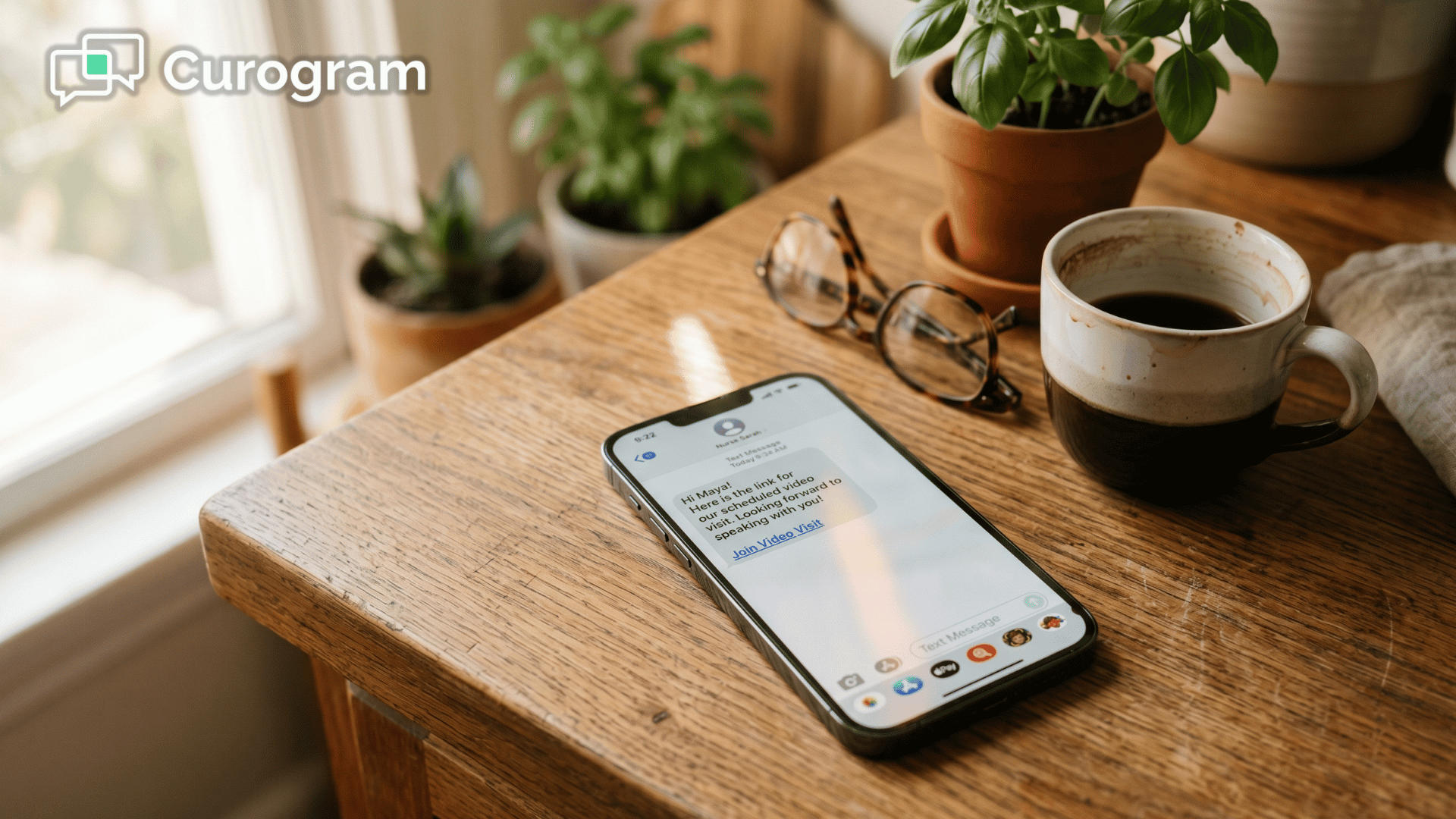
The visit link arrives by SMS. The patient taps it. The video opens in their browser. There's no app store visit, no download progress bar, no account to create, no permissions to hunt through settings to enable.
The phone already has a camera. Already has a microphone. Already has a browser. Curogram uses what's there.
Here's the flow your staff and patient actually experience for a no-app telehealth medical practice IMS operations setup:
No portal logins. No app updates. No "can you hear me now?" stretching to five minutes.

The link doesn't get sent by a staff member who has to remember.
Curogram pulls the visit time from your IMS schedule and handles delivery on its own. Reminders, intake forms, and the visit link travel through the same text thread.
|
12 minutes: average text-link visit length Without setup friction, the visit runs at its actual clinical duration. That's roughly 10 minutes recovered per appointment. |
That's a real shift for Meditab IMS virtual visit staff training: there isn't much to train, making the telehealth workflow dramatically easier to manage. Staff don't manage a separate telehealth portal. They don't send links by hand. They don't field tech support calls that don't exist.
Multi-specialty practices have different telehealth use cases, and Curogram's video visits adapt to each one without separate setups:
Your team manages every visit type from one dashboard — the same one used for two-way texting, online forms, reviews, and payments.
That's the operational point of Meditab IMS telemedicine operational efficiency:
The clearest sign telehealth is working is what stops happening. The phones stop ringing with confused patients. The schedule stops slipping. Staff stop bracing themselves on telehealth days.
Practices switching from app-based to text-link video visits typically see tech support calls drop by 90% or more — from roughly 30 calls per month down to 2 or 3.
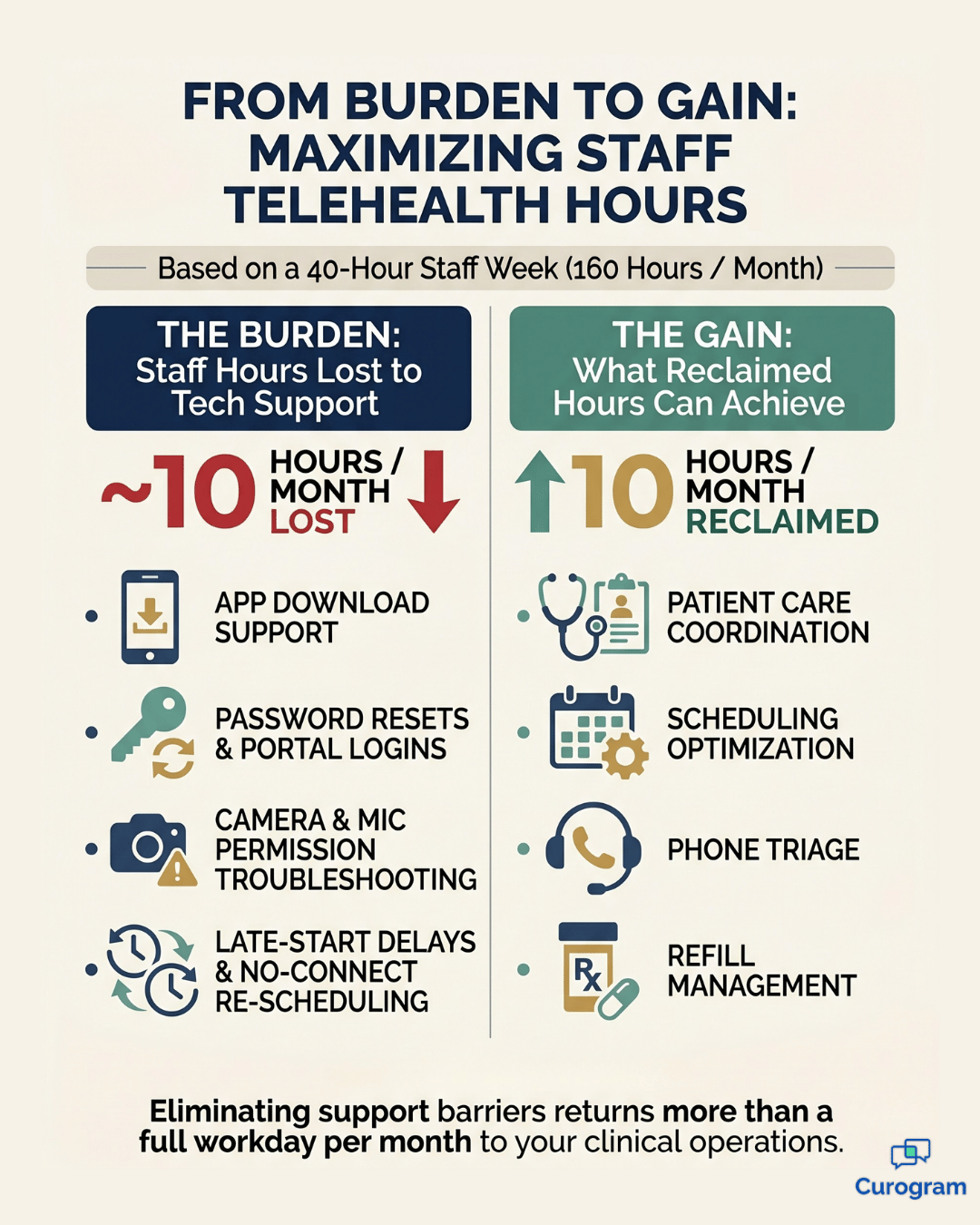
The average visit length returns to its actual clinical duration. Staff hours spent on telehealth troubleshooting fall from about 10 hours a month to under one, which adds up to more than a full workday returned to patient care every month.
Your operations manager gets that time back to spend on care coordination, scheduling optimization, or anything other than walking patients through camera permissions.
When visits start on time, providers offer more virtual slots. That alone expands your capacity without adding rooms, staff, or hours.
Visit completion rates also climb — from around 85% to roughly 97% — which means nearly every scheduled appointment actually happens, and nearly every scheduled appointment actually gets billed.
A practice that grows from 15 to 22 telehealth visits per day, at an average reimbursement of $85 per visit, adds about $595 in daily revenue. Across a 22-day month, that's roughly $13,000 in monthly capacity recovered.
The number depends on your specialty mix and payer rates. The direction does not.
When the technology disappears, the patient experience changes in ways that show up directly in your metrics:
Late starts drop from 6–8 a week to barely any, and the 11:00 AM patient gets seen at 11:00 AM. That's the quiet win. Telehealth stops feeling like a workaround and starts feeling like care.
Your telehealth program should expand your practice's capacity. It should not consume it.
When the patient side requires nothing — no app, no login, no troubleshooting — telehealth finally does what it was supposed to do from the start.
Visits run on time. Providers stay on schedule. Staff stop running help desks. The schedule absorbs more virtual care because the virtual care actually fits.
Your Meditab IMS handles the clinical workflow beautifully. It manages your encounters, your documentation, your scheduling.
The piece that has been missing is a frictionless patient connection layer that runs without barriers.
Text-link video visits fill that gap.
Your EMR keeps doing what it does best. Curogram removes everything that gets in the way of it running smoothly.
The shift is faster than most practices expect. Most go live within 48 hours. No long-term contract. HIPAA-compliant by design. Staff training takes about 10 minutes because there is genuinely very little to learn. The patient side has nothing to install, and the staff side adds a few new buttons to a dashboard your team is already using.
If your telehealth program is currently a source of stress instead of a source of capacity, the path out is not a smarter app. It's removing the app from the equation entirely.
Schedule a Demo and watch Curogram's text-link telehealth launch from your Meditab IMS schedule in real time. You'll see the workflow from both sides — what the patient experiences, what your staff sees, and how a visit goes from scheduled to connected without a single tech support call in between.
 Aubreigh Lee Daculug : May 26, 2026, 8:00:00 AM
Meditab telemedicine needs apps or portal logins. Curogram launches HIPAA-compliant video visits by text link—no app or login.
 Aubreigh Lee Daculug : Apr 13, 2026, 1:59:59 PM
Your front desk isn’t IT. Curogram text-link visits remove telehealth tech support. Send a link, tap, start. No downloads. Full schedule use.
 Aubreigh Lee Daculug : Apr 3, 2026, 12:00:00 PM
Patients can’t download apps or access portals. Curogram launches NextGen video visits via text—one tap, no barriers.