Automate Google Review Requests After Every Lytec Patient Visit
💡 Lytec automated Google review requests after every visit turn happy patients into verified 5-star reviews. Lytec runs your scheduling and...

11 min read
Mira Gwehn Revilla
:
June 28, 2026
Most front desk teams quietly dread asking patients for reviews. The words feel pushy, even after a great visit. So the ask gets skipped during a busy morning rush. Over weeks, those skipped asks turn into a real problem.
Your Google rating depends on a steady flow of fresh reviews. When asking is manual, that flow starts and stops. A few happy patients leave a review. Most patients never get asked at all.
This gap hurts more than it first appears. Google shows your star rating before patients ever reach your website. A thin review count lets one bad rating drag down the score. New patients judge your clinic in just seconds.
Lytec runs your practice management work well. It tracks visits, billing, and schedules with ease. But Lytec has no built-in review tool. So the asking falls back on your staff, every single time.
That is where Lytec automated review requests with no staff effort change the math. Instead of leaning on memory, the ask becomes automatic. Curogram sends a review text right after each completed visit. Nobody has to remember, and nobody has to feel awkward.
This guide shows how to stop asking patients for reviews by hand. You will see how the request runs quietly in the background. You will learn how a hands-off system lifts your rating over time, week after week.
The goal here is simple and practical. Take review-asking off your team's plate for good. Let your front desk focus on patients, not pitches. Meanwhile, your reviews keep climbing on their own.
One Curogram client earned 1,064 new 5-star reviews in three months, based on our internal data. They reached that result with almost no extra effort at all. The rest of this article explains exactly how that same system works for your practice.
Lytec is a strong tool for running a practice. It handles scheduling, billing, and patient records with ease. But it was never built to collect Google reviews. That single gap quietly costs many clinics every week.
When there is no review tool, asking becomes a manual job. A staff member has to remember to ask each patient in person. They also have to find the right moment to do it. During a busy clinic day, that moment rarely comes.
So the ask gets dropped, again and again. Think about a typical front desk on a packed Monday. The phone rings, a patient checks in, and a copay needs collecting. Asking for a Google review is the very last thing on anyone's mind.
This is the heart of the review gap. Reviews only grow when patients are asked to leave them. If the ask is inconsistent, the reviews stay thin. And thin review counts create a long list of problems.
Let's run a simple, illustrative example. Say a clinic sees 40 patients a day. On a good day, a staff member remembers to ask maybe 3 of them. Of those 3, perhaps 1 actually leaves a review later.
That works out to roughly one new review per day. It sounds fine until you compare it to your patient flow. You served 40 people but captured just one review. The other 39 chances vanished for good.
Over a month, that gap grows wide. You may collect 20 reviews while serving 800 patients. Your true happy-patient pool was far larger. Most of them simply never got the ask.
A small review count is fragile. One unhappy patient can leave a one-star rating. With only 20 reviews, that single review drags your average down hard. With hundreds of reviews, the same one-star barely moves the needle.
Review volume acts like a cushion. The more genuine reviews you have, the more stable your score stays. This is why steady, frequent asking matters so much. Slow, manual asking leaves you exposed.
There is also a human cost here. Staff often feel uneasy asking for reviews. It can feel like begging, and that discomfort is real. So they avoid it, which is completely understandable.
Owners then watch the rating sit still for months. They know reviews matter, yet nothing seems to change. The team is busy, the tool has no review feature, and the gap stays open. No one is at fault, but the problem keeps growing.
Picture the cost in plain numbers. If thin reviews scare off even a handful of new patients each month, that adds up. Patient lifetime value is often worth hundreds or thousands of dollars. The review gap is not a small issue. It quietly leaks growth.
The core issue is simple to name. Manual asking depends on memory, and memory fails under pressure. No amount of training fixes a tired staff member during a rush. The system itself needs to change.
You need an approach with no manual review asks at all. The request should not rely on anyone remembering. It should happen on its own, after every single visit. That is the only way to close the gap for good.
The next section shows exactly how that works. You will see how the right setup removes the human bottleneck. Your reviews stop depending on a busy front desk. Instead, they start running like clockwork.
The fix for the review gap is not more reminders for staff. It is removing staff from the asking entirely. You need the visit itself to send the request. That is exactly what Curogram does inside your Lytec workflow.
Here is the simple idea behind it. The completed visit becomes the trigger. The moment a Lytec visit closes out, a review text goes out. No staff action is needed, ever.
This turns the ask into a quiet, automatic event. Your team does not have to remember a thing. They do not have to feel awkward or find the right moment. The system handles all of it in the background.
Let's walk through a real flow, step by step. A patient finishes their appointment and heads home. The visit is marked complete in Lytec. Right then, Curogram sends that patient a short review text.
This is Lytec post-visit review automation in action. The request fires off the completed visit, not off a staff memory. Because it ties to the visit, it happens 100% of the time. Every patient gets the same fair ask.
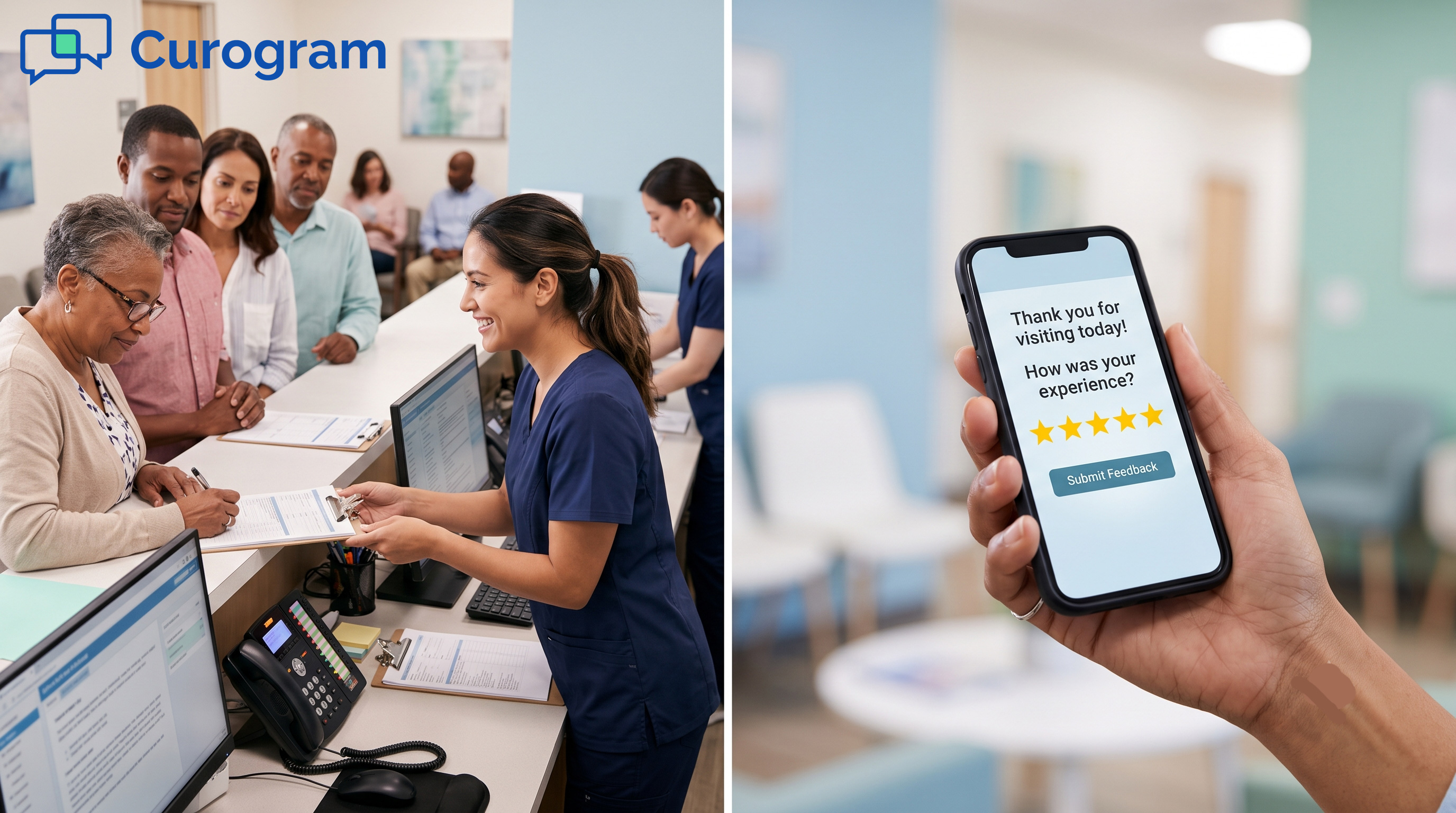
The text itself is brief and friendly. It thanks the patient and shares a direct link. That link leads straight to your Google Business Profile. The patient taps it, picks stars, and types a quick note.
The whole point is to remove your team from the loop. These are hands-off review requests by design. Once you switch the feature on, it runs on its own. Your front desk never touches it again.
Setup is fast and simple. Most practices finish in under 10 minutes. You pick the message wording once and turn the trigger on. After that, the requests run quietly day after day.
Compare that to the old manual way:
|
Task |
Manual Asking |
Curogram Automation |
|
Who remembers to ask |
A busy staff member |
The system, every visit |
|
When the ask happens |
Only during slow moments |
After 100% of visits |
|
Staff workload added |
High and ongoing |
Near zero after setup |
|
Consistency |
Low and uneven |
Full and steady |
|
Awkward in-person ask |
Required |
Removed completely |
The difference is clear. One approach leans on memory and good timing. The other simply works on its own.
Small and specialty practices run tight teams. Every extra task competes with patient care. A review tool that adds work is a tool that gets ignored. Curogram avoids that trap on purpose.
This setup lets you automate Google reviews so the front desk stays focused. Staff greet patients, answer phones, and handle billing. Meanwhile, the review engine runs underneath all of it. The two never get in each other's way.
There is no new login routine to learn either. The requests are tied to the Lytec visit you already record. Curogram manages the connection and the sending. Your team's day does not change at all.
Many clinics bolt on a separate review tool. That means another vendor, another login, and another invoice. Curogram folds reputation into one platform instead. You get review automation alongside texting and reminders.
This keeps things simple for owners and staff alike. There is less software to manage and less cost to track. The review engine just becomes part of your normal flow. It asks every patient, every time, without fail.
The next section shows what this steady asking produces. Small, consistent requests build into something powerful over time. You will see how the numbers compound. That is where the real payoff lives.

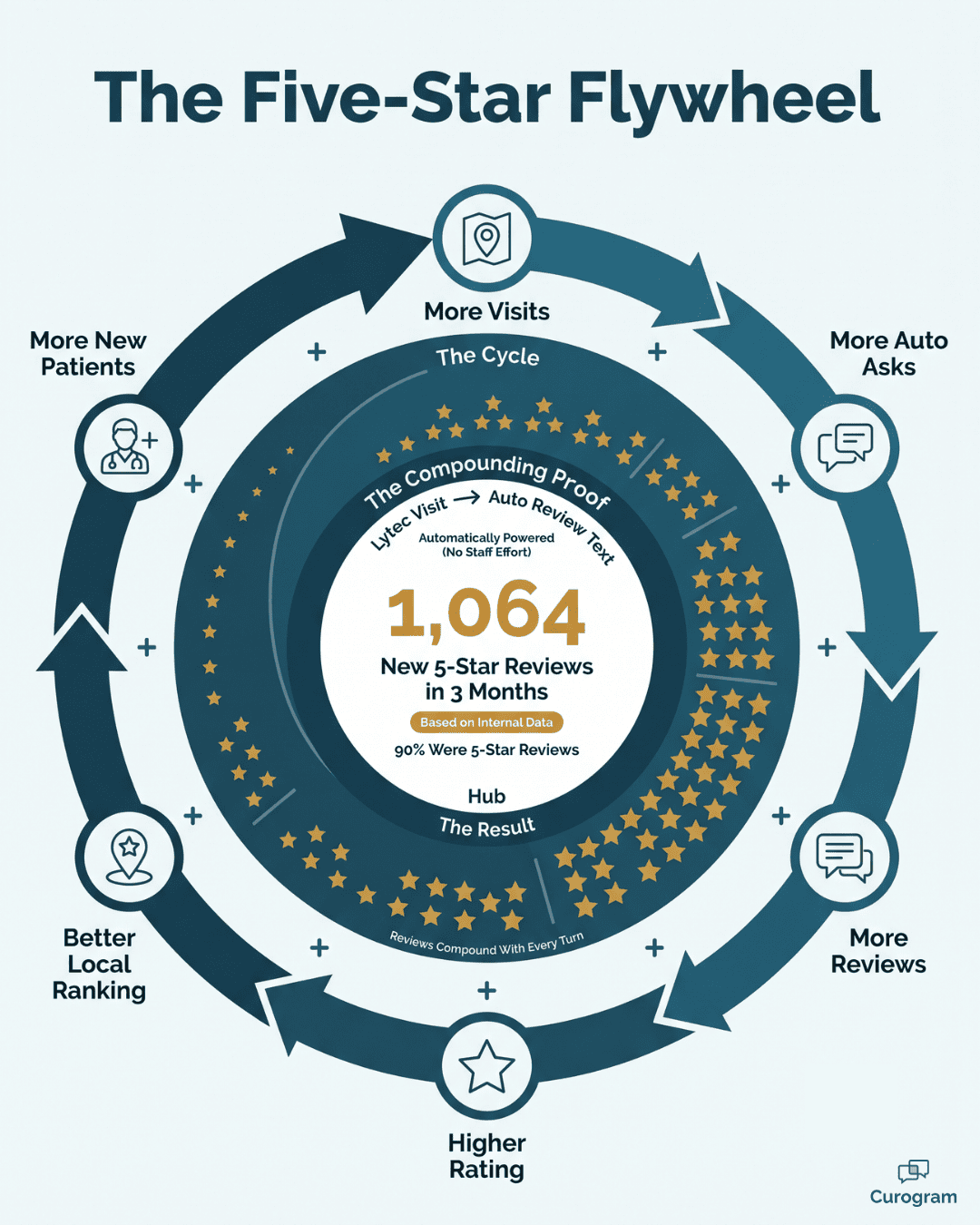
A flywheel is a heavy wheel that is hard to start. But once it spins, it keeps going with little effort. Your reviews can work the same way. Automated asking gives the wheel its first big push.
Here is the core idea in plain terms. Every completed visit sends one review request. Each request has a chance to become a new review. Over hundreds of visits, those chances stack up fast.
This is the power of consistency over intensity. You do not need a big campaign or a special push. You just need the ask to happen every single time. Small, steady action beats large, rare effort.
Let's build a simple, illustrative example. Picture a clinic that completes 600 visits a month. With automation, all 600 patients get a review text. None are skipped because no one has to remember.
Now imagine a modest response rate. Say 10% of those patients leave a review. That is 60 new reviews in a single month. Compare that to the 20 you might get by asking manually.
The gap is not small. Over a year, automation could mean 720 new reviews. Manual asking might bring in 240 in the same time. That is three times the review growth, with less staff effort.
These numbers are an example for illustration only. Your real rate will depend on your patients and message. But the pattern holds true across practices. More asks lead to more reviews, every time.
We have seen this flywheel spin in the field. One multi-location practice struggled with online reputation for a long time. They added Curogram's automated post-visit requests to their flow. The texts were tied to Google reviews to encourage 5-star feedback.
The outcome was striking. That practice earned 1,064 new 5-star reviews in just 3 months, based on our internal data. Even better, about 90% of the practice's patients left 5-star reviews. They reached this with essentially no added staff effort.
Think about what that pace really means. That is a steady, fast climb in review volume. It came from automation, not from a busy team begging at the desk. The system did the asking, and the reviews followed.
Velocity means how fast you gain new reviews. A fast, steady stream signals trust to both Google and patients. A clinic that gains reviews weekly looks alive and active. A clinic stuck at 30 old reviews looks frozen in time.
New patients notice this pattern, even without thinking about it. Fresh reviews feel more reliable than old ones. A recent five-star note carries more weight than one from years ago. Steady velocity keeps your profile looking current.
This matters because of how patients search. Based on our internal data, 90% of new patient leads see your Google Business Profile before your website. They check your stars and recent reviews first. A strong, fresh profile wins their trust early.
As volume grows, your rating gets more stable. With 50 reviews, one bad review stings. With 500 reviews, that same bad review barely registers. Volume protects you from the occasional unhappy patient.
Here is how the cushion works in numbers:
|
Total Reviews |
One New 1-Star Rating |
Impact on Average |
|
25 reviews |
Drops average noticeably |
High risk |
|
100 reviews |
Small dip in average |
Moderate risk |
|
500 reviews |
Almost no change |
Very low risk |
The lesson is simple. The more reviews you gather, the safer your score becomes. Automation is what makes high volume possible. Manual asking can never keep up with this kind of pace.
The review gap was never about effort or care. Your team always wanted more reviews. They just lacked a system that did not depend on memory. The flywheel gives them exactly that.
By tying the ask to the visit, you make growth automatic. Each completed appointment adds to your momentum. Small actions repeat hundreds of times a month. That repetition is what builds a powerful rating.
The next part explains the feature behind all of this. You will see how Curogram makes the engine run. It is simpler than you might expect. And it asks for almost nothing from your team.
Want to see what that steady momentum could look like for your practice? Try estimating the potential returns in boosting your practice's reputation based on your own monthly visit volume. A small, automatic ask after each visit can add up faster than you might think.

Curogram's Automated Review Requests sit right at the center of how Curogram works with Lytec. The feature watches for one clear signal: a completed visit. The moment a Lytec visit closes out, Curogram sends a short, friendly review text to that patient. No one on staff has to lift a single finger to make this happen.
The setup is quick and simple to manage on your own. You pick the message wording one time and then turn the trigger on. After that, the requests run quietly in the background for you. Most practices finish the whole setup in well under 10 minutes.
Each text shares a direct link straight to your Google Business Profile. A patient taps the link, picks a star rating, and types a few words. The whole task takes them well under a minute to finish. That ease is a big reason so many requests become real reviews.
The system stays fair and compliant by design. It asks every patient the same way, with no filtering and no rewards. Each message includes a STOP option, so patients can opt out anytime. The texts also follow HIPAA rules, which protects your practice and your patients.
Why does this matter so much for a busy front desk team? Because the ask no longer depends on a tired staff member remembering. It happens after 100% of visits, not just the ones someone happens to catch. Your team gets to focus fully on the patient sitting right in front of them.
The payoff shows up in your rating over time. Steady requests mean steady reviews, and steady reviews lift your score higher. One Curogram client earned 1,064 new 5-star reviews in three months, based on our internal data. That is the power of a hands-off engine that never once forgets to ask.
Asking for reviews should never feel like a daily chore. Yet on a busy front desk, the manual ask is the first thing to slip. A rushed morning means the request gets skipped once again. Over time, your rating pays the price for all those missed moments.
There is a cleaner way to grow reviews without your staff doing the asking. You simply let the visit itself trigger the request. The job moves off your team and onto a system that never forgets. That single shift changes everything about your online reputation.
Think of it as a clean division of labor between two tools. Lytec runs the visit, the billing, and the schedule with care. Curogram runs the review request the second that visit ends. Each tool does what it does best, with no overlap at all.
The result is a quiet, steady engine for your star rating. Requests fire after every completed visit, not just the ones staff recall. The awkward in-person ask simply disappears from your day. Your front desk gets to focus on people, not pitches.
The proof shows up clearly in the numbers we have seen. One Curogram client earned 1,064 new 5-star reviews in three months, based on our internal data. They did it with almost no added effort from their team. That is what hands-off review automation can do for you.
Your reviews can climb while your staff stay focused fully on care. You do not need a separate tool or a bigger team to get there. You just need the ask to run on its own, every single time.
Give your front desk one less thing to remember. Request a demo today and let Curogram handle every Lytec review request for you.
Curogram asks every patient the same way, with no filtering and no rewards for positive feedback. Each text includes a STOP opt-out and follows HIPAA rules, so every review stays genuine and your practice stays protected.
Manual asking depends on a busy staff member remembering during a rush. Tying the request to the completed visit means it happens 100% of the time. Steady, consistent asks simply produce far more reviews over the long run.
Almost none. After a one-time setup of under 10 minutes, the requests run automatically off each completed visit. Your staff never touch the system again, so they stay focused fully on patients and daily clinic tasks.
Higher volume cushions your average rating. With 500 reviews, one bad rating barely moves your score. With only 25, that same rating stings hard. Steady, automated asking builds the volume that keeps your rating stable.
Based on our internal data, 90% of new patient leads check your Google Business Profile before your website. A steady stream of fresh five-star reviews signals trust early and helps you rank higher in local search results.
💡 Lytec automated Google review requests after every visit turn happy patients into verified 5-star reviews. Lytec runs your scheduling and...
💡 Imaging centers face unique trust issues. A single bad review can damage referral flow and hurt revenue across multi-site networks.Reputation...
💡 Most Office Ally practices have tried review cards, emails, and portal messages. None of them work well. Patients skip them, forget them, or...