
Automated Appointment Reminders for Elation Health: Protect Your Time
💡 Independent practices can set up automated appointment reminders for Elation Health through Curogram's direct integration. This system sends...
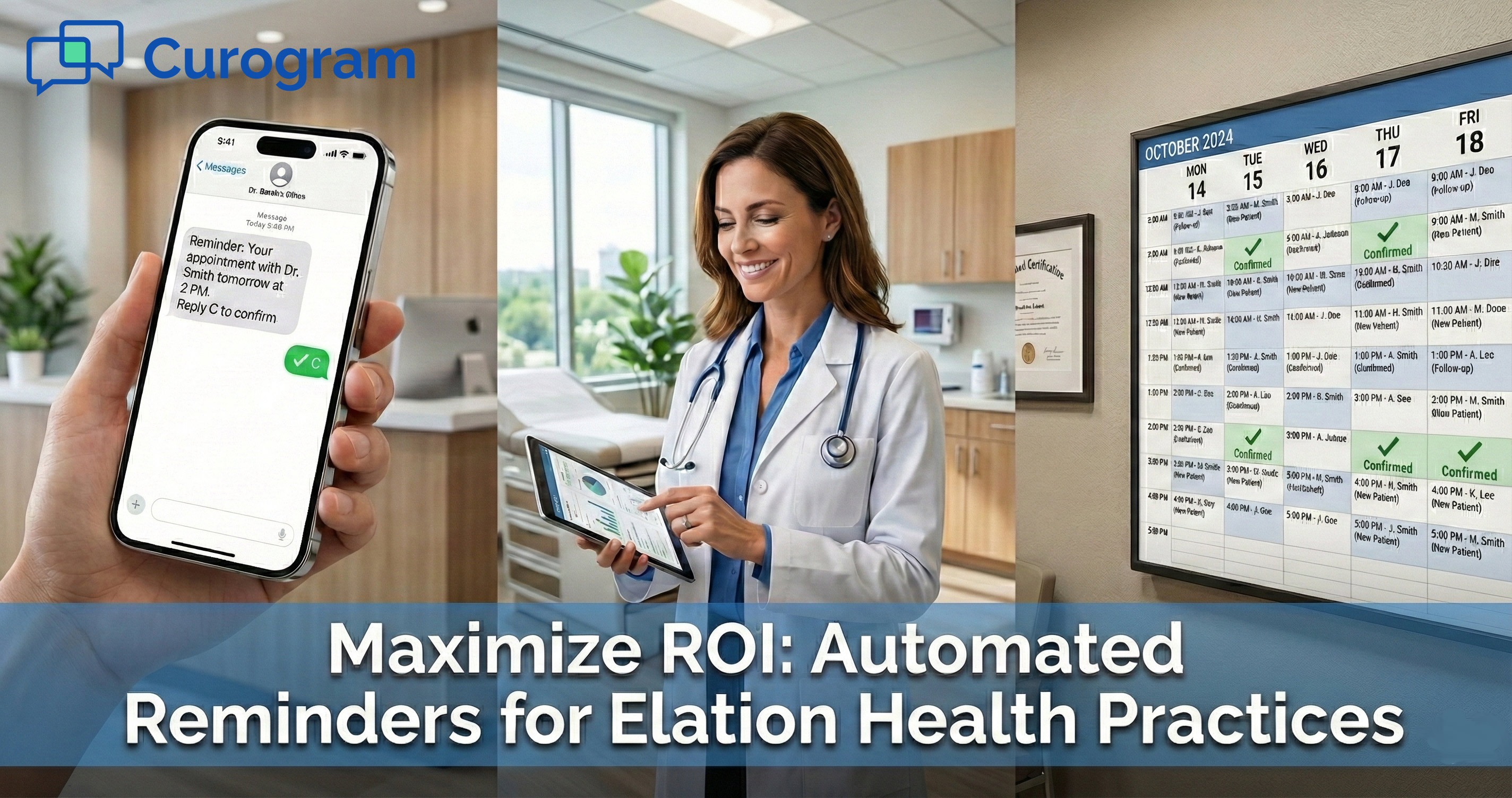
8 min read
Jo Galvez
:
February 18, 2026
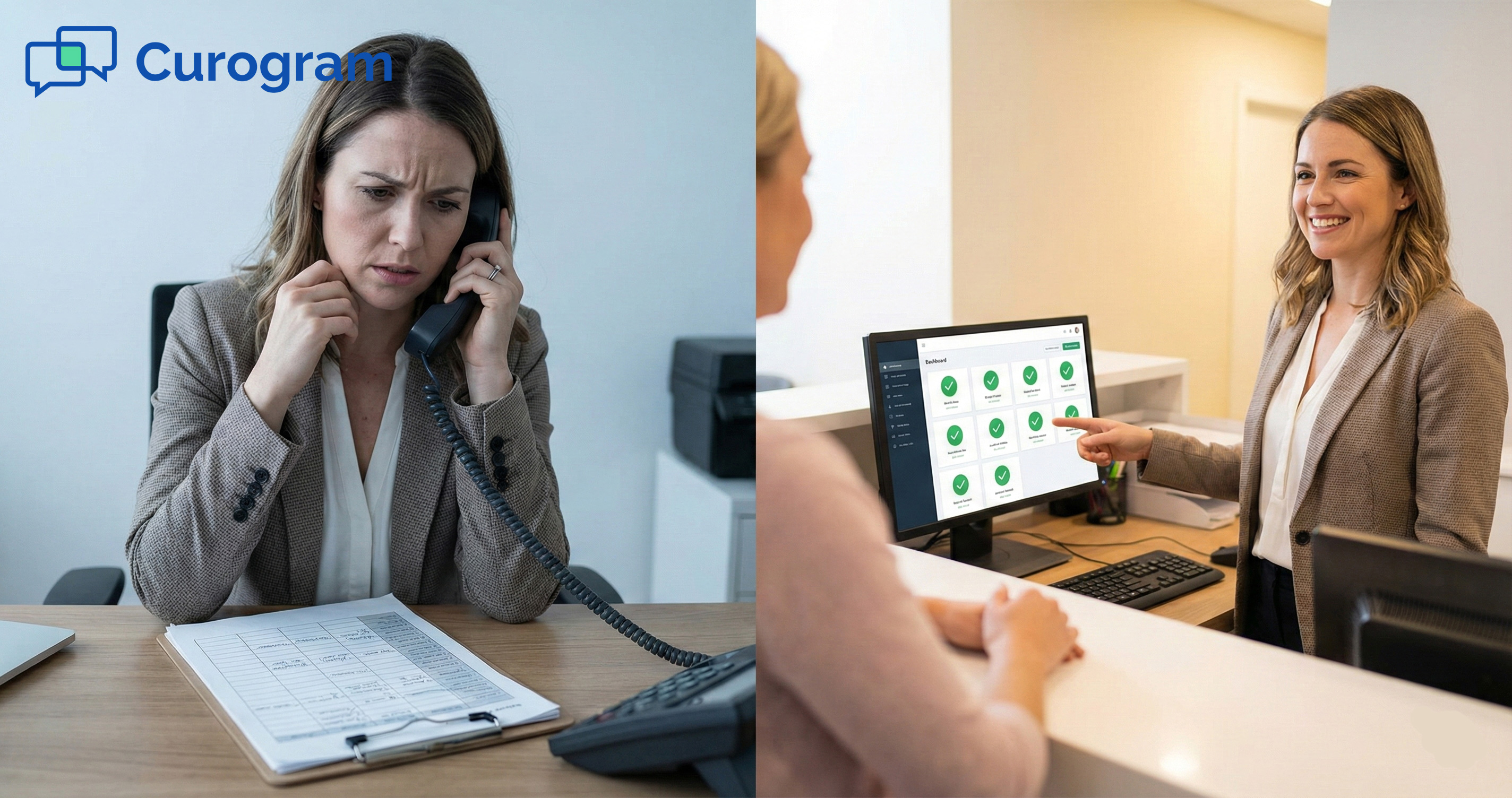
Picture this. You have 15 minutes before your practice opens, and your front desk team just printed the day's schedule. Now comes the part they dread most: the manual call list.
One by one, they dial patients to confirm visits. Most calls go to voicemail. A few ring out. And the clock keeps ticking.
This scene plays out every morning in Lytec-based practices across the country. Staff spend up to two hours each day on these calls, and more than half never reach a real person.
The result? Empty chairs, lost revenue, and a burned-out team.
There is a better way. Automated appointment reminders for Lytec practice workflows let you trade the call list for a system that works while you sleep.
Instead of dialing numbers by hand, your practice sends timed text messages that patients actually read and respond to.
Curogram's patient reminder software plugs right into your Lytec scheduler. It reads the day's visits in real time and fires off SMS sequences at the right moments.
Patients tap a quick reply to confirm. No phone tag. No guesswork. No wasted hours.
The numbers tell the story. Practices that switch to this kind of Lytec schedule automation see no-show rates drop by as much as 53%.
That means more filled slots, more revenue, and a front desk that can focus on the people standing in front of them instead of chasing voicemails.
In this guide, we break down why manual calls fail, how a "set it and forget it" engine works, and the real-world results you can expect. If your staff still dreads the morning call list, keep reading.
Every Lytec practice knows the routine. Before patients walk through the door, someone has to work through a stack of phone numbers. This daily grind eats time, kills morale, and costs your practice real money.
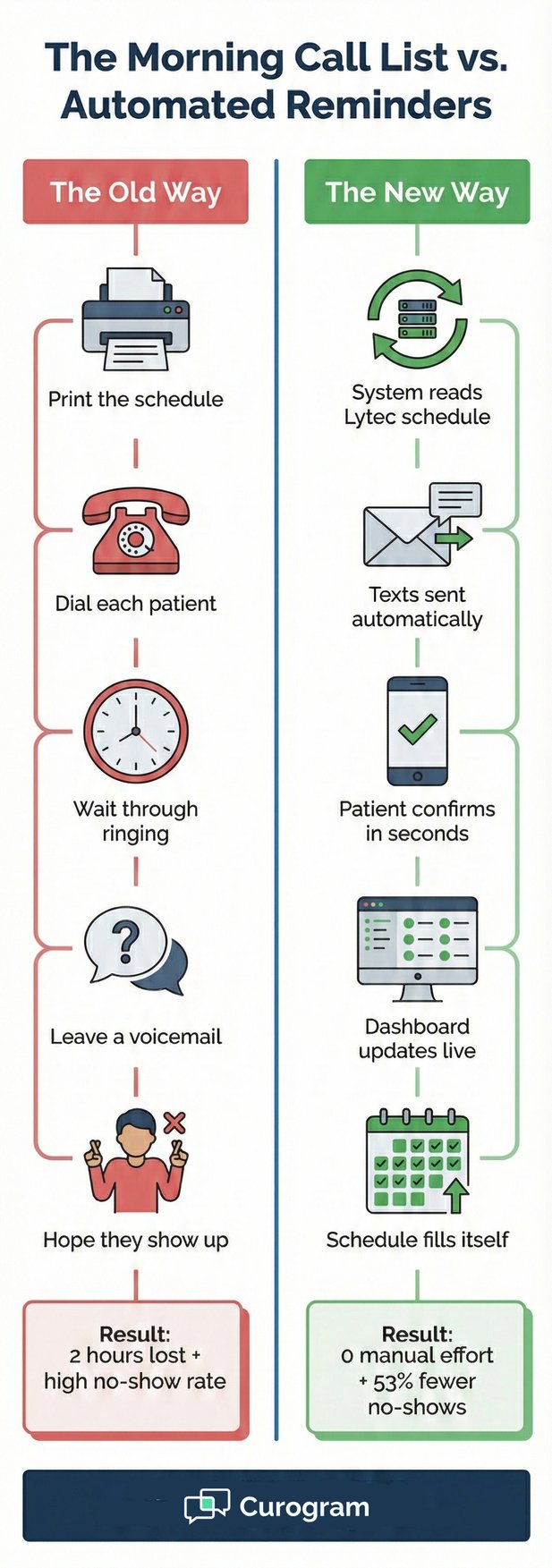
The morning ritual starts the same way. A staff member prints the next day's schedule and picks up the phone.
They dial the first number, wait, and hear ringing. After the fourth or fifth ring, voicemail kicks in. They leave a message, hang up, and move on to the next name on the list.
This goes on for an hour, sometimes two. During that stretch, the front desk is tied up. Patients who walk in have to wait.
Calls from other offices go to hold. The whole workflow slows down because one person is stuck in a loop of dial, wait, and repeat.
Here's the real problem: most of those calls land in a voicemail black hole. Studies show that fewer than half of phone calls to patients are answered.
Your staff leaves a message, but they have no way to know if the patient heard it, deleted it, or even checked their phone at all.
That lack of feedback turns every confirmation into a guess. Staff mark patients as "left message" and hope for the best.
There is no real SMS appointment confirmation, just a one-way voice note floating in the void. And when hope is your strategy, no-shows are bound to follow.
When a patient forgets their visit because they missed a voicemail, the practice loses money. The slot sits empty. You can't bill for it.
In most cases, that revenue is gone for good. Across a full year, even a handful of missed visits per week adds up to tens of thousands in lost income.
This is the empty slot problem, and it hits small and mid-size Lytec practices the hardest. They often lack the staff to rebook on the fly or run a standby list. Lytec no-show reduction becomes nearly impossible when the whole system relies on phone calls that patients ignore.
Staff Burnout and Resentment
Beyond the money, there's the human toll. Front desk staff didn't sign up to be telemarketers. They want to greet patients, manage charts, and help the doctor.
Instead, they spend their best morning hours glued to a headset doing work that feels thankless.
Over time, this wears people down. Burnout sets in. Turnover rises.
The cost of hiring and training new staff only adds to the problem. To reduce manual calling and protect your team, you need to get rid of the call list entirely.
So what replaces the call list? A system that reads your schedule, sends the right message at the right time, and stops when the patient responds.
Here's how Curogram's automated appointment reminders for Lytec practice workflows make that happen.
One of the biggest pain points with older reminder tools is the data entry. You export a file, upload it, map the fields, and pray nothing breaks.
Curogram skips all of that. It connects to your Lytec scheduler and reads upcoming visits in real time. No CSV files, no manual uploads, no extra steps.
As soon as a new visit is booked or changed in Lytec, Curogram picks it up. Cancellations are also caught.
The system stays in sync without anyone on your team lifting a finger. This kind of Lytec schedule automation means your reminder engine is always working with the latest data.
The reminders don't go out in a single blast. Curogram uses what's called a waterfall sequence.
For example, a patient might get a text three days before their visit, an email two days out, and a final text the morning of. Each step builds on the last.
Here's the smart part: once a patient confirms, the sequence stops. They won't get three more nudges after they've already said yes.
This keeps the experience clean and avoids the kind of message fatigue that makes patients tune out.
Not every appointment is the same, and the reminders shouldn't be either. Curogram lets you set different rules based on visit type. A new patient might get a message that says, "Bring your ID and arrive 15 minutes early."
A telehealth patient gets a link to the video room. A follow-up gets a simple confirm-or-cancel prompt.
This level of detail matters. Patients feel like the practice knows them. It also cuts down on front desk questions because the info is already in the text. Patient reminder software that adapts to the visit type saves time on both ends.
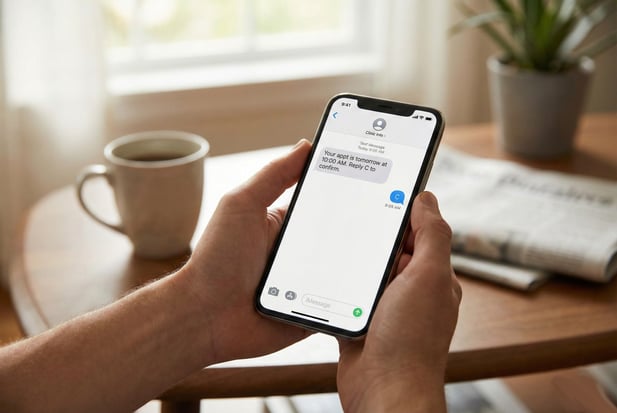
The SMS appointment confirmation isn't just a one-way alert. Patients can reply right from their phone.
A simple "C" confirms the visit. "R" opens a reschedule flow. "Cancel" alerts your staff so they can fill the slot from the waitlist.
This two-way exchange turns a passive reminder into an active booking tool. It closes the feedback loop that voicemail never could. Also, it gives your front desk instant clarity on who's coming and who's not.

Numbers don't lie. When a practice moves from phone calls to automated texts, the results show up fast. Here's what real Lytec no-show reduction looks like in practice, and how to measure the return on your investment.
Atlas Medical Center used to struggle with missed visits, just like most practices. Their no-show rate sat at 14.2%, which meant roughly one in seven patients didn't show up.
Staff called every patient by hand. Most calls went to voicemail. The team was frustrated, and the schedule had gaps every single day.
After switching to Curogram's automated reminders, their no-show rate dropped to 4.9%. That's a 53% reduction.
Patients started confirming within minutes of getting a text. The front desk came in each morning to a dashboard full of green "confirmed" icons instead of a stack of numbers to dial.
The shift wasn't just about fewer missed visits. Staff morale went up because they weren't stuck on the phone.
Wait times dropped because the front desk was free to check patients in faster. The schedule stayed full because patients had an easy way to confirm or reschedule on their own terms.
This is the power of patient reminder software that works in the background. It does the heavy lifting so your team doesn't have to.
When you add up the hours your team spends on the phone each week, the cost becomes hard to ignore.
|
Metric |
Value |
|
Daily hours spent on manual calls |
2 hours |
|
Weekly hours spent on manual calls |
10 hours |
|
Average front desk hourly wage |
$18 |
|
Weekly cost of manual calling |
$180 |
|
Annual cost of manual calling |
$9,360 |
|
Annual cost with automation |
$0 staff time |
|
Yearly staff time savings |
$9,360 |
But the real value goes beyond wages. Those 2 hours are peak morning hours when the front desk is busiest.
Getting that time back means shorter wait times, fewer missed calls from other providers, and a team that can handle walk-ins and questions without falling behind.
Lost visits mean lost income. Here's how fast those empty slots add up — and how much you stand to recover.
|
Metric |
Value |
|
Missed visits per week (average) |
2 |
|
Average revenue per visit |
$150 |
|
Weekly revenue lost to no-shows |
$300 |
|
Annual revenue lost to no-shows |
$15,600 |
|
Revenue recovered after 53% reduction |
~$8,000 |
|
Combined annual ROI (time + revenue) |
$17,360+ |
Add the staff time savings to the recovered revenue, and the annual return easily tops $17,000.
That's a number any office manager or doctor can get behind. It doesn't account for the extra visits you can fit in when cancellations come in early enough to fill from a waitlist.
Switching to a new system raises questions. Here are the answers to the most common ones we hear from Lytec practices.
Does it write back to Lytec?
Yes. Curogram provides a seamless overlay on top of your Lytec system. When a patient confirms via text by replying "C," the status updates instantly in the Curogram dashboard.
In many setups, this data can also be written back to your Lytec scheduler or be easily matched up at the start of the day.
Your staff sees a clean view of who confirmed, who canceled, and who hasn't replied yet. There's no need to flip between screens or check two systems.
Everything flows into one place, giving your team a clear picture of the day before the first patient walks in.
What happens if a patient wants to cancel?
If a patient replies "No" or "Cancel," the system sends an alert to your front desk right away. This gives your team time to fill the slot from the waitlist. Instead of finding out at the time of the visit, you know hours or even days in advance.
Early notice means you can reach out to patients on your standby list. A quick mass text or direct message can fill that open slot within minutes.
What used to be lost revenue becomes a second chance to serve another patient and keep your schedule full.
Can I send voice calls to landline patients?
Yes. Curogram can detect whether a patient's number is a landline or a cell phone. If it's a landline, the system sends an automated voice reminder instead of a text.
This way, no patient falls through the cracks, even if they don't have a mobile device.
This feature is especially helpful for practices with older patient groups who may still rely on home phones.
You get the benefits of automation without leaving anyone behind. Every patient gets the reminder, just through the channel that works best for them.

The days of the manual call list are fading. Practices that still rely on phone calls to confirm visits are spending more and getting less.
Here's why the switch to automated appointment reminders for Lytec practice workflows is no longer optional.
Phone-based reminders made sense 20 years ago. Patients picked up their landlines. Voicemail was new. People checked their messages. That world is gone.
Today, most patients screen unknown numbers and rarely listen to voicemails. Reaching patients by phone has become a game you can't win.
Meanwhile, text open rates hover near 98%. Patients read texts within minutes. They respond on the spot.
The gap between phone and text is so wide that sticking with calls is like faxing a document when you could send an email. The tool exists. It's time to use it.
Practices that ignore this shift pay for it in two ways. First, they lose revenue to no-shows that could have been prevented. Second, they burn through staff who could be doing higher-value work.
To reduce manual calling is to invest in both your bottom line and your team's wellbeing.
Lytec no-show reduction doesn't require a complete overhaul of your practice. It starts with one change: letting a proven system handle the outreach so your people can handle the care.
Curogram was built to work with systems like Lytec. It doesn't ask you to change your workflow. It simply adds a layer of smart automation on top of what you already do.
Once it's set up, your reminders go out on schedule, responses come back in real time, and your team sees the results on day one.
You don't need to be tech-savvy to use it. If your staff can send a text, they can manage Curogram. Training takes minutes, not days. Because it syncs with Lytec in real time, there's no double entry or extra admin work.
Your team deserves better than the call list. Your patients deserve better than a voicemail. Your practice deserves a schedule that fills itself.
Let Curogram handle the confirmations, so your team can handle the care. The best way to see how it works is to watch it in action.
Schedule a Demo to see how Curogram reads your Lytec schedule and automates your day.
💡 Independent practices can set up automated appointment reminders for Elation Health through Curogram's direct integration. This system sends...

💡 Independent practices lose thousands each month from empty exam rooms. A single no-show can cost up to $500 in lost revenue. When you add up just...
💡 Automated patient confirmations for Elation Health cut the morning phone rush that drains clinic staff. With Curogram, your team stops calling...