
InSync EHR Telemedicine Without Portal Logins | Curogram
 Jo Galvez : Sep 1, 2026, 12:00:00 PM
Portal logins and app downloads keep InSync EHR patients out of virtual visits. Curogram launches telehealth from one text tap.
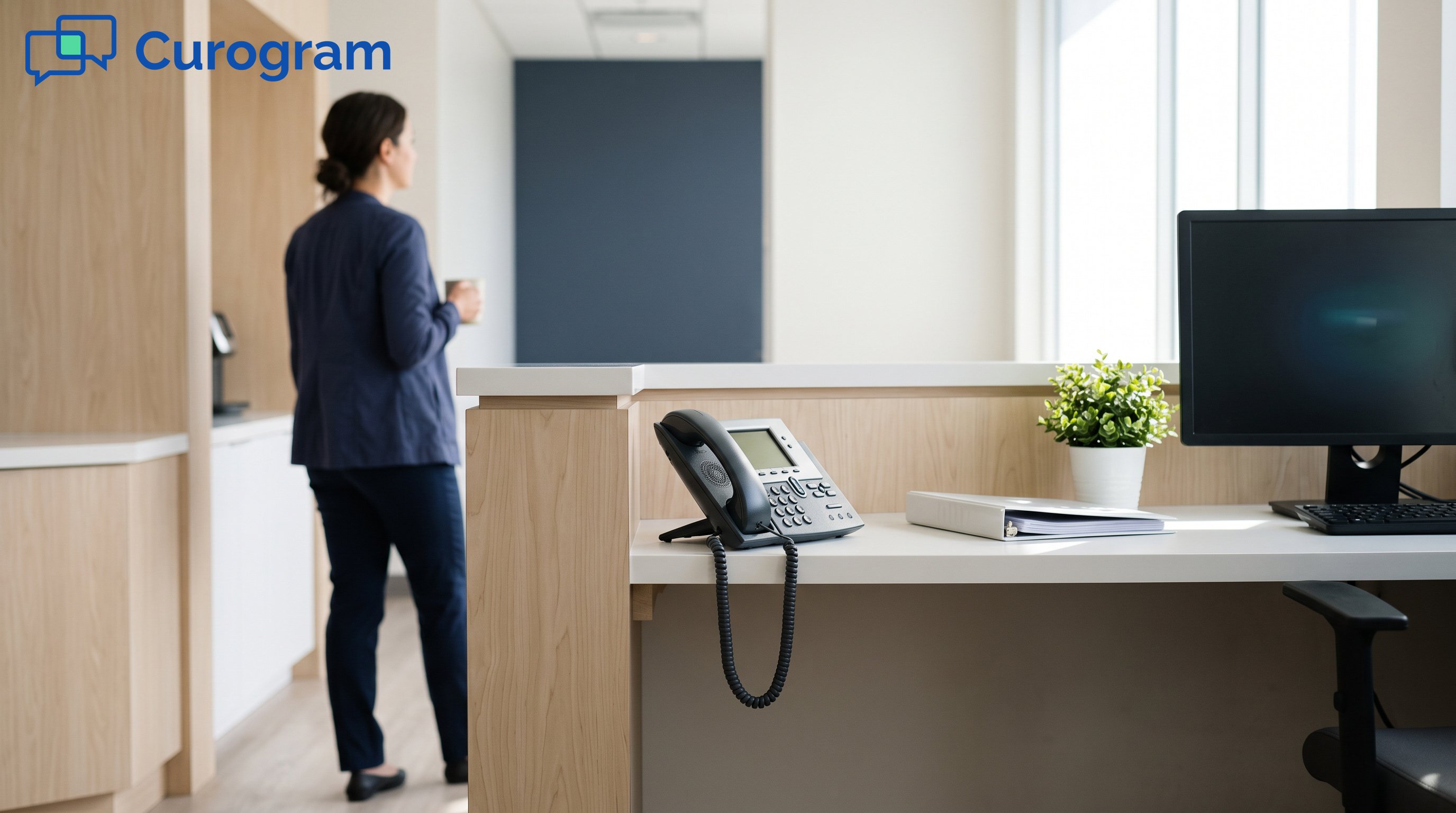
At 9:55, the clinician messages the front desk: patient not in the waiting room. Somebody picks up the phone, finds the patient stuck at a password reset, and starts reading a URL out loud, letter by letter. That session begins twelve minutes late. At 10:55, it happens again.
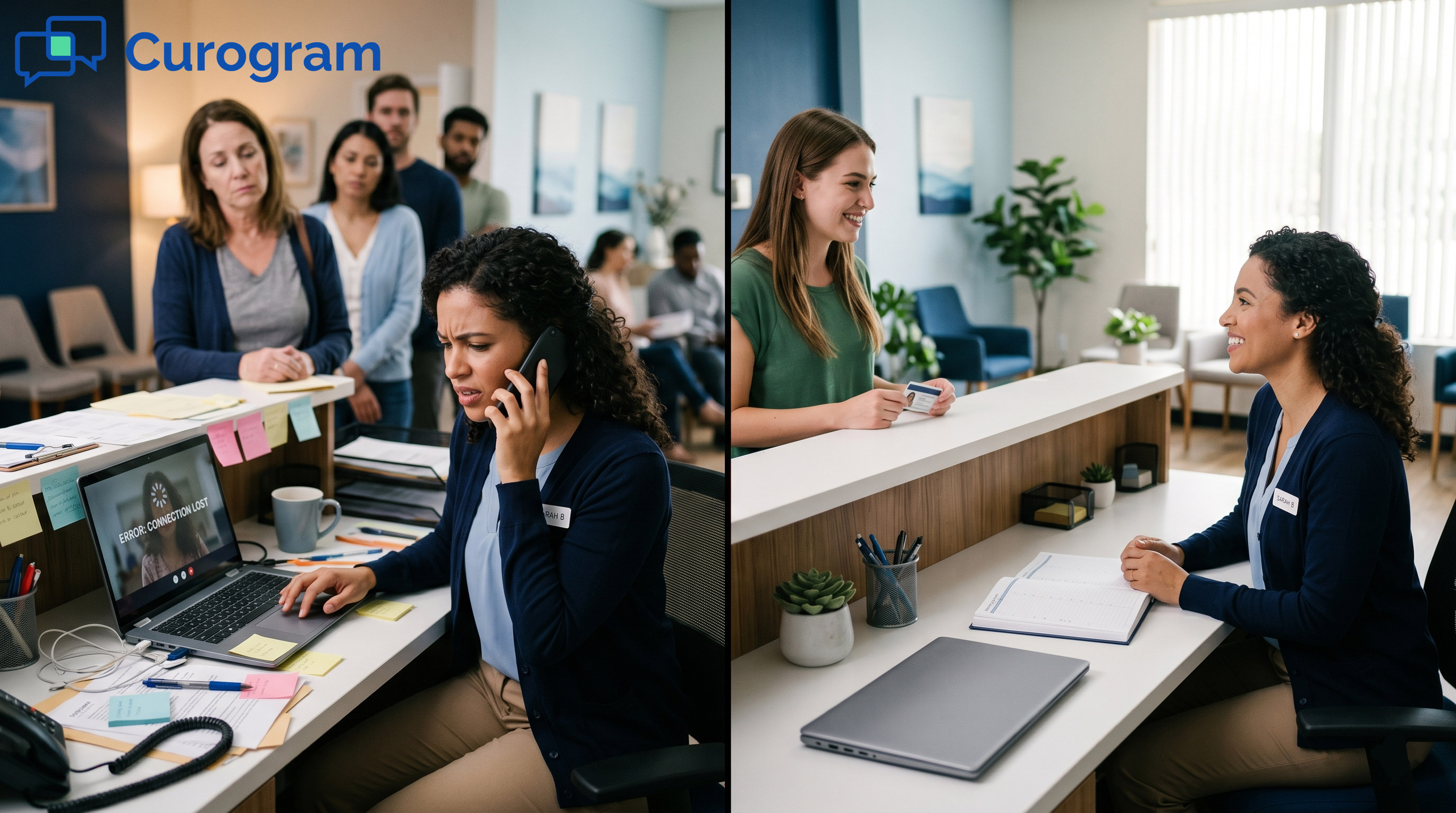
Four rescues a day is most of an hour, spent at the exact moments your phones are busiest. Your office manager has the troubleshooting script memorized. Your front desk lead flinches when a clinician's name appears in the chat at five past the hour.
None of that is a telehealth problem. InSync schedules the visit, documents it, and hosts the video. What no portal-dependent flow does is get the patient into the room, so the join step falls to whoever is holding the phone.
Our position: day-of coordination should be zero tasks, not fewer tasks. A reminder that confirms itself, plus a link that opens with one tap, takes the front desk out of the join entirely. That is a different outcome from making each rescue faster.
This playbook covers the telehealth scheduling workflow behavioral health front desks and therapy clinics actually run. Confirmation cadence, day-of dashboard, and the one message that replaces a six-minute call. Curogram supplies the automation. InSync stays the system of record for scheduling and documentation.
InSync centralizes scheduling, documentation, and telehealth capably, and front offices like having one place to look. Their gap opens at the join.
A portal-dependent flow assumes the patient arrives on their own. When they cannot, there is no automated fallback, so the step defaults to your desk phone. One patient at a time, at the worst moment of the day, while the other lines keep ringing.
Trace one rescue. The clinician pings at 9:55, and staff calls the patient. They find a password reset that loops.
Somebody dictates a URL out loud. The session opens at 10:07, with eight minutes left.
Repeat at 10:55, 1:55, and 3:55. Every one of those lands on top of the 80+ calls a day the desk already fields. Nobody planned for the work, so it comes out of whatever else was scheduled.
Assume your best case. The patient has a live portal account and remembers the password. They still have to find the right link, on the right day, in an email thread that also holds last month's appointment.
Staff feel this as a specific kind of call: the patient is not locked out, just lost. Those calls run as long as the password ones, because the first two minutes go to working out where the patient actually is.
Portal adoption changes which question your desk gets asked. Of the rescue calls a front office logs in a week, the lost-link kind and the locked-out kind cost about the same six minutes.
Behavioral health programs running stacked 15-minute virtual slots lose the block's rhythm to a single failed join. Set that against 23% psychiatry and 30–50% SUD no-show baselines, worth $15,000–$25,000+ a month at 10–15 providers.
Therapy clinics book patients 2–3 times a week with telehealth check-ins between in-person sessions. Each failed virtual join becomes either a $150 hole in the day or ten minutes of staff rescue time. At 5–8 misses a day, that is $15,000–$24,000 a month.
One tell is the cheat-sheet taped to the front desk monitor. Another: a clinical director scheduling fewer virtual slots because telehealth days are chaos. Capacity gets cut to protect the front desk, and nobody writes that decision down anywhere.
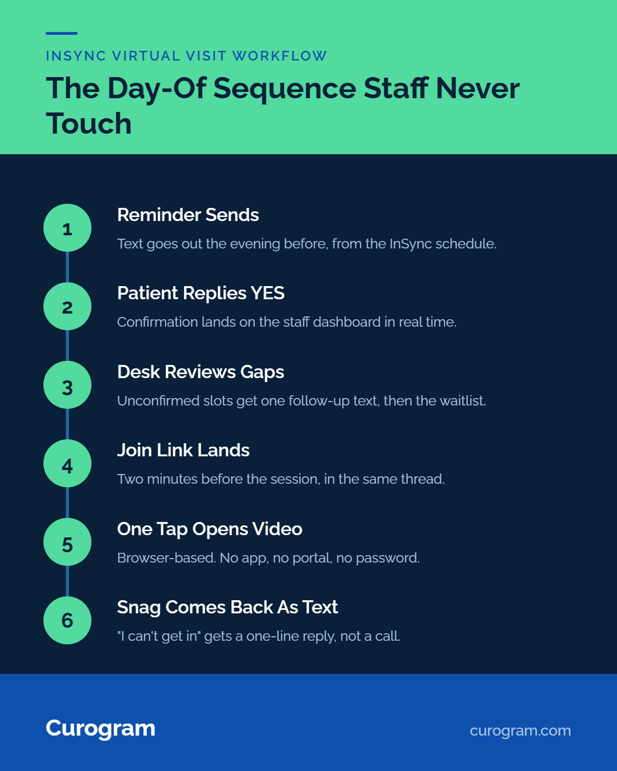
Removing the rescue means removing the reason for it. Confirmation requests send automatically. A patient's YES lands on the staff dashboard in real time, and at session time the browser-based join link arrives in the same thread.
Your team watches confirmations roll in rather than chasing them. When a patient does hit a snag, "I can't get in" arrives as a two-way text the desk answers in one line.
Text-Launched Telemedicine rides on top of automated SMS reminders, so the whole day-of sequence runs itself. One thread carries the reminder, the confirmation, and the link, which means staff have one place to look when they need to check a patient's status.
Curogram is HIPAA-compliant and SOC 2 Type II certified, works under a Business Associate Agreement, and handles consent and opt-outs automatically.
For SUD programs, messaging is 42 CFR Part 2-ready. Every message is logged, so virtual visit confirmation texts for therapy clinics carry an audit trail that phone calls never produced.
One screen, three states: confirmed, unconfirmed, needs a reply. The desk works the middle column and ignores the rest, which turns an 18-slot virtual block into a two-minute review instead of a phone list.
Threads are assignable, so coverage works properly. If the person who started a conversation goes to lunch, whoever is on the desk sees the full history and picks it up. Nothing sits in one staff member's voicemail.
Saved replies handle the repeats: where the link is, what to do when video will not open, how to move a session. Staff pick one instead of typing the same three sentences for the ninth time that week.
Curogram works with the InSync schedule at the workflow level. InSync's documented FHIR R4 API on Smile CDR, with OAuth 2.0, gives a real integration path.
The overhead is honest: BAAs with Qualifacts and your practice, sandbox registration, API-coordinator sign-off.
Day one for staff looks like adopting a shared inbox. Setup runs in days without an IT department, and nobody learns a new EHR.
In founder-led practices, the office manager is also the biller and sometimes the intake coordinator. The win here is subtraction.
No troubleshooting script, no dictating URLs, no printed cheat-sheet on the monitor. If staff can text, they can run telehealth day.

Wednesday 5:00 p.m. Reminder texts go out for Thursday's virtual block. By 8 a.m. Thursday, 14 of 18 patients have replied YES.
Thursday 8:15 a.m. Staff review the four unconfirmed slots, send one follow-up text each, and get two more back before coffee. The remaining two go to the waitlist.
Thursday 9:58 a.m. Join links land in each patient's thread. Your 10:00 patient taps and appears. Nobody calls anyone.
Thursday 10:20 a.m. One patient texts "video won't open." Staff reply with a one-line fix and move on. That exchange took 40 seconds, not six minutes.
Thursday 11:30 a.m. The hybrid block starts. Three in-person PT patients check in at the counter while two telehealth home exercise reviews run in the back office. Nobody is covering both, because the virtual half needs no staffing.
Thursday 1:55 p.m. This is the slot that used to fail. The 2:00 patient confirmed Wednesday night and taps in at 1:59.
Thursday 3:00 p.m. Staff review tomorrow's confirmations instead of tonight's rescues.
|
Day-of task |
Phone-rescue workflow |
Automated text thread |
|---|---|---|
|
Confirming the virtual block |
Calls, one patient at a time |
Replies arrive overnight |
|
Getting a patient into the session |
6-minute call, URL dictated aloud |
One tap from the thread |
|
Handling "I can't get in" |
Inbound call, desk on hold |
One-line text reply |
|
Knowing tomorrow's block is full |
Guesswork |
Dashboard, by 3 p.m. |
Curogram clients average above 75% appointment confirmation rates, and Covina Arthritic Clinic confirms more than 1,100 appointments a month with no manual follow-up.
Both figures come from our internal client data. That is confirmation reliability at exactly the scale recurring virtual visits demand.
Two things still need a person. A patient without a smartphone cannot open a browser video visit, so those appointments stay in person or move to a phone visit, and your desk books them the way it always did. Interpreter-scheduled sessions need someone to coordinate the third party.
Plan for a third case as well. A phone old enough that its browser will not run video is a real thing in these populations.
That patient can text back in the same thread, so the desk hears about it at 9:50 instead of 10:05, but somebody still makes a judgment call about rescheduling.
Across a typical 18-slot block, that is one or two patients, not the whole list.
The fastest fix for chaotic telehealth days in an InSync practice is moving the entire patient-side join into one automated text thread: reminder, confirmation, link.
InSync holds your schedule, your documentation, and the visit itself. Curogram handles arrival, along with the staff hours currently spent escorting patients through logins that a text link makes unnecessary.
Count how many virtual visits your desk rescued by phone last week. Then ask what next week looks like when that number is zero.
Schedule a Consultation. Bring your telehealth block schedule and your daily call count, and we will map the automated workflow live.
 Jo Galvez : Sep 1, 2026, 12:00:00 PM
Portal logins and app downloads keep InSync EHR patients out of virtual visits. Curogram launches telehealth from one text tap.
 Jo Galvez : Jun 15, 2026, 12:00:00 PM
Staff lose 1 to 3 hours a day fixing TherapyNotes telehealth. Curogram launches secure video from a text, so sessions start on time. Book a demo.
 Jo Galvez : Sep 3, 2026, 8:00:00 AM
Logins and downloads cost InSync EHR practices their most fragile telehealth patients. Curogram opens visits from one text tap — no-shows as low as...