
Secure Online Forms and Digital Intake for GE Centricity
 Jo Galvez : May 15, 2026, 4:00:00 PM
Replace 19-page paper intake packets across all GE Centricity locations with secure digital forms delivered via text.

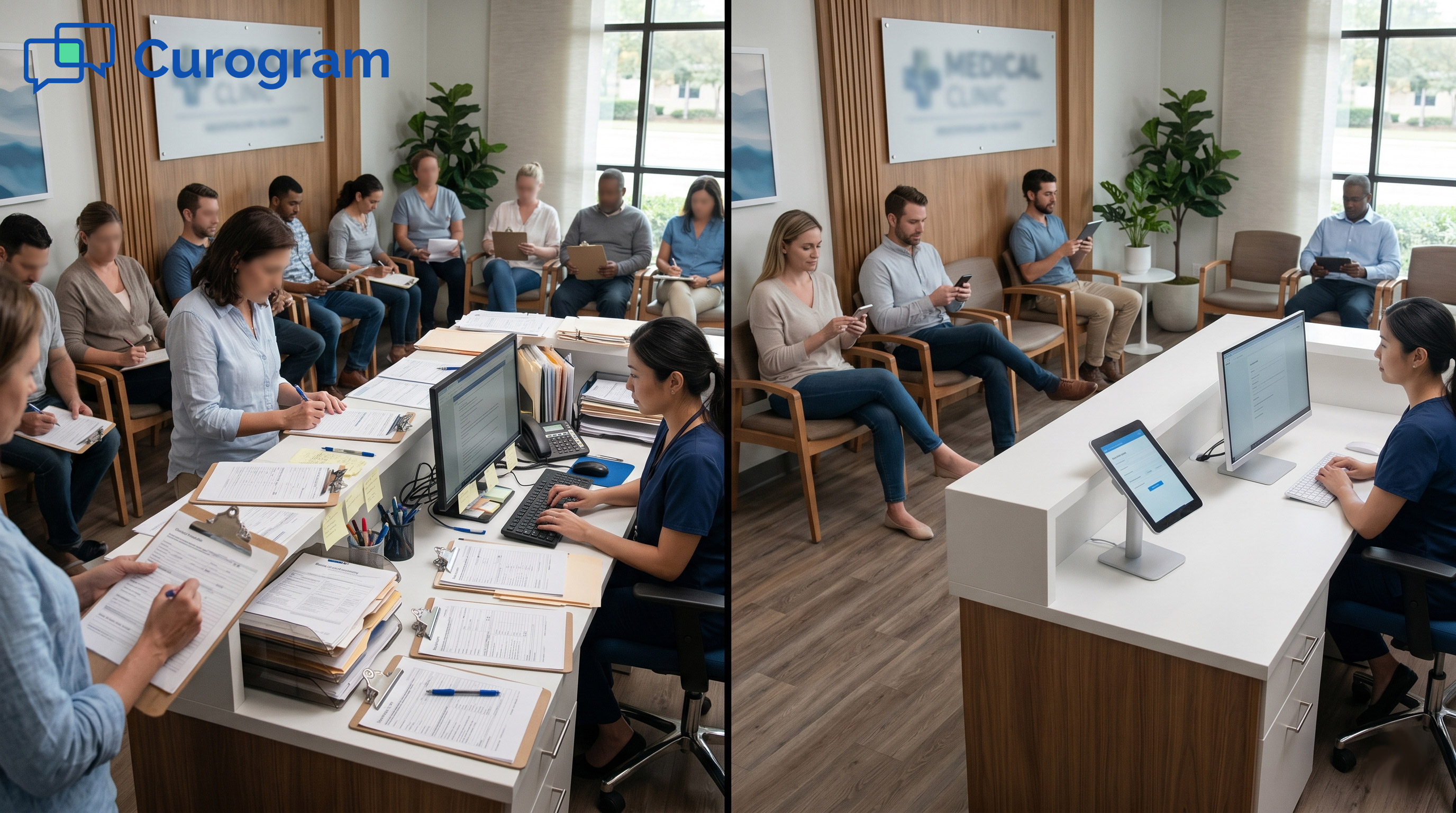
Across a 20-clinic GE Centricity network, 500 patients walk in for visits. Each one fills out 15 to 20 pages of paper forms in the waiting room.
That is 7,500 to 10,000 pages of paper. It is hours of clipboards, illegible handwriting, and missing fields. Then, the staff type all of it back into Centricity, slip by slip.
The math gets worse. Each check-in takes 15 to 20 minutes. Manual re-entry adds 8 to 12 hours of staff work per location, per day.
Errors creep into the insurance fields. Claims get denied. Front desks burn out.
Most ops leaders know this is broken. But the fix has always sounded too big. Replace Centricity? That is a 12 to 24-month project, costing $2 million to $5 million. So the paper stays, and the re-entry cycle grinds on.
There is a faster way. Curogram lets you keep Centricity and still kill the paper. Digital forms go out by text the day before each visit.
Patients tap, fill, and send. Data flows into the record before they walk in.
The point of this article is simple. It walks operations teams through staff digital intake deployment for GE Centricity, eliminating paper forms across every multi-location site.
You will see how the rollout works, how staff training fits, and how to track the gains.
No EHR rip-and-replace. No clinical workflow shocks. Just a clean, standardized intake process running on the EMR you already have.
Standardizing intake across 20 sites starts with one truth: every clinic must use the same core forms.
When forms vary by site, compliance gets fuzzy, training gets harder, and reporting breaks down. The goal is one form suite, deployed once, used everywhere.
This section walks through three building blocks: the form library, the rollout plan, and the staff change-management plan.
Skip the trap of letting each clinic build its own forms. Build a single-core suite at the enterprise level.
That core covers demographics, insurance, medical history, allergies, emergency contacts, and consents. These are the same at every location.
Add specialty packs as needed. An orthopedic site might layer in a surgical screening form. A cardiology site might add a risk panel. They use the same base engine, just with extra fields when they need them.
Store every form in one central template library. When a consent rule changes, update the master template once. New clinics inherit the update right away. Older clinics get a notice and opt in.
Local teams can shift form order or add local notes. They can flip a field from required to optional within limits set by compliance. The base stays the same, so audits stay clean.
Roll out in phases, not all at once. Phase 1 covers 3 to 5 pilot clinics with the highest volume in weeks 1 and 2.
Watch Centricity integration, completion rates, and staff feedback. Phase 2 takes those lessons to the rest of the network in weeks 3 and 4.
Each clinic gets the same setup. The HL7 link to Centricity is built once and shared across the group.
Every clinic gets its own local phone number so patients see a familiar area code in the text. Staff accounts use role-based access, so a site only sees its own data.
Plan a single go-live date across the network. Same day, same workflow, same dashboard. Curogram assigns one implementation manager to keep all clinics aligned. That way, no site feels left behind in the switch.
Front desk staff will have real questions. They have seen tech rollouts come and go. The job is to answer them before they ask.
Most ask if the new system means more work. The honest answer is no, it means less. Paper goes away. Manual typing goes away. Staff handles exceptions, not stacks.
They also ask what happens if a patient does not finish the form. Staff still have a backup, but our internal data shows 95% finish before they walk in.
For older patients or anyone without a phone, staff can fill out the form on their behalf at the desk.
Training takes about 30 minutes per person. Each clinic gets hands-on practice with the Curogram screen, the check-in flow, and how to pull recent history from Centricity while forms update.
Clear escalation paths matter too: bad phone number, kiosk fallback, paper as a last resort.
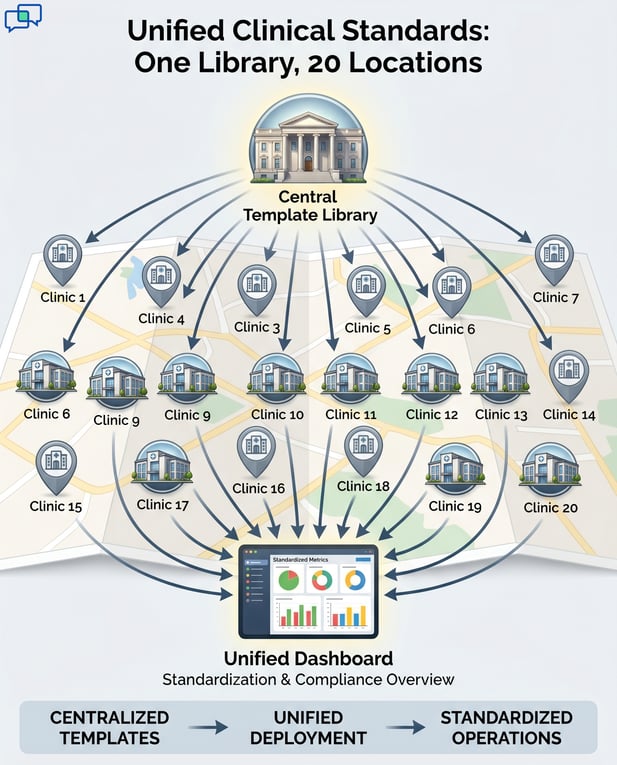
Once the forms exist and staff are trained, the daily workflow needs to feel simple. From the patient's view, it is a text and a tap. From the staff's view, it is a quick confirmation and a clean record. Here is how each piece runs in practice.
Curogram pulls the next day's schedule from Centricity each night. For every visit 24 to 48 hours out, it builds a unique form link. Then it sends a text to the patient's phone.
The message confirms the visit time and gives a brief nudge: finish your intake in 2 to 3 minutes. No staff action is needed. The whole flow is automated and runs the same way at every clinic.
Each site can tweak the text within reason. Add the clinic address. Add parking notes.
Add a greeting that says, "Hi Sarah, see you tomorrow at 2 PM with Dr. Garcia."
Sites can also set the send time, so most messages land mid-afternoon when people check their phones.
The patient taps the link, and the form opens on the phone. Existing data, like name, date of birth, and insurance, is already filled in. The patient only updates what has changed since the last visit.
Real-time validation catches missing fields right away. If something is blank, the patient gets a prompt.
Once everything is in, they hit submit. They get a quick text back: "Thanks, your intake is complete."
If a patient does not finish before they arrive, the workflow does not break. Staff see the gap in the check-in screen.
They can finish the form at a staff terminal in about three minutes, or hand the patient a kiosk to wrap up. No clipboard, no full re-entry.
When the patient walks in, the staff pulls up the chart in Centricity. The form data is already there: history updated, insurance verified, allergies on file, consent logged. The work is done.
Check-in becomes a 30-second confirm in 95% of cases.
"Is this still correct?" Yes. Badge scan. Done.
In the other 5%, something changed at the last minute, and staff edits a single field.
Centricity also keeps a clean audit trail. Each field shows where it came from, the patient form or a staff edit, with a timestamp. Clinicians and auditors can trace any piece of data back to its source.
Old vs. New Intake Workflow at a Glance
|
Step |
Paper Process |
Curogram Digital Flow |
|
Form delivery |
Stack of clipboards at check-in |
SMS link sent 24 hours before visit |
|
Completion time |
15 to 20 minutes in waiting room |
2 to 3 minutes on patient's phone |
|
Data entry |
Staff retype every field into Centricity |
Auto-flows into Centricity via HL7 |
|
Error rate |
8% to 12% on insurance and history |
Less than 1% with real-time validation |
|
Completion rate |
60% to 70% |
95% before arrival |

Standardizing intake is only half the win. The other half is seeing the whole network on one screen. Ops leaders need real numbers across all 20 sites, not 20 separate reports.
This section covers the enterprise dashboard, the staff time gains, and how ongoing support keeps things tight.
The Operations Director logs in once and sees the full network. Forms sent. Forms finished. Average completion time. Sites falling below the target. Consent records flagged for audit. Fields that patients skip most often.
From the top view, click any site to drill in. If Clinic 7 sits at 75% completion while the rest are at 96%, look closer.
Maybe the text goes out too late. Maybe the patient mix skews older. Maybe the staff needs a refresher.
Compliance reporting also gets sharper. The dashboard tracks required forms per site, per provider, per visit type.
If a site dips below 95% compliance, it gets flagged right away. Paper forms could never offer that level of detail.
The dashboard shows the time gains in plain numbers. Per-check-in time drops from 15 to 20 minutes on paper to 2 to 3 minutes with digital intake.
Across 500 daily check-ins at a 20-clinic group, that is 100 to 160 hours of staff time returned each week.
Data entry hours also fall hard. Before deployment, each clinic burned 8 to 12 hours a day retyping forms.
After deployment, that drops to under 1 hour daily for edge cases. Across the group, that wipes out 160 to 240 hours of repeat work each week.
Each enterprise account gets a Customer Success Manager. The CSM meets with the Ops Director every quarter to review metrics, spot trends, and flag fixes. Local issues go to the CSM. Bigger process changes happen in quarterly reviews.
Updates and patches run in the cloud. Your team does not manage software upgrades. You only manage staff accounts, form templates, and any local tweaks. That keeps IT lift low across the entire network.
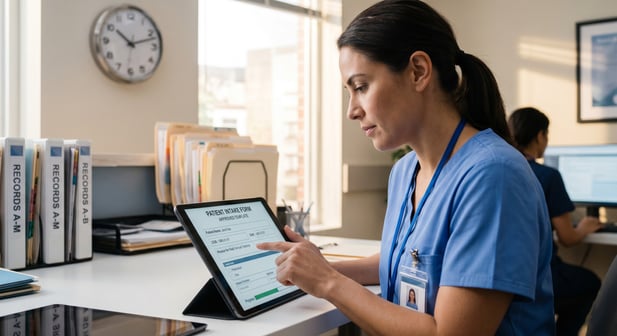
Enterprise Centricity groups have lived with paper for too long. The pages stack up. The waiting rooms slow down. Staff burn out on data entry that should not exist in 2026.
The fix is not a full EHR migration. The fix is a standardized digital intake layer on top of the Centricity you already run. That is what Curogram delivers, and it does so in weeks rather than years.
Done right, a rollout starts with one form library, not 20. It moves through 3 to 5 pilot sites, then expands to the rest of the network. Staff get hands-on training. Patients get a text link. Centricity stays in place.
The numbers follow. Check-in time falls from 15 to 20 minutes to 2 to 3 minutes. Completion rates jump from 60 to 70% on paper to 95% or higher on digital.
Manual re-entry shrinks from 8 to 12 hours daily, per site, down to under an hour.
Errors drop too. Insurance fields, allergy lists, and medical history all land cleaner. Billing teams chase fewer denials. Clinical teams open visits with current data, not stale notes. That changes the feel of the day for every team.
Standardization is the deeper win. Every clinic runs the same workflow. Every clinic reports to the same dashboard.
Compliance is uniform. Training is shorter. New hires ramp faster because the process is the same wherever they work.
Patients feel the shift right away. They walk in, get greeted, and sit down. No clipboard. No pen on a string.
They came in with their intake already done from their couch the night before. That is the experience modern healthcare promises.
Ops leaders also get something rare: a clear view across all 20 sites. You can spot the clinic with the lowest completion rate and the one with the cleanest data. You can act fast. You stop guessing.
This is what staff digital intake deployment for GE Centricity looks like when it is built for a multi-location enterprise.
It respects the EMR you have. It respects the staff you have. It just removes the paper, the typing, and the wasted minutes.
The path forward is not heavy. It is a phased plan, a single template library, and an HL7 link that flows clean data into Centricity. From there, every clinic in the group works the same way, with the same results.
Ready to take the next step? Schedule a demo today and see how your network can run paper-free in 2 to 4 weeks.
 Jo Galvez : May 15, 2026, 4:00:00 PM
Replace 19-page paper intake packets across all GE Centricity locations with secure digital forms delivered via text.
 Jo Galvez : May 15, 2026, 6:00:00 PM
Patients complete mobile-friendly intake forms via text link before reaching GE Centricity practices. Multilingual support for diverse patient...
 Jo Galvez : May 6, 2026, 12:00:00 PM
Learn how Curogram integrates with StreamlineMD to deliver secure digital intake forms for imaging centers. Overcome intake chokepoint & automate...