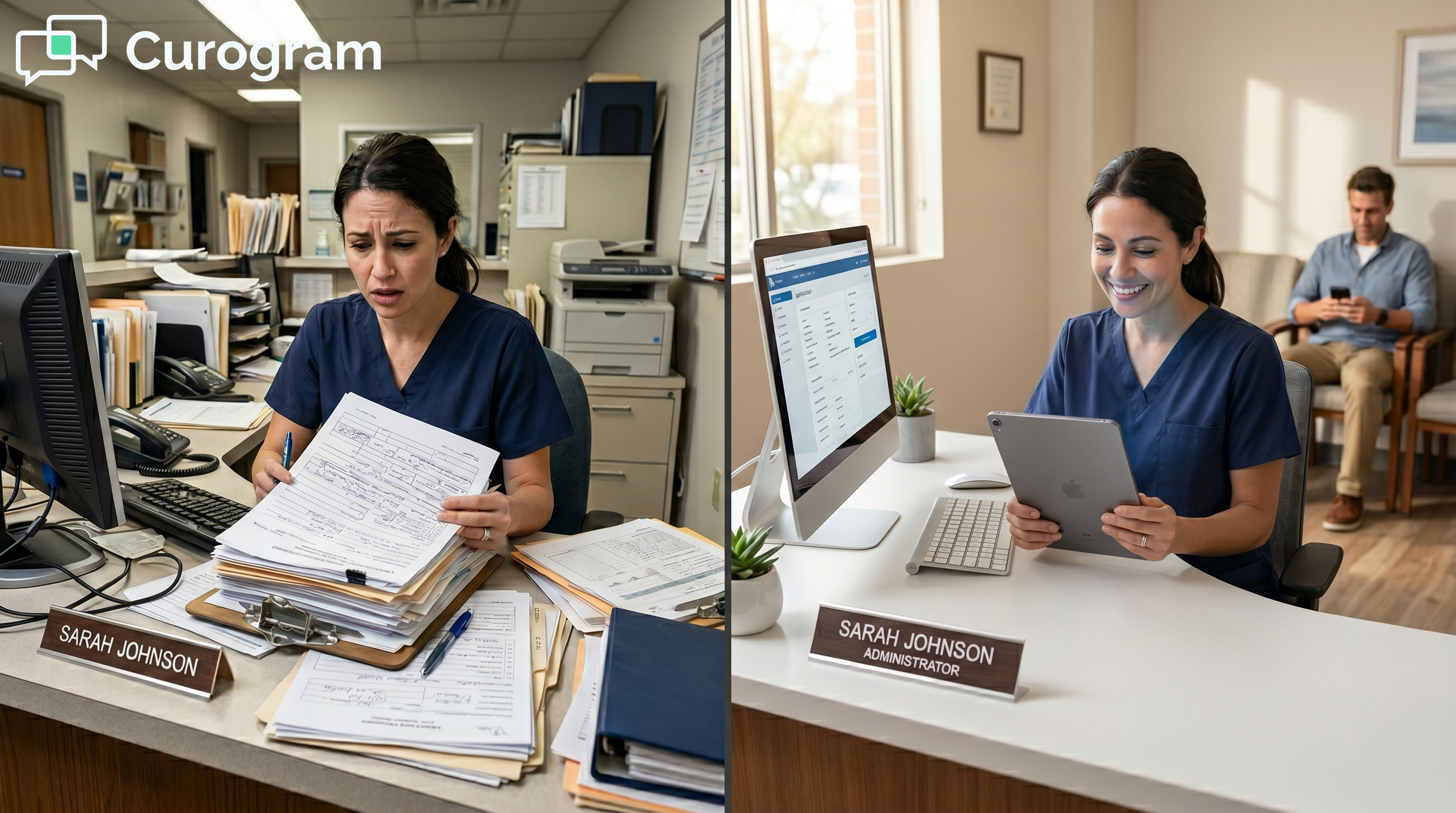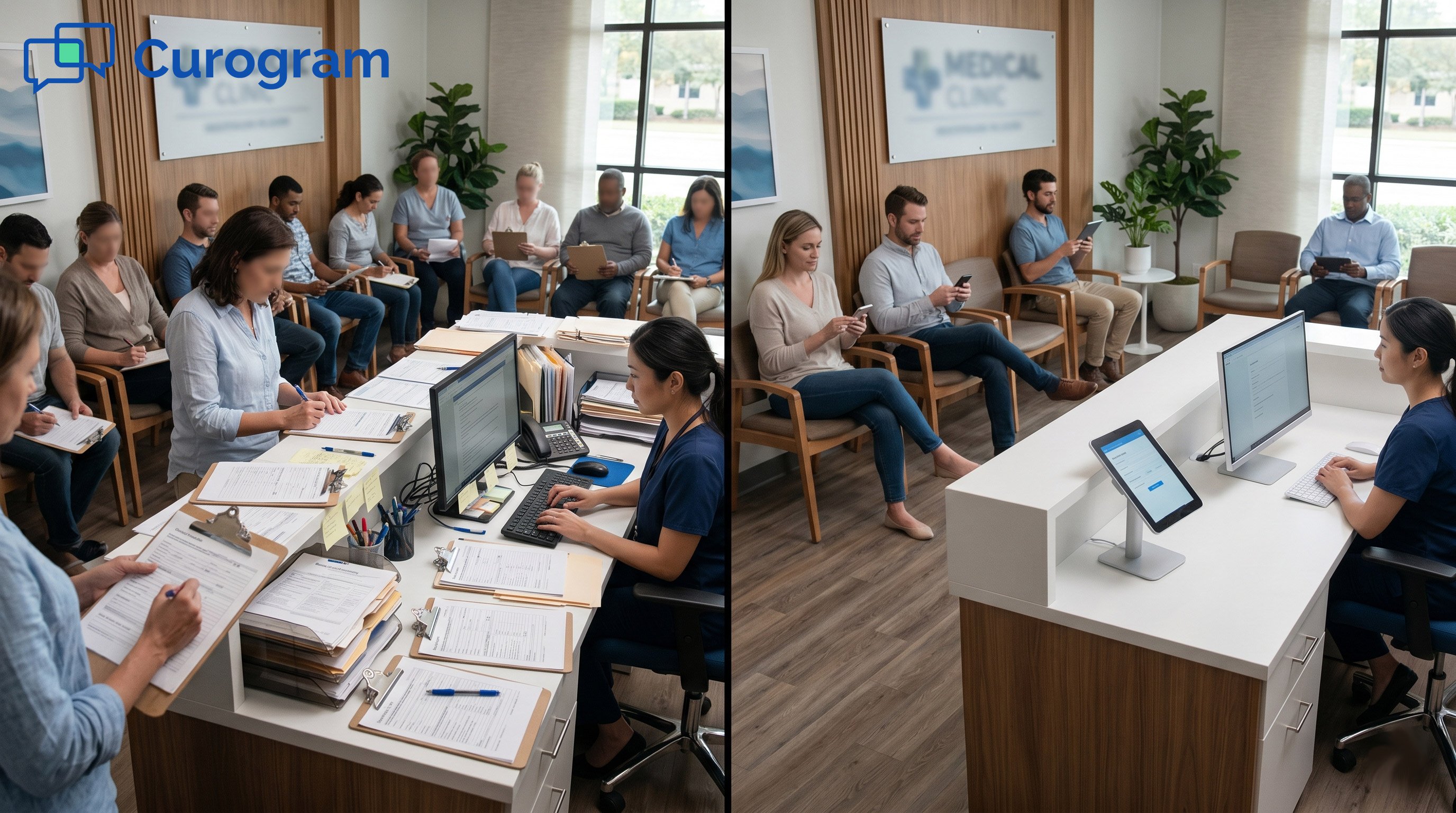



The platform sends a text link to each patient one day before the visit. Forms load with existing patient data already filled in, so people only update what has changed.
Real-time checks flag missing fields before the patient arrives. Completed data flows back into Centricity records with zero manual re-entry. Enterprise multi-location teams can roll this out across 20+ sites in 2 to 4 weeks. No EHR swap, no downtime, and check-in shrinks to about 3 minutes.
Paper still rules the front desk at most GE Centricity practice sites today. Each patient walks in to a clipboard with 15 to 20 pages of intake forms in hand.
A 20-location enterprise group pushes 4,500 to 10,000 paper pages every single day. That paper stack is the single biggest drag on staff time, billing accuracy, and patient mood you have right now.
The front desk team knows the fix should be digital by now. The CFO sees the cost showing up in lost staff hours every single week.
But the path forward seems to demand a 12 to 24 month EHR swap that costs millions of dollars. So the clipboard stays in place, and the re-entry loop keeps eating shift hours that nobody can spare.
There is a faster path that works without an EHR replacement project. Digital intake forms for GE Centricity Practice Solution roll out across the enterprise without touching the core record system.
Patients get a text link, fill out forms on their phone, and arrive already checked in. Data flows back into Centricity records through HL7 with zero manual entry from your front desk teams every day.
This guide walks through the full picture for enterprise multi-location teams today. We cover why paper is the costliest part of your day at scale.
We show how the SMS-to-Centricity flow works in practice across many sites. We break down the real staff time, billing, and patient revenue numbers behind a paperless front desk.
The goal here is simple and direct. Help operations, IT, and finance leaders see that the paper pile is fully solvable in weeks, not years of upheaval.
Centricity Practice Solution stays exactly where it is, untouched by the rollout itself. The intake process just needs to leave the clipboard behind for good now.
Why Enterprise GE Centricity Organizations Must Eliminate Paper Intake
Paper hurts in four ways at once at any enterprise GE Centricity site. It eats staff hours, breaks billing data, frustrates patients, and creates compliance risk on every shift.
At scale, those four issues stack up faster than most leaders expect. Here is what each one really costs you each day at the front desk.
The Paper Volume Crisis
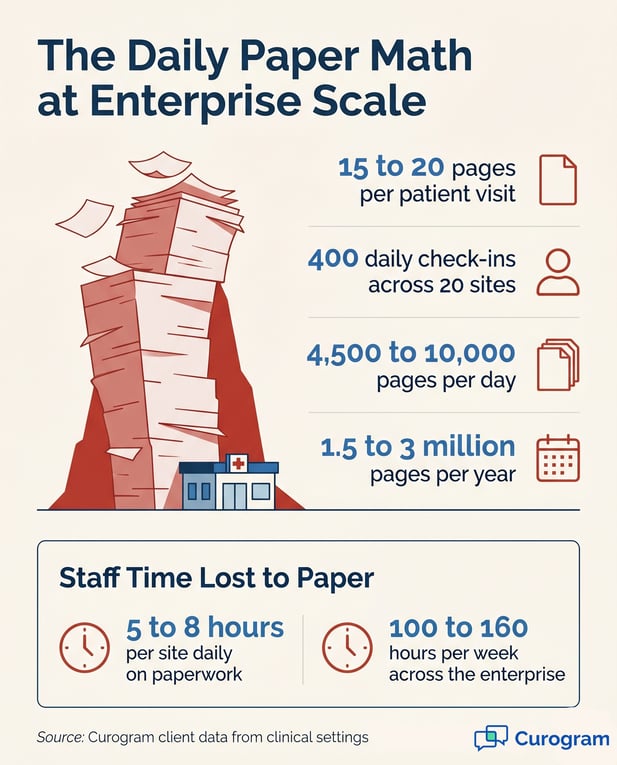
Each patient walks out with 15 to 20 pages of completed intake forms in hand. Across a 20-site group with 400 daily check-ins, that totals 6,000 to 8,000 pages each day.
Annual paper volume runs 1.5 to 3 million pages per enterprise group. Pages get lost, misfiled, or queued for entry that often never happens.
Each location runs its own version of this paper assembly line. Some sites file by tab, some by box, some by trust that staff will remember. Standardization across the enterprise becomes hard with paper alone. Audits get harder, too.
Front Desk Time per Visit
Front desk staff spend 15 to 20 minutes on each patient check-in. They hand out forms, scan for blank fields, and ask patients to refill missing parts.
Across 400 daily visits, that runs 5 to 8 hours of clipboard work per site each day. The enterprise loses 100 to 160 hours each week to paper alone.
Pages That Never Reach the Chart
Even completed pages still need a second touch from staff before filing. They sort them, scan them, or queue them up for later data entry.
Some pages get filed in the wrong chart by mistake. Others never make it to the chart at all, and the gap goes unnoticed for weeks.
The Manual Re-Entry Loop
Once forms hit the bin, the data still needs to land in Centricity records. A trained staffer spends 8 to 12 minutes per patient typing insurance, allergies, and history.
That works out to 8 to 12 hours of re-entry per site each day. The data often already lives in Centricity from past visits.
Manual typing also creates errors at a steady rate every shift. Curogram client data from clinical settings shows an 8% to 12% error rate on hand-entered demographics.
At 500 daily visits across 20 sites, that runs 40 to 60 bad records each day. Each error rolls into billing, claims, and clinical care downstream.
Patient Friction and Compliance Risk
Patients see the clipboard and feel stuck in 2005 the moment they walk in. Their bank remembers them.
Their pharmacy remembers them. Their doctor still asks them to fill out the same intake form for the third time this year.
That moment also shapes how patients rate the practice on Google later. Bad reviews follow bad intake experiences. Word travels fast in local healthcare markets, and patient volume follows the buzz.
Paper in the waiting room also creates PHI exposure on a daily basis. Visitors can read names, birth dates, and insurance numbers in plain sight from the chairs.
Auditors flag this every single visit. Lost or illegible pages add legal and clinical risk on top of the staff cost.

How Digital Intake Forms Work with GE Centricity
The magic here is not in the form itself. It is in how the form talks to Centricity from end to end. The system pulls data, sends a link, validates input, and writes results back. Here is how that loop actually runs at enterprise scale today.
The SMS-to-Centricity Integration Workflow
Curogram pulls each scheduled appointment from Centricity through HL7 a day before the visit. The platform builds a custom form for that patient and texts them a secure link.
The patient taps the link, sees their existing data already loaded, and updates only what has changed. On submission, the completed form flows back into Centricity records through the same HL7 channel.
The whole loop is read-write on a tight, controlled path. No staff badge swipes. No file uploads. No spreadsheets to clean up later.
Most enterprise teams find that this whole loop runs without a single help desk ticket. The integration sits quietly between Centricity and the patient's phone every day.
How Forms Arrive on the Patient Phone
The SMS text contains only the form link and a brief appointment note. No protected health information sits inside the message body itself.
Forms open in any mobile browser, no app download needed. The page is mobile-optimized so patients can finish in 2 to 3 minutes from any phone.
How Data Flows Back to the Centricity Chart
Submitted forms route through Curogram, get validated, and land in the matching Centricity fields. No staffer types in insurance numbers, birth dates, or allergy lists by hand.
The HL7 channel is the same one Centricity uses for any third-party integration. IT teams already familiar with Centricity HL7 setups recognize the pattern right away.
Enterprise Multi-Location Template Management
Each site gets its own intake form set, tuned to its specialty and patient mix. All of those forms live in one central library that operations admins manage from a single dashboard.
When a compliance rule changes, you update one template and every location inherits it within hours. No more scattered, mismatched form versions across the 20 sites.
Specialty sites can add their own questions on top of the enterprise base. A cardiology clinic can layer in cardiac history fields.
A pediatric site can layer in growth and vaccine fields. The base stays consistent across the group, but each site still fits its patients.
Real-Time Validation and Pre-Population
As patients fill out the form, Curogram checks each field on the fly. Phone numbers must match a valid format. Birth dates cannot land in the future.
Required fields turn red the moment a patient tries to skip them, so submissions arrive clean.
The pre-population layer matters just as much to the patient experience. Curogram pulls demographics, insurance, and medical history from Centricity and drops them into the form already filled in.
Patients confirm what is still true and update what is not. This is also fully HIPAA compliant, with encryption in transit and at rest, plus full audit trails on every change.
Validation also catches the small problems that derail claims later on. A missing group number gets flagged before the patient hits submit.
A typo in a date of birth gets corrected on the spot. Billing teams stop chasing these errors weeks after the visit.
Enterprise ROI Analysis and Metrics
The case for secure online forms is not just operational. The financial picture lines up too at every level of the org chart.
Here is how staff time, billing accuracy, and patient revenue all move in the same direction. The numbers below assume a 20-site enterprise with around 400 daily check-ins per group.
Staff Time Recovery
Today, each check-in burns 23 to 32 minutes of staff time end-to-end. Digital forms drop that to 2 to 3 minutes per patient at the desk.
Across 5,000 to 7,500 weekly check-ins at the enterprise level, that frees up 1,667 to 3,625 staff hours per week. At a $22 to $28 loaded hourly rate, the recovered capacity is worth $1.9M to $5.3M per year.
This is the line item that operations and finance leaders feel first. The staff cost per visit drops fast. The total staff time recovered shows up on the budget sheet within the first 30 days of go-live.
What Hours Actually Get Won Back
This is not headcount reduction. It is capacity redirection at the front line. Staff stop typing duplicate data and start answering patient questions instead.
Front desk teams handle scheduling, callbacks, and check-out support that used to slip through the cracks.
What Those Hours Translate to in Dollars
Curogram client data from clinical settings shows 10 to 15 hours of staff time recovered per location per day. For a 20-site group, that scales to 200 to 300 hours per week.
The dollar value depends on your local wage rates and benefits. Most enterprise teams find that the staff line item alone pays for the platform many times over.
Billing Accuracy and Revenue Recovery
Manual entry produces an 8% to 12% error rate on patient demographics and insurance. Real-time validation in digital forms drops that to under 1% across the enterprise.
For a 20-site group at 500 patients per day, that prevents 40 to 50 billing errors daily. Annual savings in claim denials, rework, and revenue leakage range from $500K to $750K per enterprise.
No-shows fall when patients engage with pre-visit messages. Intake form engagement cuts no-show rates by 3 to 5 points in most settings.
For a 20-site group at 500 appointments daily, that recovers $219K to $365K per year. The intake form does more than gather data, and it flags the appointment in the patient mind.
Deployment Speed Versus EHR Migration
A full EHR migration takes 12 to 24 months and costs $2M to $5M or more. Curogram deployment across an enterprise multi-location group takes 2 to 4 weeks.
Total implementation cost runs $20K to $50K, including internal coordination. The math on bridge modernization is not close.
Migration projects also pull clinical staff off patient care for training. Curogram rollouts do not. The IT team stands up the HL7 connection, and operations admins build out the form library. Clinical teams keep doing what they do, and patients see the change at their next visit.
The full annual picture for a 20-site enterprise:
|
Recovery Area |
Annual Enterprise Value |
|---|---|
|
Staff time redirected from re-entry |
$1.9M to $5.3M |
|
Billing errors avoided |
$500K to $750K |
|
No-show revenue recovered |
$219K to $365K |
|
Total implementation cost |
$20K to $50K (vs. $2M to $5M for migration) |
A side-by-side view of paper versus digital intake at one site:
|
Metric |
Paper Check-In |
Digital Intake Forms |
|---|---|---|
|
Time per check-in |
15 to 20 minutes |
2 to 3 minutes |
|
Form completion rate |
60 to 70% |
95%+ before arrival |
|
Data entry error rate |
8% to 12% |
Under 1% |
|
Staff hours saved per site daily |
None |
10 to 15 hours |
|
Deployment time |
Already in place |
2 to 4 weeks |
Conclusion
Most enterprise GE Centricity leaders carry the same quiet belief. Fixing intake means migrating the whole EHR, which means years of pain.
That belief is the trap. It keeps clipboards in waiting rooms long after the rest of the business world moved on.
The truth is far simpler and far kinder to your budget. Digital intake forms for GE Centricity Practice Solution slot in next to your existing system, not over it.
Centricity stays where it is. The intake assembly line gets replaced in weeks, not years.
Patients win first in this story. They fill out forms on their own time, in their own space, on their own phone. The clipboard greeting at the door goes away. The waiting room becomes a place where the visit starts on time.
That shift also changes how patients talk about your practice. Google reviews tilt upward when wait times shrink.
Referrals follow when patients tell friends the visit ran smoothly. Brand strength compounds over time when the front door feels modern.
Staff wins next in this rollout as the re-entry loop ends. Front desk teams stop typing the same insurance numbers for the third year in a row.
The 10 to 15 hours per day they used to burn on paper get redirected to real patient work. Morale follows fast.
Finance and IT win at the same time on this play. Billing accuracy climbs as the 8% to 12% error rate falls under 1%.
No-shows drop as patients engage with pre-visit messages. Compliance gets cleaner because PHI never sits exposed in a waiting room again.
All of this lands inside 2 to 4 weeks at enterprise scale. The same HL7 channel your IT team already manages runs the whole thing.
There is no system to replace, no records to migrate, and no staff to retrain on a brand new EHR. The modernization is additive, not disruptive.
Curogram client data from clinical settings shows the pattern holds across specialties. Practices like River Valley FQHC and Kern Gastro see the same lift in their numbers.
Primary care, FQHCs, gastroenterology, orthopedics, and multi-specialty groups all show the same gains. The paper problem is not unique to your site, and neither is the fix.
Every site joins the same standard form library on day one of go-live. Compliance updates flow from one central place out to all 20 sites at once. The whole network of clinics moves forward together, not one site at a time.
The shift starts the moment your first pilot site goes live in production. Patients start checking in from home within days of go-live, not months of waiting. Staff feel the load lighten on the very first shift after rollout completes.
Operations leaders, CFOs, and CIOs all face the same pressure to do more with less each quarter. Paper intake is the easiest place to start.
The win is measurable in days, not quarters. And it scales across every site you already run.
Your front desk does not need to live in 2005 anymore. The intake assembly line can leave today.
Eliminate Paper Intake at Your GE Centricity Enterprise. Schedule a Consultation.
Frequently Asked Questions
Curogram links to Centricity through HL7, the same channel Centricity already uses for third-party integrations. It pulls appointment schedules and patient data to pre-populate forms, then writes completed form data back into Centricity records.
No custom development is required from your team. Deployment runs 2 to 4 weeks for enterprise multi-location rollouts.
Paper forms hit you three times in one visit. Staff spend 15 to 20 minutes managing each clipboard at the desk. Then they spend another 8 to 12 minutes re-typing the data into Centricity later. On top of that, manual entry adds an 8% to 12% error rate that ripples into billing and clinical care.
Patients get a secure text link 24 hours before their visit. The SMS body holds only the link and a short appointment note, never any PHI. Tapping the link opens a mobile-optimized form pre-filled with their existing Centricity data. Most patients finish in 2 to 3 minutes from their phone.
Hand typing transposes insurance numbers, scrambles dates of birth, and misspells medications. Curogram client data from clinical settings tracks the error rate at 8% to 12% across enterprise sites. Those errors trigger claim denials, rework, and revenue leakage at the back end. Real-time validation in digital forms drops the error rate to under 1%.
Most enterprise rollouts run 2 to 4 weeks from kickoff to full deployment. Weeks 1 and 2 cover 3 to 5 pilot sites for testing. Weeks 3 and 4 expand to all remaining locations across the group. Compare that to 12 to 24 months for a full EHR migration project.