9 min read

Unified Texting Dashboard for EHRYourWay Teams | Curogram

Unified Texting Dashboard for EHRYourWay Teams | Curogram
💡 A unified client texting dashboard for EHRYourWay intake teams shows every live client text thread on one screen. Each thread carries a status, an owner, and its full history.

Curogram runs that screen beside EHRYourWay, never in place of it. It ends what front-office supervisors at multi-program agencies call "The Module Maze."

  • Threads route by program or site, so a residential inquiry and an outpatient reschedule never share one pile
  • Assignment names who owns each thread, and that ownership survives a shift change
  • Templates cover what intake coordinators repeat: directions, copay amounts, form links, open slots
  • Message bodies stay generic for 42 CFR Part 2 programs, carrying logistics only
  • Threads stay logged, searchable, and off staff personal phones
Curogram clients average better than 75% appointment confirmation with no staff touch, based on our internal data. Routine scheduling calls stop reaching the phones.

Some clinics at Valley View Hospital were sending more than half of incoming calls to voicemail before anyone measured it. That figure comes from Valley View's own write-up in MGMA. Staff were not slacking.

They were answering the person at the desk instead of the person on hold, then calling back at a time that suited nobody. Phone tag started, and the schedule leaked.

Behavioral health front offices carry a harder version of that. One intake coordinator may hold live threads with a prospective client, a hospital discharge planner, a parent asking about a teen IOP slot, and four current clients who need to move a group session.

In EHRYourWay, each of those touches has a home somewhere in the record. Not one of them has a shared screen.

That gap is the subject here. Conversations need one place to live, owned by a person, visible to a supervisor, searchable later. A front office cannot hold 200 live threads inside module tabs and shift-change memory. It will try, and the ones that go quiet are the ones nobody remembers to check.

Curogram runs the live SMS lane beside EHRYourWay. EHRYourWay keeps the chart, the chargemaster, the CRM pipeline, and the client portal. Curogram gives the front desk one screen where every text sits in order with an owner attached. Our 2-way HIPAA texting approach was built for that split.

What follows: what The Module Maze costs in intake velocity, what a shared inbox changes on an ordinary Tuesday, and how Part 2 programs keep message bodies clean.

Why The Module Maze Slows Behavioral Health Intake

EHRYourWay is a strong record system. Its CRM module handles intake from first inquiry through admission, with insurance checks, program matching, waitlists, and referral tracking.

The platform's own materials describe SMS and email as native actions inside those workflow steps. That design serves the person working the chart.

A front desk works differently. Nobody at the desk is "in a workflow step." They are watching a queue. Messages arrive in no order, from clients across five programs, and each needs a fast read: who is this, what do they want, has anyone answered yet.

Record-centered outreach answers a different question. It tells you what happened to one client. It cannot tell you which of 40 open threads has been sitting unanswered since 11:40 a.m.

The Reply That Lands During Lunch Coverage

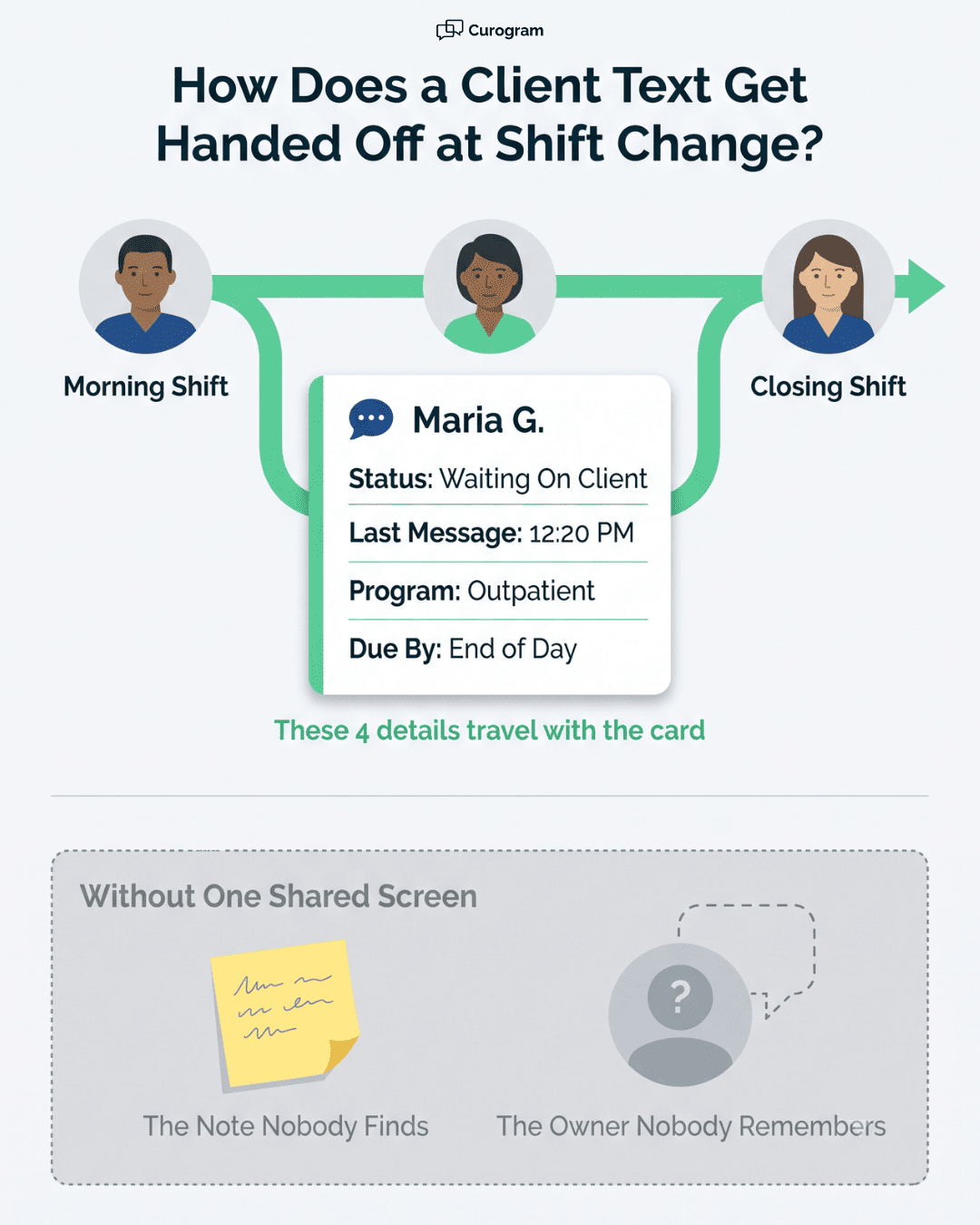
Track one inquiry. A prospective client texts back at 12:20 p.m., asking whether your Thursday evening group has room. The coordinator who sent the original message is at lunch. Coverage staff have the schedule open and the phones ringing.

That reply sits inside a module nobody has open. It has no owner. It appears on nobody's list of things to answer.

At 2:45 p.m., the coordinator returns, opens the record, and finds it. She calls. Voicemail. By then the person has already talked to a program that answered in six minutes and booked an assessment there.

No system failed. Nobody broke a policy. A message had no place to be visible, and census moved down the street.

What the Phones are Actually Carrying

MGMA polled 294 practice leaders in March 2026 on which phone tasks eat the most staff time. Their answers say a lot about what could move to text.

Phone task

Share naming it most time-consuming

Eligibility and prior authorization

45%

Scheduling

31%

Intake and registration

9%

Prescription refills

6%

Other

9%


Scheduling and intake together account for 40%. Both are largely textable: offer two slots, confirm one, send the form link. Eligibility work is not, since it means holding for a payer rep. That split is the case for a text lane, and it's also the honest limit of one.

Multi-site groups feel this hardest. To reduce front desk call volume multi-site organizations carry, every location needs the same queue, not five local habits.

Ad Hoc Texting Leaves No Trail

Without a shared view, texting still happens. It just happens sideways. A coordinator gives a referring hospital her cell number. A site manager texts three clients from the desk phone about a schedule change and tells nobody.

Two things break. Nobody can prove what was offered when a parent says they were told a bed was available Thursday. And when that coordinator leaves in March, her thread history walks out with her phone.

State auditors and payers ask about documented client communication. "It was in a text on someone's personal device" is not an answer that survives that conversation. A dashboard makes the trail a byproduct of the work rather than a separate task.

Slow First Response is a Census Number

Dr. James Oldroyd's Lead Response Management Study, run with InsideSales across more than 15,000 leads, found that reaching an inbound lead at five minutes rather than 30 makes contact roughly 100 times more likely.

Qualification runs 21 times more likely. His later Harvard Business Review audit of 2,241 firms put average first response at 42 hours.

Admissions behaves the same way. Someone reaching out about treatment is rarely reaching out to one program. First real answer usually wins the assessment.

An unassigned thread costs a full day of that clock. Ten a week, at a mid-market organization, is a census line nobody put on a report.

One Screen: The Front-Office Command Center

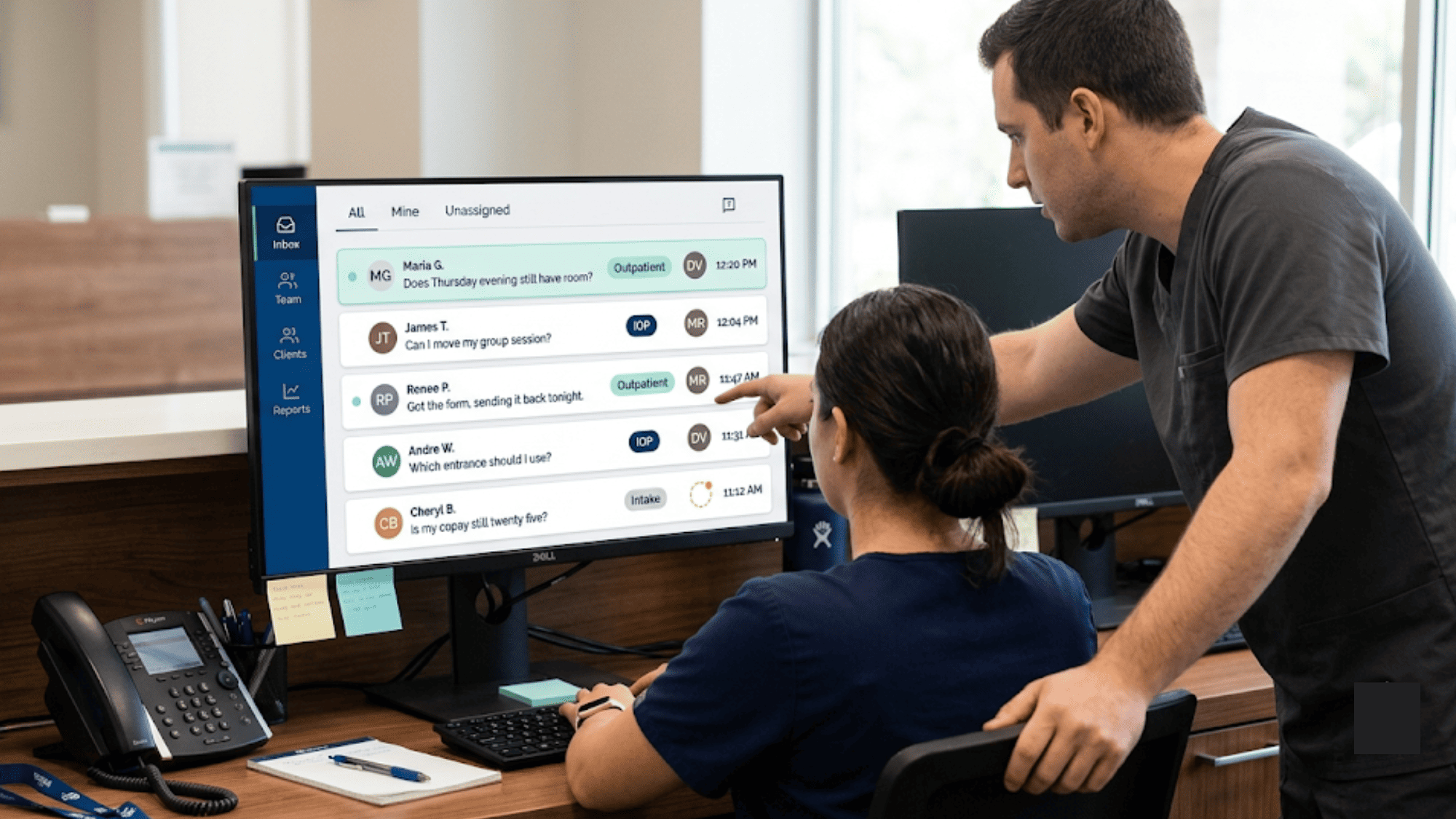
Open the dashboard and each conversation shows three things without a click: current status, the staff member who owns it, and full message history.

Status separates "answered, waiting on them" from "nobody has touched this." Ownership lets a supervisor see that Marisol holds 11 open threads while Dev holds two. Then move four. History means whoever picks up a thread at 3 p.m. reads what was said at 9 a.m.

Those three facts are what a module view cannot give a queue. A record shows one client deeply. A dashboard shows 200 clients shallowly, which is exactly what triage needs.

Shared Inbox with Assignment and Templates

Routing rules send threads where they belong. Residential inquiries go to the admissions queue. Outpatient scheduling goes to the site front desk. Referral partners go to the coordinator who works that hospital.

Templates cover the repeats. Most front offices find their top 10 textable interactions carry the bulk of daily volume:

  • Directions and parking for a specific site
  • Copay amount with a payment link
  • Intake form link and a due date
  • Two open slots offered for a reschedule
  • Insurance card photo request
  • Group session time change
  • Missed-appointment follow-up
  • Waitlist opening notice
  • Telehealth link with join instructions
  • Records release form link

Each stays editable. Staff pick a template, adjust one line, send. That's the difference between a 40-second interaction and a four-minute one.

A Parallel Lane, Not a Replacement

EHRYourWay's CRM keeps its role. The pipeline, eligibility checks, program matching, admission conversion, the chart, the billing rules: those stay where they are, and where your team already knows them.

Curogram sits beside that as the live conversation layer. The front office communication dashboard EHRYourWay teams add is a queue, not a second record.

We're direct about this because the alternative gets sold a lot and it doesn't survive a real rollout. Nobody rips out an ONC-certified behavioral health EHR to answer texts faster. The question is narrower: does the text lane have a screen built for the people who work it?

Job

Where it lives

Chart, notes, treatment plan

EHRYourWay

Intake pipeline and admission conversion

EHRYourWay CRM

Eligibility checks and chargemaster billing

EHRYourWay

State and payer reporting

EHRYourWay

Live SMS threads with status and owner

Curogram

Template library and routing rules

Curogram

Broadcasts and the replies they generate

Curogram


Same Templates at Every Location

Multi-site standardization is mostly a training problem. When five sites each invent a texting habit, the supervisor reviewing quality is comparing apples to nothing.

One dashboard means one template library, one routing structure, one set of guardrails, and one place to read threads. A new hire at your third location learns the same six clicks as everyone else.

Supervisors who manage client conversations across programs get a workload picture too. The Fairview outpatient queue might run 60 threads a day with one coordinator. Residential runs 12 with two. Staffing arguments get easier when the counts sit on a screen instead of inside a complaint.

Part 2 Programs Need Tighter Message Bodies

SUD, residential, and MAT programs fall under 42 CFR Part 2. OCR began accepting complaints under the updated rule on February 16, 2026, which raised the cost of sloppy outbound text.

Keep SMS bodies to generic logistics. No diagnosis. No treatment detail. Never a program name that reveals someone is in SUD treatment.

Send this

Not this

"Reminder: your appointment is Thu 3/12 at 4:00 PM. Reply C to confirm."

"Reminder: your MAT dosing appt is Thu at 4."

"Your intake form is ready: [link]"

"Your detox intake packet is ready."

"We have an opening Tuesday at 10. Want it?"

"A bed opened in the residential program Tuesday."


Restricted queues handle the rest. Only staff assigned to a Part 2 program see those threads. A float receptionist covering the front desk sees the outpatient queue and nothing else.

Shift change handoff of client conversations in a behavioral health front office, with and without one shared screen

The Five-Minute First Response, Step by Step

Same 12:20 p.m. inquiry from earlier, this time through a dashboard.

  1. 12:20 Reply arrives. It lands in the Admissions queue, unassigned, flagged.
  2. 12:21 Coverage staff spot the flag on the shared screen and claim it. The thread now has an owner.
  3. 12:23 They open the history, read the original outreach, and use the two-slot template: "We have Thursday 6:00 PM or Monday 5:30 PM. Which works?"
  4. 12:31 Client picks Thursday.
  5. 12:32 Intake form link goes out from a template. Status moves to "form sent."
  6. 1:45 Form comes back. Coverage staff enter the client in EHRYourWay's CRM and book the slot.
  7. 2:45 The original coordinator returns, opens the dashboard, and reads the whole exchange in ten seconds.

Twelve minutes from reply to a held slot, and no briefing at handoff. Record work still happens in EHRYourWay, done once, by whoever has time.

Compare the version without a queue. Same inquiry, first human eyes at 2:45 p.m., first call at 2:50, voicemail, callback Wednesday morning. Two days and four touches to reach the same point, if the person is still answering.

One detail carries most of the difference: step two. Claiming a thread takes about a second, and it converts an anonymous message into somebody's job. Everything after that follows from a name being attached.

Nothing in this sequence requires the coverage staffer to know the program's clinical criteria. She reads the history, offers slots that admissions already approved, and sends a form. Judgment calls still route to the coordinator who owns the program.


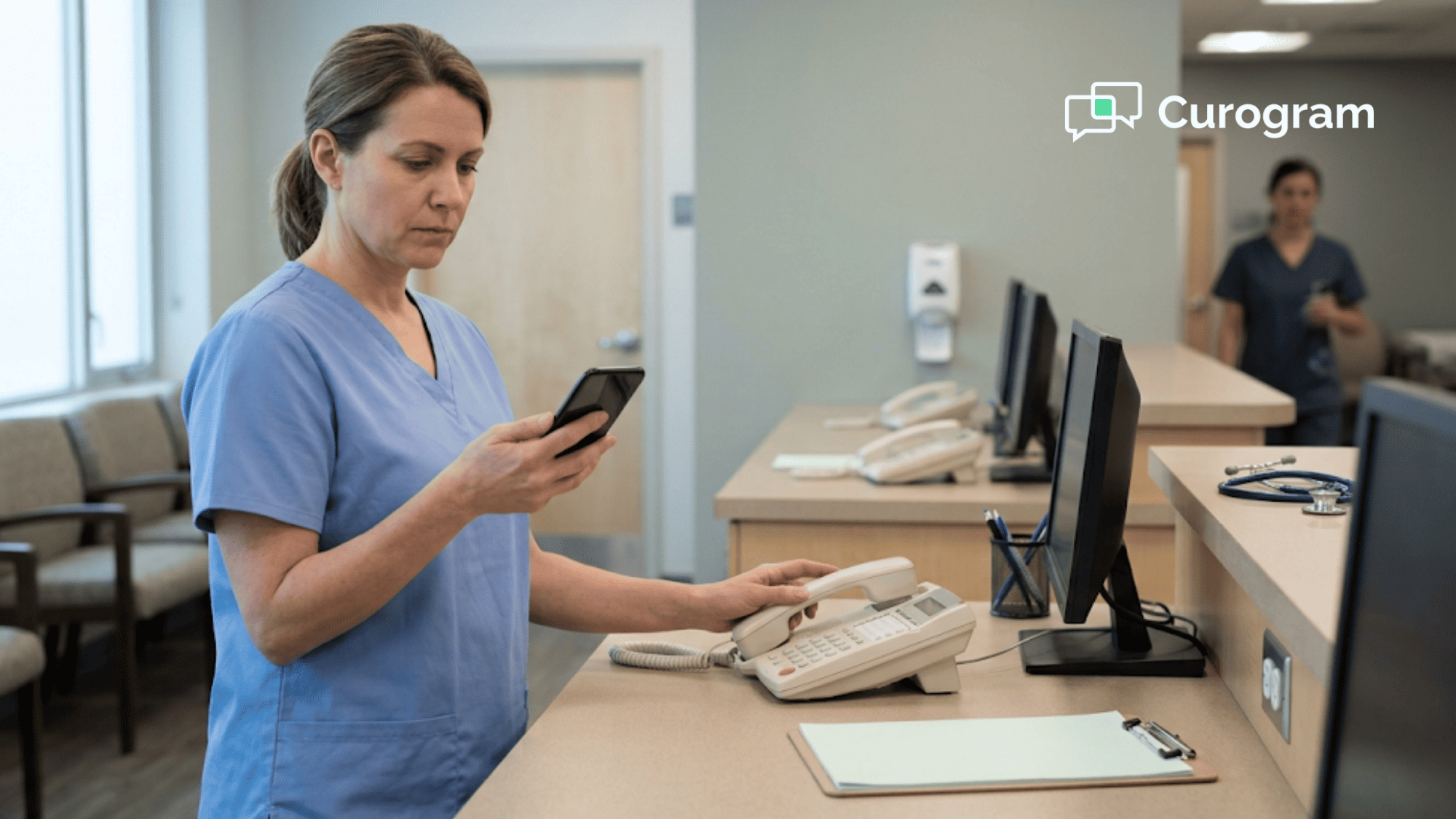
Clinic staff reviewing a unified client texting dashboard for EHRYourWay intake teams during handoff

How Curogram Handles This

Curogram's Shared Team Inbox is the screen this article has been describing. Every text thread from every program and location lands in one list, sorted by what needs a human next.

Assignment takes a click. A supervisor moves a thread from a coordinator who called out sick to whoever is covering, and the new owner sees the whole history. At shift change, outgoing staff hand off a queue instead of a memory.

Templates are managed centrally. Your compliance lead approves the Part 2-safe wording once, and all five sites use that version.

Confirmations, recalls, and broadcasts all reply into the same inbox. Send a message about a Thursday schedule change and the 40 replies stack in one queue with owners attached, instead of scattering into voicemail.

The numbers behind this come from our own client base. Curogram practices average better than 75% appointment confirmation with no staff touch.

Atlas Medical Center brought no-shows from 14.20% down to 4.91% in three months. Covina Arthritic Clinic runs more than 1,100 confirmed appointments a month. Across our clients, no-show rates sit 53% below the industry average, based on our internal data.

Training runs in minutes. The interface behaves like a group chat, which is the one kind of software every front desk already knows.

Conclusion: Give Intake One Screen

EHRYourWay handles what it was built for: the chart, the CRM pipeline, the billing rules, the reporting your state auditor asks about. That depth is real, and none of it needs replacing.

What it wasn't built to be is a live conversation queue for a front office holding 200 threads across programs and sites. Those are different jobs, and asking one screen to do both is why replies sit until 2:45.

One number is worth pulling before you talk to anyone, us included. Count yesterday's inbound calls. Mark each as textable or not, using the same split MGMA found: scheduling and intake mostly yes, eligibility and prior auth mostly no.

Most behavioral health front offices we talk to are surprised by that pile, and by how many of those calls were second and third attempts at one conversation.

If the pile is big enough to matter, we'll build the queue with you on a call. Bring your program list and your site list. We'll configure routing and a starter template set live, in your own intake language.

See how Curogram works alongside your EHRYourWay platform — book a demo.


Frequently Asked Questions

How does a texting dashboard differ from the messages in EHRYourWay's client portal?

Portal messages wait for someone to log in, remember a password, and check. A text lands on the lock screen. The staff-side difference is bigger: portal messages sit inside the record, while dashboard threads sit in a queue with a status and an owner, which is what triage actually needs.

How do supervisors audit conversations for compliance?

Every thread keeps full history, including who was assigned and when ownership changed. Access controls limit which staff see which program queues, so Part 2 threads stay restricted to assigned staff. Nothing lives on a personal phone, so a coordinator leaving in March does not take her client conversations with her.

Why do 42 CFR Part 2 programs need different texting rules than an outpatient clinic?

Part 2 protects the fact that someone is in SUD treatment, not just their clinical details. A text naming a detox unit or a dosing appointment discloses that fact to anyone who glances at the screen. Generic logistics wording keeps the reminder useful and the disclosure out of it.

How long does it take to get intake staff running on a shared inbox?

Minutes for the basics, since the screen behaves like a group chat. Real setup work is shared: deciding routing by program and site, then writing the template set. Most teams leave one session with a working starter library and refine it over the first month of live use.

Why does assignment matter more than notifications for a multi-program front office?

Notifications tell everyone something arrived, which means nobody owns it. Assignment names one person. When four coordinators cover five programs, the unowned thread is the one that sits until 2:45 p.m. and loses the assessment to a program that answered faster.