11 min read
How Automated Text Outreach Recovers Lapsed DrChrono Patients
Mira Gwehn Revilla
:
April 10, 2026
- Staff sends recall texts to 340+ patients in seconds — no phone calls needed
- Patients reply directly, and staff books from a single inbox
- Segment lapsed patients by visit date, provider, or type — all pulled live from DrChrono
- Based on our internal data, practices see a 35% reconversion rate from recall campaigns
- One campaign can recover $51K–$102K in lost revenue per year
Your office has a recall list. It's sitting in a folder right now.
Every DrChrono practice builds one. It's full of patients who missed follow-ups, skipped annual exams, or dropped off a care plan. The data is all there — names, dates, providers, visit types. But the list never gets called.
Here's why. Your front desk already handles 80+ calls a day. They juggle billing questions, insurance checks, and same-day bookings. Asking them to also cold-call 340 lapsed patients? That's not a plan. That's a wish.
So the list sits. Month after month, it collects dust. And every name on it stands for lost revenue — $150 to $300 or more per missed visit, depending on your field.
A DrChrono patient recall campaign powered by automated text outreach changes that. Instead of phone calls, your team sends one text to every lapsed patient on the list. In seconds. No exports. No printed call sheets. Just a quick message that lands in the patient's pocket.
And patients respond. Based on our internal data, practices using this approach see a 35% reconversion rate. That means one out of three lapsed patients books again — without a single phone call.
Curogram makes this happen. It connects to DrChrono through a direct FHIR API link. Your office manager picks a patient group, writes a short message, and clicks send. Replies flow into one inbox. Staff books from those replies instead of dialing down a list.
This article breaks down how the recall campaign works step by step. You'll see the real cost of ignoring your recall list, how the broadcast tool works, and what results look like for practices already using it. If your recall list has been sitting idle, it's time to put it to work.
The Villain: The Recall List That Never Gets Called
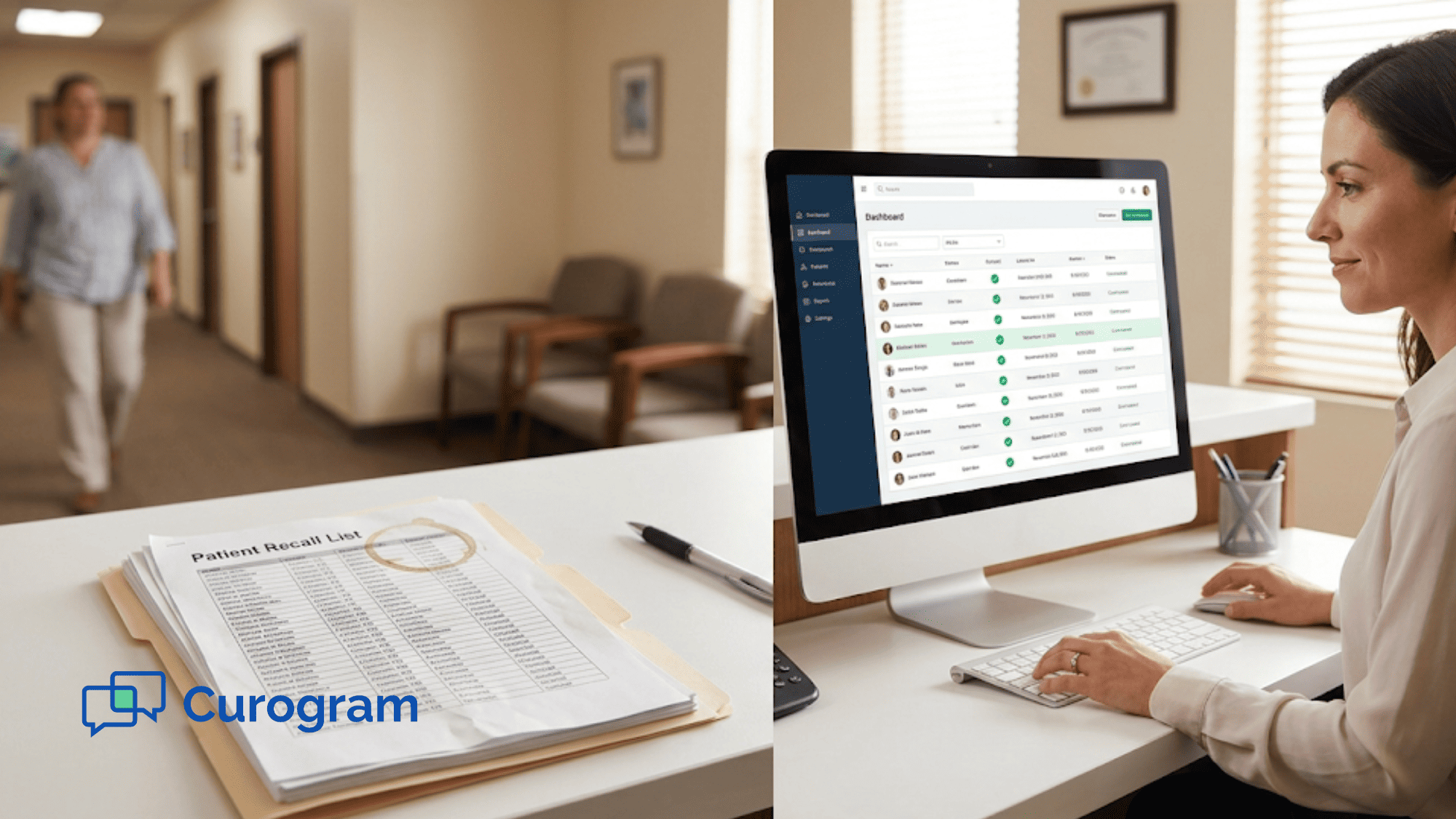
Every DrChrono practice runs a recall report. It pulls patients who are overdue for care — missed follow-ups, lapsed care plans, skipped annual exams. The report is rich with detail. It shows last visit dates, provider names, visit types, and care plan status.
Then the report goes into a file. And the file goes into a folder. And that folder? It never gets opened.
This isn't a data problem. It's a staff workflow problem. Your team knows the patients are out there. Your providers know those visits mean revenue. But nobody has the time to make 340 phone calls on top of the work they're already doing.
What a Normal Day Looks Like at the Front Desk
Your staff picks up the phone 80+ times. They confirm visits, answer billing questions, handle insurance checks, and field walk-in requests.
That's before lunch. Asking the same team to also call hundreds of lapsed patients is like asking them to run a second office inside the first one.
So the practice faces two bad options:
- Pull one staff member off the phones for a full week just to work the list. This slows down daily operations and creates a backlog.
- Skip the list and move on. This means lapsed patients stay lapsed — and their revenue stays lost.
Most offices pick option two. Not because they don't care, but because there's no good way to do it by hand.
What This Costs
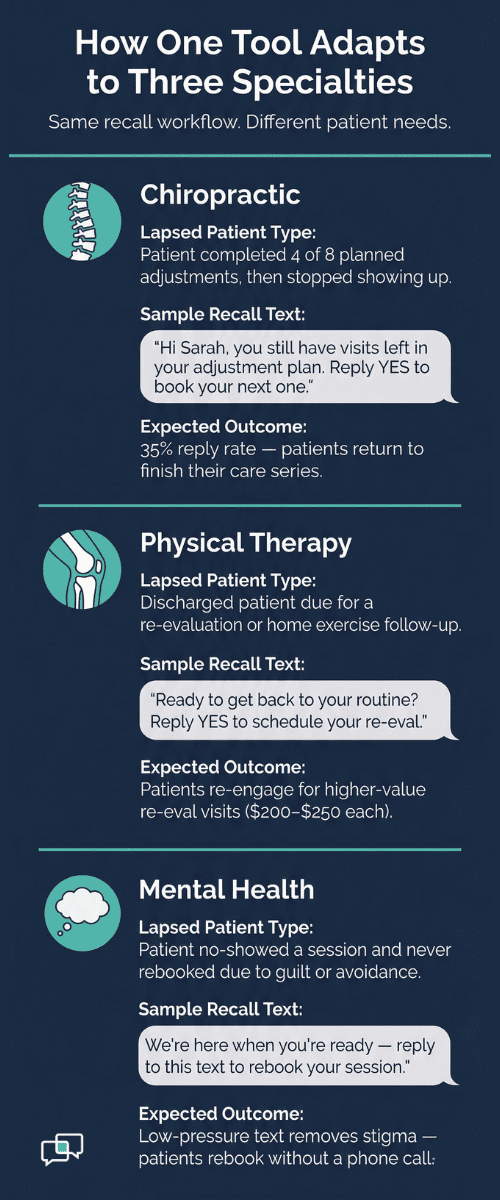
Each missed visit has a dollar value. A chiropractic adjustment might be $150. A physical therapy session could run $200. A mental health visit might top $250. These aren't guesses — they're the types of visits sitting on your recall list right now.
Let's do the math:
|
Item |
Value |
|
Patients on one recall list |
340 |
|
Average visit revenue |
$225 |
|
Potential revenue per list |
$76,500 |
|
Lists generated per year |
3–4 |
|
Annual lost revenue |
$230K–$300K |
That's not a small leak. That's a flood.
And it's not just about money. When patients drop off, they miss needed care. A chiropractic patient skips their full adjustment series.
A PT patient stops their home exercise routine. A mental health patient ghosts after a no-show. The clinical impact adds up just like the financial one.
Your Staff Feels It
They know the list exists. They feel guilty about not calling. Providers bring it up in meetings. But nobody has a fix, so the topic fades until next month's report drops — and the cycle starts again.
The recall report becomes what we call a "data graveyard." It holds all the right info. It points to real revenue. But no one can act on it because manual phone calls are not a scalable way to reach hundreds of patients from a lean practice.
This is the villain in most DrChrono offices. Not bad data. Not lazy staff. Just a workflow gap that no amount of hustle can close. The report gets built. The report gets filed. And the patients on it never hear from you.
That gap is exactly what automated recall text campaigns are built to fix. Instead of asking your team to dial 340 numbers, you send one message to all of them — and let the replies come to you.

The Guide: One-Click Recall Campaign
So how do you go from a dusty spreadsheet to a full schedule? With one click.
Curogram turns your DrChrono recall data into a live broadcast campaign. There's no export step.
No CSV files. No copy-paste into a separate tool. Your office manager opens Curogram, picks a patient segment, writes a short message, and hits send. That's the whole process.
Let's walk through it:Your office manager opens the Smart Segment Builder. This tool pulls patient data straight from DrChrono using the FHIR API. That means the list is always current — no manual updates needed. From there, they set the filters. Want to reach patients who haven't been in for six months or more? Set the date range. Want to narrow it to one provider or one visit type? Add those filters. You can even filter by insurance status or diagnosis code if your recall list needs to be that specific. Once the segment is built, the manager writes the message. Here's what a chiropractic recall might look like: "Hi Sarah, it's been a while since your last adjustment. We'd love to get you back on schedule. Reply YES to book." For a PT recall, it could be: "Ready to get back to your home exercise routine? Reply YES and we'll set up a re-eval." For mental health: "We noticed you missed your last visit. We're here when you're ready — reply to this text to rebook." The message gets sent to the full segment — 340 patients or more — in seconds. Every text lands on the patient's phone, not in a voicemail box or spam folder. SMS open rates sit above 95%, which means nearly every patient sees your message. |
Where the Magic Happens
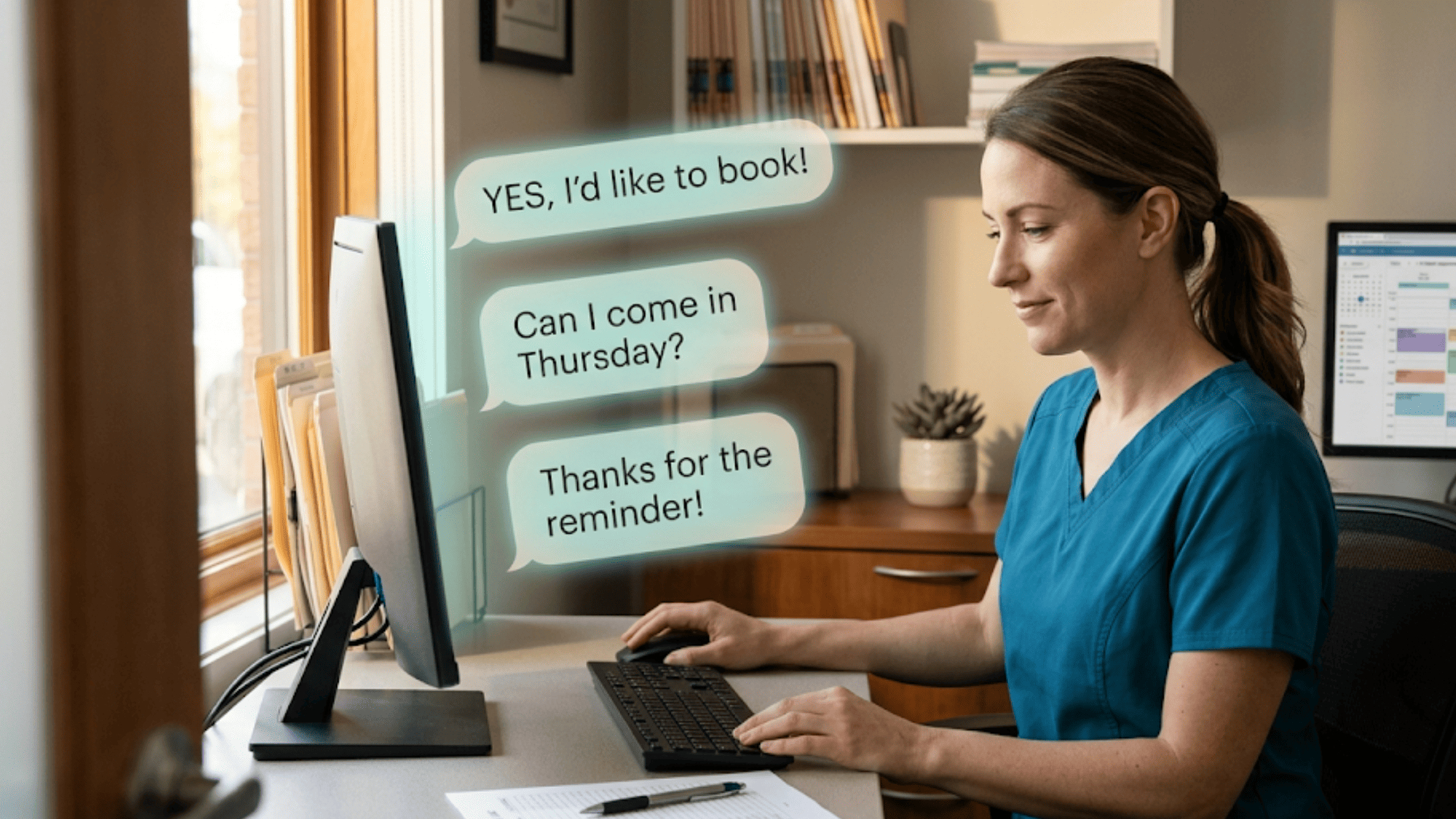
Patients reply. And those replies flow into Curogram's unified inbox. Your staff can see each thread — the recall message, the patient's reply, and any past text history. They respond right from the same screen and book the visit in DrChrono without switching tabs.
This is what makes DrChrono mass messaging through Curogram so different from old-school recall. You're not asking your front desk to chase people. You're letting patients come to you. Staff shifts from cold-calling to reply management — a much faster and less draining task.

The Data Stays Clean
When a recalled patient books, they drop off the next recall list on their own. The segment updates live from DrChrono, so your team never texts someone who already came back. No double messages. No awkward "we already booked" replies.
Let's also talk about what this replaces. Without Curogram, your recall campaign looks like this:
- Export the report from DrChrono
- Open it in Excel
- Sort and filter by hand
- Print the call list
- Assign it to a staff member
- Watch them make calls for a week
- Track results on paper
With Curogram, it looks like this:
- Open Smart Segment Builder
- Set filters
- Write message
- Click send
- Book from replies
Five steps. Five minutes. And instead of one staff member tied up for a week, you free them to handle the replies that actually turn into visits.
This is the core of how automated recall text campaigns work inside DrChrono. The data is already in your EHR. Curogram reads it, segments it, and sends the message. Your job is just to book the replies.
The Success: From Spreadsheet to Schedule
Results tell the story better than features do. So let's look at what happens when a practice stops ignoring its recall list and starts texting it.
The Headline Number: 35% Reconversion Rate
Based on our internal research, a multi-location practice used Curogram's recall broadcast to reach lapsed patients. Of the patients who received an SMS recall, 35% booked a visit within one month. That campaign alone brought back 1,240 patients.
Let that sink in. One campaign. One afternoon of setup. And 1,240 patients walked through the door who would have stayed lost without it.
Now let's put a dollar figure on that.
|
Metric |
Value |
|
Patients reached |
~3,500 |
|
Reconversion rate |
35% |
|
Patients recovered |
1,240 |
|
Average visit revenue |
$225–$300 |
|
Estimated recovered revenue |
$279K–$372K |
That's not yearly. That's from one recall push. The kind of push your office manager can set up in a single sitting.
What Does This Look Like Week to Week?
Let's say your practice runs a monthly recall campaign. On Tuesday morning, your office manager builds a segment of patients who haven't visited in six months. She writes a quick text and sends it to 340 patients. By Tuesday afternoon, replies start rolling in.
By Wednesday, staff has booked 20–30 visits from those replies. By Friday, the schedule is 30% fuller than it was on Monday. That's the shift — from "recall report nobody opens" to "Tuesday campaign, Friday results."
And the staff experience changes too. Think about what it's like to cold-call 340 patients from a printed list. You dial. You wait. You get voicemail 60% of the time.
You leave a message that probably won't get returned. The no-show rate on those calls runs 40–60%. It's draining work with low returns.
Now compare that to reply management. The patient already texted back. They're already interested.
Staff just needs to pick a time and book. The conversation is warm before it even starts. That's a completely different kind of work — faster, easier, and far less likely to burn your team out.
The Math for a Single-Location Practice
Say you're a chiropractic office with 200 lapsed patients on your recall list. You send one broadcast text. At a 35% reply rate, that's 70 patients who respond. If 80% of those replies convert to booked visits, you've added 56 visits to your schedule.
At $175 per adjustment, that's $9,800 in recovered revenue — from five minutes of work.
Now run that monthly. Over a year, you're looking at six to eight campaigns (some months overlap or have smaller lists). Even at a modest pace, the annual recovery could hit $50K–$80K. And you didn't hire anyone, buy new software, or add hours to your day.
For physical therapy practices, the numbers look even stronger. PT sessions often run $200–$250 each, and many patients are discharged with a plan to return for re-evaluation. Those patients are perfect recall targets. A text that says "Time for your re-eval — reply to book" is simple, direct, and easy to act on.
Mental health practices benefit in a different way. No-show rates in behavioral health tend to run higher than other fields. That means more patients fall off the schedule and more names land on the recall list.
A recall campaign re-engages those patients without the stigma of a phone call. Texting feels low-pressure. Patients who ghosted after a missed session are far more likely to reply to a text than answer a cold call.
Here's another angle worth noting: appointment recovery text reminders aren't just about lapsed patients. They also work for patients who canceled and never rebooked, patients who completed a course of care but need a follow-up, and patients who were referred but never showed up for their first visit. The segment builder can filter for all of these groups.
So the campaign isn't a one-trick tool. It's a flexible way to reach any patient group that should be on your schedule but isn't.
What About the Staff Side?
Before Curogram, the recall process looked like this: print the list, assign it to a staff member, and hope for the best. That staff member spent hours on the phone, often getting nowhere. The work was boring, thankless, and pulled them away from tasks that kept the office running.
After Curogram, the process looks like this: build the segment, send the text, book from replies. The office manager runs the campaign in one hour a month. Staff spends the rest of their time handling the warm replies that come in throughout the week.
No special training is needed. No new logins. No complex software. Curogram sits on top of DrChrono and reads the data that's already there. If your team can send a text, they can run a recall campaign.
This isn't a one-time trick. The practices seeing the best results run recall campaigns on a regular schedule. Monthly is the most common rhythm. Some run them every two weeks for high-volume specialties. The key is to treat recall like a routine task, not a special project. When it becomes part of the monthly workflow, the revenue follows.
And the patients? They're glad to hear from you. Most lapsed patients didn't leave because they were unhappy. They just got busy, forgot, or fell through the cracks. A short text is often all it takes to bring them back.
Why Curogram's Smart Segment Builder Changes the Recall Game
Most recall tools treat every lapsed patient the same. Curogram doesn't. The Smart Segment Builder lets you slice your DrChrono data by the filters that matter most to your practice.
Want to reach patients who haven't visited in six months but only under one specific provider? Done. Need to filter by visit type — say, annual exams only? Set it. You can even filter by insurance status or diagnosis code if your campaign calls for it.
This means your recall message feels personal, not generic. A patient who skipped a chiropractic follow-up gets a text about their adjustment plan.
A discharged PT patient gets a nudge about their re-eval. A mental health patient who no-showed gets a low-pressure invite to rebook. Every message matches the patient's situation because the segment was built around it.
The Campaign Performance Dashboard tracks every metric that matters: delivery rate, open rate, reply rate, and — most importantly — appointments booked from replies.
Based on our internal data, practices see reply rates between 35–45% on recall texts, with open rates above 95%. That's a level of reach that phone calls simply can't match.
Here's what makes it even better: the segment updates live. If a patient books between campaigns, they drop off the list on their own. No manual cleanup. No double-texts. No wasted effort.
And setup takes minutes, not hours. Your office manager picks the filters, writes the message, and clicks send. No CSV exports. No data entry. No training needed beyond what they already know about texting.
Curogram's Smart Segment Builder is the reason a staff workflow for patient recall can run in five minutes instead of five days. It's fast, clean, and built to fit the way DrChrono practices already work.
Conclusion: The Revenue You're Leaving on the Table
Every DrChrono practice has a recall list. Most never act on it. The patients sit there — overdue, lapsed, ready to come back — but no one reaches out because the phones are already ringing off the hook.
Curogram changes that with one simple shift. Instead of calling, you text. Instead of spending a week on the phone, you spend five minutes on a campaign. Instead of hoping patients pick up, you let them reply when they're ready.
The results speak clearly. Based on our internal data, one multi-location practice recovered 1,240 lapsed patients from a single recall campaign — a 35% reconversion rate. That kind of appointment recovery doesn't come from working harder. It comes from working smarter.
DrChrono is built for clinical charting and schedule management. Curogram is built for patient outreach at scale. Together, they cover the full patient journey: schedule in DrChrono, confirm by text, collect payment by text-to-pay, and ask for a review — all without adding staff or switching systems.
Stop leaving $50K–$100K on the table every year. Start one recall campaign this month. Segment your lapsed patients by visit type, send one message, and see what happens when you actually reach them.
Turn your recall report into real appointments. Book a demo and see how five minutes of setup can recover thousands in lapsed visits.
Frequently Asked Questions
Replies land in Curogram's unified inbox. Staff can see the conversation thread—the original recall message, the patient's reply, any previous texting history. Staff responds directly ("Great! Can you do Thursday at 2 PM?") and can book the appointment in DrChrono from the same window. Replies are HIPAA-compliant and logged as part of the patient record for audit and continuity.
Curogram connects through DrChrono's FHIR API. Patient data syncs live, so your team never needs to export, upload, or maintain a separate list.
The segment pulls live data from DrChrono. If a patient books a visit before the next campaign, they drop off the recall list on their own — no manual cleanup required.