10 min read
Dolphin Ortho Intake Forms by Text Link: Skip the Portal Hassle
Mira Gwehn Revilla
:
April 21, 2026
- One text message goes out 48 hours before the visit
- Parents tap the link and finish forms in about 5 minutes
- Medical history, insurance, consent, and ortho questions are all covered
- Forms are mobile-optimized with no account needed
- The treatment coordinator reviews records before the orthodontist walks in
Your new patient just sat down in the waiting room. The clipboard goes out. The pen comes back 15 minutes later. By the time the orthodontist walks in, the consult window is already half gone.
This is the moment most orthodontic practices lose new starts. The consultation is a 45-minute window. It is the single most important conversation you have with a family. When paperwork eats into that window, the case presentation gets rushed and parents leave saying they need to think about it.
Dolphin handles imaging, ceph analysis, and treatment cards beautifully. But getting parents to fill out forms before they arrive is a different problem. Most portals require a login. Many require an app. Parents skip them. The clipboard comes back out.
There is a simpler way. A text-link intake sends one message to the parent's phone two days before the visit. They tap the link. They fill out every form. They submit it. No portal. No app. No account to create.
That is what Dolphin orthodontic digital intake forms via text link look like through Curogram. The parent completes medical history, insurance, consent, and ortho-specific questions on their phone in about 5 minutes. The treatment coordinator sees everything in the dashboard before the patient arrives.
This matters because each new start is worth $4,000 to $8,000 in lifetime treatment value. Losing one or two per month adds up fast. Complete pre-consultation forms give your full 45 minutes back to case presentation.
In this article, we will break down why portal-based intake keeps failing, how text-link delivery changes the result, and what a Monday morning looks like when every parent has already submitted their forms by Sunday night.
The Villain: The Clipboard at the Consult
Every orthodontic practice knows this scene. The new patient walks in at 9:00 AM. The front desk hands over a clipboard with five or six pages. The parent starts writing. The treatment coordinator waits. The orthodontist has another consult at 9:45 and cannot start late.
By the time the clipboard comes back, you have lost 10 to 15 minutes. That is a third of your case presentation window. And the forms still need to be scanned, reviewed, and entered into Dolphin before the exam can truly begin.
Why the Consultation Window Matters
A new patient orthodontic consult is usually scheduled for 45 minutes. In that window, the orthodontist needs to do a lot:
- Review records and imaging
- Perform the clinical exam
- Build a preliminary treatment plan
- Present the case to the parent
- Discuss timing, phasing, and financials
- Answer every question the family has
This is where new starts begin. When 15 minutes go to clipboard intake, the case presentation gets squeezed. The parent leaves with half-answered questions. The new start does not close.
The Portal Barrier
Dolphin Management supports patient questionnaires inside its practice management workflow. That is a real feature. The problem is getting parents to actually use it before the visit. Most portal-based systems require the parent to create an account with credentials they will never remember.
Weave bundles digital forms with data writeback into a platform that runs $300 to $500+ per month and replaces your phone system. That is a lot of overhead for a feature most parents still skip. Weave's forms are also portal-based. The parent still has to log in.
The result is predictable. Somewhere between 30% and 50% of new patients arrive with incomplete or missing forms. The clipboard comes out. The consult window shrinks.
What It Costs You
Let's do the math. A new orthodontic start is worth $4,000 to $8,000 in lifetime treatment revenue. If rushed consultations drop your conversion rate by even 10% to 15%, the impact is real.
|
New Patient Consults per Month |
Lost Starts at 12% Drop |
Monthly Revenue at Risk |
|
10 |
1.2 |
$4,800 – $9,600 |
|
15 |
1.8 |
$7,200 – $14,400 |
|
20 |
2.4 |
$9,600 – $19,200 |
|
25 |
3.0 |
$12,000 – $24,000 |
That is before you count the downstream value of referrals, sibling cases, and review generation. One incomplete form costs far more than the paper it was printed on.
The Feeling Every Coordinator Knows
Talk to any treatment coordinator and you will hear some version of this:
Our new patient consult is supposed to be the moment we win the family's confidence. Instead, the parent spends 15 minutes with a clipboard while I wait. By the time we start the exam, we are already behind. The case presentation gets rushed. The parent says they will think about it. We lost them at the clipboard."
That is the villain. It is not the parent. It is not the staff. It is the intake workflow that puts a clipboard between your team and the family on the most important day of their treatment journey. The fix is not to train parents to use a portal. The fix is to remove the portal from the equation entirely.

The Guide: The Text-Link Intake Specialist
Once you accept that portals are the barrier, the path forward gets simple. The parent already has a phone. They already read texts. The solution is to meet them where they are.
How a Single Text Link Works
Two days before the consult, Curogram sends one text message to the parent's phone. It says something like:
Hi Maria, your child's consultation is Thursday at 10 AM. Please complete your forms here before your visit: [link]"
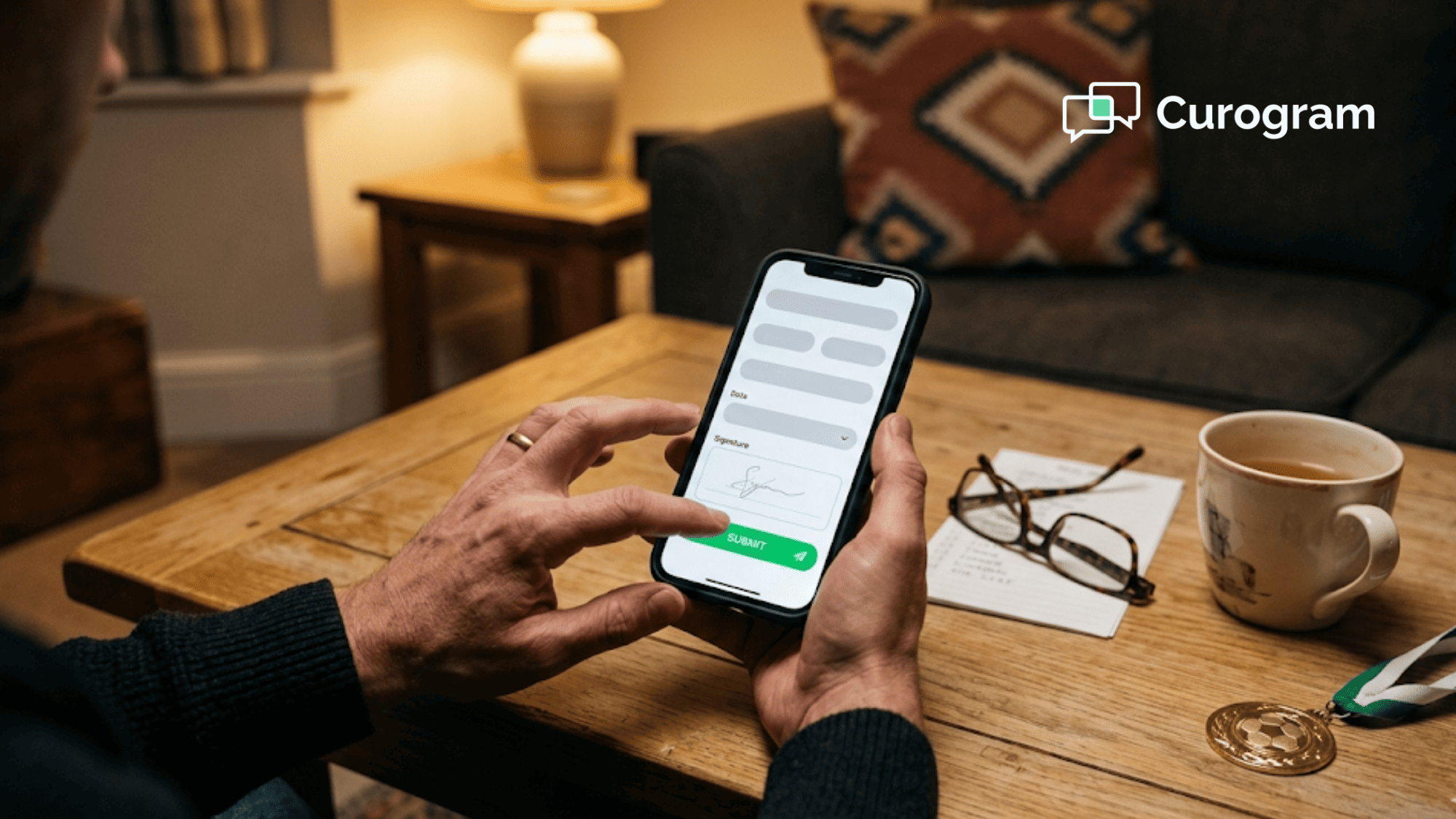
The parent taps the link. A mobile-optimized form opens in their phone browser. There is no login screen. There is no app to download. No portal account to create. They scroll, tap, type, and submit. The entire flow takes about 5 minutes.
That is it. No follow-up calls. No email reminders that go to spam. No clipboard on arrival.
What Curogram's Pre-Visit Intake Suite Includes
This is not a generic form tool. It is built for the way orthodontic practices actually work. The template library covers:
- Medical and dental history
- Insurance verification with photo capture of front and back of the card
- Informed consent for records, including X-rays, photos, and impressions
- Orthodontic-specific questionnaires covering chief concern, treatment goals, and prior ortho history
- Parent vs. patient information fields for minor patients
- HIPAA acknowledgment with e-signature
Every field is mobile-optimized. Every form supports e-signature. None of them require account creation. Based on our internal data, online patient forms reduce wait times and cut paper use across the practice.
How It Works Alongside Dolphin
Curogram's intake runs alongside Dolphin Desktop, Dolphin Cloud, and Dolphin Blue. Forms are delivered and completed entirely outside of any Dolphin-specific interface. That is the point. The parent never has to touch your practice management system.
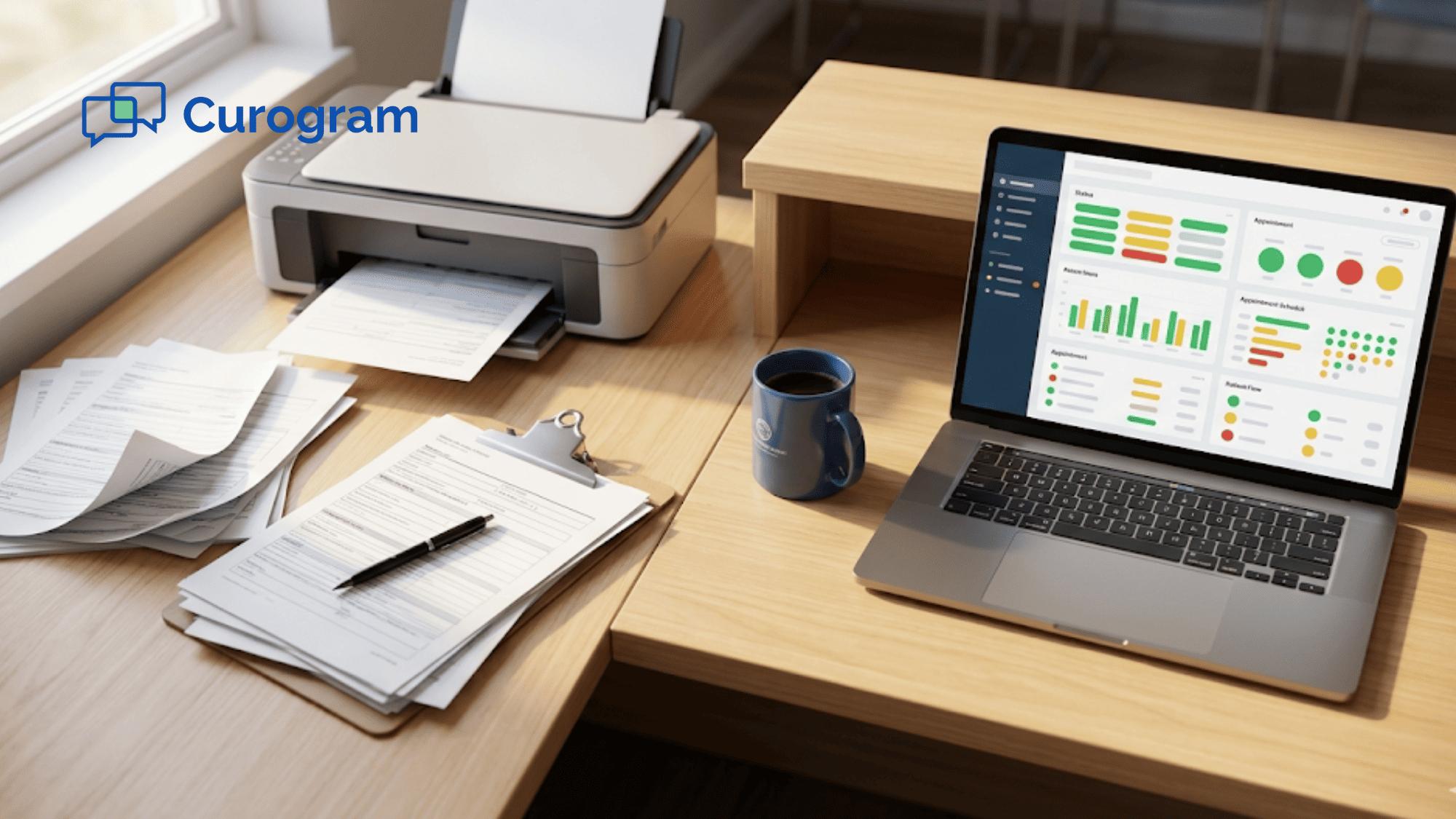
Once the form comes in, the treatment coordinator sees the submission in the Curogram dashboard. All the answers are organized by field. The coordinator reviews the data, verifies insurance, and transfers what is needed into the Dolphin record before the consultation begins.
This keeps your clinical system clean and your pre-visit workflow fast. Dolphin stays focused on what it does well. Curogram handles what happens before the patient walks through the door.
Why Orthodontic Intake Needs Special Handling
Orthodontic intake is more complex than general medical intake. Think about what you need to capture for a new start:
- Prior orthodontic treatment, if any
- Chief concern in the parent's own words (crowding, spacing, bite, aesthetics)
- Who is the patient and who is the guarantor (often different people)
- Which insurance applies to orthodontic coverage (often different from medical)
- Treatment goals for both the parent and the child
A generic form tool will not handle this well. You need custom fields, conditional logic, and the ability to separate parent input from patient input when the patient is a minor. Curogram's forms are built to handle this without making the workflow complicated for the person filling them out.
The Delivery Choice That Changes Everything
The single biggest difference between text-link intake and portal intake is friction. A portal asks the parent to remember a username and password. A text link asks them to tap a blue hyperlink.
That is the whole difference, and it changes completion rates dramatically. Based on our internal research, when the barrier drops to a single tap, parents complete their forms before the visit. Every time.
The Success: Full Records Before the Case Presentation
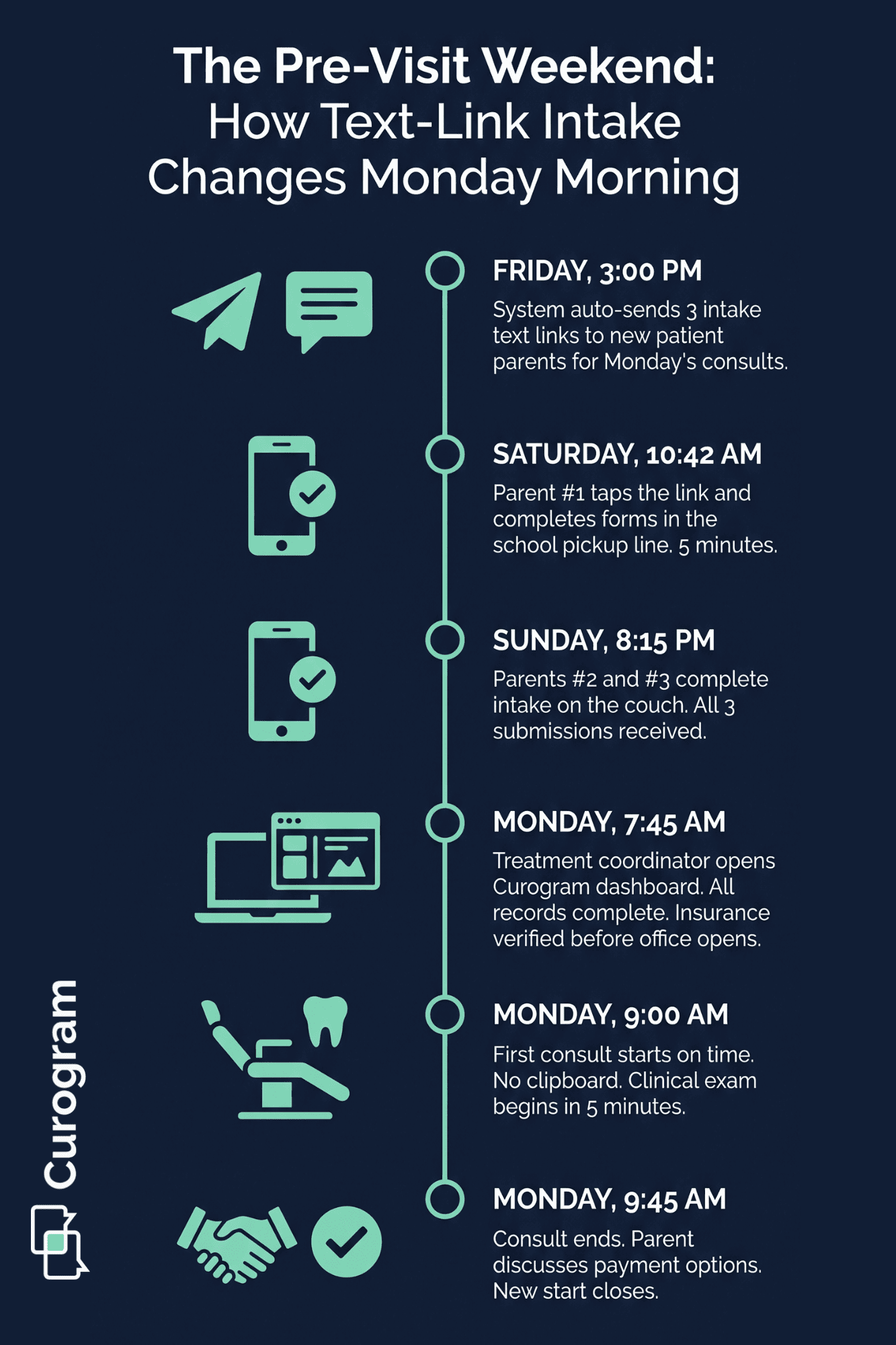
Here is what changes when intake forms actually get done before the consultation. The whole rhythm of your morning shifts.
The treatment coordinator starts their day ahead of the patient instead of behind them. The orthodontist walks into a room where clinical work can begin right away. Parents feel like the practice is organized and prepared.
None of this is magic. It is the direct result of moving paperwork out of the operatory and onto the parent's phone the weekend before the visit.
The Metric That Matters Most
Pre-visit completion rate is the number to track. When forms are delivered by text link, completion rates jump compared to portal-based alternatives.
Based on our internal data, text-based patient communication sees far higher engagement than email or portal logins, largely because SMS has open rates around 98%.
Apply that to intake forms and the math gets interesting:
|
Delivery Method |
Typical Pre-Visit Completion |
Clipboard Time at Check-In |
|
Paper clipboard only |
0% |
12–15 minutes |
|
Portal with login |
40–60% |
6–10 minutes |
|
Email link with PDF |
50–65% |
5–8 minutes |
|
Text link (no portal) |
85–95% |
0–2 minutes |
These ranges reflect typical patterns. Your practice may see different numbers depending on your patient demographics, but the direction of the shift is the same. Lower friction means higher completion.
What 10 to 15 Minutes Buys You
Think about what your orthodontist can do with 10 to 15 extra minutes in every new patient consult. That is not a small bonus. That is a structural change to how case presentations work.
With a full window, your orthodontist can:
- Walk through the imaging with the parent, not rush past it
- Explain two or three treatment options instead of just one
- Answer the parent's real questions about timing, phasing, and cost
- Discuss financial options without watching the clock
- Build rapport with the child, which matters for compliance later
Each of those is a conversion lever. When you pull all of them during one consult, the new start closes more often. When you rush past them, the parent says they need to think about it. That "think about it" conversation is where most lost starts live.
The Shift in Your Front Desk Experience
Your front desk also gets its day back. Instead of chasing down incomplete paperwork, explaining forms to anxious parents, and scanning clipboards, the team can focus on things that actually move the practice forward.
Examples of what front desk staff do with their reclaimed time:
- Greet arriving patients warmly instead of handing over a clipboard
- Run insurance verification cleanly before the patient sits down
- Handle phone calls without constant interruption
- Prep the next consult's materials during downtime
- Manage follow-up outreach to patients who did not close last week
None of this is visible to the parent. But it changes the feel of the practice. A calm front desk signals a well-run office. A stressed front desk signals the opposite. Pre-visit intake is one of the fastest ways to shift that perception.
The Outcome Over 90 Days
Run this workflow for 90 days and the numbers tell the story. If your practice books 15 new patient consultations per month, that is 45 consults in a quarter. With complete pre-visit records for all 45, your orthodontist gets an extra 7 to 11 hours of case presentation time back over that window.
That time flows directly into closed starts. Even a 5% to 10% lift in conversion rate across 45 consults represents 2 to 4 additional new starts per quarter. At $4,000 to $8,000 per case, that is $8,000 to $32,000 in added quarterly revenue from one workflow change.
The investment to make this happen is a single text link delivered two days before each visit. The parent taps it once. Everything else follows.

Why Curogram Fits Orthodontic Practices Running Dolphin
Curogram was built as a patient communication platform that works alongside your existing practice management system, not on top of it. That matters for Dolphin practices specifically.
Most intake tools are built as bundled suites that want to replace what you already use. Curogram takes the opposite approach. Your Dolphin investment stays in place. Imaging, treatment cards, and ceph analysis continue to live where they belong.
Curogram handles the pre-visit layer — the part where parents need to fill out forms, confirm appointments, ask questions, and pay balances.
Here is why that split works well for orthodontics:
- Text-link intake delivers forms to the parent's phone with no portal or app required
- Two-way HIPAA-compliant texting lets parents ask quick questions about forms or appointments
- Automated reminders cut no-show rates by up to 75% based on our internal data
- Appointment confirmation rates average above 75% across Curogram clients
- The platform trains in about 10 minutes, not days
Staff productivity goes up by more than 30% because the front desk stops making follow-up calls for forms, reminders, and confirmations.
Based on our internal data, practices typically see phone call volumes drop by as much as 50%. That time gets reinvested into greeting patients, running insurance, and supporting case presentations.
The integration with Dolphin is clean. Forms are completed in Curogram and reviewed by your coordinator. Relevant data goes into the Dolphin record through your existing workflow.
For practices that want deeper integration, the Curogram support team can walk through options for your specific Dolphin version — Desktop, Cloud, or Blue.
The result is a pre-visit workflow that actually matches how modern orthodontic practices run.
Conclusion: Win New Starts at the Consultation, Not at the Clipboard
The new patient consultation is the single most valuable moment in orthodontic care. It is where families decide whether to commit to treatment. Everything else in your practice supports that moment.
When a clipboard eats 15 minutes of that window, the case presentation suffers. The parent leaves unsure. The new start slips away. This happens hundreds of times per year in practices that still run paper-based or portal-based intake.
The fix is not more training for parents. The fix is removing friction from the delivery. Dolphin orthodontic digital intake forms sent via text link let parents complete everything on their phone before they walk in. No portal. No app. No clipboard. Just a tap and 5 minutes of their time.
This is the role Curogram plays. Dolphin handles your imaging, ceph analysis, and treatment cards. Curogram handles the pre-visit layer — text-link intake, reminders, confirmations, and two-way texting. Together, the two tools give your team a consult-day workflow that flows.
The numbers back this up. Higher pre-visit completion rates mean the full 45 minutes goes to case presentation.
Based on our internal research, online patient forms completed before the visit cut wait times and reduce paper costs across the practice. Your conversion rate goes up because your consult actually has room to breathe.
Walk into Monday with every new patient's records already complete. Schedule a demo and see what a clipboard-free consult morning actually looks like in a Dolphin practice.
Frequently Asked Questions
Submissions land in the Curogram dashboard with all answers organized by field. Your treatment coordinator reviews the data and transfers what is needed into the Dolphin record before the consult. For deeper integration, Curogram's support team can walk through options for your Dolphin version.
The new patient consult is where treatment decisions get made. Losing 15 minutes to clipboard paperwork compresses case presentation time and hurts conversion. Each lost start represents $4,000 to $8,000 in treatment value, so protecting that window is one of the highest-leverage moves a practice can make.
Most parents finish the full packet in about 5 minutes on their phone. That includes medical history, insurance with photo capture, consent forms, and ortho-specific questions. Because the form is mobile-optimized, parents can complete it during a lunch break or in a school pickup line.