How Virtual Visits in StreamlineMD Boost Imaging Workflows
💡 StreamlineMD practices use telehealth to boost workflow in radiology, vascular, and IR settings. Virtual visits help patients prepare for exams...
10 min read
Aubreigh Lee Daculug
:
February 10, 2026
Table of Contents
Your 9 AM cardiology appointment starts at 9:12 because the patient can't find the Zoom app. Your 10 AM dermatology consult gets pushed to 10:15 because someone forgot their portal password.
By lunch, you're running 45 minutes behind—not from complex cases, but from tech troubleshooting.
This is the hidden cost of traditional telehealth. Every download prompt, every login screen, and every "Can you hear me?" adds friction that bleeds into your schedule. Your front desk becomes an IT helpdesk. Your providers lose momentum between visits.
Telehealth for CureMD workflows solves this by treating video visits like text messages. Patients receive an SMS telehealth link that opens in their existing browser. No apps. No accounts. No training required.
The difference shows up immediately in your metrics. Connection times drop from 5-10 minutes to under 30 seconds. No-show rates decrease because patients don't get frustrated and give up. Staff satisfaction improves because they stop playing tech support.
This matters especially for high-volume practices managing multiple specialties. When you're running 20+ virtual visits per day, those saved minutes compound into hours.
The virtual waiting room CureMD integration means your scheduler stays accurate even during back-to-back telehealth sessions.
But speed alone isn't enough. The real value comes from maintaining clinical workflow during video visits. Providers need to see patient charts while conducting exams.
They need to document findings without switching screens. They need the same efficiency as in-person visits.
That's what makes an integrated telemedicine medical practice different from just adding video to your tech stack.
The following sections break down exactly how this works—and why it transforms telehealth from a technical challenge into a seamless extension of your existing care delivery.
Virtual visits should start on time. But most practices face the same three obstacles that turn a 15-minute appointment into a 30-minute ordeal. These delays don't come from medical complexity—they come from technology friction.
The App Download Trap
Your reminder says "Download Zoom for your appointment." Sounds simple enough. But for a 70-year-old patient, this triggers a cascade of problems. Which app is the right one? Where's the meeting ID? Do I need to create an account?
Research shows that 42% of patients over 65 struggle with app downloads. They call your front desk for help. Staff walks them through the process over the phone. Ten minutes later, the patient is in—but your schedule is already behind.
The Multi-Screen Juggling Act
External video platforms force providers into an awkward dance. The patient appears on one screen. The CureMD chart sits on another. Switching between windows breaks eye contact and disrupts the conversation.
Doctors lose track of where they were in the documentation. They forget to order that lab they just discussed. The cognitive load of managing two separate interfaces reduces the quality of care. What should feel natural feels clunky.
Technical Failures That Kill Revenue
Audio doesn't connect. Video freezes mid-sentence. The patient can't remember the portal password they set up six months ago. Each failure has the same outcome: appointment canceled, revenue lost.
According to practice management data, 15-20% of scheduled telehealth visits fail to connect on the first attempt. That translates to 3-4 lost appointments out of every 20 scheduled.
For a busy practice, that's thousands of dollars in monthly revenue disappearing due to technical problems.
The solution to tech friction isn't better training—it's removing the need for training entirely. CureMD video visits delivered through SMS work exactly like every other text message your patients receive. No learning curve. No special instructions. Just click and connect.
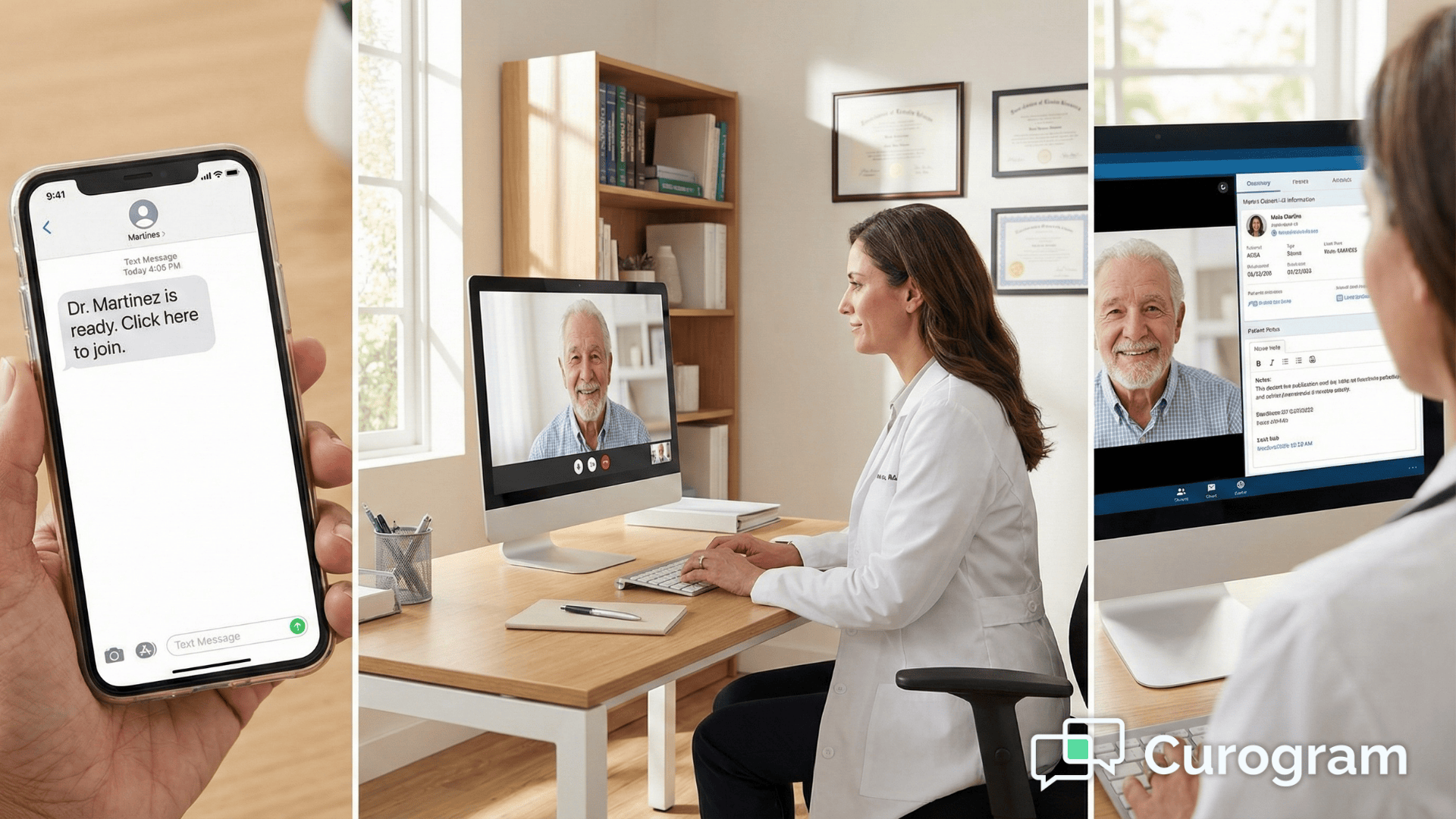
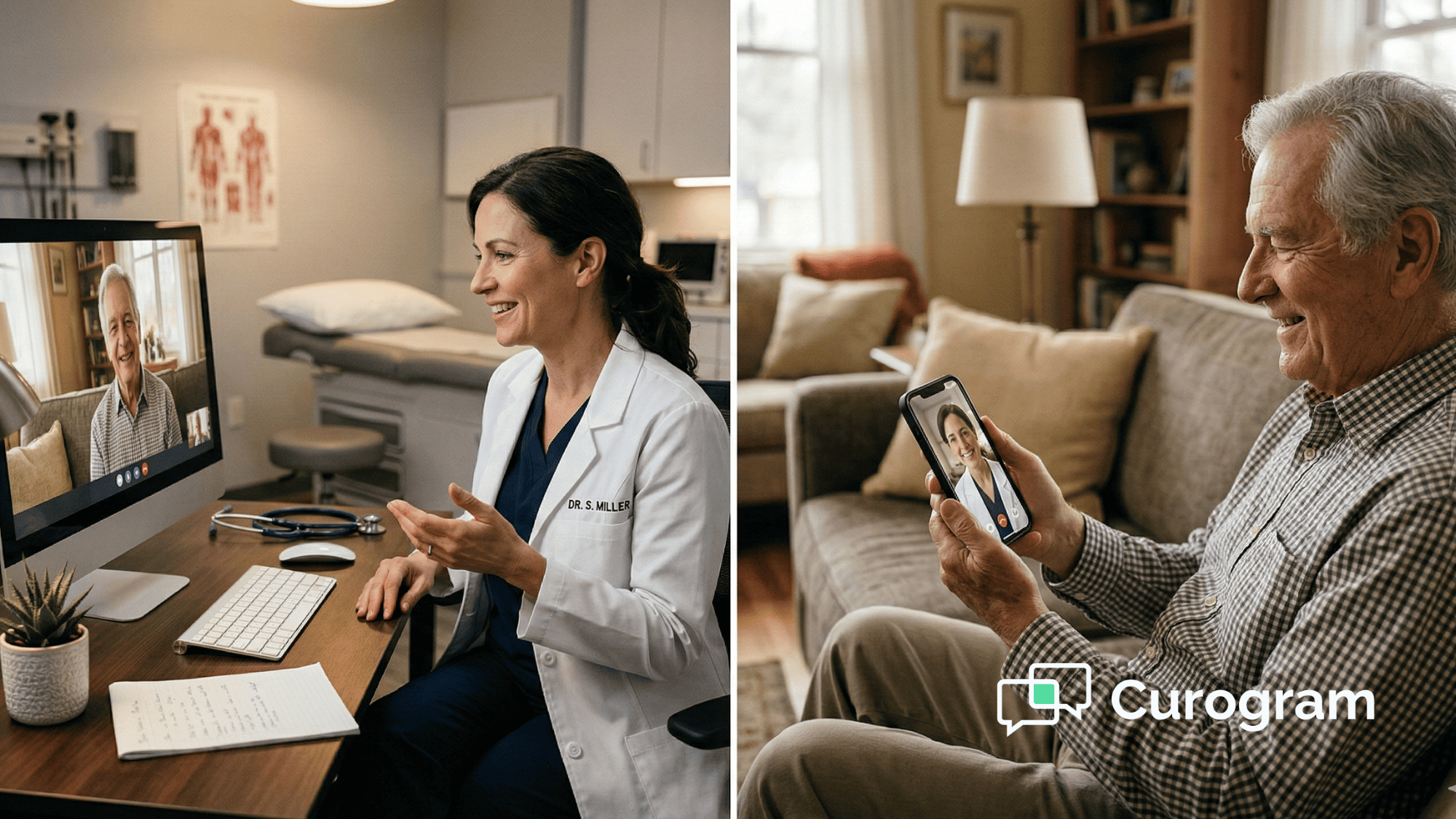
When the appointment time arrives, Curogram sends a text: "Dr. Smith is ready. Click here to join." The patient taps the link. Their phone's browser opens.
The video starts. Total time: 15-20 seconds. This works on any smartphone from the last five years—Safari on iPhone, Chrome on Android, even older browsers handle the connection smoothly.
In a physical office, you know when a patient arrives because they're sitting in the waiting room. The digital version works the same way. When the patient clicks the SMS telehealth link, the provider receives an instant notification directly in the CureMD interface.
No need to check a separate dashboard or refresh a browser tab. You see "Patient in waiting room" and join with one click.
Many visits require intake steps before the provider joins. A medical assistant needs to verify insurance, check vital signs, or review medications. Traditional video platforms make this difficult—once the call ends, the patient has to reconnect.
The integrated telemedicine medical practice approach handles this differently. The SMS link routes the patient to the MA first. After intake completes, the MA transfers the call directly to the provider. The patient never hangs up or clicks a new link.
The theoretical benefits sound good. But what actually happens when practices switch from traditional telehealth platforms to SMS-based video?
The data shows consistent improvements across three key metrics:
With app-based platforms, average connection time includes download delays, login attempts, and troubleshooting. With SMS links, patients connect in under 30 seconds. This improvement compounds throughout the day.
If you conduct 15 virtual visits, you save enough time to fit two additional appointments into your schedule—or to actually finish on time for once.
When technology works invisibly, doctors can focus on medicine. They don't spend the first five minutes of each visit helping patients with audio settings.
They don't lose their train of thought switching between video and charts. Provider satisfaction scores improve measurably, and burnout decreases when technical frustration disappears from the equation.
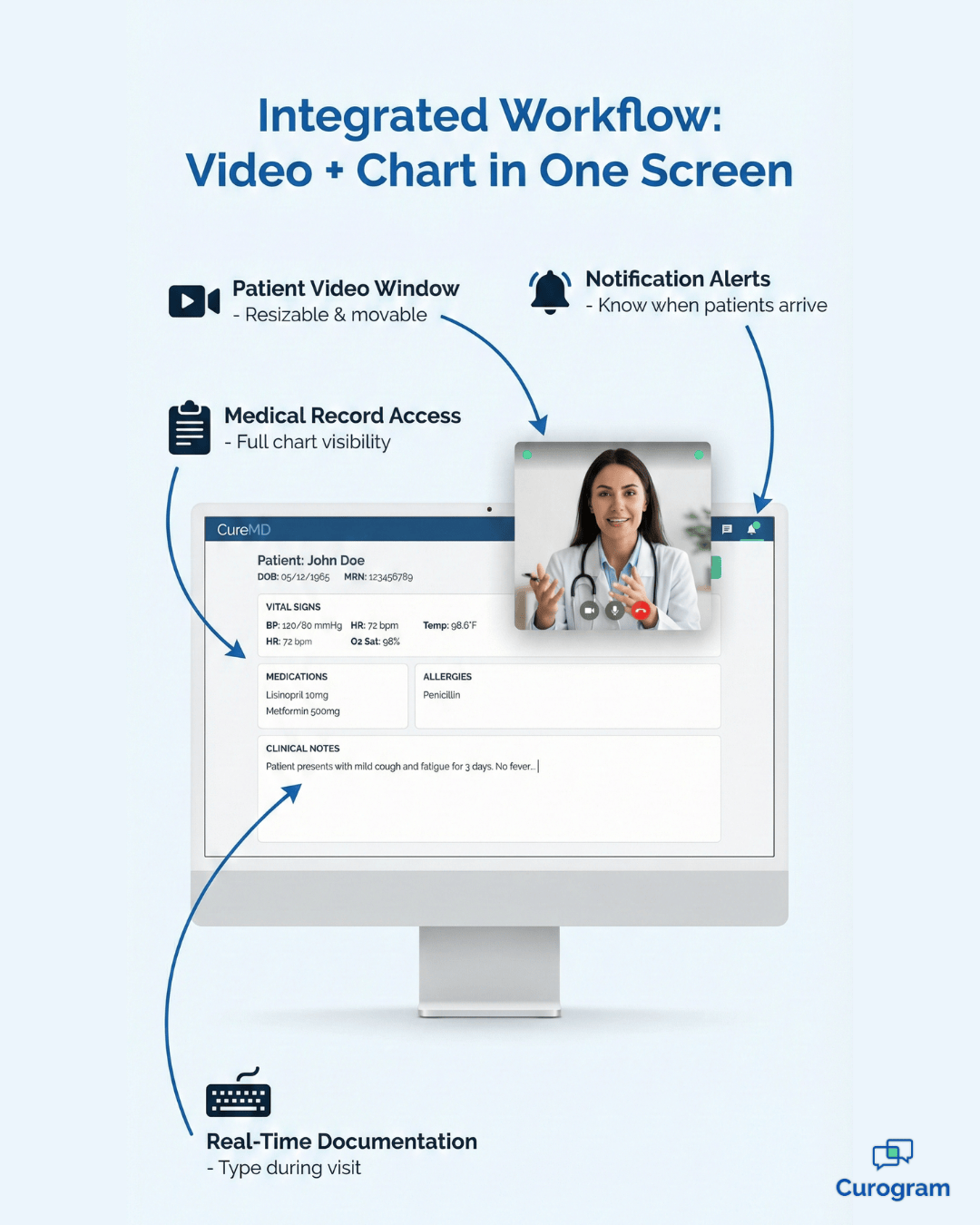
The biggest workflow improvement comes from keeping everything on one screen. Curogram's video window floats over the CureMD chart. Providers see the patient and the medical record simultaneously.
This enables real-time documentation during the visit. Type a note while discussing symptoms. Order a prescription while reviewing the medication list. Update the problem list before ending the call.

Fast connections mean nothing if documentation quality suffers. Virtual visits generate the same billing and compliance requirements as in-person care. Your charts need to meet identical standards regardless of how the appointment occurred.
The integration between video and your EHR makes this possible.
Real-Time Charting During Video Calls
Most providers develop a rhythm during in-person visits. They ask questions, examine the patient, and document findings simultaneously. The conversation flows naturally while the chart gets completed.
Telehealth for CureMD workflows preserves this rhythm instead of disrupting it.
The floating video window stays visible while you work in the medical record. Click into the HPI section and type while the patient describes their symptoms.
Navigate to orders and place a lab request while discussing next steps. The patient sees you staying engaged throughout the conversation.
This contrasts sharply with the traditional approach of conducting the entire visit, ending the call, and then trying to remember what happened.
Memory-based documentation introduces errors. Details get forgotten. The quality of your notes declines when you reconstruct conversations after the fact.
Automatic Visit Type Documentation
Billing departments need to know which visits occurred via telehealth. Some platforms require manual notation in the chart. Others depend on staff remembering to add a modifier. Both approaches create opportunities for error and claim denials.
The integrated system handles this automatically. When a visit happens through the video platform, CureMD records the encounter type without additional input.
Your billing team sees the telehealth designation when they process claims. Payers receive the proper documentation on the first submission.
Screen Sharing for Patient Education
Complex medical information becomes clearer when patients can see what you're describing.
The screen sharing function lets you display anything from your CureMD workspace:
A radiologist explaining a CT scan benefits enormously from this capability. An orthopedist can show before-and-after X-rays to track healing progress. Visual aids improve comprehension and shared decision-making across all specialties.
Fast connection times matter. Proper documentation matters. But the ultimate test is whether providers can maintain the same clinical efficiency remotely that they have in person. That requires thoughtful integration with existing systems rather than adding another tool to juggle.
Most telehealth platforms treat video as separate from your EHR. You open one application for the patient conversation and another for the medical record.
This forces constant context switching that slows everything down. Your attention ping-pongs between windows. Clinical flow breaks apart.
Telehealth for CureMD workflows solves this by embedding the video feed directly into your normal workspace.
The patient appears in a floating window that you can resize and position as needed. Behind it, your familiar CureMD interface stays accessible. Everything lives in one place.
When a telehealth appointment gets booked in CureMD, the system automatically prepares the video link. No manual setup. No separate platform to configure. The integration handles everything in the background.
Staff members schedule appointments the same way they always have.
This eliminates the administrative burden that makes staff resistant to virtual visits. They don't need to learn a new scheduling interface. They don't need to send separate video links manually. The technology adapts to their workflow instead of forcing them to adapt to new processes.
Physical waiting rooms serve an important function—they create a buffer between appointments and give providers control over pacing. The virtual waiting room CureMD integration replicates this digitally. Patients who arrive early wait in the digital queue.
Providers see who's ready and choose when to begin each visit. This prevents the chaos of simultaneous connection attempts and maintains the orderly flow of a well-managed schedule. You control the timing just like you do with in-person appointments.

Convenience cannot come at the expense of security. Medical practices operate under strict HIPAA regulations that govern how patient information gets transmitted. SMS-based video links raise legitimate questions about compliance.
Understanding how secure telemedicine for CureMD environments protects patient data helps practices adopt virtual care confidently.
How SMS Links Maintain Privacy
The text message itself contains no protected health information. Patients receive a generic notification like "Dr. Smith is ready. Click here to join." No names. No conditions. No appointment details. Just an invitation and a secure link.
When the patient clicks the link, they connect to an encrypted video session. The encryption meets HIPAA standards for transmitting electronic protected health information.
The conversation remains private. No third parties can intercept the stream. The security matches what you expect from any medical communication channel.
Recording Policies and Patient Consent
By default, the system never records video calls. The conversation happens in real-time and then disappears. Some practices want recordings for training or quality assurance. Those settings can be configured, but they require explicit activation and patient consent.
Business associate agreements cover the entire platform. Your compliance officer can review the documentation before implementation.
Many practices already use this technology for Medicare telehealth visits where HIPAA compliance gets strictly audited. The platform has withstood regulatory scrutiny across multiple specialties.
Patient Authentication and Access Control
Patient authentication happens automatically through the unique link. Each SMS telehealth link works for only one specific appointment. The system verifies that the person clicking the link matches the scheduled patient.
This prevents unauthorized access while keeping the user experience simple.
After the appointment window closes, the link expires. Even if someone finds an old text message, they cannot use it to access the system. The time-limited nature of each connection adds another layer of security without creating barriers for legitimate use.
New technology often means weeks of training and workflow disruption. Staff resistance grows when systems require extensive preparation. The appeal of SMS-based telehealth extends beyond patient convenience—it also minimizes the implementation burden on your team.
Technical Setup Timeline
The technical setup happens behind the scenes. IT teams connect the video platform to your existing CureMD installation. This integration typically completes within a few hours. Most practices go live the same day without affecting regular operations.
Front desk training takes approximately 10 minutes. Staff learn how to verify that appointments are marked as telehealth visits. The system handles link generation automatically. There's no need to master a complex interface or memorize multi-step processes.
Provider Orientation Process
Provider orientation focuses on three basic functions:
That's the complete list. The simplicity comes from matching telehealth workflows to existing in-person patterns. Doctors already know how to check for waiting patients. They already know how to start appointments. The digital version follows the same logic.
Medical Assistant and Nursing Staff
Medical assistants and nurses who conduct pre-visit intake receive additional guidance on the handoff process. When they complete their portion of the visit, they transfer the call to the provider.
The patient stays connected throughout the entire sequence. This mirrors the current workflow where an MA brings a patient back before the doctor enters.
Ongoing support rarely becomes necessary once teams start using the system. The interface intuition means staff don't need reference guides or help documentation. Questions typically arise during the first day or two and then disappear as the workflow becomes routine.
Is the video HIPAA-compliant?
Yes. The video stream uses end-to-end encryption that meets all HIPAA security requirements. No recordings are stored unless you specifically configure that setting. Every connection maintains the same privacy standards as your in-person visits.
The platform includes all necessary business associate agreements. Your compliance officer can review the security documentation during implementation. Many practices use this for Medicare telehealth visits where HIPAA compliance is strictly audited.
Can we screen share lab results?
Yes. Providers can share their screen to review X-rays, lab results, or any other information from the CureMD chart directly with the patient. The screen sharing function works like Zoom or Teams—you choose which window to display.
This is particularly useful for specialists who need to walk patients through imaging studies. A radiologist can highlight specific areas of concern on a scan. An orthopedist can show before-and-after X-rays to track healing progress.
Does it work on low-bandwidth connections?
Yes. Curogram automatically optimizes video quality based on the patient's signal strength. If someone connects via 4G in a rural area, the system reduces bandwidth usage to prevent dropped calls. WiFi and 5G connections get full HD quality.
The adaptive streaming ensures visits complete successfully even in areas with poor coverage.
Audio always takes priority over video—if bandwidth gets very limited, you'll maintain voice connection while video temporarily pauses. This prevents the frustration of completely lost calls.
How does billing work for SMS-based video visits?
Billing follows the same process as any telehealth visit. The visit type in CureMD determines the appropriate CPT codes. Medicare and most commercial payers reimburse audio-video telehealth at parity with in-person visits.
The integrated system automatically documents that the visit occurred via secure video. This satisfies payer requirements for telehealth claims.
Your billing team doesn't need to track which platform was used—everything processes through your normal revenue cycle.
What happens if a patient accidentally closes the browser?
The original SMS link remains active for the duration of the scheduled appointment. If a patient closes their browser by mistake, they simply tap the link again to rejoin. No need to call the office or request a new link.
On the provider side, you see a notification that the patient disconnected. When they reconnect, you receive another alert and can resume the visit immediately. The entire process takes about 10 seconds and doesn't require staff intervention.
Your medical staff didn't train to become tech support. They shouldn't spend their days walking patients through app downloads or resetting portal passwords. Simple technology is reliable technology—and reliability is what busy practices need.
The shift to SMS-based video links transforms telehealth from a technical challenge into a seamless care delivery method. Patients connect in seconds instead of minutes.
Providers maintain clinical focus instead of troubleshooting software. Schedules run on time instead of constantly falling behind.
These improvements show up immediately in your daily operations. Front desk staff report fewer frustrated calls. Providers express higher satisfaction with virtual visits. Practice managers see better utilization rates and fewer canceled appointments.
The real power of telehealth for CureMD workflows isn't the technology itself—it's how invisible the technology becomes. When patients and providers stop thinking about the video platform and focus entirely on the medical conversation, you know the system works correctly.
This matters especially for practices expanding telehealth services or managing multiple locations. The system scales naturally because it requires no additional training. New staff members understand it immediately. Patients of all ages connect without assistance.
Want to see how fast the connection actually works? We can demonstrate the difference during a live demo. You'll receive an SMS telehealth link that opens a video call in under 30 seconds. No downloads. No logins. Just click and connect.
Schedule a demo to test the "magic link" yourself. See firsthand how removing technical friction transforms the telehealth experience for both patients and providers.
💡 StreamlineMD practices use telehealth to boost workflow in radiology, vascular, and IR settings. Virtual visits help patients prepare for exams...
💡 Telehealth for Opus EHR through Curogram gives behavioral health providers a no-app video platform built for addiction recovery. Patients join...
💡 Independent practices using Elation Health can improve virtual care with telehealth for Elation Health through Curogram. This system removes the...