8 min read

How to Prevent Unprepared Patients with Custom CureMD Reminders

How to Prevent Unprepared Patients with Custom CureMD Reminders
💡 Customizable appointment reminders for CureMD specialty workflows go beyond basic confirmations. Curogram reads the appointment type inside CureMD and sends patients the exact prep steps they need before their visit.

A cardiology patient gets fasting rules days ahead of a stress test. A dermatology patient receives procedure instructions SMS with wound-care details before a Mohs surgery. Every message matches the visit.

The result is fewer day-of cancellations, less wasted chair time, and patients who show up ready. Your staff spends less time chasing prep compliance and more time caring for the people in front of them.

There is a moment every office manager dreads. The phone rings, and a patient cancels a high-value appointment with barely an hour's notice. Suddenly, a $400 time slot is sitting wide open—and the clock is ticking.

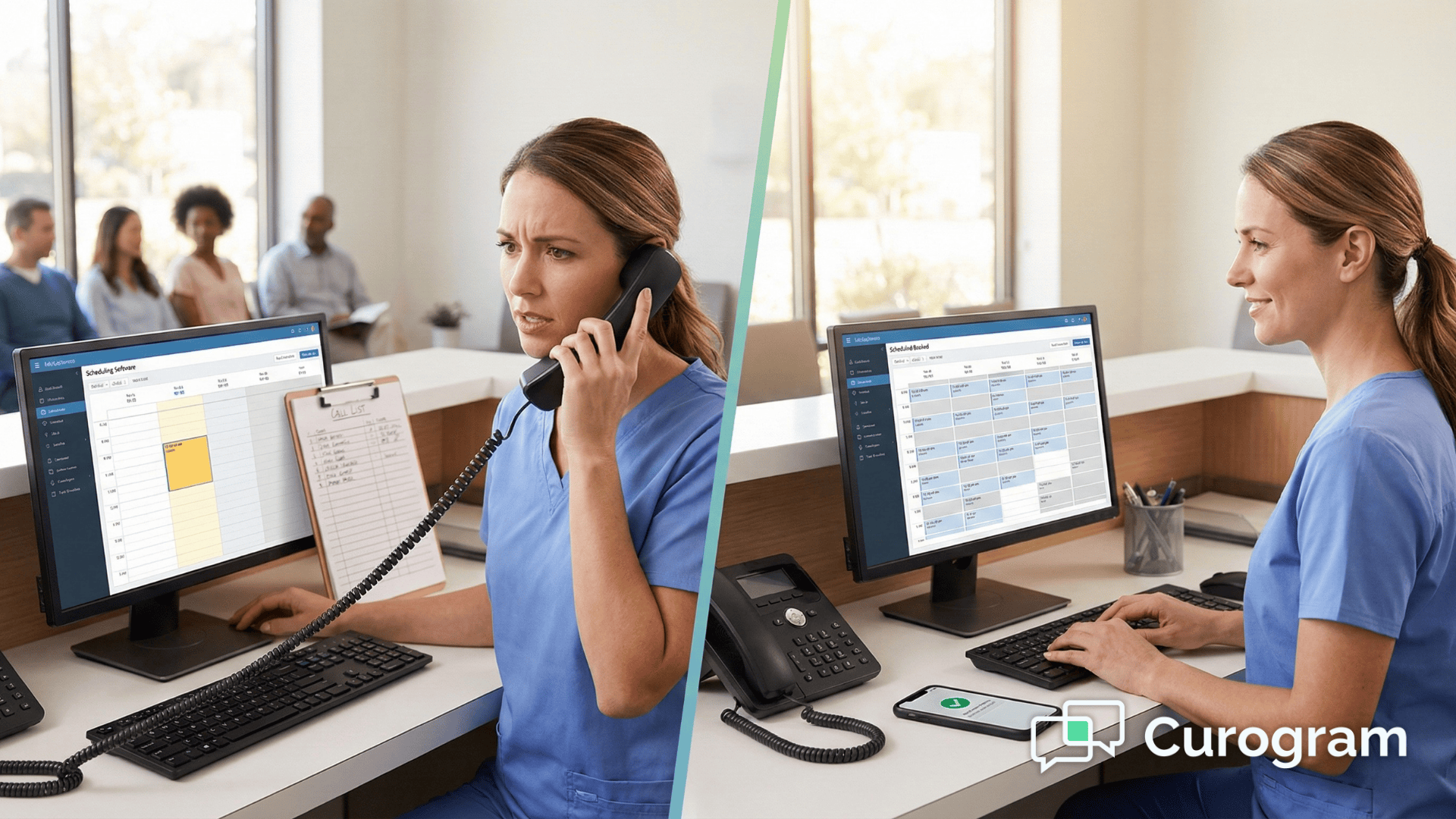
What happens next usually looks the same. Your front desk pulls out the call list and starts dialing. Most patients are at work and do not pick up. A few get voicemails.

By the time someone calls back, the slot has already come and gone. The provider sat idle, and the revenue disappeared.

This scene plays out in practices across the country, every single day. And for specialists, the math is brutal. Just one empty slot per day can quietly drain roughly $100,000 from your bottom line over a year. That is not a small leak. That is a hole in the boat.

The good news? It does not have to work this way. With automated waitlist management for CureMD schedules, you can turn a last-minute cancellation from a loss into a win.

Curogram connects with your CureMD scheduler, spots the open slot, and fires off a text to patients who are already waiting for an earlier appointment. The first one to reply gets in. It takes seconds, not hours.

We call this the "Revenue Rescue." Instead of scrambling to fill last-minute cancellations CureMD practices face daily, you let the system do the heavy lifting. Your staff stays focused.

Your providers stay booked. And your revenue stays right where it belongs.

In this article, we will walk you through how it works, why it matters, and what it looks like in real practice.

Whether you are running a busy dermatology clinic or a multi-provider group, this is the workflow that keeps your schedule full and your bottom line healthy.

When the Right Patient Shows Up with the Wrong Preparation

Every specialty practice has a version of this story. A patient arrives on time, checks in, and sits down, only for the clinical team to discover they cannot go through with the procedure.

In cardiology it might be a patient who ate breakfast before a fasting stress test. In dermatology it could be someone who applied moisturizer right before a skin biopsy.

In a surgical suite it might mean a patient who never stopped their blood thinners.

The outcome is always the same. The appointment is cancelled on the spot. A 30- to 60-minute procedure slot goes unused. Revenue of $300 or more vanishes, and the ripple effect hits everything that follows.

Where the Communication Breaks Down

In most cases the patient received a generic reminder, something along the lines of "You have an appointment at 9 AM." There were no prep details, no fasting warnings, no medication instructions.

Maybe a packet was mailed out two weeks earlier and ended up in a junk-mail pile. Maybe the instructions were buried three clicks deep inside a patient portal the person never checks.

The core issue is that the communication was not matched to the visit. A cardiac stress test and a routine blood draw require completely different levels of patient preparation, yet they often get the exact same reminder.

The Hidden Cost of "Bumped" Appointments

When a patient gets turned away, your staff has dead time, the next patient cannot be moved up easily, and the original patient needs to be rescheduled.

That means another round of phone calls, another prep conversation, and another chance for the same mistake to happen again.

One unprepared patient does not just waste a single slot. It creates a chain of small disruptions that eat into your entire clinical day—something your scheduling system can help prevent when paired with automated reminders.

How Curogram Matches Every Reminder to the CureMD Appointment Type

Here is where things get practical. Curogram plugs directly into your CureMD system and reads the appointment type codes your practice already uses.

It knows the difference between a MOHS Surgery, a Stress Test, an Annual Physical, and a telehealth follow-up. That appointment type becomes the trigger for a specific, pre-built reminder flow.

Think of it as a simple set of rules. If the appointment type equals MOHS Surgery, then the patient receives a text like: "Reminder — please stop blood thinners 3 days before your procedure and wear a button-down shirt the day of your visit."

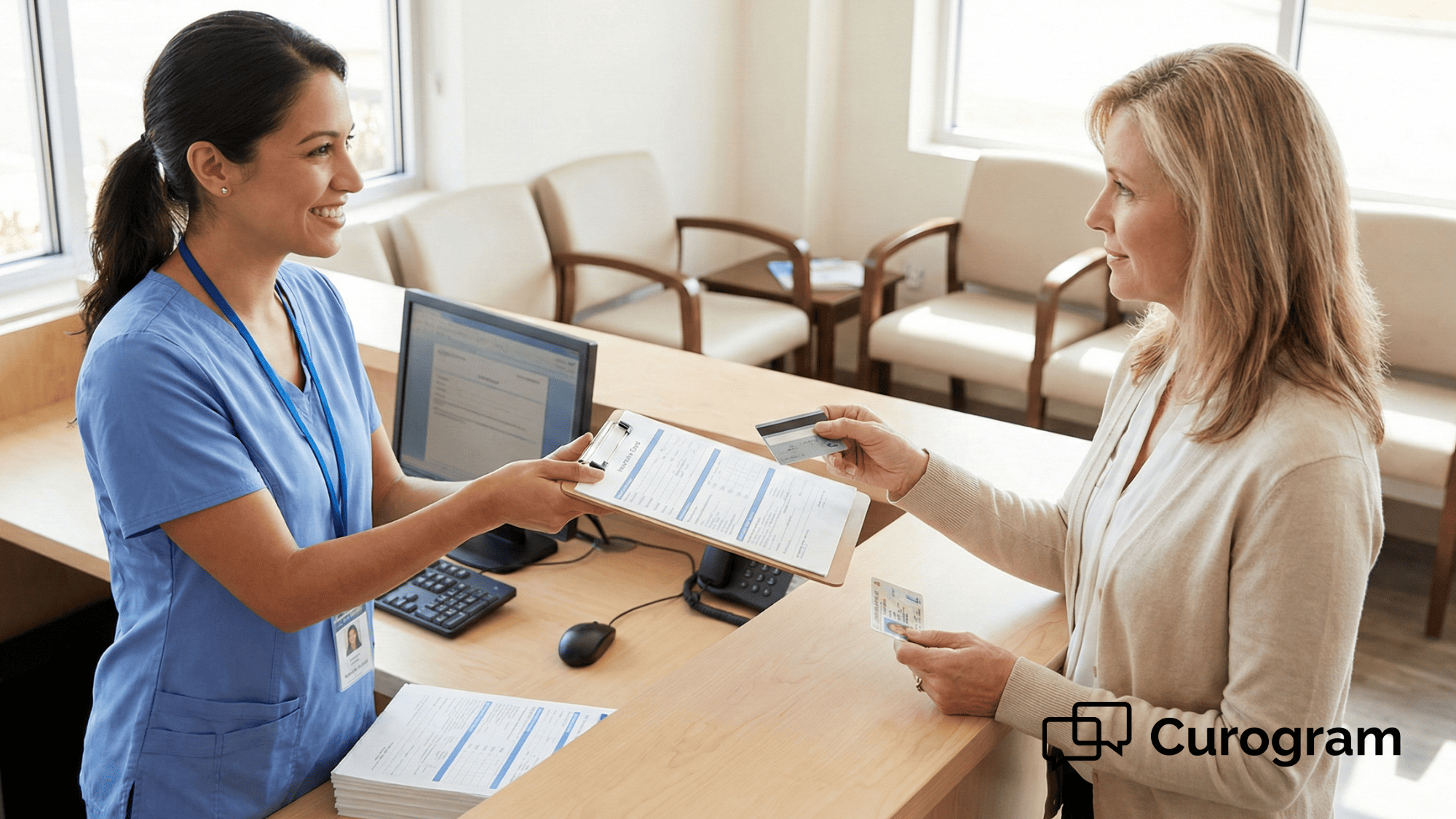
If the type equals Annual Physical, a different message fires: "Please bring your insurance card and a current list of your medications." Each message speaks directly to what that patient needs to do.

Timing That Matches the Complexity

Content alone is not enough. When the message arrives matters just as much. A routine check-up might only need a single 24-hour heads-up, but a complex procedure often calls for a longer runway.

Here is how a typical multi-step sequence might look:

  • 7 days before surgery: overview of prep steps and what to expect
  • 3 days out: specific medication holds and dietary restrictions
  • 1 day before: final confirmation with last-minute reminders like wound-site prep
  • Day of: arrival time, parking details, and what to bring

Dermatology procedure instructions SMS can go out with wound-care steps the evening before a Mohs case. Cardiology fasting reminders CureMD workflows send diet restrictions well ahead of a stress test.

All of it runs on autopilot once you set it up, so your front desk never has to make those calls manually.

This is what makes customizable appointment reminders for CureMD specialty workflows a genuine time saver. Instead of relying on staff to chase each patient individually, the system handles the outreach for you.

Your team stays focused on the patients who are already in the office.

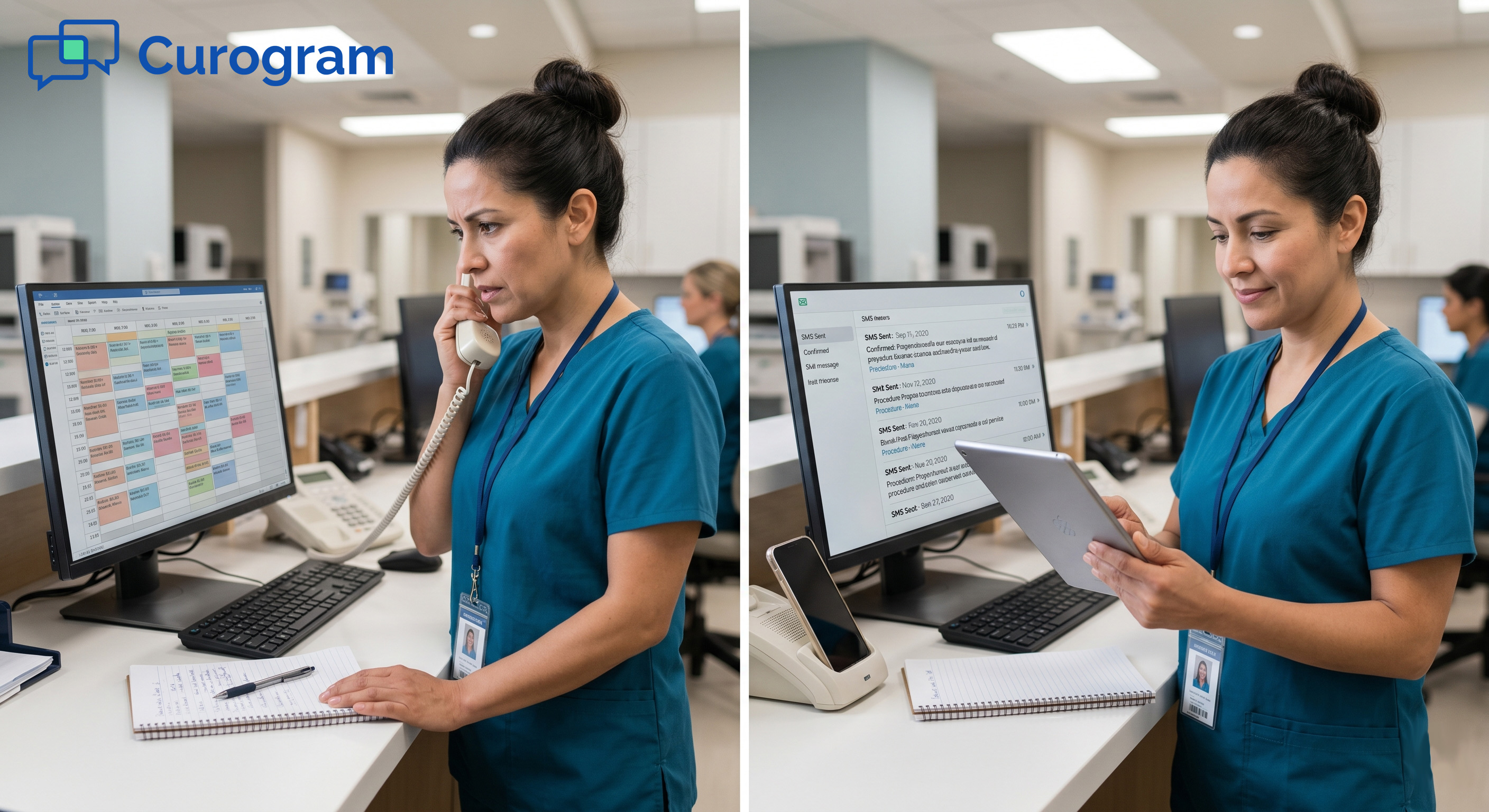
Medical office staff member viewing CureMD appointment reminders on desktop with SMS notification on phone

What Smart Reminders Look Like Across Different Specialties

Theory is one thing. Seeing how this plays out inside a real specialty practice is another. The beauty of Curogram's approach is that every specialty can build its own reminder logic without touching a line of code.

The system simply reads the appointment type in CureMD and does the rest.

Dermatology: Mohs Surgery Prep

A Mohs procedure is one of the highest-revenue visits on a dermatology schedule, and it is also one of the easiest to derail.

If a patient shows up wearing a pullover sweater, applies makeup to the treatment area, or forgets to stop aspirin ahead of time, the procedure may need to be delayed or rescheduled entirely.

With Curogram, a patient booked for Mohs in CureMD receives a tailored sequence. Seven days out they get an overview of what to expect. Three days before the visit they receive a reminder to pause blood thinners.

The night before, a final text covers what to wear, what to skip on their skin, and when to arrive. Each message is short, clear, and timed so the patient is not overwhelmed.

Cardiology: Stress Test and Fasting Protocols

Cardiac stress tests are among the most common procedures cancelled because of food or caffeine intake.

A cardiology fasting reminders CureMD workflow solves this by sending dietary restrictions 48 hours before the appointment, followed by a same-day automated reminder reinforcing the rules.

Instead of a nurse calling each patient the day before, the text arrives automatically. Patients see it on their lock screen right when it matters, not buried in a portal they forgot to check.


Pain Management: Pre-Injection and Pre-Op Checklists

Pain management patients often juggle multiple medications and have complex prep needs before injections or minor procedures. A missed medication hold can mean a postponed visit and a frustrated patient who drove an hour to get there.

Curogram handles this by mapping pre-op instructions via text to specific appointment types. An epidural injection appointment, for example, triggers a message about stopping certain anti-inflammatory drugs 5 days ahead. A follow-up visit triggers a simpler confirmation.

The system tailors the effort to the complexity of the visit, so patients are not over-messaged for a routine check and not under-prepared for a procedure.

Setting It Up Without Slowing Down Your Team

A common concern with any new tool is the time it takes to get started. Practice managers already have full plates, and the last thing they need is a months-long rollout that pulls staff away from patient care.

Curogram was designed with that reality in mind, and most practices are up and running within a single afternoon.

Here is what the setup process actually involves:

  • Pre-built template library: You do not write messages from scratch. Curogram includes ready-made reminder flows for dermatology, cardiology, orthopedics, and pain management. 
  • 10-minute staff training: The platform is built to be simple and intuitive. There are no complicated dashboards to learn and no IT department required. Your team can start using it the same day.
  • HIPAA-compliant messaging: Every text sent through Curogram protects patient information. Standard SMS reminders include only appointment details without protected health information, and any shared documents use secure, encrypted links.
  • Zero workflow disruption: Curogram reads directly from CureMD's appointment types, so your staff does not need to change how they schedule or code visits. 

The bottom line is that your practice gets detailed, procedure-specific communication without the compliance risk of unprotected email or the overhead of manual phone calls.

Everything plugs into the workflow you already have, so the only thing that changes is that your patients start showing up better prepared.

Why Procedure-Ready Patients Are Your Best Revenue Protection

Procedure rooms are the most expensive real estate in any specialty practice. The equipment, the staff, the supplies — all of it is lined up for a specific window of time.

When a patient gets turned away because they did not prep correctly, you do not just lose that one visit. You lose the revenue attached to it, the staff time that was allocated, and the chance to serve someone else in that slot.

What One Unprepared Patient Actually Costs You

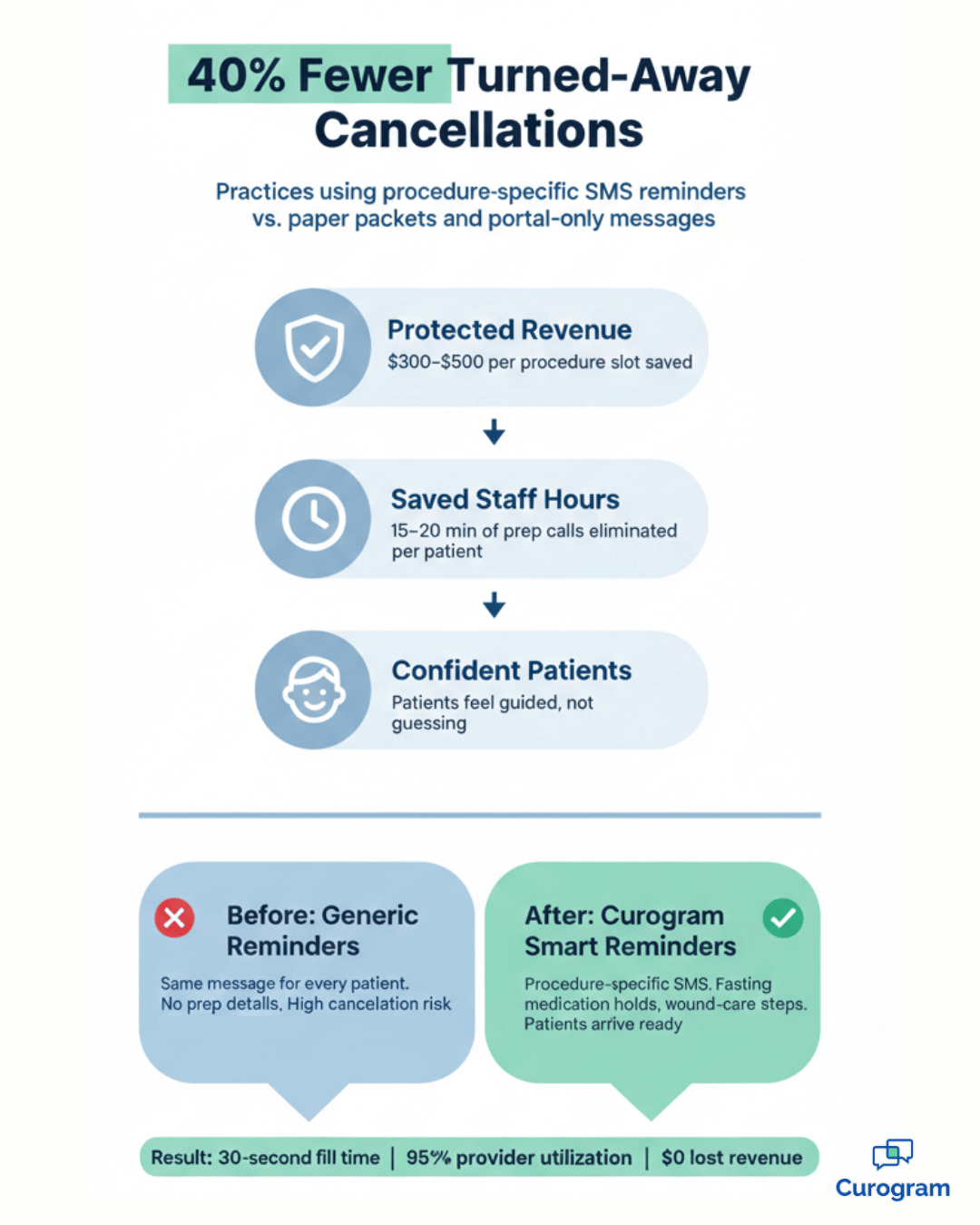
Most practices feel the pain of last-minute cancellations, but few put a number on it. Here is what a single unprepared patient costs when you add up everything beyond the missed copay:

Cost Factor Generic Reminders Curogram Smart Reminders
Average procedure revenue at risk $300–$500 per slot Protected
Staff time spent on prep calls 15–20 min per patient Automated
Turned-away cancellation rate Industry average Up to 40% lower
Idle procedure-room time 30–60 min per incident Near zero
Rescheduling overhead Additional calls + new slot Rarely needed
Patient anxiety and dropout risk High — patients feel unsupported Low — patients feel guided


When you multiply even one of these factors across a full month of procedures, the gap between generic reminders and smart reminders becomes impossible to ignore.

The Confidence Factor

There is an emotional side to this that rarely shows up on a spreadsheet. Plenty of patients cancel at the last minute not because they forgot, but because they feel overwhelmed by the prep steps.

They are not sure if they did everything right, so they bail. Pre-op instructions via text change that dynamic. Friendly, bite-sized SMS tips sent over several days take the guesswork out of the process and replace anxiety with confidence.

When patients feel prepared, they follow through. Practices that send procedure-specific text reminders see up to a 40% drop in cancellations caused by patients arriving unprepared.

When you reduce procedure cancellations at the source, you protect your revenue stream and keep your clinical day moving without gaps.

Frequently Asked Questions

Do we have to create these messages from scratch?

Not at all. Curogram includes a library of best-practice templates built for common specialties like dermatology, cardiology, and orthopedics. Each template is ready to use out of the box, and you can adjust the wording in seconds to match your practice's voice and protocols.

Can we attach documents to reminder messages?

Yes. You can include a secure link to a PDF right inside the reminder text. For example, your team might attach a post-op wound care guide so the patient has every instruction in one place, accessible from their phone at any time.

Does this work for telehealth appointments?

Absolutely. For virtual visits, the reminder automatically includes the unique video link along with a short tech-check instruction so patients can test their connection beforehand. That way they are ready to join the call without last-minute scrambling.

Your Schedule Is Too Valuable to Leave Prep to Chance

A single cup of coffee should not be the reason a $500 procedure slot goes to waste. Yet that is exactly what happens when practices lean on generic reminders and hope patients figure out the rest on their own.

The fix is not more phone calls or thicker instruction packets. It is smarter communication that matches the message to the visit. With Curogram and CureMD working together, every patient gets the right prep steps delivered to their phone at the right time.

Fasting rules for a stress test, medication holds for surgery, wound-care tips for a Mohs case — each message is tailored to the appointment sitting on your schedule.

That means fewer last-minute surprises in your procedure room. It means your staff stops playing the role of compliance police, chasing patients down to repeat instructions they should have received days ago.

And it means the revenue your practice has already earned on the schedule actually stays on the schedule.

Better preparation leads to better outcomes for everyone involved. Patients walk in feeling confident instead of anxious. Providers spend more time on care and less time dealing with cancellations.

Your front desk gets breathing room. And your bottom line stays intact because high-value slots are filled with patients who are genuinely ready.

If you are tired of watching prep failures drain your schedule and your revenue, it is time to see what customizable appointment reminders for CureMD specialty workflows can do for your practice.

Schedule a demo with Curogram and explore the template library. You will find pre-built reminder flows for dermatology, cardiology, pain management, and more — each one ready to customize in minutes.


Fill Last-Minute Cancellations Fast with CureMD Automated Waitlists

Fill Last-Minute Cancellations Fast with CureMD Automated Waitlists

💡 Automated waitlist management for CureMD schedules lets high-volume practices fill last-minute cancellations through targeted SMS. When a slot...

Read More
Improve Patient Preparedness with Appointment Reminders in Office Ally

Improve Patient Preparedness with Appointment Reminders in Office Ally

💡 Office Ally appointment prep reminders keep patients ready for visits so schedules predictable. By integrating reminders into your EMR, you can:

Read More
Dynamic Appointment Reminders for Allscripts PM Workflows

Dynamic Appointment Reminders for Allscripts PM Workflows

💡 Allscripts appointment prep reminders help you send the right instructions every time. With automated prep reminders integrated into Allscripts,...

Read More