
10 min read
Cloud 9 Ortho Text Visits | One Tap, Face-to-Face, No App
Aubreigh Lee Daculug
:
April 13, 2026
You receive a text link from the office, tap it, and you're face-to-face with your orthodontist in under 10 seconds — no app to download, no account to create, no password to remember.
The video call opens directly in your phone's browser. You can show the wire, the broken bracket, or the loose band, and get a clear answer in minutes.
This is telehealth designed for how parents actually use their phones. One text. One tap. Issue resolved.
It's 7:12 PM on a Tuesday. Dinner is done, the homework is spread across the kitchen table, and your son just looked up and said: "Something's poking my cheek."
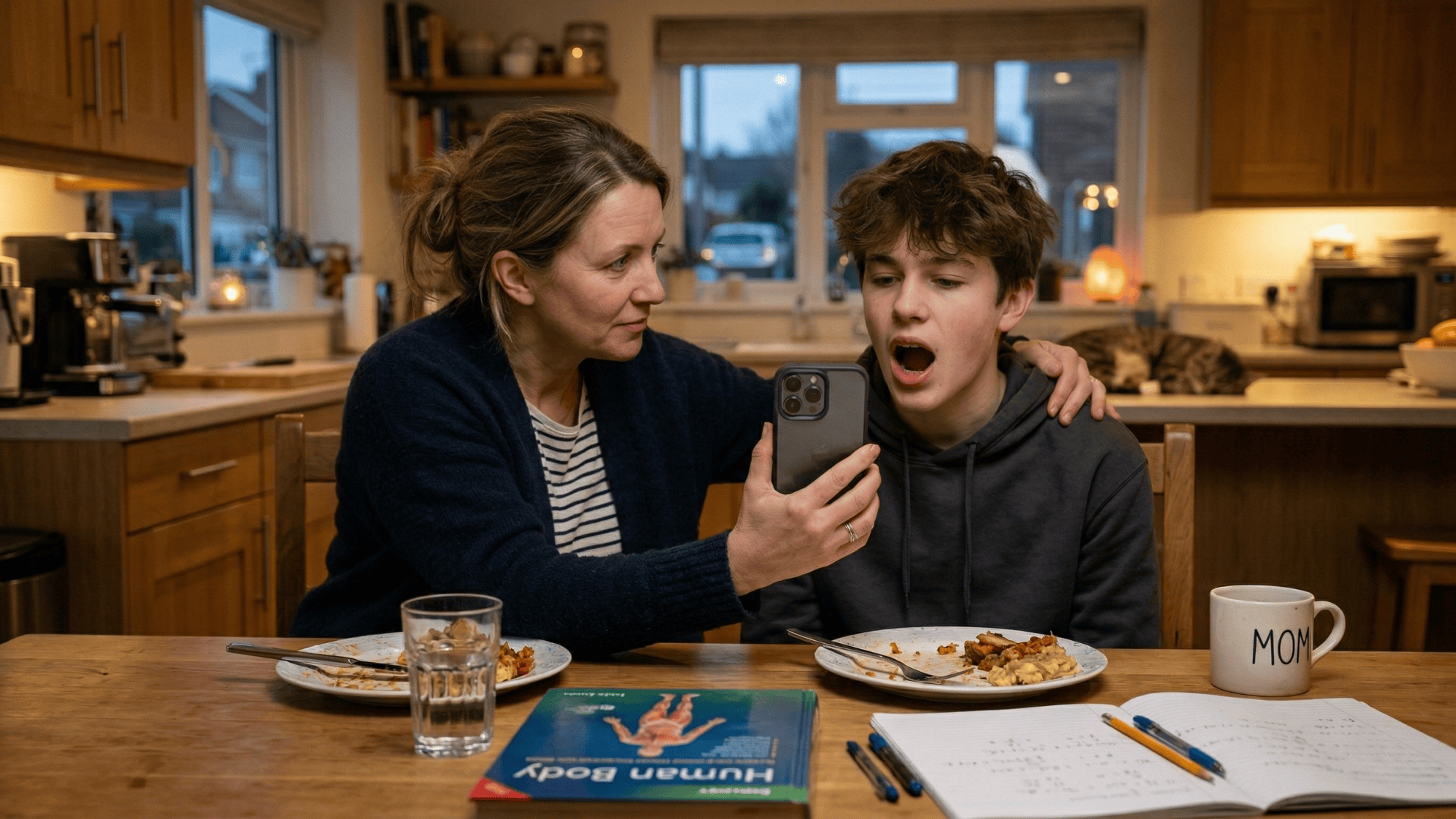
You grab a flashlight and lean in. There it is — a wire end sticking out past the last bracket, pressing into the soft tissue of his cheek.
There's a faint red mark where it's been rubbing.
He's uncomfortable. You don't know if this is a wait-until-morning situation or an emergency.
The office is closed. You run through your options.
You could call the after-hours line and try to describe what you're seeing. "It's the wire on the back left — no, the bottom — near the last bracket."
That conversation never ends well. Or you could wait until morning, hope the discomfort is manageable, and call when the office opens. Or you could turn to Google, scroll through fifteen articles about orthodontic emergencies, and try to figure out if this qualifies as one.
None of those options feel like enough.
Now imagine a different Tuesday night. You text the practice: "Tyler has a wire poking his cheek.
Can someone take a look tonight?" Three minutes later, your phone buzzes: "Hi Sarah, Dr. Martinez is ready for a quick video check. Tap here to see her now: [Link]."
You tap the link. Your phone's browser opens. Dr. Martinez appears on screen.
You hold the phone up to Tyler's mouth. She looks for a moment and says: "It's not an emergency. Put some orthodontic wax on the end tonight and bring him in Thursday. We'll trim it and reposition. He'll be comfortable until then."
Three minutes. Issue resolved. Evening saved.
That is exactly what it looks like when you can see your Cloud 9 orthodontist via text — one tap, face-to-face, no app required.
No download. No account. No frustration.
The difference between those two Tuesday nights isn't luck. It's the technology your practice uses to connect with you.
Why Downloading an App for a 3-Minute Wire Check Makes No Sense
The Setup Takes Longer Than the Visit
Tyler's wire is poking — one of the most common orthodontic emergencies. You need a 3-minute visual check. It sounds simple. It isn't.
If your practice uses a traditional app-based telehealth platform.
Here is what actually stands between you and that 3-minute conversation:
- Open the App Store
- Search for the app name (which you may not remember exactly)
- Download it — 2 to 3 minutes depending on app size and connection speed
- Open the app and create an account (email, password, phone number)
- Verify your email — open your inbox, find the verification message, tap the link, return to the app
- Log in, navigate to the video visit section, and request or join the call
Estimated setup time: 8 to 15 minutes. For a 3-minute conversation.
The setup-to-visit ratio is absurd. In practice, most parents do what you would do — they close the App Store and either text a photo or wait until morning.
The app requirement didn't enable the telehealth visit. It killed it.
The 80-App Problem Is Real
The average smartphone already has more than 80 apps installed. Most people actively use fewer than 10 of them on a regular basis. Yet app-based telehealth asks parents to add one more — for a feature they may use twice in two years.
Here is what that actually costs a parent before the call even starts:
- Storage space — something else on the phone might have to go
- Home screen real estate — another icon in an already crowded grid
- A new username and password — one more credential to manage and eventually forget
- Push notifications — from an app they'll open maybe twice during treatment
That is the ask. And it is wildly disproportionate to the need.
A dedicated app for two or three check-ins across an 18-to-24-month treatment course isn't a patient benefit. It's friction dressed up as a feature.
The Password You'll Definitely Forget
You download the app in month 3 of treatment. You create an account. You use it once.
Eight months later, Tyler's bracket breaks and you open the app again.
"Please log in." You type your email. You try your usual password.
"Incorrect." You try two more variations. Locked out.
Now you're 10 minutes into a password reset cycle while Tyler sits at the table with a broken bracket.
The app failed you at the exact moment you needed it.
Not because the technology was broken — but because the access depended on a password you created eight months ago and never used again. That is the fundamental design flaw of app-based telehealth for low-frequency, high-urgency situations.
For a parent trying to reach their child's Cloud 9 orthodontist by video for a phone wire emergency, an app-based platform isn't the answer. It's the obstacle.
How a Single Text Link Replaces the Entire Telehealth App Experience
The Feature That Changes Everything
Curogram's One-Tap Video from Text removes every step between the parent and the orthodontist.
The practice sends you a text:
"Dr. Martinez is ready for Tyler's video check. Tap here: [Link]." You tap the link. Your phone's default browser — Safari or Chrome — opens a video call.
The camera activates. Dr. Martinez appears on screen. You're face-to-face in under 10 seconds.
No app to find. No account to log into. No password to remember. No interface to navigate. Just a tap — the same action you take when someone texts you a link to a restaurant, a recipe, or a shared photo.
That is the entire experience. And it works every single time.
Show, Don't Describe
The reason video visits matter for orthodontic issues comes down to one thing: visual assessment.
Some of the most common after-hours concerns parents contact the practice about are almost impossible to communicate over the phone:
- A wire end that has shifted past the last bracket
- A bracket that has broken loose or cracked
- A band that has come off or feels unstable
- A retainer that no longer fits the way it used to
- Unusual swelling or irritation along the gumline
"The wire is poking on the left side... the bottom left... the back one near the last tooth." A three-minute description becomes a ten-second visual assessment the moment you hold the phone up to your child's mouth.
Video changes the dynamic completely. Dr. Martinez can see the exact position of the wire, identify what's causing it, and give you a clear action plan — all in the first 30 seconds of the call. That's the clinical value.
But it only works if the parent can actually connect to the call without friction. Remove the friction and the clinical value gets delivered.

Evening and Weekend Access, Without the On-Call Anxiety
Orthodontic issues have no respect for business hours. Wires poke during dinner. Brackets break at weekend soccer games. Retainers crack on Sunday evenings.
The text-link video visit extends your practice's availability beyond office hours without overwhelming the on-call provider.
When a parent texts in at 7 PM, the orthodontist or designated team member can respond with a video link and conduct a triage check from anywhere — from their own phone, from home, from anywhere with a signal.
For the parent, the knowledge that they can reach their child's Cloud 9 orthodontist by video for a bracket or wire emergency at 7 PM on a Tuesday is profoundly reassuring — even if they never need to use it.
Availability isn't just a feature. It's part of the care.
One Text Thread, Everything in One Place
Here is something most patients don't realize until they experience it:
The video visit link arrives in the same text conversation where they already receive appointment reminders, intake forms, payment links, and review requests from the practice.
Think about what that means. One thread covers the entire patient relationship — from the first consultation reminder to the final retainer check.
There is no separate app for telehealth, no separate portal for forms, and no separate system for payments.
It all lives where the parent already is: their text messages.
There is no separate login. No separate notification channel.
The video visit feels like a natural next step in a conversation that has been happening since Tyler's first appointment.
That consistency matters more than it sounds.
When the experience is unified, patients and parents engage with it.
When it's fragmented across three apps and two portals, they give up.
Why Parents Actually Use It
Most telehealth tools get adopted in demos and abandoned in practice — a pattern driven by well-documented telehealth adoption barriers.
The reason is almost always the same:
The tool asks too much of the user at the exact moment they are already stressed.
A text link doesn't ask anything. It shows up in a thread the parent already has open, in a format they already know how to use. Tap. Done.
That is not a small design detail. It is the entire reason adoption works. The parent doesn't decide to use the feature — they just tap the link, the same way they tap every other link that arrives in a text.

From Anxious at 7 PM to Reassured by 7:18 — What the Results Look Like
Why Connection Rate Is the Only Metric That Matters
App-based telehealth platforms report that 15 to 30% of patients fail to connect to their scheduled virtual visits due to technical issues.
That means for every 10 parents who try, up to 3 never actually make it to the call.
For a Cloud 9 orthodontic practice, each failed connection is a missed triage opportunity.
It is a parent who spent 15 minutes on setup and still couldn't see the orthodontist. It is a frustrated family who now associates your practice with friction rather than care.
Text-link video visits, by contrast, see near-perfect connection rates because there is nothing to download, install, or configure. The only technology the parent needs to use is a tap — and 100% of parents with smartphones already know how to do that.
The math is straightforward:
| Platform Type | Setup Time | Connection Failure Rate | Time to Face-to-Face |
|---|---|---|---|
| App-Based Telehealth | 8–15 minutes | 15–30% | Unpredictable |
| Curogram Text-Link Video | 0 minutes | Near 0% | Under 10 seconds |
Example figures based on industry-reported averages for app-based telehealth adoption barriers.
For the orthodontist, the clinical metric is equally clear: visual assessment in the first 30 seconds of the call. That's when the wire position is identified, the bracket damage is evaluated, or the swelling is seen.
Everything else in the call is follow-through.
Six Minutes from Concern to Resolution
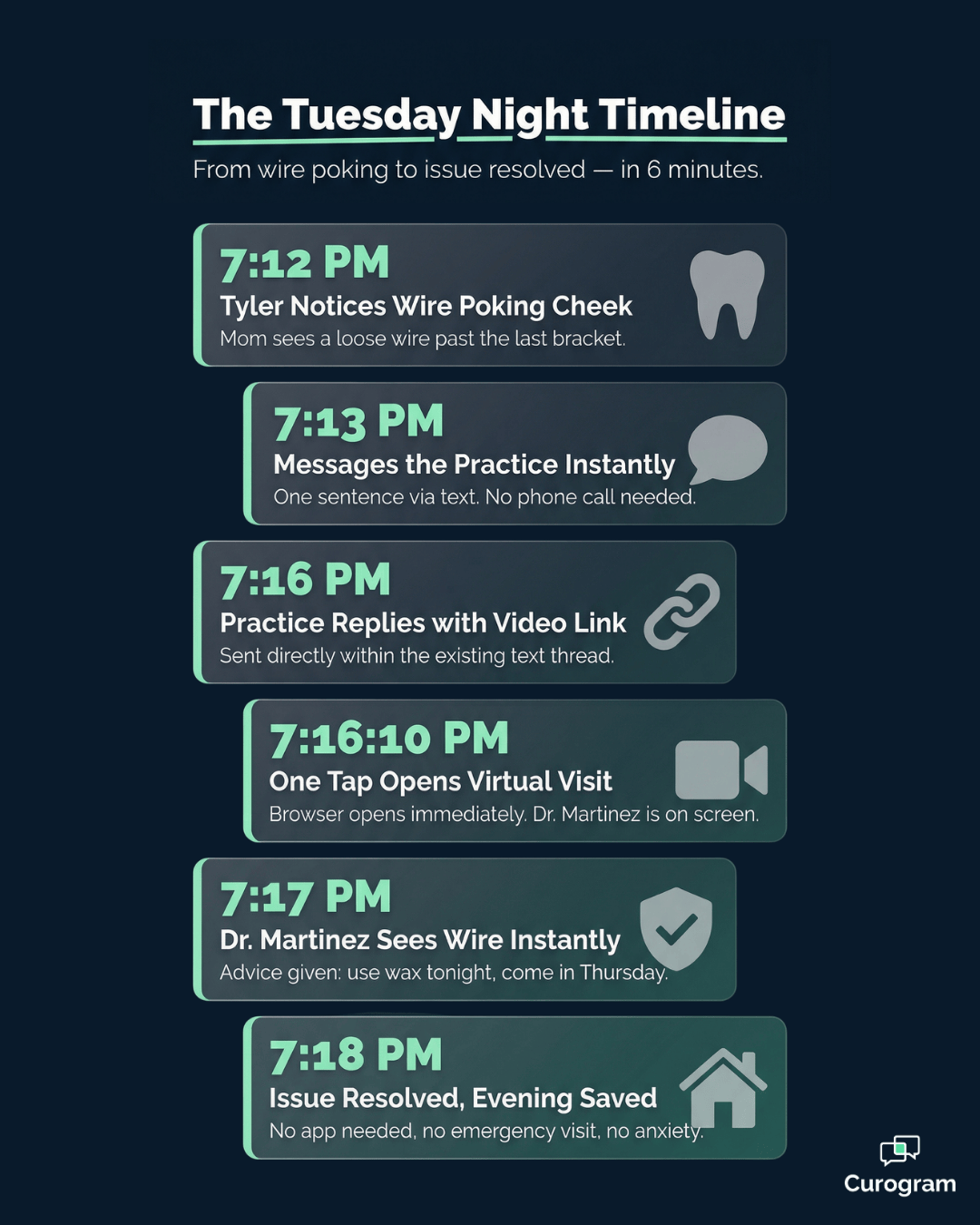
Here is what those six minutes looked like in practice.
At 7:12 PM, Sarah was anxious. Tyler was uncomfortable, she didn't know how serious the wire issue was, and the office was closed.
By 7:18 PM, she had three things: a diagnosis ("the archwire shifted past the bracket"), a treatment plan ("wax tonight, appointment Thursday"), and reassurance ("not an emergency").
Six minutes total. Three minutes of actual video time. The rest was texting and tapping.
Her evening continued. Tyler's discomfort was managed. There was no emergency visit, no sleepless night of worry, no frustrated call to the after-hours line, and — critically — no app.
That six-minute experience generates something that no marketing campaign can buy: a parent who tells every other school parent exactly what happened.
The Ripple Effect on Practice Reputation
Parents who experience this kind of care outside office hours don't keep it to themselves.
They mention it at pickup. They bring it up in the parent Facebook group. And when the practice sends a review request — through the same Curogram text thread, by the way — they write about the Tuesday night when Dr. Martinez checked Tyler's wire at 7 PM and saved the evening.
That review is not about tooth alignment or treatment timelines. It is about being cared for when it mattered. It is about a Cloud 9 practice that showed up beyond the chair.
For practice owners and lead orthodontists evaluating their telehealth setup, the question to ask is not "do we have video visits?" It's "can our parents actually use them when they need to, in under a minute, on a Tuesday night?"
If the honest answer involves downloading an app — you already know what happens next.
Stop Making Parents Download an App
There's a version of your practice that parents can reach at 7 PM on a Tuesday.
One where a parent texts in about a poking wire, gets a video link within minutes, and spends three minutes face-to-face with their orthodontist instead of three hours on Google.
That version isn't a vision of the future. It exists right now. It runs through a single text conversation that parents already know how to use.
Curogram's One-Tap Video from Text gives Cloud 9 orthodontic practices a telehealth experience parents will actually use — because there is nothing to set up, nothing to download, and nothing to remember.
One text. One tap. Under 10 seconds to face-to-face. No app. No account. No password.
For practice owners and practice managers who have invested in telehealth and watched adoption rates stay flat, the problem is almost always the same: the friction. Parents want to connect with their child's orthodontist by video.
They don't want to manage another app on their phone to do it.
Remove the app. Replace it with a link in a text they've already opened.
When parents can see their Cloud 9 orthodontist via text with one tap — face-to-face, no app required — they use the feature. They tell other parents about it. They write reviews about it. They choose your practice for their second child's treatment because of it.
The telehealth tool that gets used is the one that asks the least of the parent.
That's not a product pitch. It's how human behavior works. Make the right action the easiest action, and people take it every time.
If your practice is ready to build a telehealth experience your patients and parents will actually use, see it in action first.
Schedule a Demo to experience Curogram's text-link video visits for your Cloud 9 orthodontic practice — and see what a Tuesday evening looks like when your patients can reach you.
Frequently Asked Questions
For visual assessments — a poking wire, broken bracket, or retainer fit — yes. The orthodontist needs to see inside your child's mouth, so you'll hold the phone with the camera facing inward while Dr. Martinez directs you. For questions about treatment progress, scheduling, or financial matters, your child doesn't need to be present. You can have that conversation directly with the orthodontist or treatment coordinator.
Availability for after-hours video visits depends on your specific practice's policies. Some Cloud 9 practices offer evening and weekend video triage for orthodontic emergencies like poking wires, broken brackets, or trauma. Others offer video visits during extended daytime hours. Ask your practice about their after-hours virtual visit availability. Even if a live video visit isn't immediately available, you can always text the practice and they'll respond with a video link as soon as a provider is free.
Many Cloud 9 orthodontic practices offer virtual initial consultations for prospective patients. You can meet the orthodontist, ask questions about treatment options, and get a general picture of your child's orthodontic needs — all from your phone, before ever visiting the office. If you decide to move forward, the next step is typically an in-person visit for detailed records like X-rays, photos, and impressions. The virtual consultation lets you evaluate the practice and the provider before committing to the in-office appointment.
Yes. Curogram's text-link video visits are fully HIPAA-compliant. The video session is encrypted, and no recording is stored without explicit consent in accordance with your practice's policies. Because the call opens in your phone's browser rather than a third-party app, there is no risk of your protected health information being stored in an app you downloaded and forgot about. The same HIPAA-compliant framework that governs the practice's two-way text messaging also covers the video visit — so the entire communication thread, from appointment reminder to video check, stays secure from start to finish.
Video visits work best for any issue that is easier to show than describe. Poking wires, broken or loose brackets, lost or damaged retainers, unusual swelling, and concerns about treatment progress are all good candidates for a quick visual assessment via video. Issues that involve pain without a visible cause, problems related to jaw function, or anything that may require hands-on examination will still need an in-office visit — and the orthodontist can make that call during the video check. Think of the video visit as a smart first step: it either resolves the concern on the spot or tells you exactly what kind of in-person care is needed next.