
10 min read

Google Reviews for Cloud 9 Ortho | One Text, One Tap, Done

Google Reviews for Cloud 9 Ortho | One Text, One Tap, Done
💡 Reviewing your Cloud 9 orthodontist on Google takes under one minute when your practice uses Curogram's one-tap Google review link.            

After your child's appointment, you receive a text with a direct link that opens the practice's Google review form instantly — no searching, no navigating.    

The text arrives within 30 to 60 minutes of the visit, while the experience is still fresh. You tap five stars, write a few words, and submit. Done in under a minute.  

For Cloud 9 orthodontic practices, this turns every appointment into a potential five-star review.


One text, one tap, and the quick, easy review parents always planned to leave finally gets posted.

Think about the last time you genuinely loved a business and told someone about it.

You probably did it instantly — at school pickup, in a group chat, over coffee. "Go to Cloud 9 Ortho. They're incredible." The words came out naturally. That enthusiasm was real, and it was loud.

But when someone asked, "Have you left them a Google review?" — silence. You hadn't. Not because you didn't care. You just never got around to it.

This is the review you meant to leave. And for most orthodontic practices, it's also the review that never gets posted — no matter how great the experience was.

Here's what typically happens. The appointment ends. The parent is happy. Tyler's treatment is on track, the team was friendly, and the visit wrapped up early.

Walking to the car, the parent thinks: I should really leave them a review. But then the school run happens.

Then dinner. Then bedtime. By morning, the emotional momentum of that visit has completely faded — and the review never happens.

This isn't a loyalty problem. It's a friction problem.

To leave a Google review without a direct link, a parent has to open Google, type the practice name (and hope they remember it correctly), scroll past the address, photos, and business hours to find the "Write a review" button, sign in if Google prompts them, think of what to write, and finally hit submit.

That's six or seven steps for a task that was never on their calendar.

Every extra step drops more parents out of the process.

The practices winning on Google right now aren't doing it because their patients love them more. They're winning because they've removed every barrier between a happy parent and a posted review.

And they're doing it with something as simple as a text message.

Why the Review You Planned Never Gets Posted

The Six-Step Gauntlet Most Parents Quietly Give Up On

Imagine a parent sitting in their car, ready to leave a Google review for their child's Cloud 9 orthodontist. Step one: type the practice name.

But what's the exact name — "Cloud 9 Orthodontics," "Cloud 9 Ortho," or "Cloud 9 Orthodontic Associates"?

A quick search returns three similar listings.

Now they're second-guessing which location is the right one.

Once they find the correct listing, they scroll past photos, the address, business hours, and existing reviews before spotting the "Write a review" button.

They tap it. Google prompts them to sign in. Maybe it works automatically. Maybe it asks for a password they haven't used in weeks.

Without a direct link, a parent has to clear every one of these hurdles on their own:

  • Open Google and search for the practice by name
  • Identify the correct listing from multiple similar results
  • Scroll past photos, hours, and directions to find the review button
  • Sign in to Google if prompted
  • Decide what to write from scratch
  • Hit submit before losing interest

That's six steps for a task that was never on their to-do list.

By the time they're staring at a blank text field, 90 seconds have passed, motivation has dropped, and the review they were certain about at the checkout counter is now a "maybe later." Later, as you know, becomes never.

5–8% conversion to a posted review

The ask happens at the right place but the wrong time. The parent has to remember to do it later — and most don't. No link, no reminder, no follow-through.

The Window That Closes Faster Than You Think

The best moment to capture a review is not tomorrow. It's not even in two hours.

It's within 30 to 60 minutes of the appointment — while the parent is still in the car, still processing how smoothly everything went, still feeling a genuine connection to the practice and its team.

Thirty minutes after the visit, the experience is vivid. Two hours later, it's fading. By evening, the parent is managing homework, dinner, and half a dozen other tasks, and the appointment is just one more memory in a crowded day.

An email that arrives 24 hours later competes with a full inbox. A verbal ask at checkout requires the parent to act on it later — and most won't. Timing is the difference between a review and a good intention.

The Friction Funnel Nobody Talks About

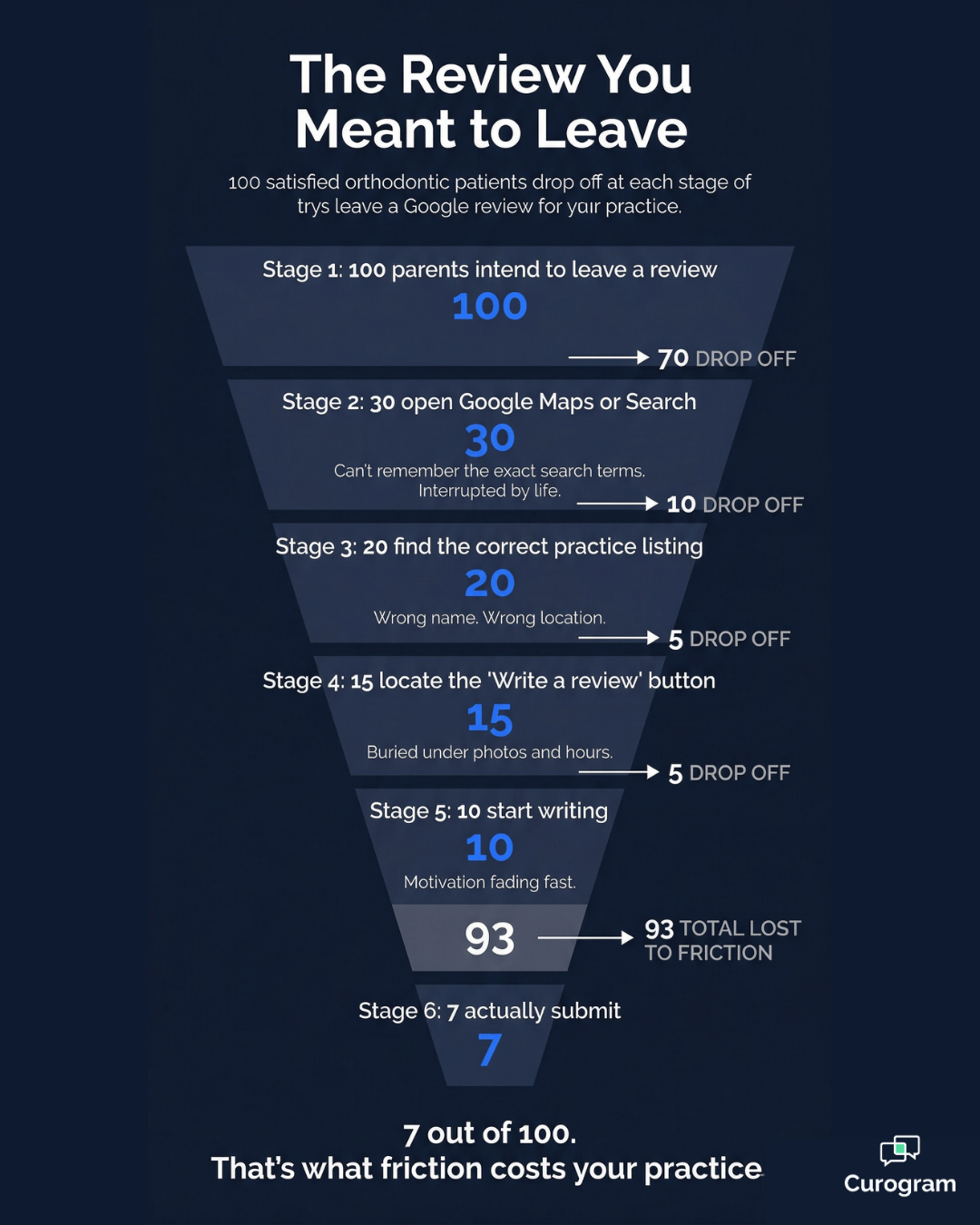
Here's a realistic picture of what happens when 100 satisfied parents plan to leave a Google review for their child's Cloud 9 orthodontist — with no direct link to make it easy.

100 parents intend to leave a review. 30 actually open Google Maps or Search. (70 never start.) 20 find the correct practice listing. (Wrong name. Wrong location. Wrong result.) 15 locate the "Write a review" button. (Buried under photos, hours, and directions.) 10 start writing. (Motivation fading fast.) 7 actually submit. (93 reviews lost to friction.)

Seven reviews from 100 satisfied parents. That's a 7% conversion rate — not because those parents don't care, but because the process has too many steps and the moment passes before they get through all of them.

This means your practice could be losing 93 out of every 100 reviews it deserves, simply because the path is too long.

Remove the friction with tools like online patient forms and timely text outreach, deliver the link at the right moment, and that number shifts dramatically.

When the only steps remaining are "write" and "submit," far more parents follow through.

How One Text Does What a Dozen Reminders Can't

The Solution Is Already in Their Pocket

Curogram's one-tap Google review link works exactly the way it sounds.

After your patient's appointment, a text goes out automatically to the parent:

"Thank you for bringing Tyler to his appointment with Dr. Martinez today! If you had a great experience, we'd appreciate a quick Google review: [Link]."

The parent taps the link. Google opens directly to the practice's review form — already loaded, already showing the correct Cloud 9 listing. The star rating selector and text field are right there. The parent taps five stars, writes a few sentences, and hits submit.

The whole interaction takes under one minute.

No searching. No navigating. No remembering to do it later. The review form came to them.

Google review friction funnel showing how 93 of 100 parents never post a review

Why a Direct Link Changes the Math

Not all review request tools work the same way. Some systems route the parent through an NPS survey or a branded feedback form before redirecting them to Google. That extra step — however small it seems — is another dropout point.

Every page that sits between the text message and the Google review form costs you reviews.

Curogram skips the middleman entirely. The link in the text is a direct URL to the Google Business Profile review form for your specific practice location.

When the parent taps the link, Google opens immediately to the review form — not a survey, not a redirect page, not a custom landing page.

This is what makes the Cloud 9 orthodontist Google review experience feel instant for the parent and genuinely effective for the practice. One tap. Zero detours.

12–18% conversion to a posted review 

This approach adds an extra page between the parent and the Google review form. Some parents complete the survey and stop there. Every additional step is another dropout point, and this method has two where it should have one.

Reaching the Parent While the Visit Is Still Fresh

The message arrives through a timely text patient reminder while the appointment is still emotionally alive for the parent. Tyler's teeth look great.

The staff was warm. The visit ran on time. That positive feeling is at its peak within the first hour after leaving the office.

When the review request arrives at exactly that moment, the parent writes from genuine, present emotion — not from a vague memory of an appointment that happened last week.

The result is a review that's more specific, more personal, and more useful to other parents reading it. Timing doesn't just increase the volume of reviews. It improves what those reviews actually say.

Framing the Ask Around Helping, Not Just Rating

There's one more layer that makes this system work so well, and it comes down to how the message is framed.

A review request that says "help other parents find great care for their children" does something different than one that simply says "leave us a review."

The distinction matters because it changes the parent's motivation from obligation to purpose.

Three things shift when the framing is right:

  • It becomes about community, not commerce. Parents helping other parents find great care feels meaningful — not like endorsing a business.
  • It removes the awkwardness. Parents who hesitate to publicly praise a business have no trouble recommending care to another family.
  • It mirrors how referrals already happen. Orthodontic practices run on parent-to-parent word of mouth. This is just that conversation, written down.

The Google review stops feeling like a transaction and starts feeling like a recommendation to a friend. In an industry where trust travels through personal networks, that's a meaningful difference.

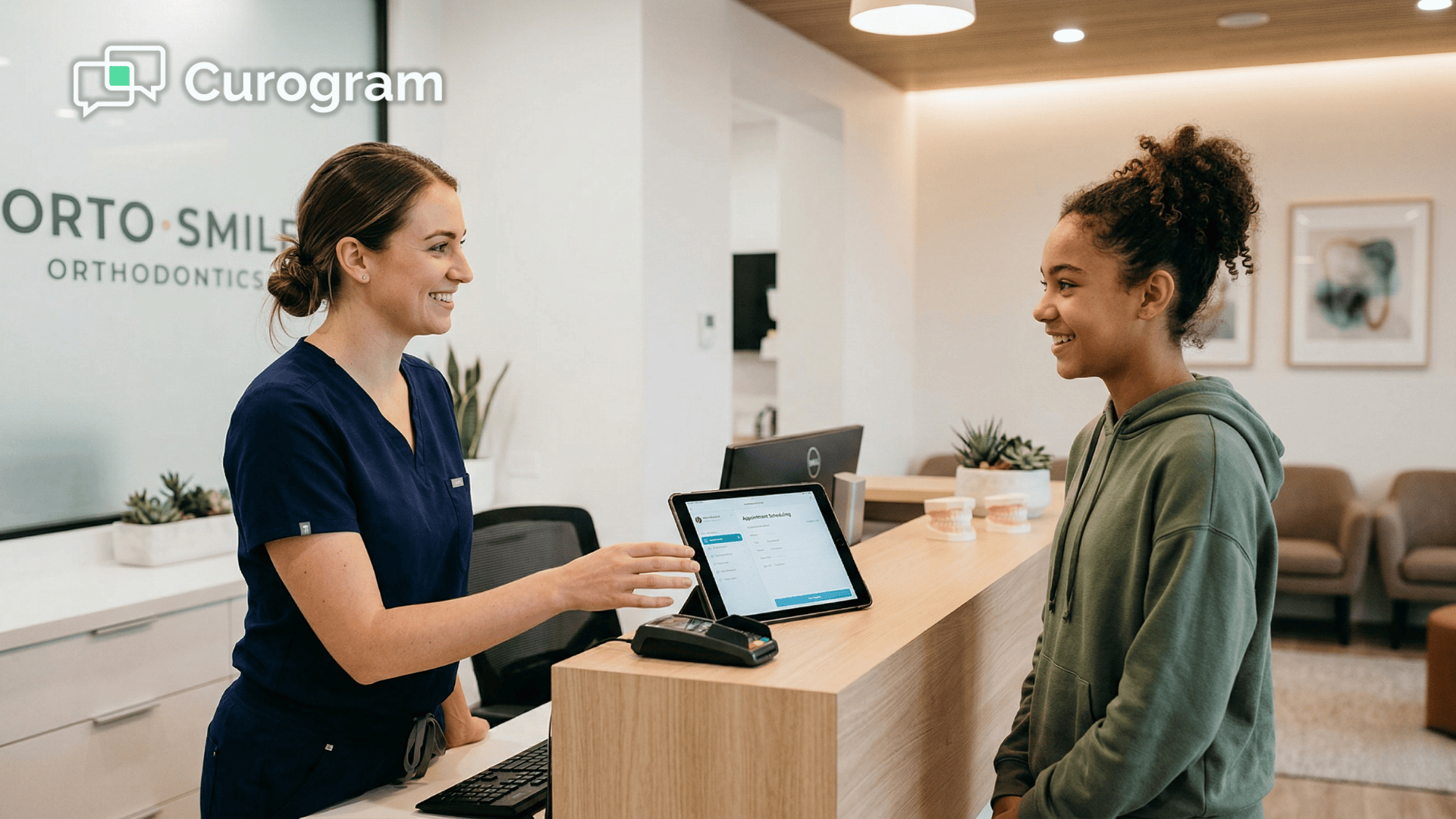
Orthodontic front desk staff member wrapping up a patient visit at the reception counter

What Actually Happens When the Path Gets Shorter

The Numbers Tell the Story

Text messages have a 98% open rate. That alone puts them in a completely different category than email for time-sensitive tasks like review requests.

Combine that with a direct Google link, optimal post-appointment timing, and a mobile-native experience — and you have the shortest possible path from satisfied parent to posted review.

These are realistic estimates based on industry benchmarks for review generation in healthcare settings. Your actual results will vary by practice volume, timing, and message quality — but the pattern is consistent. The shorter the path, the higher the conversion.

Appear at the top of Google. Automate 5-star reviews and build a pervasive online reputation today with Curogram.  

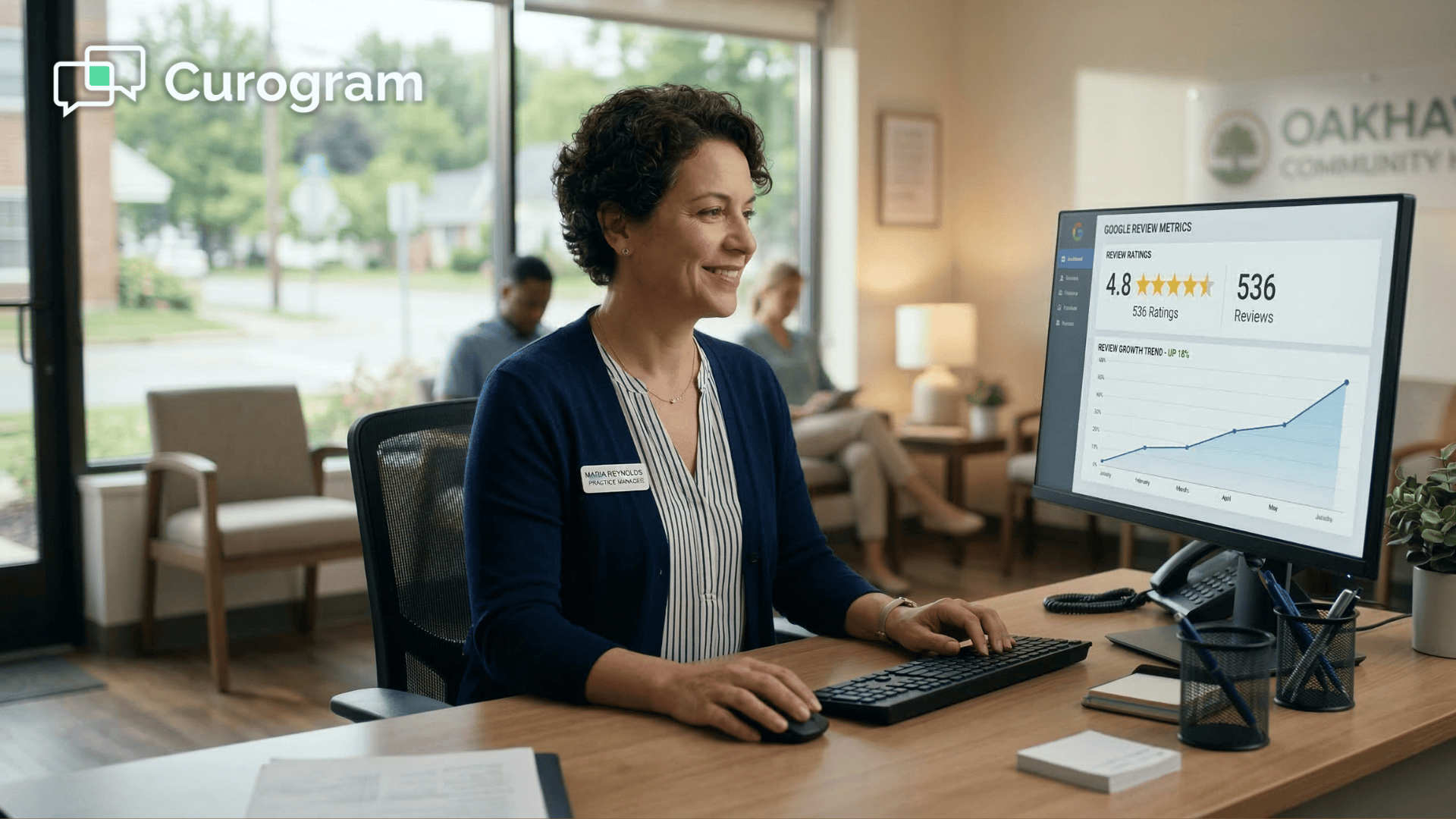
A multi-location Cloud 9 orthodontic practice using Curogram generated 1,064 new five-star reviews in just three months across their locations.

That's not a campaign. That's a system running quietly in the background after every single appointment.

From "I Meant To" to "I Just Did"

The shift this creates isn't about convincing parents to feel something different. Parents who love their Cloud 9 orthodontist already want to leave a review.

They're already telling friends. They're already recommending Dr. Martinez at school pickup. The motivation has never been the issue.

The issue is the gap between intention and action. Curogram's one-tap Google review link closes that gap entirely.

One text, one tap, and the quick, easy review that a parent has been planning to leave for months finally gets posted — not because they found extra time, but because someone made it take less than sixty seconds.

For your practice, that shift adds up fast. At 20 appointments a day, even a conservative jump from 7% to 35% conversion means going from 1–2 reviews per day to 7 reviews per day. Over a month, that's the difference between 30 new reviews and 210.

A Practice Profile That Finally Reflects Reality

The downstream effect of consistent review volume matters more than most practices realize. When reviews come in regularly — posted the same day as the visit, written while the experience is still fresh — your Google profile starts to reflect the actual quality of care you're delivering.

Other parents searching for an orthodontist don't see a profile with a few reviews from two years ago. They see a practice that is actively earning trust from real families right now.

The reviews are recent, specific, and personal — mentioning the staff by name, the ease of scheduling, the quality of communication. That's the kind of social proof that turns a Google search into a booked consultation.

One Text Changes Everything — Here's How to Start

You've spent years building a practice that parents genuinely love. They recommend you to everyone they know. They talk about the care, the team, and the communication like it's the best-kept secret in the area.

That reputation is real — but right now, it's mostly invisible online, living in school pickup conversations that Google will never see.

The problem isn't the quality of your care. It's the gap between what parents intend to do and what they actually do. And that gap stays wide because of friction — too many steps, too little time, and a window of motivation that closes before the review ever gets written.

One text message closes that gap.

When parents receive a direct link to your Google review form within an hour of their child's appointment, the experience is still fresh, the motivation is still high, and the path from "I want to leave a review" to "I just left a review" takes under sixty seconds.

No searching for the right listing. No scrolling to find a button. No remembering to come back later. One tap. A few words. Submit.

That's it.

The result isn't just a higher review count — though that absolutely matters. It's a Google profile that finally reflects the practice you've been building all along.

Reviews posted this week, written by parents who just experienced your care, seen by families actively searching for an orthodontist today.

That's the kind of online visibility that turns searches into consultations.

Your patients' parents are your most powerful marketing channel. They are already talking about you. They just need a fast, easy link to say it somewhere Google can hear.

Schedule a demo to see how Curogram's one-tap Google review link turns every Cloud 9 appointment into a five-star review that keeps working for your practice long after the visit is done.


Frequently Asked Questions

Do I need a Google account to leave a review?

Yes, Google requires a Google account to post reviews. Most parents already have one through Gmail or their Android phone. If you use an iPhone, you likely still have a Google account if you've ever used Gmail, YouTube, or Google Maps. When you tap the review link, Google will use the account already signed into your phone — in most cases, you won't need to enter a password separately.

Can I leave a review even if my child's treatment isn't finished yet?

Absolutely. You don't need to wait until treatment is complete. Many parents leave reviews mid-treatment based on the quality of the care, the friendliness of the team, the efficiency of visits, and how well the practice communicates throughout. You can always update your review later when treatment wraps up. Reviews written during treatment are especially helpful to other parents who want to know what the ongoing experience is like — not just the final result.

What should I write in my Google review?

Write whatever feels natural. Other parents find it most helpful when a review mentions how the team treats your child during visits, how easy scheduling and communication have been, what the office experience feels like day to day, and why you chose this practice over others in the area. Even a short review — "Great team, Tyler loves coming here, always on time" — carries real weight. Don't worry about sounding polished. The most useful reviews read like a recommendation you'd give a friend at school pickup, not a formal endorsement.

What if I already left a review a while ago — can I leave another one?

Google only allows one active review per person per business listing. However, you can edit your existing review at any time. If your child's treatment has progressed or your experience has evolved, updating your review with fresh details is a great way to add more value. It also signals to Google that the review is current, which can help your orthodontist's profile stay relevant in local search results.

Will the practice see what I write before it goes live on Google?

No. Once you tap submit, your review goes directly to Google — the practice has no ability to review, edit, approve, or filter what you write before it's posted. Google publishes it on the practice's Business Profile as-is. The practice can respond to your review publicly after it's live, but the content is entirely yours from the moment you hit submit.