
6 min read

Earn CharmHealth Reviews Without Asking in Person

Earn CharmHealth Reviews Without Asking in Person
💡 Automated patient review requests for CharmHealth front desk teams remove the one job that rarely survives a busy clinic day: asking for the review.  

Curogram sends the request by text right after each CharmHealth visit, so 5-star reviews arrive without anyone at the desk having to remember.     

The problem is simple. During peak hours, the manual ask gets skipped, and review volume stays low and uneven.   

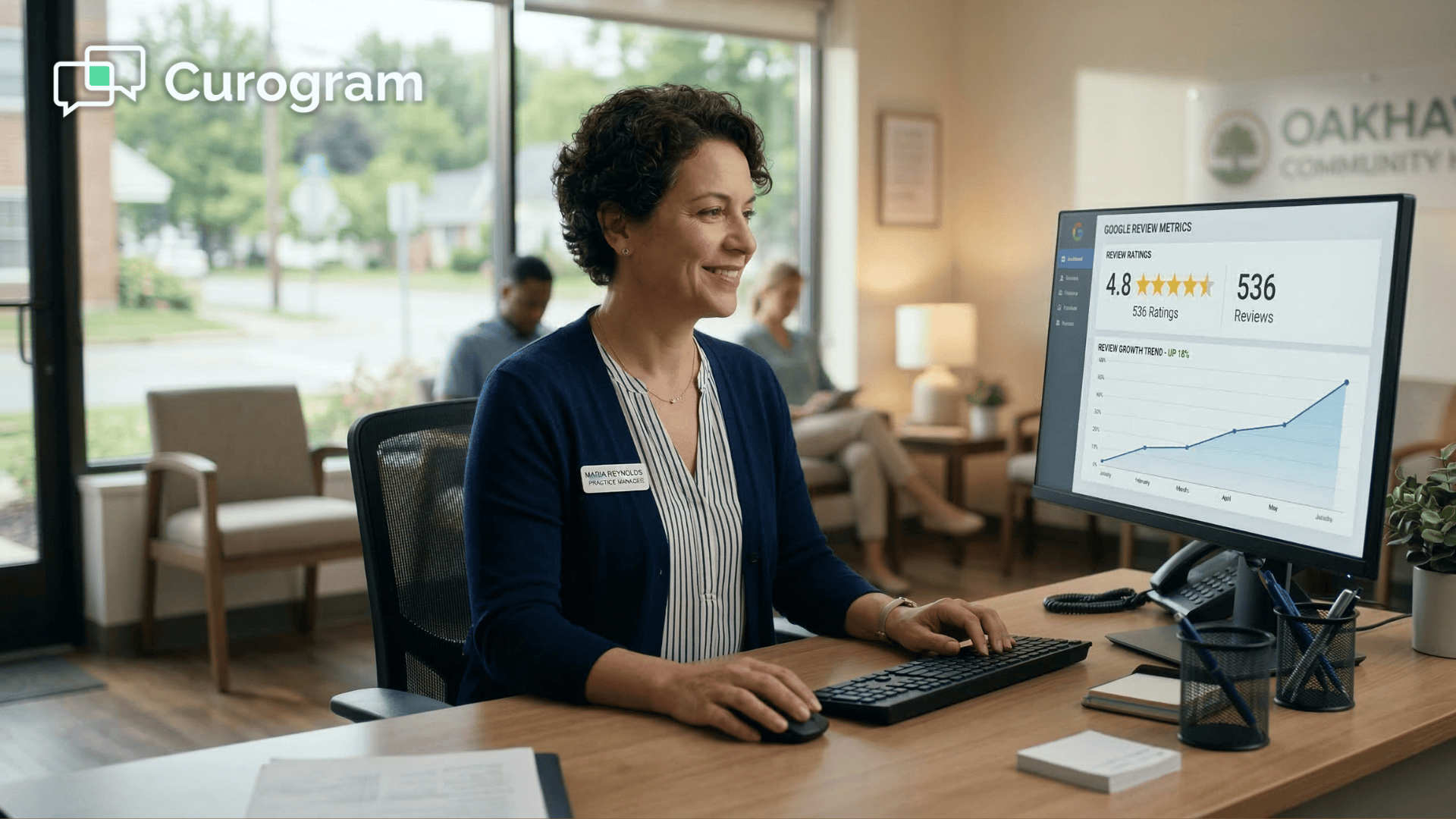
A comparable practice earned 1,064 new 5-star reviews in three months using this approach — with zero added staff effort and no change to CharmHealth.


 Your front desk has a job nobody wrote into the job description: asking happy patients to leave a review. It sounds small. It isn't.

On a quiet morning, the ask is easy. By mid-afternoon, with phones ringing and the waiting room full, it becomes the very first thing to fall off the list.

The visit went great. The patient walked out thrilled. And nobody said a single word about Google.

That gap costs you more than you'd guess. The complete guide to automated Google reviews for CharmHealth practices breaks down why this one habit quietly shapes your reputation.

Most of your patients would gladly vouch for you, yet only a fraction ever do. The reason is simple. The ask depends on someone remembering at exactly the wrong moment, in the middle of a rush.

Here's the frustrating part.

CharmHealth already holds the record of every visit. The details you need to reach the right patient at the right time are sitting right there. What's missing is a reliable way to turn that visit into a review without piling one more task onto an overloaded desk.

That's the real issue. It isn't whether patients like you, because they clearly do. It isn't whether reviews matter, because they matter enormously to how new patients find you.

The catch is that manual asking can't keep pace with a busy clinic, no matter how good your intentions are at the start of the day.

This article shows how CharmHealth practices close that gap. You'll see how the post-visit request can run on its own, why automation reaches patients your team simply can't, and what one comparable practice saw after handing the ask to software.

The goal is plain: more reviews, far less reliance on memory, and a front desk that finally stops chasing them.

The Ask That Never Survives a Full Waiting Room

Most practices start with the best intentions. Train the staff to ask, post a small sign, set a goal. For about a week, it works.

Then the schedule fills up. Someone needs to reschedule, the phone won't stop, and three people are waiting to check out. The review request is the easiest thing to drop, so it gets dropped.

This is the trap with front desk review requests. They depend on a person catching the perfect moment, and that moment rarely shows up during a busy clinic. When staff stop asking for reviews manually, it isn't laziness. It's a realistic response to what a packed afternoon allows.

Here's what that looks like in plain numbers.

80 patients a day. 20 quietly willing to review you. 2 actually asked before the desk gets slammed.

In practice, that means dozens of would-be 5-star reviews walk out the door every day. Not because patients didn't care, but because no one had a free second to ask them.

There's a quieter cost too.

When reviews only trickle in, a single unhappy patient can pull your rating down fast. Local consumer research shows how heavily people weigh both your star rating and your total review count before they book. Low volume leaves you exposed to outliers you can't control.

So the villain isn't a bad team or an unhappy patient base. It's the forgotten ask: a good habit that simply can't survive a full waiting room.

How the Request Runs Without Anyone Remembering

The fix isn't to ask your team to try harder. It's to take the ask off their plate entirely.

Curogram works as a reputation engine that asks every patient, every visit, with no person in the loop. It plugs into CharmHealth and fires the request automatically, so the right people get a friendly prompt at the right time.

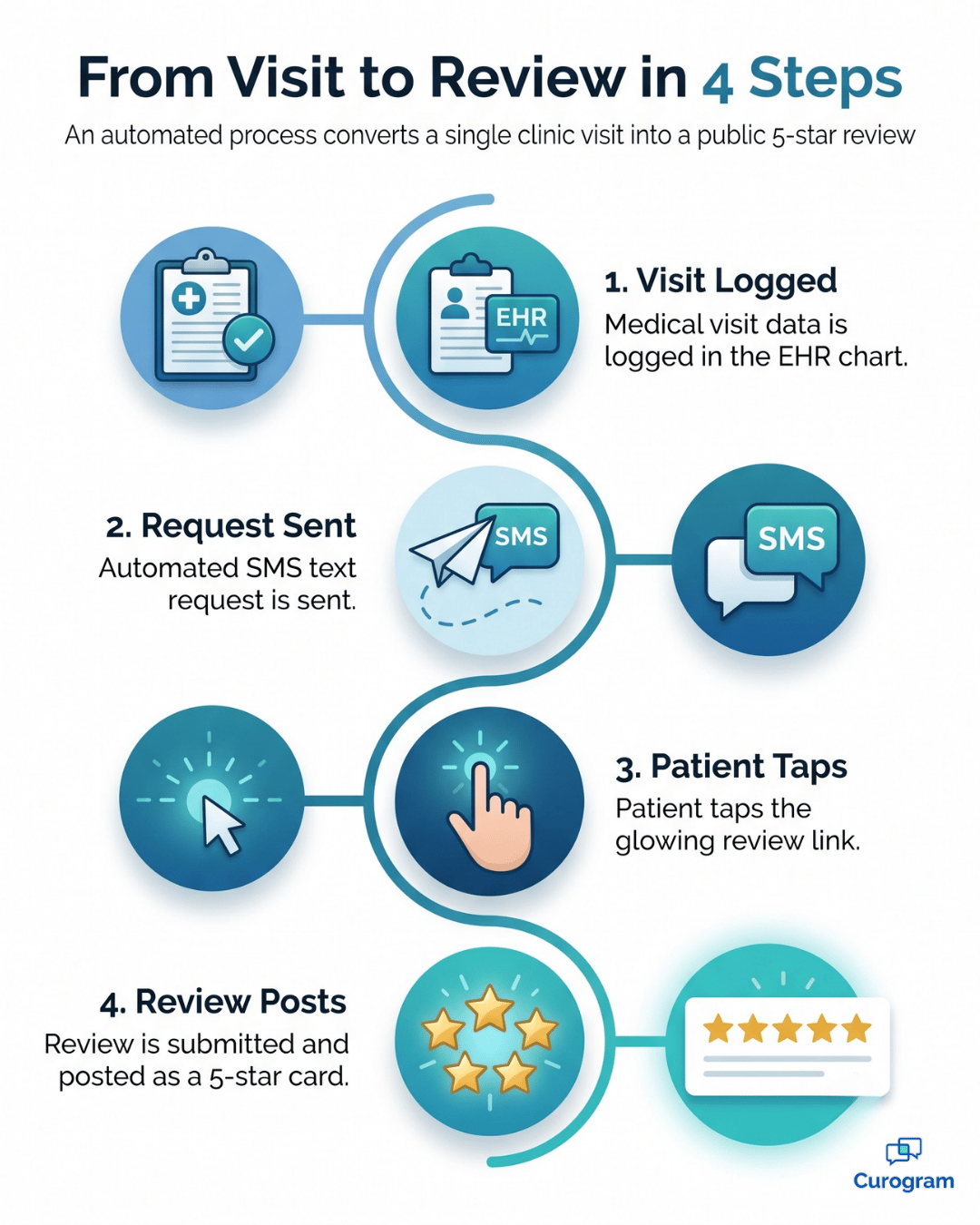
Infographic: 4 steps from a CharmHealth visit to an automated 5-star review request

Here's how the automated review workflow CharmHealth practices rely on actually runs:

  • A patient finishes their visit, and CharmHealth logs the visit record as it always does.
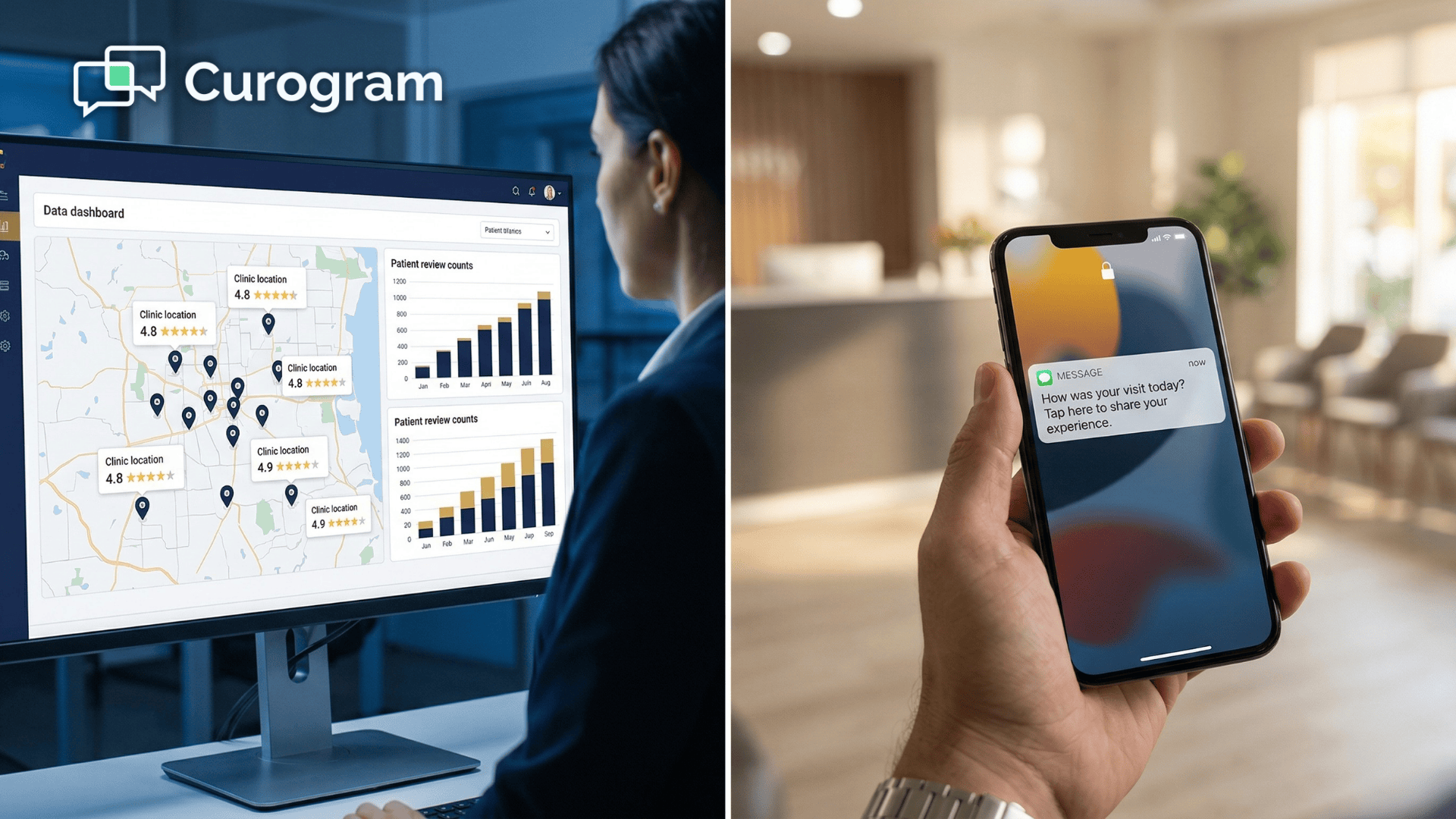
  • That record triggers Curogram to send a short, warm review request by text to the patient's phone.
  • The patient taps the link and posts a 5-star review in seconds, while the visit is still fresh.
  • Every request, response, and rating lands in the same dashboard your team already uses for patient messaging.

No lists to build. No names to remember. No new tab to babysit. The CharmHealth review generation simply happens in the background, turning ordinary visits into a steady flow of hands-free Google reviews.

A text-based ask also works because it meets patients where they already are. Most people will tap a link on their phone long before they'll open a laptop. Why patients leave 5-star reviews when you ask by text digs into why this small format choice makes such a big difference.

For a practice with anywhere from 1 to 20 providers, this is the whole point of automation. It converts the forgotten ask into a reliable, hands-free stream, and your front desk never has to bring it up again.

Care team member warmly saying goodbye to a patient leaving a medical practice

What Happens When Every Patient Gets Asked

When the ask never gets skipped, the math changes completely. Instead of catching a handful of reviews on good days, you capture them after nearly every visit.

The difference is easiest to see side by side.

What you measure Manual asking Automated requests
Who gets asked Whoever staff remember Every patient, every visit
Best moment to ask Often missed during rushes Captured right after the visit
Staff effort per review Constant interruptions Zero added effort
Review volume Low and uneven Steady and growing
Cost per new 5-star review Lost time and missed asks A few seconds of software

That shift isn't theoretical. A comparable practice using reputation automation medical practice teams can deploy through Curogram earned 1,064 new 5-star reviews in just three months, with 90% of patients leaving the full 5 stars and zero manual staff effort.

Here's what those numbers mean for you.

More reviews dilute the occasional bad one, so a single outlier stops carrying so much weight.

A higher, steadier rating also helps you show up when local patients search for care.

Appear at the top of Google. Automate 5-star reviews and build a pervasive online reputation today with Curogram.  

And the reach grows over time. Reactivated patients are a natural source of fresh reviews, which is why pairing automated requests with mass messaging and patient recall campaigns keeps the stream flowing. Every win-back visit becomes one more chance to be praised in public.

The outcome is the one busy teams rarely get: reviews that climb on their own, without a single reminder.

Reviews That Stay on the Right Side of the Rules

More reviews sound great until someone on your team asks the obvious question:

Is texting patients for reviews even allowed? It's a fair worry. In healthcare, that instinct to pause is exactly the right one.

The reassuring part is that an automated request is built to stay compliant by default. You aren't bending any rules to grow your volume. The system simply handles the ask the correct way, every single time.

Here's what keeps the whole process clean:

  • Every request runs on patient opt-in, and each message carries a clear STOP option, so patients stay in control.
  • The text contains no protected health information, so nothing sensitive ever travels by SMS.
  • Every patient gets invited, not just the ones you expect to be happy, which keeps you in step with Google's rules against review gating.

That last point matters more than it first appears. Filtering who you ask might feel safer, but it's the exact behavior review platforms penalize.

By asking everyone the same way, you build a record patients can actually trust, and you do it without a compliance headache hanging over the front desk.

Let the Reviews Take Care of Themselves

Your patients already trust you. The reviews you're missing aren't a sign that something's wrong with the visit. They're a sign that the ask keeps getting lost.

That's a fixable problem. When the request runs on its own, your reviews stop depending on a good day at the front desk. They just happen, quietly, after every visit.

CharmHealth records the visit. Curogram turns it into a review. Nothing about your existing workflow has to change, and no one on your team has to add "ask for a review" to an already full plate.

Think about what consistent reviews actually buy you.

A higher star rating helps you appear when local patients search for care nearby. More reviews soften the occasional bad one. A steady flow of fresh feedback signals to Google, and to future patients, that your practice is active and trusted.

There's a budget angle too. Buying a brand-new patient through ads runs roughly $250 to $350. A 5-star review costs you nothing but the few seconds it takes software to send a text. One quietly fills your reputation, while the other quietly drains your spend month after month.

So the real choice isn't reviews versus no reviews. It's whether you keep paying the hidden tax of the forgotten ask, or hand it to a system that never forgets and never gets too busy.

Schedule a Demo, and we'll show you the automated request firing right after a sample CharmHealth visit, from the trigger and the text to the posted review that shows up online.


Frequently Asked Questions

Does the automated request actually trigger from CharmHealth?

Yes. The post-visit review request fires straight from the CharmHealth visit record through Curogram's integration. It reaches the right patient automatically, with no action needed from your staff.

Will this create more work or another tool to monitor?

No. It replaces the manual ask entirely instead of adding to it. Review generation and monitoring live in the same dashboard your team already uses for patient messaging, so there's nothing new to babysit.

Is it compliant to text patients a review request?

Yes. Requests run on patient opt-in with a STOP option, contain no protected health information, and invite every patient rather than filtering by rating. That keeps you aligned with TCPA rules and Google's review policies.

How soon after a visit does the request go out?

The text goes out shortly after the visit, while the experience is still fresh in the patient's mind. That timing matters, because a quick ask captures the goodwill before the day moves on.

Will automated requests make the reviews feel impersonal?

Not the way patients experience it. The message is short, warm, and arrives on their phone right when they're thinking about the visit. To them, it simply feels like a friendly nudge, not a form letter.


NextGen Review Automation | Network-Wide Google Reputation at Scale

NextGen Review Automation | Network-Wide Google Reputation at Scale

💡 For large NextGen Enterprise networks, Google reviews remain untapped. Neither NextGen nor Luma sends automated post-visit review texts or...

Read More
NextGen Review Automation Workflow | End Manual Solicitation

NextGen Review Automation Workflow | End Manual Solicitation

💡 Curogram's automated review workflow helps NextGen Enterprise organizations eliminate manual review solicitation entirely. After each...

Read More
Automate Google Reviews via Text | Staff Workflow on Azalea Health

Automate Google Reviews via Text | Staff Workflow on Azalea Health

💡 Azalea Health practices can automate Google review collection via text by connecting Curogram's post-visit workflow to their scheduling data. ...

Read More