10 min read

Eliminate Manual Confirmation Calls: Cerbo EHR Automated Reminders

Eliminate Manual Confirmation Calls: Cerbo EHR Automated Reminders
💡 Curogram replaces the daily phone-call routine in Cerbo practices with automated two-way reminders that confirm patients overnight. Staff arrive to a confirmed schedule instead of a call list.
  • Cerbo's native reminders send messages but do not track who actually replied
  • Curogram's API pulls appointments from Cerbo and runs reminder sequences with no setup
  • The Real-Time Confirmation Dashboard shows confirmed, pending, and rescheduled slots at a glance
  • Covina Arthritic Clinic confirms more than 1,100 appointments each month with zero manual calls, based on our internal data
  • Curogram clients see confirmation rates above 75% across specialties
The result is a calmer front desk, faster mornings, and 30 to 60 minutes of staff time returned each day to higher-value work.


Ask any Cerbo office manager what eats the first hour of their day. The answer is almost always the same: confirmation calls. The morning ritual of dialing patient after patient drains time and focus before the first appointment even starts.

To eliminate manual confirmation calls in Cerbo EHR with automated reminders, the system has to do more than send. It needs to listen. It needs to capture replies, flag changes, and update the schedule in real time. That is the gap most Cerbo practices feel every morning.

Cerbo handles scheduling well. Custom appointment types, flexible time blocks, and tight clinical charting all work as promised. But its built-in reminders push messages out with no clear way to track who confirmed. So the staff fills the gap by hand.

Practices using Curogram see a very different picture. Covina Arthritic Clinic confirms more than 1,100 appointments each month through automated workflows, based on our internal data. That is 1,100 phone calls staff never had to make.

For an automated scheduling confirmation integrative medicine office manager juggling 12 to 16 appointments a day, that shift means time. Time for intake prep. Time for supplement orders. Time for the patient-facing work the practice actually needs.

This guide walks through how a Cerbo practice manager confirmation workflow can run on its own. You will see how the Curogram reminder system replaces manual calls, what the dashboard shows at a glance, and why staff feel the difference inside a week.

If your team starts each morning behind, the fix is not more phone time. It is a smarter Cerbo reminder system that handles the work before anyone walks in. That is what this article is about.

The Villain: The Morning Call Marathon

Cerbo earned its place in integrative and functional medicine for good reason. The platform supports custom appointment types, long visit blocks, and deep clinical charting. None of that is in question.

The gap shows up after the reminder goes out. Cerbo's native email and text reminders notify patients about upcoming visits. They do not, however, capture confirmation status in a way the front desk can act on. The reminder system sends. It does not listen.

That gap creates a quiet daily problem. The schedule shows 14 patients, but staff have no clean view of who plans to show. So they pick up the phone.

What the Morning Actually Looks Like

The practice manager arrives at 7:30 AM with 14 appointments on the board. None show a clear confirmation status. She starts dialing.

  • Patient 1: voicemail. Leave a message, mark unconfirmed.
  • Patient 2: picks up, confirms. Four minutes spent.
  • Patient 3: line busy. Try again later.
  • Patient 4: wrong number on file. Open Cerbo, hunt for an alternate.
  • Patient 5: confirms but asks to switch to a later slot.

By 8:30 AM, she has reached 8 of 14. Five went to voicemail. One could not be reached at all. She has not started intake prep, form tagging, or check-in setup. The first patient walks in at 9:00 AM.

The day is already behind.

The Real Cost Hidden in the Routine

The math is harsher than most owners realize. Each call takes 3 to 5 minutes. With 12 to 16 calls a day, manual confirmations swallow 36 to 80 minutes of staff time daily.

Time per call

Calls per day

Daily total

Monthly total

3 min

12

36 min

~13 hrs

4 min

14

56 min

~20 hrs

5 min

16

80 min

~28 hrs


Now layer in staff cost. At $20 per hour, that single task costs the practice $260 to $560 each month. Over a year, that is roughly $3,100 to $6,700 spent on phone time that automation handles for free.

For a Cerbo practice with one or two front desk staff (common in the 1 to 20 provider range), the cost is not just dollars. It is 15% to 30% of the front desk's productive capacity, locked into one repetitive task.

The Human Side of the Problem

The practice manager is good at her job. She knows confirmation calls matter because no-shows cost the clinic thousands.

She also knows that every minute on the phone is a minute not spent on supplement order coordination, intake review, or the clinical support tasks the provider depends on.

She has asked about better tools. The physician-owner has flagged it as a future project. But adding another system feels like layering more on top of an already complex Cerbo setup. So the call marathon keeps running.

This is where the need to reduce front desk workload with a Cerbo reminder system becomes more than a nice-to-have. It becomes the difference between a stretched team and a calm one.

Why Cerbo Alone Cannot Close the Gap

Cerbo was built to be the clinical and scheduling source of truth. It does that job well. What it does not do is act as an engagement layer.

There is no two-way confirmation tracking, no automatic escalation if a patient does not reply, no dashboard view showing who is locked in for tomorrow.

That is the missing piece. And until it is filled, the morning call marathon stays in place.

The Guide: The Overnight Confirmation Crew

Imagine the call marathon running while the office is dark. No staff dialing. No voicemails left at 8:14 AM. No frantic switching between Cerbo tabs to find a second phone number.

That is what Curogram does. It functions as an "Overnight Confirmation Crew" that picks up where Cerbo's reminders stop. The system sends reminder sequences, captures replies, flags rescheduling requests, and escalates non-responses, all before the practice opens.

When staff arrive in the morning, the dashboard tells the story. Confirmed slots are green. Reschedules are flagged. Pending slots are marked for a quick follow-up. The marathon turns into a 2-minute review.

The Real-Time Confirmation Dashboard

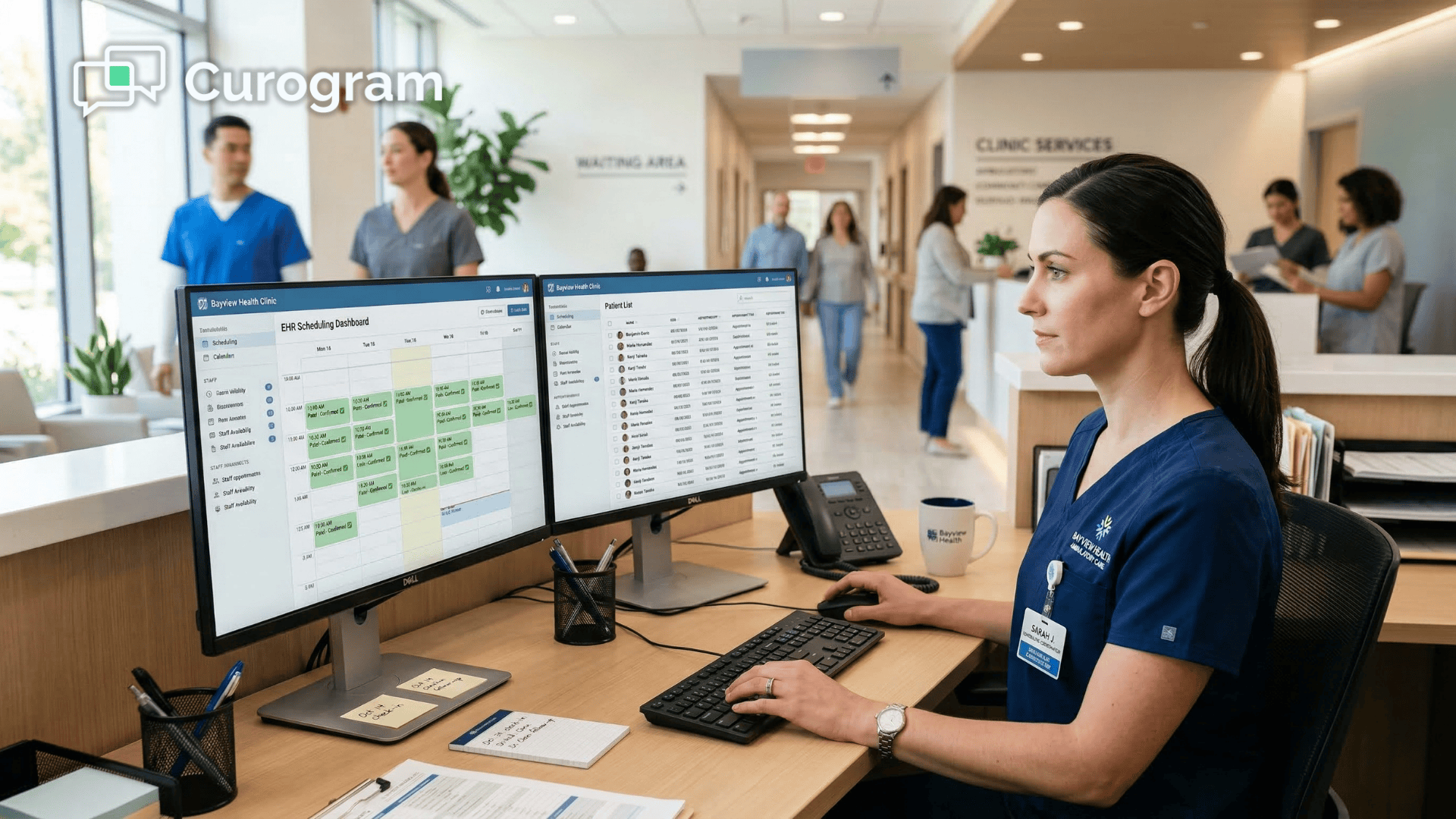
At the center of the workflow is Curogram's Real-Time Confirmation Dashboard. Think of it as a visual command center for the day's schedule.

The dashboard shows each appointment's status, updated live as patients reply by text. Staff can see at a glance:

  • Who confirmed
  • Who asked to reschedule
  • Who is still pending
  • Who has not responded after multiple reminders

Practices can also set escalation rules. If a patient has not confirmed 12 hours before the visit, the system sends a final reminder. If there is still no reply 2 hours out, the slot gets flagged so the team can offer it to a waitlist patient or fill it from a recall list.

This is how Cerbo staff efficiency and automated appointment confirmation start to compound. Each rule the team sets removes another phone call from the morning.

How the Cerbo Integration Works

Curogram connects to Cerbo through the Open API. Once linked, the system pulls appointment data the moment a booking is made or changed in Cerbo. Reminder sequences are then generated automatically for each new visit.

Staff do not have to trigger reminders manually. They do not have to update statuses, copy phone numbers, or check off names. The workflow runs from booking to confirmation without a single click after setup.

Cerbo stays the source of truth for scheduling. Curogram adds the engagement layer that makes the schedule reliable. The two systems play their own roles cleanly.

A simple view of the workflow:

Step

Cerbo

Curogram

Appointment booked

Holds the slot

Pulls the booking through API

7 days before visit

Sends first reminder by text

2 days before visit

Sends follow-up; captures reply

12 hours before visit

Sends final reminder if no reply

Morning of visit

Schedule view

Dashboard view shows status


Built for the Practices Cerbo Actually Serves

Cerbo's market is mostly 1 to 20 provider practices. Many of these clinics do not have dedicated IT teams or large admin staffs. Often the practice manager is also the billing coordinator, the intake specialist, and the check-in lead.

Curogram was designed with that reality in mind. Training takes under 10 minutes. The setup does not require a developer or a long onboarding project. The interface was shaped by engineers who watched real front desk workflows before writing the first line of code.

For a small functional medicine team, the goal is not to layer in more software. The goal is to stop manual reminder calls in a functional medicine Cerbo practice and free up time without trading one headache for another.

That is the test Curogram is built to pass. Cerbo handles the scheduling complexity your patients need. Curogram handles the confirmation work your staff dread. The two pieces sit beside each other, and the morning marathon ends.

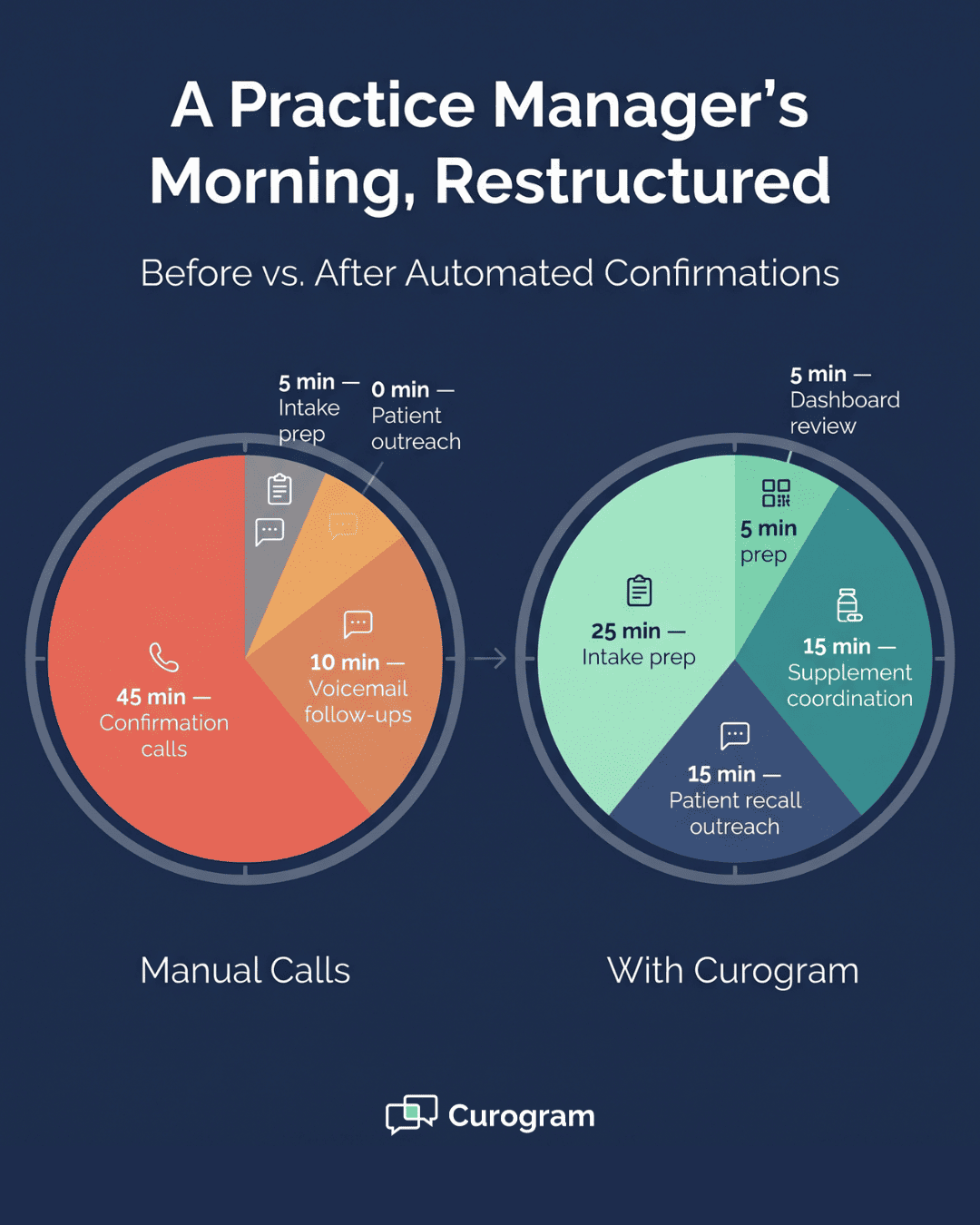
Pie chart comparison showing Cerbo practice manager morning tasks before and after automated confirmation reminders

The Success: The Calm Morning

The first sign that something has changed is small. The phone does not ring as much in the morning. Staff are not stuck at their desks with a list. The schedule on the screen looks settled, not unresolved.

That is what practices describe after switching from manual calls to Curogram's automated confirmation workflow. The shift is not just operational. It changes the feel of the front desk before patients even arrive.

What the Numbers Say

Curogram clients see real, measurable results once confirmations are automated. Based on our internal data, current customers report an average appointment confirmation rate above 75%. That number is achieved entirely through automation, with no staff phone time involved.

Covina Arthritic Clinic offers a clear example. The practice now confirms more than 1,100 appointments each month through Curogram's automated workflows. Those are confirmations that used to live on a staff member's call list every morning.

For a Cerbo practice with 60 appointments per week, a 75% confirmation rate means 45 or more confirmations land without a single phone call. The other 15 or fewer can be reviewed in minutes, not hours.

A quick view of what the shift looks like:

Metric

Before automation

After Curogram

Confirmation calls per day

12 to 16

0 to 2

Staff time spent on calls

36 to 80 min

2 to 5 min

Confirmation rate

Often unclear

75%+

Morning prep time

After 9 AM

Before 9 AM


The confirmation rate is only half the story. Each confirmed appointment is also a no-show prevented, which means recovered revenue the practice would have otherwise lost.

If you want to see what that adds up to for your own schedule, you can calculate ROI from recovering no-shows based on your daily appointment volume.

From Reactive to Proactive

Before automation, the morning is reactive. The staff is responding to whatever the call list throws at them. A wrong number, a patient who needs to reschedule, a voicemail that may or may not be returned. Every call is a small surprise.

After automation, the morning becomes proactive. The dashboard tells the team what is happening. If three patients asked to reschedule, those slots can be offered to waitlist patients before 9 AM. If two patients have not responded, the team can decide whether to call or text one more time.

The decisions are now planned, not forced. That changes how the front desk feels and how the rest of the day runs.

The Shift in the Practice Manager's Day

Picture the practice manager again, but this time with Curogram in place. She arrives at 7:30 AM and opens the dashboard. The day's schedule is already largely confirmed.

She spends two minutes reviewing exceptions. One patient asked to move from Tuesday to Thursday. One patient has not replied to two reminders, so she texts a quick note from the platform. That is it.

By 7:45 AM, she is working on intake prep for the day's new patients. By 8:15 AM, she has reviewed supplement orders the provider flagged the day before. By 9:00 AM, when the first patient arrives, the front desk is calm, ready, and ahead.

That is the version of the morning a strong practice manager has wanted for years. It just needed the right reminder system underneath it.


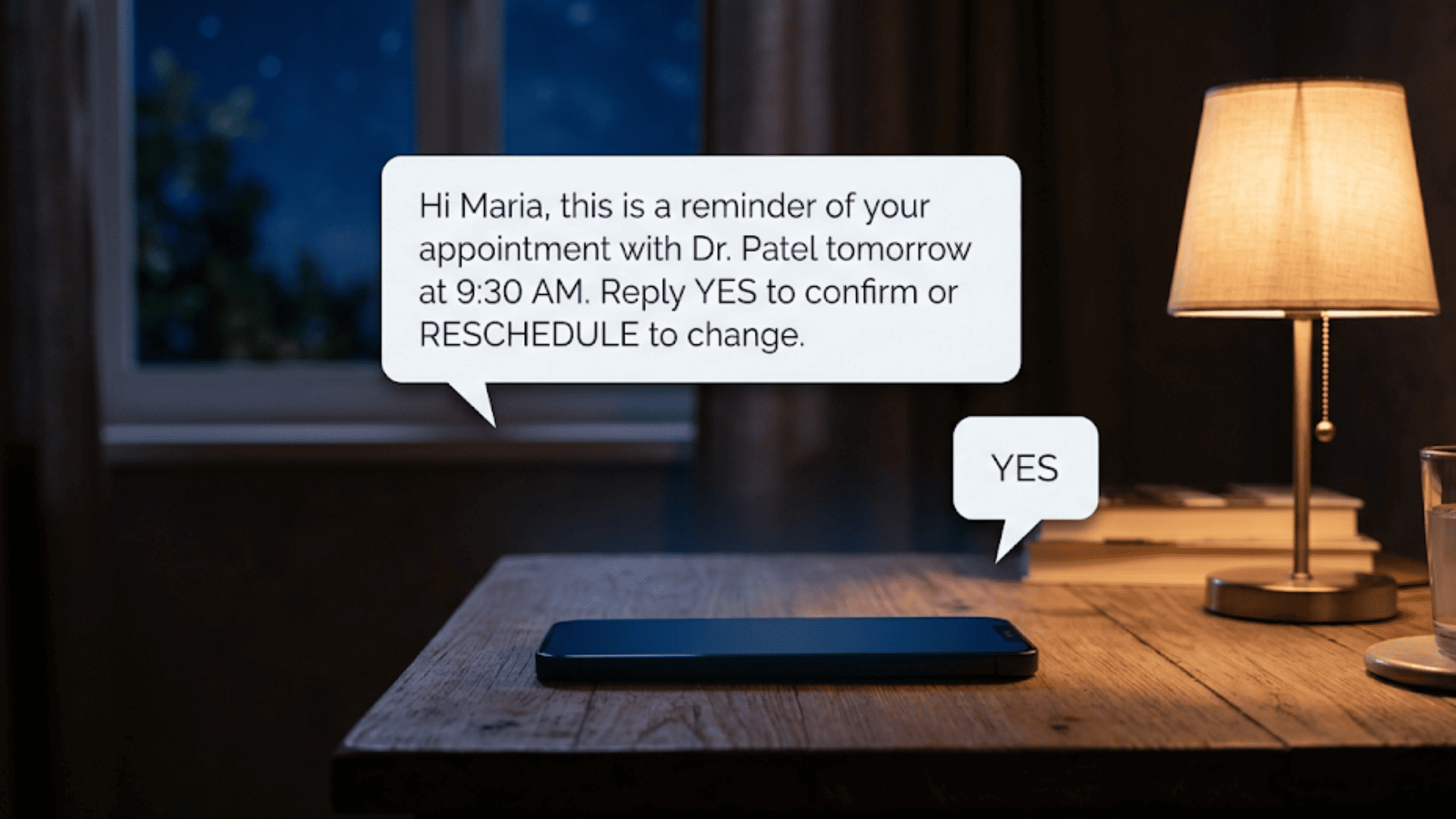
Smartphone on a nightstand at night receiving an automated appointment confirmation text
How Curogram Turns Cerbo Reminders Into a Real Confirmation Engine

Curogram is the most advanced HIPAA-compliant patient two-way texting platform built to sit alongside Cerbo. It does not replace Cerbo. It strengthens the parts Cerbo was never meant to handle on its own.

The integration uses the Cerbo Open API. Once connected, appointment data flows into Curogram automatically. Every new booking triggers a reminder sequence. Every reply updates the dashboard in real time. There is no manual export, no copy-paste, and no daily syncing.

Three features make the difference for Cerbo practices:

  • Two-way SMS confirmations that capture patient replies and update the status instantly
  • The Real-Time Confirmation Dashboard that shows every appointment's status at a glance
  • Customizable escalation rules that follow up automatically when a patient has not responded

The setup is built for small teams. Training takes under 10 minutes. Most front desk staff are comfortable with the dashboard by the end of their first shift. No coding, no IT project, no long onboarding.

The results speak for themselves. Curogram clients report appointment confirmation rates above 75% on average, based on our internal data. Covina Arthritic Clinic confirms more than 1,100 appointments each month through fully automated workflows.

Beyond confirmations, the platform supports patient recalls, mass messaging, post-visit surveys, and review requests, all from the same inbox. Many practices start with reminders and quickly expand to other workflows once they see the time savings.

For a Cerbo practice that wants to keep its scheduling system as-is while finally fixing the confirmation gap, Curogram is the cleanest path. It pairs with Cerbo's strengths and fills its gaps without forcing any change to the clinical workflow.

Conclusion: Give Your Staff Their Morning Back

Cerbo gives your practice the scheduling depth it needs. Custom appointment types, long visit blocks, and detailed clinical charting all work as designed. The gap is not in the scheduling. It is in the confirmation step that follows.

Curogram's automated reminder system fills that gap. Reminder sequences run overnight. Patient replies update the dashboard in real time. Staff arrive to a confirmed schedule instead of a call list.

The shift is simple but powerful. Cerbo is built for your scheduling complexity. Curogram is built for your team's capacity. The 30 to 60 minutes returned each morning go straight to the work that actually keeps your practice running.

For most Cerbo practices, the call marathon is the single most repetitive task on the front desk. Removing it does not just save time. It changes how the morning feels, how the team works, and how patients are welcomed at check-in.

Your staff's time is worth more than another morning of confirmation calls. The technology to automate the workflow already exists, and it pairs cleanly with Cerbo. The only step left is putting it in place.

Skip the call marathon today. Request a live demo and see what 1,100+ automated confirmations a month actually looks like inside a Cerbo practice.


Frequently Asked Questions

How can we customize reminder timing for different appointment types in our Cerbo practice?

Curogram lets you set unique reminder cadences for each appointment type. A 30-minute follow-up can use a short lead time, while a 90-minute new patient visit can trigger an earlier reminder with intake instructions. All settings live in the dashboard.

Why does Curogram work better with Cerbo than Cerbo's built-in reminders alone?

Cerbo's native reminders send messages but do not capture replies in a usable way. Curogram adds two-way confirmation, real-time status updates, and escalation rules. It fills the engagement layer Cerbo was never designed to handle on its own.

How does the system handle patients who want to reschedule instead of confirm?

When a patient asks to reschedule by text, Curogram flags the request and keeps it pending for staff review. The system does not auto-rebook into your Cerbo calendar. Your scheduling rules, provider preferences, and prep times are always respected.

Why do automated reminders outperform manual calls for no-show reduction?

Automated reminders are consistent, timely, and reach patients on the channel they prefer. Most patients respond to text faster than to a phone call. Curogram clients see no-show rates 53% lower than the industry average, based on our internal data.

How long does it take to set up Curogram with our Cerbo system?

Most Cerbo practices are fully connected within a few days. The API integration is straightforward, and staff training takes under 10 minutes. By the end of week one, the call marathon is usually gone and the dashboard is in daily use.