Digital Intake Forms That Work With Cerbo EHR Practices via Text
💡 Digital intake forms that work with Cerbo EHR practices skip the portal login entirely. Patients fill them out by text on any phone. Key benefits...

9 min read
Mira Gwehn Revilla
:
August 1, 2026
Most intake advice written for Cerbo practices is out of date. It says every patient must log into the portal before touching a health history.
Cerbo changed that in April 2026 with secure questionnaire access links. Staff email a single-use link, and the patient fills out the form with no portal login.
So the password step is gone. The channel is still email, and email is where new-patient paperwork sits for a week.
Intake completion is a delivery problem. Root-cause practices keep trying to solve it by cutting questions, and the questions were never the issue.
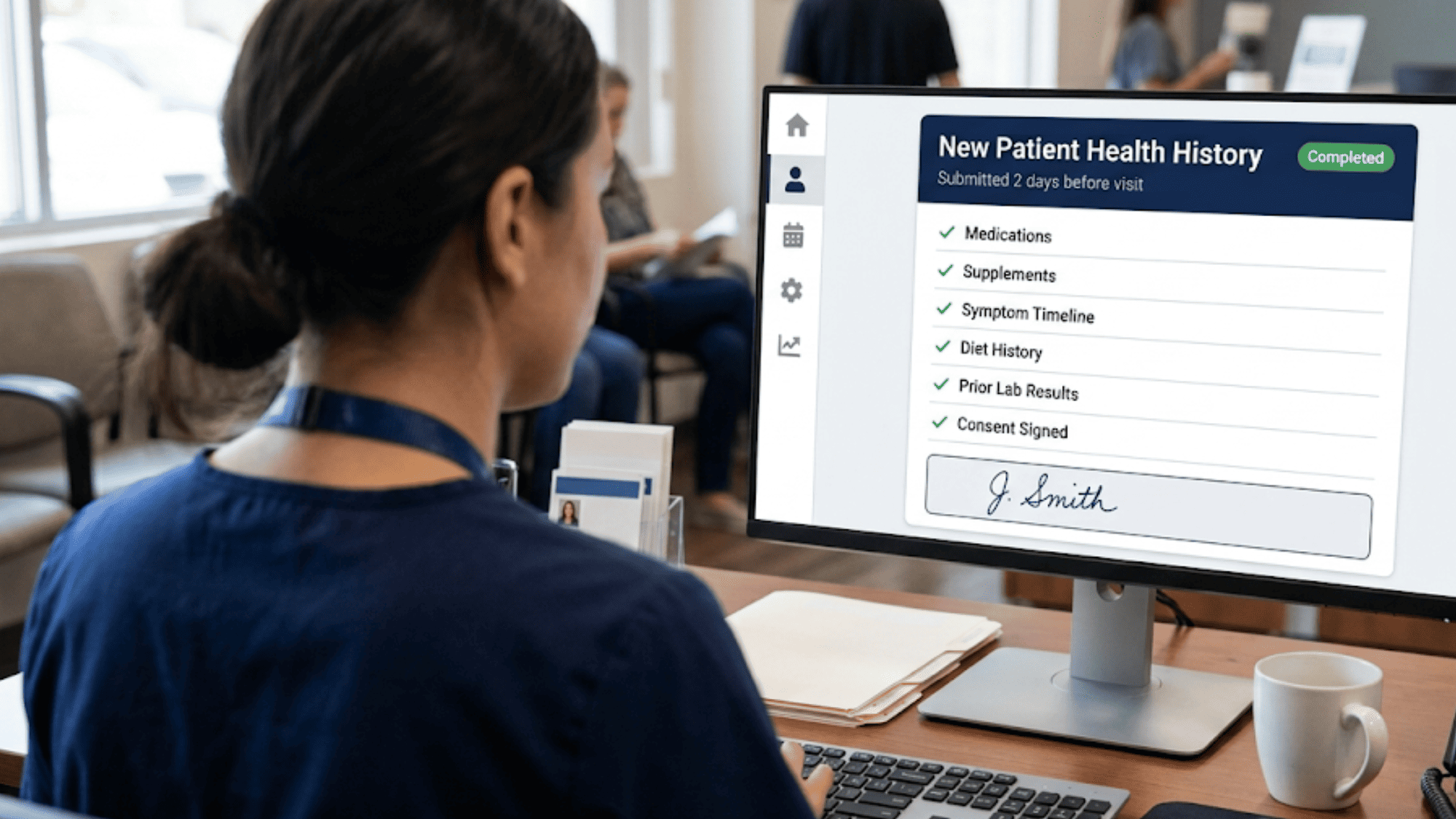
A 90-minute first consult needs the supplement list, the symptom timeline, and the diet history. Trim that packet and the missing data just moves into the visit, where it eats the hour you charged for.
Text clears this. Your patient already gets appointment reminders from you by SMS, and answers them. Put the health history in that same thread and you remove the inbox, the password, and the app store from the path.
Nothing about the questions changes. Only the envelope does.
This piece covers three things. Where portal intake stalls in a Cerbo practice. What Cerbo's own product log shows about the chase. How forms sent by text bring complete charts back before the visit.
We will walk the tag setup your staff run today, the API route finished answers travel back on, and a full pre-visit sequence. Every number below is named at its source, either our internal client data or federal survey work.
Credit where it belongs. Cerbo's form builder is the best custom clinical form tool in this specialty. You build your own questionnaires with text fields, radio buttons, checkboxes, section headings, initials blocks, and a signature pad.
Variables fill in the patient's name, birth date, and email on their own. Finished forms push into the encounter note whole, or feed Chart Parts that pull single answers into your documentation.
None of that helps if page 3 of 19 never gets filled in.
Federal survey data sizes the gap. ASTP/ONC Data Brief 77 draws on the 2024 Health Information National Trends Survey. It found 77% of adults were offered online access to their records. Only 65% used a portal in the past year.
That leaves 12 points of people who were handed access and never touched it.
Now narrow it to your new patients. They booked a first consult two weeks out. They have one appointment with you and no habit of logging in.
Your portal invite is the first email your practice ever sends them. It asks them to build a password before they have met anyone on your staff.
That single ask carries a lot of weight. It sits between a patient who wants help and a form your provider needs read before Tuesday.
Read the product log. Cerbo added a Questionnaire Status Report in December 2025. It improved that report in June 2026 with a "Hide Completed" toggle.
The report now defaults to outstanding questionnaires only. Each patient card shows when the questionnaire link was last sent, next to a resend button.
Good feature. It is also a queue of unfinished forms with a resend button attached, shipped because staff were already working that queue by hand.
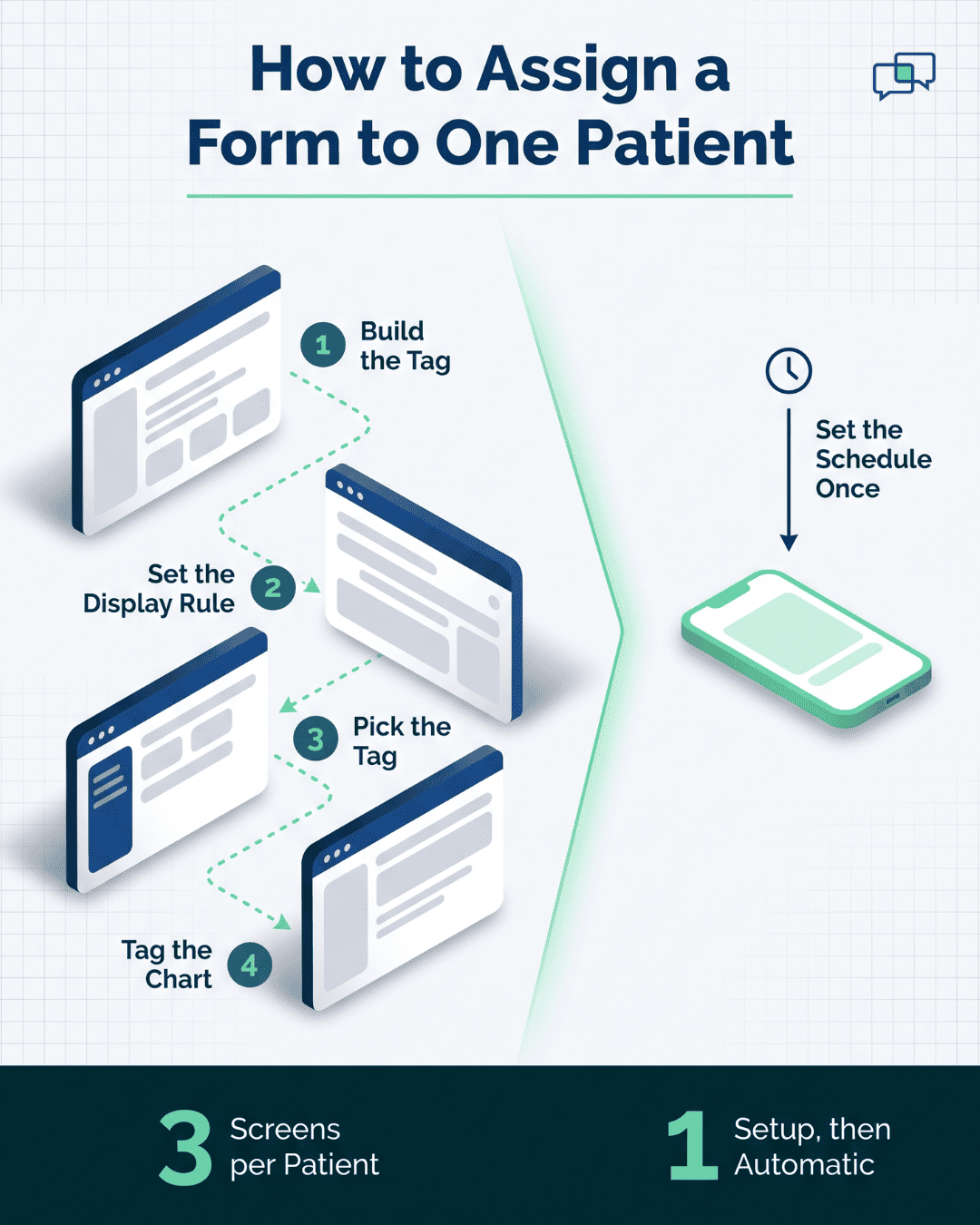
Assigning one form to one patient in Cerbo follows a documented path. Cerbo's help center spells it out:
Three screens, per patient, per form. Your medical assistant does that at 4:40 on a Friday for Monday's new patients. Skip it once and that patient sees no form at all.
|
Step today |
Who does it |
Where it breaks |
|
Patient books first consult |
Front desk |
Nothing yet |
|
Tag built and applied to chart |
MA or front desk |
Skipped when the schedule fills |
|
Portal invite emailed |
System |
Lands unopened |
|
Patient creates a password |
Patient |
Forgotten by the next day |
|
Health history started |
Patient |
Stops partway |
|
Two follow-up calls placed |
Front desk |
Voicemail, both times |
|
Patient arrives |
Patient |
Clipboard, in the lobby |
A dermatology follow-up survives thin intake. A root-cause consult runs on it.
Your clinical model runs on what the patient supplies first: diet, supplements, symptom onset, and what three prior practitioners already tried.
When that history is missing, the 90-minute consult becomes a 90-minute interview. Your provider rebuilds by voice what a form should have collected on a couch a week earlier. That turns your most expensive clinical hour into data entry with a person in the room.
Secure online forms DPC practice owners send at enrollment hit the same wall from the membership side. Someone just paid an annual fee for better access than they got at their last practice. A slow, clumsy first visit is the thing they remember longest, and it shapes whether they renew.

April 2026 is the date worth marking. Cerbo released secure questionnaire access links. Staff email a patient a secure, single-use link, and that patient fills out the questionnaire without logging into the portal.
That release solves the login step. Email remains the delivery channel, and that is where the next problem sits.
Your new patient paid for a consult and moved on with their week. The link sits under a shipping notice from Thursday. Two months later, Cerbo added a resend button to the questionnaire report, which says something about how many first emails need a second try.
A Cerbo portal form abandonment fix that moves numbers has to change the channel, not just the credential. Curogram sends Cerbo intake forms via text message, in the same SMS thread where that patient confirms appointments with your front desk.
Your patient has a working relationship with that thread. A reminder came through it on Tuesday. They texted back a "C" to confirm. When the health history shows up in the same place, it reads as one more message from a practice they already booked.
There is no app to download and no account to set up. Your front desk stops fielding password reset calls at 7:50 on a Monday. The patient taps, the form opens in their phone browser, and they start typing.
Age is not the barrier people assume, either. A 68-year-old who has never opened your portal texts her daughter every day.
Save-and-resume carries the rest. A patient fills out four sections on the train, stops, and picks up at section five that evening from the same link. SMS patient forms functional medicine practices send before a first consult get finished in pieces far more often than in one sitting. Nobody completes a full symptom timeline in a single go.
Cerbo publishes a REST API at docs.cer.bo, with webhook support set up under Admin > Manage > Integrations by a Superadmin.
Webhooks tell an outside application when specific events happen inside the EHR. Cerbo also offers a delta endpoint for cases where timing matters less.
That is the road finished intake travels back on. Structured answers land against the right chart, rather than arriving as a PDF someone has to read and retype. Your Chart Parts keep working the way you built them, because data shows up in fields instead of in prose.
Automated SMS carries a consent obligation under the TCPA. Capture written consent to text at booking or registration. Log the date and the exact wording the patient agreed to. Honor STOP replies right away, and keep opt-out language in the message template so it goes out every time.
Practices that handle this well do it once, at the front of the workflow, and never think about it again.
Your intake form itself can collect that consent, which is a tidy place for it. The first text a patient receives should be one they agreed to receive.
Practices under pressure trim intake. Cut the supplement inventory, drop the diet recall, shrink the timeline to a checkbox. Six weeks later your provider asks those same questions out loud in a consult billed at a specialist rate.
Keep every question. Change how it arrives. You end up with mobile intake integrative medicine teams can rely on. No-login health history forms let the long version stay long, without punishing your patient for it.
Once intake moves to text, the pre-visit sequence looks like this. Timing is set in Curogram. Clinical content stays exactly as you built it in Cerbo.
|
When |
What fires |
Patient action |
|
Booking confirmed |
Welcome text with form link |
Taps, starts history |
|
7 days before visit |
Reminder text, same thread |
Resumes at last section |
|
3 days before visit |
Nudge if the form is incomplete |
Finishes remaining pages |
|
1 day before visit |
Appointment confirmation |
Replies to confirm |
|
Morning of visit |
Staff review the finished chart |
Nothing required |
A new patient books a 90-minute consult on the 3rd for the 17th. Within a minute she gets a text: your appointment is set, tap here to start your health history. She taps on her lunch break. She gets through the basics, her medications, and half the symptom timeline.
Then her meeting starts.
Nothing happens for four days. On the 10th the reminder arrives in that same thread with the same link.
She taps, and the form opens on the supplement page where she stopped. She adds nine supplements, photographs her insurance card, e-signs the consent, and submits.
Your MA opens the chart on the 16th. The history is there, in fields, ready to read. Total staff time on that intake: reading it.
Count what did not happen: no tag built on Friday, no portal invite, no password, no calls placed on the 12th and the 15th.

Secure Online Forms is the delivery layer that sits in front of your Cerbo questionnaire library. Your forms stay yours. Cerbo stays the system of record. Curogram gets the answers back.
Forms go out by HIPAA-compliant text link on a schedule you set, usually at booking and again a few days before the visit. Patients open them in a phone browser. No app, no account, no password. Progress saves as they type, so a long history can be finished in pieces from the same link.
Forms are customizable by appointment type. A new functional medicine consult, an IV appointment, and an annual DPC visit each pull the fields they need.
Insurance card photos, initials blocks, and e-signatures all work on a phone screen. Finished submissions sync to your EMR on their own, rather than waiting for someone to retype them.
Automated nudges take over the follow-up your front desk does by hand. If a form sits half done, the reminder goes out on its own, in the same thread, with the same link. Nobody dials voicemail.
Everything runs under a signed Business Associate Agreement, with encryption in transit and at rest. The text itself carries only a link. A message sitting on a lock screen shows no clinical detail at all.
For a Cerbo practice, that means digital intake forms that work with Cerbo EHR without changing one question you have already built.
Cerbo gives you the best custom clinical forms in this specialty. Since April 2026 it also gives you a way to send them without a portal login.
What remains is a narrow, expensive gap. Email gets checked on your patient's schedule. Your schedule is the one holding a 9:00 appointment.
Text closes that gap without touching your form library. Your questions stay put. Chart Parts keep firing. Only the delivery point moves, to a place people actually look.
Practices that make this switch stop measuring intake in phone calls. Their front desk stops working as a collections department for paperwork. Their providers open a full chart at 9:00 instead of building one out loud until 9:20.
If your Friday afternoons still involve tagging charts and chasing half-finished questionnaires, retire that workflow first. That is a delivery problem, and it has a known fix.
Schedule an integration demo and will send a full-length intake to a phone in the room and let you watch someone finish it while we talk.
Each SMS carries a link and nothing clinical. Your patient opens the form on an encrypted platform covered by a signed Business Associate Agreement. Data stays protected in transit and at rest, and access is logged. A message sitting on a lock screen shows no symptoms, medications, or diagnoses.
They work together. Cerbo stays your system of record and keeps building your clinical questionnaires through its form builder, Chart Parts, and encounter note tools. Curogram handles delivery and completion, then routes finished answers back through Cerbo's REST API so nobody retypes them.
Progress saves on its own. Tapping the same link reopens the form at the section where they stopped, on any device. An automated nudge text brings them back on a schedule you set, which clears the two follow-up calls your front desk places today.
Both skip the password. Where the message lands is the difference. Email sits in an inbox with receipts and newsletters. A text arrives in the thread your patient already uses to confirm appointments with you, so it takes one tap from a familiar place.
Keep a fallback. A front-desk tablet running the same form captures the same structured data, and paper stays available for the few who need it. Your goal is shifting most intake to pre-arrival, so the clipboard becomes an exception rather than the default.
💡 Digital intake forms that work with Cerbo EHR practices skip the portal login entirely. Patients fill them out by text on any phone. Key benefits...

💡 Tebra patient intake forms sent by text message let patients complete forms on their phone before a visit — no portal, no app, no login needed.
💡 Cerbo EHR practices can eliminate manual intake data entry by using a text-based intake system that sends form responses directly into the...