

8 min read

SMS Appointment Confirmations | Azalea Health & Curogram

SMS Appointment Confirmations | Azalea Health & Curogram
💡 Azalea Health office manager SMS appointment confirmation automation replaces daily manual calling with a system that runs on its own.       

Curogram syncs with Azalea Health's calendar and sends text reminders at 72 hours, 24 hours, and the morning of each appointment. 

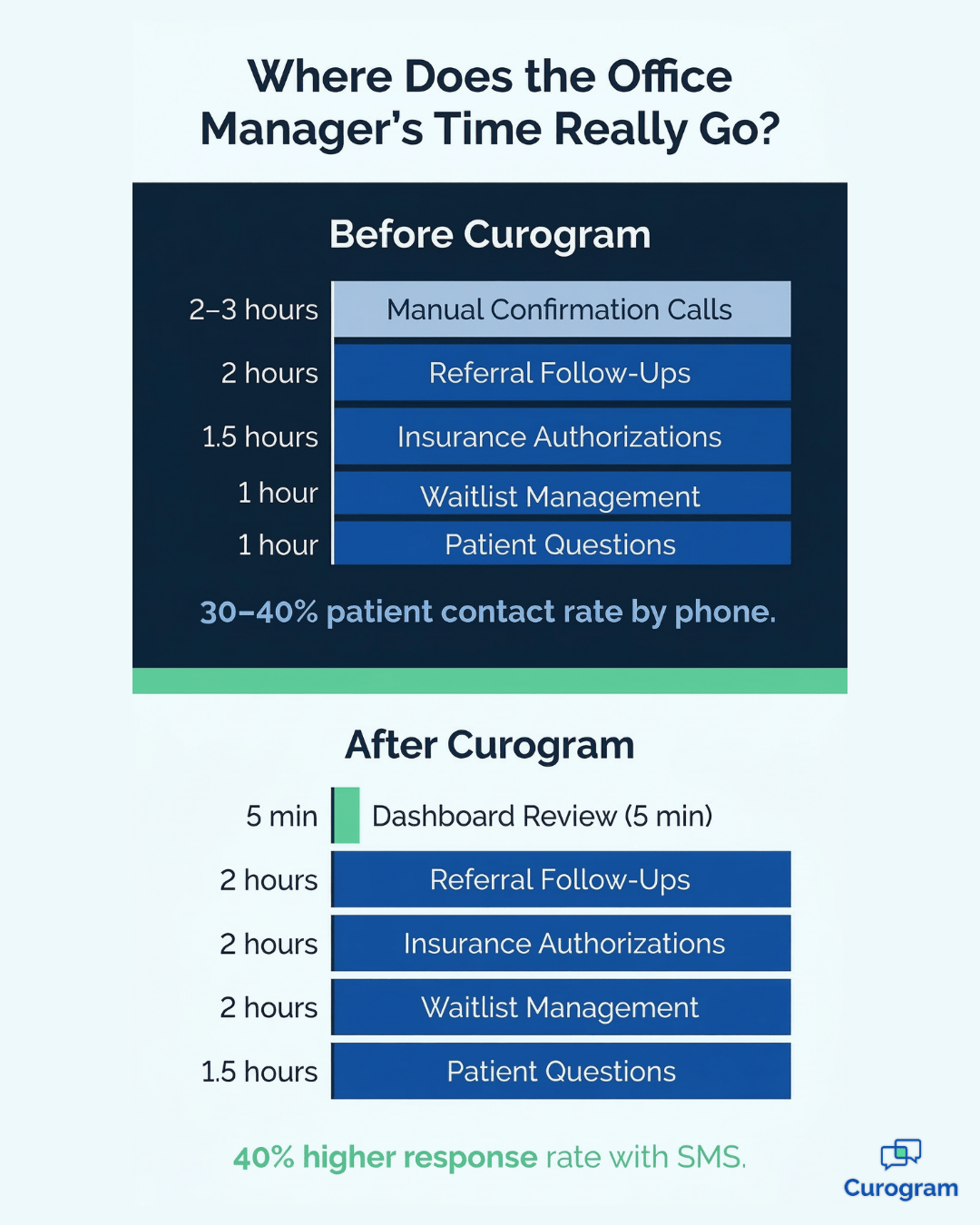
Office managers at rural clinics, FQHCs, and RHCs typically spend 2–3 hours each day on phone confirmations and reach only 30–40% of patients.  

Curogram's automated reminders achieve 40% higher response rates than phone outreach.

The result: office managers spend 5 minutes reviewing a dashboard instead of an entire afternoon dialing. They get back the time to focus on referrals, insurance authorizations, and the work that actually needs a human.


Most scheduling tools stop at the booking. They keep the calendar organized and providers on track — but they don't close the gap between a booked appointment and a confirmed one.

In most rural clinics, that job falls on the office manager, one phone call at a time.

For office managers at FQHCs and RHCs, the daily confirmation run is often the most draining part of the job.

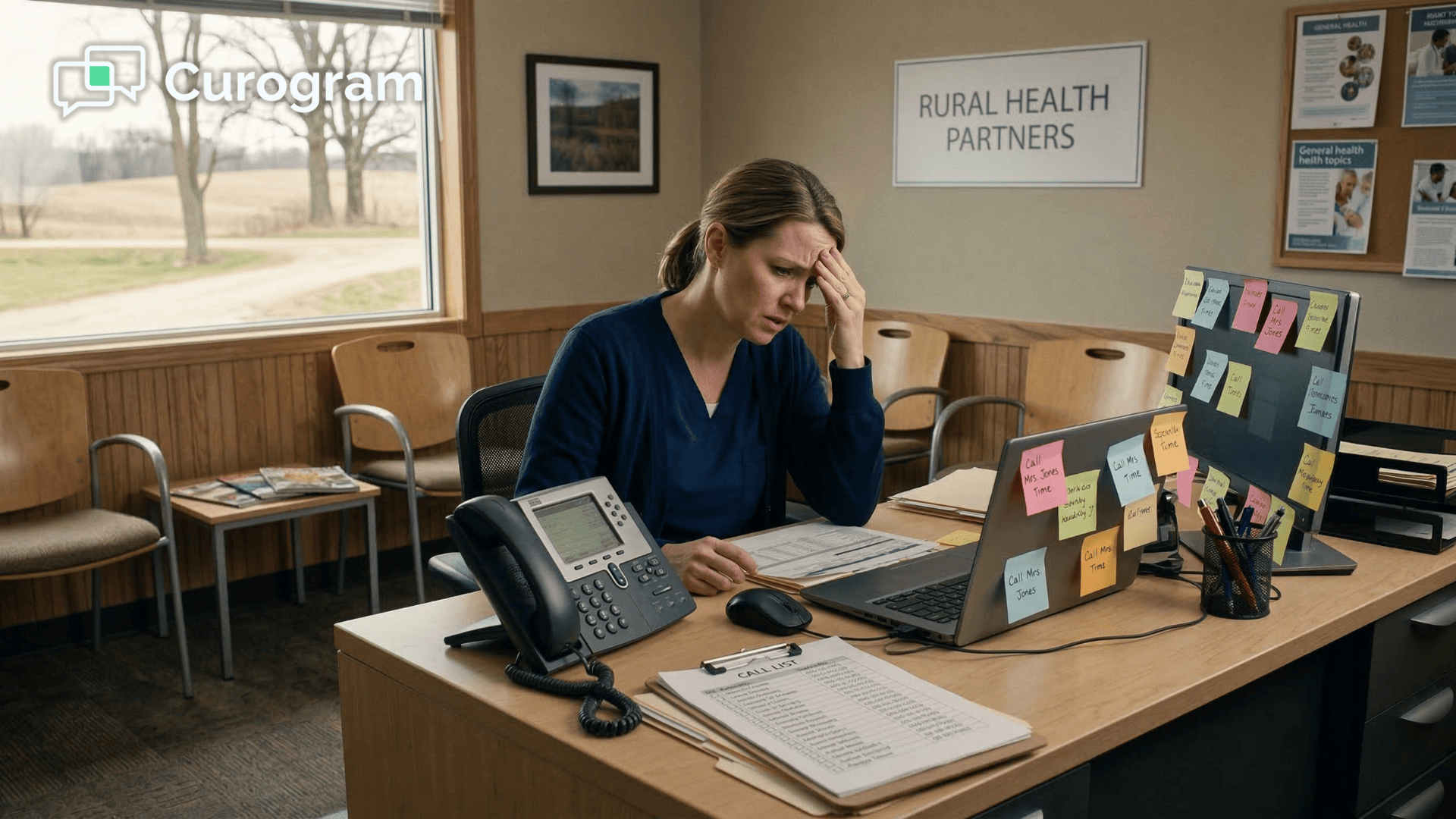
A 3-provider clinic with 40 or more appointments means 40 calls, most of which go to voicemail. By the end of the afternoon, she may have reached 14 out of 42 patients — and the whole cycle starts again the next morning.

This is what we call the Confirmation Treadmill. It never actually stops, and it never gets easier. The issue isn't effort — it's the tool. Phone calls are a slow, low-return method of reaching patients in 2025.

Text messages are read 98% of the time. The gap between those two numbers is where time is lost every single day.

Curogram is built to close that gap. It connects to Azalea Health's scheduling system, automates text reminders on a timeline the office manager sets once, and delivers patient responses to a real-time dashboard.

This article walks through how the Azalea Health office manager SMS appointment confirmation automation works in practice — what the daily problem really costs, how Curogram addresses it, and what the workday looks like on the other side.

The Real Cost of Calling Patients One by One

The Daily Grind

Azalea Health does a solid job of keeping a provider's schedule organized. But there's a gap between a booked appointment and a confirmed one, and that gap doesn't close itself.

In most rural practices, the office manager is responsible for closing it — by phone, every afternoon, for the next day's full roster.

For a 3-provider clinic with 40 or more daily appointments, that means 40 dials.

She calls Mr. Davis at 2:15 PM — he's at work. She leaves a voicemail. She calls Mrs. Patterson — the phone rings out. She calls the Henderson family — a child answers and can't pass on the message.

By 4:30 PM, she's reached 14 of 42 patients. The other 28 are still question marks.

Tomorrow morning, she'll check who actually showed. Then she starts the same process for the next day's schedule.

The cycle repeats with no real endpoint — and no way to get ahead of it by working harder or starting earlier. The math simply doesn't work in her favor.

The Opportunity Cost

The deeper problem isn't the hours themselves. It's what those hours displace. While the office manager is dialing and leaving voicemails,

The work that only a human can do is sitting untouched:

  • Referral follow-ups get delayed by a day or more
  • Insurance pre-authorizations pile up on the desk
  • Patient questions go unanswered until the next morning
  • Waitlist coordination stalls while open slots go unfilled

The office manager ends up doing low-value work — dialing, waiting, hoping — while the high-value work waits. The practice doesn't just lose hours. It loses her strategic capacity: the judgment, coordination, and relationships that no automated system can replicate.

That's a much more expensive loss than a few missed voicemails.

Over a week, those lost hours add up to an entire workday spent on a task with a 30–40% success rate.

Over a month, that's four or five full days absorbed by a confirmation process that produces inconsistent results and exhausts the person running it.

Most office managers know there's a better way. Finding one that fits a rural clinic's budget and technology constraints is another matter.

Why Phone Calls Are the Wrong Tool

A 30–40% phone contact rate isn't a staff performance problem. It's a medium problem. Most patients are at work, driving, or simply not picking up unknown numbers during afternoon hours.

Voicemails go unchecked. Callbacks are inconsistent. The channel itself is working against the goal.

Text messages have a 98% open rate. That's not a marginal improvement — it's a fundamentally different outcome.

The office manager texting workflow rural clinic managers need isn't about working harder on calls. It's about switching to a channel patients actually respond to, on a timeline that doesn't require staff to drive the whole process manually.

When the medium changes, the results change. And when the results change consistently, the office manager gets her time back — not occasionally, but every single day.

Office manager time breakdown before and after Curogram SMS automation

How Curogram Sits on Top of Azalea Health to Handle Confirmations Automatically

One Setup. Ongoing Results.

Curogram is the automation layer that works through Azalea Health integration to handle what Azalea Health's scheduling tool doesn't — patient confirmations.

The office manager sets her reminder preferences once:

Timing, message content, and response options. From that point forward, the system takes over. 

very appointment on the Azalea Health calendar triggers the right reminders at the right time, without any additional action from staff.

This matters especially in rural clinics where the office manager is already stretched thin. The setup process takes about 15 minutes with Curogram's onboarding support.

After that, the workflow runs itself — no IT involvement, no daily maintenance, no re-configuration required. The office manager sets the rules, and the system follows them indefinitely.

How the Reminder Workflow Runs

Curogram's Automated Reminder Configuration Panel gives office managers full control over the workflow before automation takes over.

Here's what can be customized:

  • Which appointment types receive reminders — new patients, follow-ups, procedures, telehealth
  • How many touchpoints each patient receives — 72 hours out, 24 hours out, and morning-of
  • The exact message text and the response options patients see: YES / NO / RESCHEDULE
  • Which providers' appointments are included in the reminder queue

Reminders go out from the practice's real phone number, so patients recognize the sender. Replies flow directly into the Curogram appointment automation staff dashboard, which updates in real time as patients respond.

New appointments added to the Azalea Health schedule enter the reminder queue automatically. Rescheduled or cancelled visits update instantly — no manual correction needed on the staff side.

The system is designed to be flexible without being complicated. An office manager who wants to send a single 24-hour reminder to all appointment types can do that.

One who wants a 3-touchpoint sequence for new patients and a single morning-of text for quick follow-ups can configure that too. The level of detail is entirely up to her.

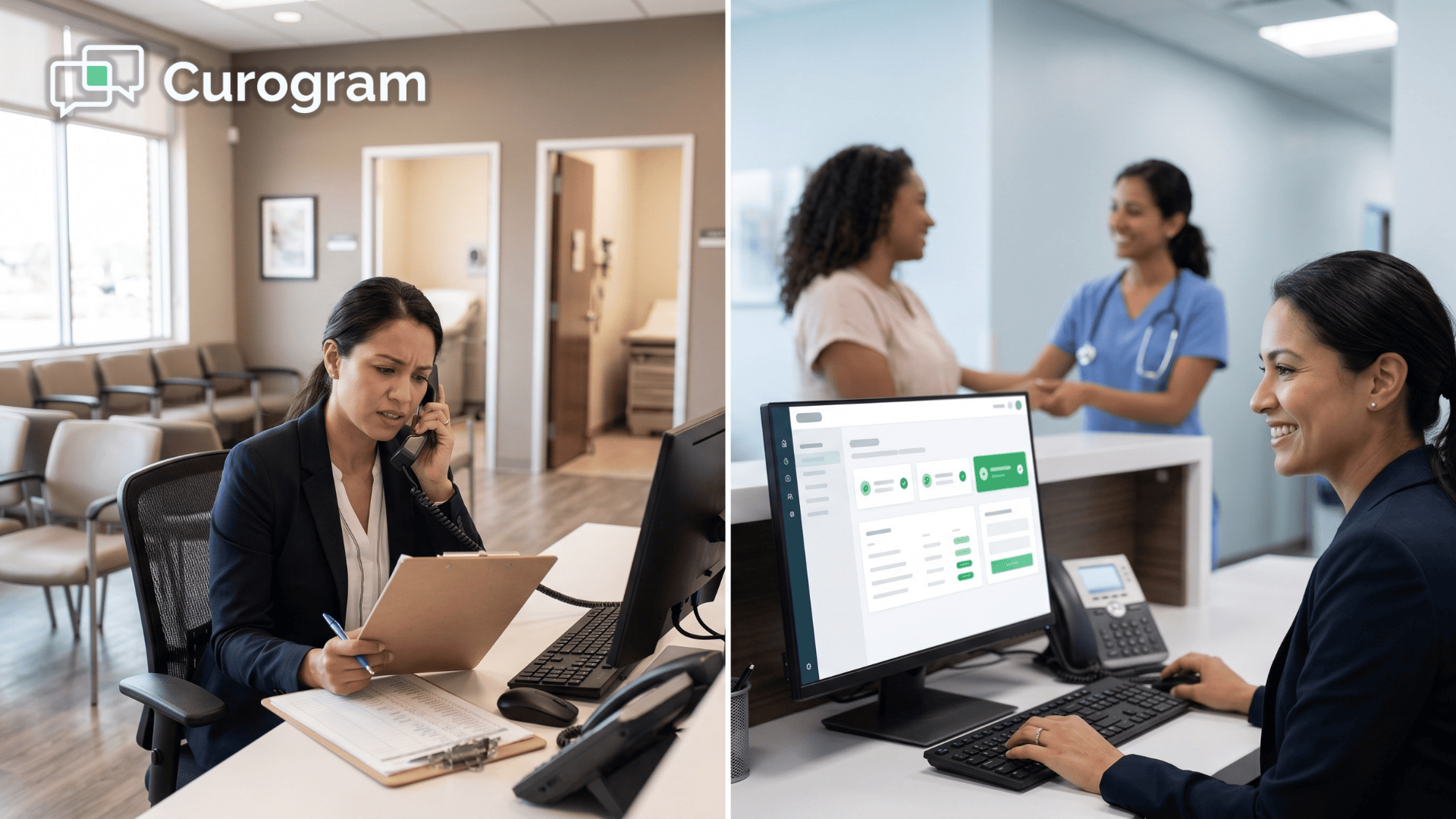
Patient confirming appointment via text message at rural medical clinic front desk

What the Dashboard Looks Like

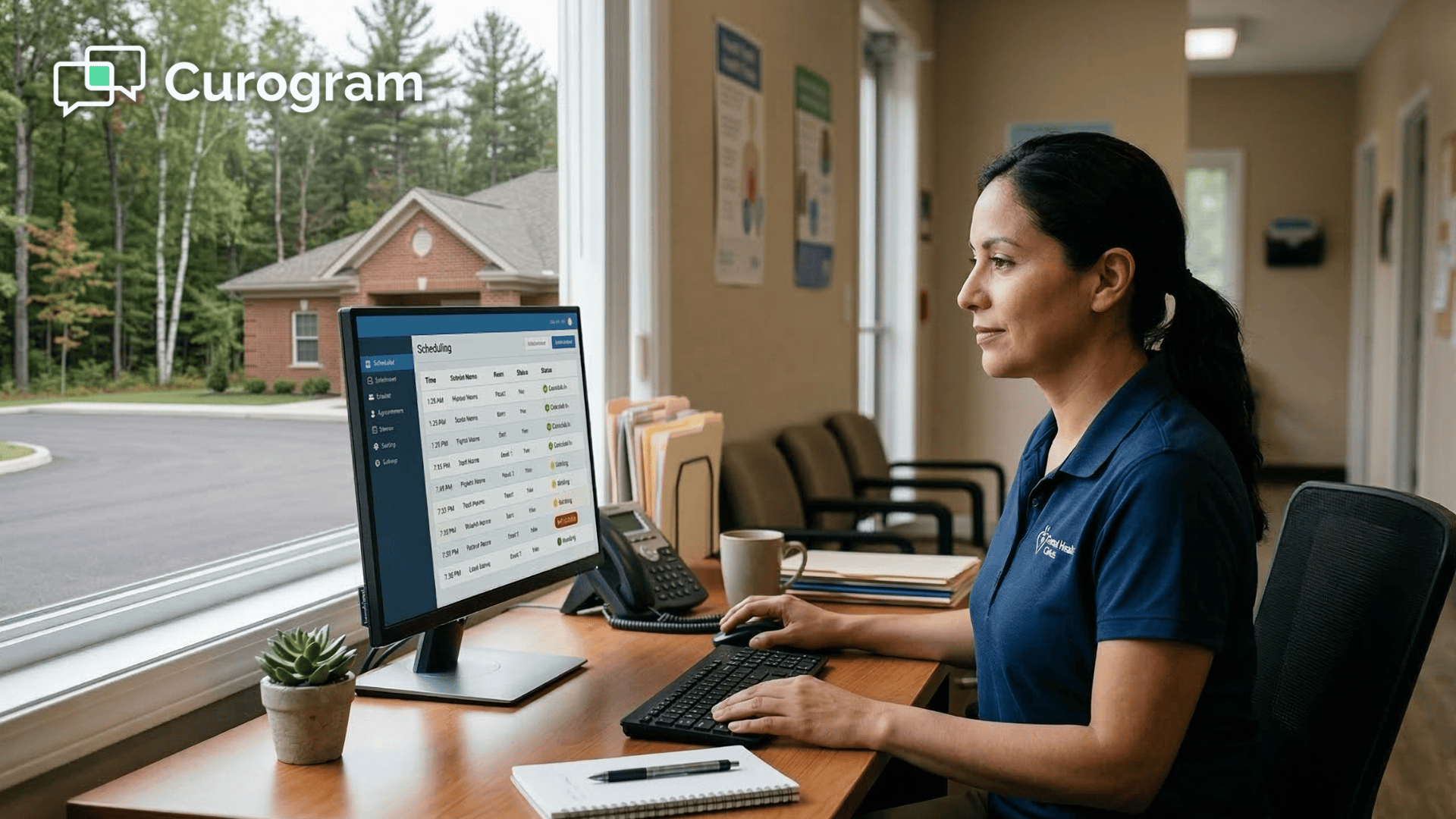
The Azalea Health scheduling confirmation tool workflow changes from 2–3 hours of calls to a 5-minute dashboard check each morning.

The visual is intentionally simple: green for confirmed, yellow for pending, red for cancelled.

Each status is actionable at a glance — no digging through call logs or cross-referencing a printed schedule.

Cancelled appointments with sufficient notice allow the office manager to immediately pull patients from the waitlist and fill the slot.

Pending patients can receive a quick manual text or be flagged for a personal call if needed.

For example,

An elderly patient who may not check texts regularly. The dashboard doesn't eliminate human judgment. It focuses that judgment where it's actually needed, instead of spreading it thin across 40 dials.

For office managers who are also billing coordinators, referral specialists, and supply managers,

This is what a Curogram appointment automation staff dashboard delivers:

Fewer tasks that drain time, and more clarity on the tasks that actually need attention.

What Happens When the Treadmill Stops

The Numbers

Office managers using Curogram's FQHC staff appointment reminder setup report saving 2–3 hours per day on confirmation tasks.

Patient response rates via text run 40% higher than phone outreach, meaning more confirmations with no additional staff effort. The call sheet, sticky notes, and end-of-day voicemail checks are replaced by a single dashboard that takes less than five minutes to review.

Those numbers add up quickly. Two hours saved per day becomes ten hours per week.

Over a month, that’s nearly a full workweek returned to the office manager — time previously spent on a task that delivers far less return than texting.

For practices operating with small teams and tight margins, that’s not a minor efficiency gain. It’s a meaningful operational shift.

From Dialing to Directing

The shift is simple: instead of spending the afternoon on the phone, the office manager focuses on work that moves the practice forward — referral coordination, insurance authorizations, waitlist management, and provider support.

She stops acting as a call center operator and starts functioning as the operational lead of the practice.

In rural clinics where one person often covers multiple roles, recovering 2–3 hours a day can determine whether the practice is constantly catching up or staying ahead.

Reducing manual confirmation calls in rural practice workflows isn’t just about saving time — it gives the office manager room to use her expertise where it matters most.

Providers benefit as well. Fewer no-shows mean fewer schedule gaps. More organized mornings help providers start on time. And an office manager who isn’t scrambling to close confirmation gaps has more bandwidth to support the clinical team throughout the day.

A Morning That Looks Different

At 8 AM, the office manager opens the dashboard: 36 of 41 patients confirmed via text overnight. Three cancelled early enough to fill the slots from the waitlist. Two haven’t responded — she sends a quick text and flags one elderly patient for a call. By 8:15, the schedule is locked.

The next two hours go to clearing referrals, processing insurance authorizations, and following up with a patient discharge call that had been waiting. When the provider asks how the new system is going, she laughs:
“I forgot what the phone sounds like at 3 PM.”

That’s the transformation the Azalea Health office manager SMS appointment confirmation automation makes possible — not a workaround or a small upgrade.

Your Office Manager Has Better Things to Do 

She didn't go into healthcare to leave voicemails. She went into it to help a practice run well, keep patients on track, and support the providers who depend on her.

The Confirmation Treadmill takes all of that time and trades it for hold tones and missed calls.

Azalea Health organizes the schedule. Curogram confirms it. That's the division of labor that works.

No-shows cost you money! Reduce missed appointments by up to 75% with Curogram's automated, customizable smart reminders.  

Automation doesn't replace the human touch — it frees the human to apply that touch where it counts: in the relationships, the judgment calls, and the care coordination that no reminder system can handle on its own.

The office manager who currently spends her afternoons dialing can spend them differently. She can close the referral that's been pending for a week. She can follow up on the patient who needs extra attention. She can actually leave on time.

Curogram's automated reminders take 15 minutes to configure and start working the next morning. The 30-Day Free Trial means no commitment and no risk — just a chance to see what the workflow looks like without the treadmill.

Schedule a demo today and set up your automated confirmation workflow before the end of the week.


Frequently Asked Questions

Can the office manager customize which appointments get reminders?

Yes. Curogram's configuration panel lets the office manager set reminder rules by appointment type, provider, or scheduling window. Want reminders for all new patient visits but not for quick follow-ups? Done. Want 3-day reminders for procedures but same-day-only for telehealth? Configurable. The system adapts to the practice's workflow, not the other way around.

What if a patient confirms via text but then doesn't show?

This still happens occasionally, but at a much lower rate. Curogram's multilayer reminders — including a morning-of text — reduce even confirmed no-shows because they serve as a final touchpoint before the appointment. A patient who confirmed two days ago and then forgot is far more likely to remember after receiving a same-day message.

Does setting up Curogram require IT support or changes to Azalea Health?

No. Curogram connects to Azalea Health without requiring any changes to the EHR configuration. The office manager can handle the full setup with Curogram's onboarding support — no IT department needed. For rural practices that may not have dedicated IT staff, this is designed to be a plug-and-play solution that's operational within a single afternoon.

Can Curogram sync confirmed appointment statuses back into Azalea Health?

Curogram reads appointment data from Azalea Health in one direction — pulling the schedule in to trigger reminders. Patient responses (confirm, cancel, reschedule) are captured in the Curogram dashboard but are not written back into the Azalea Health record automatically. The office manager can update the EHR manually based on what she sees in the dashboard, which typically takes a few minutes given how clearly the response statuses are displayed.

Is Curogram HIPAA-compliant, and is it safe to use for patient communication?

Yes. Curogram is a HIPAA-compliant platform, and its SMS reminders are designed to follow best practices for patient communication. Standard appointment reminder texts are kept general — they confirm timing and invite a response without including protected health information. Sensitive communications, such as test results or billing details, are handled through Curogram's encrypted secure messaging channel rather than standard SMS.


Automated SMS Reminders for Azalea Health | Stop Rural No-Shows

Automated SMS Reminders for Azalea Health | Stop Rural No-Shows

💡 Automated SMS appointment reminders for Azalea Health rural practices send multilayer text confirmations — 72 hours, 24 hours, and morning-of —...

Read More
HIPAA Texting Workflow for Front Desk Staff | Azalea Health + Curogram

HIPAA Texting Workflow for Front Desk Staff | Azalea Health + Curogram

💡 The Azalea Health HIPAA texting workflow for rural front desk staff replaces the daily cycle of unanswered calls and missed voicemails with fast,...

Read More
The 2-Hour Reminder: Using SMS to Reduce Same-Day Therapy No-Shows

The 2-Hour Reminder: Using SMS to Reduce Same-Day Therapy No-Shows

💡 The most effective way to reduce same-day therapy no-shows is by sending a tiered SMS reminder strategy that includes a 2-hour "just-in-time"...

Read More