7 min read

Introduce Clinic Texting So Patients Trust Text One

Introduce Clinic Texting So Patients Trust Text One
 💡 Introducing text communication to patients at athenahealth practices works best as a planned, one-week launch at each location. Patients hear about it at checkout, see it at the front desk, and get a first text from their own clinic's familiar number.

Skip that step, and texts from an unknown number get ignored or deleted as scams. Curogram calls this problem "The Unannounced Change." Its "Rollout Playbook" gives every location the same launch script, signage, and consent flow.

The payoff shows up fast. Well-introduced launches cross a 75% confirmation rate within the first reminder cycles. Patients were never the barrier. The introduction was.

Your patients already get a flood of texts every week. Their pharmacy sends refill alerts, their kid's school sends schedule updates, and a steady stream of strangers pretends to be their bank, their toll road, or a package that "couldn't be delivered."

Now your clinic is about to join that inbox.

If your first message arrives from an unfamiliar number with no warning, most people do what the evening news taught them to do. They delete it.

That one moment can undo months of planning. Your team selected a texting platform, connected it to athenaOne, and scheduled go-live dates for every location, but patients never got the memo, because patients don't read network announcements.

So the reminder goes unanswered, the appointment gets missed, and the front desk records another "unresponsive patient."

It sounds like a patient problem. It isn't.

It's an introduction problem. When you're introducing text communication to patients at athenahealth practices, the launch itself decides whether texting becomes a trusted habit or a new source of suspicion. Fortunately, the fix is simple, inexpensive, and entirely within your control.

Consider how differently you react when someone you trust gives you a heads-up first: "You'll get a text from us at this number, so save it." Suddenly, that first message feels expected, and it feels like a service rather than an intrusion.

This guide explains how to announce texting to patients in a way that builds trust from the very first message.

You'll learn why surprise texts fail, what a clean launch looks like at each location, and what results to expect when the introduction is planned on purpose.

You'll also see how Curogram gives every site the same playbook, so your tenth location launches as smoothly as your first.

Let's begin with the problem most practices never see coming.

Why Surprise Texts Backfire With Patients

Most practices plan a texting launch around systems, including staff training, integration testing, and message templates. What often gets left out is the one group that decides whether any of it works: patients.

Patients Don't Read Your Announcements

Emails about "exciting new features" go unopened, and website banners go unnoticed. Patients pay attention in a few key moments: at checkout, at the front desk, and when their phone buzzes.

If news about texting doesn't show up in those moments, it doesn't reach them at all.

The Scam Filter Is Always On

Imagine a patient gets this:

"Reply Y to confirm your appointment Tuesday."

The number is unfamiliar, and just last week the local news ran a story about text scams.

Their caution isn't paranoid. People reported losing $470 million to scams that started with a text message in 2024, according to the FTC. So the patient deletes the message, forgets the visit, and never shows up. Your system records a no-show.

Early Silence Sends the Wrong Signal

Here's where it gets costly.

Low response rates in the first few weeks make texting look like a failure. Staff drift back to phone calls, and managers start to question the whole project.

Here's an illustrative example.

Say one location sends 500 reminders a week, and 40% get ignored because patients don't know the number.

That's 200 unconfirmed visits every week. Across five locations, your team now has 1,000 visits a week to chase by phone.

In practice, the new channel adds work instead of removing it.

Trust Is Hard to Win Back

Once patients file your number under "probably spam," that label sticks. Locations that skipped a proper introduction often never catch up to the ones that did it right.

The channel patients would have loved becomes one they quietly ignore.

How to Launch Texting So Every Patient Knows It's You

The fix isn't a bigger email campaign. It's a short, repeatable script that reaches patients in the moments they already pay attention to.

Curogram's "Rollout Playbook" builds this patient-facing launch into your wider texting rollout across athenahealth locations. Each location runs the same multi-touch introduction as its wave goes live. Think of it as patient onboarding. New channel, network-wide, same words at every site.

Here's how the sequence works:

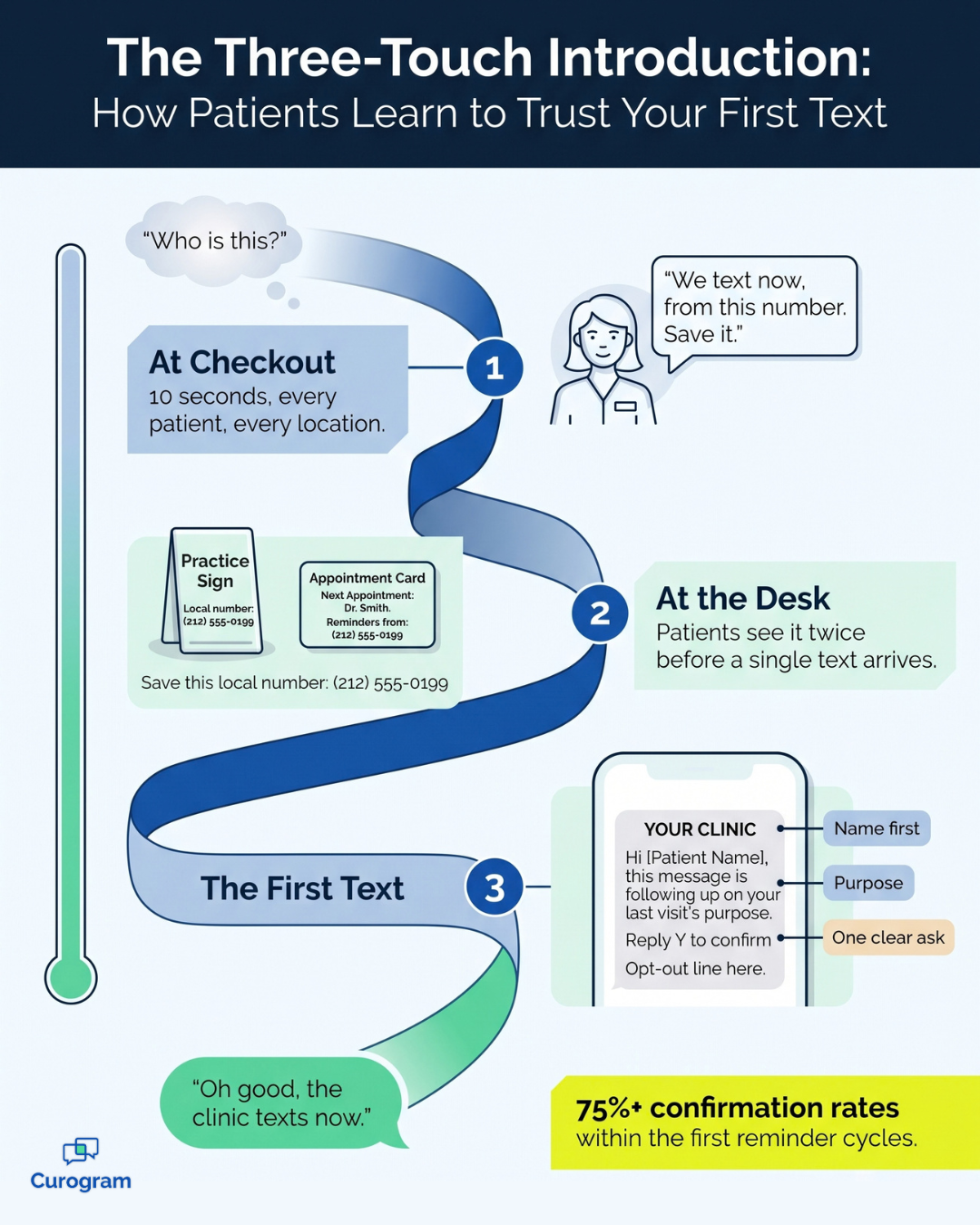
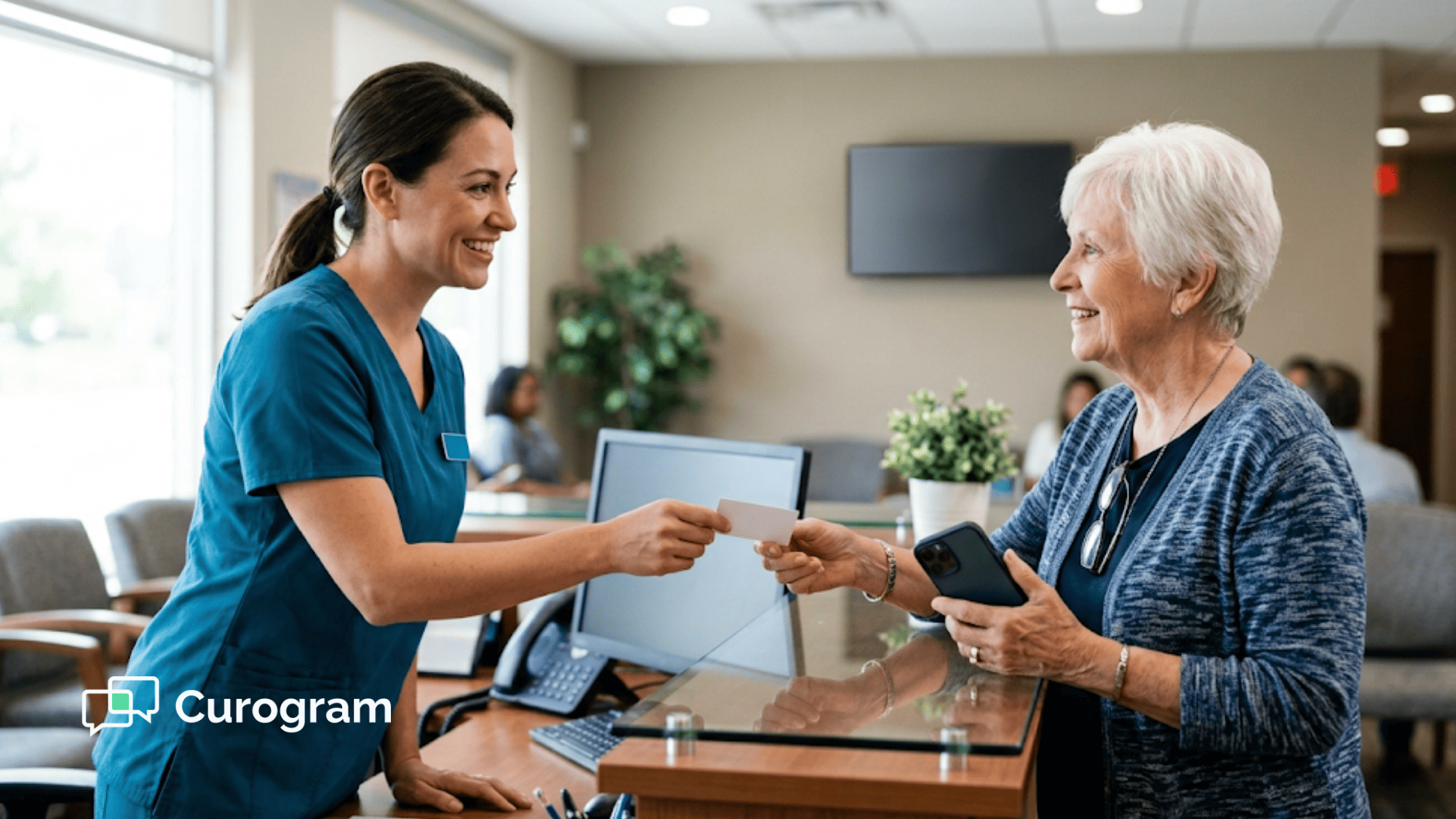
  1. Say it at checkout. In the weeks around go-live, staff use a one-line launch script front desk teams can say in under 10 seconds: "We text now, from this number. Save it."
  2. Show it at the desk. Signage and appointment cards repeat the identical message, with the location's number printed clearly. That way, patients encounter the message twice before a single text arrives.
  3. Capture consent during visits that are already happening. Consent rides on your current check-in and checkout flow, so there are no extra calls or mailers. Every location still needs a clean record of patient consent. Texting rollout plans that skip this step invite confusion later, so Curogram tracks opt-ins and opt-outs for you.
  4. Send a first text that introduces itself. Messages come from each location's own local number, not a random short code. The first one identifies the location before it asks for anything.
  5. Set clear expectations. Patients learn what you'll text about, how to reply, and how to stop. That makes texting feel like a convenience you're offering, not a change you're imposing.

Here's what a strong first message might look like (sample only):

"Hi Maria, this is Riverside Family Medicine. We now send visit reminders by text from this number, so feel free to save it. Reply Y to confirm Tuesday at 10 AM, or reply STOP anytime to opt out."

Notice the order:

The location's name comes first, then the purpose, then the request. That small choice is the gap between "Who is this?" and "Oh, that's my doctor."

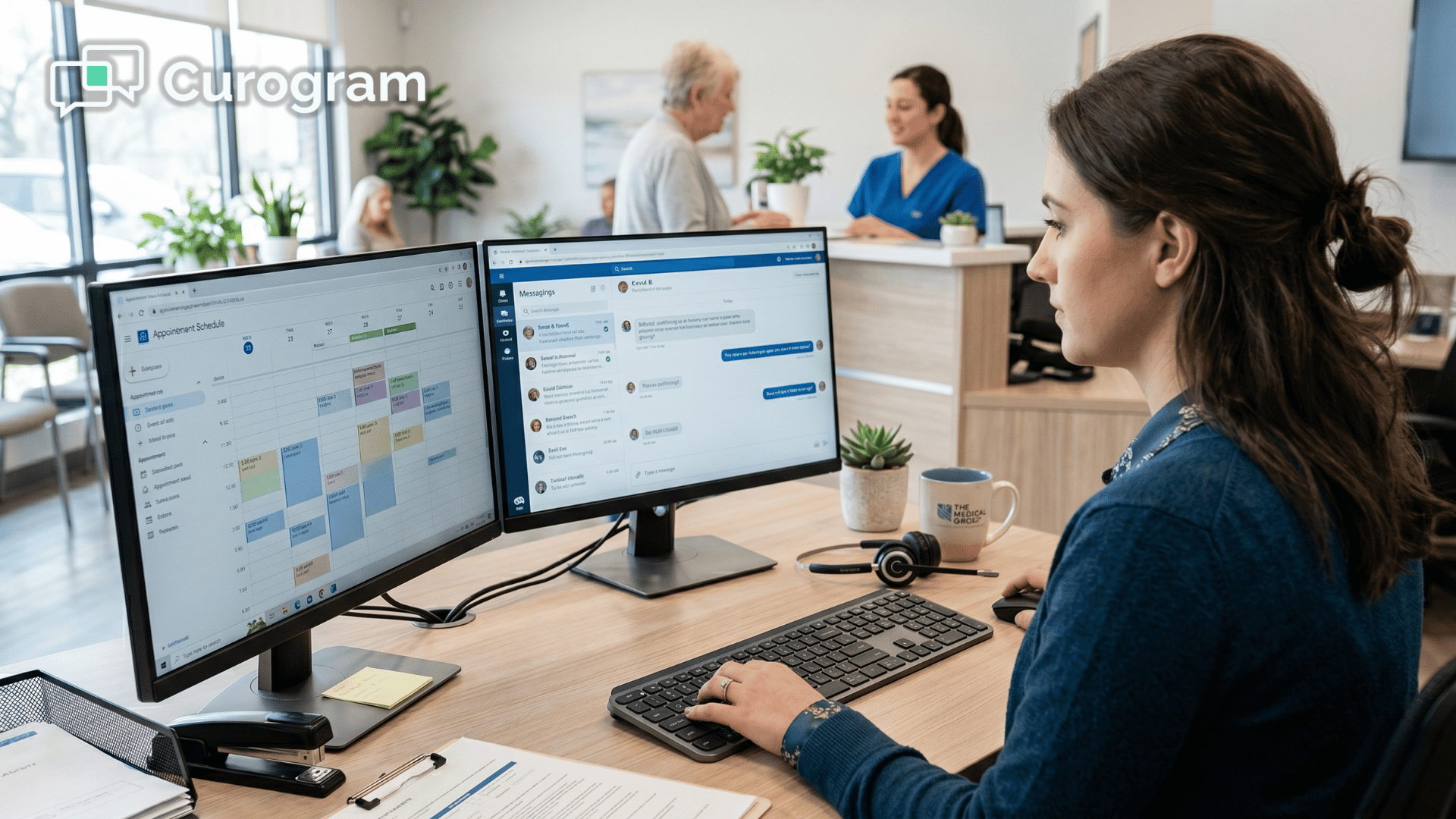
Replies then land in Curogram's Multi-Location Command Center from day one, so each site can answer fast. And since every location uses the same script, signs, and templates, your tenth launch looks just like your first.

Infographic of the three-touch plan for introducing clinic texting to patients

What Changes When Patients Trust the First Text

When the introduction is planned, patients don't need convincing, because texting is already part of their daily routine. They simply need to know the message genuinely comes from you.

Here's how the two launch styles tend to play out:

Launch style First text from clinic reaction What happens next
Unannounced change "Who is this? Probably spam." Text deleted, visit missed, staff chase by phone
Scripted launch "Oh good, the clinic texts now." Patient confirms, asks a question, or reschedules by reply

That shift from doubt to relief is what drives patient adoption. Text reminders only work when people trust them enough to reply.

The numbers back this up. Curogram clients see a 98% SMS open rate, and well-introduced launches cross the 75% confirmation benchmark within the first reminder cycles.

For your team, that means fewer blank spots on the schedule and far less time spent on the phone.

Let's revisit the earlier example (illustrative).

At 500 reminders a week, a 75% confirmation rate means 375 confirmed visits, compared with 300 when 40% of texts get ignored.

That's 75 more confirmed visits per location every week, or 375 across five sites.

The gains also reach the front desk. Curogram clients report up to 50% fewer inbound calls and a 30%+ boost in front desk productivity. At Atlas Medical Center, no-shows fell from 14.20% to 4.91%.

From the very first week, patients confirm, ask questions, and reschedule by reply, and many tell your staff they wish every provider communicated this way.

Signs Your Launch Is Working at Each Location

A good launch doesn't end on go-live day. The first 30 days reveal whether patients trust the new number, and each location will tell a slightly different story.

The trick is knowing what to watch.

Instead of waiting for a quarterly report, look for these early signals at every site:

  • Confirmation rates climbing toward 75%. If a location stalls well below that benchmark, patients probably don't recognize the number yet.
  • Replies that go beyond "Y." When patients start asking questions or requesting new times by text, they've accepted the channel as a real way to reach you.
  • Fewer "Who is this?" calls. A spike in confused calls usually means the checkout script is being skipped.
  • Steady opt-out rates. A few opt-outs are normal, but a sudden jump suggests the first text felt too abrupt.
  • Staff using the script without prompting. When the checkout line becomes automatic, the launch has become a habit.

When one location falls behind, don't blame the patients. Go back to the introduction instead.

Check whether signs are posted, whether staff are saying the checkout line, and whether the first text introduces the location before making a request.

Because Curogram gives every site the same playbook, fixing a lagging location is usually quick. You compare its launch with a strong one, find the missing step, and close the gap before the next reminder cycle.

That side-by-side view is what keeps a network-wide rollout consistent, one location at a time.

Make the First Hello Count

Patients are ready for texting, and most already prefer it. What they aren't ready for is a surprise message from a number they can't recognize.

That's exactly why the launch matters so much. Introducing text communication to patients at athenahealth practices isn't really a technology task. It's a trust task.

Get the first impression right, and patient adoption becomes almost automatic. Leave it to chance, and you'll spend months fighting silence.

Here's a practical way to divide the responsibilities.

athenaOne is where you maintain your record of consent and contact details, while Curogram is where patients receive their first hello, from a number they already know and trust.

Both systems matter equally, but only one of them shows up on a patient's phone.

So start with something small. Write your checkout sentence today: "We text now, from this number, so save it." Print it on signs and add it to appointment cards.

Then make that sentence every location's habit for its entire launch month. It takes seconds per patient and prevents hours of phone calls, missed visits, and confused callbacks later.

When your next location goes live, you won't be starting from scratch. You'll run the same script, the same signage, and the same first text, with only the local number changed.

That's how one successful launch becomes a network-wide standard. Every site sounds consistent, every patient knows what to expect, and every first text earns the response it deserves.

Ready to see it in practice? Schedule a Demo to explore Curogram's patient launch kit, including first-text scripts, front desk signage, and a consent flow that's ready to customize for each location in your network.


Frequently Asked Questions

Do patients need to opt in before we text them?

Yes, consent comes first. With Curogram, consent is captured through your current intake and check-in flow, so there's no separate step for patients. Curogram also manages consent records and opt-outs automatically. The patient launch kit includes compliant consent language each location can use as-is.

What about patients who don't text?

Nothing is taken away from patients. Phone calls, the patient portal, and your other channels keep working just as they do now. Texting is simply added as a new convenience. Individual patient preferences are recorded and honored automatically, so no one gets messages they didn't ask for.

How do patients know a text is really from the clinic?

Messages come from the location's own known number, not a random short code. On top of that, patients hear about texting at checkout, see it on signs, and read an introduction in the first message itself. That built-in heads-up is the best defense against scam fears.

How long should each location's launch period last?

Plan on about one focused week of prep per location, followed by a launch month where staff use the checkout script with every patient. A short, deliberate start works far better than a long, confusing one. Once patients know the number, the script can become a quick reminder for new patients.

What should the first text from our clinic say?

Keep it short, clear, and friendly. Name the location first, explain that you now text from this number, then make one simple ask, like "Reply Y to confirm." Always include how to opt out. Curogram's launch kit includes first-text scripts you can tailor for each location.