
1 min read
The Ultimate Guide to Reducing Patient No-Shows
 Jo Galvez : 5/17/26, 9:00 AM
💡 Patient no-shows cost medical practices between $20,000 and $30,000 per month. Yet most practices treat this as a staffing problem rather than a...

Most front desks have the same Monday morning ritual. They print the week's schedule. They check yesterday's no-shows. They wonder how a 20% no-show rate keeps happening when the EHR sends reminders every day.
The honest answer is uncomfortable. Your EHR was never built to fight no-shows. It was built to chart visits and bill claims. Scheduling tools came along for the ride, and they share the same DNA.
That DNA is built around records, not outcomes. A reminder sent is not a confirmation received. An appointment booked is not an appointment kept. EHR systems track the first thing in each pair very well. They were never designed to track the second.
That gap costs real money. Curogram client data from clinical settings shows practices lose $20,000 to $30,000 each month to missed appointments. Most of that loss is preventable. The patients who miss are often willing to reply, reschedule, or confirm.
This article walks through what EHR scheduling tools were actually designed to do. It looks at why their reports never quite point you at the real problem. It explains the three specific gaps where standard tools fall short. And it shows when adding a purpose-built analytics layer makes more sense than waiting for the EHR to catch up.
You will not need to swap out your EHR. You will need to see where it stops doing useful work for your schedule. Once you can spot that line, the fix gets a lot more focused. The goal is simple: turn a calendar full of unknowns into a calendar full of kept visits.
EHR systems started life as digital filing cabinets. Their first job was to store charts, document visits, and produce clean billing claims. Scheduling features came in later, mostly as a courtesy. That order of events shaped every report and feature you use today.
The core question every EHR was built to answer is simple. Did the visit happen, and can we bill for it? That question shapes every table, field, and report in the system. It is also the wrong question for managing a live schedule.
A live schedule needs a different question. Will this visit happen, and what should we do if the patient is at risk of missing it? The EHR cannot answer that. EHR scheduling tools limitations start at this design layer.
Billing teams need clean monthly summaries. They need to know how many visits closed, what each one earned, and how the totals stack up against last month. EHR reports were built around those needs.
But operations teams need different cuts of the same data. They need daily views, slot-level views, and provider-level views. They need them now, not next month. The EHR holds the raw data, but the reports were never set up to surface it that way.
Reminder features were added because they reduce missed visits at a basic level. Sending a text the day before is better than sending nothing. So most EHR vendors added a one-way send feature. The patient gets the message, and the system marks the reminder as sent.
That was the easy half of the problem. The hard half is what to do with the patient's reply. Most EHR systems never built the second half. The send is logged, but the reply lives somewhere else, often a phone line or a generic inbox.
You can spot these gaps in any practice by 11 a.m. on a Monday. The signs show up in three places: full inboxes, manual update queues, and last-minute open slots. Once you know the pattern, it gets hard to unsee.
The one-way text reminder black hole EHR creates is a daily reality, not an abstract idea. Every practice using a basic EHR reminder system runs into it. The cost is split between staff time and lost revenue. Both are bigger than they look.
Patient replies do not always come in tidy formats. Some send a quick yes. Some send a long note about needing to move the visit. Some send three messages over two days. None of those replies route back into the appointment record on their own.
Staff then become the routing layer. They scan the inbox, match each reply to a chart, and update the slot. Errors happen at every step. The most common error is the simplest: the reply gets read but never recorded.
The most expensive failure is the slot that the EHR shows as confirmed when it is not. Atlas Medical Center saw this pattern before switching to a two-way confirmation system.
Their no-show rate sat at 14.20% under standard EHR workflows. After three months, it dropped to 4.91%, more than three times better than the industry average. That figure comes from Curogram client data from clinical settings.
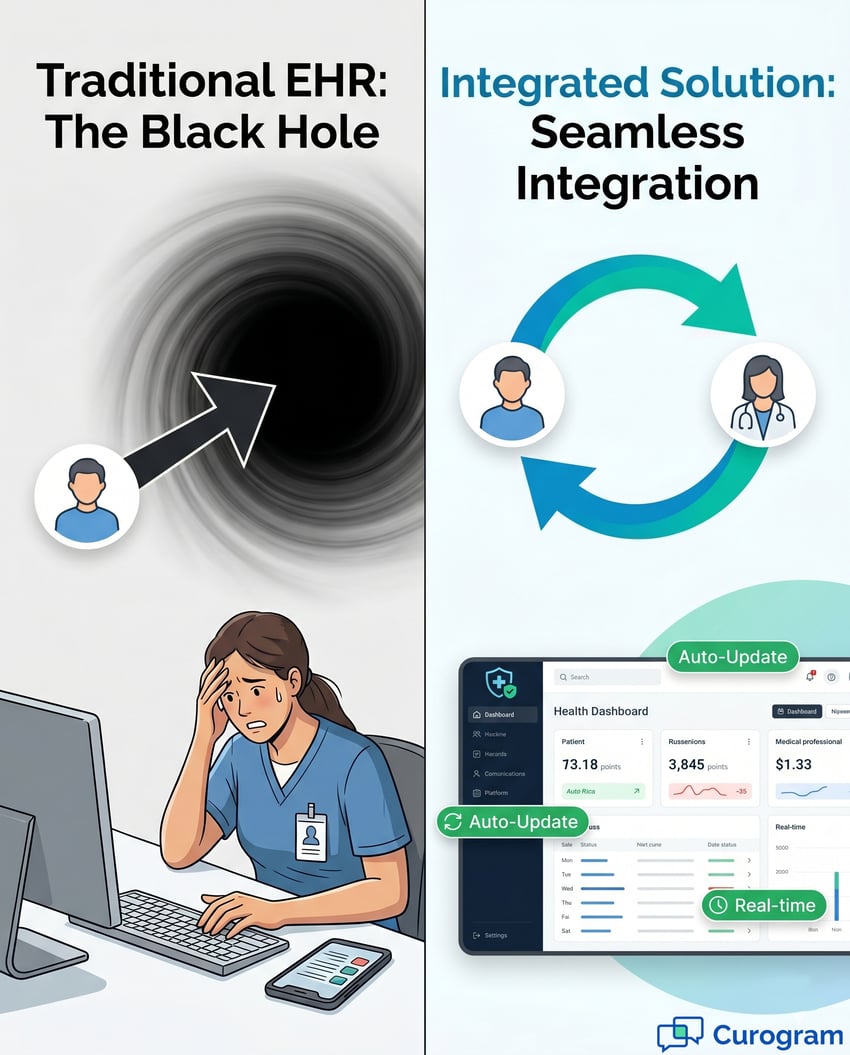
When the EHR and the patient communication channel are not connected, every reply gets handled twice. The patient sends it once. The staff member records it again. That is the double-touch problem in plain terms.
A confirmation reply lands on a phone or in an email inbox. It does not land on the chart. So a staff member has to bridge the gap. They read the message, find the matching slot in the EHR, and click through to update the status.
For a busy clinic, this is not a small task. A practice sending 40 confirmation requests per day can expect about 30 replies. Curogram client data from clinical settings puts the average confirmation rate at 75% or higher. Each one of those 30 replies needs a manual update.
TABLE: Manual Update Workload at 40 Daily Confirmation Requests
|
Time Period |
Manual Updates |
Approximate Cost |
|
Per day |
~30 updates |
~$50 in admin time |
|
Per week (5 days) |
~150 updates |
~$250 |
|
Per month |
~600 updates |
~$1,000 |
|
Per year |
~7,200 updates |
~$52,000 |
Run the numbers across a normal week and they grow fast. Thirty updates per day times five days is 150 updates per week. Across a month, the practice handles roughly 600 status changes by hand. Across a year, that is more than 7,000.
At an average admin wage of $20 per hour and five minutes per update, the annual cost reaches about $52,000. None of that labor reduces no-shows on its own. EHR scheduling tools limitations create this work and then pass the bill to the front desk.
Manual updates fail in predictable ways. A staff member skims a reply and clicks the wrong status. They confirm the wrong day. They mark a cancellation as confirmed because the reply just said okay.
The cost is rarely visible until the day of the visit. The provider walks into an empty exam room. The slot stays empty for the rest of the hour. The patient who could have filled that slot already booked somewhere else.
Reminders are not the only place where systems fail to talk to each other. Patient intake is often worse. New patients arrive 15 minutes early to fill out paper forms because the EHR and intake never share a digital surface. Every form is a fresh transcription job.
The patient engagement software vs EHR conversation gets very practical here. One handles the schedule. Another handles the forms. A third sends the reminders. None of them sync without a connecting layer.
The average intake packet runs about 19 pages of paper. That includes demographics, insurance, medical history, and consent forms. Most fields could be captured digitally before the visit. Most are not.
Staff then re-enter every page into the EHR. The work happens between phone calls and check-ins, when attention is already split. That is exactly when transcription errors are most likely. Wrong insurance ID. Wrong allergy listed. Wrong birthdate filed.
The medical practice scheduling software gap shows up as a soft cap on practice growth. You cannot easily handle 50 more new patients each month if every new patient adds an hour of admin work. The work is linear, but the staff time is not.
Practices that connect their tools break that link. Volume can rise without manual work rising in lockstep. That is the difference between a practice that scales and a practice that buys more chairs and hires more clerks.
A monthly no-show rate is one number. The story behind it is dozens of numbers. EHR reports give you the headline. They keep the rest hidden, and the rest is usually where the money is.
Picture an EHR scheduling report that lists a flat 18% no-show rate. That figure is technically true. It is also operationally useless. It tells you a problem exists but not where to look first.
The same number can mean very different things in different practices. One clinic might have a steady 18% across the week. Another might have 9% on most days and 35% on Friday afternoons. The fix is different in each case, but the report makes them look identical.
TABLE: One 18% Average, Six Very Different Stories
|
Slot or Group |
Real No-Show Rate |
Distance From Average |
|
Friday 3 PM block |
35% |
+17 points |
|
Monday morning block |
10% |
-8 points |
|
New patient visits |
34% |
+16 points |
|
Returning patient visits |
11% |
-7 points |
|
Provider A |
28% |
+10 points |
|
Provider B |
12% |
-6 points |
Behind every average sits a spread of values. New patients tend to no-show more than returning ones. Late afternoon slots tend to no-show more than early morning ones. Each of those splits matters for action.
The EHR has all of this raw data. The trouble is that it does not slice it for you. You either accept the average or build a custom report from scratch. Most practices accept the average because the alternative takes IT time they do not have.
Provider-level no-show patterns can vary widely inside a single clinic. One provider may run at 10%. Another may run at 25%. The difference often comes down to scheduling style, lead time, or visit type mix.
Curogram client data from clinical settings shows that provider-level views unlock the fastest improvements. Once a manager can see the spread, they can ask better questions. Why is this provider's new patient rate so high? Is the lead time too long?
Most practices respond to a high no-show rate with broad fixes. They add a second reminder. They make more confirmation calls. They send a third text the morning of the visit. The intent is right, but the targeting is wrong.
Broad action takes effort. It does not take advantage of the pattern in the data. The result is a small improvement that costs more than it should.
Adding reminders without targeting is like watering a whole field when only one corner is dry. The water reaches the dry corner, but most of it gets wasted. Staff time is the water in this metaphor. It is not unlimited.
EHR systems leave you with one watering can and no map. Why EHR reminders don't reduce no-shows the way you would expect comes down to this. The reminders are technically arriving. They just are not arriving where the problem is concentrated.
Targeted action looks like adjusting Friday afternoon reminders 24 hours out, not 48. It looks like a different reminder cadence for new patients than for returning ones. It looks like flagging high-risk slots and routing a live call to those patients instead of a text.
The 53% lower no-show rate Curogram clients see, based on Curogram client data from clinical settings, comes from this kind of targeting. The data points to the right slots. The team works the right slots. The result is concentrated, not spread thin.

Three gaps separate EHR scheduling tools from purpose-built analytics. They are not minor. They are the reason a practice can run a full reminder program and still see a 20% no-show rate. Each one needs its own fix.
The first gap is when you see the data. EHR reports tend to land on your desk after the month closes. By then the schedule has already happened, the no-shows have already added up, and the moment to act has passed.
The second gap, very related, is where the data lives. Appointment data sits in the EHR. Reminder data sits in the messaging system. Patient response data sits in the engagement platform. None of these systems share notes by default.
A live dashboard changes the kind of question you can ask. Instead of how did last month go, you can ask how Thursday is looking right now. That second question leads to action. The first one leads to a meeting.
Curogram dashboards refresh as the data changes. A drop in confirmation rates shows up the same day. A clinic manager can spot it during the morning huddle and act before the afternoon falls apart.
Without a connecting layer, reminders and responses live in separate silos. The medical practice scheduling software gap is exactly this disconnection. The EHR knows the slot. The reminder system knows the message went out. Neither knows what the patient said back.
A purpose-built layer pulls both into a single view. Now you can ask which reminder window leads to the highest confirmation rate, by appointment type. You can ask whether morning reminders work better than evening ones. The EHR alone could never answer those.
The third gap is format. Even when EHR data is available, it usually shows up as rows in a table. Tables are fine for accountants. They are not fine for a clinic manager trying to spot a Friday afternoon problem at a glance.
Operational decisions move at a different speed. They need visuals that let the eye do the first round of analysis. That is what a good dashboard does. The EHR was not designed to provide one.
TABLE: EHR Scheduling Tools vs Purpose-Built Analytics
|
Feature Area |
EHR Scheduling Tools |
Purpose-Built Analytics |
|
Reminder type |
One-way send |
Two-way with auto-capture |
|
Report timing |
Monthly aggregate |
Real-time dashboard |
|
Data sources |
EHR records only |
EHR plus reminder plus response |
|
No-show view |
Single % rate |
Heatmap by time, day, provider |
|
Confirmation tracking |
Manual update required |
Automatic status sync |
|
Multi-site reporting |
Site-by-site only |
Aggregate plus site toggle |
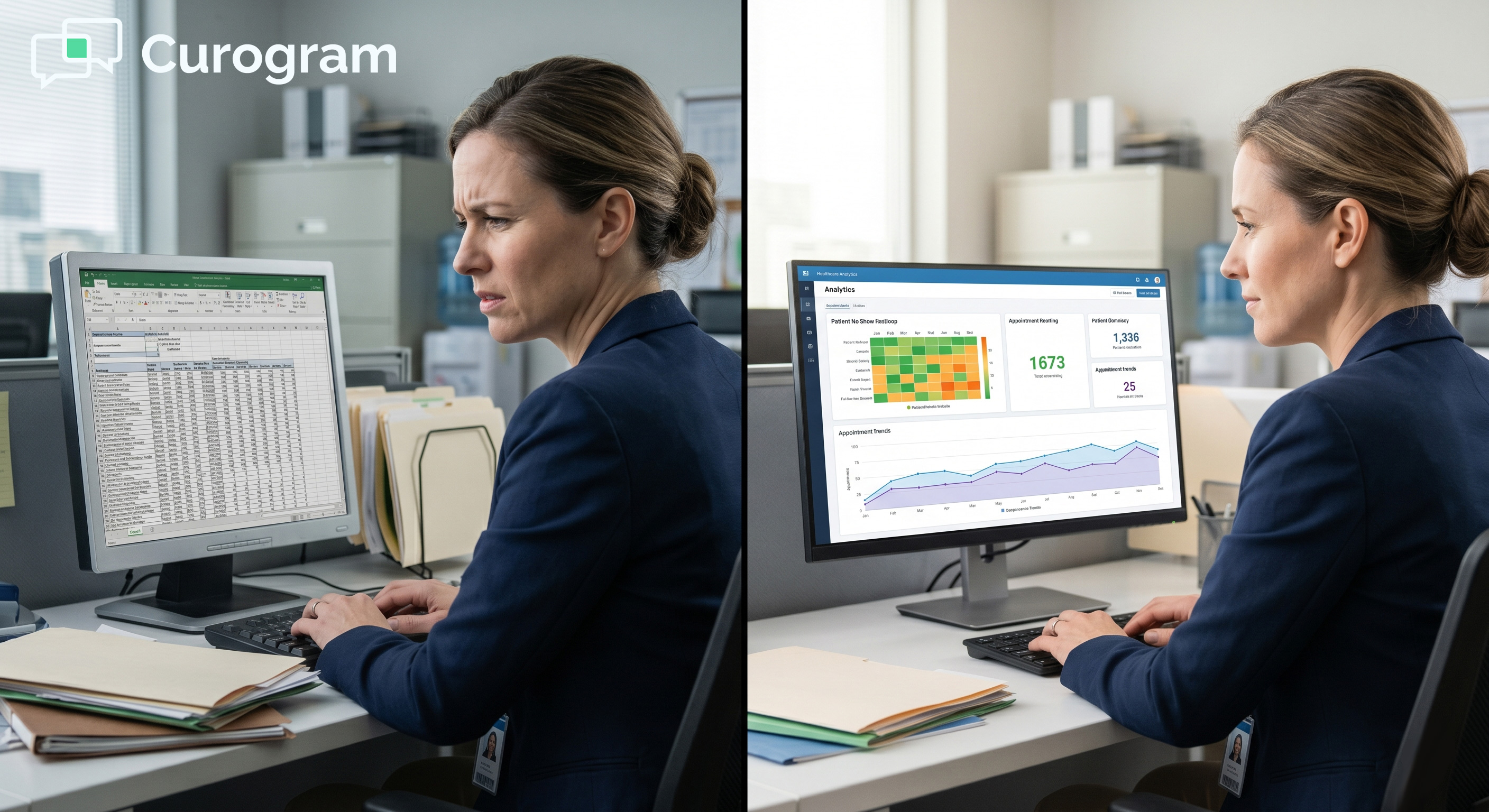
Heatmaps turn no-show data into a colored grid. Red squares jump out as obvious problems. Green squares show where the schedule is healthy. The pattern shows up before you read a single number.
Trend lines do something similar across time. They show whether a recent change made things better or worse. They confirm progress when the team is doing well. They flag a slip when the average is hiding it.
Multi-location groups have a special challenge. They need both a top-down view and a site-level view. Curogram's master dashboard offers both, with a toggle between aggregate and individual site data. A regional manager can see the rollup, then zoom into one site without switching screens.
EHR systems can show site-by-site data, but the cross-site comparison is rarely built in. The manager has to pull each report and stitch them together. That manual stitching is yet another version of the patient engagement software vs EHR gap, just at a higher level.
Augmenting is not the same as replacing. Your EHR keeps doing the clinical and billing work it was built for. The analytics layer handles the operational questions the EHR was never built to answer. Knowing when to add that layer comes down to a few clear signals.
Most practices reach the ceiling slowly. The signs build over months. By the time the team sees them clearly, they have usually been there for a while. The faster you can name them, the faster you can fix them.
The clearest signal is when basic operational questions feel hard to answer. If your team has to build a custom report to find which day of the week has the highest no-show rate, the EHR has hit its limit. Purpose-built analytics treats that question as a default view.
Live questions sound simple, but require connected data. Which provider's slots are filling the slowest this week? Which appointment type has the worst confirmation rate? What is the no-show pattern for our top three referring physicians?
Each of these needs cross-system data. The EHR alone cannot stitch reminders, responses, and appointments together. Curogram client data from clinical settings shows a 15% average no-show reduction within 90 days when these views are in place.
If your front desk spends an hour a day updating appointment statuses by hand, that is a clear signal. The work is real, but it should not be human work. Each update is a tiny task that adds up to a full part-time role.
That is also where the one-way text reminder black hole EHR is at its worst. Replies arrive. Staff handles them. The EHR catches up later, sometimes incorrectly. The cycle eats time and produces errors that show up as empty chairs.
Adding a purpose-built layer is much simpler than most teams expect. There is no rip and replace. Your EHR stays in place. The analytics platform connects to it through a standard integration that the vendor configures for you.
Curogram supports direct connections to Epic, Cerner, Practice Fusion, athenahealth, eClinicalWorks, and others. The team handles the heavy lifting. Your IT staff do not need to write or maintain the integration.
Bi-directional means both systems share live updates. Appointments flow from the EHR into the analytics platform. The platform layers on reminder and response data. Confirmed status flows back into the EHR record without staff input.
That two-way flow is the heart of the patient engagement software vs EHR setup. The EHR keeps its role as the clinical source of truth. The analytics layer takes over the operational tracking. Neither system has to give up what it does best.
Setup typically runs two to four weeks. After that, the practice starts seeing real-time data immediately. Curogram client data from clinical settings shows the 15% no-show reduction lands within the first 90 days for most practices. Atlas Medical Center hit a much bigger result in that same window.
By month three, the team has usually moved from manual updates to exception handling only. Reports are quicker. Decisions are sharper. The schedule starts looking less like a guess and more like a plan.
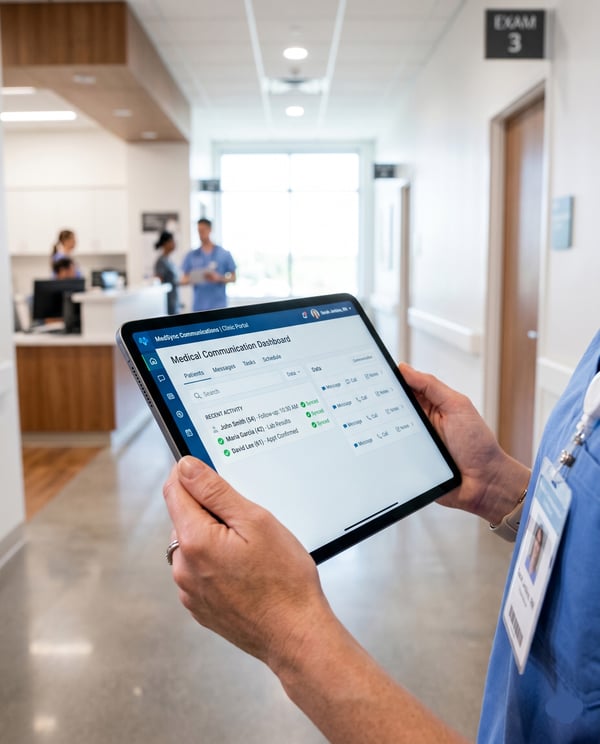
The fastest way to fill a calendar is to stop treating the EHR like the only tool for the job. EHRs are excellent at the work they were built for. Schedule management was never that work. Trying to force it usually leaves a clinic short on visibility and long on manual labor.
The pattern repeats across practices of every size. Reminders go out. Replies disappear. The monthly report shows a flat number that hides the real story. Staff fill the gaps with manual updates that introduce more errors than they fix.
Purpose-built analytics flips the pattern. Real-time data replaces monthly snapshots. Two-way communication replaces one-way sends. Operational dashboards replace billing tables. The EHR keeps its core role, and a connected layer handles the rest.
The proof is in the numbers. Atlas Medical Center cut its no-show rate from 14.20% to 4.91% in three months. Curogram client data from clinical settings shows a 53% lower no-show rate across the platform versus the industry average.
If your team is still typing patient replies into appointment records by hand, the gap is costing you. If your monthly no-show report still arrives without a clear story, the gap is costing you. The first step is naming the gap. The second is closing it.
Book a Free Practice Data Walkthrough. You will see exactly where your no-shows cluster, how much they are costing, and what a connected analytics layer can do to change the pattern.
Frequently Asked Questions

1 min read
Jo Galvez : 5/17/26, 9:00 AM
💡 Patient no-shows cost medical practices between $20,000 and $30,000 per month. Yet most practices treat this as a staffing problem rather than a...
1 min read
Jo Galvez : 5/17/26, 1:00 PM
💡 Patient no-shows cost medical practices $20,000 to $30,000 per month in lost revenue. That number comes from four cost layers: direct lost fees,...
1 min read
Jo Galvez : 5/24/26, 1:00 PM
💡 EHR analytics were built for billing and compliance, not daily operations. They track what was scheduled, billed, and collected. They cannot tell...