
 Joshua Inciso
How Telehealth Improves the Patient Experience
One way to improve the patient experience is to implement telehealth in your medical practice. Telehealth offers benefits to patients and providers.
A telemedicine launch usually gets handled as an announcement. Make a graphic, post it, email the patient list, wait for bookings.
Three weeks later, the virtual slots sit half empty. Phones ring as much as they did before, with one new question added to the queue: how do I actually get on the video? The front desk starts walking patients through logins instead of booking them.
The leak sits between hearing about the service and joining a visit. A patient taps your post, lands on a portal login page, asks for a password reset, never sees the email, and gives up. None of that gets recorded as a marketing problem. It surfaces later as a thin schedule and a provider asking whether virtual visits were worth setting up.
Take a practice holding six virtual slots a day at $120 each. Fill half and roughly $1,800 a week walks out the door. That figure is illustrative, but the shape of it is real, and it is why a launch deserves more than one Facebook post.
So run the launch as two jobs at once. Buy reach for people who do not know the service exists. Cut steps for the people who already decided. Ideas below sit in that order, paid channels first because they take the longest to warm up, then the fixes to your own site and messaging, which can ship this week.
One claim we will defend the whole way down: your cheapest virtual visits in the first quarter come from patients whose phone numbers you already have.
Social media posts can update your patients about your new telemedicine service, but organic posting cannot be your only outreach strategy. One of the best social media marketing strategies to reach more people is boosting your posts or investing in ads on Facebook, Instagram, or Twitter.
Paid posts still need artwork, and a banner generator lets your front desk build one without waiting on a designer. This will help you reach new people in your community who do not know about your practice.
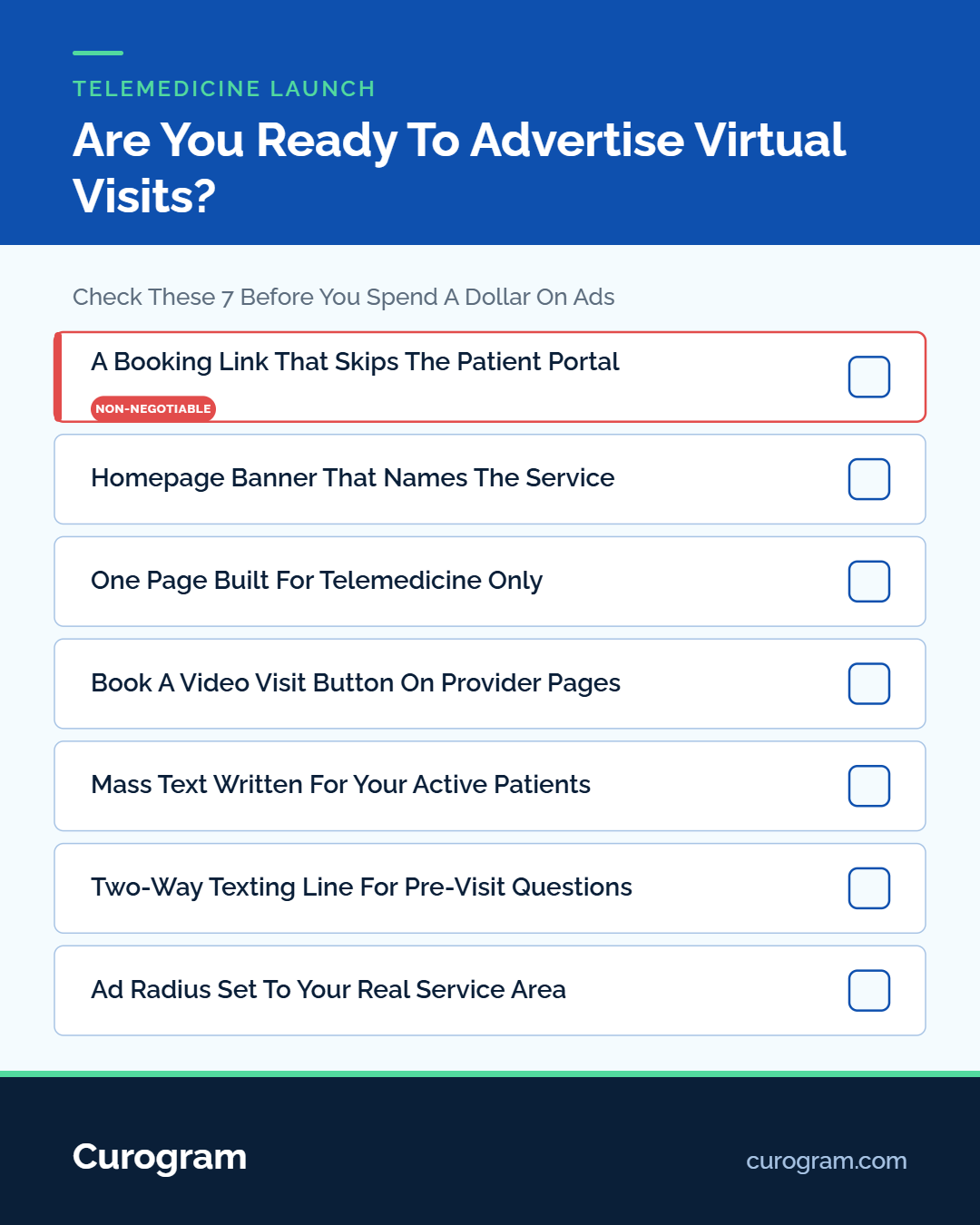
Set the radius to the drive time you would accept for an in-person follow-up, usually 10 to 15 miles for primary care. Cut the ZIP codes you do not serve. Keep clinical claims out of the creative. Name the service, name the hours, and link straight to a booking page.
Search ads catch people at the moment they want care. Other channels put you in front of a demographic and hope the timing lines up.
Nobody posts on Facebook that their chest has felt tight for two days. They do type it into Google. A cardiology practice can reach that person through search in a way no social platform allows.
Build the keyword list from symptom and urgency words rather than from your service menu. Terms like video visit today, same day doctor appointment near me, and online doctor for a prescription refill pull people who are ready to book.
Send that traffic to your telemedicine page and never to the homepage. A homepage makes the patient hunt for what the ad already promised, and plenty of them will not bother.
The Google Display Network places ads on news sites, blogs, apps, and YouTube, in front of people who are reading rather than searching. Cold display for a brand new telemedicine service tends to burn budget. Retargeting is where it earns back.
Tag your telemedicine page, then show ads only to visitors who landed there and left without booking. Those people already raised a hand. Most of them stalled on something practical: cost, insurance, or whether they had to download an app.
Cap frequency at three impressions per person per day. Past that, you are paying to annoy someone who already knows you exist. Hold the geo fence to the same radius as your social targeting. If a provider has recorded a 30-second clip explaining what a virtual visit covers, YouTube pre-roll reaches the same audience for less than search.
Most practices bury the news. A line goes onto a services page three clicks deep, and the patients who search for a provider by name never see it.
People who look you up go straight to the page they wanted. When the telemedicine information is not on that page, it does not exist to them. Three fixes, in the order we would ship them:
|
Website Fix |
Time to Ship |
What It Changes |
|---|---|---|
|
Homepage banner with a booking link |
Same day |
Every visitor sees the service exists |
|
One page built for telemedicine only |
1 to 2 days |
Gives your ads somewhere to land |
|
Book a Video Visit button on provider pages |
About a week |
Catches patients searching a doctor by name |
A button reading Telemedicine Now Available, wired to a real booking form, does more for month one than a redesign. If your CMS access covers the homepage and nothing else, start there and add the rest as permissions come through.
Your fastest audience is sitting in the EHR. A mass text to active patients reaches more people in one afternoon than a month of boosted posts, at a fraction of the ad spend.
Send the email first, then text two days later to anyone who has not booked. Hold the text to two sentences and one link. Say what changed, say who it is for, and stop.
Recall messaging carries the same weight. At one multi-location practice, 35% of patients who got an SMS recall booked within a month, and 1,240 patients came back from recall messages alone, based on our internal data. Those are visits a Facebook ad would have cost real money to buy.
Tell your referral partners too. Physicians who send you patients need to know virtual follow-ups are an option now, because it changes who they refer and how quickly.
Patients stall on three questions before a first virtual visit. Is this covered by my insurance? Do I need to download an app? Can the doctor refill my prescription over video?
None of those are hard to answer. They are hard to ask because asking means calling the office and holding during a workday.
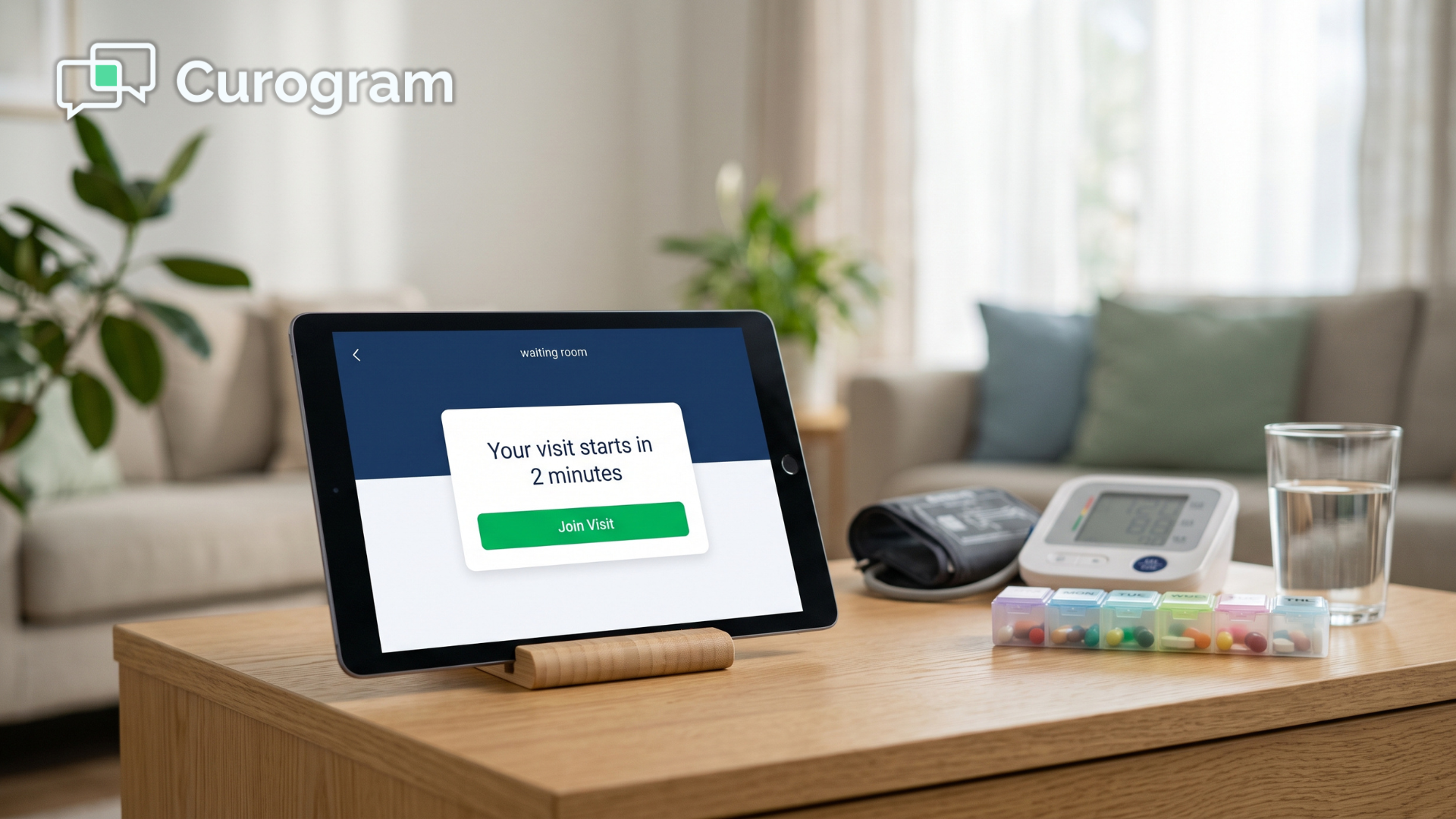
Two-way HIPAA-compliant texting takes the hold music out of it. A patient texts your main office number, the message lands in a shared front desk inbox, and someone answers in under a minute. In that same thread, staff sends the visit link.
Curogram connects with any EHR and runs this as one inbox, and it is SOC 2 Type II certified and HIPAA compliant. Practices running automated text confirmations average above 75% confirmation rates, based on our internal data. The thread that answers an insurance question is the same thread that confirms the appointment two days later.
Every idea above spends something. Ads spend money. A new page spends developer time. A mass text spends goodwill you built with a list you already own, which is why the wording matters more than the send button.
Order them by what they cost and what they return in 30 days. Text and email the existing list. Build the page. Then buy reach.
What most launches skip is the middle, meaning everything that happens after a patient decides yes and before they are on the call. Fix that stretch and your ads work harder, because the traffic you paid for stops leaking at a login screen.
Curogram runs telehealth visits, patient reminders, and two-way texting from one platform that connects with any EHR. A patient who asks a question by text gets the visit link in that same thread.
Book a demo, and we will walk through what virtual scheduling would look like.

One way to improve the patient experience is to implement telehealth in your medical practice. Telehealth offers benefits to patients and providers.

 Joshua Inciso : 4/18/22, 7:00 AM
Discover the best methods and guidelines for creating the ultimate patient experience and see how you can apply them to your practice.
 Joshua Inciso : 4/5/22, 7:00 AM
A telehealth strategy brings value and benefits to your organization. Learn how to build a telemedicine strategy and how it contributes to success.