
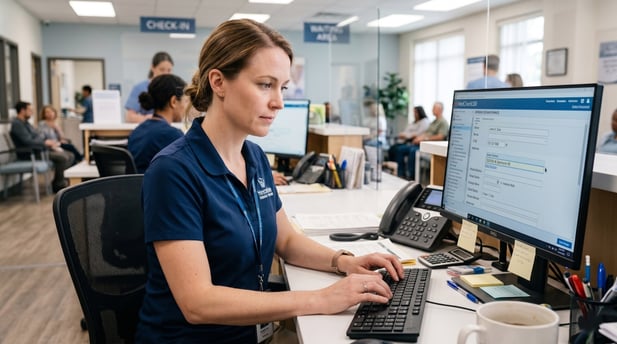
16 min read

Curogram vs. Doctible: EHR Integration Architecture

Curogram vs. Doctible: EHR Integration Architecture
💡 When comparing Curogram vs. Doctible EHR integration architecture, one key difference stands out: how each platform handles clinical data.

Curogram uses a discrete bi-directional API that writes individual patient data fields, such as medications, insurance, and social history, directly into EHR records. Doctible, by contrast, relies on a surface-level PMS sync that alerts staff when a form is complete but stops short of writing discrete data into the EHR.

This forces front desk teams to manually enter the information. For medical practices that rely on accurate, real-time clinical data, the depth of integration is not a minor detail. It is the foundation of how well automation works.
 

Shopping for a patient engagement platform often starts with the same checklist: appointment reminders, digital intake forms, and review requests. But most practices stop there. They compare features without looking at what happens to the data after a patient clicks "submit."

That is where the real gap between platforms shows up. The question is not just what a platform can do. It is how deeply it connects to your EHR. Does patient intake data flow straight into the record? Or does a staff member still have to type it in by hand?

This is the core difference between Curogram and Doctible. Both platforms offer patient engagement tools. But their integration models work in completely different ways.

Curogram uses a discrete bi-directional API to write clinical data directly into EHR fields. Doctible uses a surface-level PMS sync that notifies staff when a form is done, without completing the data entry step.

That distinction shapes everything downstream: staff workload, data accuracy, automation reliability, and ultimately, patient care.

This article breaks down how each model works, where the gaps appear in real clinical settings, and what those gaps mean for medical practices running complex EHR environments.

The Integration Gap Between Marketing Platforms and Medical EHRs

Not all patient engagement tools are built the same way under the hood. Some connect deeply with clinical systems.

Others stay at the surface, handling scheduling data and patient notifications without ever writing structured clinical information back to the EHR. That gap may not be obvious in a product demo, but it becomes very clear once a practice goes live.

Understanding where a platform sits on this spectrum matters more than most buyers realize when evaluating tools for complex medical EHR environments.

How Patient Engagement Platforms Connect to EHRs

A patient engagement platform has to exchange data with an EHR to be useful. The question is how much data, and in what form. Some platforms are built with native API connections that write individual data fields, such as a patient's current medications or insurance details, directly into the matching fields inside the EHR. Others connect at a higher level, syncing appointment status or sending notifications without touching clinical data.

The first model is called discrete write-back. The platform reads and writes specific data points in real time. The second is called surface-level sync.

The platform sends a signal that something happened, but the actual clinical data still needs to be moved into the EHR by a person.

What Discrete Means in Clinical Data Terms

In clinical data management, "discrete" refers to data stored in individual, structured fields rather than in a flat document or PDF. A discrete field is one that a system can read, search, and act on programmatically.

For example, a discrete allergy field can trigger a drug alert. A flat-file allergy note sitting in an uploaded PDF cannot.

When a platform writes discrete data back to the EHR, it means that each piece of patient information lands in the right field automatically.

This is what makes downstream automation reliable. When a platform only syncs at the surface, clinical data often ends up in a notification or attached file, and staff must re-enter it manually.

Why Surface-Level Sync Creates Work Instead of Removing It

Surface-level sync feels like automation, but it often shifts work rather than eliminating it. A staff member receives a notification that a patient has completed their intake form.

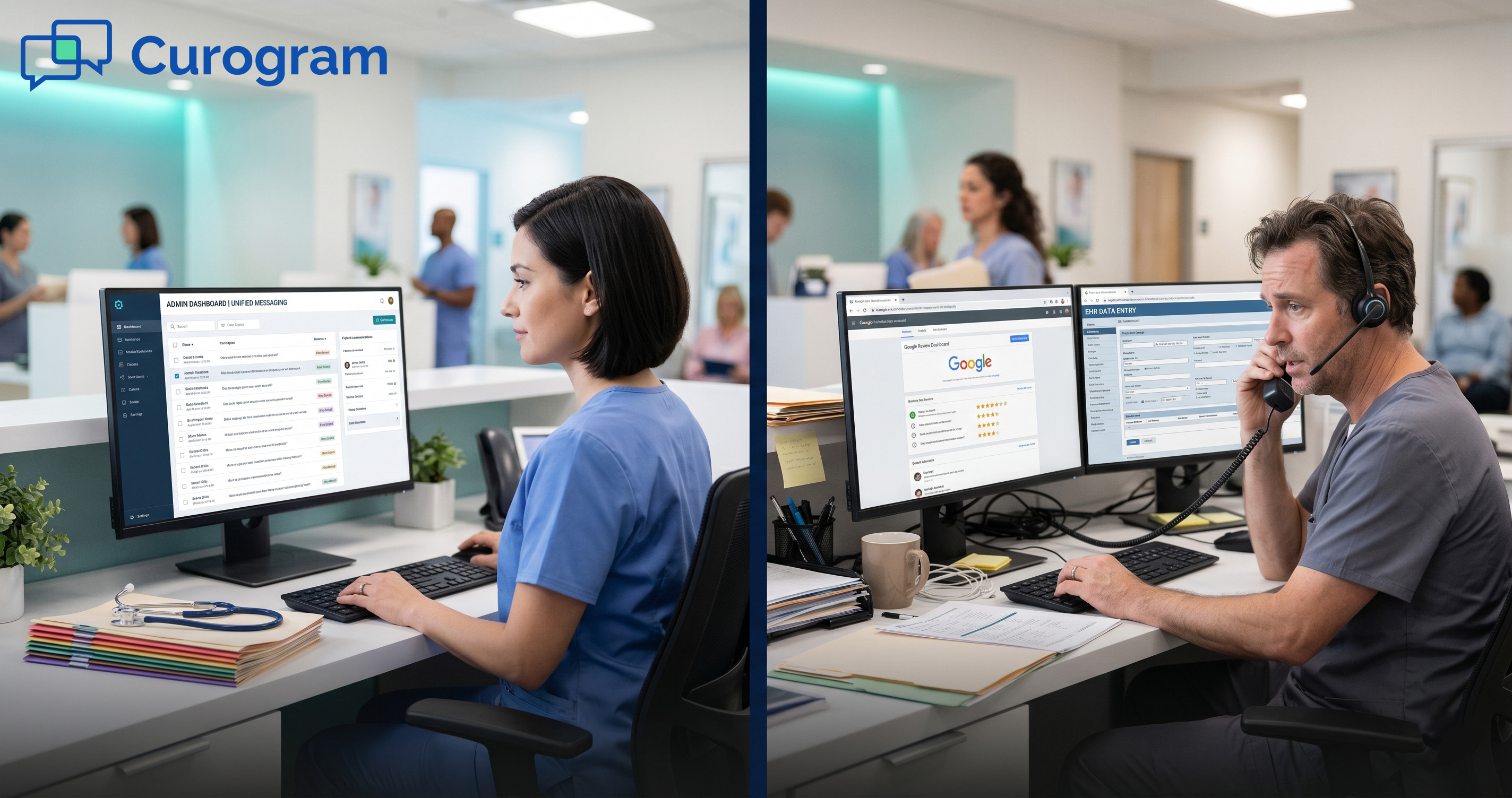
They open the form, read through it, and then manually type each piece of clinical information into the EHR. This step is often called the "notification loop," because the automation stops at the alert and leaves the actual data work to staff.

In busy medical practices, this loop adds up fast. If each patient intake requires 8 to 12 minutes of manual EHR entry after form submission, a full day of appointments means hours of data transcription. That time comes directly out of what staff could otherwise spend on patient care or other clinical tasks.

Where Doctible Falls Short in Medical EHR Environments

Doctible was built with dental and chiropractic practice management systems in mind. Those systems often have simpler data models, and a surface-level sync works well enough in that context.

But when medical practices with enterprise EHRs, such as Athena, eClinicalWorks, or DrChrono, try to use the same approach, the integration depth is not enough.

According to verified 2025 to 2026 user reviews from medical specialties, Doctible's intake forms frequently do not sync as discrete fields into the EHR.

Staff receive a notification that the form was completed, but clinical data, including medications, social history, and insurance information, still needs to be entered manually. For practices that chose a platform to reduce this kind of manual work, that is a significant gap.

The EHR Compatibility Gap

Doctible supports a range of practice management systems, but its native integration depth varies significantly across EHR platforms. In dental and chiropractic environments, the sync handles basic scheduling data and patient demographics. In medical EHR environments with more complex data structures, that same sync cannot reach the field-level granularity that clinical workflows require.

This is not a minor technical footnote. In a medical practice, field-level data fidelity determines whether a patient's chart is accurate before their appointment.

If the chart is incomplete, staff must make manual updates before the provider walks in, which is a direct operational burden that the platform was supposed to remove.

The Notification Loop in Practice

Here is how the notification loop looks in a real workflow. A patient completes a Doctible intake form from their phone the night before their appointment.

The front desk sees that the form is done. But when they open the EHR the next morning, the clinical fields are empty. A staff member has to pull up the Doctible form, compare it to the EHR, and type in the medications, history, and insurance information field by field.

That process takes time, and it introduces the risk of transcription errors. Neither outcome is what the practice signed up for when they chose a "digital intake" solution. The notification loop is one of the clearest signs that a platform's integration operates at the surface, not at the data level.


Discrete Write-Back vs. Surface-Level Sync: Two Different Data Models

At a technical level, Curogram and Doctible take different approaches to moving patient data between a form and an EHR. These are not minor variations of the same method. They are two different models with different outcomes for clinical data quality, staff workload, and automation reliability.

Understanding how each model works helps practices ask better questions before they buy.

How Curogram's Bi-Directional API Works

Curogram's medical EHR integration is built on a bi-directional API that exchanges data in real time. When a patient completes a Curogram intake form, the platform does not store the data internally and waits.

It writes each individual field, such as current medications, social history, insurance details, and demographics, directly into the matching fields inside the EHR through a native API call.

This is discrete data write-back. The platform that collects the data is the same one that writes it to the clinical record. No flat file is generated. No PDF is attached. No manual step is required from staff. The data is simply in the EHR by the time the patient arrives.

Real-Time Data Exchange and What It Enables

Because Curogram's integration is bi-directional, data flows both ways. The EHR can send appointment data to Curogram, which powers accurate reminders and confirmations.

Curogram can send patient data back to the EHR, which keeps the clinical record current. This two-way connection is what makes automation reliable. If appointment changes happen in the EHR, Curogram sees them right away and updates reminders accordingly.

Real-time data exchange also means there is no lag between when a patient submits information and when it appears in the chart.

For same-day appointments or walk-ins, this matters. Staff are not scrambling to locate a form or manually update fields before the provider needs the chart.

What Discrete Field-Level Write-Back Looks Like in Practice

Consider a patient who fills out an intake form two days before their appointment. They list three current medications, update their insurance information, and add a new item to their social history.

With Curogram, each of those updates writes to the corresponding discrete field in the EHR automatically. When staff open the chart that morning, those updates are already there.

This is not a minor convenience. In complex medical settings, having accurate, structured data in the chart before the visit affects clinical decision-making. Drug interaction alerts depend on accurate medication data.

Billing accuracy depends on correct insurance fields. When that data arrives discretely and in real time, it supports better outcomes and fewer errors.

How Doctible's Surface-Level PMS Sync Works

Doctible's integration model connects to practice management systems primarily at the appointment and scheduling level. It syncs appointment status, sends reminders, and collects patient forms through a link-based flow.

When a patient clicks the link, fills out the form, and submits it, the data is stored in Doctible's system. What happens next depends on the EHR.

In many medical EHR environments, verified user reviews note that the clinical data from these forms does not automatically write to discrete EHR fields.

Staff receive a notification that the form is complete, but the actual clinical content still require manual entry into the EHR. This is the surface-level sync pattern: the platform handles the front-end collection but does not close the data loop.

Why This Model Works for Dental but Struggles in Medical Settings

Dental and chiropractic practice management systems tend to have simpler, more standardized data models. A surface-level sync that handles appointment status and basic patient demographics is often sufficient for those workflows.

The clinical data collected in a dental intake is less complex, and the connection between form data and the chart is more straightforward.

Medical EHRs are different. They manage a wider range of clinical data types, including medication lists, problem lists, social histories, care team information, and multi-payer billing.

A surface-level sync that was optimized for a dental PMS cannot reliably bridge those structures. The result is a gap between what the platform collects and what actually lands in the clinical record.

The Operational Cost of the Notification Loop

Based on our internal research, practices using surface-level intake solutions spend an average of 8 to 12 minutes per patient on manual EHR data entry after form submission.

For a practice seeing 30 patients per day, that adds up to four to six hours of staff time spent re-entering data that was already collected. That is time that cannot be spent on patient communication, prior authorizations, or other tasks that require clinical judgment.

The notification loop is not just an inconvenience. It is a measurable operational cost that compounds every day. And it is one that a discrete bi-directional API clinical platform is specifically designed to eliminate.


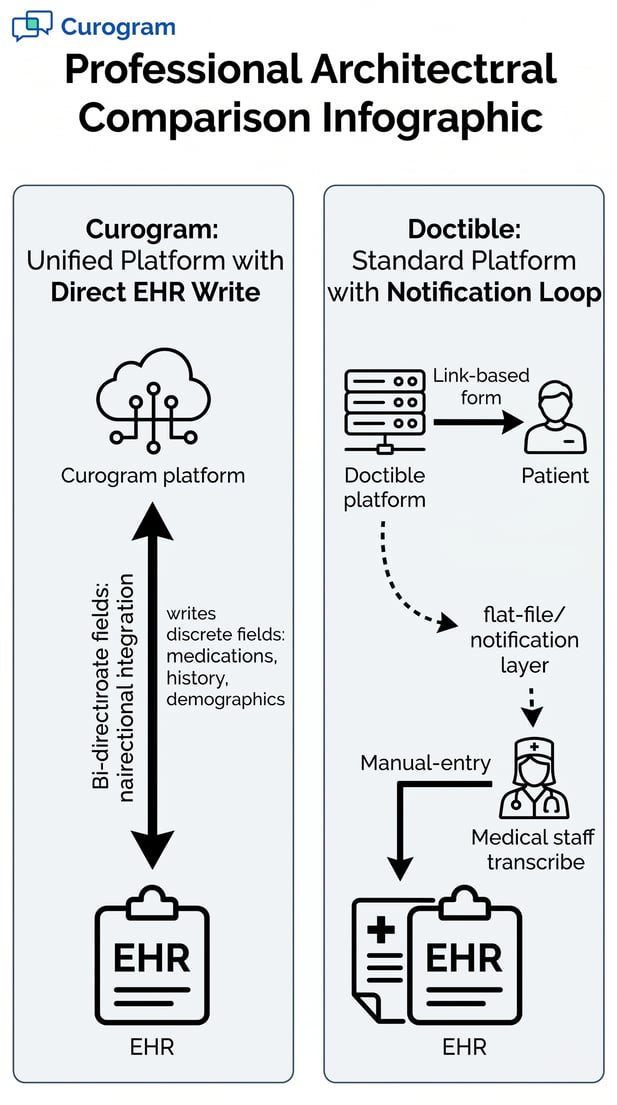
Diagram comparing Curogram's direct EHR write to Doctible's manual data transcription loop

Deterministic Automation: What Discrete Data Fidelity Makes Possible

When clinical data flows accurately from form submission to EHR field, every automation that depends on that data becomes more reliable. Reminders fire at the right time.

Confirmations reflect the actual schedule. Patient charts are ready before the visit. This is what it means for automation to be deterministic: the outcome is predictable because the data powering it is accurate.

Practices using Curogram have documented measurable results that come directly from this kind of integration depth.

Real-World Outcomes: From Paper Forms to Discrete EHR Data

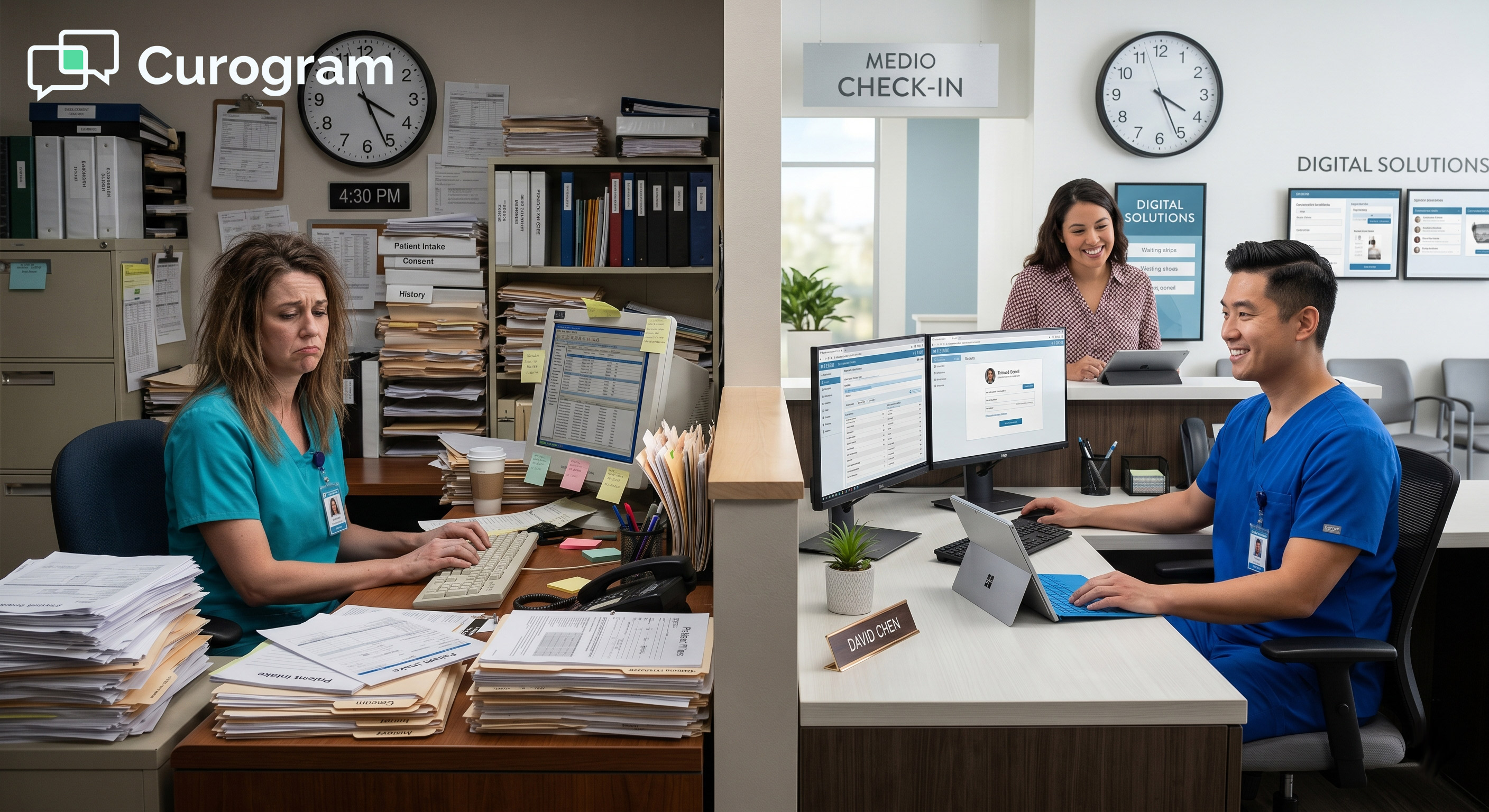
Before Curogram, many practices were managing intake with paper forms. Some practices handled as many as 19 pages of paper forms per patient per visit. That volume meant staff spent significant time scanning, filing, and manually entering data into the EHR before each appointment. The intake process was a bottleneck, not a workflow.

Curogram replaced that process with native smart forms that write directly to EHR fields upon submission. Staff no longer needed to re-enter the data.

The bottleneck was removed. And because the data was now discrete and structured, it could feed automation workflows accurately.

How Intake Data Quality Affects Downstream Automation

Automation tools are only as good as the data they run on. A reminder system that pulls appointment data from an EHR in real time, through a bi-directional connection, will always be more accurate than one that relies on a cached or delayed sync.

If an appointment is rescheduled in the EHR at 3 pm and the platform only syncs overnight, the reminder sent that evening is wrong.

This is not a hypothetical problem. In practices using surface-level sync tools, staff frequently have to manually cancel or correct reminders because the platform did not see the schedule change in time.

Curogram's real-time bi-directional connection eliminates this. The schedule stated in Curogram always matches the EHR, which is why its automation produces consistent, reliable results.

No-Show Reduction as a Measure of Integration Reliability

No-show rates are a useful proxy for how well a reminder and confirmation system is working. If patients are receiving accurate, timely reminders, they show up. If reminders are delayed, sent for the wrong time, or sent for appointments that were already rescheduled, patients miss them and no-shows increase.

Based on our internal data, Atlas Medical Center reduced its no-show rate from 14.20% to 4.91% in just three months after deploying Curogram's integrated reminder and confirmation system.

That result is three times better than the industry average. It happened because the automation was running on accurate, real-time EHR data, not on a delayed or surface-level sync.

Confirmation Rates and Operational Throughput

A confirmation rate above 75% is a significant operational benchmark. It means that more than three out of four scheduled patients have actively confirmed their appointment, reducing uncertainty for the practice and allowing staff to fill open slots proactively. Based on our internal research, Curogram clients achieve an average appointment confirmation rate above 75%.

That result depends on the platform having accurate, current schedule data. If the confirmation system does not know about a same-day cancellation, it cannot flag the open slot.

If it does not have the correct appointment time, it cannot send the reminder at the right moment. Discrete, real-time data integration is what makes a high confirmation rate achievable and sustainable.

Covina Arthritic Clinic: Operational Throughput at Scale

Covina Arthritic Clinic used Curogram to automate appointment confirmations across a high-volume patient load. The results, based on our internal data, showed more than 1,100 appointments confirmed per month through automated reminders and real-time response processing.

That volume would be impossible to manage manually. It required a platform with a reliable integration layer that could pull accurate schedule data and handle patient responses in real time.

The clinic did not just confirm more appointments. It did so without adding staff. The automation absorbed the confirmation workload entirely, freeing the team to focus on in-clinic operations.

That is the operational value of an integration model that closes the data loop rather than creating a notification that someone else has to follow up on.

No-Show Rates Across Specialties: The Data

Curogram's no-show rates are 53% lower than the industry average across multiple specialties.

Based on our internal research, the breakdown by specialty shows consistent results.

  • Primary care averages 14.11% with Curogram versus 19% industry average.
  • Pediatrics shows 14% versus 30%.
  • Psychiatry comes in at 11.03% versus 23%.
  • Radiology shows 8% versus 18%.
  • Dermatology is 9% versus 25%, and pain medicine shows 10% versus 14%.

These results are consistent because the underlying integration is consistent: real-time, discrete, and reliable.


Architecture Comparison: Integration Depth by Workflow

The table below shows how Curogram and Doctible handle key clinical workflows based on their integration models.

Workflow

Curogram (Discrete Bi-Directional API)

Doctible (Surface-Level PMS Sync)

Intake Form Data Flow

Patient form data writes directly to EHR fields via API upon submission

Data stored in Doctible; staff manually transcribe to EHR

Data Write-Back Detail

Discrete field-level: meds, history, insurance, demographics

Primarily flat-file or notification sync; no discrete medical field write-back

Schedule Sync

Real-time, bi-directional; changes reflect instantly

Surface-level appointment status sync; clinical data often excluded

EHR Compatibility

Enterprise medical EHRs: Athena, eCW, DrChrono, Epic, and more

Primarily dental/chiropractic PMS; limited medical EHR depth

Staff Work After Intake

Zero manual entry required; data is in EHR upon submission

8 to 12 minutes per patient for manual EHR data transcription

Telehealth

Native module within the same platform

Not available as a native feature


How Integration Depth Affects Staff Workload and Clinical Operations

Integration architecture is not just a technical topic. It has a direct, daily effect on how clinical staff spend their time. The deeper the integration, the less manual work remains. The shallower it is, the more staff have to fill the gaps.

For practices evaluating patient engagement tools, understanding this connection can help prevent a common mistake: choosing a platform based on its feature list without accounting for the operational overhead its integration model creates.

The Hidden Cost of Manual Data Entry

Manual data entry after patient form submission is one of the most underestimated costs in medical practice operations. It feels like a minor inconvenience in isolation, but it compounds across every patient, every day.

When a platform sends a notification that a form is complete but does not write the data to the EHR, someone has to do that step manually. In a busy practice, that is a significant time commitment.

Based on our internal research, practices using surface-level intake solutions spend 8 to 12 minutes per patient on manual EHR entry after form submission. In a practice with 30 patients per day, that is a minimum of four hours of staff time spent re-keying information that was already collected once.

That time cannot be used for clinical care, patient communication, or any other value-adding task.

Transcription Errors and Their Impact on Care Quality

Manual data entry also introduces the risk of transcription errors. When a staff member reads a patient's handwritten or digital form and types the information into the EHR manually, they may misread a medication name, transpose a number in an insurance ID, or miss a line in a social history. Those errors can affect clinical decisions, billing accuracy, and care continuity.

Discrete write-back eliminates this risk entirely. When the platform writes the data directly to the EHR field, the information the patient entered is exactly what appears in the chart. There is no human transcription step in between. The data is accurate because it was never retyped.

Front Desk Capacity and Staffing Implications

When manual data entry is removed from the intake workflow, front desk staff can redirect that capacity to tasks that require human judgment: answering patient questions, managing complex scheduling situations, handling prior authorization follow-ups, or supporting telehealth visits.

These are high-value activities that improve patient satisfaction and practice revenue, but they are often deprioritized because staff are occupied with data entry.

Curogram's discrete integration model is designed to reclaim that capacity. Automating the data transfer from form to EHR removes a category of routine work entirely.

For many practices, this is the difference between needing an extra staff member and running efficiently with the team they already have.

Workflow Disruption in Enterprise EHR Settings

In practices running enterprise EHRs, the impact of shallow integration is amplified. These systems have more complex data structures, more clinical fields, and more rules about what data goes where.

A surface-level sync that works in a dental PMS does not translate to an enterprise medical EHR without significant manual overhead to compensate.

Staff in these environments often develop workarounds: printed forms, shared spreadsheets, custom intake checklists that run parallel to whatever the digital platform provides. These workarounds signal that the integration is not doing its job. They add fragility to the workflow and create new opportunities for errors.

How Curogram Handles Complex Medical EHR Environments

Curogram was built specifically for complex medical EHR environments. Its native connections to platforms like Athena, eClinicalWorks, DrChrono, and Epic are designed to handle field-level data exchange, not just scheduling status.

This means that intake forms, patient updates, and confirmation data all flow into the EHR through structured API calls that map to the correct fields.

Practices do not need to build workarounds. The integration handles the data transfer, and staff can trust that the chart is accurate before the patient walks in.

That reliability is not incidental. It is a direct result of an integration model that was designed for medical workflows from the start, rather than adapted from a dental or chiropractic foundation.

Time Saved Across the Patient Journey

The time savings from discrete integration appear at multiple points in the patient journey. At intake, staff skip the manual data entry step.

At check-in, the chart is already updated. During the visit, providers can access accurate, structured data without asking patients to repeat information. At checkout, billing fields are correctly populated. Each of these small savings adds up to a materially more efficient day.

For practices that see high patient volumes, this kind of efficiency is not a luxury. It is what makes it possible to serve more patients without increasing staff headcount or compromising care quality. Integration depth is the lever that makes it happen.

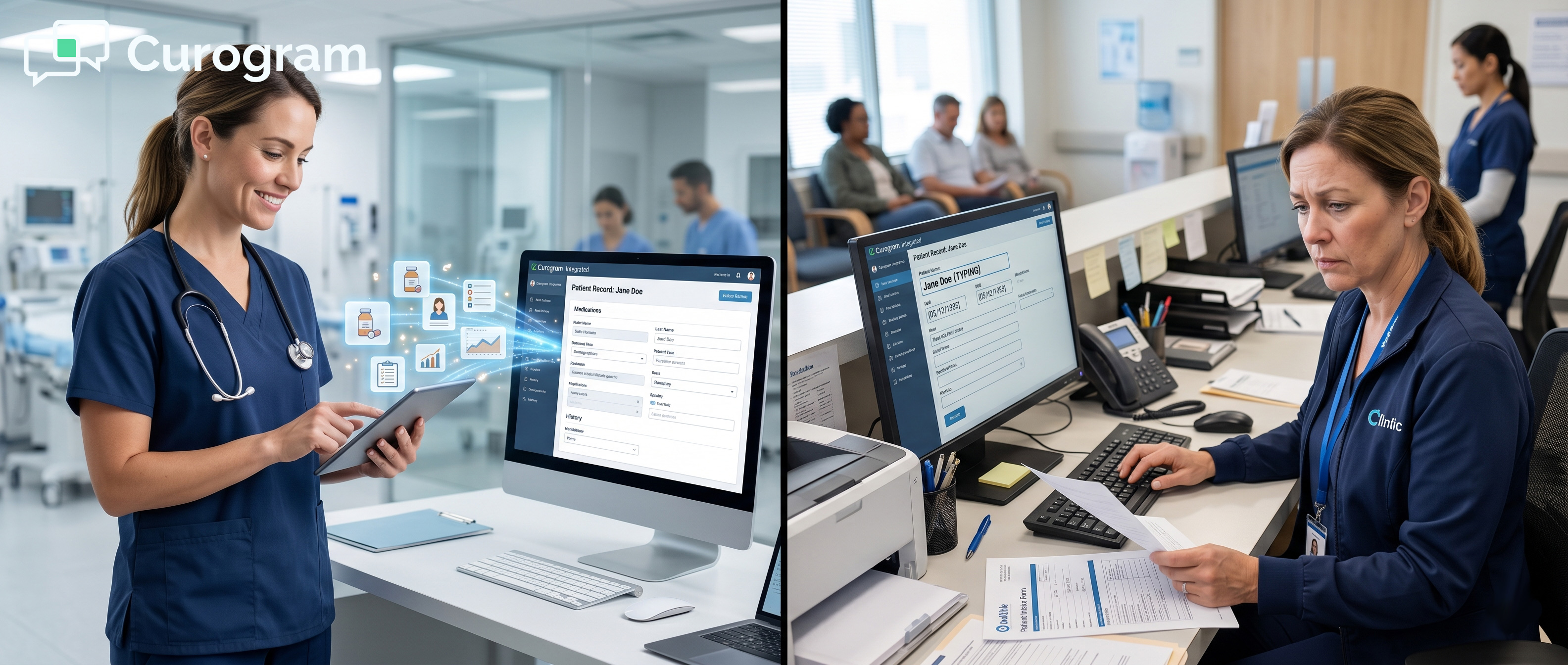
Close-up of medical receptionist manually transcribing data from paper into EHR systemIntegration Depth Is the Foundation of Clinical Automation
Every automation feature in a patient engagement platform depends on one thing: the quality of the data it runs on. Reminders, confirmations, recall messages, and digital intake all produce better results when the underlying data is accurate, current, and structured. Integration architecture is what determines whether that data meets those standards.

When evaluating platforms like Curogram and Doctible, this is the layer that matters most.

A reminder sent at the wrong time is worse than no reminder at all. It creates confusion for the patient and extra work for the practice when they have to call and correct it.

A confirmation request sent for an appointment that has already been cancelled wastes the patient's time and reflects poorly on the practice. These failures do not come from bad automation logic. They come from bad data.

Discrete bi-directional integration eliminates these failure modes. When the platform knows the exact state of the schedule in real time, its automation can act on accurate information. Reminders go out at the right time. Confirmations reflect the actual appointment. Patient data in the chart is current before the visit begins.

Surface-level PMS sync platforms are often easier to set up and market well to practices that prioritize quick implementation. But ease of setup is not the same as operational value.

A platform that connects quickly but leaves clinical data entry to staff creates a hidden workload that grows with patient volume.

Discrete API integration takes more work to build and requires deeper EHR partnership, but the payoff is automation that actually closes the loop. Staff do not have to compensate for what the platform did not do. The data is in the EHR because the platform put it there.

When comparing patient engagement platforms, practices should ask specific questions about data flow.

Does the platform write discrete fields to the EHR, or does it store data internally and notify staff?

Does intake data appear in the EHR before or after the appointment?

Is the schedule sync real-time or batched?

Does the integration handle clinical fields like medications and social history, or only scheduling data?

These questions reveal whether a platform is built for deep medical EHR integration or for surface-level connectivity. The answers should drive the decision, especially for practices operating complex multi-provider EHR environments where data fidelity directly affects care quality.

Over time, the difference between discrete integration and surface-level sync becomes more pronounced. Practices that start with a surface-level platform often find that manual entry workarounds become embedded in their workflow.

They hire additional staff to manage the data gap, or they accept a lower level of chart accuracy as the norm. Switching becomes harder because the workarounds have multiplied.

Practices that start with discrete integration build on a stable foundation. Automation works as expected, data is reliable, and new features like telehealth, patient recalls, and online reputation management can be layered on without creating new data gaps. The integration depth compounds over time in a positive direction.

The choice between Curogram and Doctible is, at its core, a choice about integration depth. Doctible offers solid surface-level connectivity that suits simpler PMS environments.

For medical practices using enterprise EHRs, its sync model often cannot deliver the field-level data fidelity that clinical workflows require.

Curogram was built from the ground up for medical EHR environments. Its discrete bi-directional API writes structured clinical data directly into EHR fields, supports real-time schedule synchronization, and eliminates the manual transcription step that surface-level platforms leave behind.

The result is automation that works reliably, charts that are accurate before the visit, and staff who spend their time on clinical care rather than data entry.

For medical practices operating in complex EHR environments, integration architecture is not a technical preference. It is the operational foundation on which all clinical automation depends.

Ready to see how discrete EHR integration performs in your practice? Ask an expert.


Frequently Asked Questions

How does Doctible's EHR integration compare to Curogram's discrete write-back approach?

Doctible connects to practice management systems at a surface level, syncing appointment status and basic demographics. Curogram uses a discrete bi-directional API to write individual clinical data fields, such as medications, insurance details, and social history, directly into EHR records.

In medical specialty settings, verified user reviews note that Doctible's intake data often does not sync as discrete fields, requiring staff to manually enter clinical information into the EHR. Curogram closes that loop automatically upon form submission.

Why does integration depth affect appointment reminder accuracy?

Reminder accuracy depends on how current the schedule data is inside the platform. Curogram's real-time bi-directional API means that any schedule change in the EHR appears in Curogram immediately, so reminders always reflect the actual state of the calendar.

With a surface-level sync, schedule updates may not be captured in real time, which increases the risk of reminders being sent for appointments that were already cancelled or rescheduled. Based on our internal research, Curogram clients achieve an average appointment confirmation rate above 75%, which is tied directly to the reliability of its real-time data connection.

How does surface-level PMS sync affect clinical staff workload?

When a platform does not write discrete data to the EHR, staff must complete the data entry manually after each patient form submission. Based on our internal data, this typically adds 8 to 12 minutes of manual entry per patient.

For a practice with 30 patients per day, that is four to six hours of additional administrative work that the platform was supposed to eliminate. Curogram's discrete write-back removes this step entirely, freeing staff time for higher-value tasks.

Why does Doctible's integration struggle with enterprise medical EHRs?

Doctible's integration model was originally designed for dental and chiropractic practice management systems, which have simpler data structures than enterprise medical EHRs. In medical settings using platforms like Athena, eClinicalWorks, or DrChrono, a surface-level sync often cannot reach the field-level granularity that clinical workflows require.

This creates a gap where patient form data is collected but not transferred to the EHR as discrete fields. Curogram was built specifically for enterprise medical EHR environments and maps intake data directly to the appropriate clinical fields through its API.

How does discrete write-back support better clinical outcomes?

When patient data arrives in the EHR as structured, discrete fields, it can be used by clinical systems in meaningful ways. Accurate medication lists can trigger drug interaction alerts. Correct insurance data supports proper billing. Up-to-date social history informs the provider before the visit begins.

These outcomes are only possible when the data is structured and accurate, not when it sits in a flat file or PDF waiting for manual transcription. Curogram's discrete integration model ensures that the data collected during patient intake is immediately available and clinically usable when the provider opens the chart.


Curogram vs. Demandforce: EHR Integration Architecture

Curogram vs. Demandforce: EHR Integration Architecture

💡 When comparing Curogram vs. Demandforce for EHR integration architecture, the core difference comes down to how patient data moves. Curogram uses...

Read More
Curogram vs OhMD EHR Integration: Which Platform Writes to Your Chart?

Curogram vs OhMD EHR Integration: Which Platform Writes to Your Chart?

💡 When comparing Curogram and OhMD on EHR integration architecture, the central difference is what happens to patient data after it is collected....

Read More
Curogram vs. Klara: EHR Integration Architecture Compared

Curogram vs. Klara: EHR Integration Architecture Compared

💡 When comparing Curogram and Klara on EHR integration, the core difference lies in how each platform connects to your system.Curogram uses a...

Read More