
9 min read

Curogram vs Artera: Streamlining Clinical Workflows for Practices

Curogram vs Artera: Streamlining Clinical Workflows for Practices
💡 The difference between Curogram and Artera is operational. Curogram unifies patient messaging, intake forms, reminders, telehealth, recalls, and reputation management in one platform, letting staff manage every interaction without switching tools or dashboards.  

Artera functions as a communications hub, creating a seamless patient-facing SMS thread.    

But behind that thread, clinical staff still access separate third-party applications for forms, telehealth, scheduling, and recalls — a structure that introduces ongoing front desk vendor fatigue and context-switching overhead.

Practices using a unified patient engagement platform see measurable results: no-show rates 53% below average, 1,100+ automated confirmations per month, and 35% recall reconversion — all from a single, integrated staff efficiency platform.

Imagine it's 8:30 on a Monday morning. Your front desk is already fielding calls. One patient needs to confirm an appointment. Another wants to fill out forms before they arrive. A third is asking for a telehealth link. Your staffer pulls up the messaging dashboard.

Then the intake form portal. Then the telehealth platform. Then the scheduling tool.

Every task is technically doable. It just takes four separate logins, four different screens, and four places where something can go wrong.

This is the daily reality for front-desk teams running a fragmented patient communication workflow. It sounds manageable.

It isn't — not when you're fielding 80 or more inbound calls a day.

The friction doesn't announce itself loudly. It builds quietly: in the seconds spent switching between tools, in the training time required when a new staffer has to learn three or four different platforms, and in the errors that slip through during context switches.

Most operations leaders never put a dollar figure on this cost because it doesn't appear on a single invoice. It shows up in burnout, in small mistakes, and in a front-desk team that spends more energy managing software than managing patients.

Healthcare practices evaluating curogram artera clinical workflow automation tend to start the right way — comparing features, integration depth, pricing.

But the most important question rarely comes up in vendor demos: how many dashboards will your team open every day just to complete one patient workflow?

That question matters because the answer determines whether your technology investment actually reduces your team's workload — or just reorganizes it.

This article examines how Curogram and Artera differ in daily clinical operations.

Not through a feature checklist, but through the lens of what your front-desk team actually lives through when they open their computers at 8:30 on a Monday morning.

The Real Operational Price Your Front Desk Pays for Disconnected Dashboards

When healthcare operations leaders evaluate patient communication platforms, the conversation typically lands on messaging features and EHR compatibility.

What rarely gets examined is the daily workflow reality for front-desk staff — the people who actually use the system for eight or more hours a day.

Where the Friction Actually Builds

Here's what that looks like in practice. A practice running disconnected tools — a messaging app, a third-party intake form vendor, a standalone telehealth portal — has staff constantly moving between platforms just to complete a single patient interaction.

The friction isn't one big problem.

It's several small ones stacking on top of each other, every hour, every day:

  • Re-entering the same patient data across multiple platforms because they don't share a record
  • Troubleshooting handoff failures between tools that were never designed to work together
  • Managing separate login credentials, notification settings, and support channels per vendor
  • Training every new hire on three or four systems instead of one

Consider the full scope:

Your team may be processing 19 pages of paper forms per new patient while simultaneously fielding 80 or more inbound calls.

That isn't a workflow problem that a new feature will solve. It's a structural problem built into the architecture of multi-vendor patient communication workflows.

This is the operational cost that platform evaluations need to account for — not just whether the tools can send a text, but whether they reduce or multiply the number of places your team has to go to get anything done.

Every extra step in that chain has a real cost. It just rarely shows up in the vendor demo.

Two Different Architectures, Two Very Different Days at the Front Desk

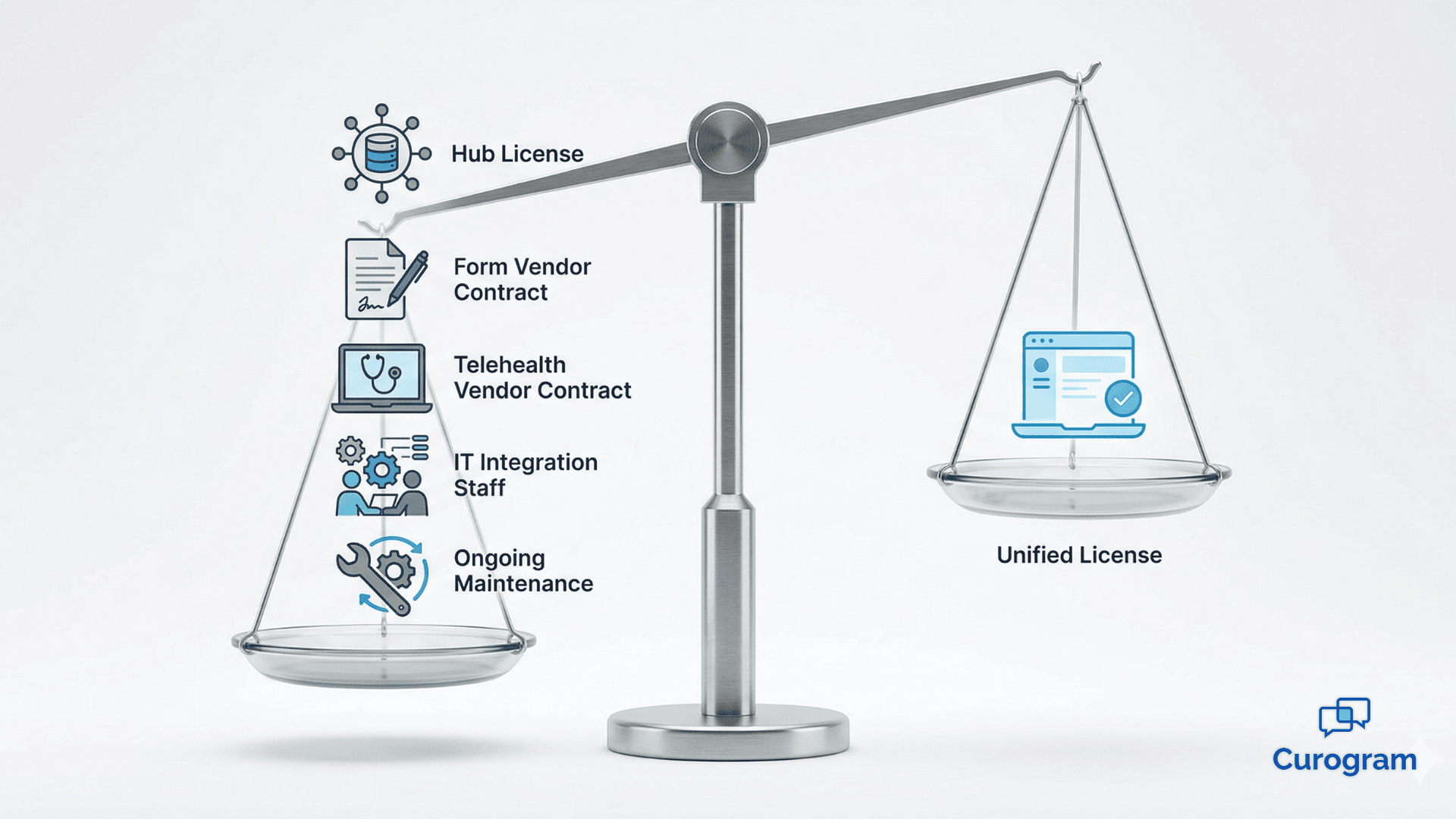
The core difference between Curogram and Artera isn't about messaging features. It's about how many separate applications your front-desk team has to interact with to complete a full patient workflow from start to finish.

Curogram: One Platform, Every Step

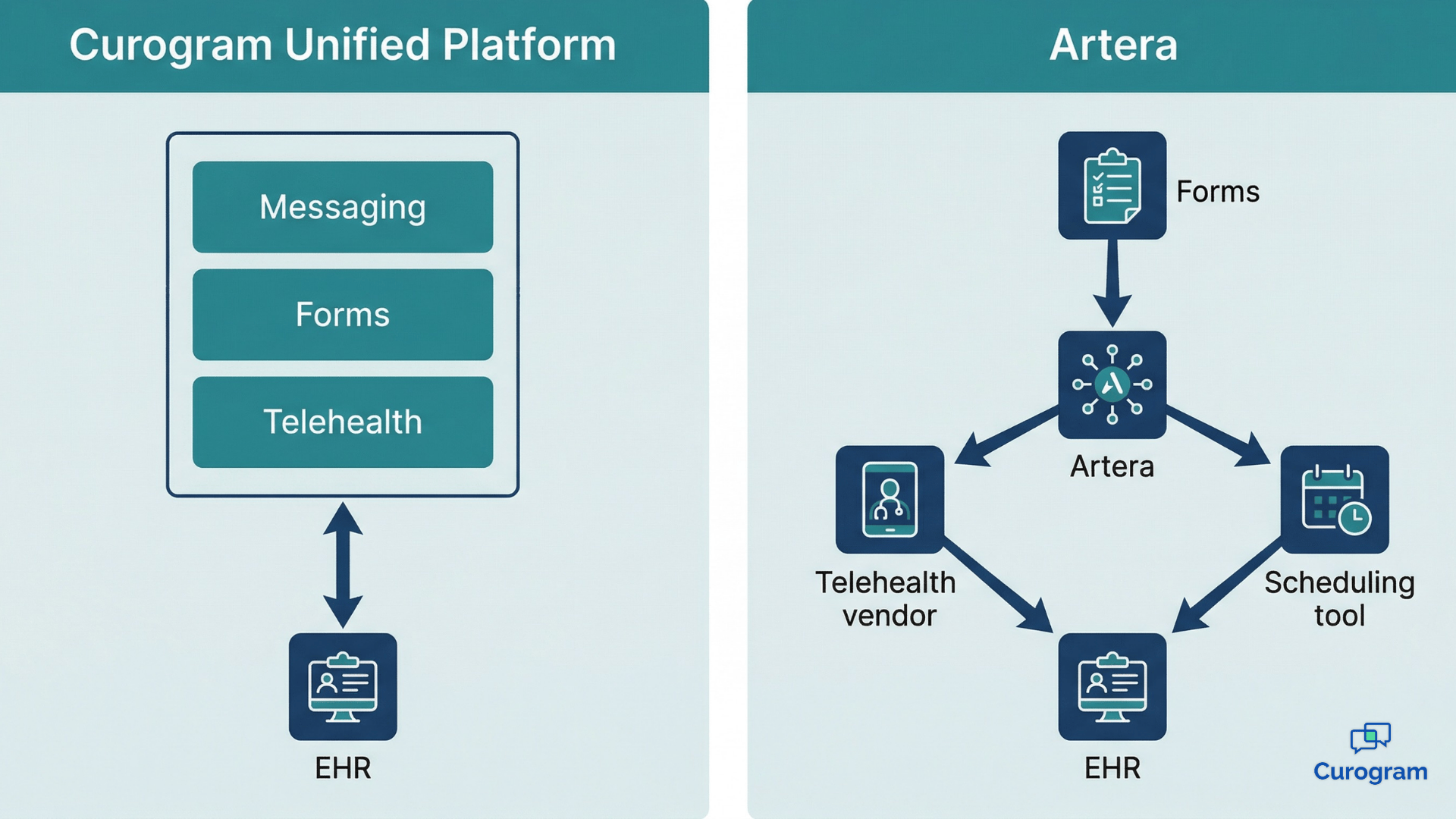
Curogram is a unified platform. Bi-directional messaging, intelligent intake forms, automated appointment reminders, patient recalls, reputation management, and telehealth all live inside one application.

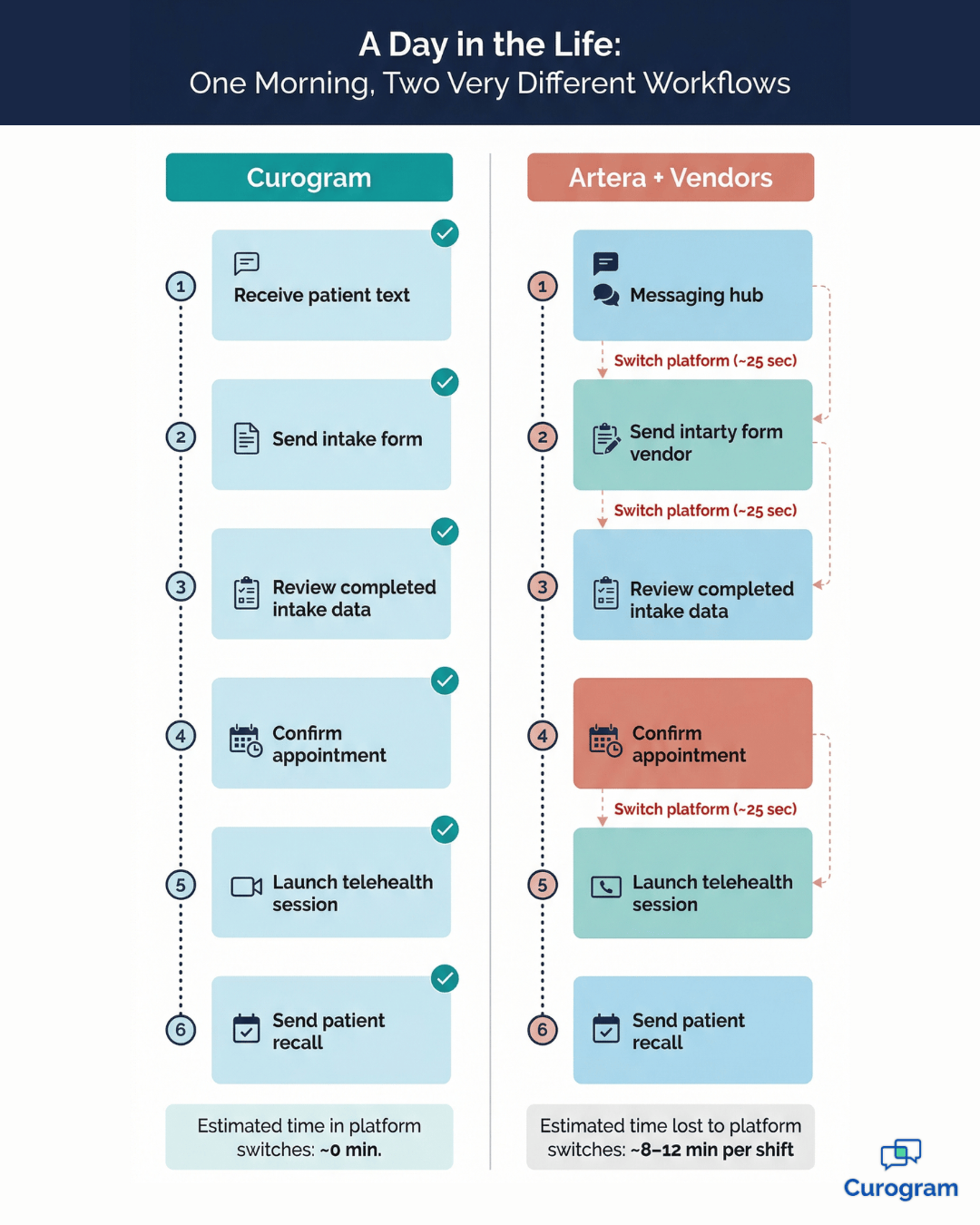
A staffer receives a patient's text, confirms the appointment, sends a smart intake form, and initiates a telehealth session without ever leaving the platform.

Every action writes back to the EHR natively — no middleware, no secondary login, no handoff to manage.

Artera: A Clean Thread With a Fragmented Back End

Artera operates as a communications hub. On the patient side, this creates a genuinely seamless experience: one SMS thread, one clean conversation. But behind that thread, clinical staff still access and manage the separate third-party applications that power each workflow step.

The hub unifies what the patient sees. It doesn't unify what your team has to do.

Patterns in verified G2 user reviews reflect this consistently. Artera users frequently flag the management of connected third-party platforms as an ongoing source of administrative friction — even when the patient experience looks smooth.

For practices already stretched by high call volumes and manual intake processes, adding a multi-vendor architecture behind a messaging hub doesn't resolve the front desk vendor fatigue issue.

It redistributes it. Orchestration coordinates platforms. Unification eliminates the need to coordinate them.

That's not a small distinction — it's where the daily experience diverges.

Day in the Life infographic: Curogram vs. Artera front-desk workflow comparison

What Real Clinical Deployment Data Says About Unified Automation

The argument for workflow consolidation doesn't rest on theory. Curogram's clinical deployment data makes the case in concrete numbers — and those numbers deserve more than a quick glance.

Appointment Confirmation Volume

Covina Arthritic Clinic deployed Curogram's integrated reminder and confirmation system and scaled from 369 confirmed appointments in May 2024 to over 1,300 by September 2024 — a 252% increase over four months, averaging more than 1,100 confirmed appointments per month.

This result wasn't driven by more staff or more outbound calls. It came from a reminder engine, confirmation logic, and EHR schedule sync all operating inside the same platform, with no middleware handoff and no dependency on a third-party scheduling vendor.

No-Show Reduction

Across Curogram's client base, no-show rates run 53% lower than the industry average.

In pediatrics, where the industry standard sits at 30%, Curogram clients average 14% — a 16-point gap. In psychiatry, the industry average is 23%;

Curogram clients average 11.03%. For a psychiatry practice running 100 appointments per day, dropping from a 23% no-show rate to 11% means recovering roughly 12 filled slots daily.

At an average reimbursement of $150 per visit, that's $1,800 per day — or close to $450,000 annually — recovered from automation that works reliably because it isn't dependent on a multi-vendor orchestration chain to fire correctly.

Patient Recall

A multi-location practice using Curogram's native SMS recall campaign achieved a 35% appointment reconversion rate, recovering 1,240 patients who had gone without a scheduled follow-up.

A 35% reconversion rate on 1,240 unreached patients means 434 recovered appointments — not projections, but actual booked visits that wouldn't have happened without a platform capable of running the complete recall workflow in one place.

These aren't outcomes produced by any single feature in isolation.

They're the result of a system where every component — reminders, confirmations, intake, recall — operates without a handoff gap.

That's what a healthcare staff efficiency platform delivers when its parts aren't dependent on each other's vendor integrations to function.

Patient receiving appointment confirmation text at a modern clinic front desk

Comparing the Actual Front-Desk Experience, Task by Task

The comparison below maps each key clinical workflow step to what your front-desk team actually does to complete it under each model. The last column is worth reading carefully.

How Each Platform Handles the Same Eight Workflows

Clinical Workflow Curogram (Unified Platform) Artera (Orchestration Hub + Vendors)
Receive & respond to patient text Native two-way messaging — reply in-app Unified SMS thread — reply in-app
Send intake form Generate and send native smart form from the same interface Switch to third-party form vendor dashboard to configure and send link
Review completed intake data View discrete data in-app; auto-written to EHR fields Access third-party vendor to review; data routes through hub to EHR
Confirm appointment Automated confirmation within platform — >75% avg. confirmation rate Confirmation depends on scheduling vendor integration through hub
Launch telehealth session Native telehealth module — one click from patient thread Switch to third-party telehealth vendor; launch outside hub
Send patient recall Native SMS recall — 35% reconversion documented Requires additional vendor or custom configuration through hub
Manage online reputation Native post-appointment survey → Google Reviews integration Requires third-party reputation vendor connection
Dashboards staff use daily 1 3–5 (hub + form + telehealth + scheduling + reputation vendors)

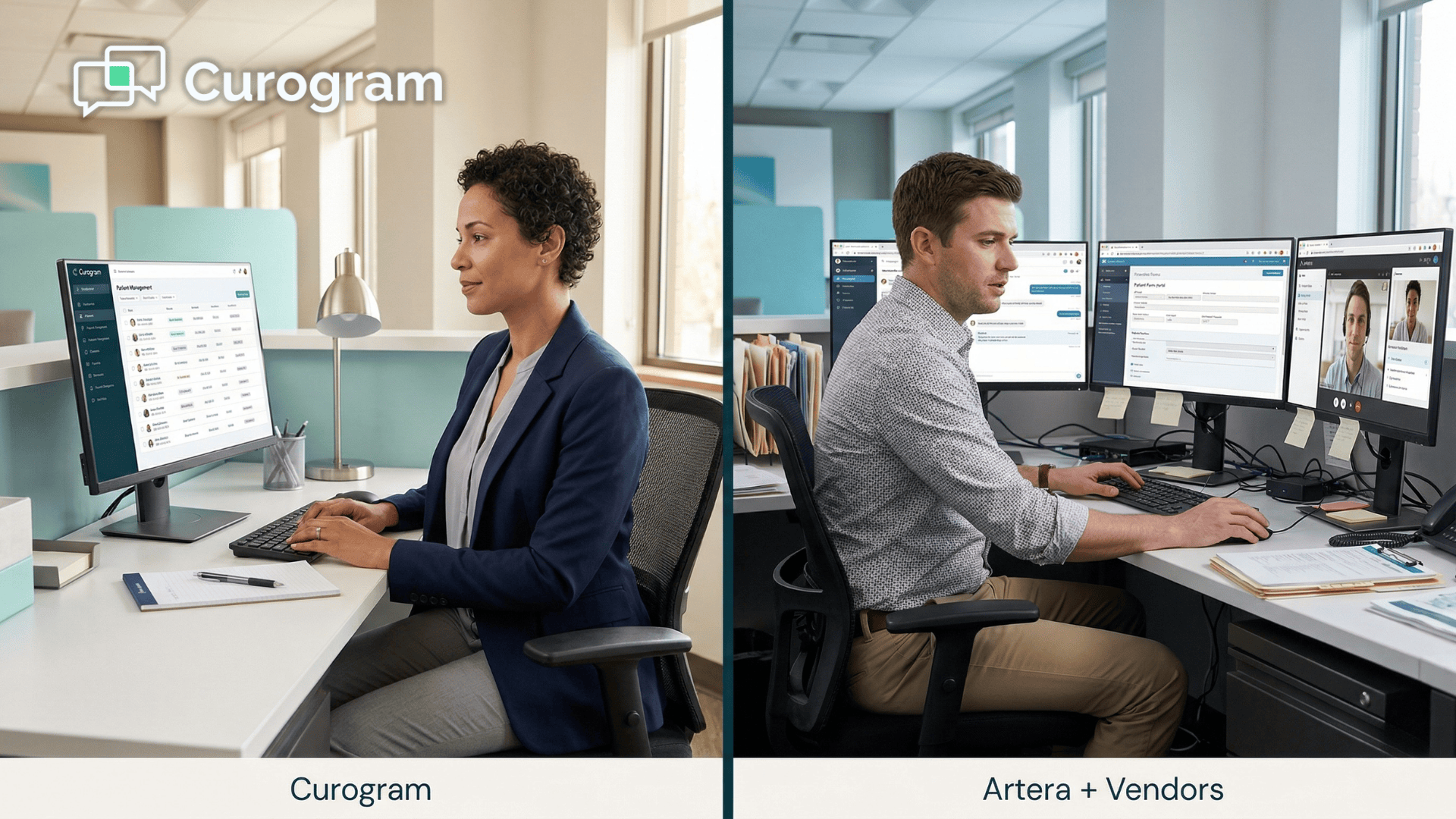
That last row is where the real operational comparison lives. A front-desk team using Curogram logs into one dashboard.

Stop playing phone tag! Reduce your call volume by 50% with Curogram's HIPAA-compliant 2-way texting platform.  

A team using Artera's multi-vendor model may open three to five different applications to get through the same set of daily tasks — each with its own login, its own interface, and its own point of failure when a handoff breaks down.

What Each Extra Dashboard Actually Costs You

Five vendors don't just mean five logins.

Each one multiplies operational overhead in ways that rarely surface in a contract negotiation:

  • Training overhead: Every new hire must learn each connected platform before they're fully productive — not just the hub
  • Troubleshooting complexity: When a workflow breaks, your team has to identify which vendor's system failed and navigate two separate support relationships
  • Context-switching drag: Each platform switch adds 20–30 seconds of reorientation time — compounded across 80+ daily patient interactions, that's measurable hours lost per week

Multiply five dashboards by a team of six front-desk staffers across a five-day work week — and vendor fatigue stops being a soft concern. It becomes a measurable operational drag with a real dollar value attached.

Conclusion

Vendor fatigue is not a personality trait. It's not something your team just needs to push through. It's an operational risk that compounds with every new vendor you add — and it gets harder to fix the deeper it's embedded in your workflow.

The question at the center of the Curogram vs. Artera decision isn't which platform has more features.

It's what your front-desk team's experience looks like six months after go-live, when the initial enthusiasm has worn off and what remains is the daily work of keeping patients engaged, appointments confirmed, and forms completed without friction.

A unified clinical platform changes that reality. Not because it promises to — but because the evidence shows it does.

No-show rates running 53% lower than the industry average. Over 1,100 automated appointment confirmations per month at a single clinic.

A 35% patient recall reconversion rate without a separate vendor contract. These results trace back to one architectural decision: consolidation over orchestration.

For practices weighing a unified patient engagement platform against a multi-vendor hub, the comparison is ultimately not about SMS features or interface aesthetics. It's about whether your technology investment removes steps from your team's day — or quietly adds them.

Every extra dashboard is a cost. Every context switch carries a price. Every vendor your team has to manage is time that could have gone toward a patient.

When the evidence is this direct, the right next step isn't another spreadsheet comparison. It's a live look at how Curogram's unified platform performs inside a real clinical workflow — with your team's actual use cases on the table.

Schedule a demo today and see exactly how many steps — and how many vendor logins — disappear when your entire patient communication workflow runs from one place.

Schedule a demo and let our integration team walk you through exactly how Curogram connects to your EHR — field by field, workflow by workflow, with no middleware in between.


Frequently Asked Questions

How does Artera's patient messaging compare to Curogram's for daily front-desk use?

Both platforms offer two-way patient texting, and the patient experience is seamless under either model — one SMS conversation, one clear thread. The difference shows up on the staff side. Curogram staff manage all workflows — messaging, forms, telehealth, recalls — from a single dashboard. Artera staff must access separate third-party vendor applications for intake forms, telehealth, and other clinical workflows that the hub routes but does not natively provide. For your team, this translates to additional context-switching and more platforms to train new hires on from day one.

Can a unified platform actually handle the same volume as an enterprise orchestration hub?

Yes — and Curogram's deployment data backs this up at scale. Covina Arthritic Clinic processes over 1,100 automated appointment confirmations per month using Curogram's native platform, with no third-party scheduling vendor involved. Separately, multi-location practices have generated more than 1,064 new five-star Google reviews in three months through Curogram's native post-appointment survey integration. Unified architecture doesn't mean limited capacity. It means consistent performance without the integration complexity.

Does Artera's orchestration model affect how long it takes to train new front-desk staff?

Based on patterns in verified user reviews, orchestration-model deployments require staff to learn not just the hub interface but also each connected third-party application. When a practice uses Artera alongside separate vendors for intake, telehealth, and scheduling, new team members must get up to speed on multiple platforms before they're fully productive. Curogram's unified model requires onboarding to a single application — which means new hires reach full productivity faster, and your training materials stay in one place.

What happens when one vendor in Artera's multi-vendor stack goes down or has an integration issue?

In a multi-vendor orchestration model, each connected application is its own point of failure. If your third-party intake form vendor experiences downtime, your intake workflow breaks — even if the Artera hub is running perfectly. Your team is then left troubleshooting a vendor relationship that sits outside the hub's control. With Curogram, every workflow component — messaging, forms, reminders, telehealth, recalls — operates inside the same platform. There's no inter-vendor dependency to diagnose, and a single support team owns the entire experience.

How does Curogram's unified platform affect patient recall and revenue recovery compared to Artera's model?

Curogram includes native SMS patient recall as a built-in platform function — no additional vendor contract, no separate configuration. A multi-location practice using Curogram's recall tool achieved a 35% appointment reconversion rate, recovering 1,240 patients who had gone without a follow-up. That's 434 recovered appointments from a single campaign. With Artera, patient recall typically requires either a custom configuration through the hub or a third-party vendor integration, adding both cost and setup complexity. For practices focused on revenue recovery, the difference in time-to-launch and reconversion outcomes is significant.