
Understanding HIPAA Violation Consequences
HIPAA violation consequences, updated for 2026. Current OCR penalty tiers, criminal charges, corrective action plans and what happens if you violate...
11 min read
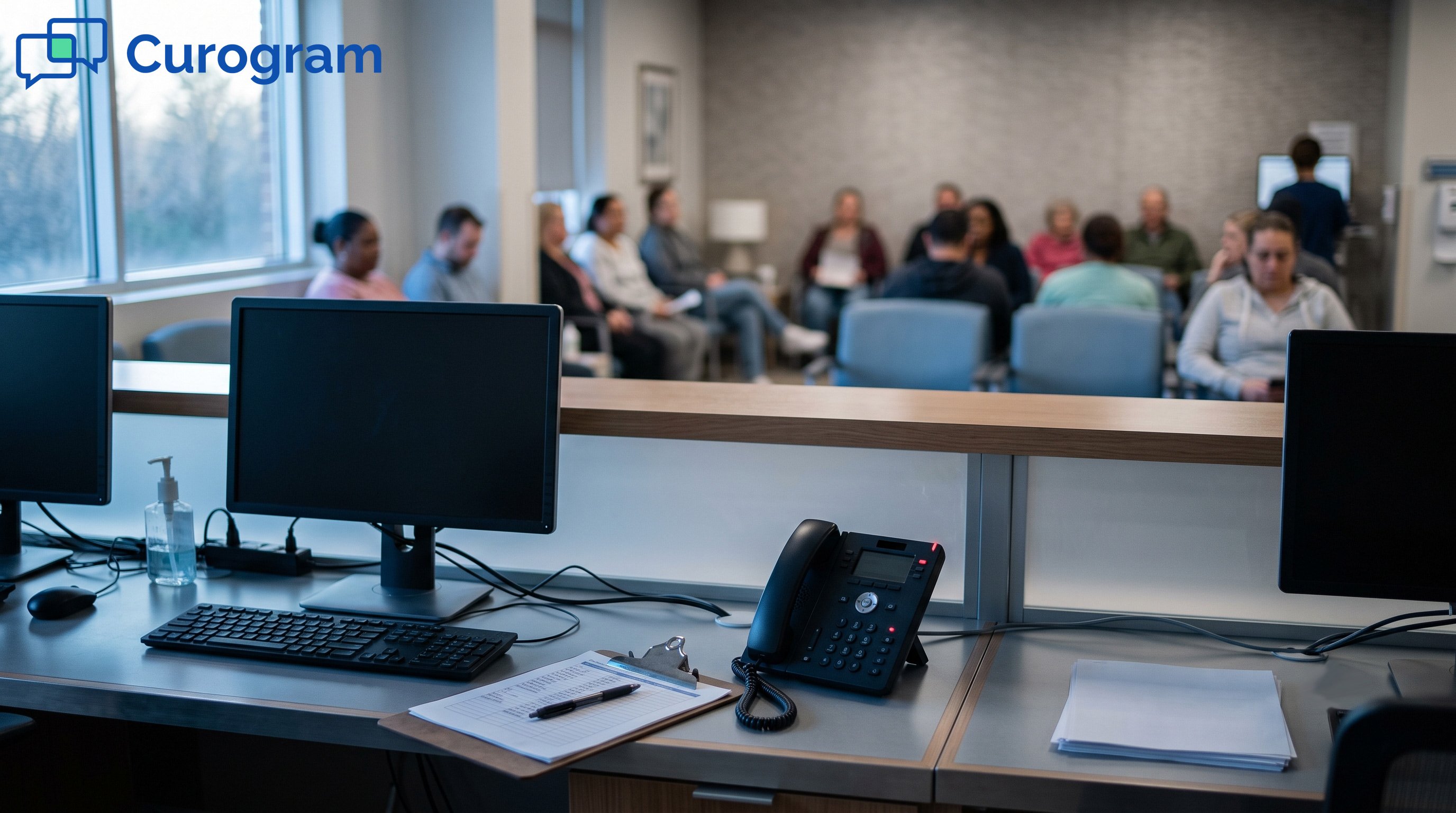
It is 7:40 on a Tuesday at a 12-provider group. The scheduler will not load. Phones keep ringing, and fourteen people already sit in the waiting room. Nobody can say who has a 9:15 and who walked in.
That is what a cyberattack looks like from the front desk. No alarm goes off. The day just stops working.
The importance of cybersecurity in healthcare tends to get filed under IT budget. From where we sit, it is a scheduling problem, a billing problem, and a trust problem. Below are 11 reasons it belongs on the operations agenda, updated with what changed through 2026.
Criminals go after charts for a reason. One record holds enough to open credit, file false claims, and fill prescriptions. That value lasts for years.
A chart carries a name, birth date, address, Social Security number, insurance ID, diagnoses, medication list, and often a guarantor's details. That set supports several crimes at once. Fake billing is the big one. A claims scheme can run for months before anyone spots it.
There is a second harm that rarely shows up in the cost tally. When someone uses a stolen identity to get care, that treatment gets written into the real patient's chart. Wrong blood type, wrong allergy list, wrong medication history. Cleaning it up takes clinical review, not a credit freeze.
Encryption gets most of the attention, and it earns that, both on the server and in transit. Least privilege matters more day to day. A billing specialist needs claims and payment data. She has no reason to open therapy notes from another department.
In most practices we talk to, access roles drifted years ago. Someone moved from the front desk to referrals and kept both permission sets. Reviewing who can see what takes an afternoon once a year, and it closes more real risk than any new tool on the market.
Ransomware reaches the schedule before it reaches the news. Systems lock, and the clinical day has to run on paper with whatever staff can remember.
Universal Health Services lost its network across more than 400 facilities in 2020. Staff worked from memory and scribbled notes. Allergies, current medications, and lab results sat behind a locked screen for weeks. UHS later reported roughly $67 million in recovery costs and lost revenue.
The 2017 WannaCry attack on the UK's National Health Service cancelled an estimated 19,000 appointments and operations. Ambulances were rerouted to other hospitals. Both incidents traced back to unpatched systems that nobody had scheduled time to update.
Every practice should be able to answer one question. If the EHR is gone at 7 a.m., what happens at 7:05? A workable plan is short, physical, and stored where the network cannot take it away.
The practices that print tomorrow's schedule every evening recover fastest. It costs nothing, and it is the piece most often missing when we ask.
Breach money does not stay inside the IT budget. It shows up as a delayed hire, a deferred ultrasound upgrade, and a quarter that misses its number.
IBM's Cost of a Data Breach Report put healthcare at the top of every industry in 2024, averaging $9.77 million per incident. The 2025 edition showed a drop to $7.42 million, which still led every other sector for the 14th year running. US breach costs moved the opposite way, setting a record at $10.22 million.
One figure under those headlines matters more for operations. Healthcare breaches take an average of 279 days to identify and contain. That is roughly nine months of exposure, legal review, and staff hours pulled off the work they were hired to do.
|
Cost driver |
What it looks like in a practice |
|---|---|
|
Detection and escalation |
Forensics firm, outside counsel, weeks of internal IT time |
|
Lost business |
Cancelled visits, referrals sent elsewhere, patients who never rebook |
|
Post-breach response |
Notification letters, a call center, credit monitoring |
|
Regulatory |
An OCR settlement plus a two-year corrective action plan |
|
Legal |
Class action defense, then settlement |
IBM put detection and escalation at $1.47 million on average, lost business at $1.38 million, and post-breach response at $1.2 million. A 15-provider group will never see figures that size. It sees the same five categories at a smaller scale, against a much thinner margin.
Patients hand over information they would not tell a close friend. A breach notification letter changes how that exchange feels, and the feeling lasts.
The letter arrives with a credit monitoring offer attached. For most people, it is the first they have heard of any of it, and it lands months after the incident. Some patients request their records and transfer. Others quietly stop booking, which is harder to see and much harder to fix.
Ascension's 2024 ransomware attack disrupted care across dozens of hospitals. Weeks of press followed while the system struggled to tell patients what had happened. That silence did as much brand damage as the outage.
Front desk and billing teams know when systems are held together with workarounds. Shared logins, a fax machine handling records because the portal keeps timing out, a scheduler that drops every other month. Those conditions push good people toward the practice down the road.
Hiring a medical assistant already takes weeks. Losing two during a breach recovery costs more than most of the security tools we have priced for clients.
The HIPAA Security Rule has not changed much since 2013. Enforcement has changed quite a bit, and it is now aimed at one specific document.
The rule covers three sets of safeguards. Administrative ones cover a risk analysis, a named security officer, training, and an incident plan. Physical ones cover server room locks, screen placement, and drive disposal. Technical ones require unique logins, audit logs, integrity checks, and transmission security.
OCR's Risk Analysis Initiative put the first item at the center of nearly every investigation. On April 23, 2026, OCR announced four ransomware settlements totaling $1,165,000 across 427,000 affected individuals. Assured Imaging paid $375,000 and could not produce evidence that a risk analysis had ever been completed. Penalty amounts also rose on January 28, 2026.
|
Tier |
Situation |
Annual cap under OCR discretion |
|---|---|---|
|
1 |
Did not know |
$36,505.50 |
|
2 |
Reasonable cause |
$146,053 |
|
3 |
Willful neglect, corrected |
$365,052 |
|
4 |
Willful neglect, not corrected |
$2,190,294 |
Those caps reflect the enforcement discretion OCR announced in 2019. The published Federal Register cap for every tier is $2,190,294.
OCR published a proposed Security Rule overhaul on January 6, 2025. It would drop the "addressable" category, so items like encryption and multi-factor authentication would become required rather than optional with a written justification. Comments closed that March, and about 4,745 came in.
The rule is still a proposal. OMB's agenda now targets July 2027 for final action, pushed back from an earlier spring 2026 date. When a final rule does publish, the compliance clock runs 240 days. Practices that treat MFA and encryption as required today will have nothing to scramble for later.
Downtime in a clinic has a clinical cost, which raises the odds of a fast payment. Criminal groups price that in when choosing targets.
Locking files stopped being the whole play years ago. Groups copy the data out first, encrypt second, then threaten to publish. Paying for a decryption key does nothing about the copy they already hold.
Hacking now drives more than 80% of reported healthcare breaches. US providers reported 772 large breaches to OCR in 2025, a record count. Those exposed roughly 138.5 million records.
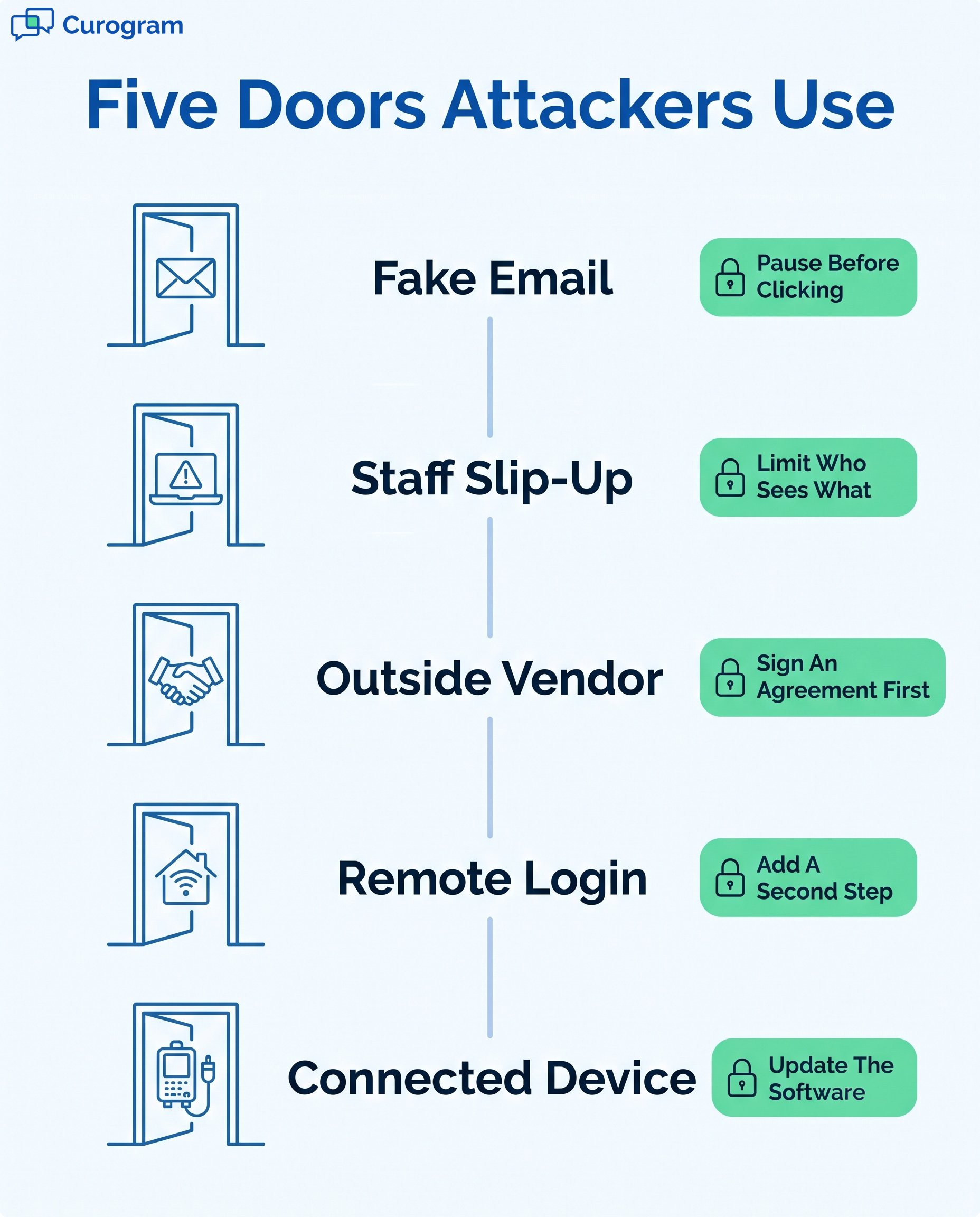
Vendor risk deserves more attention than it usually gets in a practice. Every scheduling tool, billing service, transcription app, and answering service touching PHI needs a signed BAA and a current security report on file. Ask for both before the contract, not after the incident.

Video visits, home-based billers, and remote scheduling coordinators all moved PHI onto connections the practice does not own or control.
A biller's home router, a scribe's personal laptop, a provider taking a video visit from a hotel. Each is a place where credentials can be stolen and reused. Zero trust is the plain idea that no device earns a pass based on where it sits.
Multi-factor authentication earns more than anything else here. Microsoft puts it at blocking about 99.9% of automated password attacks. Most practices we speak with have it on email and nowhere else. That leaves the EHR and the payer portals open to one stolen password.
Staff texting patients from personal phones is common. It is also a real exposure. Those threads sit on a device the practice does not manage, and they walk out the door when the employee resigns. None of it can be pulled for an audit.
A platform like Curogram keeps the conversation inside a HIPAA-compliant system with role-based access and audit logs, and connects with the EHR rather than replacing it. Curogram maintains SOC 2 Type II and HIPAA compliance. One boundary matters in daily use: standard SMS is not encrypted, so reminders and general notices go by text while anything clinical moves through the secure portal.
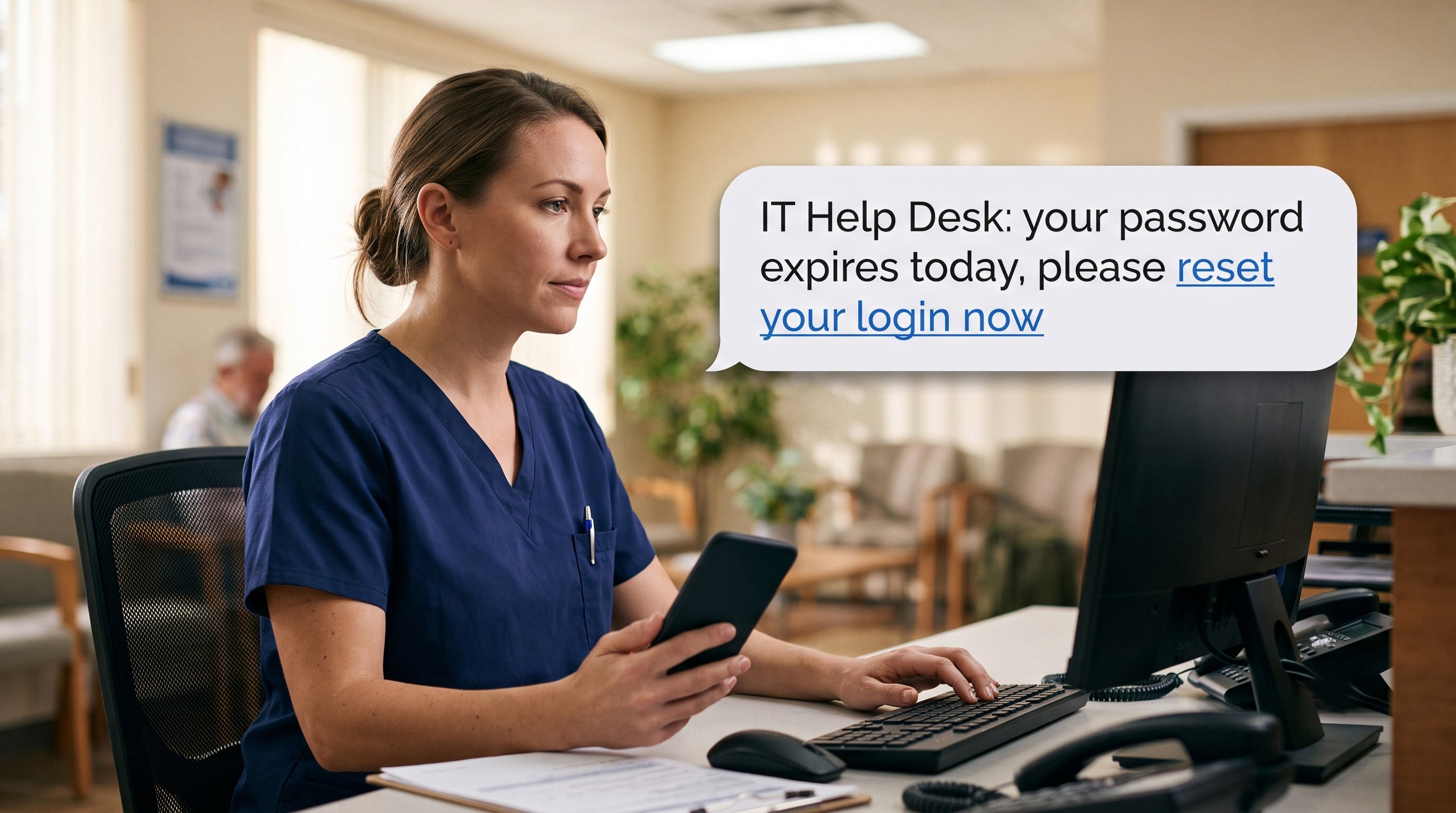
Phishing works because of timing. It lands on a busy morning, addressed to someone with 40 unread messages and a full waiting room.
An hour-long annual module checks a box and changes nothing by March. Five minutes a month, tied to something real, sticks. Forward the actual phishing email that hit your inbox last week with the tells circled.
Roles need different material. A biller has to recognize a payment redirect request. A provider needs to know why a chart cannot sit open on a shared workstation. A front desk lead needs a script for the caller who claims to be from IT and wants a password reset.
Fake phishing tests work when they are not punitive. Staff who click get a short coaching screen instead of an email to their manager. Speed is the metric that counts. A password reported in 10 minutes is a very different incident from one reported in 10 days.
Practices that publish click rates by name get fewer reports. They do not get fewer clicks.
Charts are not the only asset worth stealing from a healthcare organization. What gets targeted depends on what the organization does.
Academic centers and trial sites hold data that took years and millions of dollars to produce. Theft is one risk. Quiet tampering is worse. A changed value in a trial database can void results that nobody thinks to re-check for months.
Data loss prevention tools that flag large outbound transfers, plus tight permissions on research databases, cover most of this. The same controls apply to the shared drives where protocols and grant material live.
Smaller practices get hit differently. Business email compromise targets whoever can move money. A finance manager receives a message that appears to come from the administrator, asking to update a vendor's bank details. Or a payer portal login gets used to reroute EFT deposits to a new account.
One control stops most of it. Call back on a known number before any banking change, with no exception for urgency. Write it into policy so the newest hire can refuse a rushed request without feeling awkward about it.
Most practices have a plan in a binder. Fewer have run it, and running it is where the gaps turn up.
Backups are the usual failure. Plenty of practices back up nightly and have never restored a single file to confirm it works. Run a test restore every quarter and time it, because the recovery estimate you give leadership should come from a stopwatch.
Notice letters are the second failure. HIPAA allows 60 days to tell affected patients, and OCR has fined practices for missing that window, including Assured Imaging in the April 2026 settlements. Decide now who drafts the letter and who signs it.
AI stopped being a security talking point. Both sides use it daily now, and the balance shifts every few months.
Behavioral tools learn what normal traffic looks like on your network, then flag what does not match. A front desk account logging in at 3 a.m. and pulling 400 records gets caught in minutes instead of months. Against a 279-day average detection window, that is the biggest single improvement available.
Automated response adds to it. An infected laptop gets quarantined and a compromised account disabled before anyone has read the alert. Smaller practices get this through their managed IT provider rather than buying it directly.
IBM's 2025 report found AI involved in 16% of attacks, mostly phishing and fake voice calls. Old advice about spotting typos no longer helps. The grammar is clean. The message names your practice administrator and cites a real vendor.
Shadow AI is the newer gap. Staff pasting patient details into public AI tools showed up in 20% of breaches. Nearly all of those had no access controls and no written policy covering the tools. A one-page rule on which apps may touch PHI costs nothing to write.
Cybersecurity in healthcare is not a project with an end date. It is a short list of habits: a current risk analysis, MFA on everything, tested backups, a printed schedule, and staff who report a mistake the same hour they make it.
The gap between a practice that recovers in two days and one that recovers in two months is rarely budget. It is whether someone owned the work before anything went wrong.
Start where PHI touches patients directly. Where does it leave your building? Who can see it? What happens to those messages when an employee quits?
If patient messaging is one of those gaps, we can walk through how Curogram handles secure texting, digital forms, and telehealth alongside the EHR you already use. Book a demo, and we will look at your current workflow together.

HIPAA violation consequences, updated for 2026. Current OCR penalty tiers, criminal charges, corrective action plans and what happens if you violate...

Protect patient data with a healthcare cybersecurity strategy built on current threats, HIPAA rules, OCR settlements, and five practical defense...

Email is a convenient way to communicate with patients, but is it HIPAA compliant? Learn how to ensure your patient communications are secure.