
The Ultimate 2026 Guide to Healthcare Payment Technology – Curogram
A practical 2026 guide to healthcare payment technology: what the tools do, which layers matter, and how to roll out without jamming up your front...
12 min read

Collections calls on small balances rarely pay for themselves. Someone at your front desk spends seven minutes chasing a patient about $40, leaves a voicemail, and calls again the following week.
Both the balance and the effort are real. That call still loses money. Run that across a hundred small accounts and the cost stacks up fast.
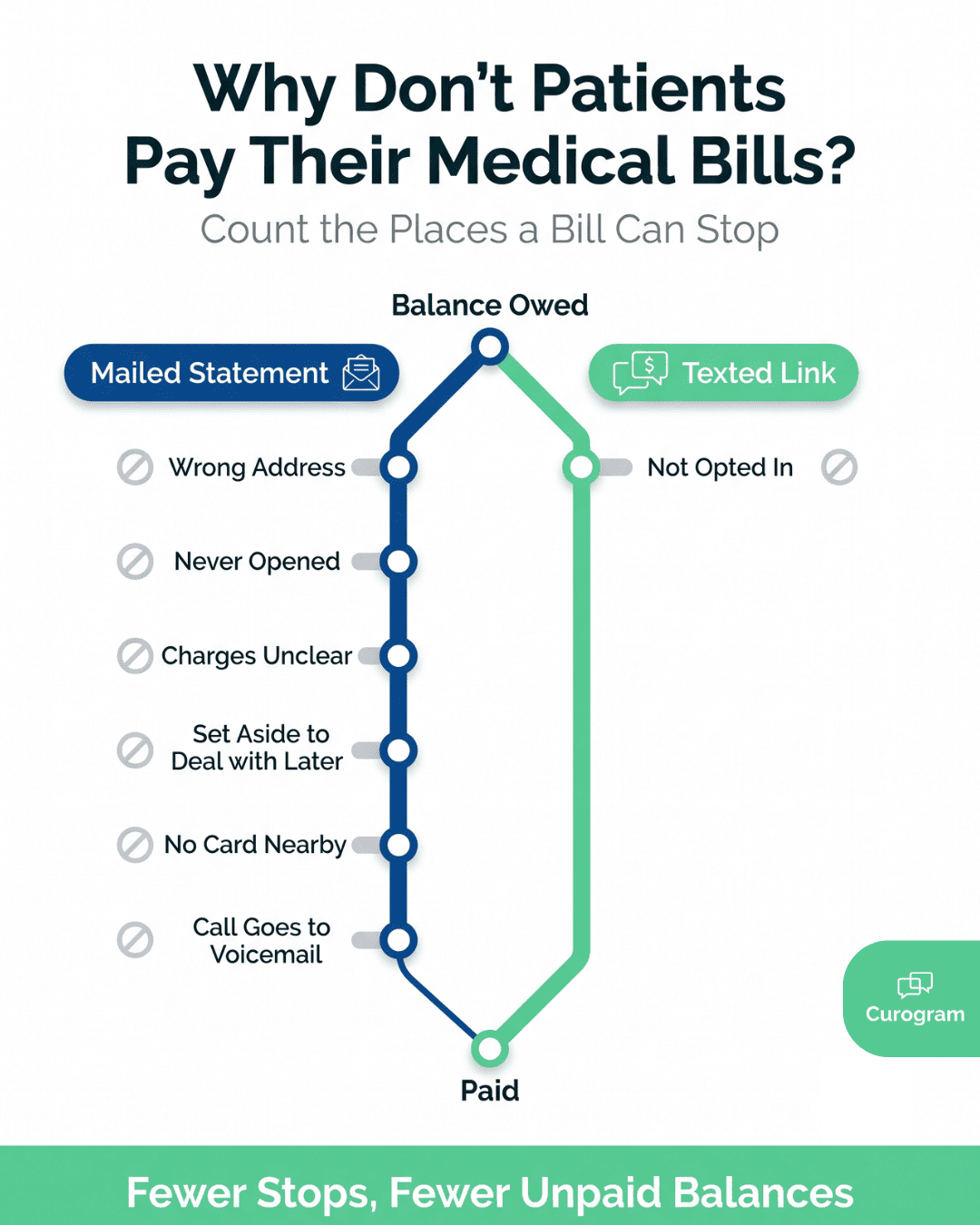
It only exists because earlier steps failed. A statement got printed, mailed, opened or not, and set down somewhere. Nothing in that sequence hands the patient a way to pay in the moment they are thinking about the bill.
SMS mobile payments close that gap. A text goes out carrying a secure link tied to one balance. One tap runs the card from the phone already in their hand. No portal, no login, no envelope. Payment posts back to your billing system on its own.
Practices reach for texting because patients answer it. Based on our internal data, more than 75% of appointment reminders sent through our platform get confirmed. That figure covers scheduling rather than billing. It still points at the same behavior.
A text from a practice a patient recognizes gets read and acted on, while a statement in a stack of mail waits.
Setup work is smaller than most billing managers expect. Consent is the piece worth getting right first.
This guide walks the process end to end. It covers what the technology is, how a request goes out and comes back, and what providers charge. It also covers what the TCPA asks of you before the first message goes out.
SMS mobile payments are a way to collect a patient balance by text. You send the patient a message with a secure link that belongs only to that bill.
They tap it, and their phone browser opens a payment page built for a small screen. The page shows what they owe and takes a credit card, a debit card, or a wallet like Apple Pay or Google Pay.
There is no app to download, no password to remember, and no portal login to reset. That helps most with the patients who cost your billing team the most time: the ones who never finished setting up a portal account.
Behind the text sits an SMS payment provider. It connects to the software you already run, such as your practice management system, billingx platform, or EHR.
When a balance posts, it pulls the amount owed, the patient's mobile number, and the invoice number, then builds the link and sends it.
Your billing team feels the return trip more than the send. As soon as the payment clears, the provider writes back to your system and marks the invoice paid.
Receipts go to the patient and to your office. Nobody keys the payment in by hand, and the record of who paid what is already logged.
| Payment Type | What the Patient Needs | Where It Falls Short |
|---|---|---|
| App based, like Venmo or PayPal | The app installed and an account set up | Only works if they already use that app |
| QR code | To be standing in front of your code | Ends when they walk out the door |
| USSD short codes | To key in a string of numbers and symbols | Codes are easy to get wrong |
| SMS payment link | A phone that receives texts | Needs a mobile number on file |
A patient can open that same link at your front desk, in the parking lot, or three days later at their kitchen table. The page and the payment work the same way each time.
A statement lands on a kitchen counter, gets moved twice, and disappears under a stack of school forms. Forty days later the balance is still open, and someone at your front desk is calling a patient about $60.
New billing tools earn their place by moving numbers you already track. When you accept SMS mobile payments, two of those numbers sit at opposite ends of the same balance. One is how fast the cash reaches your account. The other is how the patient feels about the practice that asked for it.
Paying a medical bill by mail is a five-step errand for the patient. Find the statement, find a checkbook or card, write it out, find a stamp, walk it to a mailbox. Any one of those can stall for a week.
The email path swaps mail time for a login. Most portals ask patients to sign in before they can see a balance, and plenty of them need a password reset first. That reset often turns into a call to your front desk.
A texted link drops the count to two. The patient taps once and pays with a card or a saved digital wallet.
| How the Bill Arrives | Steps For the Patient | What Usually Stalls It |
|---|---|---|
| Mailed statement | 5 | Stamps, mail time in both directions |
| Emailed portal link | 4 | Forgotten portal password |
| Texted payment link | 2 | A missing or outdated mobile number |
Billing is the last thing a patient touches after a visit, and the step count is what sticks with them. A texted request can be done in your parking lot before the patient has pulled out.
A mailed balance passes through five stops before the money is yours:
A texted link folds stops 1 through 4 into one message and one tap. Step 5 becomes a card authorization instead of a check deposit.
Patients keep their phones on them, so the request rarely waits long for attention. The card usually runs the same day, and funds settle on your processor's schedule rather than the postal one.
SMS mobile payments shorten the gap between the visit and the deposit. Money that lands in days rather than weeks can go against payroll and supplies in the month you earned it.
Most mobile payments SMS platforms handle card security in three layers. You can check all three before you sign.
Card numbers are the part patients worry about and the part you least want sitting in your systems. Tokenization solves that.
When a patient types a card into the payment page, the processor swaps the real number for a random string called a token. Charges run against the token, so the raw card number never touches your practice's records.
PCI DSS covers the handling around it. The standard sets rules for how card data is stored, processed, and sent. An outside auditor checks whether a provider meets them. Ask a vendor for their current attestation before you sign, and most of that compliance work sits with them instead of you.
Payment links carry their own limits. Each link is unique to one balance, and most platforms let you set an expiration window so an old link can't be reused. Once that window closes, a forwarded text or a resold phone is no longer a way in.
Statement runs carry a labor cost most practices never put on paper. Someone prints the batch, then folds, stuffs, seals, and hauls it to the mailbox. Someone else keys each check into the system when it comes back. A third round of work starts on the accounts still open after the first cycle.
Paper, ink, envelopes, and postage are the visible half of that. The hours are the bigger half, and they repeat every cycle.
| Cost Line | Mailed Statement | Texted Link |
|---|---|---|
| Paper, ink, envelopes | Every cycle | None |
| Postage | Per statement, both directions | None |
| Print, fold, stuff, mail | Staff hours per batch | None |
| Posting the payment | Manual entry per check | Posts back on its own |
| Overdue follow-up | Staff phone calls | Scheduled reminders |
Texting is not free either. You pay per message, plus a processing fee on each card, which this guide covers further down. What drops out is the printing, the postage, and the staff hours spent on both.
Email invoices compete with everything else in the inbox. Gmail files most business mail into a Promotions tab. It sits there unopened, beside receipts and newsletters. A text lands in the same thread as your appointment reminders, so the patient knows who is writing.
That familiarity shows up in how often patients respond. Based on our internal data, more than 75% of appointment reminders sent through our platform get confirmed.
That figure covers confirmations, not payments. It still says something useful. Patients act on texts from a practice they know.
Texts aren't immune to filtering. Carriers block senders that aren't registered. A provider signs your number up under A2P rules before the first message goes out, which keeps payment requests out of that filter.
Seven steps sit between a posted balance and a closed invoice. The first two are setup you handle once. Five more repeat on their own, every time a new balance posts.
Read the setup steps closely. Your choices there decide what the automatic five actually do.
The provider you pick decides what the other six steps can do. Choose one that already connects to the systems you run. Otherwise you will pay staff to move numbers between screens.
Five things to settle before a demo ends:
Run one live transaction on your own phone before you sign anything.
Integration is what turns a payment link into a workflow. Four fields do most of that work. The patient's mobile number, the amount owed, and the account number go out. One field comes back, marking the balance paid.
Most practices never touch code for this. Run a common system and the provider likely has a connector already built. That covers most practice management software, most EHRs, and QuickBooks on the accounting side. Setup then comes down to authorizing the connection and mapping those fields.
Custom or older software takes the other path. Providers publish an API, which lets a developer connect your system to the payment platform. Few practices keep a developer on staff. Ask who does that work, and what it costs, before you count on it.
Something in your system has to fire the request. A new invoice posting is the most common trigger.
Some practices set it to fire when a visit is marked complete, after insurance pays its share. Membership plans can run on a date instead, charging the same day each month.
Once the trigger hits, the integration reads the patient's name, mobile number, account number, and balance owed.
The platform builds a payment link tied to that one balance, so its status can be tracked on its own. Nothing is retyped, which removes the usual source of transcription errors.
The message reaches the patient's mobile number within seconds of the trigger. What it says decides whether they tap.
Three things belong in it: your practice name, the amount due, and one plain instruction.
Riverside Family Medicine: your balance from the 3/12 visit is $85. Pay here: [link] Reply STOP to opt out.
Patients hesitate on texts they can't place. Leading with the practice name and the visit date settles that question before they have to think about it. Keep the rest short, since a long message gets skimmed.
Delivery is the other half of this step. Carriers filter senders that aren't registered, so providers send from a registered short code or an A2P-registered 10-digit number. Sending from a registered number is what gets a payment text past those filters.
One tap opens the link in whatever browser the phone already uses. Nothing installs first.
Good payment pages name the charge before they ask for a card. A patient who can't tell which visit a balance came from will stop and call your front desk instead. Big type and short form fields matter here too, since most of these taps happen one-handed.
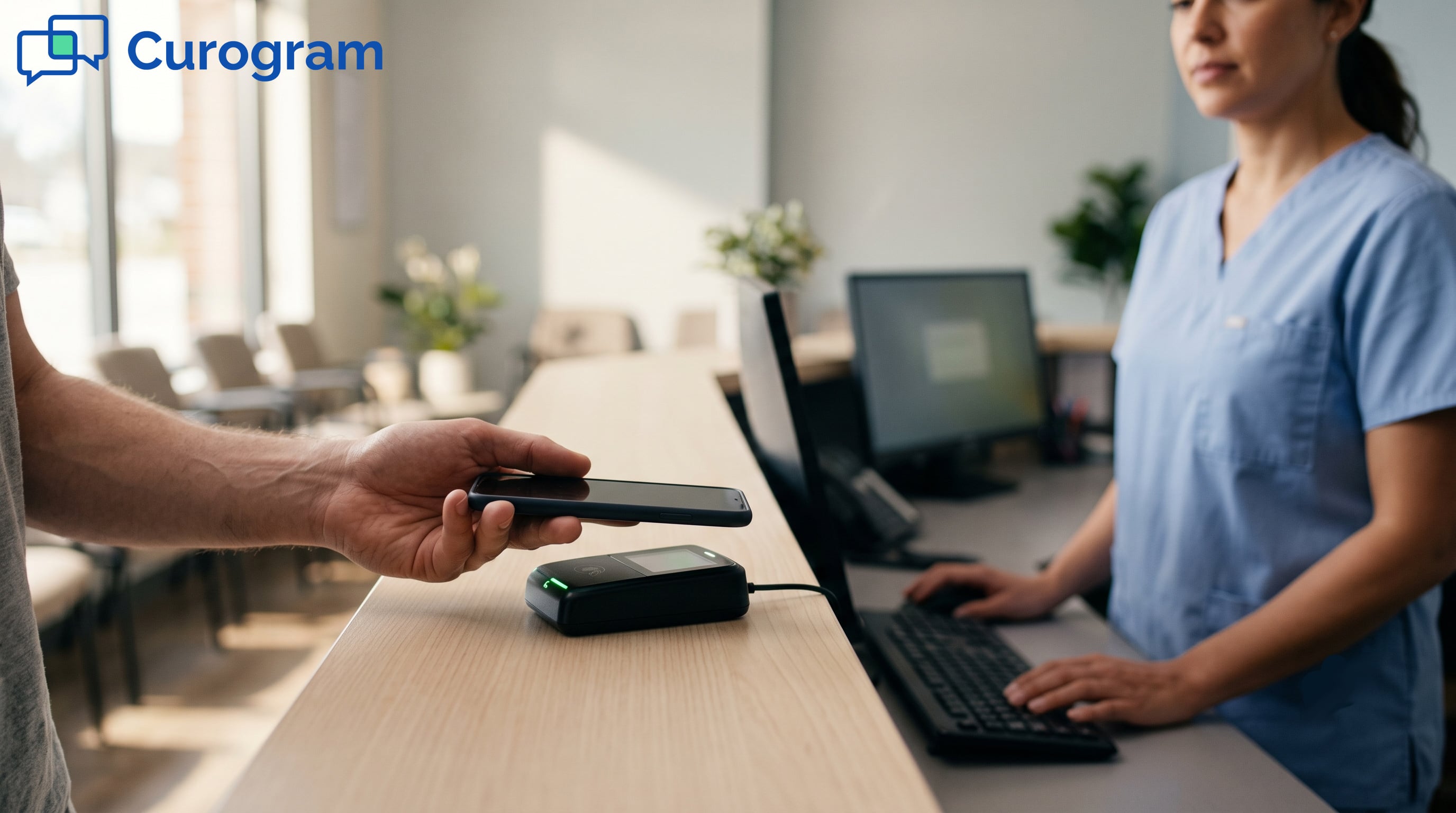
Payment runs two ways from there. The patient can key in a credit or debit card. They can also pay through Apple Pay or Google Pay, which fills in the card and billing details already stored on the phone. That second route saves the patient who has a phone in hand but no card nearby.
Card processing takes seconds at the gateway. Patients see a confirmation on screen before they put the phone down.
| Who Hears Back | What They Get |
|---|---|
| The patient | On-screen confirmation, plus a text or email receipt |
| Your office | A notification that the payment landed |
| Your billing system | A write-back that marks the invoice paid |
That third line is the one that saves your team work. Without it, someone reconciles the payment by hand. A patient who already paid can also end up getting a statement in the next mail run.
Every request carries a status you can look up. The provider's dashboard shows which balances are paid, which are still open, and what each patient was charged.
Three reports do most of the day-to-day work:
Each payment stays tied to one patient and one invoice. Matching a deposit to an account takes a lookup, not a hunt. Refunds, partial payments, and chargebacks still need a person. Manual matching shrinks to those exceptions.

Three decisions stand between you and a working setup. Which platform to use, what it costs against what it saves, and how you collect consent to text patients. Everything past that is configuration your provider handles.
Consent carries the legal exposure. Get it onto your intake forms before you accept SMS mobile payments from anyone.
Vendor demos are built to look good. Ask for evidence instead, and put the platform through the same steps your patients will.
| What To Check | The Test |
|---|---|
| Integration | Ask which practice management systems and EHRs it connects to by name. Ask for a reference running the same one you do. |
| Security | Request the current Attestation of Compliance. Ask whether card numbers are tokenized and which staff roles can view them. |
| Payment page | Send yourself a test link. Watch how it loads on cellular data, not office wifi. |
| Pricing | Get the per-message rate, per-transaction rate, monthly minimum, chargeback fee, and any support charges in one written quote. |
| Support and growth | Ask the response time on a failed payment, and what changes when you add a second location. |
A page with no practice name or logo reads like a scam text. Patients close those without paying.
Most providers charge two ways. A per-transaction fee on every card, plus a monthly platform fee in some cases. Card rates are commonly quoted around 2.9% plus $0.30 per transaction, though your volume and your processor will move that number.
Monthly cost to text:
(messages sent × per-message rate) + (payments collected × card fee)
Monthly cost to mail:
(statements × postage) + (statements × paper and print) + (staff hours × hourly wage)
Run both sides with your own numbers.
Speed sits outside both lines. Money collected 30 days sooner is working capital you would otherwise wait on, or borrow against.
Whether the fees pay for themselves depends on your statement volume and what your staff costs per hour. High-volume runs of small balances gain the most, since postage and labor per statement stay flat while the balance shrinks.
Texting patients falls under the Telephone Consumer Protection Act. What the TCPA asks of you depends on what the message says.
Billing texts count as informational. Those generally call for prior express consent, which a patient can give by handing you their mobile number for billing use.
Marketing texts sit at a higher bar, prior express written consent, with a signed agreement and set disclosure language. Fold a promotion into a payment reminder and the higher standard can reach the whole message.
Capture consent where the patient already gives you the number. New patient intake, portal signup, and check-in all work. A checkbox with plain language holds up better than a line buried in a terms document.
By checking this box, you agree to receive text messages from [Practice Name] about billing and payments at the mobile number provided. Message and data rates may apply. Reply STOP to opt out.
Opt-outs are the other half. Once a patient replies STOP, messages have to end, and the FCC sets a deadline for processing that request.
None of this is legal advice. Have counsel review your consent wording and your opt-out handling before the first message goes out.
A large share of unpaid balances belong to patients who meant to pay. The bill got set down somewhere and never picked back up. Every step between the balance and the payment is another chance for that to happen, and a mailed statement has five of them.
That is the argument for texting a link. Two steps instead of five, on a device the patient is already holding.
The work to accept SMS mobile payments is front-loaded. Pick a platform that connects to the system you already run. Get the full fee schedule in writing.
Put consent language on your intake forms before the first message goes out. After that, requests fire on their own and payments post themselves.
Affordability is a separate problem. Payment plans, financial assistance, and clear estimates handle that one. Texting handles the balance a patient forgot about, which in most practices is the bigger pile.
See what this looks like against your own statement volume and your own EHR. Request a demo and we'll walk through the setup with your numbers.
A practical 2026 guide to healthcare payment technology: what the tools do, which layers matter, and how to roll out without jamming up your front...

 Aubreigh Lee Daculug : 1/18/26, 4:00 PM
Learn why patient portals fail to engage patients and how Text-to-Pay creates a faster, simpler payment experience.

 Jo Galvez : 1/18/26, 10:00 AM
Collect patient payments securely and easily with Curogram’s HIPAA-compliant Text-to-Pay — a cost-effective solution for modern healthcare clinics.