
1 min read
Is Texting HIPAA Compliant? Everything You Need to Know
💡 Standard SMS is not HIPAA compliant on its own. Regular texts are not encrypted, have no access controls, and leave no audit trail. Sending...
12 min read

Most practices running non-compliant telehealth don't know it. They pay Google Workspace every month, assume the BAA came with the subscription, and never learn that an administrator has to open the Admin console and click accept.
Nobody ever did. The invoice cleared, the video worked, and the practice has been conducting patient visits outside HIPAA for two years.
That gap between paying and being covered is what this article is about. A video platform is HIPAA compliant when the vendor signs a Business Associate Agreement with you, and not before. Encryption strength, certification badges, and security whitepapers don't change that.
The distinction has teeth. OCR penalties start at $141 per violation and climb past $2.1 million a year for willful neglect left uncorrected. Any breach affecting 500 or more patients gets posted on the HHS breach portal, where it stays searchable under your practice name.
Where vendors draw the BAA line varies more than you'd expect. Doxy.me signs one for a free account.
Curogram includes it on every plan by default. Zoom will sign, but only on a paid healthcare tier, and only after you call sales — which means the free Zoom your team uses for staff meetings covers nothing on the patient side.
Below, we review 13 HIPAA compliant video platforms and mark exactly where each one's coverage begins. We compare BAA terms alongside the features that matter in a real clinic, then walk through the five setup steps that keep a compliant platform compliant after go-live.
Health Insurance Portability and Accountability Act of 1996, better known as HIPAA, is a US federal law that sets national standards for protecting patient health information from disclosure without consent. That information — Protected Health Information, or PHI — covers anything that can identify a patient. Name, address, medical records, and appointment details all qualify.
Appointment details catch practices off guard. A calendar invite titled "Maria Santos — oncology follow-up" sent through a personal Gmail account is a PHI disclosure, even if the video call itself runs on an encrypted platform.
For a HIPAA compliant video conference, a secure connection isn't enough. The platform needs administrative, physical, and technical safeguards in place. The vendor also has to sign a Business Associate Agreement.
A BAA is a binding contract between you (the covered entity) and the vendor (the business associate). It spells out how PHI gets protected and who's liable when it isn't. Without that signature on file, the platform isn't HIPAA compliant no matter what its security page claims.
Practices using non-compliant HIPAA compliant video platforms face steep penalties. HHS Office for Civil Rights fines start at $141 per violation and climb past $2.1 million per year for willful neglect that goes uncorrected.
When evaluating HIPAA compliant video platforms, it's essential to look beyond marketing claims and focus on specific, tangible features that ensure security and compliance. A truly secure platform will offer a multi-layered defense to protect patient data at every stage of communication.
Here are the non-negotiable features every healthcare provider should demand from their HIPAA compliant video conferencing solution:
Marketing pages all say "bank-level security." Look past that to what the platform actually enforces.
End-to-End Encryption (E2EE) encrypts data on the sender's device so only the intended recipient can decrypt it. Nobody in the middle sees the call content — not even the vendor.
Access controls and user authentication verify who's joining. That means strong password rules, multi-factor authentication, and role-based permissions so a front-desk user can't pull a therapy session recording.
HIPAA requires you to prove who touched PHI and when. Audit logs create that record for every login, join, and file access. During an OCR audit, those logs are what you hand over.
Secure data storage applies to anything the platform keeps — recordings, chat logs, transferred files. All of it has to sit encrypted in a compliant environment.
Automatic session timeouts log users out after a set idle period. It's a small setting that stops the worst version of a breach: an exam room laptop left open on a completed call while the next patient walks in.
A signed BAA ranks above all of these. A vendor confident in its own safeguards doesn't hesitate to sign one.
.png?width=1080&height=1350&name=13%20Best%20HIPAA%20Compliant%20Video%20Conferencing%20Platforms%20for%202025-mid%20(1).png)
Choosing the right platform is a critical decision. Here is a detailed review of 13 leading solutions that prioritize security and are built for the unique needs of healthcare providers.
Curogram sends the video link inside the appointment reminder text. That's the whole design argument. The patient already opened the reminder on their phone, so the join link lands where their attention already is, and the front desk stops fielding "I can't find the link" calls fifteen minutes before every visit.
Compliance comes standard. The BAA is part of the service agreement, not a separate negotiation, and it covers every plan. Messaging and video both run encrypted.
The catch is scope. Curogram is a full patient engagement platform — two-way texting, digital intake forms, reminders, payments. A practice that wants a video window and nothing else is buying a lot of unused capability. Plans are month-to-month, so at least you're not locked in while you figure that out.
Your patients already know how to use Zoom, and there is real operational value in that. No instructions, no support call, no elderly patient defeated by an install prompt.
Zoom for Healthcare is a separate paid offering with a BAA, end-to-end encryption, waiting rooms, passcodes, and audit logs. It connects with a wide range of healthcare software and the video quality holds up under load.
The free version is not HIPAA compliant, and that single fact drives a meaningful share of accidental violations. Clinicians who use Zoom for team meetings assume the patient call is covered too. It isn't.
Even on a paid plan, the BAA isn't automatic — you contact sales and get it executed, and there are enough security settings to misconfigure your way back out of compliance afterward.
If your practice already runs on Gmail and Google Calendar, Meet is the path of least friction. Patients open a browser link and they're in.
Google signs a BAA for all paid Workspace accounts, and Meet includes meeting locks and restricted access.
Compliance doesn't happen because you paid. An administrator has to go into the Workspace Admin console and accept the BAA, and then configure the settings correctly. Practices skip this constantly. They pay Google every month, assume they're covered, and aren't. Check your Admin console today if you're not certain.
Practices standardized on Microsoft 365 can run patient visits through Teams without adding a vendor. The BAA lives inside Microsoft's Online Services Terms, and audit logs sit in the Microsoft 365 Compliance Center where your IT contact already works.
Encryption covers data in transit and at rest. Policy enforcement is granular.
Setup is the cost. Teams is a business collaboration tool, and shaping it for clinical use takes deliberate configuration — someone has to decide what a patient-facing meeting policy looks like and then build it. Budget IT hours, not just license fees.
The free tier is real, and it comes with a BAA. That combination doesn't exist anywhere else on this list, and it's why a solo therapist can be seeing patients by the afternoon.
Patients join through a browser link. No download, no account, no password. Doxy.me also stores no patient data on its servers, which removes an entire category of retention risk.
Free does mean thin. Custom branding, group calls, and payment processing all sit behind the paid plans, and most practices outgrow the free tier within a year. It's still the easiest legitimate starting point in telehealth.
VSee solves the problem most platforms pretend doesn't exist: the patient on rural DSL whose video freezes every ninety seconds. Physicians built it, and it holds a call together at bandwidth where Zoom drops.
Security is enterprise-grade — FIPS 140-2 compliant 256-bit AES encryption, with a BAA on paid plans. It also supports peripheral streaming for remote exams, so a connected otoscope or stethoscope feeds into the visit.
The interface looks like it was designed a decade ago, because it was. Some of the better features only appear on higher tiers. If your patient population is rural or elderly, that trade is usually worth making.
Book it, run it, note it, bill it — one login, one vendor, one BAA. For a behavioral health practice that's been stitching together a scheduler, a video tool, and a billing service, collapsing that into a single subscription is the point.
The telehealth feature is encrypted and covered by the standard BAA. There's no separate compliance conversation to have.
You can't buy the video by itself. It only exists inside the practice management subscription, which makes SimplePractice a poor fit for anyone whose scheduling and billing already work fine.
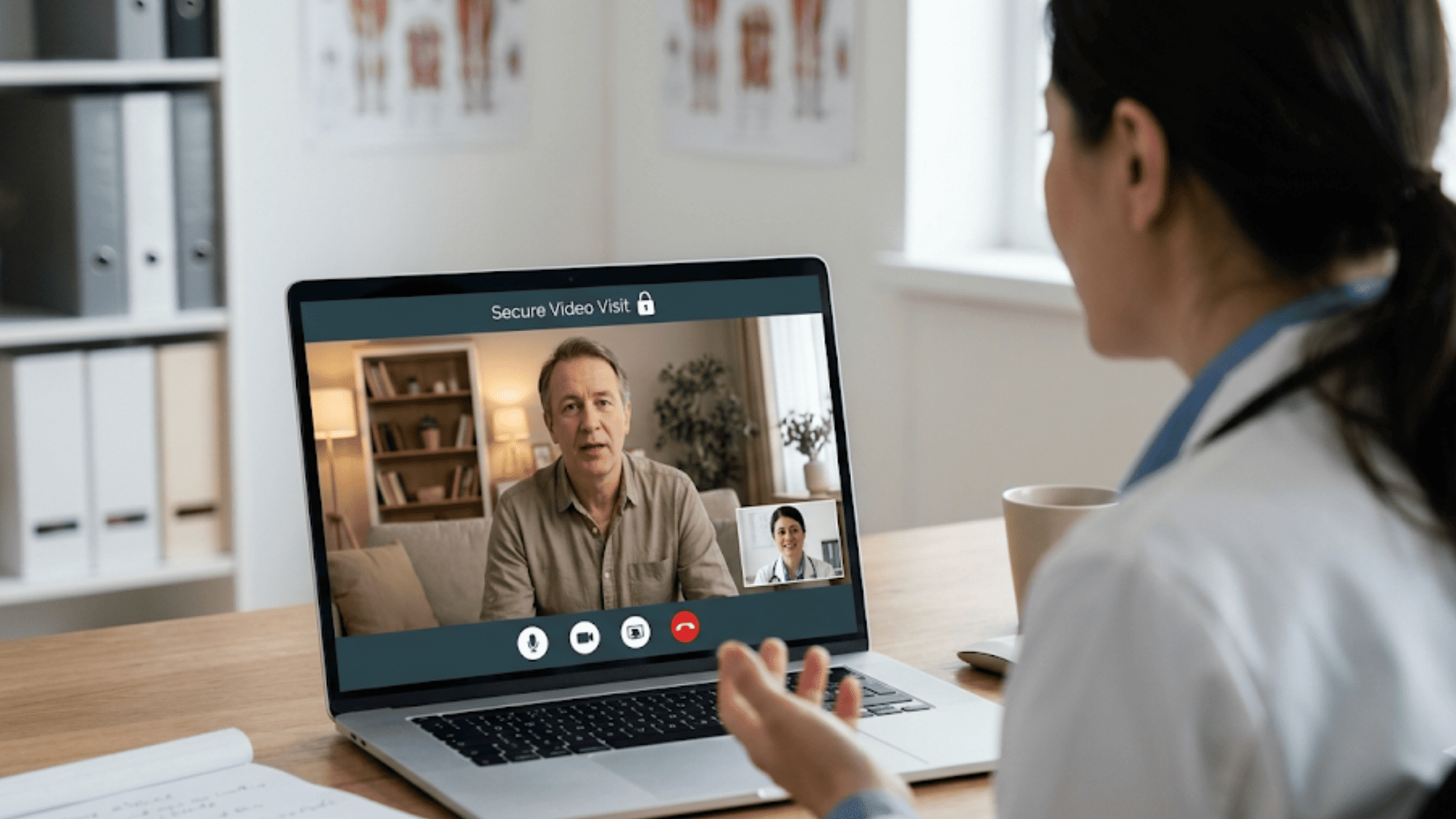
Cisco built this for hospital networks. It scales to thousands of concurrent sessions without straining, and it connects with EHR systems and medical devices at a depth most platforms can't reach.
Cisco signs a BAA for healthcare customers, with multi-layered security and strong access controls.
A three-provider clinic should not be looking at this. The pricing assumes an enterprise budget, and the feature depth becomes complexity you have to manage. You also can't just sign up — purchasing requires a conversation with Cisco sales.
Reliable audio, clean interface, and GoTo will sign a BAA on business-tier plans with risk-based authentication and advanced encryption.
What it doesn't have is any awareness that a patient is on the other end. No waiting room designed for a patient queue, no reminder workflow, no EHR connection.
You get a solid business meeting tool with a compliance wrapper, and everything clinical you build around it, you build yourself. Contact sales to confirm the BAA is actually in place before your first visit.
Texts, phone calls, faxes, and video land in one healthcare inbox. Video is one channel among several, and that's the appeal — a front desk stops alt-tabbing between four systems to handle one patient's day.
End-to-end encryption, secure storage across every channel, and a BAA on all paid plans, priced per user.
If you only need video, you'll pay for a fax line, a phone system, and a texting platform you didn't want. The pricing model punishes single-channel use.
Mend is built around one number: the no-show rate. Automated reminders go out ahead of the visit, and the join is one click with nothing to install, which removes the two most common reasons a telehealth appointment quietly fails.
It connects with a wide range of EHR and practice management systems, so the appointment data flows rather than getting retyped. The BAA is standard in the customer agreement.
Pricing is the barrier. Mend is an enterprise product with enterprise costs, and a two-provider office will find it hard to justify against Doxy.me at a fraction of the price.
Video chat sits inside a broader communication suite — secure text, broadcast messaging, electronic forms. Fully HIPAA compliant, BAA offered with subscription plans.
The math only works if you use the rest of it. As a standalone video product, Updox costs more than dedicated competitors charge for the same capability, and it doesn't do anything they don't. Buy the suite or buy something else.
Therapists get a system shaped around how therapists actually document, including Wiley Practice Planners built into the note templates. Group session support works properly too, which matters when group therapy is a real line on your billing.
HIPAA compliance runs through the platform, and the BAA is included for every customer. Telehealth attaches to the subscription.
The trade is identical to SimplePractice's. This is a full practice management system, and if you only need a secure video room, you're paying for scheduling and billing you won't touch.
| Platform | Best For | Key Differentiator | BAA Availability |
|---|---|---|---|
| Curogram | Patient engagement and automation | Texting and video in one flow | All plans, BAA included |
| Zoom for Healthcare | Large organizations | Patient familiarity | Paid plans with BAA |
| Google Workspace | Google-based practices | Browser access, no download | All paid plans, admin must accept |
| Microsoft Teams | Microsoft 365 practices | Full collaboration hub | Business/Enterprise plans |
| Doxy.me | Solo practitioners | Free tier with a BAA | All plans, including free |
| VSee | Low-bandwidth environments | Holds a call on bad internet | Paid plans with BAA |
| SimplePractice | All-in-one practice management | One login end to end | All paid plans |
| Webex for Healthcare | Enterprise, high-security | Enterprise-grade security | Healthcare plans with BAA |
| GoTo Meeting | Straightforward video | Simplicity | Business plans with BAA |
| Spruce Health | Unified communication | Text, call, fax, video in one inbox | All paid plans |
| Mend | Reducing no-shows | Patient-side experience | Enterprise-level plans |
| Updox | Broader communication suite | Forms and broadcast messaging | Subscription plans |
| TheraNest | Mental health practices | Group sessions, Wiley planners | All subscription plans |
Choosing a platform is just the first step. Proper implementation is key to maintaining compliance.
Before anything else. Not the same week as your first visit — before you configure a single setting. Ask the vendor for the BAA, sign it, get it back countersigned, and file it where you can produce it inside five minutes.
On Google Workspace and Microsoft Teams, this happens in the admin console, so a person has to go in and click accept. Paying the invoice doesn't do it. On Zoom, Webex, and GoTo, it means a call to sales, and that call can take a week to close. Build the lead time into your launch date.
Waiting room. Meeting passcode. Multi-factor authentication. Automatic session timeout. Vendors ship these off because they add friction, and friction hurts adoption.
It takes about ten minutes to switch all four on, and it closes the gap where the next patient walks into an exam room and finds a completed call still open on the laptop.
Use a real appointment slot. Send the link the way you'll send it to patients. Have your "patient" join from a phone on cellular data, not clinic wifi.
You'll find the problems here — the link that expires, the passcode nobody communicated, the camera permission prompt that stops an older patient cold.
Identity verification at the start of the call. Where recordings go and who can retrieve them. What to do when the wrong person joins the room. Who to tell when something looks like a breach, and how fast.
Write these into a one-page policy alongside the on-camera rules: what can be displayed on a shared screen, what can be said when an off-camera family member is in the patient's room.
Not a separate email. Patients don't open separate emails, and every patient who can't find the link calls the front desk — which costs more staff time than the entire setup did.
Put the link in the reminder text with the date and time, and confirm the patient received it during the reminder call for anyone over 70.
The first two weeks are where compliance quietly slips. Someone reuses a personal meeting room, someone records a session to a desktop, someone shares a link over unencrypted email. Check the audit log at the end of week one. It's the only way you'll know.

The security page and the signature page are two different documents, and only one of them protects you. A vendor can publish an impressive list of certifications and still leave you fully exposed on the day OCR asks what you have on file.
So the diligence question is smaller than most practices make it. Before you compare video quality, before you compare pricing, ask the vendor to send you the BAA.
A vendor confident in its own safeguards emails it the same day. A vendor that hesitates, routes you to sales, or explains why the BAA is only available on a plan you weren't quoted has already told you something useful.
Then check what you're running right now. If your practice is on free Zoom, on a personal Google account, or on Workspace where nobody ever opened the Admin console and clicked accept, you are non-compliant today.
Not in theory. Today. Fixing that takes about an hour, and the alternative is a $141-per-violation floor and a listing on the HHS breach portal that anyone can search by your practice name.
Curogram signs the BAA on every plan, and the video visit runs inside the same reminder text your patients already open. No separate link to hunt for, no second system for your front desk to learn, no compliance conversation to have after the fact.
Run your telehealth visits from the same inbox as your texts, forms, and payments. Schedule a Curogram demo and go live with a BAA already in place.

1 min read
💡 Standard SMS is not HIPAA compliant on its own. Regular texts are not encrypted, have no access controls, and leave no audit trail. Sending...
1 min read
💡 HIPAA compliance for conversational AI means applying the Security Rule's administrative, physical, and technical safeguards to any chatbot,...

1 min read
.jpg?width=30&name=square-formal-photo%20(1).jpg) Mira Gwehn Revilla : 4/19/26, 11:00 AM
Mira Gwehn Revilla : 4/19/26, 11:00 AM
💡 HIPAA compliant messaging refers to any digital message system that meets federal rules for protecting patient health data. To be compliant, a...