

8 min read

How Digital Forms Improve Clinical Readiness in WebPT

How Digital Forms Improve Clinical Readiness in WebPT
💡 To improve clinical documentation in WebPT, practices can use digital intake forms that collect subjective history and outcome measures before the visit.

Curogram integrates with WebPT to send intake links to patients via text message. Patients fill out the forms on their phone days before the appointment.

Data like onset date, pain level, and surgical history flows right into the WebPT Daily Note fields. Functional scores such as LEFS and DASH are also calculated and placed into the chart.

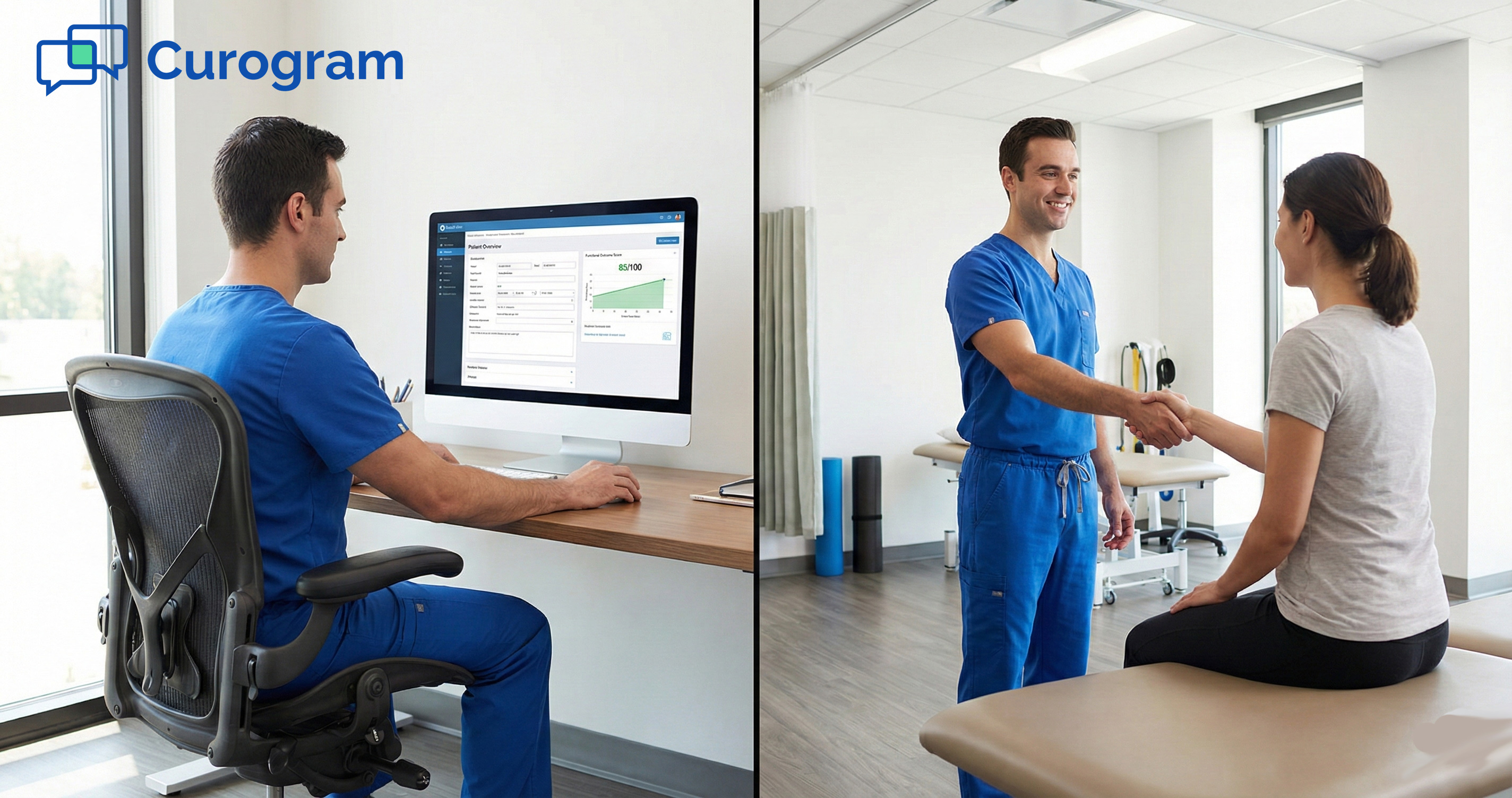
This means the therapist walks into the eval with a full picture of the patient instead of a blank screen. The result is less time spent on data entry and more time on hands-on care and clinical reasoning.


Imagine yourself walking into an eval room. The patient is gowned and seated. But your chart is totally empty.

No pain history. No onset date. No prior surgeries noted. You have 60 minutes, but the first 10 will go to asking the same questions the patient just wrote down on a paper form in the lobby.

This is what many therapists call the "blind date" eval. It happens every single day in clinics that still rely on paper intake packets.

The issue is not that the therapist lacks skill. The real issue is that the clinical data never reaches the chart on time.

When you improve clinical documentation in WebPT through digital intake, the whole dynamic shifts. The subjective history is already charted before the patient walks in.

The outcome measures are already scored. The therapist walks in ready to treat, not ready to type.

Curogram makes this shift happen with ease. It sends smart intake forms to patients via text before the visit. The data writes itself into WebPT so the flowsheets are filled when you need them.

No scanning delays. No waiting on the front desk. No guessing.

In this article, we walk through the real cost of the blind date eval and how the "pre-charted" workflow changes the game.

We also cover how it leads to stronger outcomes for both the patient and the clinician. If your team wants to spend more time on care and less time on admin, this is the place to start.

The Villain: The Blind Date and the Wasted 10 Minutes

Every eval starts with data. But in most paper-based clinics, that data never shows up on time. Here is a closer look at how the blind date eval costs you time, trust, and real clinical value.

The Paper Problem: Stuck at the Front Desk

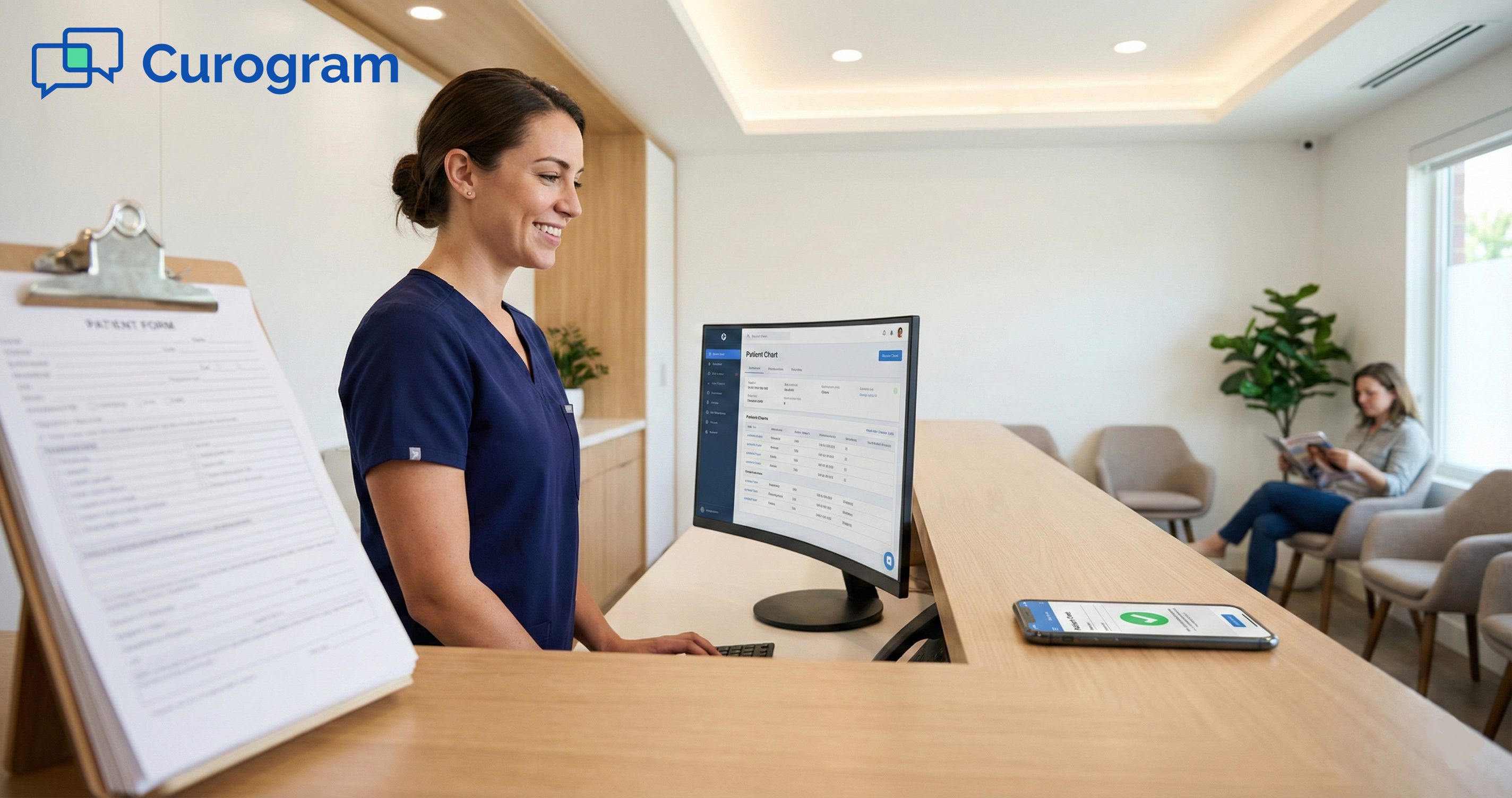
Paper intake forms create a wall between the patient's answers and the therapist's screen. The bottleneck begins the moment the patient walks through the door, and it rarely clears up before the eval starts.

The 10-Minute Gap

In a typical paper-based clinic, the intake packet stays at the front desk for the first 10 minutes of the eval. Staff may be copying insurance cards, answering phones, or helping other patients check in. The stack of forms just sits there.

Meanwhile, the therapist is in the room asking the patient to repeat what they just wrote down. "Where does it hurt?" "When did it start?" "Have you had any past surgery?"

These are basic questions with answers already written on paper in the lobby.

The patient notices. They filled out three pages and now have to say it all again. It does not feel organized. It does not build trust. And it eats into the time that should go to skilled care.

The Scanning Delay

Even when the front desk finishes with the packet, the forms still need to be scanned into the system. Many clinics batch their scanning at the end of the day. That means the WebPT subjective history section stays empty for hours after the visit.

By the time the scan is done, the therapist has already typed the same data by hand into the note. The work is doubled, not halved. This is the kind of waste that adds up fast across a full schedule of patients.

The Clinical Cost: Time You Cannot Get Back

The damage from paper intake goes beyond the front desk. It seeps into the treatment room and cuts into the care your patients came in for.

Lost Minutes, Lost Value

An initial eval is usually a 60-minute slot. If 10 to 15 of those minutes go to data gathering, that is up to 25% of your session gone. That means less time for manual therapy, movement testing, and patient education.

Multiply that across a full day of evals. A therapist with four new patients could lose a full hour to admin tasks they were never trained to do. That is not just a time problem. It is a revenue problem and a care quality issue.

The WebPT Gap

WebPT offers great flowsheets and solid charting templates. The system is designed for clean, structured notes. But the flowsheets are only useful when someone puts data into them.

Without a clear way to prepare for the PT evaluation ahead of time, the chart sits empty until the therapist types it all in by hand. The EMR works fine. The workflow feeding it does not. Digital intake compliance is the missing link between a great system and a great eval experience. 

The Guide: The Pre-Charted Evaluation

The fix is not to work harder or type faster. It is to send the data ahead of the patient. This is what we call the "pre-charted" evaluation, and it changes how your team starts every single session.

How the Pre-Charted Workflow Works

Curogram connects with WebPT to move data from the patient's phone to the chart before they ever step foot in the clinic. The process is simple, fast, and does not add extra work for your staff.

Step 1: Send the Intake Link

Two days before the visit, Curogram sends the patient a text message with a link to their intake forms. The forms are built to match your specific WebPT templates, so every field has a place to land in the chart.

Patients fill out the forms on their phone from home. There is no app to download and no patient portal login to deal with. Just a simple text link that opens in the browser. Most patients complete it in under 10 minutes.

Because it arrives two days early, the patient has time to check their insurance card, look up their medication list, and answer each question with care. That alone raises the quality of the data you receive.

Step 2: Data Flows Into WebPT

Once the patient submits the form, Curogram writes the data straight into the WebPT Daily Note fields. That includes onset date, pain scale rating, surgical history, and the reason for the visit.

The therapist opens WebPT the next morning and sees a profile that is already built. No blank screens. No guessing. The chart is filled and ready for a quick review before the eval begins.

This removes the front desk from the data chain. There is nothing to scan, nothing to re-type, and nothing to chase down. The data moves from the patient to the chart with zero middle steps.

Automated Outcome Measures: Scored and Ready

One of the biggest wins from this workflow is how Curogram handles functional scoring. Automated outcome measures in physical therapy save time and cut down on human error at the same time.

LEFS, DASH, and More

Curogram supports tools like the LEFS, DASH, and Oswestry index. The patient answers the questions on their phone, and the system scores the results on its own. For example, a patient might score a LEFS of 45 out of 80.

That score flows right into the flowsheet. The therapist does not need to add up points by hand or check a scoring key. LEFS DASH automation removes the manual math and lets you focus on what the score means for the plan of care.

Consistent and Accurate Baselines

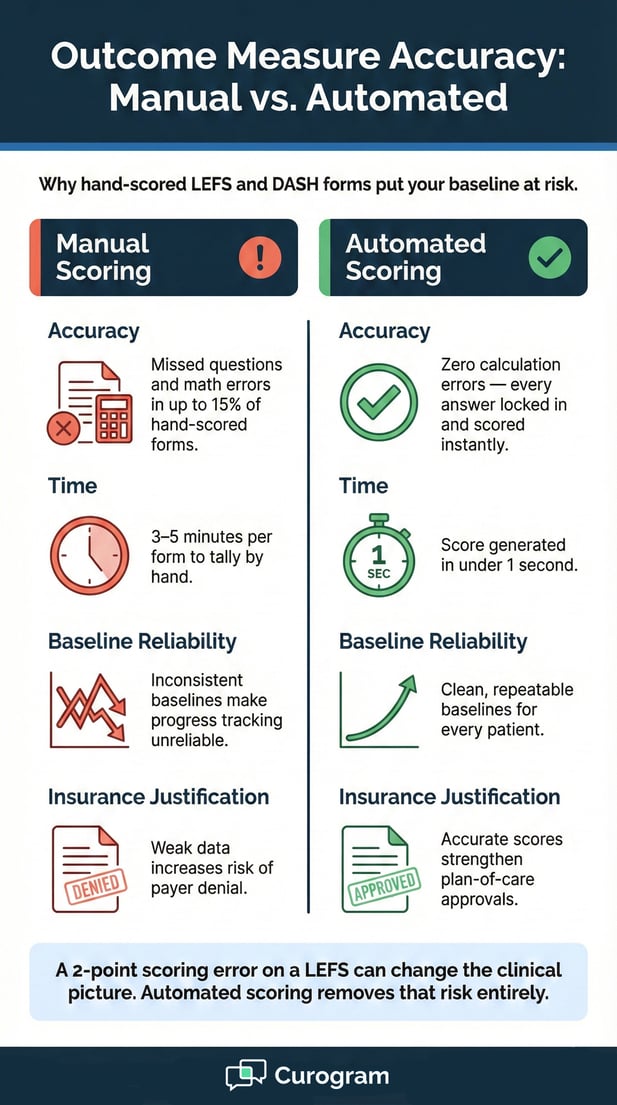
When scores are tallied by hand, errors happen. A missed question or a wrong total can throw off the baseline and make it harder to track real progress. Digital scoring locks in the answers and runs the math with zero mistakes.

This gives you a solid starting point for every patient. It also helps when you need to justify continued care to insurance. A clean, accurate baseline is one of the strongest tools you have for approval.


Infographic illustrating manual vs automated outcome measure scoring accuracy, time, and reliability

The Success: Maximum Clinical Value

When the data is ready before the patient walks in, the entire feel of the eval changes. The therapist becomes a clinician again instead of a data clerk.

Here is what that shift looks like in real practice.

From Data Gatherer to Expert Clinician

The most obvious change is in how the eval starts. Instead of asking basic intake questions, the therapist leads with insight and clinical context from the very first sentence.

Start With Confidence

Imagine opening the chart and seeing that the patient had ACL surgery in 2018. Their current pain is in the same knee. Their LEFS score is 38 out of 80, which tells you function is limited.

Now instead of asking "Where does it hurt?", you start with something like "I see you had ACL surgery a few years ago. How has that knee been holding up?"

That kind of opening builds rapport fast and proves the team is on the same page.

The patient feels heard. They feel like the clinic is prepared. That trust sets the tone for the entire plan of care going forward.

More Hands-On Time

With 10 to 15 minutes freed up from admin tasks, you can spend that time on what matters most. More movement screening. More manual therapy. More time to walk the patient through their home exercise program.

That shift in time is a direct shift in value. The patient leaves feeling heard, helped, and less rushed. They are more likely to come back. And they are more likely to leave a positive review.

The clinic benefits too. Higher-quality evals mean stronger plans of care, better outcomes data, and fewer issues with payer denials.

Better Compliance, Better Charts

Digital forms do not just save time at the point of care. They also raise the bar on data quality across the entire clinic.

Required Fields Close the Gaps

Paper forms let patients skip fields all the time. A blank "reason for visit" or a missing insurance ID can slow down the entire billing and clinical process.

Digital intake compliance gets better because the form does not let the patient move forward without filling in each required field. No more blank spots. No more chasing missing info after the fact or calling the patient back for details.

A Chart That Tells the Full Story

When every field is complete, the chart becomes a record you can rely on. It supports your clinical reasoning. It holds up under audit. It makes re-evals smoother because you have a clean baseline to compare against from day one.

The move from paper to digital is not just about speed or convenience. It is about building a clinical record that tells the full story of the patient's care journey from the very first visit.  


Frequently Asked Questions for WebPT Users

Here are some of the most common questions clinics ask when they look into switching to digital intake with Curogram and WebPT.

Can we customize the clinical questions?

Yes. You have full control over what your patients see on the intake form.

You can mirror your specific WebPT templates inside Curogram so the data maps 1-to-1. Every field on the form ties to a matching field in the EMR. That means no extra copy-paste work after the patient submits.

If your clinic uses custom eval templates for different body regions or patient types, you can build forms to match each one. The setup is flexible and built around how your team already works.

If your eval template changes, your intake form changes with it. You are not locked into a fixed set of questions. Update the form and the next patient sees the new version right away.

This keeps your intake current as your clinic grows or adds new services. No need to reprint paper packets every time a field changes.

Does it support body charts?

Yes. Body charts are built right into the intake form for a better patient experience.

Patients can tap on a visual body chart on their phone to show exactly where they feel pain. This is faster and more precise than writing "left shoulder" on a paper form. The marked image saves to the patient's file for the therapist to review before or during the eval.

The body chart image attaches to the patient record inside the system. The therapist can view it on screen as part of their pre-eval review. It adds a visual layer that text alone cannot capture, and it helps guide the hands-on exam from the very start.

What about red flags?

Red flag screening is built right into the form logic so nothing critical slips through.

You can set up logic rules that alert the therapist when a patient answers "Yes" to key safety questions. For example, if a patient reports night pain, unexplained weight loss, or bladder issues, the system flags it right away. This helps the care team act fast on findings that need urgent attention.

The alerts happen behind the scenes. The therapist does not need to flip through pages of paper looking for a checked box. The flag shows up clearly and early, which supports stronger clinical decision-making from the very first minute of the session.

This kind of built-in screening adds a layer of safety that paper simply cannot match. It protects the patient and the clinician alike.


Close-up of a patient completing a digital intake form on a smartphone in a physical therapy clinic

Respect the License

Physical therapists earn doctoral-level degrees. They train for years to assess, treat, and manage complex movement cases. Using them as data entry clerks is a waste of that talent and that training.

When a therapist spends 10 to 15 minutes per eval asking questions the patient already answered on paper, that is skilled clinical time lost to admin work.

It drains energy. It cuts into treatment. And it frustrates everyone in the room, the patient included.

High-tech intake is not just a front desk upgrade. It is a clinical tool that gives the whole care team a head start.

When the subjective history and outcome measures are in the chart before the session starts, the therapist can focus on what they trained to do. Assessment. Treatment. Education.

The goal is simple and clear. Let clinicians be clinicians. Let the data arrive before the patient does. Let every eval start with insight instead of blank fields and repeat questions.

If your practice is ready to make that shift, the path is straightforward. Give your therapists the tools they deserve.  

Start Your 30-Day Free Trial with Curogram and see your first Pre-Charted Eval this week.

Why Manual Intake is Costing Your WebPT Practice Hours

Why Manual Intake is Costing Your WebPT Practice Hours

💡 Reducing manual data entry in WebPT practices starts with replacing paper intake packets with integrated digital forms.When Curogram syncs...

Read More
Digital Patient Intake Forms for WebPT: Eliminate Manual Data Entry

Digital Patient Intake Forms for WebPT: Eliminate Manual Data Entry

💡 Digital patient intake forms for WebPT replace paper packets with secure, mobile-friendly links sent by text message.When a new patient is booked...

Read More
Secure Online Forms for CharmHealth | Stop the Clipboard Chase

Secure Online Forms for CharmHealth | Stop the Clipboard Chase

💡 Sending secure patient intake forms via SMS for CharmHealth allows integrative and pediatric practices to digitize complex health histories and...

Read More