
9 min read

Complete Forms From Your Couch | No Clipboard Ambush

Complete Forms From Your Couch | No Clipboard Ambush

💡 Veradigm patient medical forms completed on a phone via text link remove the waiting-room clipboard entirely.          

Curogram sends a secure form link by text 48 hours before the visit, so patients finish intake in 5–8 minutes from home — no app, no portal login, no account setup.    

The result for your practice: complete charts before arrival, check-in drops from 15 minutes to 2, and front desk staff stop re-keying handwritten paperwork into the EHR.  

FollowMyHealth requires portal enrollment. Curogram works for every patient with a phone number.


Picture a patient walking into your office at 8:45 AM for a 9:00 appointment.

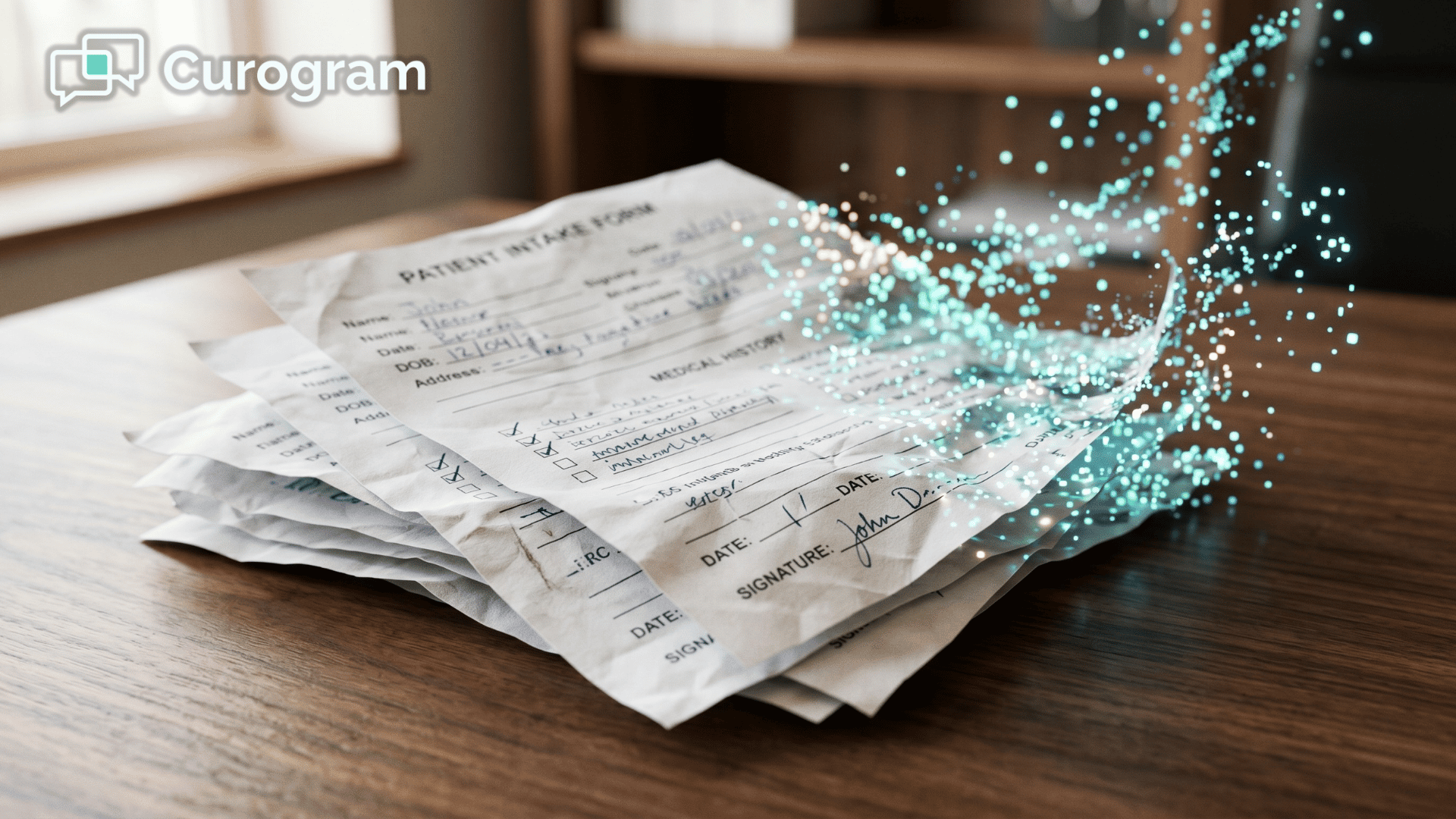
They took the morning off work. They drove 25 minutes. They found parking. And the first thing they get from your front desk is a clipboard, a pen, and six pages of forms.

They've written this same information four times this year already.

This is the clipboard ambush — the experience most patients still have at practices running Veradigm EHR.

It's not because your staff wants it that way. It's because the digital alternative.

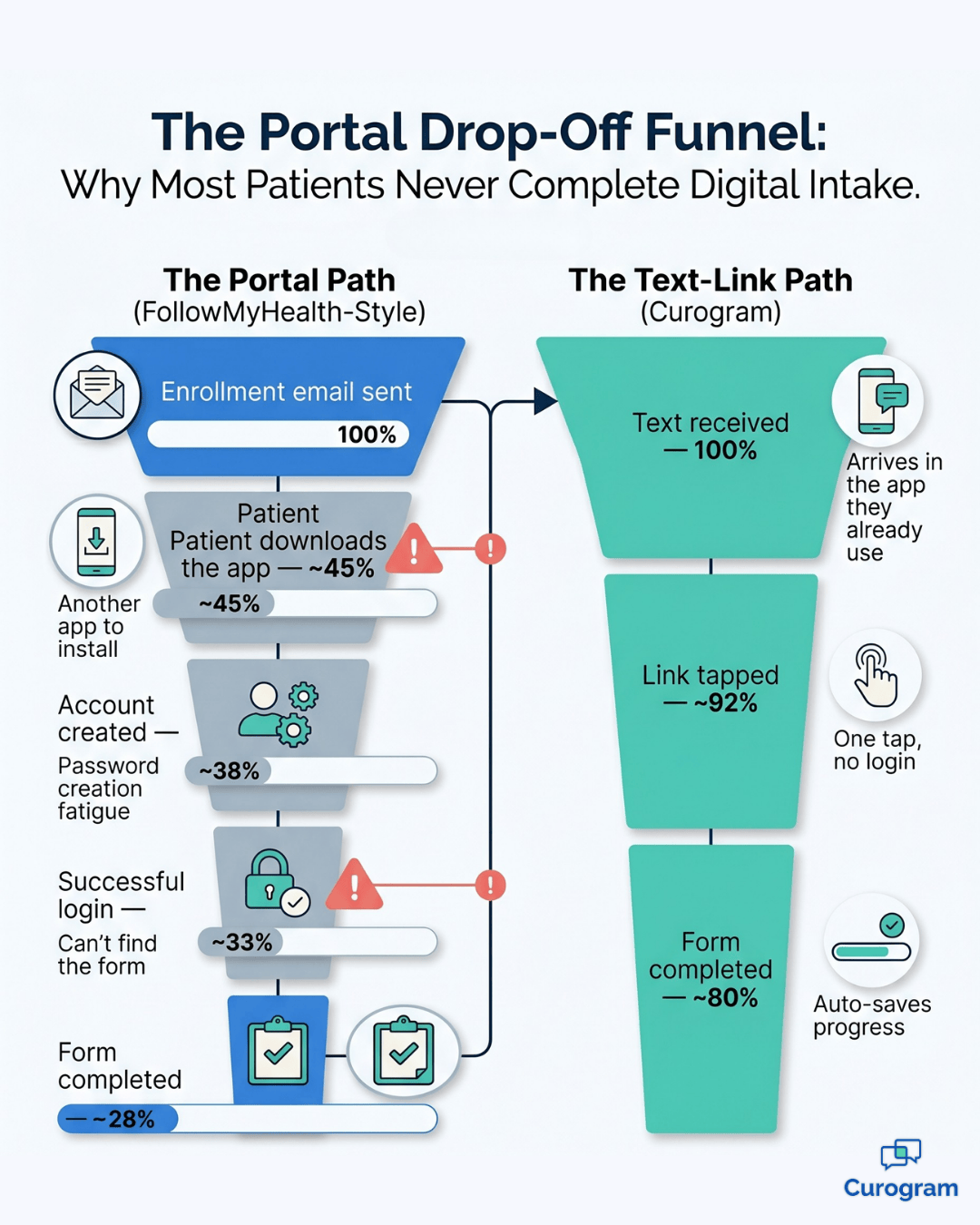
FollowMyHealth, requires patients to download an app, create an account, and remember a password just to fill out a form. Most patients never make it past that first step.

So the clipboard stays. And every morning, your lobby turns into a silent room full of people hunched over paperwork while the clock on their appointment ticks away.

The cost adds up quickly. A 9:00 AM visit that actually starts at 9:30 compresses face time with the provider, pushes the whole schedule back, and gives patients the feeling that their time doesn't matter.

Your front desk then re-keys handwritten answers into the EHR, introducing typos and double work. It's a workflow built on friction that nobody wants — not your staff, not your patients, not your providers.

There's a simpler path, and it doesn't require a portal, an app, or a training session for your patients.

It requires one text message. In this article, we'll walk through how Veradigm patient medical forms completed on a phone via text link change the intake experience, why the text-based approach works when portals don't, and what your practice can expect when the clipboard finally disappears.

The Real Cost of the Clipboard Ambush

Think about what actually happens in your waiting room every morning.

Patients arrive on time. Then they sit down with a clipboard and start writing the same medical history they've written three or four times before this year.

Medical history. Medication list. Allergies. Surgical history. Family history. Insurance. Consent forms.

Each form asks everything from scratch. The clipboard doesn't know what the patient filled out at their cardiologist last month or their primary care doctor last week.

It just asks again, in handwriting that gets worse as their hand cramps.

The Information Patients Rewrite Every Visit

The paperwork never changes, but the patient has to rewrite it from memory every time:

  • Medication names and dosages
  • Known allergies and past reactions
  • Surgical and hospitalization history
  • Family health history
  • Insurance and emergency contact details

By the fourth time this year, your patient is guessing at dosages and hoping they remember everything.

That's not great data going into your chart.

15–20 minutes

A patient spends writing in your waiting room instead of seeing your provider. For a 9:00 AM appointment, the visit doesn't actually start until around 9:30.

Multiply that friction across every new patient every day, and you have a scheduling problem that shows up in no-shows, late starts, and shorter visit times.

The clipboard isn't just a patient experience issue — it's an operational one.

Why Your Patient Portal Isn't Solving the Problem

Your practice already has a digital option. FollowMyHealth is sitting right there, built into the Veradigm ecosystem. So why is the clipboard still the default?

Because the portal requires the patient to do three things before they can do the one thing you actually need them to do.

They have to download the app. They have to create an account. They have to log in and navigate to the forms.

Most patients give up at step one. Industry data on patient portal adoption consistently shows that only about 30–40% of patients actively use the portal their practice offers, even when enrollment emails are sent.

That means 60%+ of your patient base is locked out of the digital intake option.

For them, the clipboard isn't a fallback — it's the only path.

Why Patients Quietly Opt Out of the Portal

The patients who skip the portal aren't lazy.

They just don't want another healthcare app alongside their insurance app, their pharmacy app, and their fitness tracker.

They're dealing with password fatigue.

They meant to enroll when they got the email six months ago, and then life happened.

The portal is a great tool for the 35% who use it.

You need something that works for the other 65% — and that group is bigger than most practices realize until they look at their own login data.

A Text, a Tap, a Completed Form

Here's the alternative.

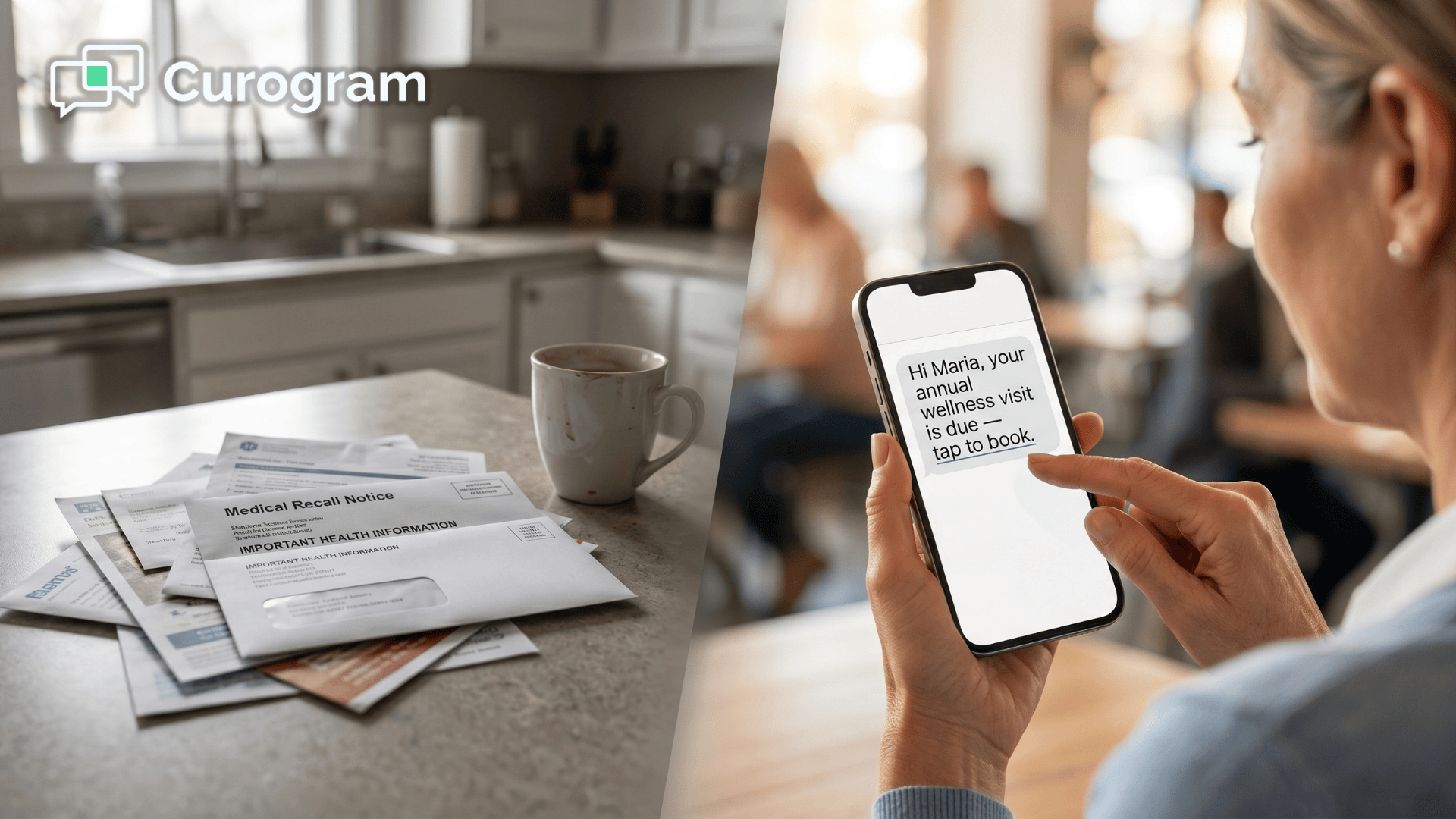
Forty-eight hours before the visit, the patient's phone buzzes with a text from your practice:

"Your appointment is in 2 days. Tap here to complete your intake forms."

They tap. Their phone browser opens a clean, mobile-friendly form. They fill in their medical history, type their medications with autocomplete helping them spell things correctly, snap a photo of their insurance card with the camera, and sign the consent with their finger.

Eight minutes. Done.

5–8 minutes

On their phone, at home, before the visit. That's up to 75% less time than a clipboard — and it happens outside your waiting room, not inside it.

No app download. No account creation. No password. No portal navigation.

The form works on any smartphone — iPhone, Android, old phone, new phone — because it's just a secure web page behind a link. If the patient can open a text message, they can complete the form.

This is what Veradigm patient medical forms completed on a phone via text link actually look like in practice. The barrier to digital intake drops from "enroll in a portal" to "tap a link." That's the difference between 35% completion and 80%+ completion.

Funnel comparing portal vs text-link patient intake completion rates for Veradigm EHR practices.

Forms That Were Actually Built for Phones'

A lot of digital forms claim to be mobile-friendly. Most of them aren't. They were designed for a desktop browser and then squeezed onto a phone screen, which means tiny fields, awkward scrolling, and dropdowns that don't work with a thumb.

What "Built for Phones" Actually Looks Like

Curogram's online patient forms are built for the phone first, which shows up in the small details patients never have to think about:

  • Large form fields you can tap without zooming
  • Dropdown menus for common medications and conditions
  • Camera integration for insurance card photos
  • Electronic signatures that work with a fingertip
  • Smart logic that skips sections that don't apply to the visit type

That last one matters more than it sounds. A patient coming in for a routine wellness visit doesn't need to answer 40 questions about surgical history.

The form adapts to the visit type, pulled from the appointment data in your Veradigm EHR.

75–85%

Because there's no app to download and no account to create, most patients actually finish the form before they arrive. Portal-based intake rarely clears 40%.

What Happens After They Submit

This is where the workflow benefit shows up for your team. When the patient submits the form, the information flows directly into their chart in your Veradigm EHR.

No paper processing. No front desk staff re-typing handwritten answers.

No risk of misreading "Lisinopril" as "Lipitor" because the handwriting was rushed.

The Hidden Labor Cost Staff time re-keying each clipboard form:

4–6 minutes with text-link forms: 0 minutes

For a practice seeing 30 new patients a day, that's up to 3 hours of front desk labor recovered every day — more than a full shift every week.

A Better Start to Every Visit

Your care team opens a complete, legible, structured chart before the patient walks in. The provider's first five minutes with the patient aren't spent re-confirming the medication list. They're spent on actual care.

The conversation shifts from

"Can you tell me what medications you're taking?" to "I see you're on Lisinopril 10mg and Metformin 500mg — how are those working for you?"

That's a better visit for the patient and a more productive visit for your provider.

And because the data moves through secure online forms with end-to-end encryption and HIPAA-compliant transmission, you're not trading convenience for compliance. The forms meet the same security standards as any other PHI workflow in your EHR.

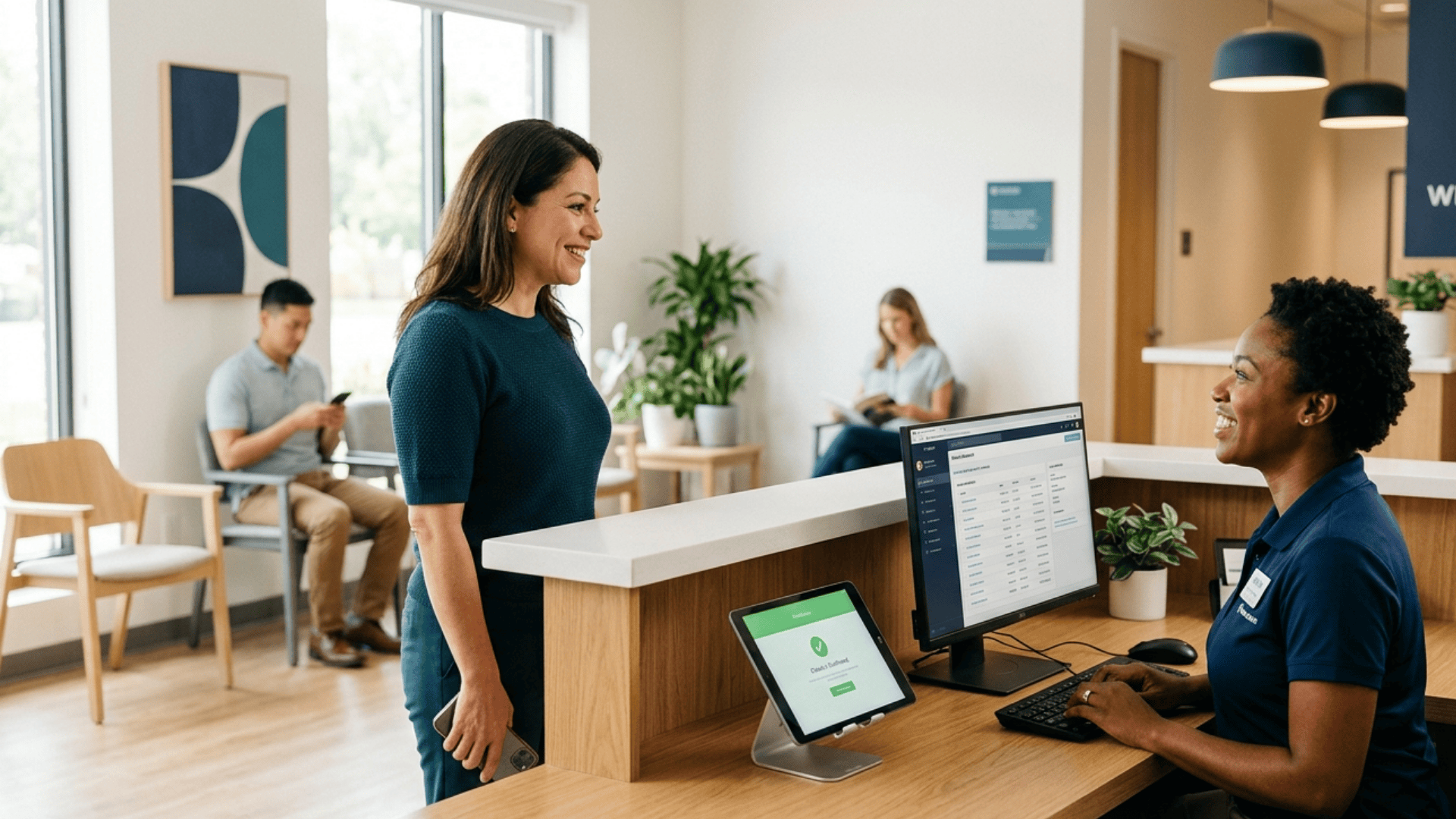
Medical front desk staff greeting a patient by name after text-delivered Veradigm intake forms.


The Numbers Behind the Shift

Let's put some real numbers on what changes when a practice moves from clipboards to text-delivered intake. The pattern holds across the practices Curogram works with.

The Check-In Transformation Before:

10–15 minutes at the front desk After: 2 minutes at the front desk

Verify identity, collect co-pay, sit down. That's it. Because the intake already arrived 48 hours ago.

Here's what that means in real operational terms for a practice seeing 30 patients a day.

If each completed form saves your front desk 5 minutes of re-keying, you're saving 150 staff-minutes a day.

That's 2.5 hours of labor per day, or roughly 12.5 hours a week — more than a full shift recovered every week without hiring anyone.

Where That Time Actually Goes

The recovered hours don't disappear into thin air.

They show up in the parts of your operation that have been under-resourced for years:

  • Front desk can focus on the patients physically present instead of data entry
  • Same-day appointment requests get answered faster
  • Billing questions and insurance issues get handled inside business hours

For the patient, pre-visit forms mean the 9:00 AM appointment actually starts at 9:02 AM. For your schedule, fewer cascading delays through the rest of the day.

Kill the clipboard! Streamline intake and decrease wait times with Curogram's mobile-friendly online forms.  

The Schedule Impact Late-start rate for first appointments:

High → Minimal. When intake is already complete, your morning schedule stops leaking time.

The rest of the day flows from an on-time 9:00 AM — not a 9:30 AM catch-up.

This is why patient intake forms delivered by text outperform portal-based forms for the majority of patients:

The adoption curve is flat. If they can receive a text, they can complete the form.

What the Patient Experience Actually Looks Like

Here's a realistic scenario from the patient's side. Sunday evening, they're on the couch watching TV.

Their phone buzzes with a text: "Your appointment is Tuesday at 10:00 AM. Complete your intake forms here."

They tap. The form opens. They fill in medications at their own pace, because their medication bottles are in the kitchen cabinet three feet away. They ask their spouse about the year of their gallbladder surgery. They find their insurance card in their wallet without a waiting room watching.

Eight minutes later, they're done. They go back to watching TV.

Tuesday Morning, Step by Step

The day of the visit is just as smooth:

  • 9:55 AM — patient arrives
  • 90 seconds — check-in (identity, co-pay, seat)
  • 10:02 AM — called back to the exam room
  • 10:25 AM — visit complete, patient out the door

That's the shift. No clipboard. No pen. No wasted time.

Just a patient who feels like their practice actually respects how busy they are — and a practice that gets to use the full appointment slot for care instead of paperwork.

Ready to Retire the Clipboard?

Your practice invested in Veradigm EHR because you wanted modern technology powering patient care.

The clipboard sitting on your front desk is the one piece of the workflow that hasn't caught up.

Curogram closes that gap. Veradigm patient medical forms completed on a phone via text link replace the clipboard with one tap, no app, and no portal friction. Patients finish intake at home. Your front desk stops re-keying handwritten paperwork.

Your providers open complete charts before the patient walks in.

The setup is straightforward. Curogram integrates directly with your Veradigm EHR, which means appointment data flows one way and completed forms flow the other — no manual bridge, no double entry.

Your practice configures which forms go out for which visit types, and the system handles the rest automatically.

The real shift isn't just operational. It's how your patients feel when they walk into your office. Instead of being greeted with paperwork, they're greeted by name. Instead of spending 20 minutes writing, they spend those 20 minutes in the visit they actually came for.

That's the kind of experience that turns first-time patients into long-term patients and quiet lobbies into signs of a practice that runs well.

Schedule a Demo with Curogram to see exactly how text-delivered intake works with your current Veradigm setup, what the patient experience looks like on the phone, and how quickly your front desk workflow can change.


Frequently Asked Questions

What if a patient starts the form but can't finish it right away?

Curogram's forms auto-save progress as the patient fills them in. If they start the intake at lunch and need to pick it up after dinner, their responses are saved securely. When they tap the link again from the same text, they continue right where they left off. No lost data, no starting over — they can complete the form in as many sessions as they need.

Do patients have to fill out these forms every time they visit?

No. Your practice configures which forms are sent for each visit type, so a follow-up visit may only send a short update on medication changes or new symptoms rather than the full new patient packet. The system pulls the visit type from Veradigm and sends the right forms for that encounter. Your patients won't get hit with the full intake set every time they come in.

How is the patient's information protected?

Completed forms are transmitted over encrypted connections directly into your practice's Veradigm EHR. All data is handled under HIPAA regulations, and Curogram holds SOC 2 Type II certification, which is the same security standard used by major healthcare and financial institutions. Patient information is accessed only by authorized members of the care team, with the same privacy protections that apply to any record inside your EHR.

What about patients who don't have a smartphone?

Your practice can still offer a clipboard or a tablet in-office for the small number of patients who need it. The goal isn't to force every patient into one channel — it's to shift the 80%+ who have a phone and a text plan away from the clipboard, so your front desk can focus its in-person attention on the patients who genuinely need help.

Does this replace our patient portal?

No. The portal still has a role for patients who want to see test results, message their provider, or review past visit notes. What text-delivered forms do is solve the intake problem for the majority of patients who never log into the portal. Think of it as filling the gap the portal leaves — not replacing the portal itself.


Tebra Patient Intake by Text: No Portal, No App, Done in 2 Minutes

Tebra Patient Intake by Text: No Portal, No App, Done in 2 Minutes

💡 Tebra patient intake forms sent by text message let patients complete forms on their phone before a visit — no portal, no app, no login needed.

Read More
Digital Intake Forms for RamSoft | Automate Staff Workflows

Digital Intake Forms for RamSoft | Automate Staff Workflows

💡 RamSoft imaging center staff intake workflow automation with digital forms sends contrast screening questionnaires, MRI safety screenings, and...

Read More
Cloud 9 Ortho Forms | One Link, Complete in 5 Minutes Before Visit

Cloud 9 Ortho Forms | One Link, Complete in 5 Minutes Before Visit

💡 Cloud 9 orthodontic forms on your phone let parents complete every new patient intake form by tapping a single text link — no app, no portal, no...

Read More