
9 min read

Efficient Patient Communication for Prime Clinical: The Unified Inbox

Efficient Patient Communication for Prime Clinical: The Unified Inbox
💡 Efficient patient communication for Prime Clinical Systems starts with one change: bringing every message into a single inbox. When phone calls, emails, and portal alerts live in separate places, things fall through the cracks.

Staff lose time jumping between screens, and patients wait longer for answers. By using Curogram as a centralized patient messaging tool alongside Prime Clinical Intellect, practices can route incoming texts to the right team member right away.

Messages get tagged, assigned, and tracked in one view. This approach replaces sticky notes and voicemails with an organized, searchable record. The result is faster response times, fewer errors, and a clear audit trail for every patient interaction.

For any practice looking to reduce front desk multitasking and build a real medical practice communication hub, a unified inbox is the first step.

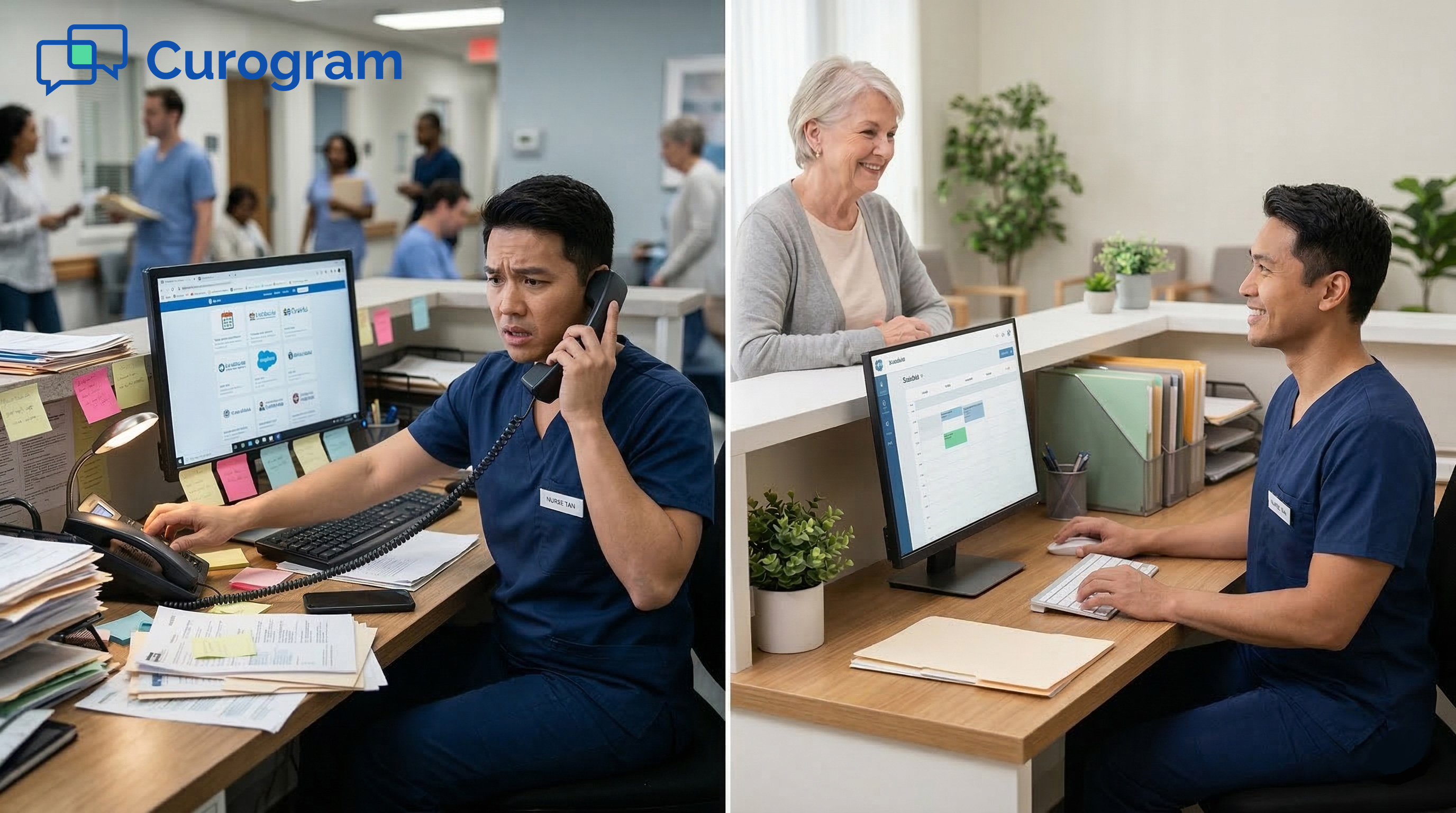
It is 9:15 a.m. on a Monday. The phone is ringing. A patient is at the window asking about lab results. A provider just sent an email about a prior auth. Somewhere on the desk, a sticky note with a callback number is buried under a stack of forms.

Sound familiar? For many front desk teams using Prime Clinical, this is daily life. Staff juggle calls, portal messages, emails, and paper notes all at once.

Each channel lives on a different screen or surface. Nothing is linked. Nothing is tracked. And when something slips, the patient pays the price.

The problem is not the people. It is the system. Or rather, the lack of one. Most medical offices still rely on a patchwork of tools that were never meant to work together.

The result is a Prime Clinical staff workflow bogged down by context switching, missed messages, and constant catch-up.

Efficient patient communication for Prime Clinical Systems does not mean working faster. It means working smarter by bringing every channel into one place.

That is exactly what a unified inbox does. It turns scattered conversations into a single, organized dashboard where nothing gets lost and every message has an owner.

In this guide, we will break down why fragmented channels hurt your practice, how to build a command center approach to patient messaging, and why searchable text records are a game changer for compliance.

Whether you manage one location or five, these ideas can help your team stop reacting and start managing.

The Villain: The Chaos of Fragmented Channels

Every busy medical office deals with a flood of patient messages each day. The challenge is not the volume. It is where those messages land.

When calls, emails, portal alerts, and paper notes live in separate silos, your team spends more time hunting for information than acting on it.

This is the core villain behind poor patient communication in any practice using Prime Clinical. Let us look at how this plays out in the real world.

The Sticky Note System

When Every Surface Becomes a Message Board

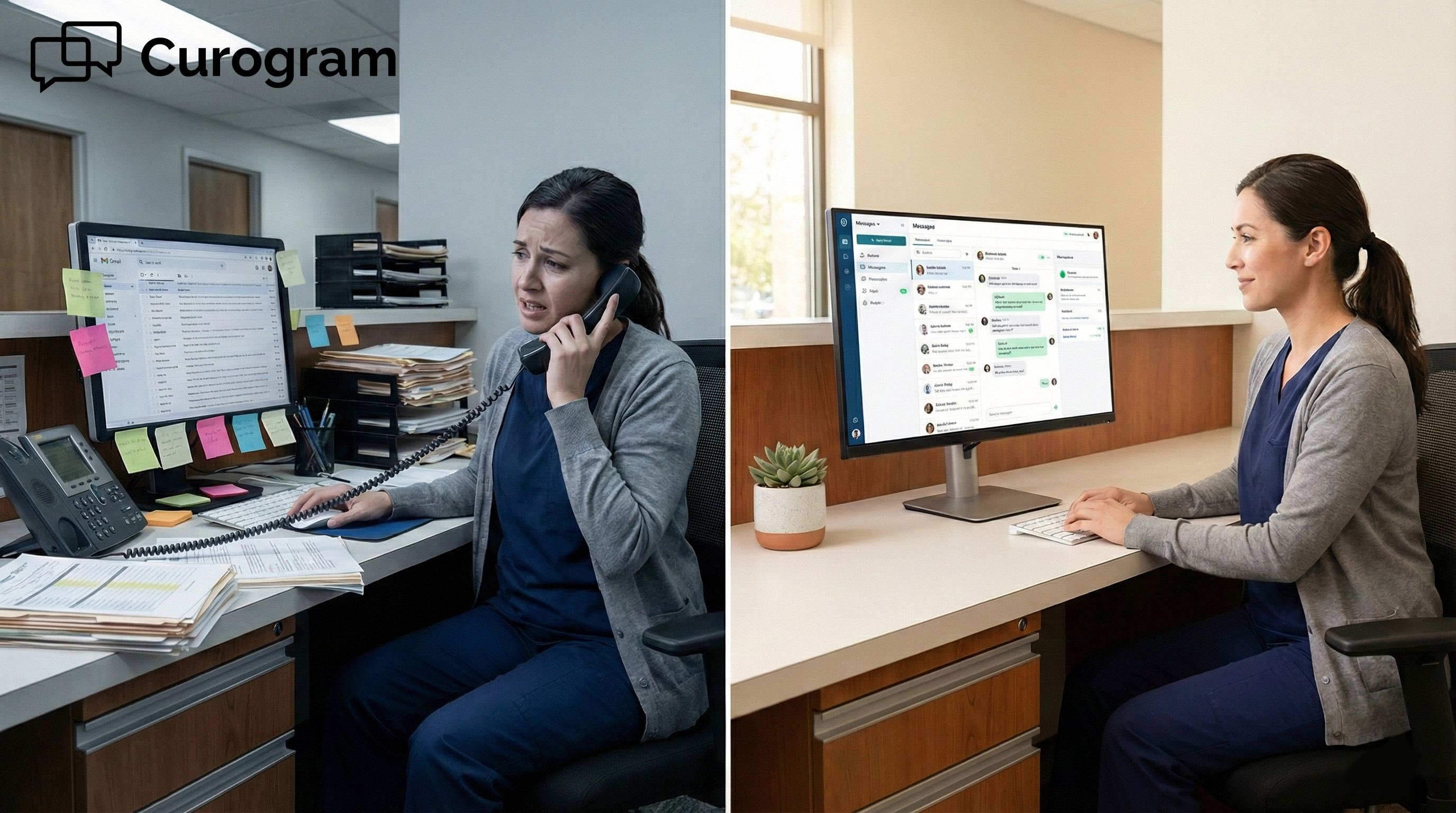
A patient calls in to reschedule. The front desk writes the name and number on a sticky note. Then the provider emails a question about a referral.

Meanwhile, the billing team leaves a note inside the chart. Three messages, three places, zero connection between them.

This is what most Prime Clinical front desks deal with. One channel is live and on the phone. Another is in the inbox. A third is taped to a monitor.

There is no single view that ties it all together. Each message demands a different action in a different spot.

The Hidden Cost of Paper Trails

Sticky notes cannot be searched. They cannot be shared. And they certainly cannot be tracked. When a message is written on paper, it is at the mercy of whoever holds that piece of paper. If they step away, call in sick, or simply forget, the message vanishes.

Over time, this creates gaps in the Prime Clinical staff workflow that are hard to measure but easy to feel. Callbacks are missed.

Patients get frustrated. Staff feel like they can never catch up. The problem is not laziness. It is a broken process.

The Black Hole Risk

Messages That Disappear Without a Trace

Here is a common scene. A patient leaves a voicemail about a refill. The person who would handle it is scanning documents at the time.

The voicemail light blinks, but no one checks it for two hours. By then, the patient has called back, annoyed, and the staff is already behind.

When your medical practice communication hub is split across three or four tools, messages do not just slow down. They vanish.

A voicemail sits in one system. A portal message sits in another. Neither one alerts the other. The result is a black hole where patient requests go in, and nothing comes out.

The Mental Load of Context Switching

There is a real cost to jumping between screens all day. Research suggests that switching tasks can eat up as much as 40% of a person's productive time.

For front desk staff, this means toggling between the Prime Clinical scheduler, the phone system, the email client, and the physical desk dozens of times per hour.

That kind of mental strain adds up fast. It leads to errors, burnout, and high turnover. The asynchronous patient communication model, where messages come in as texts and get handled in order, exists to solve this exact problem. It removes the need to juggle and lets staff focus on one task at a time.


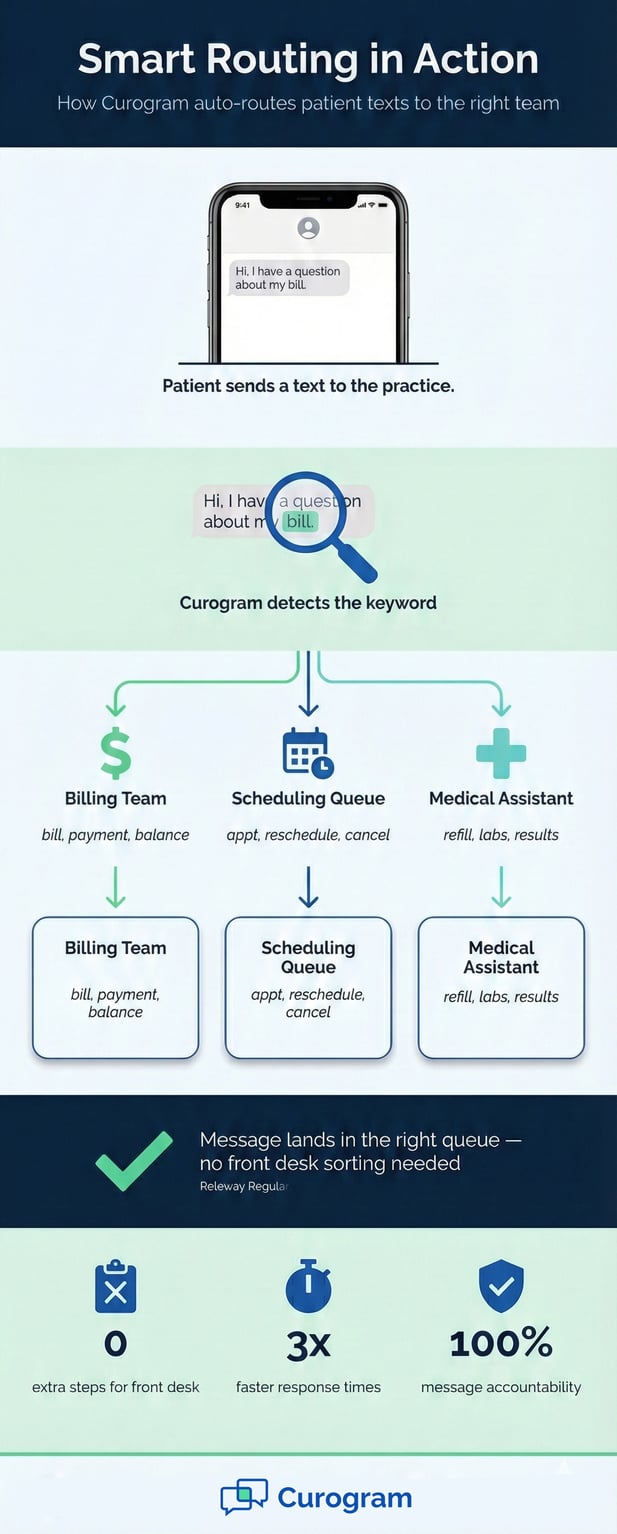
Infographic showing automated routing of patient texts to the right medical team via keyword detection

The Guide: The Command Center Approach

The fix is not to hire more staff or work longer hours. It is to change the system itself. When every patient message lands in one place, your team can stop chasing information and start managing it with calm, clear focus.

Curogram acts as a centralized patient messaging layer that sits on top of Prime Clinical. Think of it as the command center for your front desk.

The Unified View That Changes Everything

One Dashboard for Every Channel

With Curogram, all inbound texts, appointment replies, and internal team chats appear in a single dashboard. There is no need to flip between screens. A text from a patient, a reply to a reminder, and a note from a coworker all show up in the same place.

This is what makes it a true medical practice communication hub. Nothing gets buried in a separate inbox. Nothing hides behind a blinking voicemail light. Every message is visible, trackable, and ready to be handled.

How It Works with Prime Clinical

Curogram integrates with Prime Clinical Intellect without replacing what your team already uses. It adds a messaging layer on top.

Staff can keep using Prime Clinical for scheduling and charting while using Curogram to handle all patient texts and team messages.

This means you do not need to retrain anyone on a new EHR. The learning curve is short. Most front desk teams are up and running in under five minutes, which keeps the Prime Clinical staff workflow intact while adding a powerful new tool.

The Ticket Mentality for Patient Requests

Treat Every Message Like a Support Ticket

Think about how a good IT help desk works. A request comes in, gets logged, and gets assigned to the right person.

Nothing falls through the cracks because every ticket has an owner. Now apply that same logic to patient messages.

A patient texts, "I need a refill." The front desk sees it, assigns the thread to the medical assistant queue, and clears it from their screen.

The MA gets a notification and handles it. This is how you reduce front desk multitasking. Everyone knows their role, and every message has a clear next step.

Smart Routing with Keywords

Curogram can also auto-route messages based on keywords. If a patient texts the word "billing," the message skips the front desk and goes straight to the billing team.

If they type "appt," it lands in the scheduling queue. This kind of smart routing saves time and keeps the front desk focused on what matters most.

The result is a practice that works like a modern support team, not a chaotic switchboard. Staff handle messages in order, with clear ownership.

Nothing sits in limbo. Patients get faster answers without clogging the phone lines.


Feature Focus: Searchability and Audit Trails

Speed matters, but so does proof. One of the biggest gaps in phone-based communication is that there is no record unless someone writes it down. Text-based messaging changes that by creating a full, searchable history of every conversation.

For practices using Prime Clinical, this is not just a nice feature. It is a layer of protection that helps resolve disputes, support compliance, and keep operations running smoothly.

The Prime Clinical Advantage of Text Records

You Cannot Search a Phone Call

Let us state the obvious. Phone calls do not leave a paper trail unless someone takes notes. Those notes are only as good as the person writing them. Details get missed. Times get fuzzy.

When a patient says, "But I called last Tuesday," there is no way to confirm or deny it.

Text messages are different. Every word is saved. Every timestamp is logged. With Curogram, staff can pull up a patient's full message history in seconds by typing their name into the search bar.

There is no guessing, no "he said, she said." Just data.

This is a major shift for any practice that currently relies on phone calls for most patient contact. It gives your team facts, not memories, when questions come up. It also gives patients a reason to trust that their messages are being tracked and handled.

A Real Scenario: Resolving Disputes with Data

Imagine a patient calls your office and claims they sent a message to cancel their visit. They are upset because they were marked as a no-show and now face a fee. Your front desk has no record of the call. Neither does the patient portal.

With Curogram, staff can search the patient's name and pull up the full text thread. If the patient never sent a cancel message, the record shows it.

If they did, the record shows that too, along with the exact date and time. The dispute is settled in seconds with no back and forth.

This kind of clarity is not possible with phone calls or paper notes. It is what makes a centralized patient messaging system so valuable for day-to-day operations.

Compliance, Exports, and the Legal Record

Exporting Records to Prime Clinical Document Manager

Beyond daily use, text records can be exported to the Prime Clinical Document Manager. This means every conversation can become part of the patient's permanent legal file. If a question ever comes up during an audit or legal review, the data is right there.

This is where asynchronous patient communication really proves its worth. Unlike a phone call that leaves no trace, a text thread is a time-stamped, word-for-word record. It shows who said what, when they said it, and whether the staff responded.

For practices that value compliance, this is a huge win. It removes the guesswork from record keeping and gives your team a solid foundation to stand on if issues arise.

Building Trust Through Transparency

Patients care about being heard. When they know their messages are logged and tracked, it builds trust. They feel confident that their request will not fall into a void. When your staff can pull up a full history in seconds, it signals that the practice takes communication seriously.

This level of transparency also helps with team accountability. Managers can review threads to see how quickly messages were handled.

They can spot patterns, like which types of requests take the longest, and adjust the Prime Clinical staff workflow to fix bottlenecks.

In the end, searchable records are not just about protecting the practice. They are about creating a culture where every message matters and every patient gets a timely response.


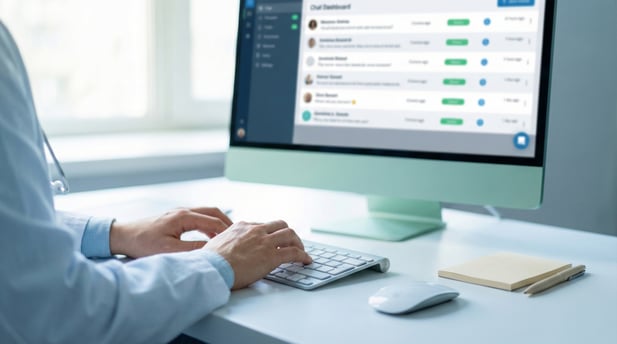
Close-up of medical staff hands typing on a computer displaying a patient chat dashboard

Stop Reacting, Start Managing

You cannot control when patients reach out. They will call at 8:01 a.m. on a Monday. They will text at 9 p.m. on a Friday. That part is out of your hands.

But you can control how your team processes those messages, and that is where the real change happens.

The shift from scattered channels to a unified inbox is not a small tweak. It is a new way of working. It means moving from a "hair-on-fire" pace, where everyone reacts to the loudest alert, to a calm, step-by-step system where every message has an owner and a clear path forward.

For practices running Prime Clinical Intellect, Curogram adds the messaging layer that ties everything together.

It does not replace your EHR. It works alongside it to create a medical practice communication hub where texts, replies, and internal notes all live in one spot.

The benefits are real and measurable. Practices that adopt centralized patient messaging see up to 3x faster response times.

They reduce front desk multitasking by routing messages to the right queue from the start. They gain a full, searchable audit trail that supports compliance and settles disputes in seconds.

If your front desk still runs on sticky notes, voicemails, and scattered portal alerts, it is time to rethink the system. Efficient patient communication for Prime Clinical Systems starts with one simple idea: put every message in one place and give every message an owner.

Organize your front desk. Watch the Demo to see how Curogram's unified inbox works with Prime Clinical.


Frequently Asked Questions

How does Curogram integrate with Prime Clinical Systems?

Curogram works as a messaging layer on top of Prime Clinical Intellect and On-Line Power. It does not replace your EHR.

Instead, it adds a unified inbox where all patient texts, appointment replies, and team messages appear in one dashboard. Staff can keep using Prime Clinical for scheduling and charting while managing all messaging through Curogram.

Why is a unified inbox better than using separate channels for patient messages?

Separate channels like phone, email, and portals force staff to jump between screens and tools. This leads to missed messages and slower response times.

A unified inbox brings everything into one view so nothing gets lost. It also creates a searchable record of every conversation for compliance and dispute resolution.

How does smart routing help reduce front desk multitasking?

Smart routing uses keywords in patient texts to send messages straight to the right team. For example, a text with the word 'billing' goes to the billing queue without the front desk touching it.

This frees up front desk staff to focus on patients in the office rather than sorting every incoming message.

How can text records help with HIPAA compliance and legal protection?

Every text in Curogram is saved with a full timestamp and message history. These records can be exported to the Prime Clinical Document Manager as part of the patient's legal file.

If a dispute or audit comes up, your team has word-for-word proof of what was communicated and when.

Why do patients prefer texting over patient portals for routine requests?

Texting is faster and more familiar for most patients. Portals often require a login, password, and several clicks just to send a simple message.

Texts go straight to the patient's phone, and replies take seconds. This ease of use leads to higher engagement and quicker responses from both sides.


Why Patients Prefer Texting: A Guide for Prime Clinical Practices

Why Patients Prefer Texting: A Guide for Prime Clinical Practices

💡 Patient portal engagement with Prime Clinical Systems often falls short because most patients never log in. Studies show that portals only see...

Read More
Mass Texting for GE Centricity Clinics | Curogram

Mass Texting for GE Centricity Clinics | Curogram

💡 Multi-location GE Centricity clinics use HIPAA-compliant mass texting to manage urgent communication across radiology and specialty departments....

Read More
Office Closures & Prime Clinical | Notify Patients Instantly

Office Closures & Prime Clinical | Notify Patients Instantly

💡 Broadcasting office closures for Prime Clinical Systems works best when you replace manual phone trees with automated mass text alerts. With the...

Read More