10 min read

Text-to-Pay Billing for OncoEMR Oncology Practice Collections

Text-to-Pay Billing for OncoEMR Oncology Practice Collections
💡 Text-to-pay billing for OncoEMR practices replaces paper bills and portal logins with one simple SMS link. Patients tap, view their balance, and pay in under 30 seconds. Why this matters for oncology teams:
  • Paper bills convert at 20%, while SMS payment links hit 60%-80%
  • Patients skip the CareSpace login and pay from their phone
  • Practices recover $4,000-$6,000 more each month from the same patient base
  • Time-to-payment drops from 15-30 days down to 1-3 days
  • All payments stay HIPAA-compliant and SOC 2 Type II certified
For OncoEMR oncology practices, this is the fastest way to reduce billing delays and ease pressure on both staff and patients. Curogram makes the switch simple, secure, and built around your existing workflow.

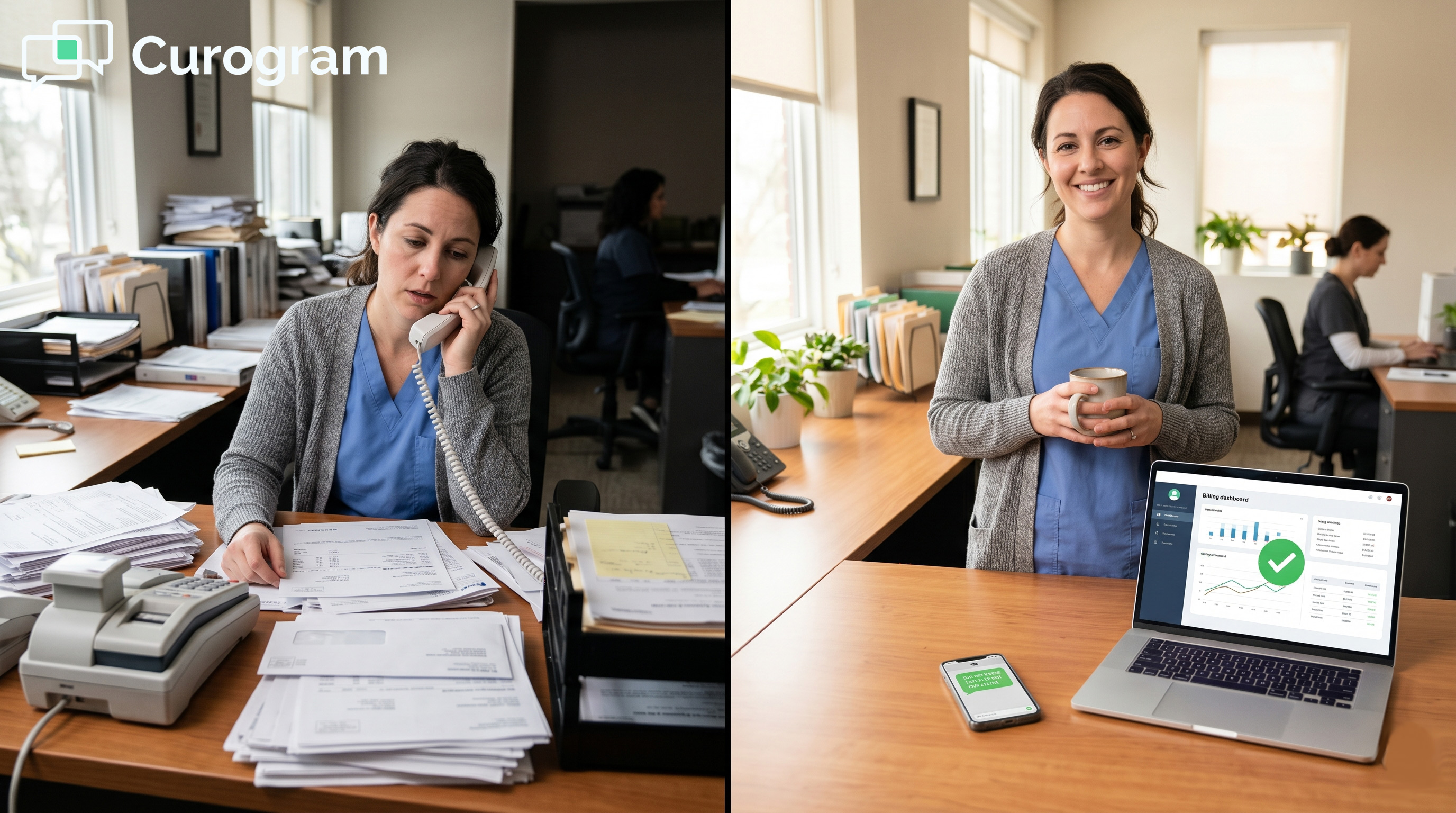
Most paper bills sent to oncology patients never get opened on the first try. Many sit on kitchen counters for weeks at a time. Some never get paid at all. This is the quiet drag on monthly cash flow that almost every OncoEMR practice deals with.

Cancer patients are not ignoring their bills on purpose. They feel tired, stressed, and weighed down by treatment side effects. When a paper statement shows up in the mail, paying becomes one more task to push off. Logging into the CareSpace portal just makes it harder still.

Text-to-pay billing for OncoEMR oncology practice collections changes that pattern. A single SMS payment link goes straight to the patient's phone. They tap, view their balance, and pay in under a minute. No portal login, no password reset, and no follow-up phone call from your billing team.

This shift matters more for oncology than for almost any other medical specialty. Co-pays change by drug and by treatment phase. What a patient owes can shift based on insurance approval timing. Multi-visit care plans add even more confusion to each monthly bill.

This article walks through three things in plain detail. First, why paper bills and portal logins stall oncology billing. Second, how text-based patient payment healthcare tools work alongside OncoEMR systems. Third, what kind of monthly revenue lift practices see when they make the switch.

You will see real numbers, real workflows, and real fixes for the friction points your billing team faces every day. The goal is to help you collect more cash, collect faster, and reduce billing delays in oncology practices like yours. By the end, you will know exactly what to ask your billing lead next Monday.

The Villain: The Oncology Tax on Billing Collections

Oncology practices pay a hidden tax every month that has nothing to do with insurance or coding. It comes from billing friction. Here are the four ways it shows up.

The Billing Complexity Barrier

OncoEMR is one of the strongest clinical platforms in oncology. Its NCCN regimen libraries, AJCC staging, and chemo order tools set the standard for cancer care. But billing in oncology is still uniquely tough.

Co-pays change by drug. What a patient owes shifts by treatment phase. Insurance approval timing shapes what each bill looks like. Multi-visit care plans muddy the math even more.

Patients receive a paper statement in the mail. They see a balance they do not fully understand. They set the bill aside and plan to log in later. Most never do.

Your clinical workflow runs clean inside OncoEMR. Your billing flow, on the other hand, leans on patients reading paper, doing math, and logging into portals. That gap between care and collection is where revenue starts to leak.

The Agitation — Portal Login Friction

CareSpace is a strong clinical portal for chart review and ePROs. But it was not built to be a one-tap payment tool. Patients have to create an account, save a password, and find the right page each time they want to pay.

For an oncology patient base with a median age in the mid-60s, this matters. Many are managing chemo side effects like fatigue, nausea, and brain fog. Some are not heavy tech users to begin with.

This is why portal login is a barrier, not a tool. Each click between intent and payment is a place where collection rates drop. SMS payment links for oncology practices remove every one of those clicks.

The Financial Consequence — $3,600–$12,000/Month in Lost Collections

The cost of paper billing adds up fast. Most practices spend $800-$1,000 each month on print, postage, and reprint cycles. And the conversion rate sits at just 20%.

Take an oncology practice with $10,000 per month in patient responsibility balances. At 20% paper conversion, that means only $2,000 collected fast. The other $8,000 sits in aged receivables.

Switch to SMS payment links. Conversion jumps to 60%-80%. Monthly collections move from $2,000 to $6,000-$8,000.

Channel

Conversion Rate

Monthly Collected (on $10K)

Paper Statement

20%

$2,000

Portal Payment

30%-40%

$3,000-$4,000

SMS Payment Link

60%-80%

$6,000-$8,000


That is a recovery of $4,000-$6,000 each month from the same patient base. For multi-location oncology networks, the gap multiplies across every site.

The Emotional Reality — Staff Burnout & Patient Frustration

Billing staff carry a quiet weight that does not show up on a P&L. They spend their days on collection calls, follow-up reminders, and chasing stale accounts. Most days, they feel like they are nagging patients who already feel sick.

Patients feel the same friction from the other side. They want to pay. They feel overwhelmed by costs on top of a cancer diagnosis. The bill itself becomes a stressor, not a transaction.

Neither side wins in this setup. The gap between bill sent and bill paid creates friction that paper and portals cannot fix.

An SMS payment link closes that gap in seconds. The patient taps, sees the balance, and pays. Staff see the dollars come in without making a single call. That is what reduces the emotional cost of patient co-pay payment OncoEMR workflows.

The Guide: The Frictionless Collection Channel

If portals add friction, what removes it? The answer is the simplest tool already in every patient's pocket: a text message.

The Solution — One-Tap SMS Payment

Curogram's text-to-pay feature solves portal friction in one move. Patients receive a secure SMS link on their phone. They tap the link, view their current balance, and complete payment. The whole flow takes about 30 seconds.

There is no app to download. There is no portal account to create. There is no password to reset. The link routes to a secure payment page hosted by a PCI DSS 3.2+ partner like Stripe, Square, or Authorize.net.

Once payment is done, your billing system gets the update. Your team sees the cash, and the patient gets a receipt. The whole loop closes without a phone call or email follow-up.

This is the path CareSpace was never designed for. Portals are great for charts, ePROs, and lab review. They are not built for fast, friction-free payment. Text-to-pay billing for OncoEMR oncology practice collections lives in a different lane.

The patient does not switch context. They are already on their phone. The link opens like any other text message. Payment feels as easy as paying a friend through a peer-to-peer app, and that is exactly the point.

The Integration — SMS Triggers From Your Billing System

Text-to-pay does not run in a silo. It connects to OncoEMR's billing data and triggers SMS payment reminders at the right moments. Three points work best for most oncology practices:

  • At statement generation, when the balance is fresh
  • At 15 days past due, as a gentle nudge
  • At 30 days past due, before staff escalation begins

The SMS link routes to a secure payment processor. Once paid, the system sends the result back to Curogram for tracking. Your clinical data stays inside OncoEMR. Your payment messaging and tracking happen through Curogram.

Curogram is HIPAA-compliant and SOC 2 Type II certified. SMS messages stay general, while the payment page itself is encrypted. PHI never travels in plain text.

You can also start without API integration. Many practices begin with a manual upload model. Your billing team uploads a balance list each week. Curogram then sends payment links on the schedule you set.

Most teams move to full automation after 30 days, once the workflow proves itself. This staged path matters. It means you can accelerate collections oncology billing without waiting for an HL7 build or new vendor contract.

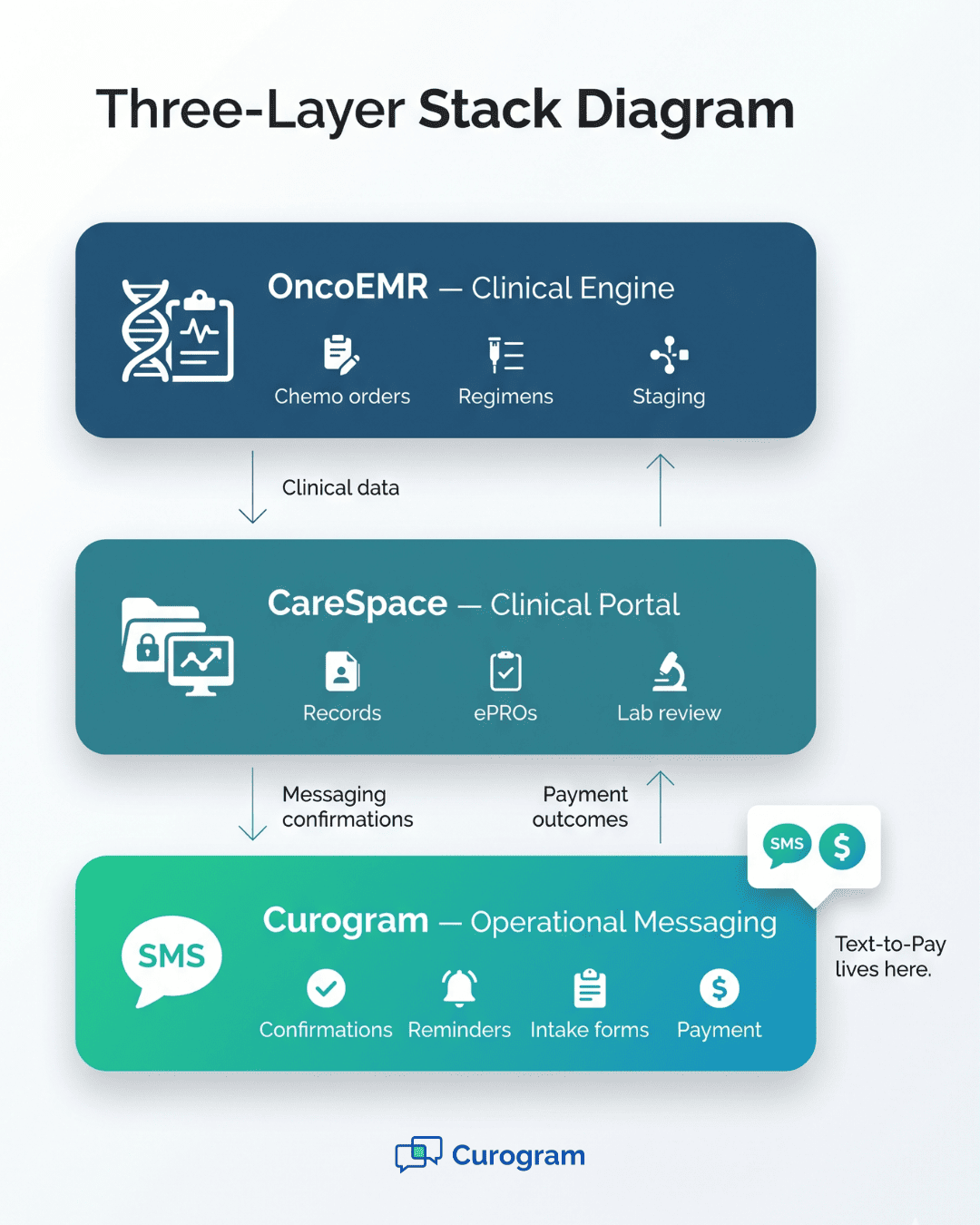
Visual breakdown of where text-to-pay billing for OncoEMR oncology practice collections sits in the workflow stack

The Oncology Fit — Simplicity for Vulnerable Patients

Oncology patients are not the average payer. The median age sits in the mid-60s. Many are deep into treatment cycles. Side effects like fatigue, nausea, and brain fog are part of daily life.

These patients do not need a complex billing experience. They need the simplest path possible from balance to paid. A text message meets them where they are, on a device they already use every day.

Compare that to the alternatives. A paper bill asks them to find an envelope, write a check, and mail it. A portal asks them to remember a login they made months ago. A phone call asks them to navigate menus and read card numbers aloud.

A text link asks for one tap.

This simplicity is not just a kindness. It is a clinical and financial choice. Patients who feel respected by their billing process are more likely to stay engaged in care. Practices that respect patient time and energy collect more, faster, and lose fewer balances to write-off.

For SMS payment links oncology practices want to deploy, the fit with the patient base drives the conversion jump.

The Success: One Text Away From Collection

When oncology practices switch from paper or portal to SMS, the numbers shift fast. Here is what the new pattern looks like across collection metrics, staff workload, and patient experience.

The Metric — 60%–80% SMS Conversion vs. 20% Paper

The headline number is conversion rate. Paper sits at 20%. SMS payment links land between 60% and 80%. That is a 3X to 4X jump on the same patient base, with no new marketing or outreach.

Based on our internal data, Atlas Medical Center hit 3X better than the industry average using SMS-based workflows. Atlas is a multi-specialty Curogram client. The same dynamic plays out in oncology billing teams that adopt text-to-pay.

Time-to-payment shifts just as much. Paper bills take 15 to 30 days to pay, on average. SMS payments often clear in 1 to 3 days. For a practice that spends weeks each month chasing aged balances, this change resets the entire calendar.

Metric

Paper Bill

Portal Login

SMS Payment Link

Conversion Rate

20%

30%-40%

60%-80%

Time-to-Payment

15-30 days

7-14 days

1-3 days

Staff Hours / Week

High

Medium

Low

Patient Effort

High

High

Low


These are not abstract numbers. They show up on monthly P&L reports. They show up in days sales outstanding (DSO). They show up in the speed your billing team can close the books each month.

The lift is not from charging more. It is from collecting more of what you have already earned. That is the cleanest type of revenue gain a practice can pursue.

The Shift — From 'Chase Payments' to 'Patients Self-Serve'

Before SMS payments, billing staff spend hours each week in chase mode. They make calls, leave voicemails, and mail notice after notice. Most of this work has a low return rate and a high stress cost.

After SMS payment links go live, the workflow flips. Patients self-serve. They get the link, tap, and pay. Staff get reports showing which links were sent, opened, clicked, and completed.

This shift saves time in two ways. First, it removes most outbound calls for routine balances. Second, it lets staff focus their phone time on the cases that actually need a human voice. Insurance disputes, hardship cases, payment plan requests.

For your team, this means:

  • Fewer cold calls about co-pays
  • More time for complex billing problems
  • Cleaner reports showing exactly where each balance stands
  • Less burnout from the repetitive collection grind

There is also a culture change. Billing stops feeling like an enforcement role. It starts feeling like a service role. The team supports patients who need help, instead of nagging patients who simply forgot or felt overwhelmed.

This shift is not about being more aggressive on collection. It is about being smarter. The 60%-80% of patients who are ready to pay do so on their own, fast. The 20%-40% who need options get more thoughtful staff attention.

The Outcome — Financial Relief + Patient Satisfaction

Text-to-pay creates clear wins in three areas: the bank account, the staff's mood, and the patient's experience.

Financially, practices recover money faster, and aged receivables shrink. Days sales outstanding (DSO) drops. The share of balances written off as bad debt falls year over year. None of this requires new patients or higher prices, just better collection on what is already owed.

For staff, the day-to-day stress eases. Fewer collection calls means fewer tense conversations. Cleaner data means less time chasing what is already paid. Better focus means real billing problems get the attention they deserve.

For patients, the bill becomes simple. They get a text, tap, pay, and move on with their day. They do not feel pressure, judgment, or confusion. They feel respected.


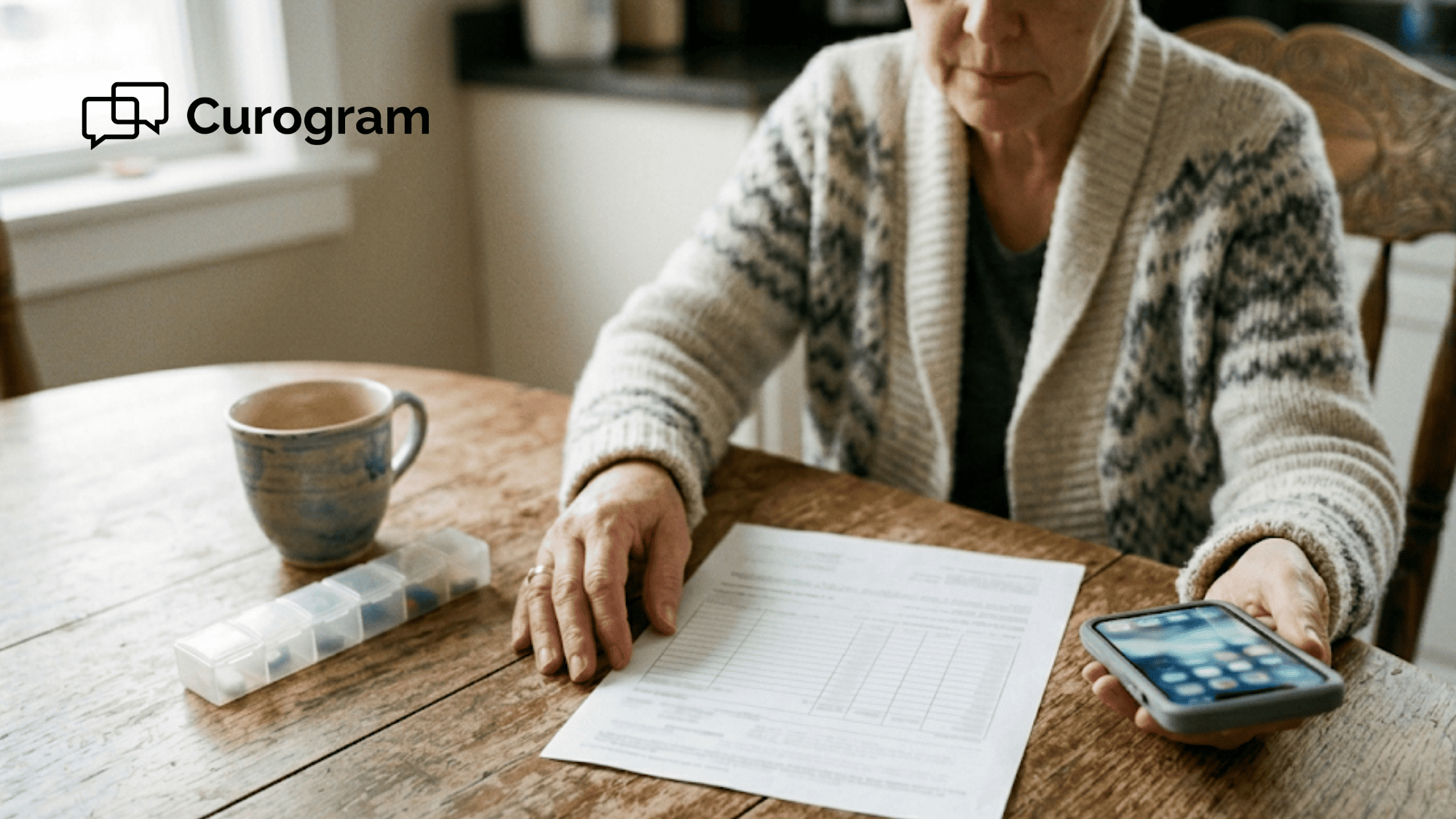
Patient handling a payment on her phone at home, representing how SMS payment links accelerate collections oncology billing

Why Curogram Is the Right Fit for OncoEMR Billing Teams

Curogram was built for medical practices that need their messaging and billing to run as one clean workflow. For oncology teams using OncoEMR, this fit is not random. It is the result of three things working together.

First, Curogram operates as a layer that sits beside your EMR, not on top of it. Your clinical data stays in OncoEMR. Your patient messaging, automated reminders, payment links, and review requests run through Curogram. There is no double data entry, and no rip-and-replace project.

Second, Curogram is HIPAA-compliant and SOC 2 Type II certified. Every BAA is signed at onboarding, and every payment link routes through a PCI DSS 3.2+ partner. PHI is handled by encrypted channels, while standard SMS keeps to general notices. Your compliance team gets a clear, auditable trail.

Third, Curogram is built for outcomes, not features. Based on our internal data, phone call volumes drop by up to 50% with SMS workflows. Staff productivity rises 30%+ once those workflows are in place. Atlas Medical Center reduced their no-show rate from 14.20% to 4.91% in three months. That hit 3X better than the industry average.

These are the kinds of numbers oncology billing teams need when justifying change to leadership. The data does the convincing for you.

For OncoEMR practices, this means one tool that handles billing texts, appointment confirmations, intake forms, and review requests. One vendor. One contract. One platform that scales as your practice grows from one site to many.

Curogram is not a CareSpace replacement. It is the operational layer that makes CareSpace and OncoEMR run cleaner. Your clinical engine keeps doing what it does best, and Curogram handles the conversation that turns care into paid invoices.

Conclusion: Simplicity Is Your Strongest Collections Tool

Oncology billing does not have to be hard for your patients or your staff. Text-to-pay simplifies the payment process and removes portal friction in one move. It recovers the cash that paper statements and CareSpace logins leave on the table each month.

Here is a clean way to think about your stack. OncoEMR is your clinical engine, and it handles chemo orders, regimens, and staging. CareSpace is your clinical portal, and it stores records and ePROs. Curogram is your operational messaging layer that handles confirmations, reminders, intake, and payment.

Text-to-pay is the collection piece of that messaging layer. It lives where your patients already live: in their text app, on their phone, with the screen they unlock dozens of times a day. There are no logins, no app downloads, and no friction between intent and payment.

The shift is not complex, and the math is clear. Paper bills convert at 20%. SMS payment links convert at 60%-80%. Time-to-payment drops from 15-30 days to 1-3 days, while staff phone time on routine collections drops by 40% or more.

Stop asking your patients to remember portal passwords when all they really want to do is pay their bill and move on. Stop asking your billing team to chase down balances by phone when most patients are ready to pay with a single tap on a text link.

Watch text-to-pay run end-to-end with your existing OncoEMR setup in under 30 minutes. Request a demo and bring your billing lead to see the full workflow.


Frequently Asked Questions

How does text-to-pay stay HIPAA-compliant when sending patient billing reminders?
Curogram keeps standard SMS for general notices only and routes payment to encrypted, PCI DSS 3.2+ partners. PHI never travels in plain text, and every client signs a BAA at onboarding for full coverage.
Why do oncology patients respond better to SMS than to portal logins?
Most oncology patients are older and managing tough side effects. A portal asks for a saved password and several clicks. A text asks for one tap. Less friction always wins on collection conversion rates.
How can a practice start text-to-pay without a full OncoEMR API integration?

Many practices begin with a manual upload model. Your billing team uploads a balance list each week, and Curogram sends payment links on a schedule you set. Most teams switch to full automation after 30 days.

What happens when a patient needs a payment plan instead of paying the full balance?

The SMS link includes a call to speak with billing option for patients who need flexibility. Staff handle plan setup by phone, while ready-to-pay patients clear balances on their own in seconds.

How does text-to-pay change daily life for oncology billing staff?

Collection calls drop sharply, and staff spend less time on routine reminders. Their focus shifts to insurance disputes, hardship reviews, and complex cases. Burnout drops, and reports show clearer status on every account.


OncoEMR Mass Messaging and Patient Recalls: Reach Every Patient

OncoEMR Mass Messaging and Patient Recalls: Reach Every Patient

💡 OncoEMR mass messaging and patient recalls for oncology follow-up campaigns help practices reach patients who skip portal logins. Curogram adds...

Read More
Know What You Owe | Patient-Friendly Radiology Billing

Know What You Owe | Patient-Friendly Radiology Billing

💡 Radiology patient billing experience for text payment at imaging centers using RamSoft is frequently broken by delayed, confusing statements that...

Read More
PF Billing Text-to-Pay | Cut Statement Costs & Automate Collections

PF Billing Text-to-Pay | Cut Statement Costs & Automate Collections

💡 Billing staff at small practices spend hours each month printing statements, stuffing envelopes, and making collection calls. Most of that work...

Read More