
11 min read

Office Ally Patient Text Reminders | 75%+ Confirmation

Office Ally Patient Text Reminders | 75%+ Confirmation
💡 Office Ally patient text reminders with two-way SMS help small practices confirm more appointments. Most patients skip voicemails. Many never log into a portal. But a text message? They read it in seconds and reply just as fast.

Curogram adds a conversational SMS layer to your Office Ally setup. Patients confirm, cancel, or reschedule with one quick reply. No app download. No portal login.

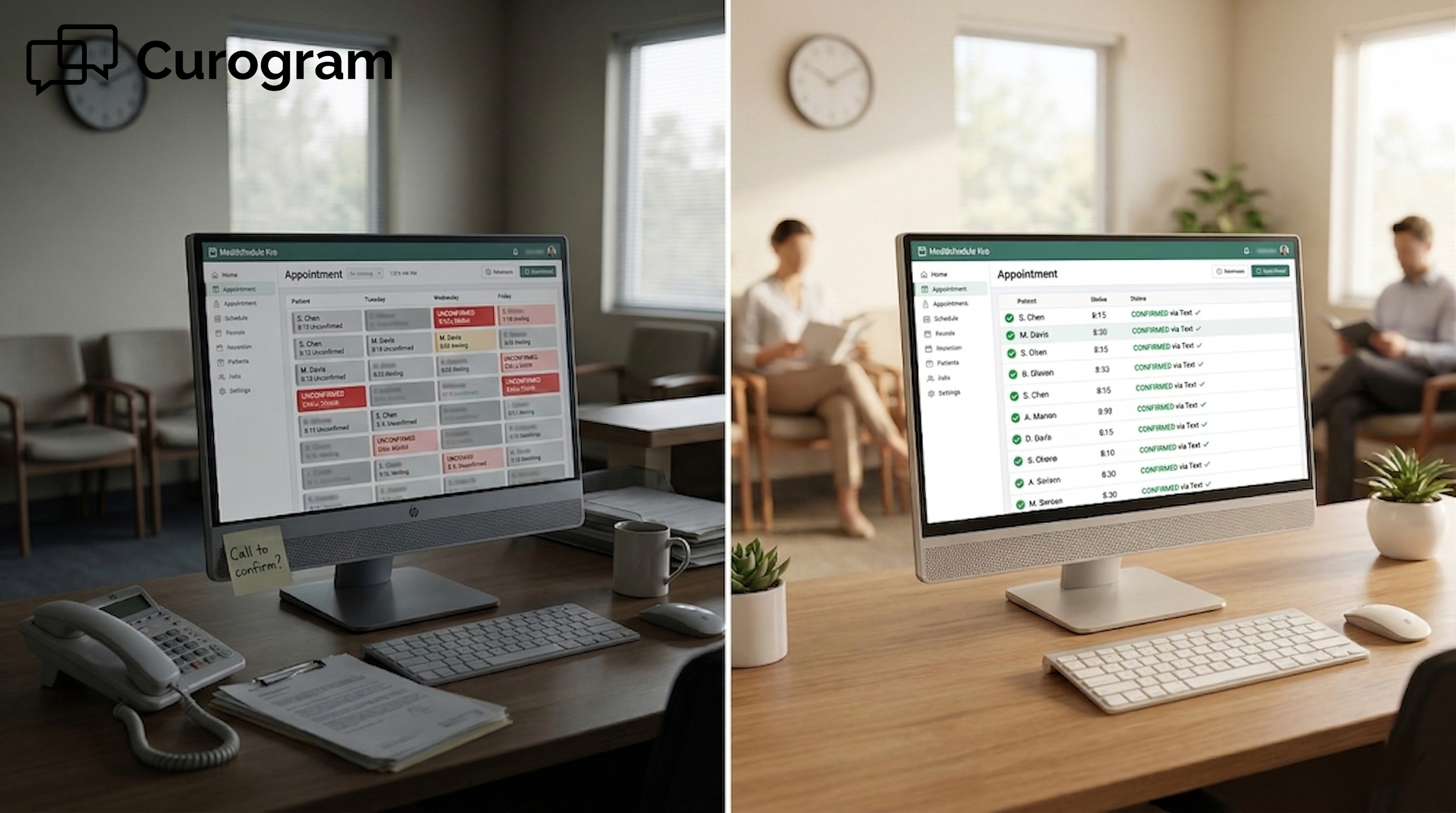
Based on our internal data, practices using Curogram's SMS reminders reach a 75%+ confirmation rate. That is nearly twice what phone-based systems deliver. For chiropractors, PTs, therapists, and solo practitioners, that means fewer no-shows and a more predictable schedule.

Curogram works alongside Reminder Mate with no new workflow for staff. It is the text reminder channel your patients prefer and the confirmation rate your practice needs.

You send a reminder. The patient gets a voicemail. They plan to listen later. Later never comes.

This is not a rare case. It happens every day in practices that rely on phone-based reminders. A patient sees a call from a number they do not know.

They send it to voicemail. The message sits there, unheard. The appointment slot stays empty.

The problem is not the patient. It is the channel.

Office Ally patient text reminders with two-way SMS work because they reach patients where they already spend time: their text inbox. A message arrives on their phone.

They read it in three seconds. They reply "yes" and go on with their day. No voicemail, no portal login, no callback needed.

Office Ally's Reminder Mate is a solid system. It sends calls, emails, and texts in 16 languages. But when it comes to the patient appointment reminder text vs phone call debate, text wins by a wide margin. Text messages have a 98% open rate. Voicemails are opened less than 20% of the time.

Curogram fills that gap. It adds a two-way SMS layer to your existing Office Ally setup. Patients receive a friendly, natural-sounding text. They can confirm, cancel, or ask to reschedule, all from the texting app they already use.

For a solo practice, patient text appointments can make the difference between a full schedule and an empty chair.

Based on our internal data, practices using Curogram's reminders see a 75%+ confirmation rate. That is nearly double what phone-only systems deliver.

This article walks through why patients stop responding to phone calls, how two-way text reminders change that, and what practices see when they make the switch.

The voicemail nobody checks is a channel problem. The right channel is already in your patients' pockets.

The Villain: The Voicemail Nobody Checks

Phone call reminders made sense when everyone answered their phone. That time has passed. Today, most patients screen their calls, skip voicemails, and do not bother logging into portals. Each of those habits quietly costs your practice a confirmation you needed.

Why Phone Calls Fall Short

There is a big gap between sending a reminder and having it received. A phone call goes out. The patient does not recognize the number. The call goes to voicemail. Most of the time, that is where the reminder dies.

Research shows that 87% of Americans do not answer calls from numbers they do not know. Even when a practice number is saved in a patient's contacts, automated calls get screened. The message plays to an empty inbox. By the time the patient hears it, if they ever do, the window to confirm has already closed.

The Office Ally Reminder Mate patient experience includes phone calls as one of its reminder channels. For some patients, especially older ones, this still works. But for most, the phone call reminder is invisible before it even gets a chance.

The Unknown Number Problem

Most patients will not pick up an unfamiliar number. This is true across every age group. Even when the number is saved, the automated nature of the call lowers trust. The patient knows it is not a real person calling, so they delay listening until it feels convenient. Convenient often means never.

The Voicemail That Gets Ignored

Voicemail usage has dropped sharply over the past decade. Many patients under 50 rarely check it at all.

A reminder that lands in an unchecked voicemail box is the same as no reminder. The practice sent a message. The patient never really got it.

The Portal Patients Do Not Use

Patient Ally comes with every Office Ally account and it is free. But free does not mean used. Portal adoption for small practices typically sits between 20% and 40%.

Patients need to create an account, remember a password, and log in just to see a single message. That is a lot of steps for a simple confirmation.

Think about the chiropractic patient who comes in once a month. They are not tracking lab results or managing a chronic condition. Logging into a portal to confirm one visit feels like driving across town to send a text. The reminder is there. The patient is not.

Adoption Without Action

Even patients who have a portal account often do not check it regularly. The reminder might sit there for hours. By then, the practice has already lost the window to confirm. A message in an inactive portal is about as useful as one in an unheard voicemail.

The Login Barrier

Creating a portal account is a one-time task. But logging back in is a recurring one. Patients forget passwords. They use old email addresses.

They set up the account once and never return. For a Practice Mate patient text confirmation workflow to work, the channel needs near-zero friction. A portal does not meet that bar.

The Silent No-Show

The most costly patient is not the one who cancels. It is the one who simply does not show up. They got the reminder. They meant to come. But they forgot to confirm, life got busy, and the appointment slipped away.

No call. No cancellation. Just an empty chair and lost revenue. These are patients who could have been saved with a simple text exchange.

A friendly message asking them to confirm would have kept the appointment intact. Without it, the practice is left guessing until the slot goes empty.

The Gap Between Intent and Action

Most no-shows are not intentional. Patients plan to come. They just need a small nudge at the right moment.

A phone call at the wrong time, or one that goes to voicemail, is not that nudge. A text that arrives the evening before and stays visible on the lock screen is.

The Ripple Effect

One no-show is a problem. Four or five per day is a pattern. It affects revenue, hurts morale, and makes scheduling harder to manage. When patients do not confirm, practices over-book to compensate.

When double-booked patients show up at once, the whole experience suffers. That chain traces back to a reminder that was never really received.

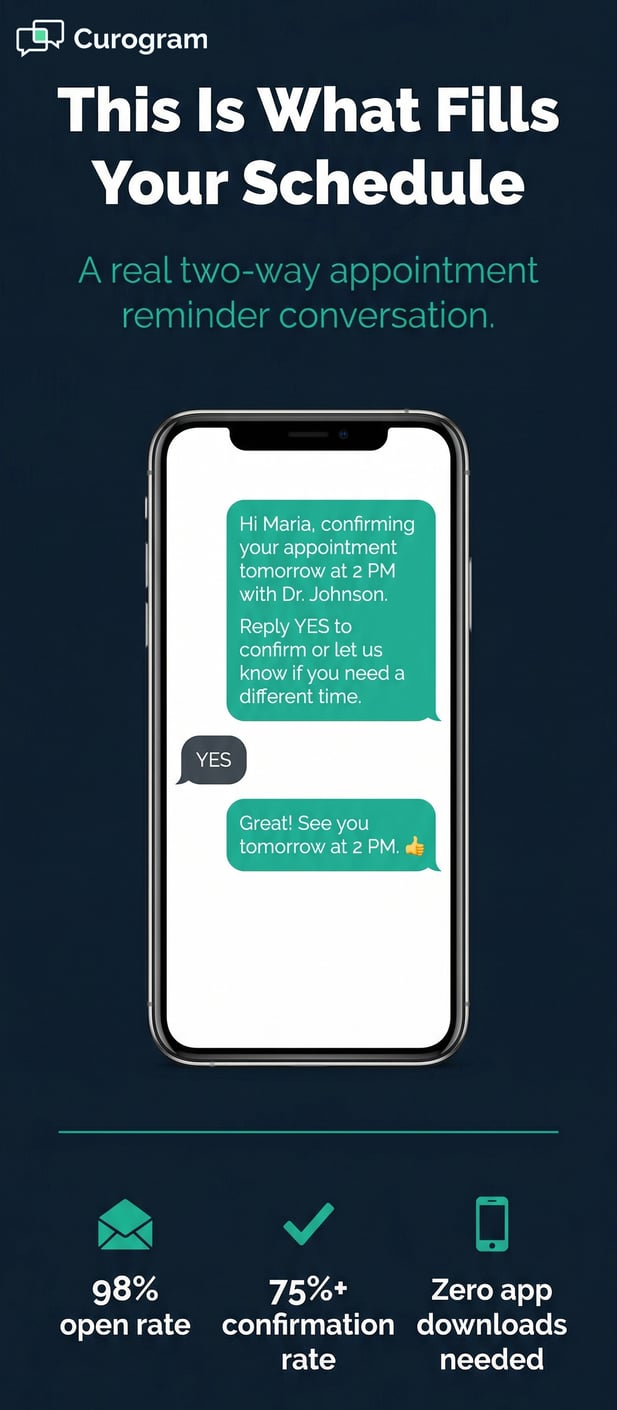
Infographic: Stylized phone mockup with sample appointment confirmation SMS conversation

The Guide: The Reminder Patients Actually Respond To

The channel patients check most is their text inbox. Not their voicemail. Not a portal. Text messages show up on the lock screen, get read almost right away, and take seconds to reply to. For small practices, that kind of quick patient response is exactly what you need.

What Makes a Text Reminder Work

A good reminder does one thing well: it gets a response. A phone call interrupts. A portal message requires effort. A text just appears.

The patient reads it, types a quick reply, and the practice has its confirmation. Nothing about that exchange feels complicated.

Curogram's text reminders are designed to feel like a real message from a real person. "Hi Maria, confirming your PT session tomorrow at 10 AM. Reply YES to confirm or let us know if you need a different time."

That tone makes a difference. Patients respond to messages that sound human.

When it comes to the patient preferred reminder channel, text SMS is the clear front-runner across nearly every demographic.

Research shows 90% of patients prefer text for quick interactions like appointment reminders and confirmations. The reply usually comes back within minutes.

Conversational, Not Robotic

The wording of a reminder matters more than most practices realize. Compare "APPT REMINDER: ID 8847. Please call to confirm." to "Hi James, we look forward to seeing you tomorrow at 2 PM. Reply YES to confirm."

One sounds like a system. The other sounds like a practice that cares. Patients respond to the second kind.

Conversational texts build small amounts of trust with every exchange. Over time, patients come to expect that friendly message. That is a very different feeling than the one a voicemail inspires.

Two-Way Means Real Dialogue

Two-way SMS is not just confirmation. It is a full conversation channel. A patient might reply, "Can I come at 11 instead?"

The staff sees that reply in real time and responds. No phone tag. No delayed portal messages. Just a quick exchange that solves the problem on the spot.

How Curogram Fits Your Office Ally Setup

Curogram does not replace Reminder Mate. It works alongside it. Practices can keep using Reminder Mate for initial phone and email notifications while Curogram handles the two-way text follow-up. Together, the two systems cover every patient preference.

The setup does not require a new workflow for your staff. Curogram connects to Office Ally and syncs appointment data automatically.

Reminders go out based on the schedule. Replies come back to a shared inbox your team can manage without leaving the tools they already use.

Practice Mate Confirmation Workflow Made Simple

For practices running Practice Mate, the patient text confirmation workflow is quick to set up. Patient data flows into Curogram from the EHR.

Reminders go out at the right time. Confirmations come back in real time. Staff get a live view of who confirmed and who has not, all in one place.

No Extra Work for Staff

Front desk teams are already busy. Adding a new tool should save time, not create more tasks. Curogram's automated reminders go out without anyone lifting a finger.

When a patient replies, the message shows up in the shared inbox. Staff respond when needed, but are not chasing confirmations all morning.

A Channel That Works for Every Patient

Text reminders work for busy parents. They work for college students. They work for seniors who check their phones throughout the day.

The idea that older patients cannot handle a text is a myth. Most seniors text regularly. They just need clear, simple messages with no confusing links or passwords.

Curogram's texts arrive as standard SMS. They work on every phone, including older models that cannot run apps. There is no barrier to receiving or replying. If a patient can text a friend, they can confirm an appointment.

No App, No Account, No Problem

Some reminder tools ask patients to download an app or create a login. That extra step costs you responses. Every added barrier is a place where a patient drops off. Standard SMS has zero steps between receiving and replying. That is the main reason it works so well.

The Comfort Factor for Anxious Patients

For patients who feel nervous about a visit, a friendly text can ease some of that tension. "Hi James, we are looking forward to seeing you tomorrow. Reply YES to confirm or reach out if you have questions."

That message is not clinical. It is warm. It also confirms the appointment. Both things happen at once.


The Success: Texted. Confirmed. Present.

Numbers tell the clearest story. When patients confirm via text, they show up. When they do not confirm at all, the risk of a no-show rises. Switching to a text-first reminder strategy has a direct impact on how full that schedule looks at the end of the day.

What the Numbers Show

Based on our internal data, practices using Curogram's text-based reminders achieve a 75%+ appointment confirmation rate. That compares to 40% to 50% for phone calls and automated systems alone. For every 100 appointments, that gap could mean 25 to 35 additional confirmed visits.

The impact on no-show rates is just as clear. Atlas Medical Center reduced their no-show rate from 14.20% to 4.91% in just three months.

That is more than a 65% drop, driven largely by shifting to automated text-based confirmations. Based on our internal research, that result is 3x better than the industry average.

The EHR 24/7 patient reminder response rate is one of the clearest metrics a practice can track. When reminders go out at the right time and through the right channel, the response rate climbs. When they land in voicemail, the number stays low.

Confirmation Rate Comparison

Reminder Channel

Avg. Confirmation Rate

Phone calls only

~40%

Automated phone + email

40% to 50%

Two-way SMS (Curogram)

75%+


The difference between 40% and 75%+ is not small. At 100 appointments per week, that is
35 more confirmed visits. At an average value of $100 to $200 per visit, the math adds up to significant recovered revenue each month.

No-Show Reduction in Practice

For Atlas Medical Center, the shift was not gradual. The no-show rate dropped month over month as text confirmations became the standard. By the third month, it had fallen from above 14% to under 5%.

Based on our internal data, no-shows with Curogram run 53% lower than the industry average. Fewer no-shows means fewer empty slots, more stable revenue, and a smoother day for everyone on staff.

What Changes for Staff

Before text reminders, confirmation was a manual process. Staff called patients. Patients did not answer. Staff called again.

Some patients called back. Some did not. The whole process ate up hours every week and still left too many appointments unconfirmed.

Curogram automates that cycle. Reminders go out on a set schedule. Replies come back to a shared inbox. Staff see who confirmed and who needs a follow-up.

They can send a quick text in seconds without picking up the phone. For a solo practice, that time savings is real and immediate.

Less Time on the Phone

When patients respond to texts instead of waiting for callbacks, call volume drops. Based on our internal data, practices using Curogram reduce call volume by up to 50%.

Staff spend less time on hold and more time helping patients who are already in the office. That shift changes the pace of the whole day.

A More Predictable Schedule

The biggest benefit for staff is knowing. Knowing who is confirmed. Knowing who might need a follow-up.

Knowing which slots have gaps with enough time to fill them. Curogram's confirmation dashboard gives staff a live view of the day, so nothing sneaks up on them.

What Changes for Patients

Patients notice when a practice communicates well. A friendly text reminder feels like a personal touch, not a mass alert. It tells patients that the practice values their time and wants to make things easy. That feeling builds loyalty over time.

The mental health patient who was anxious about their session gets a warm text the night before. The elderly chiropractic patient gets a clear, easy-to-read message.

The busy parent gets a quick confirmation they can tap "yes" to between errands. Each of those moments is small. Together, they shape how a patient feels about their care.

Patients Who Feel Cared For

Patient satisfaction goes up when communication goes up. A text reminder is one of the simplest ways to show a patient that their appointment matters.

It is low-cost. It takes seconds to send. And it makes a measurable difference in how patients describe their experience with the practice.

Patients Who Come Back

Patients who feel connected to their practice come back for follow-up care. They refer friends. They leave good reviews.

The solo practice patient text appointment experience is not just about the next visit. It is about the full relationship between the patient and the practice. A simple text can be the start of that.

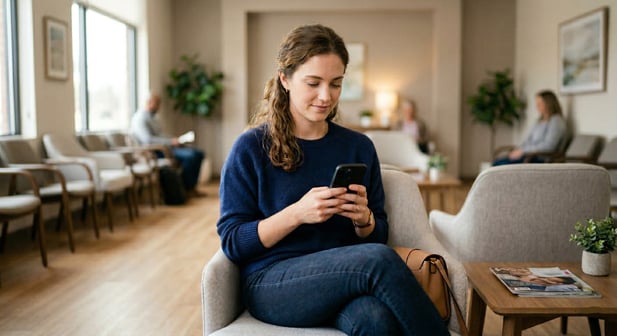
Modern waiting room with a patient reading a text reminder

Give Your Patients the Reminder They'll Actually Respond To

Every tool in your Office Ally setup has a role. Reminder Mate handles notifications. Patient Ally covers the portal.

But there has been a gap where a text-based, two-way conversation should be. That gap is what Curogram fills.

Patient communication has changed. Calls and portals still have a place, but the patient preferred reminder channel is text SMS. Patients are on their phones all day.

They check texts throughout the day and respond to messages that feel personal and take no effort to reply to.

The Office Ally Reminder Mate patient experience improves when two-way text is part of the mix. Reminder Mate handles the initial notification.

Curogram handles the confirmation exchange. Together, they give patients every channel they might use, including the one they prefer most.

This is not a prediction. It is already happening. Patients text their friends, their family, and their employers all day long.

When a practice sends a text reminder, it shows up in the same space as every other message they care about. That placement matters more than most practices realize.

An EHR 24/7 patient reminder response rate improves when patients can respond at any hour. Text reminders do not require office hours.

A patient who gets a reminder at 9 PM can confirm at 9 PM. The practice wakes up to a full confirmation list. No callbacks, no guessing, no missed replies.

Adding two-way text reminders does not require a complex setup or a brand-new system. Curogram connects to Office Ally and works alongside the tools you already use. Staff learn the shared inbox in minutes. Patients need no training at all.

The first week brings visible results. Based on our internal data, confirmation rates start to climb as soon as text reminders go out to the existing patient list.

No-show rates begin to drop. The schedule gets more predictable. Your patients want to text. Your practice wants confirmations. Curogram connects the two.

Schedule a demo today to see how it works. Connect Curogram to your Office Ally practice and watch confirmation rates climb from 40% to 75%+ in the first week. No app for patients. No new workflow for staff. Just better communication.


Frequently Asked Questions

How does a two-way text reminder work in Office Ally?

A two-way text reminder sends a message from your practice directly to the patient's standard text inbox. The patient reads it and replies with a simple word like "yes" or asks a question. The reply comes back to your team's shared inbox in real time. No phone call is needed, and no app is required on the patient's end.

Why do patients respond to text reminders more than phone calls?

Phone calls from unknown numbers almost always go to voicemail. Voicemails are often ignored or heard too late to be useful. Text messages arrive on the patient's lock screen and are typically read within minutes. That speed and visibility is why text reminders drive much higher confirmation rates than calls alone.

How does Curogram work alongside Office Ally's Reminder Mate?

Curogram is not a replacement for Reminder Mate. It works alongside it. Reminder Mate can continue sending phone calls and email notifications, while Curogram handles the two-way text layer. Practices can use both together to cover every patient preference, or move fully to text if that fits their needs.

Why do patients prefer text over patient portal messages for appointment reminders?

Portals require patients to log in, which means remembering a password and taking multiple steps just to see one message. Text reminders arrive without any action needed on the patient's part. For a patient who visits once a month, that difference in effort is significant. The lower the friction, the higher the response rate.

How quickly can a small practice see results from switching to text reminders?

Based on our internal data, practices typically see a lift in confirmation rates within the first week of using Curogram's SMS reminders. Patients respond quickly once texts go out, and staff notice fewer unconfirmed appointments before the morning is over. No-show rates tend to drop over the following weeks as patients get used to confirming by text.