

9 min read
Confirm Your NextGen Appointment | One Text, Five Seconds
Aubreigh Lee Daculug
:
March 24, 2026
Curogram adds a direct reply path to that reminder. Patients respond to a text message with a single word to confirm, cancel, or reschedule — no phone call, no login, no app.
The update syncs to the NextGen schedule in real time.
Practices using this approach see confirmation rates climb past 75%. The reason is simple: when confirming takes five seconds, patients actually do it..
Most appointment reminders do one thing well: they inform. A patient learns their appointment is tomorrow at 2:00 PM. What happens next is where the system breaks down.
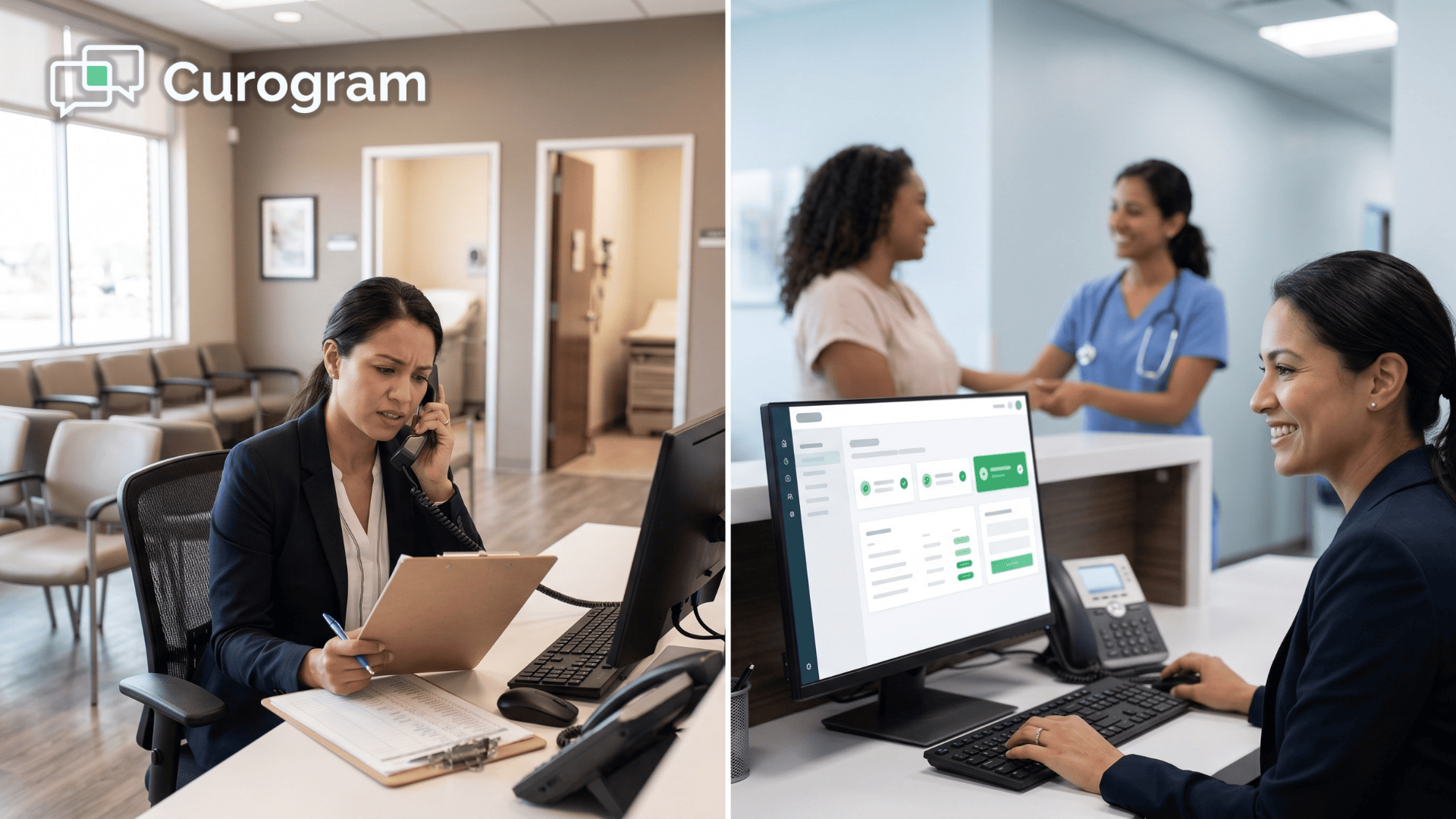
To confirm, the patient calls the office — and waits on hold. Or they log into the patient portal, find their appointment, and click through several screens just to say yes.
For tens of thousands of patients served by large NextGen Enterprise networks, this is the standard experience. And for many of them, it's just too much effort.
The result is a problem practices know well: a no-show that was never really a no-show. The patient intended to come. They just never confirmed because confirming was harder than it should have been.
Curogram solves this with a one-tap appointment confirmation text NextGen practices can deploy across every location. Patients receive a text reminder and reply with a single word. The schedule updates. The loop closes.
This article explains how that works, why it matters, and what it means for practices running on NextGen Enterprise.
Why Patients Don't Confirm (And Why That's Not Their Fault)
There is a real gap between receiving a reminder and responding to it. A text with no reply option is just a notification — it tells patients what's happening but gives them nothing to do with that information in the moment.
The confirmation step gets left for later, and later never comes.
Most practices assume patients who don't confirm simply aren't paying attention. The data tells a different story. Patients open appointment reminders at high rates. They read them. They intend to act.
What stops them is not indifference — it's the effort required to take the next step, a well-documented barrier in patient behavior.
The Three Paths — and Why All of Them Fail
Think about what a patient faces when they want to confirm a NextGen appointment via text message reply. In most NextGen environments without Curogram,
They have three realistic options, and none of them are easy:
- Call the office: dial, wait on hold for three to five minutes, tell the receptionist they're coming, hang up.
- Log into the PxP portal: open a browser, navigate to the portal, enter a username and password they may not remember, find the appointment, and click confirm.
- Do nothing: read the reminder, intend to follow up later, get distracted, and forget.
Option three is what most patients choose — not out of indifference, but because the first two options ask for too much. The task itself takes ten seconds.
The system makes it take ten minutes. That mismatch between task size and required effort is exactly where no-shows are born.
This is what practitioners call "The Reminder They Can't Answer." The practice sends a notification. The patient receives it. But there is no frictionless path from receiving to responding — and so the loop never closes.
What This Looks Like at Scale
For a 50-provider NextGen Enterprise network seeing 1,250 appointments per day, even a 10% confirmation gap creates real scheduling problems. That's 125 patients per day who may or may not show up. Providers start their day with schedules full of uncertainty.
Staff can't backfill open slots because they don't know which ones are actually open.
A portion of the no-shows in your reports are not true no-shows. They are confirmation failures — patients who came in but never confirmed, or patients who would have come if responding had been easier.
The data makes practices look worse than they are, and it hides a problem that is entirely solvable.
The downstream effect compounds. When schedulers can't trust the confirmed column, they overbook as a hedge. Providers run behind. Patients wait longer than they should.
A UX problem in the confirmation step ripples into patient satisfaction scores, staff stress, and clinical throughput — all because responding to a reminder required more work than most people are willing to do.
The Patients Who Get Left Behind
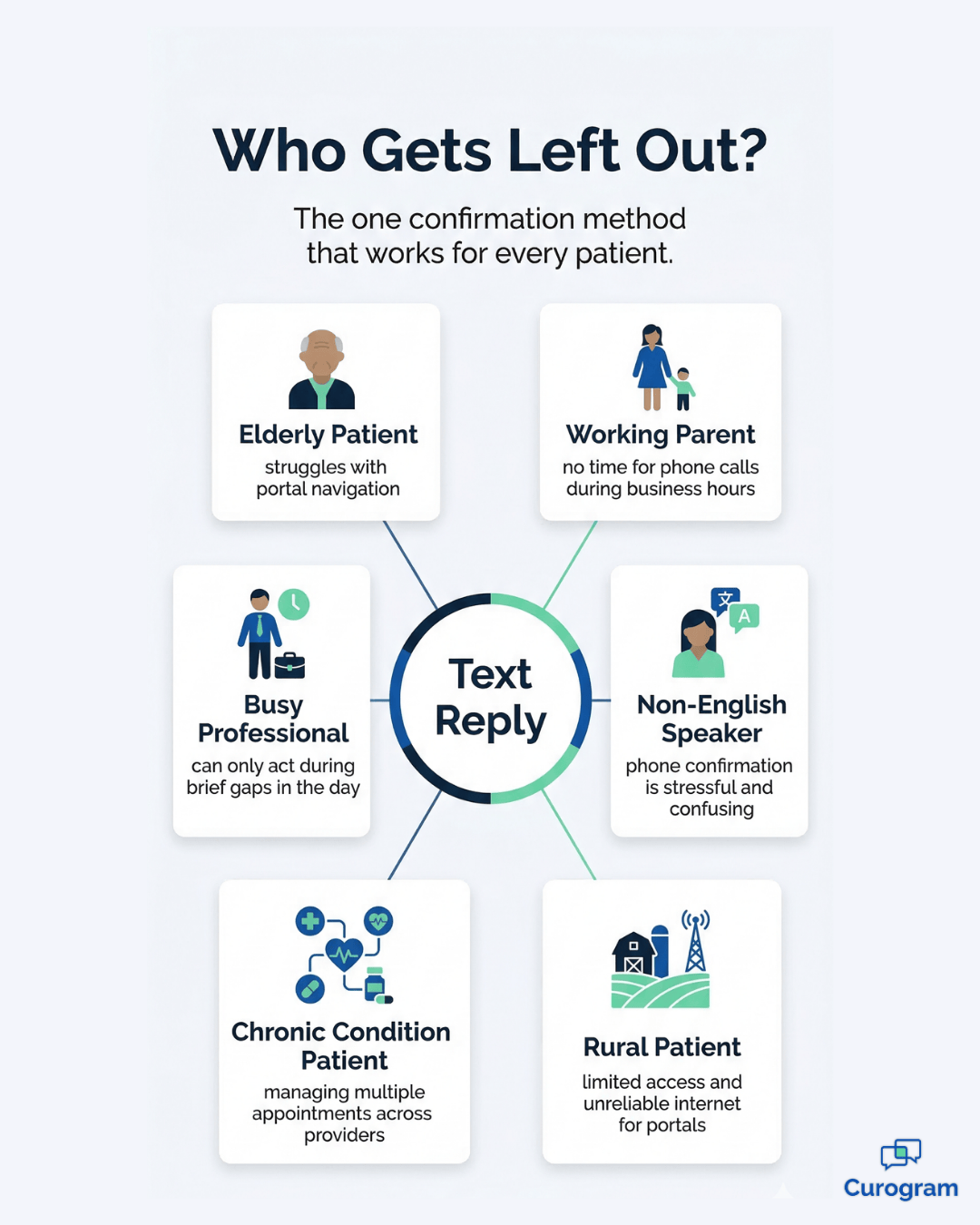
The friction problem hits some groups harder than others. Elderly patients may struggle with portal navigation. Non-English-speaking patients find phone-based confirmation stressful.
Working adults can't make a phone call during business hours and rely more on mobile-first communication.
Parents managing multiple family appointments don't have time for five-step portal logins.
For multi-specialty organizations serving diverse communities, phone and portal confirmation quietly exclude whole segments of the patient population — not by design, but by default. These patients want to confirm.
The system just wasn't built with their circumstances in mind. Text-based confirmation changes that baseline assumption about who the confirmation process is actually designed to serve.

How Curogram Makes Confirmation Effortless
Curogram's approach to NextGen patient appointment confirmation text reply is simple by design.
The patient receives a text:
"Your appointment with Dr. Smith is tomorrow at 2:00 PM. Reply C to confirm, X to cancel, or R to reschedule." The patient types C.
That's it — five seconds, no phone call, no portal, no app download, no credentials to remember.
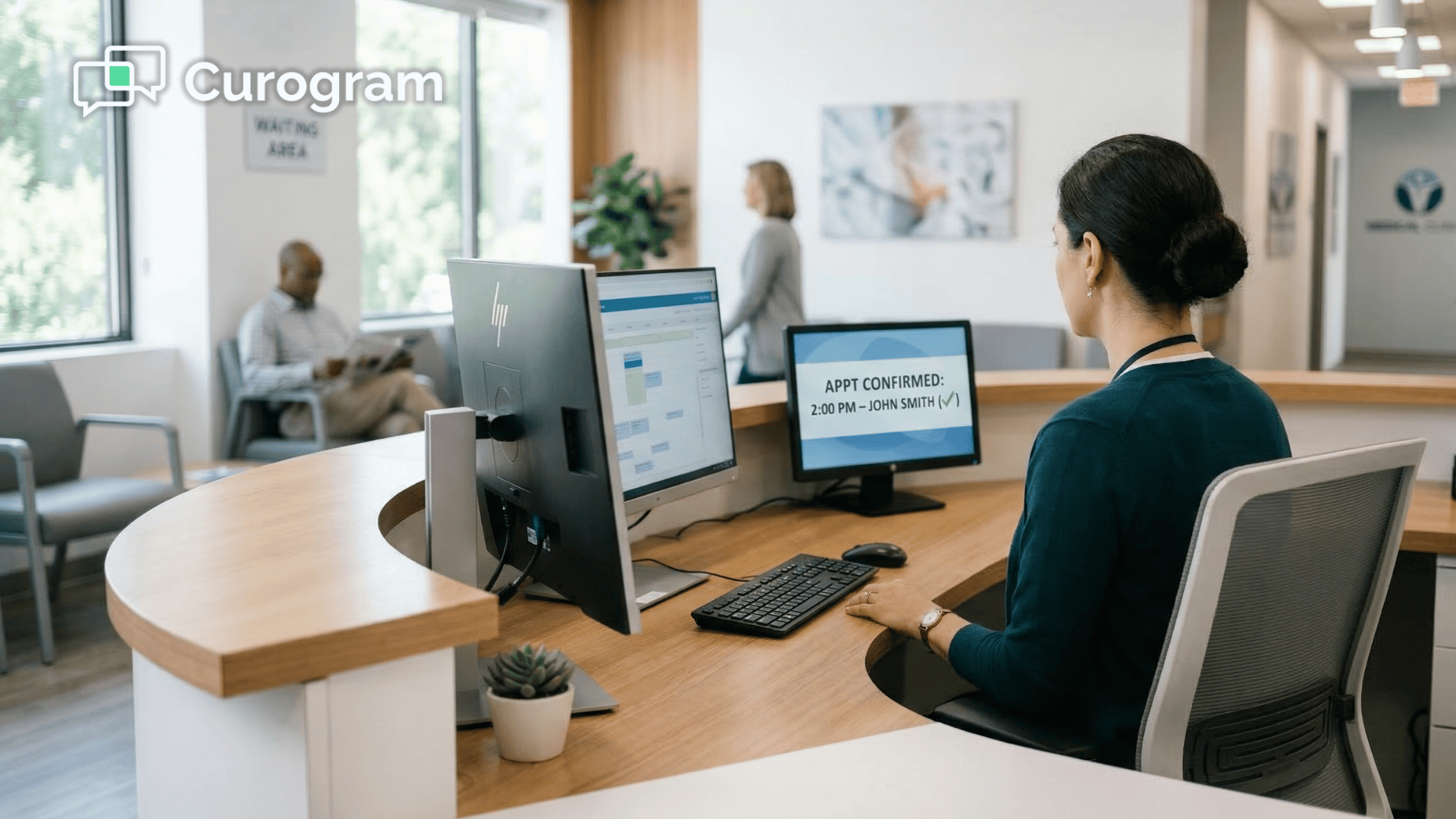
That confirmation syncs directly to the NextGen PM schedule in real time. The practice knows who is coming before the day starts.
There are no informal check marks on printed schedules, no cross-referencing two systems, no manual updates at the front desk. The information flows from the patient's phone to the schedule automatically.
This is what frictionless looks like in practice. The patient does the thing they were already willing to do — respond to a text — and the system handles everything else.
No extra steps, no account login, no hold queue. Just a reply and a resolved appointment.
When a Patient Wants to Reschedule
Reschedule requests are where most reminder systems fall short. A patient wants to move their appointment, but there is no easy way to do it by text — so they don't bother, and the practice records a no-show. The visit is lost, the slot sits empty, and the patient quietly disengages.
When a patient replies R, Curogram starts a brief text conversation to capture their preferred time. The scheduling team receives the request with full patient context and available slots. The entire exchange happens by text — faster than a call and easier than portal navigation.
A patient who would have been a no-show becomes a rescheduled visit, and the revenue stays on the books.
This feature matters most at the enterprise level, where reschedule volume across dozens of locations can represent a significant share of weekly appointment activity.
Capturing those reschedules by text — instead of losing them to friction — adds up quickly in terms of both revenue and schedule utilization.
What Syncs Back to NextGen
Every interaction — confirmation, cancellation, reschedule request — writes back to the NextGen PM schedule as structured data.
Here is what that means in practice for the teams managing those schedules day to day:
- Cancelled slots open automatically for backfill, without a staff member manually updating the schedule.
- Confirmed appointments are visible before the day starts, so providers aren't walking into uncertainty.
- Reschedule requests arrive with patient context already attached, cutting the time needed to resolve them.
The schedule reflects patient intent in real time, which means the information is where staff already work — not in a separate dashboard that requires someone to remember to check it.
This is the integration piece that turns a texting feature into a genuine operational tool.
A Confirmation Path Built for Every Patient
Text confirmation works for patients who struggle with portals. A single-letter reply doesn't require digital fluency. Elderly patients can respond without navigating a website. Non-English-speaking patients can reply with one character.
Working adults can confirm during a 30-second break between meetings.
For large NextGen Enterprise networks serving diverse patient populations, this accessibility is the difference between a confirmation system that works for most patients and one that works for all of them. The best confirmation path is the one every patient can actually use — and for the broadest range of people, that path is a text reply.

What Changes When Confirming Becomes Easy
Curogram clients consistently achieve 75% or higher appointment confirmation rates using text-based 2-way reminders. Atlas Medical Center reduced its no-show rate from 14.20% to 4.91% in three months.
The explanation for results like these is not that patients suddenly cared more. It's that confirming stopped requiring effort. Remove the friction and the intent converts to action.
That insight reframes the no-show problem entirely. It stops being a question of patient motivation and starts being a question of system design. Practices that make confirming easy see confirmation happen at scale — not because they reminded patients harder, but because they made responding simpler.
The Shift in Patient Behavior
Appointment confirmation stops being a task patients have to complete and starts being something that happens naturally in the flow of their day.
The cognitive shift is significant:
From "I need to call the doctor's office during business hours" to "I'll reply to this text right now."
That change in how patients experience the step is what drives the numbers.
For Directors of Patient Experience, that shift is measurable. Patients who confirm with low friction report a better overall experience than those who had to navigate a portal or wait on hold. That shows up in satisfaction scores, in retention data, and in how patients talk about the practice to others.
A smooth confirmation process is often the first impression a new patient has of how a practice operates — and it sets the tone for everything that follows.
The NextGen patient experience frictionless appointment confirmation text approach also strengthens patient trust. When the process works the way patients expect it to — quickly, in a channel they already use — it signals that the practice respects their time. That kind of signal is hard to manufacture and easy to lose.
The Revenue Side of the Equation
The financial impact of a NextGen patient no-show prevention text-based confirmation reply system is direct and quantifiable.
Every no-show that doesn't happen is a visit that generates revenue. Every cancellation that comes in early enough is a backfill opportunity.
For a 50-provider network, recovering even 5% of previously unconfirmed appointments adds up to significant revenue over a quarter.
There is a staffing benefit too. The patient appointment reminder reply confirm reschedule cancel NextGen workflow reduces the number of outbound confirmation calls staff have to make each morning. Fewer calls means less time on the phone, less hold-queue friction, and more capacity for clinical support work.
For practices that are already stretched thin at the front desk, that time savings is not abstract — it is real capacity recovered each day.
The Revenue Side of the Equation
The financial impact of a NextGen patient no-show prevention text-based confirmation reply system is direct and quantifiable.
Every no-show that doesn't happen is a visit that generates revenue. Every cancellation that comes in early enough is a backfill opportunity.
For a 50-provider network, recovering even 5% of previously unconfirmed appointments adds up to significant revenue over a quarter.
There is a staffing benefit too. The patient appointment reminder reply confirm reschedule cancel NextGen workflow reduces the number of outbound confirmation calls staff have to make each morning.
Fewer calls means less time on the phone, less hold-queue friction, and more capacity for clinical support work. For practices that are already stretched thin at the front desk, that time savings is not abstract — it is real capacity recovered each day.
Populations That Participate for the First Time
For a meaningful share of patients at large NextGen Enterprise networks, phone and portal confirmation were never realistic options.
They received reminders. They intended to come. But the tools required to confirm were either inaccessible or too time-consuming given their circumstances. Their intent never converted to action, and the practice counted it as a failure.
Text-based confirmation removes that barrier. A single-letter reply works regardless of digital fluency, language, or schedule.
For organizations that take patient equity seriously, this is not a secondary benefit. It is a core outcome — a confirmation process that finally includes everyone the practice serves, not just the patients who happened to find phone calls and portals manageable.
Over time, broader participation in the confirmation process changes the composition of no-show data. Practices discover that their true no-show rate — patients who genuinely do not intend to come — is much lower than their historical numbers suggested.
The gap was always confirmation friction, not patient behavior.
Give Your Patients a Confirmation Path They'll Actually Use
NextGen's reminder system tells patients about their appointments. Curogram gives them a way to respond — in the channel they already use, with the effort they're actually willing to give.
The goal is not to remind patients more often. It's to make confirming so simple that not confirming takes more effort.
When replying C to a text is easier than ignoring the reminder, confirmation rates reach 75% and above because the path of least resistance becomes the path of confirmation.
Every day without a reply path is another day of confirmation gaps, uncertain schedules, and recoverable revenue left on the table. The fix is a text reply. The result is a schedule you can trust.
Schedule a demo and see how Curogram integrates with your NextGen PM setup. Curogram deploys across all locations in weeks, with no disruption to existing workflows.
Frequently Asked Questions
All three options are available. When a patient replies R or "Reschedule," Curogram starts a short text conversation to find their preferred time. The reschedule request routes to the scheduling team with full patient context and available appointment slots. The entire exchange happens by text — faster and more convenient than a phone call or portal navigation.
Curogram can send follow-up reminders at set intervals — for example, a first reminder 48 hours before the appointment and a second one 24 hours out. If the patient still does not respond, the system flags the appointment as "no response" on the confirmation dashboard. Staff can then prioritize outreach to those patients or prepare backfill options. The escalation logic is configurable per location and specialty.
Yes. Curogram is fully HIPAA-compliant and SOC 2 Type II certified. The content of reminder texts is configurable — your organization controls how much appointment detail appears in each message. For sensitive specialties like behavioral health, reminders can be kept discreet, showing only that an appointment exists without revealing provider or specialty details. All messages are encrypted, logged with audit trails, and covered under an executed Business Associate Agreement.
Yes. Curogram integrates with almost any EMR or practice management system. The platform was built to function as a layer on top of existing systems, not a replacement for them. Practices running Athenahealth, eClinicalWorks, Epic, DrChrono, and many others use Curogram the same way NextGen practices do — without needing to change their core workflows or replace their current software.
Curogram deploys across enterprise networks in weeks, not months. The setup process is designed to minimize disruption to existing workflows — staff do not need to learn a new EMR, change how they document, or go through lengthy training cycles. Most front desk staff can use the platform confidently within 10 minutes of their first session.