

13 min read

How to End the Collections Grind with ModMed Billing Automation

How to End the Collections Grind with ModMed Billing Automation
💡Specialty clinics can boost ModMed billing workflow efficiency by replacing phone calls and paper statements with automated text messages.

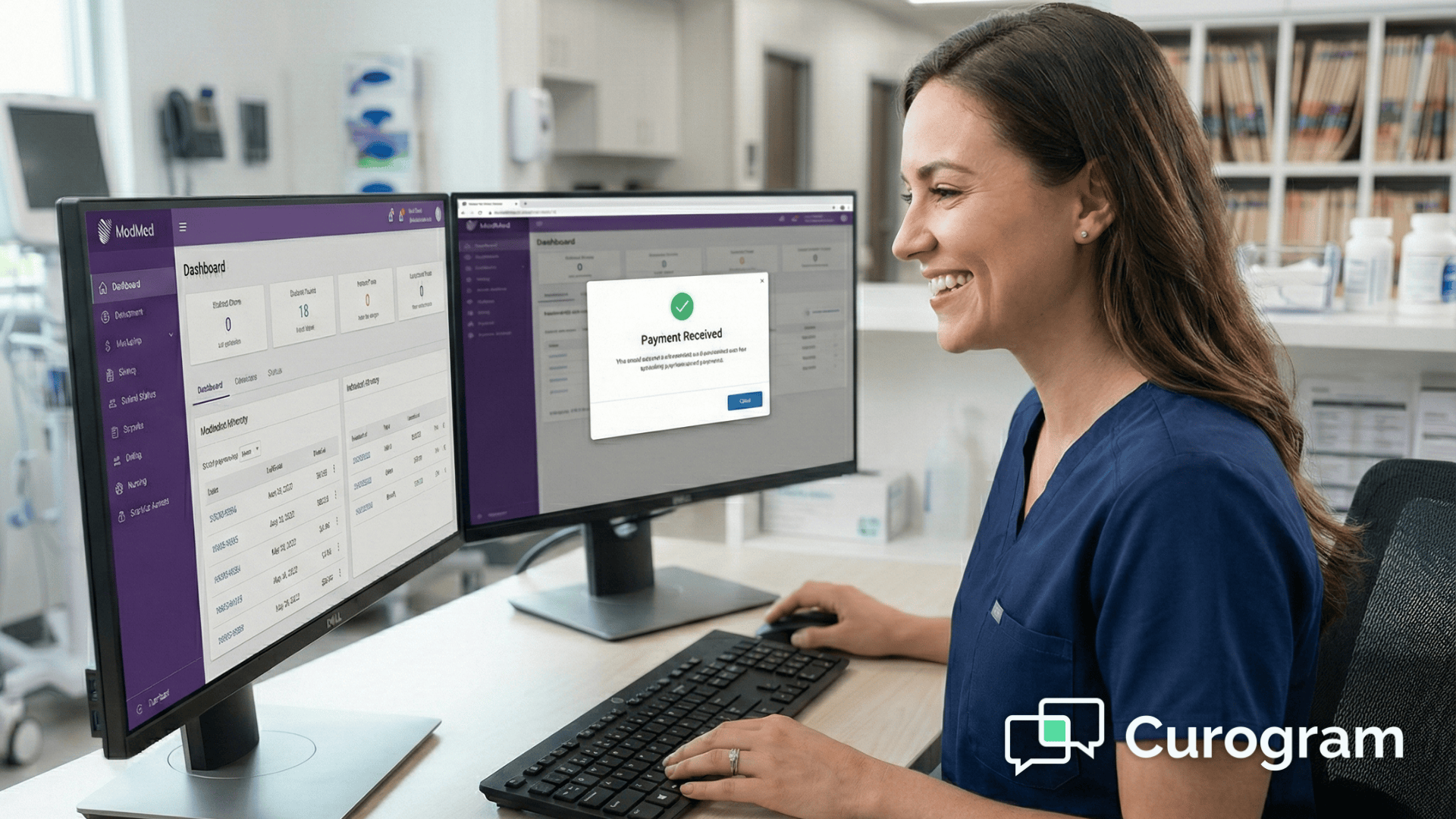
When you connect Curogram to your ModMed EMA billing system, your staff can send secure payment links as soon as a balance appears.                                                                                                                                           This simple change cuts the time your team spends chasing payments by more than 50%. Even better, over 30% of patients pay within minutes instead of waiting weeks.

Your billing staff gets their time back. Your patients get a faster, easier way to pay. Everyone wins.

Your billing team knows the drill. Every day starts with a list of patients who owe money. The phone calls begin. Some patients answer, most don't. You leave voicemails that may never get returned.

When someone does pick up, you spend time taking down credit card numbers over the phone. You hope you heard the numbers right. You hope the payment goes through. It's slow, it's frustrating, and it takes your staff away from more important work.

Picture this: It's Monday morning, and your billing coordinator has 47 outstanding balances to collect. She starts calling at 9 AM. By noon, she's reached 8 patients, left 23 voicemails, and encountered 16 disconnected numbers or wrong contacts. Three patients promised to mail checks that may never arrive.

Meanwhile, your patients are juggling their own busy lives. They miss your calls because they're at work. They forget to call back. They lose the paper bill you mailed. Nobody wants this process to be this hard.

The stress doesn't just affect collections.

Your front desk staff dreads the awkward conversations about money. Your office manager watches staff turnover increase as team members burn out from the endless calling. Your practice administrator sees the impact on cash flow and wonders if there's a better solution.

There's a better way. Medical office billing automation through text messaging puts payment links right in your patients' hands. T

hey can pay in seconds from their phones. Your staff stops playing phone tag and starts focusing on patient care and growing your practice.

Think about the difference: Instead of 47 phone calls, your staff sends 47 text messages in under 10 minutes.

Within an hour, 15 patients have already paid. By the end of the day, you've collected more than you typically would in a week of phone calls.

Why Manual Billing Hurts Your Practice

The old way of collecting payments drains your staff's energy and your clinic's resources. Let's look at what makes manual billing so painful.

The Never-Ending Phone Loop

Your billing staff spends hours every day making calls. They dial numbers, wait through rings, and leave message after message. When patients do answer, the conversation takes time. You need to explain the balance, answer questions, and process the payment.

Most patients don't answer on the first try. Or the second. Or the third. Your team keeps calling the same people over and over. This repetitive work takes a toll on morale.

Here's what a typical day looks like: Your billing specialist calls Mrs. Johnson about her $85 balance at 10 AM.

No answer. She tries again at 2 PM. Still no answer. The next day, she calls at 11 AM and finally reaches Mrs. Johnson, who asks her to call back after 5 PM when she's home from work. When your staff calls back, Mrs. Johnson's phone goes to voicemail again.

This single $85 balance has now consumed parts of three different days. Multiply this by dozens of patients, and you can see why your billing team feels exhausted by the end of each week.

Security Risks with Phone Payments

Taking credit card numbers over the phone creates problems. Staff members write down numbers by hand or type them in during the call. One wrong digit means a failed payment. It also means calling the patient back to get the right information.

There are security concerns too. Verbal communication of payment details increases risk. Your staff deserves better tools that keep patient information safe.

Consider the compliance implications. Every time someone reads a credit card number aloud, you're creating potential HIPAA and PCI-DSS vulnerabilities. If an unauthorized person overhears the conversation, your practice could face serious consequences.

The paper where staff write down numbers needs secure disposal. The risk compounds with every transaction.

The Paper Statement Problem

Paper statements cost money to print and mail. Someone has to prepare them, stuff envelopes, and get them to the post office. Then you wait days or weeks for them to arrive.

Even after all that work, many statements get lost or ignored. The return on this investment is low and slow. You spend money and time but wait much longer to see results.

Let's break down the real costs: Each statement costs about $1.50 to print and mail when you factor in paper, envelopes, postage, and staff time. For a practice sending 200 statements monthly, that's $300 per month or $3,600 per year. Yet studies show that only 25-30% of mailed statements result in payment within 30 days.

Your staff also spends valuable time generating reports, matching statements to accounts, printing, folding, and preparing mail. This typically takes 4-6 hours per billing cycle. That's time your team could spend on more productive activities.

How Automated Text Payments Transform Your Workflow

When you add Curogram to your ModMed system, specialty practice collections become much simpler. Here's how the technology works to make your life easier.

Smart Link Creation

Curogram connects directly to your ModMed billing module. As soon as a patient has a balance, the system can create a secure payment link. This link is unique to each patient and their specific balance.

Your staff doesn't need to manually create anything. The healthcare financial workflow automation happens behind the scenes. Staff members just review and send the text message with one click.

The system pulls balance information automatically from ModMed. It generates a secure token for each transaction. The payment link expires after a set time period for security. All of this happens instantly without manual data entry or risk of human error.

Easy Patient Experience

Patients receive a text message with a payment link. They tap the link and see their balance. No logging into a portal. No searching for account numbers. The payment page works perfectly on any phone or tablet.

This simple process leads to a 300% increase in successful payments. When you make paying easy, more patients actually pay.

Here's what the patient sees: A text arrives saying, "You have a $45 balance from your recent visit. Tap here to pay securely." They tap the link, see their balance with visit details, enter their payment information, and they're done. The entire process takes less than 60 seconds.

Compare this to the traditional method where patients need to find your phone number, call during business hours, wait on hold, explain who they are, verify their information, and then read off their credit card details. The difference is night and day.

Real-Time Visibility for Staff

Your staff gains instant insight into patient payment behavior:

  • See when a patient opens the payment link
  • Get notified immediately when payment completes
  • Track which patients need follow-up attention

If a patient opens the link but doesn't pay, staff can follow up with a quick call. They're being proactive instead of reactive. This targeted approach saves time and gets better results.

The dashboard shows everything at a glance. Green indicators for completed payments. Yellow for opened but unpaid links. Red for unsent or unopened messages. Your team can prioritize their follow-up based on actual patient engagement rather than guessing who to call next.

This visibility also helps identify patterns. Maybe patients consistently pay on Friday afternoons. Or perhaps Tuesday mornings see the highest open rates.

You can use this data to optimize when you send payment requests for maximum success.

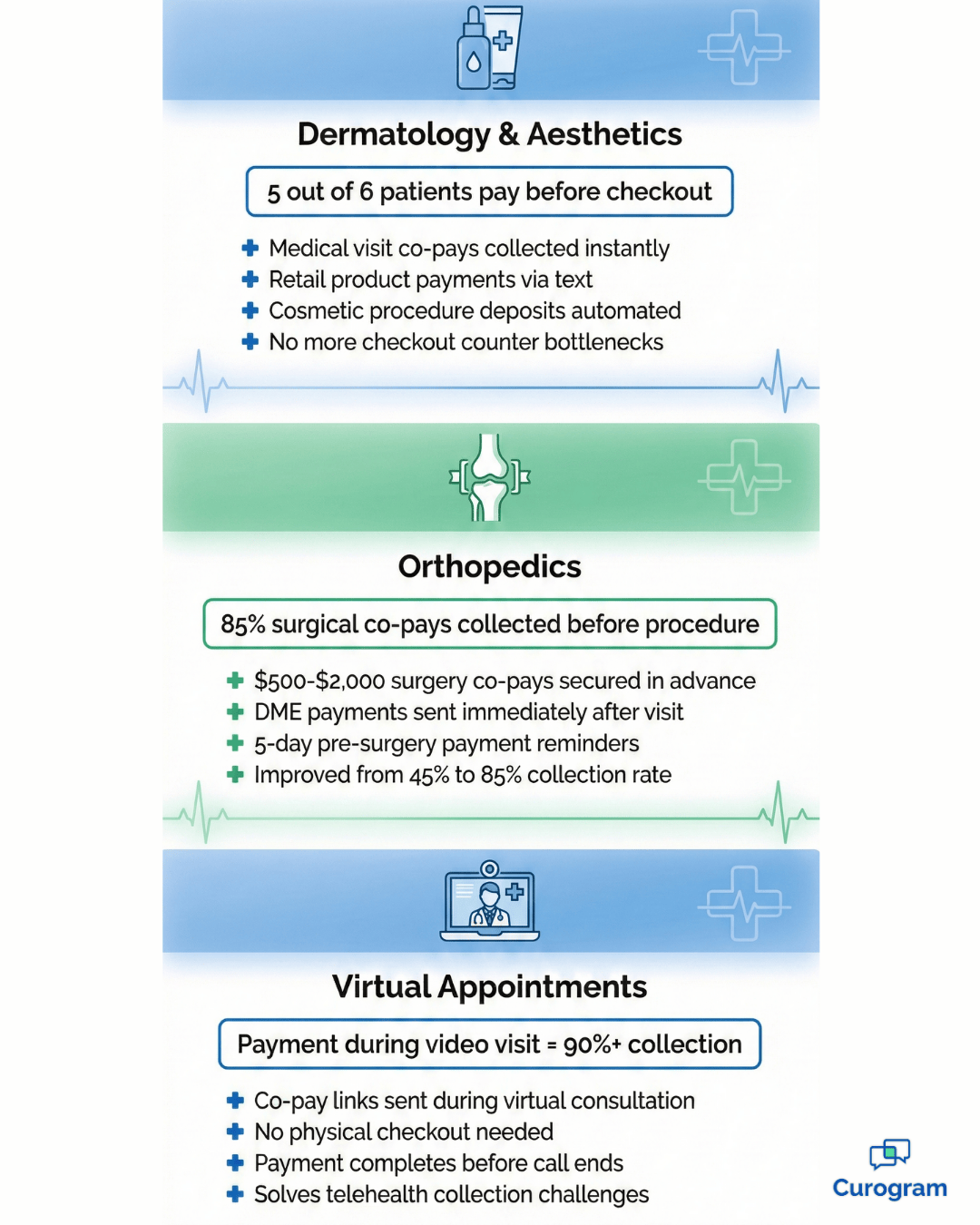
Specialty billing use cases: dermatology, orthopedics, and telehealth payments

Real Examples from Different Specialties

Every specialty faces unique billing challenges. Here's how different types of practices use text-to-pay to solve their specific problems.

Skin Care and Beauty Practices

Dermatology billing solutions need to handle both medical visits and cosmetic procedures. Many practices also sell skincare products at the front desk.

When patients check out, the front desk can text a payment link for any retail products or cosmetic co-pays. This prevents long lines at checkout. Patients can pay from the waiting room or even from their car in the parking lot.

Consider a typical Friday afternoon at a busy dermatology clinic. Dr. Martinez has just finished consultations for six cosmetic patients. Each one wants to purchase skincare products. In the old system, all six patients would crowd the checkout counter, creating a 20-minute wait.

Now, the medical assistant texts each patient their product total while they're still getting dressed. By the time they reach the front desk, five of the six have already paid.

The sixth patient pays from the parking lot while loading her car. The front desk stays clear, and everyone leaves happy.

This approach works particularly well for practices that offer both medical dermatology and aesthetic services. Medical co-pays get collected immediately after the visit.

Cosmetic procedure payments can be split into deposits and balance-due amounts. The flexibility makes collections smooth for every type of service.

Bone and Joint Specialists

Orthopedic practices often deal with surgery co-pays and medical equipment costs. These balances can be large, and patients may need time to arrange payment.

Setting up automated reminders for these payments ensures nothing falls through the cracks. The system can text patients before surgery to secure the co-pay. For equipment purchases, patients get links right after their visit. This timing captures revenue when it's fresh in the patient's mind.

Dr. Thompson's orthopedic practice handles about 15 surgeries per week. Each surgery requires a co-pay of $500 to $2,000 depending on the procedure. Before automation, the office spent hours calling patients to collect these amounts before surgery dates.

Now, patients receive their payment link five days before surgery. The text message includes the surgery date, procedure name, and exact amount due.

Patients appreciate the advance notice and clear communication. The practice collects 85% of surgical co-pays before the procedure date, compared to just 45% with the old phone-based system.

For durable medical equipment like knee braces or walking boots, the timing is different. Patients receive the text immediately after their appointment while they're still thinking about their treatment. This immediacy leads to faster payment and fewer forgotten balances.

Virtual Appointments

During a video visit through ModMed, collecting payment used to require extra steps. The provider would finish the visit, then someone would need to call the patient later.

Now, your medical assistant or clinician can send a co-pay link during the virtual visit. The patient pays immediately without needing to come into the office. It's seamless and professional.

Telehealth has created unique billing challenges. Patients don't stop at a front desk. There's no physical checkout process. Many practices struggled to collect telehealth co-pays, with some seeing collection rates as low as 60% for virtual visits.

The solution is integration during the visit itself. As the provider wraps up the consultation, they can say, "My assistant is going to text you a payment link for today's co-pay." The text arrives within seconds. Most patients pay before they even close the video call.

This method works equally well for follow-up virtual visits, remote prescription consultations, and quick check-ins. It eliminates the disconnect between service delivery and payment that plagued early telehealth adoption.

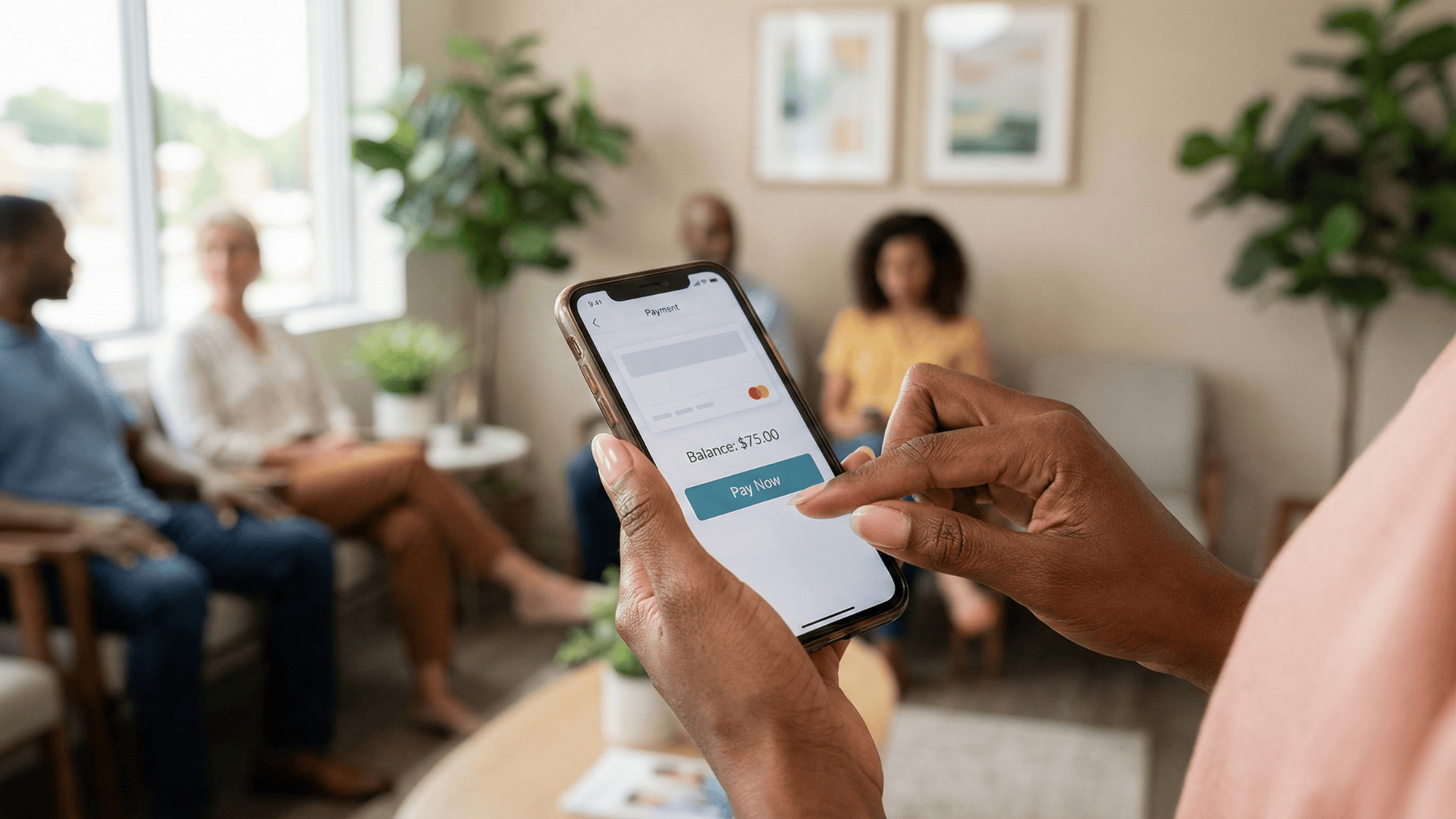
Patient paying medical bill via smartphone text message in clinic waiting room

Give Your Team Time Back and Reduce Stress

When you reduce manual co-pay collection work, the benefits extend far beyond just faster payments. Your entire practice operates better.

20+ Hours Saved Every Month

Think about what your billing team could do with an extra 20 hours each month. They could focus on insurance appeals that bring in more revenue. They could dive deeper into revenue cycle analysis to find other opportunities.

Automating the repetitive parts of collections frees up your staff for higher-value tasks. These are the activities that actually grow your practice and improve your bottom line.

Sarah, a billing coordinator at a busy family practice, shares her experience: "Before automation, I spent my mornings making collection calls. I'd get maybe 10% of people on the phone.

Now I send text messages in batches and focus on insurance denials. We've increased our appeal success rate by 40% because I finally have time to do it properly."

The math is simple but powerful. If your billing staff spends 5 hours per week on collection calls, that's 20 hours per month.

At an average fully-loaded cost of $25 per hour, you're spending $500 monthly on an activity that automation handles for pennies per transaction. That's $6,000 annually that could go toward better uses.

Happier, More Engaged Staff

Nobody enjoys spending their day calling people about money. It feels uncomfortable. It's emotionally draining. It makes staff feel more like bill collectors than healthcare professionals.

Removing this burden improves staff morale. Your team feels more respected in their roles. They can focus on helping patients rather than chasing them down. This creates a more positive, connected environment for everyone.

Staff turnover in medical billing departments often exceeds 30% annually. Exit interviews frequently cite the stress of collections as a primary reason for leaving. When you remove this source of daily stress, retention improves dramatically.

Consider the emotional toll of making 30-40 collection calls daily. Staff members face rejection, frustration, and occasionally hostility from patients who don't want to discuss money. Over time, this wears people down.

They start dreading coming to work. Their engagement drops, and eventually, they leave.

With automated collections, staff interactions with patients become more positive. They're helping solve problems rather than demanding money. They're answering questions about payment plans rather than leaving voicemails.

The shift from reactive collection to proactive support changes the entire dynamic.


Get paid faster! Strengthen your balance sheet by simplifying patient payments via secure SMS with Curogram.


Better Record Keeping

Digital payments create automatic records that integrate seamlessly with ModMed:

  • Every transaction syncs instantly with your billing system
  • Complete audit trails include timestamps and transaction details
  • Account reconciliation becomes faster and more accurate

You have proof of every payment without any extra manual work. When it's time for audits or financial reviews, everything is already organized and ready to go.

The compliance benefits extend beyond simple record-keeping. Digital transactions create a chain of documentation that's invaluable during audits. You can prove exactly when a patient was notified about their balance, when they opened the payment link, and when they completed payment.

This level of detail protects your practice in disputes. If a patient claims they were never informed about a balance, you have timestamped proof of when the text was delivered and opened.

If there's a question about payment timing, the digital record shows the exact moment funds were processed.

For practices that handle high volumes of transactions, manual reconciliation can take hours each week. Digital payments eliminate most of this work. Your ModMed system updates automatically.

Your accounting software syncs seamlessly. Bank deposits match perfectly to individual transactions without manual matching.

Getting Started Is Easier Than You Think

Many practice managers worry that implementing new technology will disrupt their operations. They picture weeks of downtime, confused staff, and frustrated patients. The reality is much simpler.

Quick Implementation Process

The integration with ModMed happens behind the scenes. Your IT team or Curogram's implementation specialists handle the technical connection. Most practices are up and running within a few days, not weeks or months.

Your staff needs minimal training. If they can send a text message, they can use the system. The interface is intuitive and designed for busy medical office environments. Most staff members feel comfortable using it after a brief 15-minute orientation.

You don't need to switch all patients to the new system at once. Many practices start with a pilot group.

Maybe you begin with telehealth visit payments or cosmetic procedure balances. Once your team sees the results, expanding to all patient payments becomes an easy decision.

Measuring Your Success

Within the first month, you'll see tangible improvements. Track these key metrics to quantify your results:

Your collection rate should improve noticeably. Most practices see their collection percentage jump from 60-70% to 85-95% within the first 30 days. Days in accounts receivable typically drop by 30-50%. Staff time spent on collections usually decreases by more than half.

Patient satisfaction often improves too. Convenience matters to modern patients. They appreciate text-based communication and mobile-friendly payment options.

This positive experience can show up in your patient reviews and retention rates.

Making It Work for Your Specialty

Each medical specialty has unique requirements. Curogram's flexibility allows customization for your specific needs.

Dermatology practices can set different workflows for medical visits versus cosmetic procedures. Orthopedic offices can create specialized messages for surgery deposits versus office visit co-pays.

The system adapts to your practice patterns rather than forcing you to change how you work. You decide when to send payment requests, how to word messages, and which balances to prioritize. The automation follows your rules and preferences.

Frequently Asked Questions About ModMed Billing Automation

Does this replace our existing billing software?

No, Curogram works with your current ModMed billing module. Think of it as a delivery system that speeds up how you collect patient balances. Your billing software stays in place. Curogram just makes the collection process faster and easier for everyone.

Your ModMed system remains the source of truth for all billing data. Curogram reads balance information from ModMed, sends payment requests, and writes completed transactions back to ModMed.

Nothing changes in your existing workflow except the method of communication with patients. Your staff still uses ModMed for everything else.

Can staff send links manually if needed?

Yes. While automation handles most of the work, your staff can always send a secure text-to-pay link manually. They might do this during a phone call or after an in-person visit. It only takes one click to send the link, giving your team flexibility when they need it.

Manual sending is perfect for special situations. Maybe a patient is checking out and mentions they forgot their wallet.

Your front desk can text them a link on the spot. Or perhaps a patient calls about their bill and wants to pay during the conversation. Your staff can send a link while they're on the phone together.

How does it handle partial payments?

The system lets you set up payment plans or accept partial payments. This flexibility makes it simple for patients to stay current on their balances. Some patients can pay in full right away. Others need to break large balances into smaller amounts. The system accommodates both situations.

You can configure payment plans directly in the system. For a $600 balance, you might set up three monthly payments of $200.

The patient receives automated texts for each installment. Or you can allow patients to choose their own partial payment amount, as long as it meets your minimum requirements.

Is it secure and HIPAA compliant?

Absolutely. All payment links use bank-level encryption. The text message itself doesn't contain any protected health information. It only includes a secure link that expires after a set time period. The payment page is PCI-DSS compliant for credit card processing.

Patient information stays protected throughout the entire process. The text message doesn't reveal the nature of the visit or any medical details. It simply states there's a balance due.

All sensitive data transmission happens over encrypted channels that meet or exceed industry security standards.

What if patients don't have smartphones?

The payment links work on any device with internet access. Patients can open them on smartphones, tablets, or computers. The system also supports traditional payment methods for patients who prefer them. You can still process payments over the phone or in person when needed.

Some practices worry about older patients who may not be comfortable with technology. In practice, this isn't a significant barrier. Most patients over 65 now own smartphones, and the payment process is simpler than most apps they already use.

For the small percentage who struggle, your staff can still offer traditional payment methods.

How quickly do payments post to our account?

Payments process immediately and typically settle within 1-2 business days, similar to credit card payments you accept in the office. The transaction appears in your ModMed system right away, so your records update instantly even while the funds are settling to your bank account.

Create a Smoother Revenue Cycle for Your Practice

Your billing team works hard every day. They deserve tools that make their jobs easier, not harder. Your patients want to pay their bills without hassle. They just need a simple way to do it.

ModMed billing workflow efficiency improves dramatically when you add text-based payment options. Your staff stops spending hours on phone calls. Your patients pay faster because it's convenient. Your practice collects more revenue with less effort.

The change doesn't just affect your billing department. When staff members feel less stressed and more productive, that positive energy spreads throughout your practice. Patients notice the difference too. They appreciate the modern, respectful approach to billing.

Consider where your practice could be six months from now. Your billing coordinator arrives at work without a knot in her stomach, knowing she won't spend her day making awkward phone calls. Your office manager reviews collection reports showing consistent 80-90% payment rates within 48 hours of sending reminders. Your practice administrator sees improved cash flow and reduced days in accounts receivable.

Your patients appreciate the convenience. They mention it in reviews and recommend your practice to friends. "They make everything so easy," they say. "I just got a text and paid my bill in 30 seconds."

This isn't a distant dream. It's what hundreds of specialty practices are experiencing right now with automated billing through ModMed integration.

Schedule a 10-minute demo today to see how Curogram's ModMed billing automation can end the collections grind. Give your staff the freedom to focus on what matters most — providing excellent patient care and growing your practice.


Text-to-Pay for GE Centricity: Faster Collections With Curogram

Text-to-Pay for GE Centricity: Faster Collections With Curogram

💡 Text-to-Pay for GE Centricity helps multi-location specialty and radiology clinics accelerate patient payment collection through automated SMS...

Read More
The ROI of Text-to-Pay for GE Centricity Clinics

The ROI of Text-to-Pay for GE Centricity Clinics

💡 EMR-integrated payment workflows help GE Centricity clinics improve cash flow and reduce billing costs through HIPAA-compliant text payments. ...

Read More
Text-to-Pay in StreamlineMD: Faster Collections for Imaging Clinics

Text-to-Pay in StreamlineMD: Faster Collections for Imaging Clinics

💡 Text-to-Pay in StreamlineMD lets imaging and vascular practices collect payments faster through secure text messages. Patients get a direct...

Read More