13 min read

Secure Online Patient Forms for MD Systems Intake Without Paper

Secure Online Patient Forms for MD Systems Intake Without Paper
💡 Secure online patient forms for MD Systems intake let practices save up to 15 minutes per visit by cutting out paper and manual data entry.
  • Curogram texts a secure link to patients before their visit so they can fill out forms on their phone.
  • Completed forms arrive as a clean PDF that staff can attach to the MD Systems chart.
  • Mobile patient registration works on any smartphone with no app download needed.
  • Practices report up to 70% faster check-in times after going digital.
  • All forms are sent through HIPAA compliant online forms to keep patient data safe.
By moving intake from the waiting room to the patient's home, your front desk spends less time on data entry and more time on care. Curogram makes the switch simple with a drag-and-drop form builder that plugs right into MD Systems.

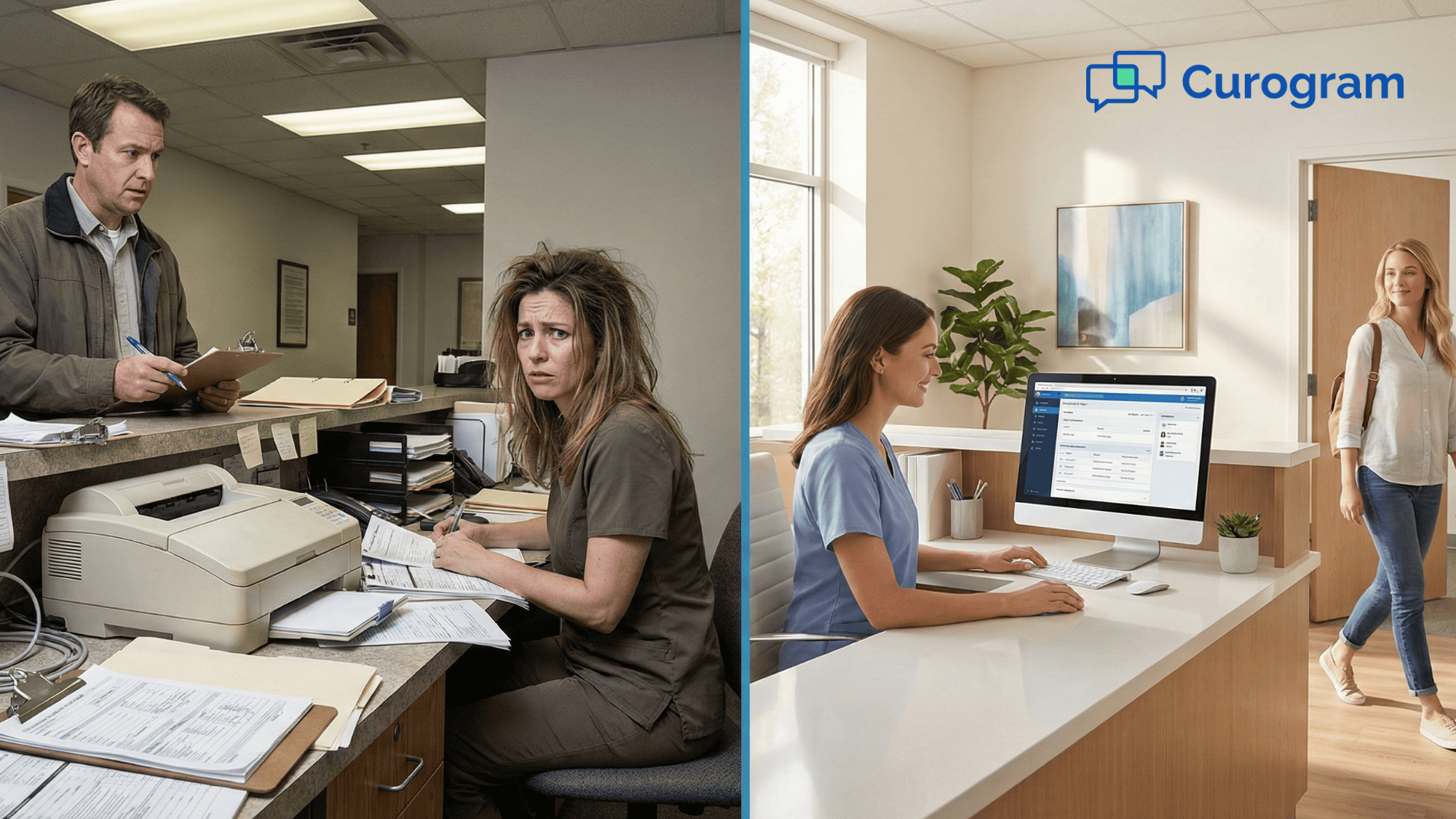
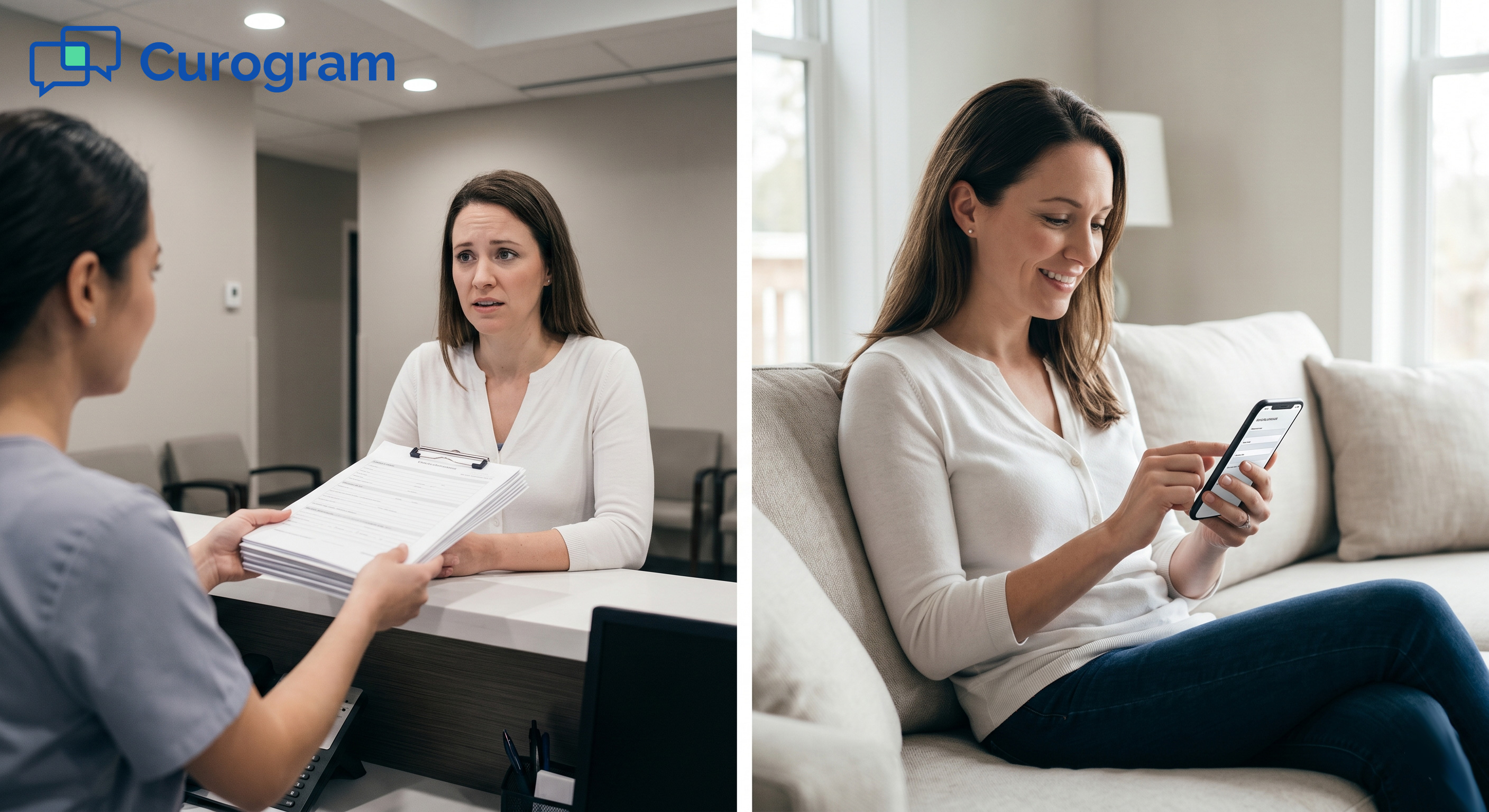
Picture this. A patient walks in five minutes late. Your front desk hands them a clipboard stacked with paper forms. They spend the next 20 minutes writing the same info they gave you last year.

Meanwhile, the doctor waits. The schedule backs up. And your staff grinds through another round of typing messy notes into MD Systems.

This is what we call the clipboard bottleneck. It's the silent time thief hiding in plain sight at most medical offices. And it costs your practice far more than you think.

Now, picture the flip side. That same patient gets a text the night before their visit. They tap a link, fill out their forms on the couch, and hit submit. When they walk in the next day, the front desk already has a clean PDF ready to attach to the chart. No paper. No data entry. No waiting.

That's the power of secure online patient forms for MD Systems intake. It turns a slow, error-prone process into one that takes just minutes. And it starts working before the patient even leaves home.

In this guide, we'll break down why paper intake is dragging your practice down. We'll walk through how Curogram works with MD Systems to move the entire process online. You'll see how practices are cutting check-in times by up to 70% and reducing data entry errors at the same time.

Whether you run a small clinic or a large group practice, this shift to MD Systems digital intake can save your team hours each week. It also creates a better first impression for your patients. Let's dig into how it works and why it matters.

The Villain: The Clipboard Bottleneck

Every medical office knows the scene. A paatient shows up, checks in, and gets handed a stack of forms. They grab a pen that barely works and start writing in tiny boxes. This is where the trouble starts.

The Check-In Jam

Think about how a typical morning plays out. Your first patient of the day arrives on time. But the second one is five minutes late. By the time they sit down with their clipboard, patient three has walked in. Now, two people are writing at the same time while one is waiting to be seen.

The exam room sits empty. The doctor checks their watch. A 9:00 a.m. slot doesn't start until 9:25 because of paperwork. Multiply that across a full day, and you could lose an hour or more of clinical time.

This problem gets worse with new patients. They don't just fill out one form. They fill out three, four, sometimes five. Medical history, HIPAA consent, insurance details, and more. Each one takes time. And every minute in the lobby is a minute the doctor can't bill for.

The Front Desk Becomes a Data Entry Center

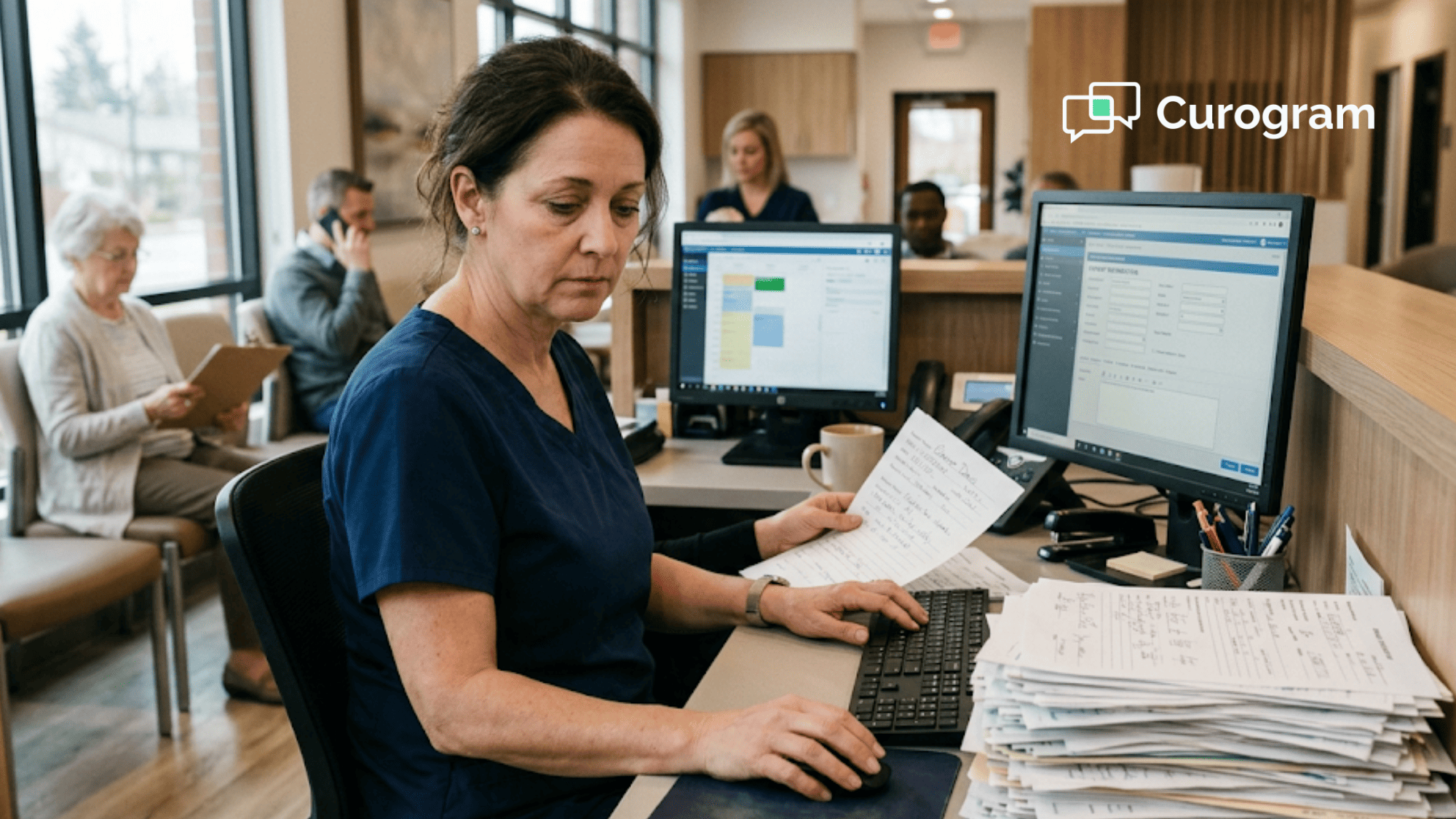
Here's the part that really hurts: After the patient hands back the clipboard, your front desk has to type it all in. Name, date of birth, address, phone number, allergies, meds, and insurance info, all keyed into MD Systems by hand.

Now, imagine that patient has messy writing. Your staff squints at what might be "Lisinopril" or "Losartan." Was that a "5" or an "S"? These guesses lead to real problems. A wrong allergy or a misspelled drug name can ripple through the chart.

For a practice that sees 25 patients a day, this adds up fast. If your front desk spends just 6 minutes typing each form, that's two and a half hours of pure data entry every single day. That's over 12 hours a week spent on something a digital form could handle in seconds.

The Real Cost: Burnout and Errors

The staff who do this work day after day aren't lazy. They're skilled. They handle calls, check insurance, greet patients, and keep the office running. But when most of their day turns into typing names and addresses, morale drops.

This leads to what many practice managers call "burnout by boredom." Your best people start looking for the door. Turnover goes up. Training costs go up. And the cycle repeats.

Then there's the error side. Reducing data entry errors isn't just about speed. It's about safety. When a team member types the wrong date of birth, the claim gets denied. When they enter the wrong pharmacy, the patient doesn't get their meds. When the insurance ID has one wrong digit, the whole visit has to be rebilled.

These small mistakes create big headaches. They slow down your revenue cycle and frustrate your patients.

Paper is the root cause.

The clipboard itself is the root of these issues. Paper forms can't auto-fill. They can't check for blank fields. They can't flag a missing signature. And they can't send data to MD Systems on their own.

Every sheet of paper that enters your office has to be touched twice. Once by the patient. Once by your staff. That double-handling is the real villain in this story.

The good news? There's a clear way out. And it starts with moving your forms off the clipboard and onto the patient's phone.

The Guide: Intake Before Arrival

What if the patient could finish their paperwork before they ever pulled into the parking lot? That's exactly what Curogram makes possible with MD Systems.

From the Waiting Room to the Living Room

The old model forces intake to happen in your lobby. The patient fills out forms while sitting in a crowded room. It's slow, it's awkward, and it wastes everyone's time.

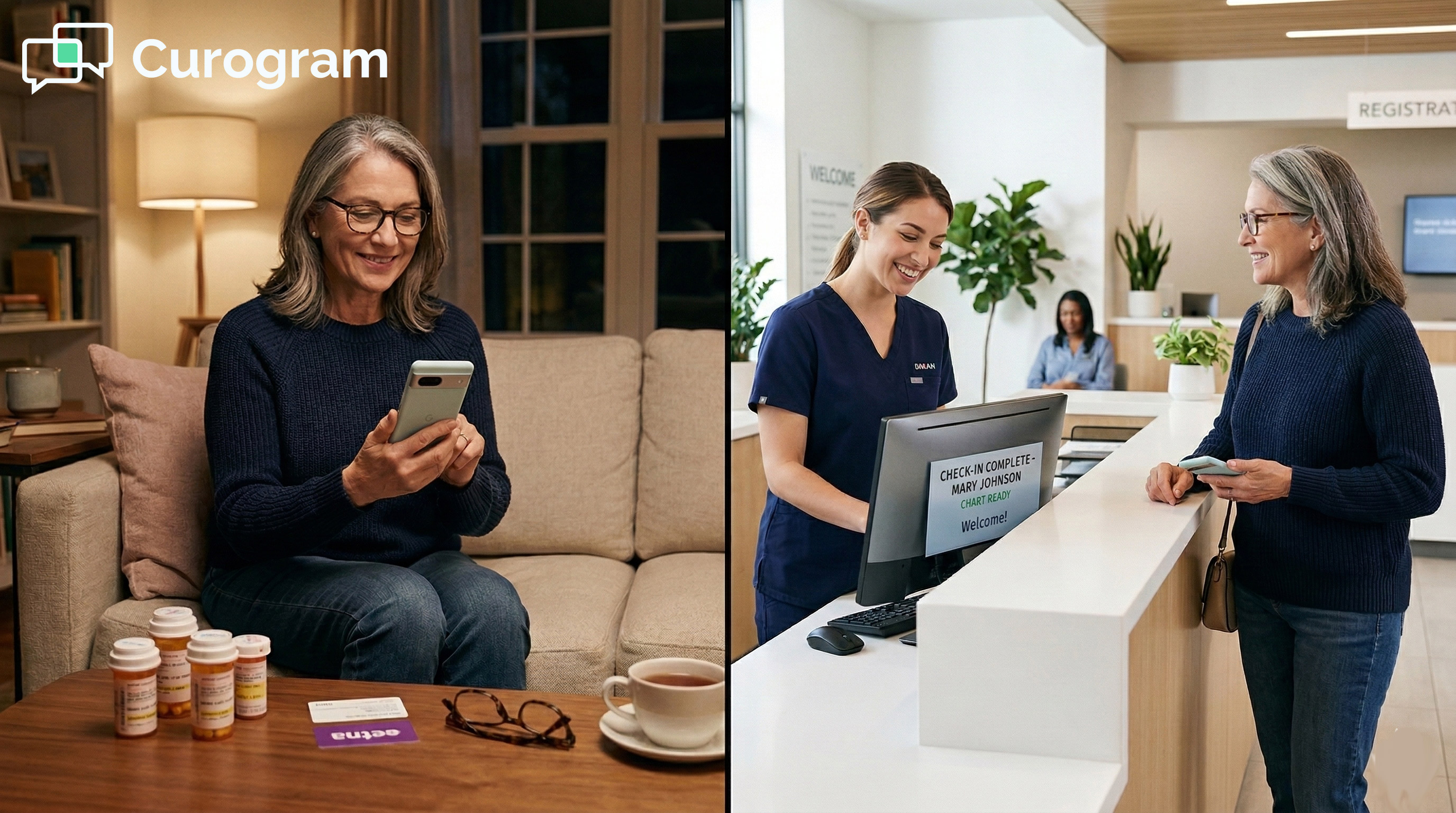
Curogram flips that model. It moves the entire intake process from your waiting room to the patient's living room, kitchen table, or wherever they feel most at ease. Patients can fill out forms on their couch the night before. They can do it on a lunch break. There's no rush and no pressure.

This simple shift changes the patient's first interaction with your office. Instead of starting their visit with stress and a clipboard, they walk in relaxed and ready. That's a better look for your practice and a better feel for them.

How the Workflow Works

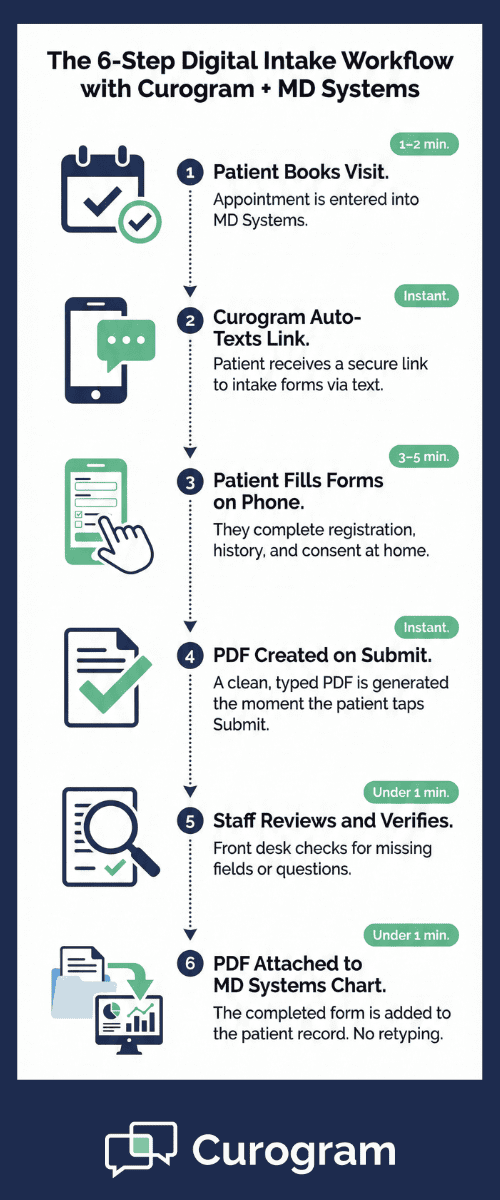
Here's the step-by-step: When a new patient books a visit in MD Systems, Curogram picks up the trigger. It then sends the patient a text message with a secure link to your intake forms.

No app download is needed. The link opens right in their phone's browser. Patients see clean fields with clear labels. They tap through sections like personal info, medical history, insurance, and consent. Mobile patient registration feels as easy as filling out any online form they've used before.

Most phones already store data like name, address, and email. So autofill does a lot of the heavy lifting. What might take 20 minutes on paper can take under 5 on a phone.

What Happens After They Hit Submit

Once the patient taps "Submit," two things happen at once. First, your front desk gets a notice that the forms are in. Second, the system creates a clean, typed PDF of everything the patient entered.

No squinting at bad handwriting. No guessing. No retyping. The staff opens the PDF, reviews it, and attaches it straight to the patient's chart in MD Systems. The whole process takes under a minute.

This is a key point. Curogram uses the attachment method on purpose. Instead of pushing data into chart fields where it could overwrite notes or prior entries, the PDF sits alongside the record for safe review. Your staff stays in control.

Why Text Beats Email and Portals

You might wonder, why not just email the forms? Or use the patient portal? Here's the thing: Text messages have an open rate of around 98%. Emails sit at about 20%. Patient portals require login steps that many people skip or forget.

When a patient gets a text, they read it almost right away. There's no username to remember. No password to reset. Just a tap and they're in. This is why texting secure online patient forms for MD Systems intake gets far higher completion rates than other methods.

A Paperless Medical Office Starts Here

Going digital with intake is one of the fastest ways to run a paperless medical office. You cut paper costs. You cut printing costs. You cut the time it takes to shred old files. And you free up drawer space that used to hold blank form stacks.

But more than that, you send a message to every patient who walks through your door. You're telling them: we respect your time, and we've built a modern process to prove it.

Curogram plugs into MD Systems without a rip-and-replace project. There's no new EMR to learn. You keep your system. You just add a smarter front end.

Step-by-step visual of how secure online patient forms move from phone to MD Systems chart in under 10 minutes

The Success: The 5-Minute Check-In

Let's talk about what happens when a practice actually makes the switch. The results aren't abstract. They're concrete. And they show up on day one.

70% Faster Check-Ins

Practices that move to digital intake with Curogram and MD Systems report cutting check-in time by up to 70%. That's not a small tweak. It's a total change in how the front desk runs.

Here's what that looks like in real terms: Say your average check-in takes 18 minutes today. That includes the patient filling out forms, your staff reviewing them, and then keying data into the system. With digital intake done before arrival, that same process drops to about 5 minutes. Most of that time is just greeting the patient and confirming their info.

For a practice that sees 30 patients a day, that savings adds up to nearly 6.5 hours of recovered time. Per day. That's time your staff can spend on calls, follow-ups, insurance checks, or just catching their breath.

Walk In, Say Hello, Head to the Exam Room

The patient experience changes too. Think about what check-in looks like now. The patient walks in, stands at the counter, gets a clipboard, sits down, writes for 15 to 20 minutes, returns the clipboard, waits some more, and then finally gets called back.

Now, think about the digital version. The patient walks in. They say, "I'm here for my 10 o'clock." The front desk confirms their name, sees the forms are done, and walks them straight to the exam room. That's it.

No waiting. No writing. No sitting in a packed lobby next to someone who's coughing. The visit starts faster, and the patient feels like a priority from the moment they arrive.

This shift matters more than you might think. First impressions shape how patients talk about your office. A fast, smooth check-in tells them your practice runs well. A slow one tells them the opposite, even if the care itself is great.

100% Data Accuracy

Here's where things get really interesting. When patients type their own info on a digital form, you get exactly what they entered. There's no middle step. No one has to read their writing and guess.

That means names are spelled right. Phone numbers have all ten digits. Medication lists match what the patient actually takes. And insurance ID numbers are correct because the patient can look them up on their own card while filling out the form.

Compare that to paper. A study by the AMA found that up to 30% of paper-based medical records contain at least one error tied to manual data entry. That's nearly a third of all charts. Even one wrong digit in a policy number can hold up a claim for weeks.

Reducing data entry errors isn't just nice to have. It's a must. Clean data means cleaner claims. Cleaner claims mean faster payment. Faster payment means better cash flow. The downstream effect of fixing intake is huge.

Woman sitting at kitchen table filling out patient intake forms on her smartphone before a doctor visit

What About Complex Visits?

Some practices worry that digital forms can't handle their unique needs. Maybe you're a specialty office with detailed health history forms. Or a surgical center that needs multiple consents signed. Or a pediatric clinic where a parent fills out forms for two kids at once.

Curogram handles all of this. The drag-and-drop form builder lets you replicate your exact paper forms in a digital format. You can add checkboxes, dropdown menus, free-text fields, signature blocks, and even file upload options for insurance cards.

Say, you're a dermatology practice. You can build a form that asks about skin type, past treatments, allergies to topical creams, and current medications. The patient fills it out at home where they can check their medicine cabinet for exact names and doses. That's information your front desk would never get from a rushed clipboard session in the lobby.

Or say you're a family medicine office. You can set up one intake packet for adults and a different one for minors. Each one can include the right consent forms, the right screening questions, and the right insurance upload fields. Curogram lets you customize everything without coding.

Real Workflow: From Book to Attach

Let's trace a complete workflow to show how the pieces fit together:

  1. A patient calls your office and books a new patient visit. The staff enters the appointment in MD Systems.

  2. Curogram detects the new appointment and sends a text to the patient. The text contains a greeting and a secure link to your intake forms.

  3. The patient opens the link on their phone. They see your practice name and logo at the top. They fill out each section at their own pace. Autofill helps them speed through basic fields.

  4. The patient taps "Submit." Curogram creates a clean PDF and sends a notification to your front desk.

  5. The staff reviews the PDF. They check for any missing fields or questions. If something needs a follow-up, they send the patient a quick text through Curogram.

  6. The staff attaches the PDF to the patient's chart in MD Systems. The record is complete before the patient even walks in.

This whole process uses HIPAA compliant online forms from start to finish. The link is secure. The data is encrypted. And the PDF stays within your system.

The Bottom Line on Check-In Time

Every minute you save at the front desk ripples through the rest of the day. The doctor starts on time. The patient leaves sooner. The next patient gets seen faster. And your staff stays ahead of the schedule instead of always playing catch-up.

A 5-minute check-in isn't a dream. It's what practices are doing right now with Curogram and MD Systems. The tools exist. The workflow is proven. The only question is when your practice will make the switch.

Beyond Check-In: How Digital Forms Improve Your Entire Day

The benefits of digital intake don't stop at the front desk. They echo through every part of your practice.

Think about the billing team. When intake data is clean and typed, claims go out right the first time. There are fewer denials tied to wrong patient details. There are fewer callbacks to verify info. Your revenue cycle gets tighter.

Think about the clinical side. When the doctor walks into the exam room, they already have a complete picture.

They've seen the patient's history, meds, and allergies before they even say hello. That means more time for care and less time for questions that should have been answered on paper.

Think about the patient. They filled out forms at their own pace. They didn't rush through a stack of pages in a loud lobby. They had time to look up drug names and double-check dates. The result is a more complete, more accurate record.

Now, think about what your office looks like to someone walking in for the first time. There's no stack of clipboards at the front desk. No pile of blank forms on the printer. No box of pens with your competitor's drug logo on them. Instead, there's a clean, modern space that says, "We run a tight ship."

This is what a paperless medical office looks like in practice. Not a buzzword. Not a tech upgrade for the sake of it. Just a smarter way to run the day.

Practices that have made this shift often say the same thing: "We can't believe we waited so long." The setup takes days, not months. And the payoff starts with the very first patient who fills out forms on their phone.


Why Curogram Is Built for MD Systems Practices


Curogram isn't a one-size-fits-all platform bolted onto a random list of EMRs. It's built to work with systems like MD Systems from the ground up. That focus shows in how the integration runs.

When your staff books a visit in MD Systems, Curogram picks up the signal. It then sends the patient a text with a secure link to your custom forms. No copy-pasting URLs. No manual triggers. It just works.

The forms themselves are built to fit your practice. Whether you need a simple new patient packet or a multi-step intake with consents and uploads, the builder gives you full control. You can drag in fields, set required items, and preview the form on a phone screen before you launch it.

Once the patient hits submit, the PDF shows up in your workflow right away. Staff can review, make notes, and attach it to the chart without leaving MD Systems. There's no tab-switching. No file hunting. No printing.

And because Curogram uses HIPAA compliant online forms, every step is secure. The link is encrypted. The data stays protected. Your practice meets the rules without extra steps.

But the real edge is in how patients respond. Because Curogram sends forms by text, not email or portal, the completion rate jumps. Patients see the text, tap the link, and get started. There's no login wall. No password to reset. Just a smooth path from message to finished form.

For practices running MD Systems, Curogram removes the friction between booking and check-in. It's the digital clipboard your front desk has been asking for. And it's ready to go today.

Conclusion: Retiring the Fax and Printer

Paper intake forms are a holdover from another era. They slow down your front desk. They create errors that ripple into billing. They waste your staff's talent on tasks a phone can handle better.

The clipboard had its run. But its time is up. Switching to digital forms with Curogram and MD Systems isn't a giant leap. It's a simple, clear step. You keep your EMR. You keep your workflows. You just add a layer that handles intake before the patient arrives.

Your patients will notice the change right away. No more filling out the same forms every year. No more sitting in the lobby while the clock ticks. Just a quick text, a few taps, and they're done.

Your staff will notice it even more. They get time back in their day. They stop retyping data. They stop squinting at messy writing. And they get to focus on work that actually matters, like helping patients and keeping the office on track.

The savings add up too. Less paper. Less ink. Less printing. Less shredding. Less storage. And fewer errors that lead to denied claims and lost revenue.

This is the future of the paperless medical office. And it's not someday. It's right now.
Clear the clutter from your waiting room. Drop the clipboards.

Give your patients and your staff the upgrade they deserve. Schedule a demo now to see how easily you can set up your own digital intake packets with Curogram and MD Systems.


Frequently Asked Questions

Does the data populate fields in MD Systems automatically?
Curogram delivers completed forms as a PDF that attaches to the patient chart. We use the attachment method on purpose. This prevents new data from overwriting clinical notes or past entries without staff review first. Your team stays in full control of what goes into the chart.
Is it hard for older patients to use?
Not at all. The forms open like a webpage on any smartphone. The text is large, the buttons are clear, and there's no app to download. Many older patients find this easier than reading tiny print on a paper form. The process is as simple as tapping and typing.
Can we customize the forms?

Yes. You can build forms that match your exact paper versions. The drag-and-drop builder supports HIPAA consents, medical history, insurance card uploads, and more. You don't need any coding skills. Most offices have their full packet ready within a day.

How does Curogram send intake forms to patients before their visit?

When you book an appointment in MD Systems, Curogram auto-sends a text with a secure link. The patient taps the link, fills out their forms on their phone, and submits before they arrive.

Why does Curogram use a PDF attachment instead of auto-filling MD Systems fields?

Auto-filling can overwrite critical chart data without staff review. The PDF method keeps your team in control. Staff can verify every detail before adding it to the patient record.


Eliminating the Scanner Bottleneck in Prime Clinical

Eliminating the Scanner Bottleneck in Prime Clinical

💡 Practices that want to eliminate scanning medical records in Prime Clinical can do so by switching to digital intake forms. Curogram replaces...

Read More
Digital Intake Workflow in StreamlineMD for Imaging Practices

Digital Intake Workflow in StreamlineMD for Imaging Practices

💡 StreamlineMD practices use online patient forms to cut intake delays and boost exam readiness for radiology, vascular, and IR workflows. ...

Read More
CollaborateMD Paperless Intake Workflow: A Faster Front Desk

CollaborateMD Paperless Intake Workflow: A Faster Front Desk

💡 A CollaborateMD paperless intake workflow lets your practice collect patient forms by text before the visit, cutting check-in time by up to 15...

Read More