

8 min read

Batch Billing for Lytec | Send 500 Invoices in 5 Minutes

Batch Billing for Lytec | Send 500 Invoices in 5 Minutes
💡 Batch patient billing for Lytec workflows lets practice managers turn days of manual billing into a single digital task.

Instead of printing, folding, and mailing hundreds of statements, staff can filter patients with open balances inside Curogram and send a bulk SMS payment request to every patient at once.

Curogram reads real-time A/R data from Lytec. Staff set simple rules like “Balance over $10” or “Not billed in 30 days.”

With one click, hundreds of text invoices go out. The dashboard shows which texts were delivered and which failed, so your team can fix bad numbers right away.

This approach cuts postage, paper, and ink costs by up to 90%. It also shortens the revenue cycle because patients get their bills in seconds, not days.

For Lytec practices that still run a monthly statement cycle, batch text billing is the fastest way to collect what you’re owed.

Every medical office has that one task the whole team dreads. It shows up once a month like clockwork. The printer starts humming. The paper trays fill up. For the next two or three days, your staff does nothing but print, fold, stuff, and stamp envelopes.

It’s the monthly statement run. It’s also a time thief.

For practices that use Lytec, the data is right there. You know who owes what. You know which claims were paid and which left a balance.

The problem was never the data. The problem was how you got that balance info into the patient’s hands.

Paper was the only real option for a long time. And most Lytec offices built their whole billing rhythm around it. But paper costs real money.

It takes real hours. Once it’s in the mail, you have no idea if it even gets to the right person.

That’s where batch patient billing for Lytec workflows changes the game. With Curogram, your staff can pull a list of every patient with an open balance, review it, and send a text-based invoice to all of them in under five minutes. No envelopes. No stamps. No guessing.

This article walks through exactly how the process works. We’ll start with the real cost of the old paper statement run. Then we’ll show you how the digital batch process works step by step.

After that, we’ll look at the numbers, the time saved, and what it means for your bottom line. Finally, we’ll cover the questions that come up most when practices make this switch.

The Villain: The Monthly Statement Run

The monthly statement run is one of those tasks that nobody talks about until it happens. When it does, it takes over the office.

Let’s break down what it really costs your practice in time, money, and missed chances.

The Physical Chore

Printers, Paper Jams, and Wasted Afternoons

Picture this. It’s the first week of the month. Someone loads a fresh ream of paper into the printer and hits print on the batch. Within 20 minutes, the printer jams. That’s just the start.

After the printing comes the folding. Then the stuffing. Then the sealing. Then the metering. For a practice sending out 500 statements, this is not a quick task. It’s a multi-day chore.

Most practices pull two staff members off the phones to get it done. That means two fewer people booking visits, answering patient calls, or handling front-desk tasks. The ripple effect is real.

The Hidden Drag on Staff Morale

Nobody went into health care to stuff envelopes. It’s low-skill, high-volume work that wears people down. Staff members who could be helping patients are instead standing at a folding machine for hours.

This kind of work leads to burnout fast. When your best front-desk person quits because they’re tired of doing mailroom work, the cost of finding and training a replacement far exceeds the cost of the paper itself.

The Financial Cost

Postage and Materials Add Up Fast

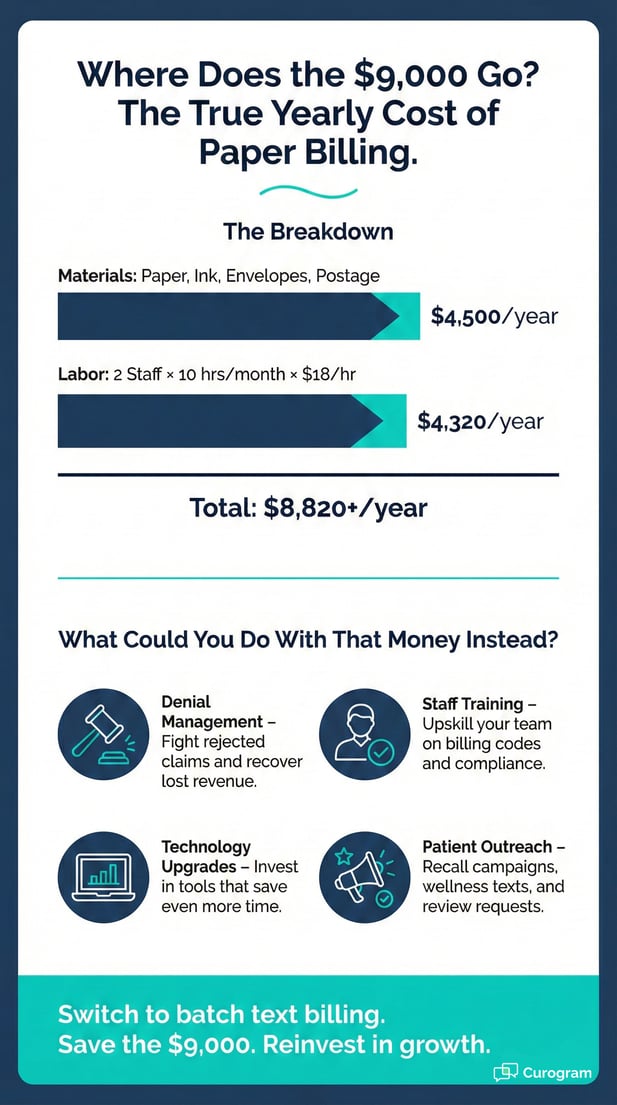
Let’s run the math. A single mailed statement costs around $0.75 when you add up paper, ink, the envelope, and postage. For 500 patients, that’s $375 a month, just to ask people to pay their bill.

Over a year, that’s $4,500 spent on a task that has no guarantee of results. And for Lytec offices running on tight budgets, reducing billing costs for your medical practice is not a luxury. It’s a survival move.

Labor Dollars You Can’t Get Back

Staff time has a dollar value. If two employees spend 10 hours each on statements, and they earn $18 an hour, that’s $360 in labor, on top of the $375 in materials. You’re now at $735 a month.

That’s nearly $9,000 a year to run a process that a text message could handle in minutes. This is why eliminating paper statements is one of the easiest wins for any practice still doing things the old way.

The Blind Spot

No Proof of Delivery

Here’s the part that stings the most. Once a statement goes in the mail, you lose all control. You don’t know if the patient got it. You don’t know if they opened it. You have zero tracking.

Many patients have moved and never told the office. Others share a mailbox with family, and the bill gets lost. The statement you paid to send may never reach the right person.

Return to Sender Delays

When a letter comes back marked “Return to Sender,” it can take two weeks or more. That’s two weeks of waiting before you even know the address was wrong. Then you have to track down the patient and start over.

For Lytec revenue cycle management, this lag is a real problem. Every day a bill sits in limbo is a day your cash flow suffers. Speed matters, and paper can’t keep up. 

The Guide: The 5-Minute Billing Cycle

Curogram turns the billing cycle into a short, simple task. Here’s how the process works from start to finish when you use batch text billing with Lytec.

The Filter

Pull the Statement List

Staff log into Curogram and pull the full list of patients with open balances. The system reads the A/R data straight from Lytec, so there’s no need to export files or run separate reports.

The list shows each patient’s name, balance, and last billing date. It updates in real time, so you always work with the most current data.

Apply Smart Filters

Not every patient should get the same bill at the same time. Curogram lets you set logic rules to refine the list. For example, you can exclude patients on payment plans or skip balances under $5.00.

You can also filter by date range. Want to only bill patients who haven’t been billed in 30 days? Set the rule, and the list adjusts. This level of control is what makes automating monthly statements in Lytec so practical.

The Blast

Review Before You Send

Once the list is filtered, your staff sees a clean view of every patient who will get a text. They can scroll through it, spot-check names, and remove anyone who shouldn’t be on the list.

This step matters. It gives your team a final look before the messages go out. It’s quick, but it’s an important quality check.

One Click, Hundreds of Texts

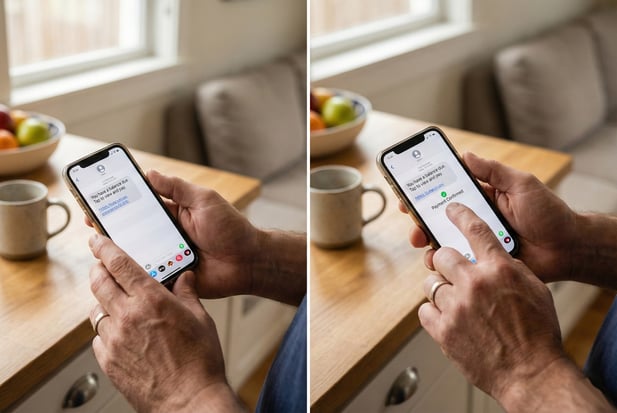
When the list looks right, your staff clicks “Send.” That’s it. Curogram fires off a bulk SMS invoice to every patient on the list. Each text includes a secure link to view and pay the balance.

This is the heart of batch patient billing for Lytec workflows. What used to take days now takes a single click. The old way demanded hours of hands-on labor. This way, your team is done before their morning coffee gets cold.

The Delivery

Instant Delivery Tracking

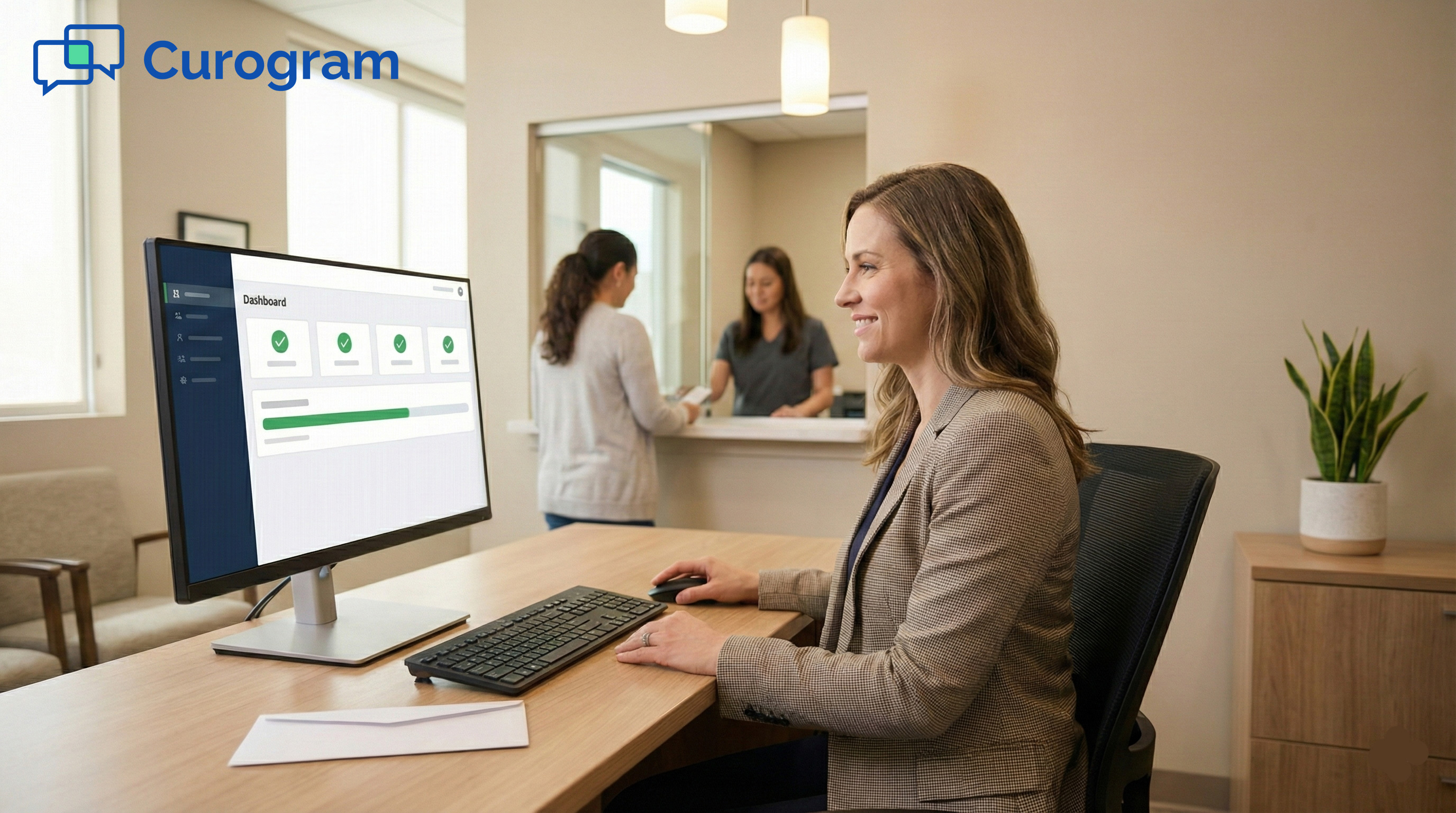
Within seconds, 500 phones buzz. The Curogram dashboard updates in real time to show which texts were delivered. You get clear status tags: delivered, pending, or failed.

This is a huge upgrade over paper. You know right away who got the bill and who didn’t. There’s no guessing and no two-week wait for returned mail.

Fix Bad Numbers on the Spot

If a text fails, Curogram flags it right away. Your team can see which numbers are bad and reach out to those patients through other means. This keeps your contact list clean and current.

With bulk SMS invoicing, failed texts are not a dead end. They’re a prompt to update the record. Over time, your data gets more and more reliable with each billing cycle.


Infographic breakdown of the $9,000 yearly cost of paper billing in healthcare

The Success: Reducing Overhead

Switching to batch text billing does more than save stamps. It cuts real costs, frees up staff hours, and speeds up how fast payments come in. Here’s what the shift looks like in practice.

The Cost Metric

A 90% Drop in Billing Costs

Sending 500 text messages costs a tiny fraction of mailing 500 letters. When you add up paper, ink, envelopes, and postage, the savings hit around 90%. That’s not a small win. That’s a line item that almost goes away.

For a Lytec practice spending $375 a month on paper statements, the switch to text-based billing could save over $4,000 a year. That money goes right back into the practice, whether you spend it on staff, tools, or simply keep it as profit.

Ongoing Savings That Compound

The first month feels great. But the real impact shows up over time. As you send fewer letters, you also buy less paper, less ink, and fewer envelopes. Your supply budget shrinks every quarter.

And because your contact data gets cleaner with each batch, fewer texts fail. That means fewer patients fall through the cracks.

Reducing billing costs for your medical practice is not a one-time event. It’s a cycle that keeps improving.

The Labor Shift

From Two Employees to One Task

The old statement ran pulled two staff members away from the front desk for an entire afternoon, sometimes longer. With batch text billing, one person handles the whole thing in about 10 minutes.

That means the rest of your team stays on the phones, checks in patients, and handles the work that actually drives revenue. You don’t lose productivity to paper anymore.

Redirect Time to Higher-Value Work

Think about what your team could do with those extra hours. They could follow up on denied claims. They could call patients with large balances. They could work on aging accounts that need personal attention.

Batch billing frees your staff to focus on tasks that require skill and judgment. Stuffing envelopes requires neither. This is the real promise of Lytec revenue cycle management done right: less wasted time, more meaningful work.

The Speed Factor

Bills Arrive on the Same Day

With paper, a statement takes three to five days to arrive, sometimes more. With text, it shows up in seconds. That speed matters because the faster a patient sees a bill, the faster they tend to pay.

Some practices time their batch sends to land on paydays. When the invoice hits a patient’s phone the same day they get paid, the odds of a quick payment go way up.

Shorter Revenue Cycles Mean Better Cash Flow

Every day a bill sits unpaid is a day your cash flow takes a hit. Text-based billing shortens that gap by days or even weeks. Payments start rolling in within hours of the batch send.

This kind of speed is something paper mail can never match. For practices that rely on patient payments to stay healthy, a faster revenue cycle is not a nice-to-have. It’s a must. 


Frequently Asked Questions for Lytec Users

Making a shift in how you handle billing always raises questions. Here are the ones that come up most when Lytec practices start using batch text billing with Curogram.

Can I exclude certain patients from the batch send?

Yes. Curogram gives you two ways to control who gets a text invoice. First, you can manually uncheck any patient on the list before sending. If you spot someone who shouldn’t get a bill right now, just remove them.

Second, you can set global rules. For example, if a patient has a “Do Not Bill” flag in Lytec, Curogram will skip them every time. This keeps your process clean without extra steps.

What if a patient does not have a cell phone number on file?

Curogram filters the list by those who have a mobile number and those who don’t. If a patient lacks a cell number, they stay in the “To Print” queue. This way, you only mail paper statements to the few patients who truly need them.

Over time, your staff can collect mobile numbers during check-in or through the reminder process. This means the “To Print” list shrinks with each cycle, and your bulk SMS invoicing reach grows.

How do we handle texts that fail to deliver?

If a text fails, Curogram flags it right away on the dashboard. You find out in seconds, not in two weeks. This is far better than waiting for an envelope to come back marked “Return to Sender.”

When a number is bad, your team can call the patient, check for an updated number, or move them to the print queue. This keeps your contact data fresh and helps improve delivery rates over time, which is a key part of automating monthly statements in Lytec.


Patient hands using a smartphone to easily pay a medical bill via text message link

Work Smarter, Not Harder

The statement run doesn’t have to own your month. There are better ways to collect what patients owe, and they don’t involve a single envelope.

There is no badge of honor for printing and stuffing 500 envelopes. It’s slow. It’s costly. And it gives you zero insight into whether the bill even reached the patient.

If your staff still dreads the first of the month, that’s a sign. The process is broken, not the people.

Batch patient billing for Lytec workflows is not a complex system change. It’s a layer that sits on top of what you already use. Your Lytec data stays in Lytec. Curogram just reads it and helps you act on it faster.

Practices that make the switch often say the same thing: they wish they had done it sooner. The time you save in the first month alone makes the case for you.

Use the hours you get back to fight denials, manage complex claims, or train your team. Those are the tasks that grow your practice. Envelope duty is not one of them.

Eliminating paper statements is a step toward a more modern billing workflow. It’s one change that affects your staff, your patients, and your revenue all at once.

The best way to judge batch text billing is to watch it work. Schedule a Demo to see how fast you can clear your monthly statement queue.