
Bulk Communication Efficiency for Meditab IMS
 Jo Galvez : Jan 14, 2026, 6:00:00 AM
Improve bulk communication efficiency for Meditab IMS organizations using mass texting.
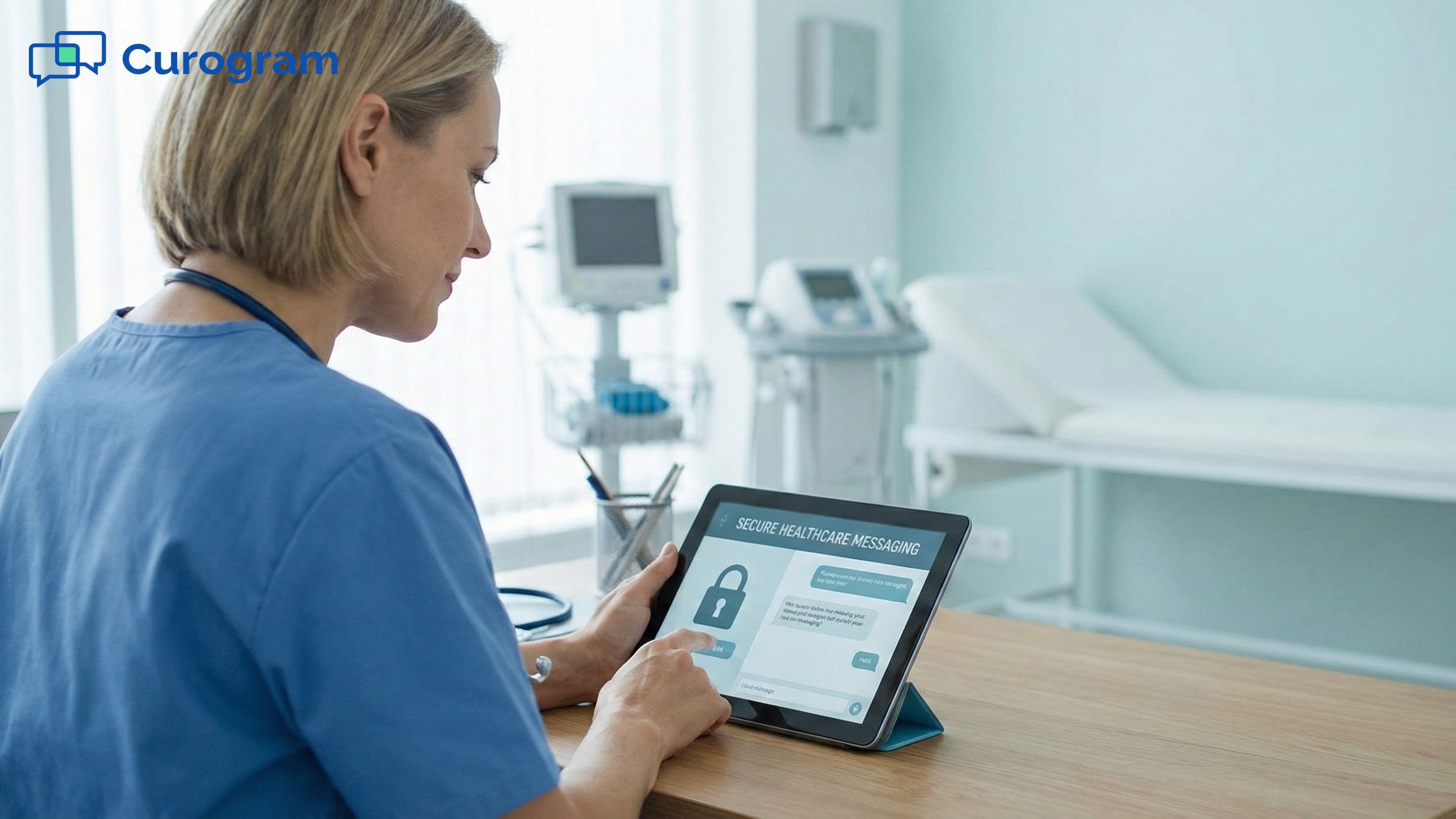
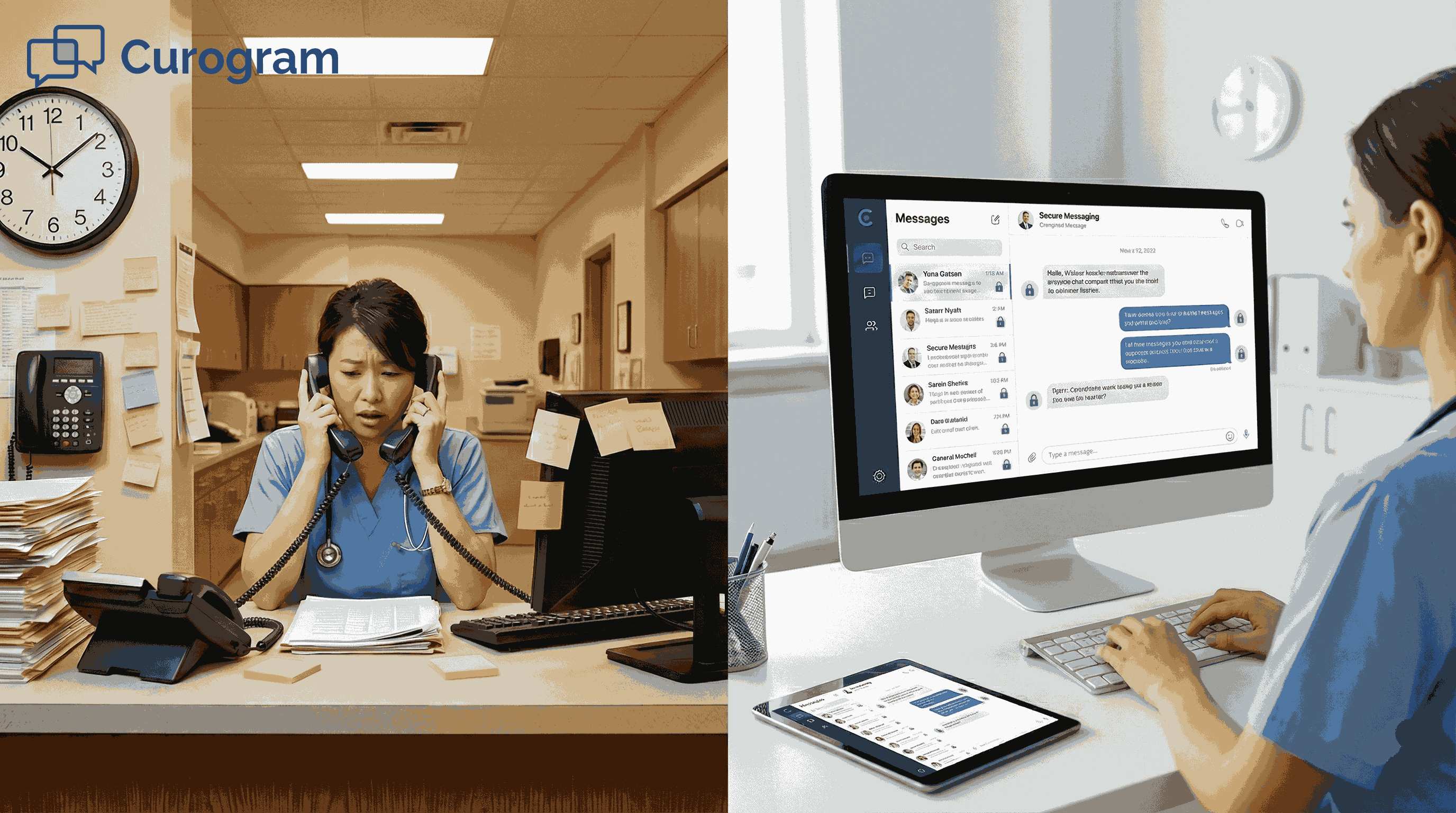
Your front desk is drowning in phone calls. Patients call to confirm appointments, ask for directions, and follow up on care instructions. Your staff spends hours on the phone, leaving voicemails, and tracking down answers to simple questions.
Meanwhile, some team members resort to personal texts to stay in touch with patients. It's faster than playing phone tag, but it creates serious compliance problems. Patient information sits in personal devices with no audit trail and no oversight.
This isn't sustainable. As your Meditab IMS organization grows, communication becomes messier. Different staff members handle the same patients in different ways. Messages get lost. Responses get delayed. Patients get frustrated.
Secure patient messaging workflows for Meditab IMS teams offer a better path forward. These workflows centralize patient conversations in one HIPAA-compliant system. They automate routine messages. They give your entire team visibility into patient communication. And they reduce the phone calls that interrupt your front desk all day.
The shift from phone-first communication to structured messaging workflows isn't just about convenience. It's about control, consistency, and compliance. When you standardize how your team communicates with patients, you reduce errors, improve response times, and protect patient data.
Healthcare communication workflows need to support care, not complicate it. For Meditab IMS teams managing high patient volumes across multiple locations, secure messaging workflows provide the infrastructure to scale communication without adding chaos. Your team gets a clear process. Your patients get faster responses. Your organization stays compliant.
This guide explains how secure patient messaging workflows work for Meditab IMS teams. You'll learn how to design standardized workflows, centralize conversations, reduce call volume, and maintain compliance as you grow.
Meditab IMS organizations handle thousands of patient interactions every week. Appointment scheduling, care instructions, follow-up questions, and insurance clarifications all require timely communication. When these interactions happen through phone calls and voicemails, response times suffer and patients wait.
Manual phone-based workflows create bottlenecks at your front desk. Staff members answer the same questions repeatedly. They leave voicemails that patients don't check. They spend time tracking down information that could be shared instantly through text.
Informal texting adds another layer of risk. Some staff members use personal phones to communicate with patients because it's faster than phone tag. But personal texts bypass your organization's security controls. They create scattered communication records that auditors can't access. And they expose your organization to compliance violations.
Structured messaging workflows solve these problems by bringing control and consistency to patient communication. Instead of relying on individual staff members to decide how and when to reach patients, workflows automate key touchpoints and centralize all conversations in one secure system.
Phone-first communication creates predictable problems for busy Meditab IMS teams. Missed calls and voicemails pile up during peak hours. Patients leave messages that sit in queues for hours before staff can respond. By the time someone calls back, the patient may have already called another office or given up entirely.
Delayed responses frustrate patients and create extra work for your team. One missed call leads to three more. One unreturned voicemail leads to an escalated complaint.
Phone-based workflows also create communication silos among staff members. When a patient calls, whoever answers the phone handles that conversation. If that staff member is unavailable later, no one else knows what was discussed. The patient has to repeat information. Staff members duplicate effort. Important details get lost.
Without structured workflows, it's unclear who owns patient messages. When a patient reaches out, does the scheduler respond? Does the nurse? Does the front desk? Unclear ownership leads to gaps where messages sit unanswered because everyone assumes someone else will handle it.
Creating effective secure messaging workflows starts with simplicity. Complex workflows with too many steps confuse staff and create bottlenecks. The best workflows are easy to understand, quick to execute, and repeatable across your entire organization.
Standardization is key. When every team member follows the same workflow for appointment reminders and follow-up messages, patients get a consistent experience. Staff members don't have to guess how to handle each situation. And your organization can scale communication without adding complexity.
Automated, HIPAA-compliant texting makes standardization possible. Instead of relying on staff to remember every step, automated messaging systems handle routine touchpoints without manual intervention. This reduces human error and frees your team to focus on patients who need personalized attention.
Effective healthcare communication workflows start with clear triggers. A trigger is an event that automatically initiates a message. Common triggers include appointment scheduling, visit completion, and lab results availability.
When a trigger fires, the workflow sends a predefined message without requiring staff action. For example, when a patient schedules an appointment in Meditab IMS, a trigger automatically sends a confirmation message with date, time, and location details.
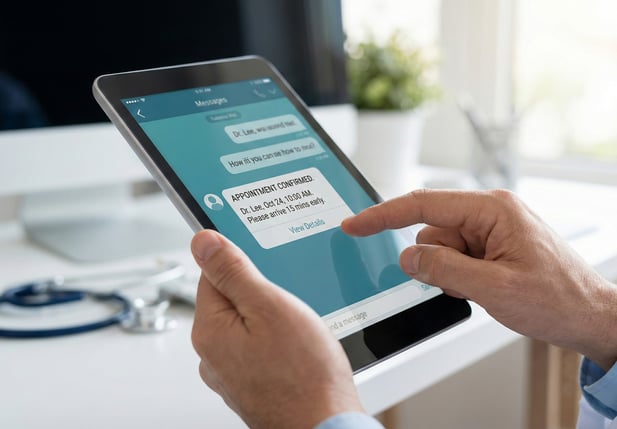
Appointment scheduling is one of the most common workflow triggers. As soon as a patient books an appointment, they should receive a confirmation message. This message includes all relevant details: provider name, date, time, location, and any preparation instructions.
Automated appointment confirmations reduce no-shows and last-minute cancellations. Patients have all the information they need in writing.
Post-visit follow-up is another important trigger. After a patient completes a visit, a workflow can automatically send a follow-up message asking if they have questions or reminding them of the next steps. This keeps patients engaged and reduces gaps in care.
Standardizing Message Tone and Content
Once you've established triggers, the next step is standardizing message content. Every message your organization sends should use consistent, patient-friendly language. This consistency builds trust and reduces confusion.
Standardized messages should be clear and concise. Patients should immediately understand what the message is about and what action they need to take. Avoid medical jargon. Use simple language. Keep messages short.
Patients can confirm, cancel, or ask questions without calling the office. Staff receive responses quickly and can adjust schedules before gaps become losses.
Every message should include clear instructions. If a patient needs to confirm an appointment, the message should explain exactly how to do that. If they need to prepare for a visit, the message should list specific steps.
Clear instructions also reduce the need for follow-up questions. When patients know exactly what to do, they can take action immediately.
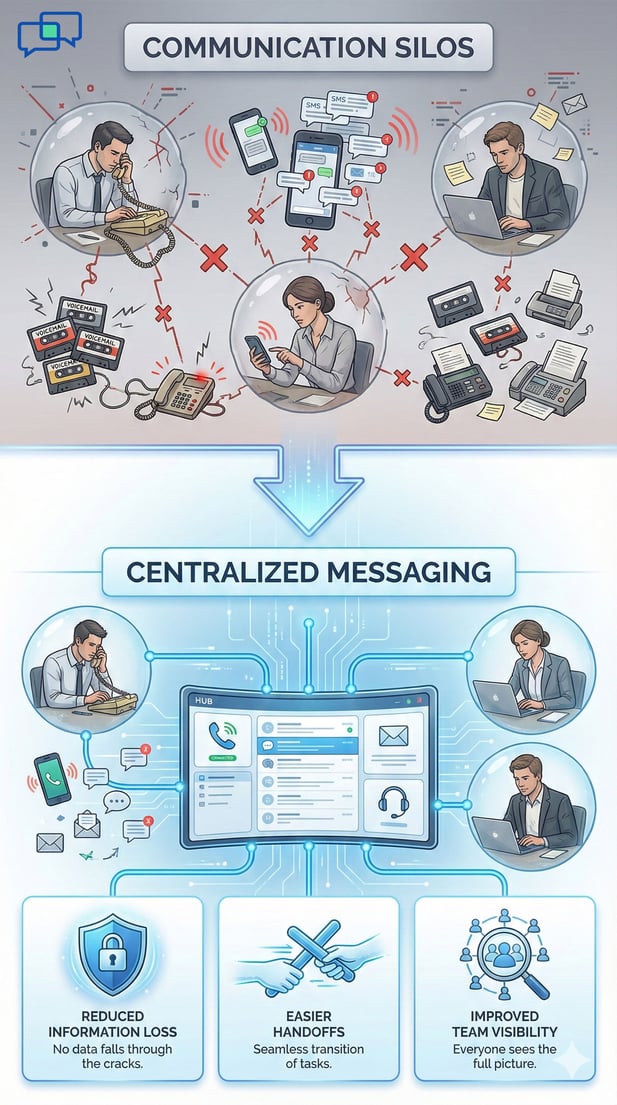
In most Meditab IMS organizations, multiple staff members interact with the same patients. The scheduler books the appointment. The nurse conducts the intake. The provider delivers care. The front desk handles follow-up questions. Each interaction creates communication that needs to be tracked and shared.
When these conversations happen through phone calls, personal texts, and scattered voicemails, information gets lost. Staff members don't know what their colleagues discussed with a patient. Patients have to repeat information. And important details slip through the cracks.
Centralized messaging solves this problem by putting all patient conversations in one place. Every message lives in a shared system that your entire team can access. This visibility improves coordination and prevents information loss.
Care coordination workflows depend on shared information. When nurses, providers, schedulers, and front desk staff all have access to the same patient conversations, they can work together more effectively.
Shared visibility is the foundation of effective secure patient messaging workflows for Meditab IMS teams. When all patient messages live in a centralized system, every authorized team member can see the full conversation history.
Without shared visibility, staff members work in silos. They don't know what other team members have discussed with a patient. They can't see if a question has already been answered. This leads to duplicated effort and inconsistent information.
Centralized messaging puts all patient conversations in one searchable location. Staff members can search for a patient's name and instantly see every message exchanged with that patient.
This centralization makes it easy to track communication history. When a patient calls with a question, your staff can quickly review recent messages to understand context.
When patient conversations live in personal phones or individual voicemails, your organization becomes dependent on specific staff members. If that person is on vacation, sick, or leaves the organization, their knowledge leaves with them.
Centralized messaging eliminates this dependency. Because all messages live in a shared system, any authorized team member can access them.
Centralized patient conversations improve team collaboration in ways that phone-based communication can't match. When everyone has access to the same information, teams can coordinate care more effectively.
Healthcare communication workflows built on centralized messaging enable true team-based care. Instead of individual staff members working in isolation, teams work together to meet patient needs.
When patient messages are centralized, the first available staff member can respond. There's no need to wait for a specific person to return from lunch or finish with another patient.
This flexibility speeds up response times. Patients don't have to wait hours for one specific person to get back to them.
Care coordination workflows require tight collaboration between different roles. Nurses need to coordinate with schedulers. Providers need to coordinate with care managers.
Centralized messaging makes this coordination possible. When everyone can see the same patient conversations, they can coordinate their efforts and avoid conflicting information.
Many patient calls involve routine questions that don't require phone conversations. Patients call to confirm appointments, ask for directions, and clarify care instructions. These calls take time away from staff and create interruptions throughout the day.
Secure patient messaging workflows for Meditab IMS teams shift routine communication from phone to text. Instead of calling the office, patients can send a message. This shift reduces call volume and frees your front desk to handle more complex patient needs.
Text messaging is ideal for handling routine requests. Common requests that work well through secure messaging include appointment coordination, directions and instructions, and basic clarifications.
Appointment scheduling, rescheduling, and confirmation are perfect for text messaging. Patients can request appointments without calling. Staff can offer available times without playing phone tag.
Many patients call offices asking for directions or visit preparation instructions. A quick text with directions or a link to a map solves the problem without a phone call.
Effective patient care requires ongoing communication between visits. Patients have follow-up questions. They need clarification on care plans. Without easy ways to communicate, patients delay reaching out until problems escalate.
Secure patient messaging workflows enable timely follow-up that keeps care on track. Instead of waiting weeks until the next scheduled visit, patients can reach out when they have questions.
The period immediately after a visit is critical for patient engagement. Patients are processing new information. They're trying to follow care plans. And they often have questions that didn't occur to them during the appointment.
After a visit, patients often think of questions they forgot to ask. Secure messaging makes post-visit questions easy. Patients can send a text as soon as a question occurs to them.
Many patients leave appointments with care plans they don't fully understand. Secure messaging lowers the barrier to asking for help. Patients can send a quick text asking for clarification.
Patient messages frequently include protected health information. Appointment details, care plan discussions, and symptom reports all fall under HIPAA protections. Any messaging system your organization uses must keep this information secure and compliant.
The solution is to build compliance into your workflows from the start. When you use HIPAA-compliant messaging channels with the right controls and audit capabilities, your team can communicate freely while protecting patient data.
HIPAA compliance starts with using the right technology. Regular text messages, personal email, and consumer messaging apps don't meet HIPAA standards. They lack encryption. They don't provide business associate agreements. And they don't give you control over where patient data goes.
HIPAA-compliant messaging platforms are specifically designed for healthcare. They encrypt messages in transit and at rest. They require user authentication. They provide audit trails. And they include controls that help you manage access and permissions.
Healthcare communication workflows must ensure messages reach only intended recipients. Secure delivery means messages are encrypted from the moment they leave your system until the patient receives them.
Not every staff member should have access to every patient conversation. HIPAA requires that you limit access to PHI based on job roles. Secure messaging systems support this requirement through role-based access controls.
Compliance isn't just about using secure technology. It's also about having visibility into how your team uses that technology. Care coordination workflows must support audit and oversight requirements without creating extra work for staff.
Every patient message should create a clear record. Who sent the message? When was it sent? Did the patient receive it? These details are essential for compliance and quality improvement.
Using informal communication channels exposes your organization to significant risk. Healthcare communication workflows built on compliant platforms reduce this exposure. When staff have easy-to-use secure messaging tools, they don't need to resort to risky workarounds.
Growing healthcare organizations face unique communication challenges. What works for a single clinic doesn't scale to a multi-location network. Without standardized systems, each location develops its own communication approach.
Workflow-based messaging scales efficiently because it separates governance from execution. Leadership defines standard workflows at the organizational level. Individual locations execute those workflows with their patients.
Multi-location organizations need communication tools that work the same way everywhere. Patients should have the same experience whether they visit your downtown clinic or your suburban location.
Secure patient messaging workflows for Meditab IMS teams support multi-location consistency through centralized configuration. Your IT team sets up workflows once. Every location uses those same workflows.
When all locations use the same messaging workflows, you create shared communication standards. Every patient receives appointment reminders in the same format. Every post-visit follow-up includes the same key information.
Growth creates governance challenges. As you add locations and staff, it becomes harder to maintain oversight. Care coordination workflows built on centralized platforms provide the governance tools growing organizations need.
Centralized messaging platforms give leadership visibility into communication across the entire organization. You can see message volumes, response times, and patient engagement metrics for each location.
While governance should be centralized, execution needs to be local. Frontline staff at each location should be able to use messaging tools without constant oversight.
Meditab IMS organizations need secure messaging tools that work seamlessly with their existing systems. The platform should integrate with IMS data. It should support the workflows teams actually need. More importantly, it should be easy enough that busy staff will actually use it.
Curogram provides secure patient messaging workflows for Meditab IMS teams through a purpose-built platform designed for ambulatory and community care settings. The system integrates directly with Meditab IMS, handles HIPAA compliance automatically, and scales across multi-location organizations.
Curogram isn't just a messaging app. It's a complete workflow infrastructure that supports the communication needs of growing Meditab IMS organizations. The platform centralizes patient conversations, automates routine touchpoints, and provides the governance tools leadership needs.
Teams using Curogram can design custom workflows that match their specific care models. Automated appointment reminders go out based on IMS data. Post-visit follow-ups are triggered based on visit types. And routine requests get routed to the right staff member automatically.
Curogram puts all patient messages in one centralized system that integrates with Meditab IMS. Staff log into a single platform to see all patient communication. The integration with IMS means patient data flows automatically between systems.
Curogram is built with HIPAA compliance as a core feature. Every message is encrypted. All access is logged. And the platform provides business associate agreements and audit trails that support regulatory requirements.
Secure patient messaging workflows transform how Meditab IMS teams communicate. By centralizing patient conversations, automating routine touchpoints, and maintaining HIPAA compliance, these workflows reduce phone call volume while improving care coordination and patient satisfaction.
The shift from phone-first communication to structured messaging workflows isn't just about convenience. It's about building operational infrastructure that supports better care delivery. When your team has clear processes, shared visibility, and compliant tools, they can focus on what matters most: helping patients.
For growing organizations, standardized messaging workflows provide the consistency and governance needed to scale communication across multiple locations. Central oversight ensures compliance and quality. Local execution keeps care personal and responsive.
Secure patient messaging workflows for Meditab IMS teams represent the future of healthcare communication. They replace chaotic, phone-based processes with organized, efficient, compliant workflows. They free your staff from routine tasks so they can focus on complex patient needs. And they give patients the quick, convenient communication they expect.
Whether you're managing a single clinic or a multi-location network, these workflows can transform your patient communication. Start by identifying your biggest communication challenges. Map out the routine touchpoints that could be automated. And look for platforms that integrate with your Meditab IMS system and support your specific workflows.
Book a demo to see how Curogram supports better care workflows with Meditab IMS.
 Jo Galvez : Jan 14, 2026, 6:00:00 AM
Improve bulk communication efficiency for Meditab IMS organizations using mass texting.
 Jo Galvez : Jan 13, 2026, 8:00:00 PM
Deliver consistent broadcast patient messaging workflows across Meditab IMS teams.
 Jo Galvez : Jan 12, 2026, 4:00:00 PM
Secure two-way texting for Meditab IMS practices to communicate faster while protecting patient data.