
No-Show Reduction Efficiency for Meditab IMS Organizations
 Jo Galvez : Jan 14, 2026, 3:59:59 PM
Learn how Meditab IMS organizations improve no-show reduction efficiency, protect access, and stabilize schedules with automated reminders.
Every clinic knows the cost of a no-show. An empty slot means wasted time, lost revenue, and a patient who may skip care. For Meditab IMS teams handling hundreds of visits each week, missed appointments add up fast.
Manual reminder calls used to be the only option. Staff would dial patient after patient, leave voicemails, and hope someone picked up. The process ate hours every day. And even with all that effort, gaps still appeared on the schedule.
Automated appointment reminder workflows for Meditab IMS teams solve this problem. These systems send text reminders on a set schedule without any staff input. Patients get clear visit details, confirm with a tap, and reschedule if needed. The clinic keeps its calendar full, and staff get time back.
This shift from manual outreach to workflow automation changes how teams operate. Reminders go out on time, every time. Staff handle fewer routine calls and focus on complex needs. And when patients confirm or cancel early, the practice can fill open slots before the day starts.
For Meditab IMS practices, appointment workflow optimization means more than just fewer no-shows. It means stable schedules, better staff morale, and a patient experience that feels modern and easy. The result is a clinic that runs more smoothly and serves more people.
Meditab IMS practices operate at scale. A busy clinic may book 200 visits in a single day across multiple providers. When patients miss those visits, the impact spreads fast. Empty slots waste resources, delay care for others, and hurt revenue.
Manual reminder calls try to prevent this. But the approach has limits. Staff can only make so many calls per hour. Some patients never answer. Others say they will come and then do not show. The process takes time but does not guarantee results.
Automated appointment reminder workflows for Meditab IMS teams change the equation. These systems send reminders at planned times without manual effort. Patients receive consistent messages, and staff focus on higher-value tasks. The clinic gains control over its schedule.
Reliability matters in high-volume settings. When reminder workflows run on schedule, patients get the information they need. When they can confirm with a text, the clinic knows who plans to attend. This visibility helps teams plan better and respond to gaps faster.
Manual reminders create problems that scale with patient volume. Staff make outbound calls one at a time, often reaching voicemail instead of a person. They leave messages and hope patients listen. If someone misses the call, staff may try again or move on.
This approach consumes hours each day. A busy front desk may spend half the morning on reminder calls alone. That time could go toward greeting patients, handling check-ins, or solving complex scheduling issues. Instead, it goes to repetitive outreach.
Individual calls demand attention and energy. Staff dial a number, wait for an answer, deliver the reminder, and log the result. Most calls end in voicemail. The person may call back later or may forget entirely.
This pattern repeats dozens of times per day. Each call takes minutes. The time adds up, and the outcome stays uncertain. Staff cannot guarantee patients received the message or plan to attend.
Voicemail creates its own burden. Patients may leave messages asking to reschedule or confirm. Staff must listen, note details, and respond. If messages pile up, some slip through.
Missed follow-ups lead to confusion. A patient thinks they called to cancel. The clinic does not have the update. The slot goes unused, and both sides lose. Automated workflows prevent this by giving patients a direct way to respond.
Structure matters when building reminder workflows. A system that sends reminders at random times or with unclear messages confuses patients. A workflow that runs on a set schedule with clear content builds trust. Patients know what to expect and how to respond.
Meditab IMS teams need workflows that fit their volume and pace. The right approach sends reminders at planned intervals, includes visit details, and gives patients a way to confirm or cancel. This structure replaces ad hoc outreach with a predictable system.
Standardization reduces variation. Every patient gets the same quality of reminder. Every message includes the same key details. Staff do not have to remember what to say or when to call. The workflow handles it.
Timing affects whether patients see and act on reminders. Send a message too early and they forget. Send it too late and they cannot adjust plans. The right cadence balances these needs.
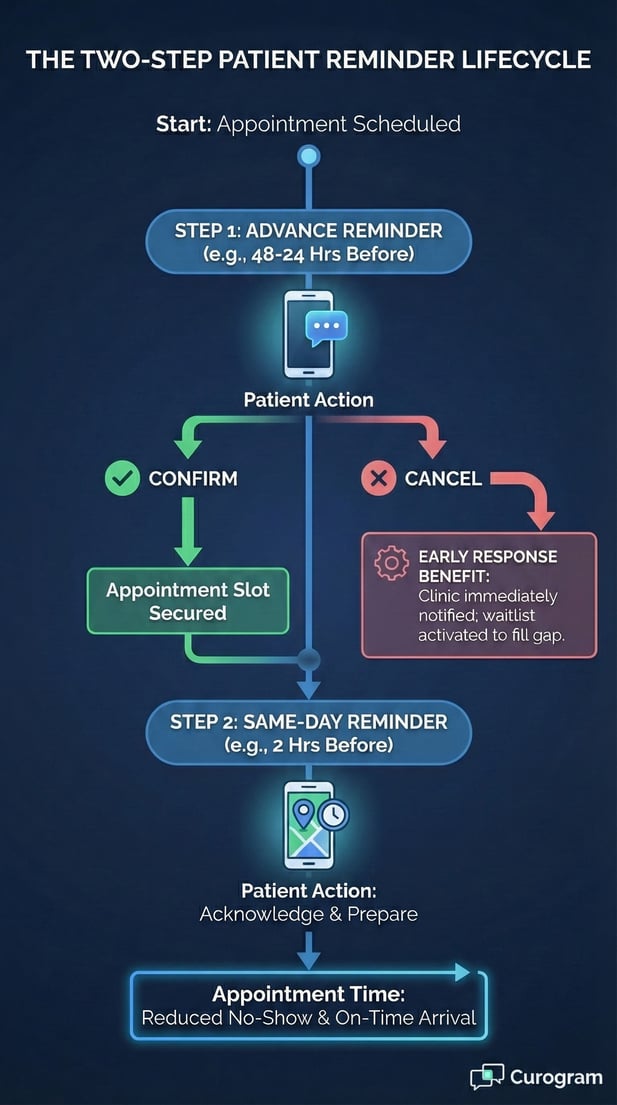
Most Meditab IMS practices use a two-step approach. An advanced reminder goes out a few days before the visit. A same-day reminder follows on the morning of the appointment. This pattern gives patients time to plan and a final prompt before they leave home.
A reminder sent 48 hours before a visit gives patients notice. They can check their calendar, arrange transport, and prepare questions. If they need to reschedule, they have time to call.
This early outreach also helps clinics. When patients cancel with notice, staff can offer the slot to someone on a wait list. The day stays full, and care reaches more people.
Morning appointment reminders catch people before they start their day. It serves as a final check. If someone forgot, they still have time to attend. If they cannot make it, they can cancel and free the slot.
Same-day messages cut down on silent no-shows. Patients get one more chance to respond. The clinic gains a few hours to react if someone cancels. This timing makes a real difference in daily operations.
Standardizing Reminder Content
Message content shapes how patients respond. A vague reminder like 'you have an appointment soon' does not help. A clear message with date, time, provider, and location gives patients what they need.
Standardized templates ensure consistency. Every appointment reminder includes the same core details. Patients learn to recognize the format and know where to look for information. This familiarity builds confidence.
Every reminder should state when and with whom. Patients need to know 'Tuesday, January 15 at 2:00 PM with Dr. Smith.' This clarity prevents confusion and double-bookings.
Including the provider name matters in multi-physician practices. Patients may see different specialists and need to know which visit is coming up. This detail reduces phone calls asking for clarification.
Some visits happen in the clinic. Others occur online. Reminders must state which. A message for an in-person visit should include the clinic address. A message for a virtual visit should explain how to join.
This distinction prevents patient confusion. If someone shows up for an online visit, staff waste time redirecting them. If someone expects an online visit but needs to come in, they miss care. Clear instructions solve both problems.
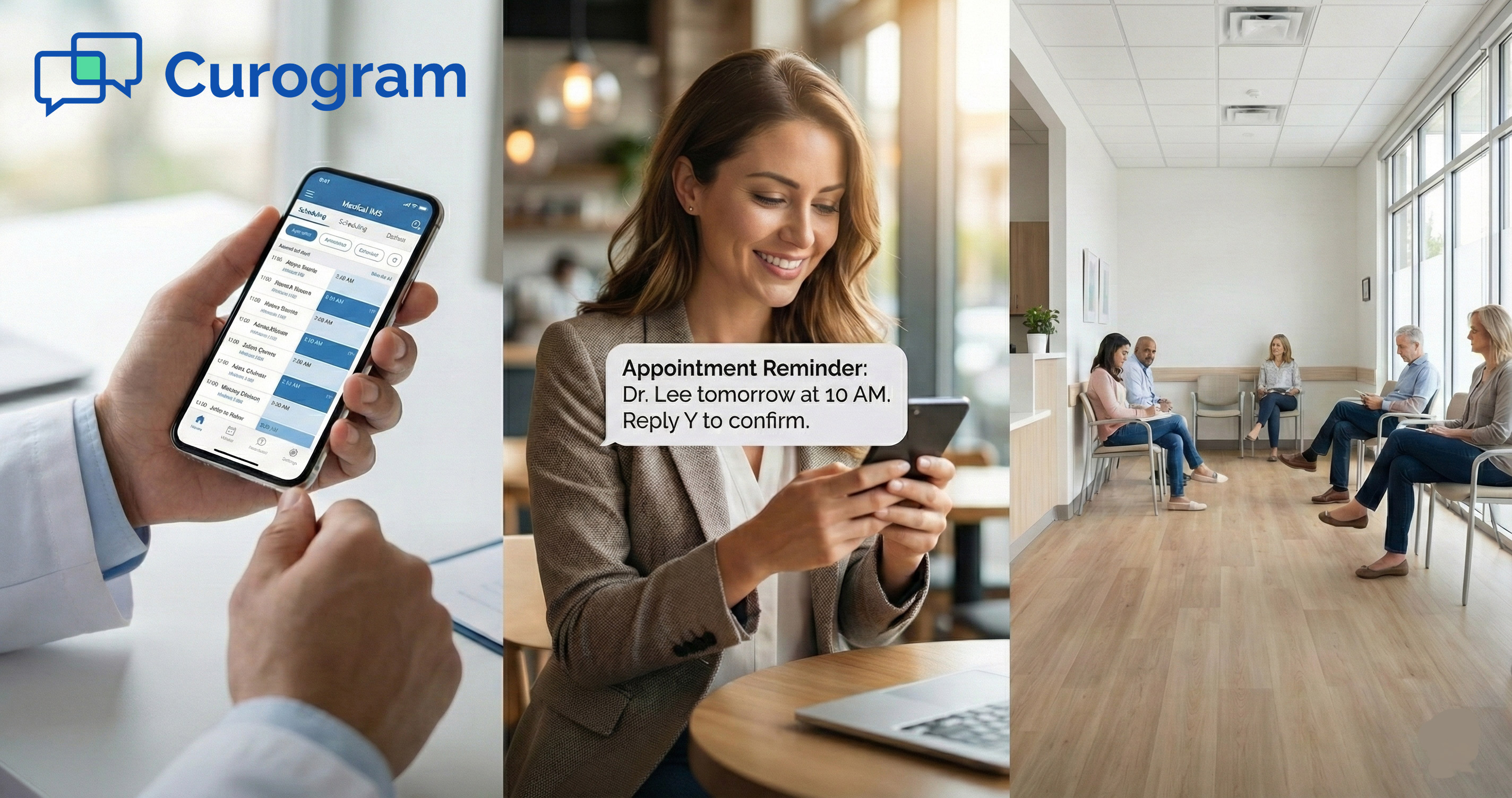
Appointment reminders without a reply option is just a notice. A reminder with a built-in response creates a conversation. When patients can confirm or cancel via text, the clinic gains real-time insight into who plans to show up.
This two-way capability transforms how Meditab IMS teams manage schedules. Instead of guessing who might attend, staff see confirmations roll in. When someone cancels, they know immediately and can act.
Early responses drive better outcomes. A patient who confirms 24 hours ahead is more likely to show. A patient who cancels with notice gives the clinic time to fill the gap. Both scenarios beat a silent no-show on the day of the visit.
Phone calls create friction. Patients have to dial, wait on hold, and explain their situation. Many skip this step. Text replies remove the barrier. A patient reads the reminder and taps 'confirm' in seconds.
This ease increases response rates. More patients engage when the process feels simple. Clinics get confirmation data without staff lifting a finger. The workflow collects responses and updates the schedule automatically.
A message that says 'Reply YES to confirm' makes engagement simple. The patient types three letters and hits send. No navigation, no hold music, no back-and-forth. The action takes seconds.
This low-effort design matters for busy patients. Someone rushing between tasks can confirm while waiting in line or during a break. The clinic gets the data it needs and the patient feels in control.
When patients respond by text, staff do not have to field calls. The workflow logs the reply and the schedule updates. This automation cuts down on phone volume and gives teams more time for complex tasks.
Front desk staff notice the difference. Instead of answering the same questions all morning, they handle exceptions and help patients with real needs. The automated workflow carries the routine load.
Early cancellations protect clinic resources. When a patient cancels 48 hours ahead, staff can reach out to wait-listed patients. That slot stays filled and care happens. Late cancellations leave no time to recover.
Automated reminders with reply options capture these decisions sooner. Patients see the reminder, realize they cannot attend, and cancel via text. The clinic learns about the opening right away. This speed creates opportunity.
A cancellation that comes in early gives staff options. They can call patients who requested earlier appointments. They can check for wait-listed cases. They can adjust provider schedules to balance the day.
This flexibility matters in high-volume practices. Every open slot is a chance to serve someone. Early notice makes that possible. Last-minute gaps do not.
Silent no-shows leave holes in the day. A provider sits idle while a patient somewhere else waits weeks for care. Automated workflows with confirmation reduce this waste.
When patients engage with reminders, the schedule stays accurate. The clinic knows who plans to show and who does not. Gaps get spotted early and filled. The day runs more smoothly for everyone.
Staff time is the most valuable resource in a clinic. When teams spend hours on reminder calls, they cannot handle other priorities. Automation shifts this burden away from people and onto systems.
Meditab IMS practices with automated appointment reminder workflows see the impact quickly. Phone volume drops. Voicemail clears. Staff have space to focus on patient questions, insurance issues, and scheduling needs that require judgment.
Eliminating Repetitive Outreach
Reminder calls are routine by nature. The script stays the same. The action repeats. This kind of task drains energy and does not grow skills. Automation handles it without fatigue.
A clinic that makes 100 reminder calls per day spends 200 to 300 minutes on outreach. That is four to five hours of staff time. Automated workflows cut this to zero. The system sends reminders, enabling staff to work on other tasks.
Voicemail creates work. Staff listen, transcribe, and follow up. Automated workflows with text replies skip this entirely. Patients confirm by text, and the system logs it. No messages to check, no callbacks to make.
Not every scheduling task is routine. Some patients need same-day care. Others have transport issues or need multiple visits coordinated. These situations require human judgment.
When staff are not tied up with reminder calls, they can give better service. A patient with a complex question gets full attention. A case that needs care coordination gets handled properly. Quality improves.
Repetitive work wears people down. Automation removes the grind. Staff spend time on work that feels meaningful. Morale improves and turnover drops.
Meditab IMS practices often operate across multiple sites. Each location has its own schedule, patient base, and flow. Managing reminders consistently across all sites creates a challenge.
Automated workflows solve this by applying the same logic everywhere. Every location sends reminders at the same intervals with the same content. Patients get a consistent experience no matter which site they visit.
Consistency builds trust. When patients see the same reminder format at every clinic, they know what to expect. They learn to recognize official messages and respond appropriately.
A patient who visits one clinic today and another next week should get similar reminders. This predictability reduces confusion and improves response rates.
Without automation, each site may handle reminders differently. One calls, another texts, a third sends emails. Patients receive mixed signals. Automated workflows eliminate this variation.
Multi-site operations need visibility. Leadership wants to know how reminders perform at each location. Automated systems provide this data.
Centralized reporting shows which sites have high confirmation rates and which do not. Managers can spot issues and take action.
When every site uses the same workflow, outcomes become comparable. Leadership can set standards and measure compliance. This transparency drives better performance.
Reminder messages touch patient data. A text that includes visit details contains protected health information. Meditab IMS teams must ensure these messages stay secure.
HIPAA rules require that patient information stay protected during transmission and storage. Automated workflows that meet these standards give clinics confidence. Those that do not create risk.
Not all reminder systems handle data the same way. Some send messages over open channels. Others use encryption and access controls. Meditab IMS practices need the latter.
A secure system encrypts messages in transit. Even if someone intercepts the data, they cannot read it. This protection matters when reminders include names, dates, and provider information.
Some workflows limit what appears in a text message. Instead of full visit details, the message says 'you have an upcoming appointment' and links to a secure portal. This approach keeps sensitive data off SMS.
HIPAA also requires clinics to track who accessed patient data and when. Automated reminder systems must create these logs.
A system that logs every reminder sent provides an audit trail. If regulators ask about a specific patient, the clinic can show exactly what messages went out and when.
With centralized logs, responsibility is clear. The system records who configured the workflow, when it ran, and what it sent. This transparency protects the practice if questions arise.
Curogram was built for practices like yours. The platform integrates with Meditab IMS and automates patient communication at scale. Teams use it to send reminders, collect confirmations, and keep schedules full.
The system handles HIPAA compliance, manages multi-site operations, and reduces staff workload. Meditab IMS practices that adopt Curogram see fewer no-shows and smoother daily operations.
Curogram sends reminders based on rules you set. You choose the timing, cadence, and content. The platform executes the workflow and tracks results.
Whether your practice sends 50 reminders per day or 500, Curogram handles the volume. Messages go out on time, and patients receive them. The system does not skip appointments or miss deadlines.
Curogram was designed with HIPAA in mind. The platform encrypts messages, logs activity, and controls access. Your team can use it confidently knowing patient data stays protected.
Automated appointment reminder workflows for Meditab IMS teams cut no-shows, reduce staff workload, and stabilize daily schedules. These systems replace manual outreach with structured, predictable communication.
The benefits are clear. Patients get timely reminders. Staff focus on complex tasks. Clinics fill more slots and serve more people. When workflows run smoothly, operations improve.
Appointment workflow optimization is not about adding more tools. It is about using the right ones well. A reminder system that integrates with Meditab IMS, meets HIPAA standards, and scales across sites delivers value every day.
For practices ready to move beyond manual calls, automation offers a path forward. The technology exists. The results are proven. The choice is whether to keep doing things the old way or adopt a better approach.
Book a demo to see how Curogram supports better care workflows with Meditab IMS.
 Jo Galvez : Jan 14, 2026, 3:59:59 PM
Learn how Meditab IMS organizations improve no-show reduction efficiency, protect access, and stabilize schedules with automated reminders.

See how Curogram integrates with Office Ally to automate reminders, reduce no-shows, and help small practices maximize patient attendance.
 Sharee Narciso : Dec 9, 2025, 2:30:00 PM
Discover how DrChrono small practices reduce no-shows and maximize provider utilization with Curogram’s HIPAA-compliant reminders.