
How NextGen Clinics Improve Patient Communication w/ Text Messaging
Learn how NextGen clinics can improve patient communication with HIPAA-compliant text messaging. Reduce no-shows, boost satisfaction, and save staff...
11 min read
Open the Patient Portal tab in your Workflow module. A few messages sit there from patients who enrolled in NextGen PxP Portal. Now pull up tomorrow's schedule. Most of those people never activated an account, so confirming them means somebody picks up the phone.
That gap is the real problem, and it is not a NextGen defect. NextGen Healthcare ships a working secure messaging channel, and practices that use it get value from it. Enrollment is the ceiling.
Patients who never activated an account, or who lost the password two years ago, sit outside that channel entirely.
Text messaging reaches both groups. A staff member's personal iPhone does not, at least not compliantly, and the Office for Civil Rights has priced that mistake down to the dollar.
We will cover what makes texting HIPAA compliant, what NextGen handles on its own, and where secure texting fits around it. Then we will look at what Curogram's integration with NextGen changes in the daily queue.
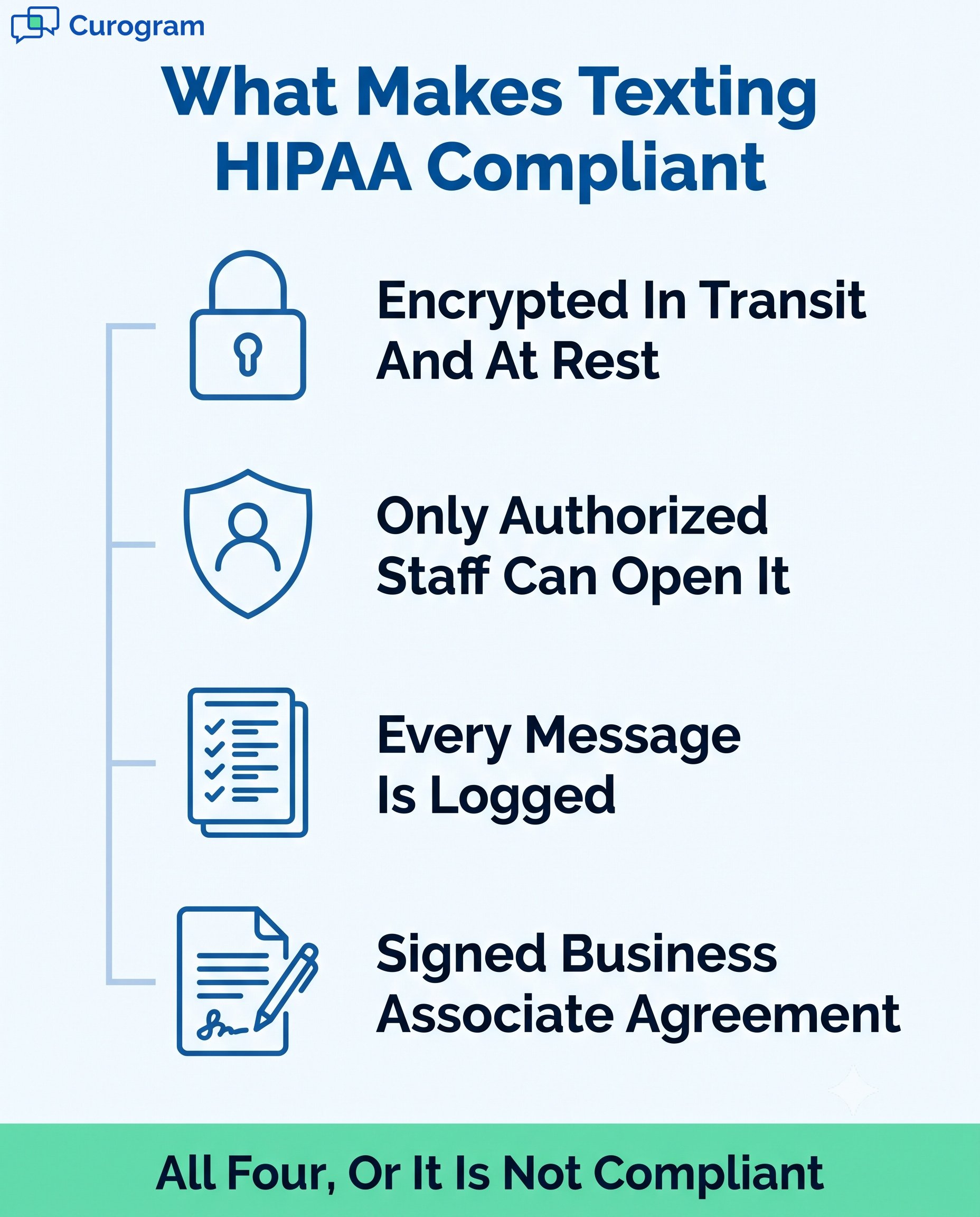
Compliance here is not a product badge. It is four specific controls, and a platform either has all four or it does not.
HIPAA-compliant texting NextGen workflows depend on encrypted platforms that let staff message patients without stepping outside federal rules.
HHS requires that electronic communication carrying protected health information be encrypted in transit and at rest, tied to authenticated users, and recorded in a retrievable log.
One requirement gets skipped more than the rest: the Business Associate Agreement. Any vendor that touches PHI on your behalf has to sign one.
No BAA means no compliant channel, whatever the marketing page claims about encryption.
HIPAA messaging compliance NextGen setups also need role-based permissions. A billing clerk and a triage nurse should not see the same threads by default.
|
Texting is HIPAA compliant when four controls hold. Messages are encrypted in transit and at rest, access is limited to authorized users, every message is logged in an audit trail, and the texting vendor has signed a Business Associate Agreement. |
iMessage, WhatsApp, and plain carrier SMS were built for personal use, and it shows. Messages live on the device, which walks out of the building at 5 p.m. Nothing writes back to the chart. No vendor will sign a BAA for them.
Front desk staff rarely reach for these apps out of carelessness. They reach for them because a patient needs an answer and the portal message will not be read until Thursday. That is a workflow problem, and it gets solved with a compliant channel rather than a policy memo.
Practices weighing options should compare EMR-integrated texting platforms on those four controls rather than on feature counts. HIPAA texting regulations in healthcare do not grade on effort.
Encryption protects PHI while it moves and while it sits in storage. Role-based access decides who opens which conversation. Audit trails record the message, the timestamp, and the user, which is what an investigator asks for first.
Those three plus a signed BAA are what protecting PHI with secure texting actually means in practice. Staff text from a shared clinic number instead of a personal handset, and every exchange stays inside a system you can produce on demand.
Safe messaging for enterprise practices adds one more layer: the same controls have to hold across every location without a local admin quietly turning something off.
Getting this section right means being precise about what NextGen already does. Vague claims about NextGen users being stuck with paper and phone calls are wrong, and easy to disprove.
NextGen PxP Portal handles a lot. Patients enrolled in the portal can send messages through Ask a Question, request appointments, self-schedule, ask for prescription renewals, complete online forms, view results, and pay bills.
Staff work those threads from the Patient Portal tab inside the Workflow module, under categories for Communications, Prescriptions, Appointments, and Online Forms.
NextGen also lists appointment reminders, recall, broadcast messaging, and secure text messaging across its patient experience lineup. So the honest framing is not that NextGen lacks patient communication.
Two limits define the gap. Portal messaging only reaches enrolled patients, and enrollment is where most schedules lose people.\
NextGen's own documentation adds a second constraint: the Patient Portal tab disappears from the Workflow module when the PxP Portal license expires.
Secure texting NextGen workflows sit around that ceiling rather than under it. Nobody logs in. The message lands in the app already on the phone.
Run twelve locations, and you have twelve front desks improvising under pressure. Each personal-phone workaround is a separate compliance gap, and the risk scales faster than headcount.
OCR raised its penalty amounts on January 28, 2026. The older figure of $50,000 per message that circulates in vendor content is out of date, and the current numbers are worse.
|
Tier |
Culpability |
Per violation |
Annual cap |
|---|---|---|---|
|
1 |
Did not know, could not reasonably have known |
$145 to $36,505.50 |
$36,505.50 |
|
2 |
Reasonable cause, short of willful neglect |
$1,461 to $73,011 |
$146,053 |
|
3 |
Willful neglect, corrected within 30 days |
$14,602 to $73,011 |
$365,052 |
|
4 |
Willful neglect, not corrected |
$73,011 to $2,190,294 |
$2,190,294 |
HIPAA civil monetary penalties, effective January 28, 2026 (HHS Office for Civil Rights). Annual caps reflect OCR's 2019 Notice of Enforcement Discretion.
Most enforcement never reaches those ceilings. OCR resolves the large majority of cases through corrective action plans. Budgeting around that assumption is still a poor bet when the fix is a licensed platform.
Ask any scheduler which channel gets a same-hour reply. It is not the portal, and it is not voicemail.
HIPAA-compliant texting for NextGen users closes that distance without asking patients to remember anything. No app download, no username, no password reset loop.
Encrypted patient communication happens in the thread they already use for their pharmacy and their kid's school.
That matters most for the patients your portal never captured: older adults, new patients booked last week, and anyone who switched phones and gave up.
Confirmation calls eat mornings. Staff dials, leaves voicemails nobody returns, then dials the next day again and starts over.
Automating that work removes it rather than redistributing it. Covina Arthritic Clinic now confirms more than 1,100 appointments a month through fully automated reminders and real-time response handling, based on our internal data.
No one on that team is working a call list to hit the number.
NextGen texting integration turns confirmations into an exception queue. Staff handle the replies that need a human and let the rest process themselves.
Four workflows carry most of the return. Each one pulls from the NextGen schedule rather than a separate list somebody maintains by hand.
Reminders fire off the NextGen schedule, so a Tuesday reschedule does not send a Wednesday reminder for the old slot.
Patients reply C to confirm or R to reschedule, and the response posts back against the appointment.
Across Curogram clients, confirmation rates average above 75%, based on our internal data. That number changes what the morning looks like, because the schedule is largely settled before the first patient arrives.
Cancellations surface earlier too, which gives you actual hours to fill the slot instead of a no-show at 2:15.
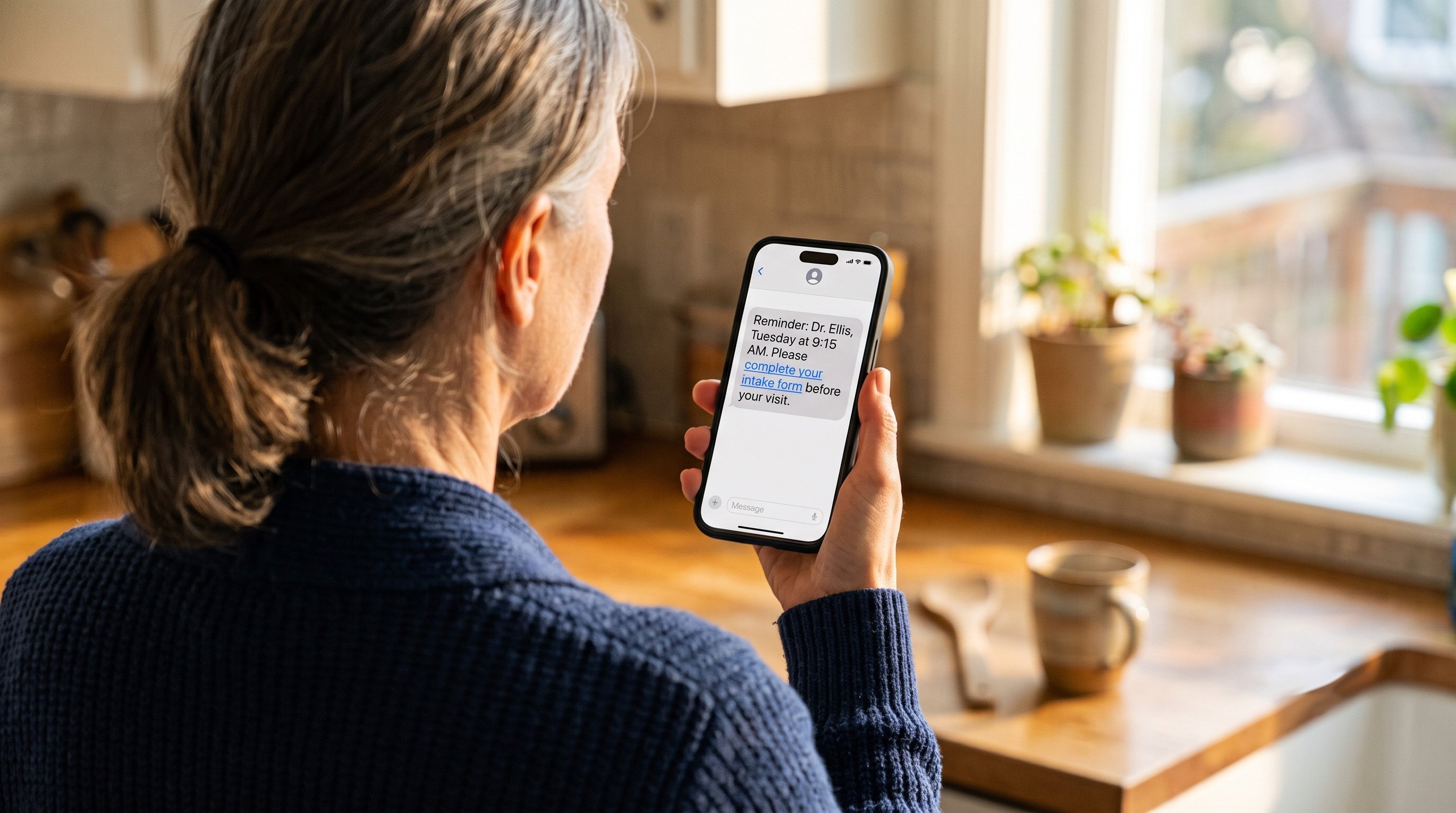
Imaging prep, fasting windows, and specialty intake all fail the same way: the instruction sheet stays in the folder on the counter. A text with the link arrives while the patient is standing in their kitchen.
HIPAA messaging compliance NextGen workflows let you send those instructions and a form link over an encrypted channel. Completed form data flows back into NextGen, so nobody retypes an insurance ID from a photo.
Practices running this well send the intake link at booking and a prep reminder 24 hours out. Two messages, two different jobs.
Patients text at 9 p.m. because that is when they remember. Without a response, the message sits unanswered and the patient calls in the morning, which is the outcome you were trying to avoid.
An auto-reply acknowledges receipt, states when staff return, and routes emergencies to the right place.
Safe messaging for enterprise practices means that reply is logged like any other message, not fired from a tool sitting outside your audit trail.
Set the after-hours window to match actual coverage. An auto-reply promising a same-day response at 4:55 p.m. on a Friday creates its own problem.
Review requests are the first task to fall off a busy afternoon. Three patients need rescheduling, the phone is ringing, and asking somebody to rate their visit does not make the cut.
Automating the ask fixes the consistency problem. A post-visit survey goes out, satisfied patients get pointed toward Google, and unhappy responses route internally before they become public.
One multi-location practice using this workflow collected 1,064 new five-star reviews in three months, with 90% of responding patients leaving five stars, based on our internal data.
Four outcomes show up consistently once the workflows above are running for a full quarter.
|
Curogram clients hold appointment confirmation rates above 75% and no-show rates 53% below the industry average, with one clinic cutting no-shows from 14.20% to 4.91% in three months. |
Reminders pulled straight from the EMR arrive with the right provider, time, and location, which is why they work better than a generic blast. Patients confirm in one tap.
Atlas Medical Center moved from a 14.20% no-show rate to 4.91% over three months, roughly three times better than the industry average, based on our internal data. Across our client base, no-show rates sit 53% below that average.
Recovered slots are where the money is. Practices in that group report revenue gains of 10% to 20% from appointments that would otherwise have gone empty.
Patients notice when a practice makes contact easy. Encrypted patient communication does that without advertising itself, since the experience is just a normal text thread.
Follow-through improves as a side effect. Prep instructions get read, forms come back completed, and fewer visits start with a fifteen-minute clipboard delay.
Recall messaging compounds this. One multi-location practice brought back 1,240 patients from SMS recalls alone, converting 35% of the patients contacted within a month.
Two-way texting replaces the repetitive outbound calls that fill a front desk morning. Staff read a thread and answer in fifteen seconds rather than holding a phone through four rings and a voicemail beep.
Volume is the point here. When confirmations run automatically at the scale Covina Arthritic Clinic handles, the calls that remain are the ones that genuinely need a person.
Turnover at the front desk drops when the job stops being a call queue. That is harder to measure and easier to feel.
Every message stays encrypted, logged, and restricted to staff with permission to see it. Nothing lives on a personal device, so a lost phone is an inconvenience rather than a breach notification.
Audit readiness follows from the same design. When OCR asks who messaged a patient and when, the answer is a report rather than a reconstruction.
Adding locations does not weaken any of this. Permissions, retention, and logging stay uniform across the group.
Every figure below comes from the Curogram Case Studies file. Where a client is not named, the practice asked to stay unnamed and the numbers are unchanged.
|
Practice |
Workflow |
Result |
|---|---|---|
|
Atlas Medical Center |
Automated reminders and confirmations |
No-show rate 14.20% to 4.91% in three months |
|
Covina Arthritic Clinic |
Automated confirmation processing |
More than 1,100 appointments confirmed per month |
|
Multi-location practice |
Post-visit surveys to Google Reviews |
1,064 new five-star reviews in three months |
|
Multi-location practice |
SMS patient recall |
1,240 patients returned, 35% reconversion |
Verified client results, Curogram Case Studies (internal data).
High no-show rates were costing Atlas both revenue and schedule stability.
Timely automated confirmations and notifications brought the rate from 14.20% to 4.91% in a single quarter, landing about three times better than the industry average.
Before automation, confirming appointments at Covina meant staff working through manual follow-ups.
Reminders now go out and responses process in real time, covering more than 1,100 appointments a month with no one dialing.
Reputation was the weak spot for this practice, not care quality. Automated post-visit surveys tied to Google Reviews produced 1,064 new five-star reviews inside three months, and 90% of patients who responded left five stars.
A separate recall campaign at a multi-location practice reached patients overdue for follow-up. Of those contacted by SMS, 35% booked within a month, and 1,240 patients came back from recall messages alone.
Curogram is built to sit alongside NextGen rather than in front of it. The EMR stays the system of record.
Patients text the practice number and reach a shared, HIPAA-compliant inbox. Staff see the full thread with patient context, reply from one screen, and hand off without forwarding anything to a personal device.
Conversations persist. A patient can scroll back to last month's billing question, and so can the person answering today.
Attachments, photos, and completed forms come through the same encrypted channel and land where they belong.
Curogram's connection reads directly from NextGen scheduling. Confirmations, prep instructions, and reschedules move between the EMR and the messaging platform without staff re-entering anything.
This deep integration turns communication into an extension of the EMR rather than a disconnected task. Nobody maintains a parallel patient list, and nobody reconciles two versions of tomorrow.
PxP Portal keeps doing what it does well. Records access, lab results, and clinical documents stay there. Texting takes the high-volume, transactional traffic the portal was never built for.
Curogram is HIPAA-compliant and SOC 2 Type II audited, which means an independent auditor tested the controls over a period of time rather than checking a snapshot.
For an administrator signing off on a multi-location rollout, that distinction is the one worth asking every vendor about. A Type I report describes design. Type II shows the controls held.
A signed BAA covers the arrangement, and audit logs are exportable when someone asks for them.
Together, these integrations make HIPAA-compliant texting for NextGen users a seamless, compliant, and highly effective solution. Clinics gain more predictable schedules, higher patient satisfaction, and reduced staff burden—all while maintaining airtight compliance.

Using a HIPAA-compliant texting platform connected to NextGen Health is no longer optional. It’s now essential for modern, compliant, and efficient patient communication.
From reducing no-shows to boosting reviews, you can streamline the entire patient journey. Safe messaging for enterprise practices provides enterprise-scale compliance while keeping communication easy.
NextGen texting integration with Curogram delivers results quickly. And it does so without disrupting your existing EMR system.
Providers gain a system that protects PHI and supports real-time engagement. For administrators seeking efficiency, compliance, and growth, HIPAA-compliant texting is the clear solution.
Want to see the difference in your own workflows? Schedule a demo today.
Learn how NextGen clinics can improve patient communication with HIPAA-compliant text messaging. Reduce no-shows, boost satisfaction, and save staff...

Learn how HIPAA-compliant texting helps AdvancedMD users improve communication and reduce no-shows. Discover benefits and secure integration with...

Learn how Curogram’s HIPAA-compliant texting for Allscripts PM improves compliance, patient experience, and ROI.