
10 min read

How IT & Operations Teams Deploy Two-Way Texting Across 20+ Locations

How IT & Operations Teams Deploy Two-Way Texting Across 20+ Locations
💡 IT and operations teams at GE Centricity enterprises can roll out two-way texting across all locations in 2 to 4 weeks. Curogram connects to GE Centricity Practice Solution through standard HL7 interfaces. It reads schedule and patient data in real time, without touching or changing the clinical database.

Each location gets its own local phone number, staff accounts, and message templates. All of it is managed from one central dashboard.

There is no custom API work, no on-site hardware, and no disruption to daily workflows. IT and operations deployment texting for GE Centricity multi-location HL7 integration is now a structured, repeatable process.

Managing patient communication across 20 or more clinic locations is hard. Each site might use a different tool, a different vendor, or a different process.

The result? IT teams are stuck juggling multiple systems. Operations leaders get inconsistent data. And patients get a mixed experience depending on which location they visit.

GE Centricity has long been a trusted platform for large medical groups. But patient communication has not always kept pace. Many Centricity organizations still rely on phone calls, paper forms, or portal tools that patients rarely use.

That gap creates real problems: missed appointments, slow staff response times, and no clear view of how patients engage across all sites.

Two-way texting has changed what is possible. Patients respond to texts far more than to calls or portal messages.

But deploying texting across a large, multi-site Centricity organization is not as simple as picking an app. It requires the right HL7 integration, the right multi-location setup, and the right admin controls.

This article is written for CIOs, IT directors, COOs, and VP-level operations leaders. It walks through how Curogram's enterprise-ready platform handles the technical integration, the deployment process, and the ongoing administration needed to run texting across every Centricity location you manage. 

The Technical Integration

Before anything else, the integration has to work. For IT teams that have managed Centricity for years, that means understanding exactly how a new platform connects to the system and what it does with the data.

This section covers the architecture, multi-location setup, and security controls that make the connection stable and safe.

HL7 Interface Architecture

Curogram connects to GE Centricity Practice Solution using standard HL7 v2.x interfaces. It reads ADT and SIU message types to pull in real-time appointment schedule data, patient demographics, and provider assignments.

The connection is read-only. Curogram does not write to or change the Centricity clinical database at any point.This matters to IT teams because it limits risk. There are no custom API endpoints to build or maintain. There is no direct database access.

There are no proprietary connectors that lock you in. The integration runs through the same documented HL7 channels your team already manages for other Centricity connections.

Documentation and Setup Clarity

Curogram provides full technical documentation before deployment starts. Your IT team receives data flow diagrams, HL7 message specs, and network requirements upfront. There are no surprises midway through setup.

A dedicated GE Centricity integration page and published integration guides back up the process at every step.

TCP/IP or VPN connections are supported, so IT teams familiar with Centricity's HL7 interface engine will recognize the setup steps. The Curogram implementation team works directly with your HL7 engineer. Typical interface setup takes 3 to 5 business days.

Why a Read-Only Integration Reduces IT Risk

Every integration project carries some level of risk. A read-only connection removes the biggest one: accidental data modification.

Your Centricity records stay exactly as they are. Curogram only reads what it needs to send the right message to the right patient at the right time.

This also means Centricity updates do not break the integration. Because Curogram is not writing data back, version changes or system patches on the Centricity side rarely affect the connection. That reduces maintenance burden for your team over time.

Multi-Location Architecture

For a single clinic, texting setup is fairly simple. For a 20-plus location group, the architecture needs to handle scale. Curogram provisions a dedicated local phone number for each location, matching the area code when possible. Each location gets its own staff accounts and role-based access controls.

All locations connect to one centralized dashboard. Organization-wide templates, compliance policies, after-hours auto-responses, and escalation rules are set once at the enterprise level and flow down to every site. Location-specific details like hours, directions, or department messages can be layered on top without disrupting the shared framework.

No On-Site Hardware or VPN Setup Required

Curogram is fully cloud-based. There is no server installation, no VPN config, and no on-premise hardware to manage.

All your locations need is standard internet access and a browser. That keeps IT overhead low from day one.

This also simplifies rollout for locations in different regions. There is no need to coordinate hardware shipments or on-site IT visits for each new site. Once the enterprise configuration is in place, adding a location is a fast, repeatable process.

Standardize Across Sites Without Losing Flexibility

One of the biggest operational wins for large Centricity groups is consistency. When every location uses the same platform with the same approved templates, compliance is easier to manage and the patient experience is more predictable.

At the same time, location managers still have room to customize what patients see based on their site's specific workflows.

This balance of enterprise control and local flexibility is what separates a purpose-built multi-location platform from a single-clinic tool that was never designed to scale.

Security and Compliance Infrastructure

HIPAA compliance is not optional for any patient communication platform. Curogram covers the full compliance stack: a signed Business Associate Agreement (BAA), SOC 2 Type II certification, end-to-end message encryption, and comprehensive audit logging for compliance reviews.

Access controls are granular. Staff at one location cannot view conversations from another site unless they have been granted enterprise-wide access. Administrators get full oversight across all locations.

Patient health information is never stored inside the SMS messages themselves. When PHI needs to be shared, secure links are used instead.

Message retention policies are set at the enterprise level. All data lives in encrypted, HIPAA-compliant cloud infrastructure. For CIOs navigating complex regulatory environments, this removes a significant compliance burden from the IT team's plate.

Evaluate your current communication setup and see where two-way texting can make the biggest impact.

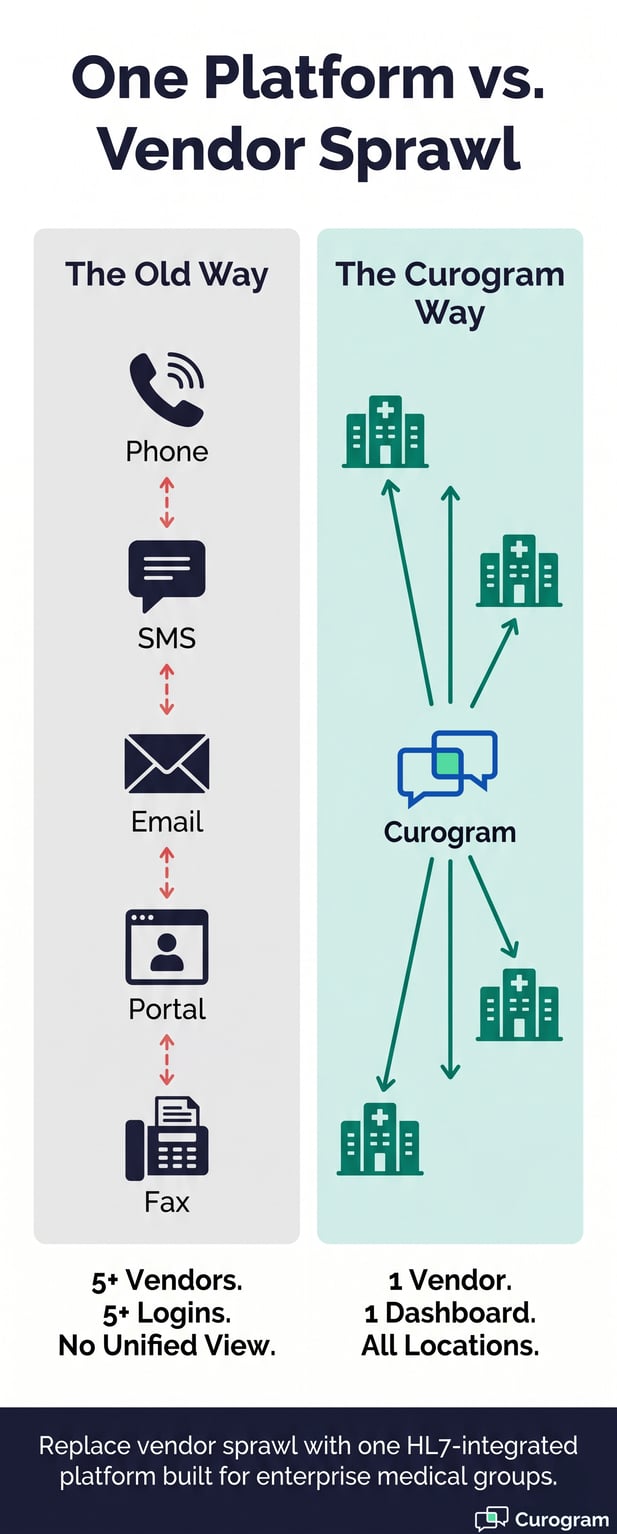
Infographic comparing multiple healthcare vendors to the Curogram platform connecting all locations

The Deployment Process

A smooth rollout depends on a clear plan. For enterprise Centricity groups, Curogram follows a structured 2-to-4-week deployment model.

It starts with a few pilot locations, validates the setup, then scales to all remaining sites. Here is how each phase works in practice.

Week 1: Pilot Locations

The first week focuses on 3 to 5 pilot locations. During this phase, IT completes the HL7 interface setup with Curogram's dedicated implementation manager.

Phone numbers are provisioned, initial message templates are configured, and staff training takes place.

Training is short by design. Each staff member needs about 30 minutes to get up to speed. The platform is built to be intuitive, so the learning curve is low even for teams that have not used texting tools before. The goal in week one is to get a small number of sites live and producing real data.

What the Implementation Manager Handles

Enterprise deployments include a dedicated implementation manager. This person coordinates directly with your IT team and HL7 engineer, owns the integration timeline, and handles the technical details so your team does not have to. It is a single point of contact for the entire rollout, not a shared support queue.

This matters especially for large organizations where internal resources are spread thin. The implementation manager keeps the project moving without pulling your IT staff away from other priorities.

How Pilot Data Shapes the Full Rollout

Starting with pilots is not just a risk management step. It is also a data collection step. Message delivery rates, patient response rates, staff adoption patterns, and HL7 data flow behavior all get reviewed during week two.

What works well gets locked in. What needs adjustment gets fixed before it affects all 20-plus locations.

This approach protects the broader rollout from issues that only show up in a live production environment. By the time you scale to all locations, the configuration is already validated and battle-tested.

Week 2: Pilot Validation

Week two is about monitoring and refinement. The team watches message delivery rates, patient response patterns, staff adoption, and HL7 data flow.

Any issues get resolved before the full rollout begins. Templates and workflows are adjusted based on what real patients and real staff actually do.

IT validates that the integration is stable. Operations reviews the workflow to confirm it matches how the pilot locations work day to day. Both teams sign off before moving to the next phase. This validation step is what makes the full rollout fast and low-risk.

Weeks 3-4: Full Rollout and Ongoing Support

With the pilot validated, the remaining locations deploy using the same configuration. Each new site takes 2 to 3 days to set up: phone number provisioning, staff accounts, and any location-specific customizations. The enterprise dashboard is configured to pull reporting from all sites.

After go-live, IT manages one vendor relationship instead of several. Monthly enterprise health reports show communication metrics across all locations. Quarterly business reviews help operations leaders spot trends and optimize workflows based on real data.

Deployment Timeline at a Glance

Phase

Timeline

Key Activities

Who Leads

HL7 Setup + Pilot Go-Live

Week 1

Interface config, phone numbers, staff training

Curogram implementation manager + IT

Pilot Validation

Week 2

Monitor delivery rates, adjust templates, validate HL7

IT + Operations

Full Rollout

Weeks 3-4

Deploy all locations using validated config

Curogram + IT

Ongoing

Monthly/Quarterly

Health reports, QBRs, account management

Curogram + Operations lead


Ongoing IT involvement after launch is minimal. Curogram handles software updates automatically as a SaaS product.

Most organizations spend less than 2 hours per month on Curogram administration after the initial setup is complete, based on Curogram client data from clinical settings.


Enterprise Administration

Once all locations are live, the real value of a centralized platform becomes clear. Operations leaders get a single view of communication performance across the entire organization.

IT manages one system instead of many. This section covers the dashboard, template management, reporting, and how the integration holds up if you ever change EHR platforms.

Centralized Dashboard and Reporting

The enterprise dashboard gives operations leaders a full view of communication across all locations. Message volume, response rates, average response time, and patient engagement metrics are all visible in one place. Every metric can be filtered by location, provider, department, or date range.

Daily, weekly, and monthly reports are available. Location-level benchmarks let you compare performance across sites and identify which locations are thriving and which need support. Trend analysis shows how patient engagement changes over time.

Exportable Data for Your Existing BI Tools

Reporting data can be exported for use in your organization's existing BI tools or spreadsheets. You do not need to build a new reporting workflow around Curogram. The data slots into the tools your operations team already uses.

This is important for COOs and VP-level ops leaders who need to present communication metrics alongside other performance data. Curogram fits into the reporting structure you already have, rather than creating a new silo.

How Curogram Client Results Reflect Enterprise Value

The numbers across Curogram client organizations tell a consistent story. No-show rates are 53% lower than the industry average, based on Curogram client data from clinical settings.

Across clients, more than 75% of appointments are confirmed automatically each month, reducing the need for staff to make outbound reminder calls.

Atlas Medical Center cut their no-show rate from 14.20% to 4.91% in just three months, which is 3x better than the industry average.

Covina Arthritic Clinic confirmed more than 1,100 appointments per month using automated confirmations through Curogram. These are not edge cases.

They reflect what enterprise-level texting can do when the integration is solid and the workflows are set up well.

Template Management and Compliance Controls

Enterprise template management is built into the platform. Templates are created and approved at the organization level, then deployed to all locations.

Each location can add site-specific customizations, but no unapproved messaging can go out to patients. Version control and approval workflows enforce this consistently.

This protects the organization from compliance risk. It also makes it easy to update messaging across all locations at once.

When a policy changes or a new message type is needed, it goes through the approval workflow once and then rolls out everywhere.

Reducing Vendor Sprawl with One Platform

Most large Centricity organizations have built up a patchwork of communication tools over the years. A separate texting vendor for one department. A phone system add-on somewhere else.

Manual calling processes at several sites. Each tool has its own login, its own vendor contract, and its own integration problem.

Replacing all of that with one platform is a meaningful IT win. It reduces the number of vendor relationships to manage, simplifies security reviews, and gives operations a single source of truth for patient communication data. The CIO no longer fields requests from department heads asking for one more communication tool.

What Happens If You Migrate Away from GE Centricity

This is a question IT leaders in GE Centricity organizations ask often, given the transition from GE Healthcare to Virence Health to athenahealth and the ongoing uncertainty about product roadmaps. The short answer is that Curogram integrates with any EHR system.

If your organization moves to athenahealth, Epic, NextGen, or another platform, Curogram adapts to the new system. Patient communication data, templates, workflows, and phone numbers are all preserved.

The investment in Curogram is never stranded by an EHR decision. That is a meaningful advantage for organizations that know they may eventually migrate but need patient engagement tools now.

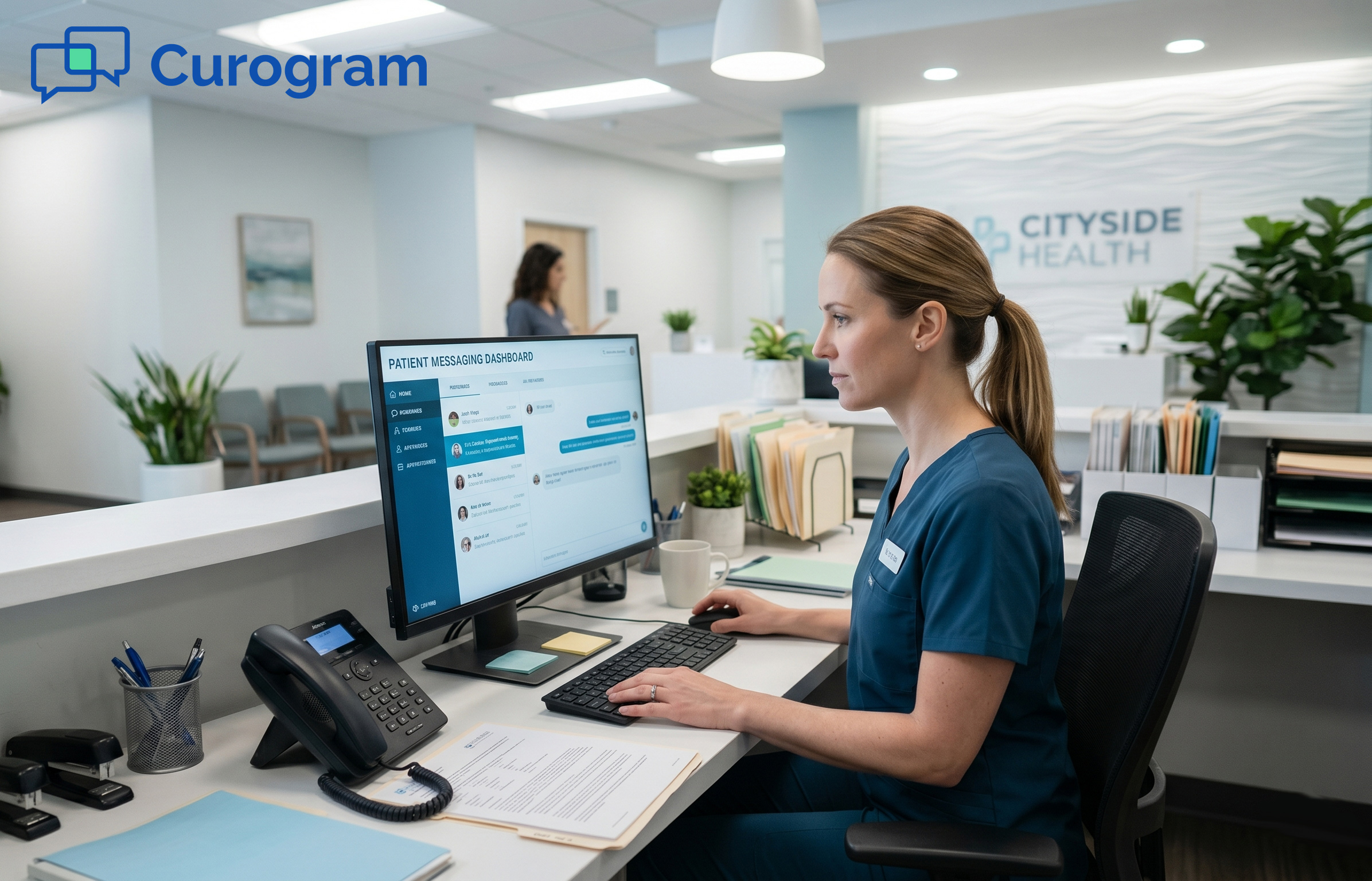
Clinic administrative staff member working at a desk with two monitors. Left screen is blank

Conclusion

Deploying two-way texting across a large GE Centricity organization does not have to be a long, painful project. With the right HL7 integration, a clear multi-location setup process, and the right enterprise admin tools, it can be done in 2 to 4 weeks.

The results speak for themselves. Fewer no-shows. Faster appointment confirmations. Less manual work for staff. And one unified platform that IT manages instead of five or six disconnected tools.

For IT and operations leaders who are tired of vendor sprawl, inconsistent workflows, and communication data that never quite lines up across sites, Curogram offers a cleaner path forward.

The integration is live. The deployment process is proven. And the platform is built to stay relevant no matter what happens to your EHR down the road.

If you are ready to talk through the technical specifics for your Centricity environment, the next step is a direct conversation with Curogram's enterprise deployment team.

Schedule a Technical Consultation and see how Curogram deploys across your GE Centricity locations.   


Frequently Asked Questions

How does Curogram connect to GE Centricity without changing the clinical database?

Curogram uses standard HL7 v2.x interfaces (ADT and SIU message types) to read appointment and patient data from Centricity. The connection is read-only, so it never writes to or modifies the clinical database. IT teams familiar with Centricity's HL7 interface engine will recognize the setup. This keeps the integration safe and low-maintenance over time. 

How much IT time is needed to maintain the Curogram integration after go-live?

After the initial deployment, ongoing IT involvement is minimal. Curogram handles software updates automatically as a SaaS platform. The HL7 interface is monitored by Curogram's operations team. Most organizations report less than 2 hours per month of IT time for Curogram administration, based on Curogram client data from clinical settings. 

Why does starting with pilot locations matter before a full rollout?

Pilots give IT and operations teams a chance to validate the integration in a real production setting before scaling. Message delivery rates, staff adoption patterns, and HL7 data flow are all reviewed during the pilot phase. Any issues get resolved before they affect all locations. This makes the full rollout faster and significantly lower risk.

How does Curogram protect patient health information in text messages?

Curogram does not store PHI inside the SMS messages themselves. When a message needs to include sensitive health content, a secure link is used instead. All message data is stored in encrypted, HIPAA-compliant cloud infrastructure. The platform includes a signed BAA, SOC 2 Type II certification, end-to-end encryption, and audit logging for compliance reviews.

Why should organizations consider Curogram even if they plan to eventually migrate away from GE Centricity?

Curogram integrates with any EHR system, not just GE Centricity. If your organization moves to athenahealth, Epic, or NextGen, the integration adapts to the new platform. Patient data, templates, workflows, and phone numbers are all preserved through a migration. The investment in Curogram is never stranded by an EHR decision.