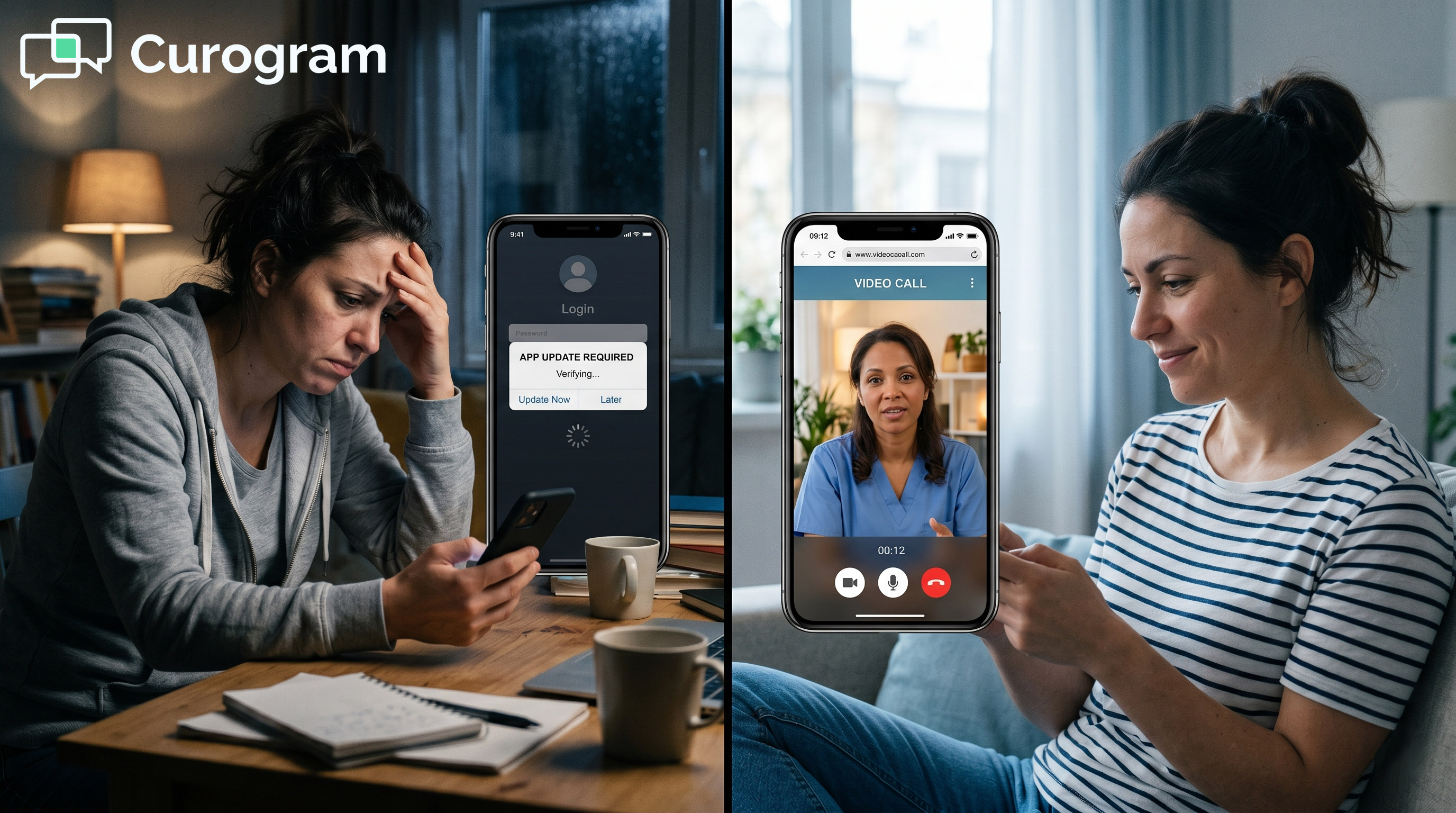


What Curogram adds is a lane past "the download barrier" for clients who stall at install-and-sign-in: crisis follow-ups, MAT check-ins, rural clients on thin data plans, households sharing one phone. No program-branded app lands on the device. Curogram clients see no-show rates 53% below the industry average, based on our internal data.
Researchers reviewed 9,715 behavioral health appointments at rural Louisiana clinics between May 2022 and January 2023. Telehealth visits were missed more often than the in-person ones, 17% against 13%. About one in five of those clients lacked stable housing, reliable internet, or a workable data plan.
Virtual care was supposed to be the easier option for exactly that group. Somewhere between the reminder and the waiting room, it stopped being easy.
Install the app. Create an account. Confirm the email. Find the meeting ID, then the passcode.
A client in crisis quits at a different step than a client three weeks into recovery, or one borrowing a phone. Your schedule logs all of it the same way. We call that stack of steps the download barrier, and it lives on the client's phone.
EHRYourWay handles its own side well. Telehealth is scheduled inside the chart, and links generate automatically in Zoom, Microsoft Teams, or Google Meet. Automated reminders carry those links by email or SMS, and encounter documentation, billing codes, and audit trails stay in one record.
The remaining friction can be removed without touching any of that. A HIPAA-compliant texting layer running alongside EHRYourWay drops a browser-based session link into the confirmation thread.
One tap opens the room. No install, no account, no portal password, and no treatment-program icon left on a device three people share.
Our claim is narrow: for the clients your program was funded hardest to reach, how they join now matters more than which video platform you bought.
The Villain: The Download Barrier
EHRYourWay's telehealth was built into the platform rather than bolted onto it, and that shows in the parts clinicians touch every day. The break happens downstream, on hardware nobody at your program controls.
The same split shows up in messaging, which is why two-way HIPAA texting alongside EHRYourWay exists as a workflow of its own.
What EHRYourWay Already Does Well
Start with what works, because the fix depends on it. EHRYourWay schedules telehealth appointments directly in the EHR and generates the meeting link automatically. Clinicians launch into Zoom, Microsoft Teams, or Google Meet with one click from the chart.
Encounter documentation, telehealth billing codes, and audit trails meeting HIPAA and state telehealth rules all live in the same record. That is more than most behavioral health programs get from a video vendor bought separately.
The platform is ONC-certified and EPCS-certified with integrated PDMP checking, which matters for anyone prescribing buprenorphine. Automated reminders go out by email or SMS, and the telehealth link rides along with them.
That is a real foundation. Curogram is built to sit next to it, and any vendor telling you to rip it out has not counted what you would lose.
The Six Steps Between the Text and the Room
Follow one client through the join, and the leak is easy to find. The reminder arrives with a link. Tapping it opens the app store, not the session.
From there, the steps stack. Download the app, which needs free storage and a working connection. Open it. Create an account, or sign in to one made months ago.
Return to the original link, or copy the meeting ID and passcode by hand. Grant camera and microphone permission. Wait in the lobby until the host admits you.
Six steps, and only the last two have anything to do with therapy. Each is a place a client can stop where nothing bad happens to them in the moment. The cost lands on your schedule instead.
Two of those steps assume a phone with room to spare. One assumes a remembered password. All of them assume a client calm enough to troubleshoot, which is a strange thing to build a crisis follow-up on.
Who Stops at Which Step
The download barrier does not land evenly. It concentrates in the populations behavioral health funding exists to serve.
Crisis follow-up is the sharpest case. A seven-day post-discharge contact has a narrow window, and an app install is a poor thing to put inside it. Miss the window and the next contact is often an emergency department.
Rural caseloads hit a different wall. Telehealth access in rural mental health depends on a connection that can carry an app download and a video session in the same afternoon. Plenty of them cannot.
Shared devices fail the quietest. In a household where one phone covers three people, an account tied to one person's email is a problem before the session starts. And clients in early recovery drop out for a reason nobody logs: the install asked for effort on a day when effort was already spoken for.
The Privacy Step Nobody Puts on the Schedule
Under 42 CFR Part 2, the federal rules covering substance use disorder records, what appears on a client's phone belongs in the risk picture.
An app icon carrying a treatment program's name sits on the home screen until somebody deletes it. On a shared device, that icon is visible to whoever picks up the phone next.
OCR began accepting Part 2 complaints under the updated final rule on February 16, 2026, and has named noncompliance an enforcement priority.
The rule's stated purpose has held since the 1970s: a person in SUD treatment should not end up more exposed than a person who never sought treatment at all.
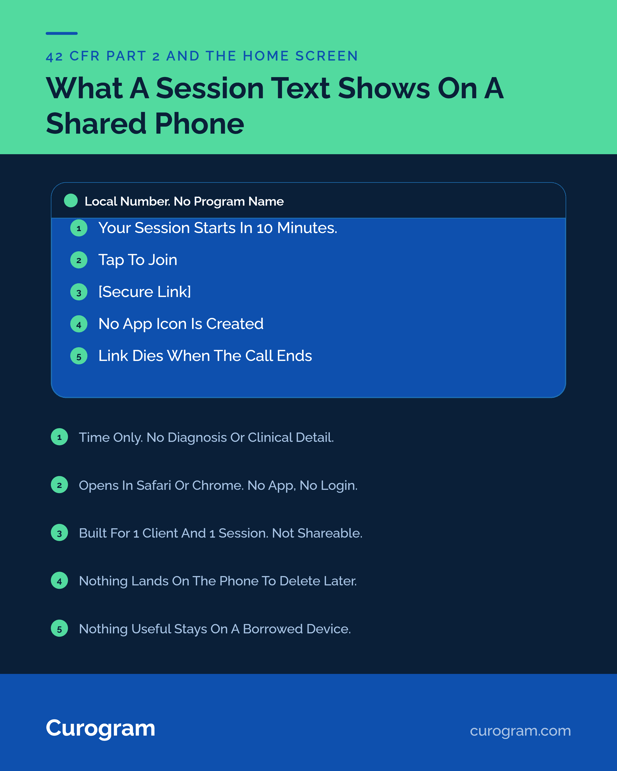
A plain link in a text thread creates none of that exposure. It looks like every other link a client receives. Virtual session privacy in substance use treatment usually gets discussed as a records question, and the home screen belongs in the same conversation.

The Guide: The One-Tap Door
What follows is an added lane. Your existing telehealth keeps running, and a second, lower-friction path opens beside it for the clients who never make it down the first one.
What Rides in the Confirmation Text
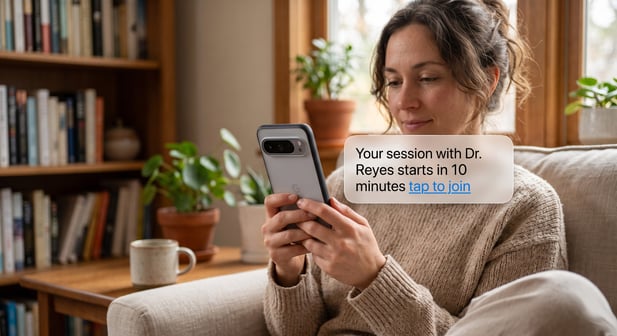
Curogram's SMS-Launched Telemedicine puts the session link inside the same text thread that already handles the appointment. The client sees a message like: Your session with Dr. Reyes starts in 10 minutes. Tap to join.
They tap, and the room opens in Safari or Chrome.
The link is generated for one client and one session. It expires when the call ends, and it cannot be forwarded or reused. No meeting ID exists, so there is nothing to share by accident and no participant list to expose. Video runs over WebRTC in the browser the client already uses, which is why nothing installs.
On the clinician's side, the session opens from the Curogram dashboard. The note still goes into EHRYourWay. The billing code is still applied the way your team applies it now. The join is the only thing that changes, and the join was the step costing you the appointment.
Keep Zoom, Teams, and Meet Where They Earn Their Place
Adding a lane does not mean closing one. Group sessions with eight participants, case conferences with an outside agency, and multidisciplinary reviews all run better in a full conferencing tool with breakout rooms and named participants. EHRYourWay routes those into Zoom, Teams, or Meet without extra work from your staff.
Individual sessions are where the math flips. A 30-minute MAT check-in or a weekly therapy hour needs two people in a room. Every step before that is overhead.
Most programs we work with sort by client rather than by session type. Clients who already have the app and use it keep using it. Clients who called the front desk twice about logins get the text link. A one-tap video visit alongside EHRYourWay is an access accommodation, and you can apply it to the specific people who need one.
Why Browser-Based Telehealth Holds Up Under HIPAA
Skipping the download is not a compliance shortcut, and browser-based telehealth gets judged on the same criteria as any other channel. Curogram is HIPAA-compliant and SOC 2 Type II-certified, signs a BAA at onboarding, encrypts sessions in transit and at rest, and logs activity for audit purposes.
The text itself carries a link and a time. No clinical content travels by SMS, which keeps the message safe to read on a lock screen in a room with other people in it.
Access controls sit on the clinician side of the dashboard, by role, the way your EHR handles them. For programs subject to Part 2, that combination counts for more than the video codec does: a signed BAA, an audit trail, and nothing left on the client's device to explain later.
Matching the Lane to the Population
Sorting clients into the one-tap lane stops being guesswork once you look at the right list.
Post-discharge crisis follow-ups belong there by default, since a seven-day window leaves no room for troubleshooting. MAT check-ins belong there because they repeat weekly, and small friction compounds fast across 40 visits a year.
Rural caseloads qualify on bandwidth alone. So do clients whose intake form lists a phone number shared with a partner or a parent, and anyone whose chart already carries a note about a failed virtual visit.
Telehealth without app download for behavioral health is a client-level fix, aimed at the exact people where client-level problems surface.
The Success: The Room That Opens Itself
Walk the whole thing end to end, and the difference is easier to price than to describe. What follows is a single appointment, timestamped, from the schedule pull to the closed note.
A Wednesday MAT Check-In, Walked Through
Take a 2:00 PM buprenorphine check-in for a client who has missed the last two virtual visits.
• Tuesday, 8:00 AM. Curogram pulls tomorrow's schedule from EHRYourWay. The 2:00 PM slot is flagged as telehealth.
• Tuesday, 3:00 PM. The confirmation text goes out. The client replies Y, and that reply lands in a thread the front desk can see.
• Wednesday, 1:50 PM. The same thread receives a second message carrying the session link.
• Wednesday, 1:58 PM. The client taps. Safari asks for camera and microphone. The room opens.
• Wednesday, 2:00 PM. The clinician joins from the dashboard, and the session starts on its scheduled minute.
• Wednesday, 2:31 PM. The note is written in EHRYourWay, the code is applied, and the link is dead.
Nothing was installed. Nothing was logged into. The front desk fielded zero calls about the join, which is the part practice managers tend to notice first.
One thread carried the whole thing: the confirmation, the reply, the link, and any question the client had on the way in. Staff never had to ask which channel a given client was on.
What Each Join Path Asks of the Client
Both paths end in the same clinical conversation. They ask different things of the person trying to get there.
|
What the client does |
App-based join |
SMS-launched browser join |
|---|---|---|
|
Receive the link |
Email or a separate SMS |
The same thread that confirmed the visit |
|
Install software |
App store download and install |
None |
|
Create or recall credentials |
Account or portal password |
None |
|
Enter a meeting ID and passcode |
Often |
No meeting ID is generated |
|
Grant camera and microphone |
Yes |
Yes |
|
What stays on the phone |
App icon and account |
An expired link in a text thread |
Row two and row three are where the caseload thins. Row six is where Part 2 exposure gets created or avoided, and it never appears on a support ticket.
Row five is worth noticing for a different reason. Camera and microphone permission is the one step both paths keep, because it protects the client rather than the vendor.
The Numbers Behind an Easier Join
Attendance data is where this stops being a theory about friction.
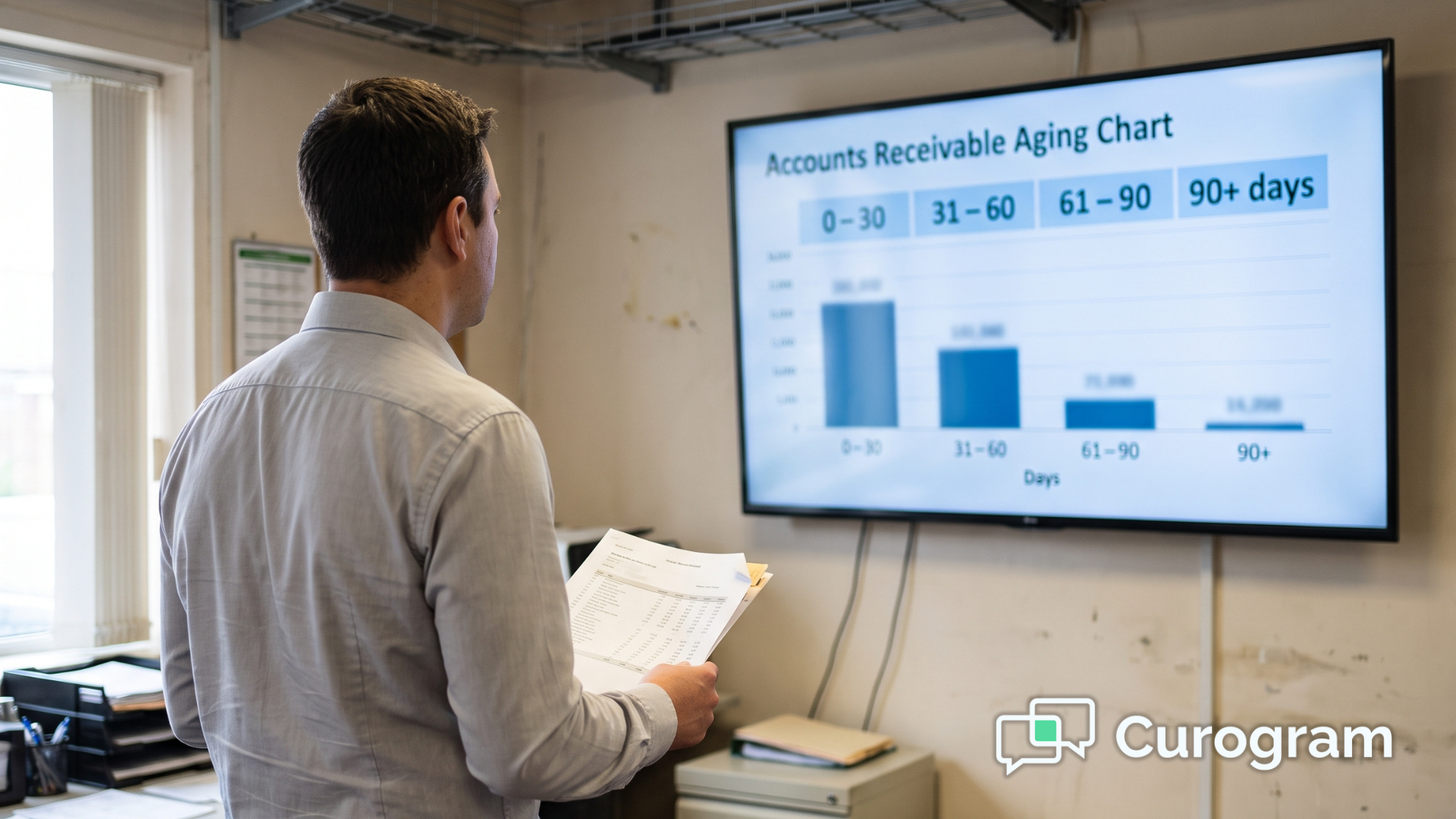
Curogram clients run no-show rates 53% below the industry average, based on our internal data. Atlas Medical Center moved from 14.20% to 4.91% across three months after automating reminders and confirmations, roughly three times better than the industry benchmark.
Average appointment confirmation rates across our client base sit above 75%, and practices report a 10% to 20% revenue increase tied to slots that used to sit empty.
Those figures come from general medical settings as well as behavioral health, so read them as directional rather than as a forecast for your program.
Behavioral health starts from a worse baseline anyway. Mental health carried the highest no-show odds of any specialty in a 2024 npj Digital Medicine analysis of nearly two million encounters.
On-Time Starts and the Minutes They Return
On-time start deserves a spot on your dashboard this quarter.
A session that begins at 2:09 instead of 2:00 has spent nine minutes of clinical time on tech support. Multiply that by a caseload. A clinician running six virtual sessions a day at a five-minute average join delay gives up half an hour of contact time daily to app stores.
Utilization moves too. Telehealth funding for rural and crisis programs is usually justified by reach, and reach gets counted in completed sessions rather than scheduled ones.
Front desk load is the third change, and it shows up fastest. Download and login calls disappear because there is nothing to install or remember.
Staff who spent afternoons walking clients through the app store go back to the confirmation queue and the automated appointment confirmations that keep tomorrow's schedule honest.
Conclusion: Open the One-Tap Door
Your telehealth stack is doing its job. EHRYourWay generates the link, delivers it, records the encounter, and codes it. The leak sits one step past all of that, on a client's phone, at the moment an app store opens instead of a session.
That step is optional. A browser-based room reached from the confirmation thread removes it for the clients who need it removed, and leaves your Zoom, Teams, and Meet workflows in place for everyone else.
For behavioral health, the stakes run higher than a gap in the calendar. Missed sessions break medication continuity, they stretch the post-discharge window, and they arrive on top of the highest no-show odds in medicine. A join method that asks nothing of a client during their worst week is a clinical decision as much as an operational one.
Programs subject to Part 2 get a second benefit at no extra cost: nothing branded lands on a device somebody else might pick up.
OCR has been accepting Part 2 complaints since February 2026, and the compliance wins worth having are the ones that remove an artifact rather than document it.
Start with one caseload rather than the whole program. Move post-discharge follow-ups and MAT check-ins to the text lane for a month, then compare completed sessions against the month before.
See how Curogram works alongside your EHRYourWay platform. Book a demo, and we will text you a live session link during the call so you can join the way your clients would, from your own phone, without installing anything.
Frequently Asked Questions
They tap the link in their appointment text thread. The session opens in Safari or Chrome over WebRTC, asks for camera and microphone permission, and connects. No account, password, or meeting ID is involved.
Group sessions, case conferences, and outside-agency meetings need breakout rooms and named participants. EHRYourWay routes those well already. Most programs add the text lane for individual visits and clients who struggle with installs.
No program-branded app or portal icon appears on the phone. The message carries a link and a time, never clinical content, so a shared or borrowed device reveals nothing about the treatment.
Download and login calls stop because there is nothing to install or remember. Staff stop coaching clients through app stores mid-session and hand that time back to confirmations and rescheduling work.
Compare completed telehealth visits against scheduled ones by clinician, then pull the front desk call log for join-related calls. Late starts clustered in the first ten minutes point at the install step.