11 min read

DrChrono Text Routing: Every Message to the Right Person

DrChrono Text Routing: Every Message to the Right Person
💡 DrChrono text routing for small practices works best with Curogram's Unified Inbox, which sorts every patient text by type and sends it to the right staff member.
  • Routes texts by category: scheduling, billing, clinical, or insurance
  • Replaces 40–60% of daily phone calls with faster text chats
  • Works as a reliable Updox alternative with real message routing
  • Scales from solo providers to growing multi-staff teams
  • Integrates with DrChrono without double data entry
For small practices where one front desk person handles everything, a unified inbox turns phone chaos into organized text conversations anyone can manage.

Picture this. It's 9 AM at a small chiro office. The phone rings. A patient wants to reschedule. Before you hang up, two more calls come in. One is about a bill. The other is a new patient asking about hours.

By lunch, your front desk has fielded 40 calls. By 3 PM, the count hits 80. Voicemails pile up. Messages get lost. The doctor asks why patients say they can't reach you.

This is the reality for most small DrChrono practices. The front desk is one person. That person answers phones, checks patients in, handles billing, and keeps the schedule straight.

When Updox texting falls short, every patient need turns into a phone call. And the phone line doesn't sort anything. It's first come, first served — no matter how urgent or simple the request.

DrChrono text routing for small practices through Curogram changes this. Instead of one phone line with no filter, you get a unified inbox that sorts every text by type.

A scheduling question goes to the scheduling queue. A billing question goes to billing. A clinical question goes to the provider. Each one is tracked, sorted, and easy to handle.

This isn't about adding another tool to the stack. It's about replacing the chaos with a system that makes sense. The same front desk person who spent six hours on the phone can now manage those same requests in half the time — through text.

In this article, we'll break down why small DrChrono practices struggle with phone-based message management, how Curogram's staff workflow tools fix the problem, and what the shift from phone calls to organized text looks like in practice.

The Villain: The One-Person Front Desk Drowning in Phone Calls

DrChrono's core market is solo providers and small clinics with one to five doctors. These practices rarely have a large admin team. More often, the front desk is a single person doing the work of three.

That person answers every call. They check patients in. They verify insurance. They handle billing calls, schedule changes, and refill requests. All of it hits the same phone line — with no way to tell what's coming next.

The Problem with One Phone Line

When a patient calls, the front desk has no idea what the call is about. Is it a quick "Am I still on for Thursday?" or an eight-minute billing dispute? They won't know until they answer.

This means a 30-second scheduling call waits behind a long billing chat. A patient in pain waits while someone asks about co-pays. The phone works like a first-in, first-out line. There's no way to sort by urgency or type. Everything gets the same treatment.

For a practice getting 80 calls a day, this creates a traffic jam that never clears. Voicemails stack up. Callbacks get missed. Patients give up and look for a new provider.

Why Updox Didn't Solve It

Updox was meant to add texting so patients could skip the phone. In theory, it should have helped. Patients text instead of call. The front desk handles messages when they have a free moment.

In practice, many DrChrono users find that Updox texting isn't always reliable. Messages don't always go through. Patients text back and the reply doesn't show up right away. Staff can't trust the channel, so they tell patients to just call instead.

Even when Updox works, it has a deeper issue. There's no routing. All texts land in one pile. A billing text sits next to a scheduling text sits next to a clinical question. It's the same problem as the phone line — just in text form. The front desk now watches two channels instead of one, and neither one is organized.

The OnPatient portal adds more friction. Patients need to log in, create accounts, and figure out a new system just to ask a simple question. Most don't bother. They call instead.

What It Feels Like

Imagine being the only person at the front desk of a busy small practice. You answer the phone while checking a patient in. You put the caller on hold to hand someone a clipboard. You go back to the call — it's a billing question you can't answer without pulling up the account. Another call comes in. Then another.

By mid-afternoon, you're behind on callbacks, the schedule has two gaps nobody noticed, and the doctor is asking why a patient said nobody returned their call.

This isn't a staffing problem you can fix by hiring. Most small practices can't afford a second front desk hire. It's a workflow problem. The phone forces every interaction into the same channel with no way to sort, assign, or batch tasks.

The front desk person isn't bad at their job. They're drowning in a system that was never built to handle this volume. When every message — urgent or routine — comes through the same ringing phone, nothing gets the attention it deserves.

Small practice message management breaks down not because staff aren't working hard enough. It breaks down because the tools don't match the need. The phone was built for one-to-one calls, not for managing 80 daily patient interactions across five different categories.

The Guide: The Unified Inbox

Curogram gives small DrChrono practices what Updox doesn't — organized, sorted text chats that one person can handle without stress. It works through a feature called the Unified Inbox.

How It Works

Every patient text arrives in one dashboard. But unlike Updox, these texts aren't just dumped into a single pile. Each conversation is tagged by type: scheduling, billing, clinical, insurance, or general. Messages can be assigned to a specific staff member or left open for whoever is free.

The front desk sees every active text at a glance. They're sorted by urgency, not by the time they came in. A clinical question from a patient in pain shows up before a routine billing question about last month's co-pay.

This is what text routing for a DrChrono small practice actually looks like in action. It's not just "texting." It's organized, sorted, and routed texting.

Smart Routing in Practice

The smart routing feature lets practices build text queues that match their workflow. Here's how it works at a three-person clinic:

  • A patient texts "Can I move my Thursday appointment?" — That goes to the scheduling queue.
  • Another texts "I got a bill I don't understand" — That goes to billing.
  • A third texts "I'm having a reaction to my new medication" — That goes straight to the provider.

In a solo practice where one person handles all three, the queues still help. They let the front desk tackle scheduling texts first (time-sensitive) and save billing texts for a slower window. Nothing falls through the cracks because every text is tracked and labeled.

When the practice grows and adds staff, those same queues become task tools. "You take scheduling. I'll take billing." The system scales without switching platforms.

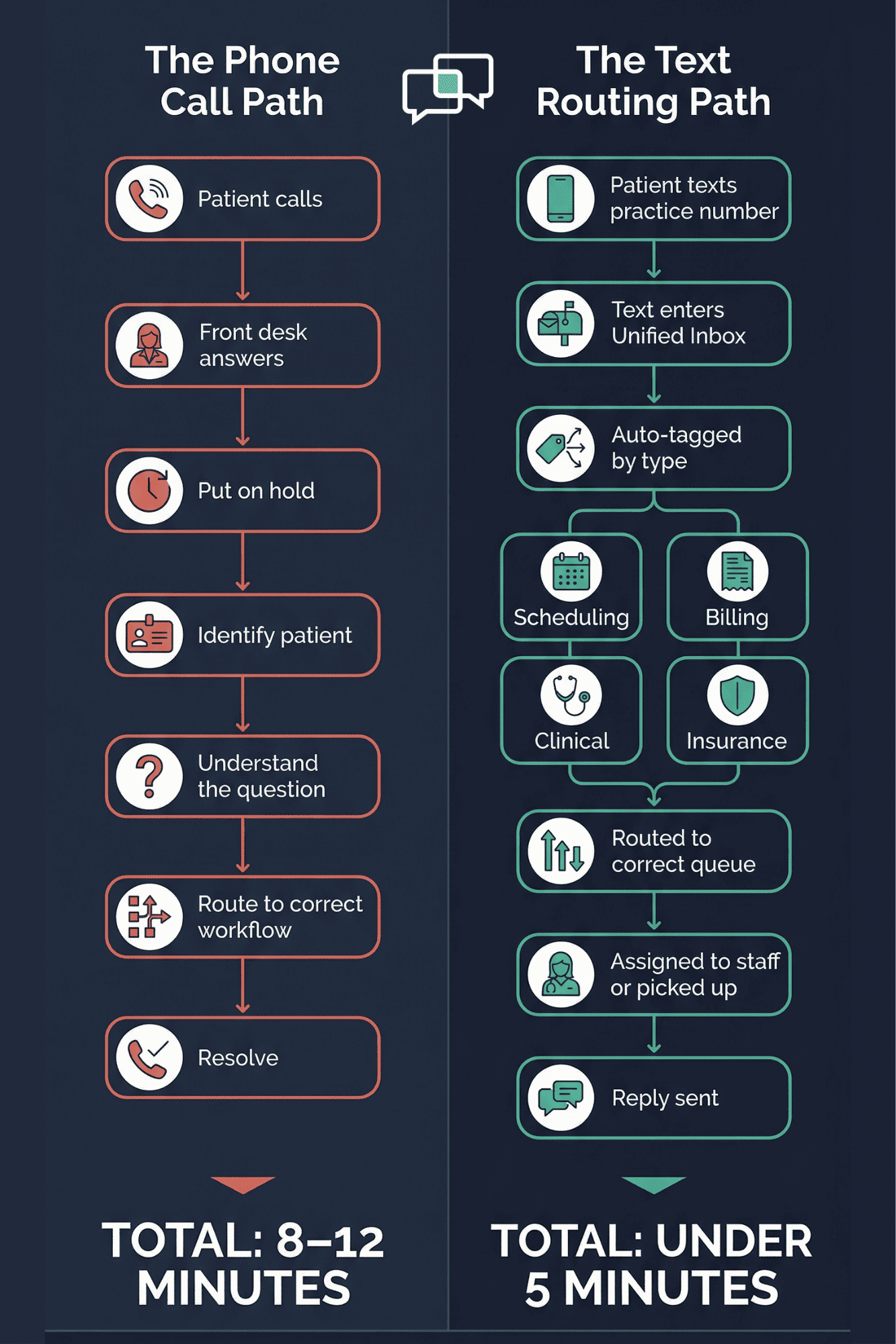
Flowchart comparing phone call routing versus text routing in a small medical practice

Why Texts Beat Phone Calls

The biggest advantage of text over phone is simple: texts don't demand instant attention.

A phone call says "answer me now or lose me." A text says "answer me when you can." The front desk can batch scheduling texts between patient check-ins. They can handle billing texts during a slow stretch. They can flag clinical texts for the doctor to review between visits.

The same 80 interactions that ate six hours as phone calls can be done in two to three hours as text chats. Based on our internal data, practices using Curogram see phone call volume drop by up to 50%. That frees the front desk to focus on in-person patients, not the ringing phone.

Fits Any Specialty

DrChrono serves practices across many fields. Curogram's unified inbox adapts to each one.

For chiropractic offices, text routing handles new patient intake and adjustment scheduling. For PT clinics, it manages exercise questions and appointment changes.

For mental health providers, it offers discreet, HIPAA-compliant messaging that doesn't require a phone call patients may find awkward. For urgent care, it triages questions and directs true emergencies to call.

Each specialty has a different workflow. The inbox flexes to match. A mental health practice might route all intake texts to an admin and all clinical texts to the therapist. A PT clinic might route exercise program questions to a tech and scheduling to the front desk.

The point is this: the Unified Inbox isn't a rigid tool. It's a framework that bends to fit how your practice already works — then makes it faster and more organized. That's what makes it a strong Updox alternative for DrChrono practices that need real message routing, not just another inbox.

The Success: 80 Calls Become 80 Texts — Managed in Half the Time

The shift from phone-heavy to text-based communication isn't just a nice idea. It changes how a small practice runs day to day. Here's what that looks like in real numbers, real workflow, and real outcomes.

The Numbers

Based on our internal research, practices using Curogram's Unified Inbox see a 40–60% drop in phone call volume. Patients shift to texting because it's easier and faster. They don't wait on hold. They don't get sent to voicemail. They text, and they get a reply.

For a DrChrono small practice that handles 80 phone calls a day, a 50% drop means 40 fewer calls. The calls that remain are the ones that truly need a live voice — complex insurance issues, new patient onboarding, or urgent clinical concerns. The simple stuff moves to text.

Let's put that in time terms. An average phone call in a medical office takes about three to four minutes, including greetings, hold time, and wrap-up. Eighty calls at three and a half minutes each equals roughly 280 minutes — almost five hours on the phone daily.

A text exchange for the same type of question takes about 45 seconds of active staff time. If 40 of those calls shift to text, that's 30 minutes of texting instead of 140 minutes of calls. That's nearly two hours given back to the front desk every single day.

The Daily Workflow Shift

Before Curogram, the front desk person's day looks like this:

  • 8:00 AM — Arrive. Phone is already ringing. Answer three calls before the first patient walks in. Two are scheduling changes. One is a billing question that takes eight minutes.

  • 9:00 AM — Patients are checking in. Phone keeps ringing. Put callers on hold while handing out forms. Miss two calls that go to voicemail.

  • 11:00 AM — Morning rush ends. Check voicemail. Five messages. Three need callbacks. Start returning calls between walk-ins.

  • 2:00 PM — Afternoon patients arrive. Phone picks up again. Behind on callbacks from the morning. Doctor asks about a patient who says no one called them back.

  • 4:00 PM — Day ends. Three voicemails still unreturned. Two scheduling gaps weren't caught in time to fill.

After Curogram, the same day looks different:

  • 8:00 AM — Arrive. Open the Unified Inbox. Twelve texts came in overnight. Six are appointment confirmations that processed on their own. Three are scheduling requests — handled in four minutes total. Two are billing questions — flagged for later. One is a clinical question routed to the provider.

  • By 8:20 AM All twelve are handled or queued. The phone rings once — a new patient from Google who wants to book. That call gets full attention because it's the only call.

  • 10:00 AM — Between patient check-ins, scan the inbox. Four new texts. Two scheduling, one insurance, one general. Respond to all four in six minutes.

  • 1:00 PM — Tackle the billing texts flagged from the morning. Handle both in ten minutes.

  • 3:00 PM — Inbox is clear. Phone has rung eight times total today. Each call got real attention. No voicemails piling up.

The front desk person's role shifts from reactive to proactive. Instead of jumping at every ring, they process organized queues on their own schedule.

What Patients Experience

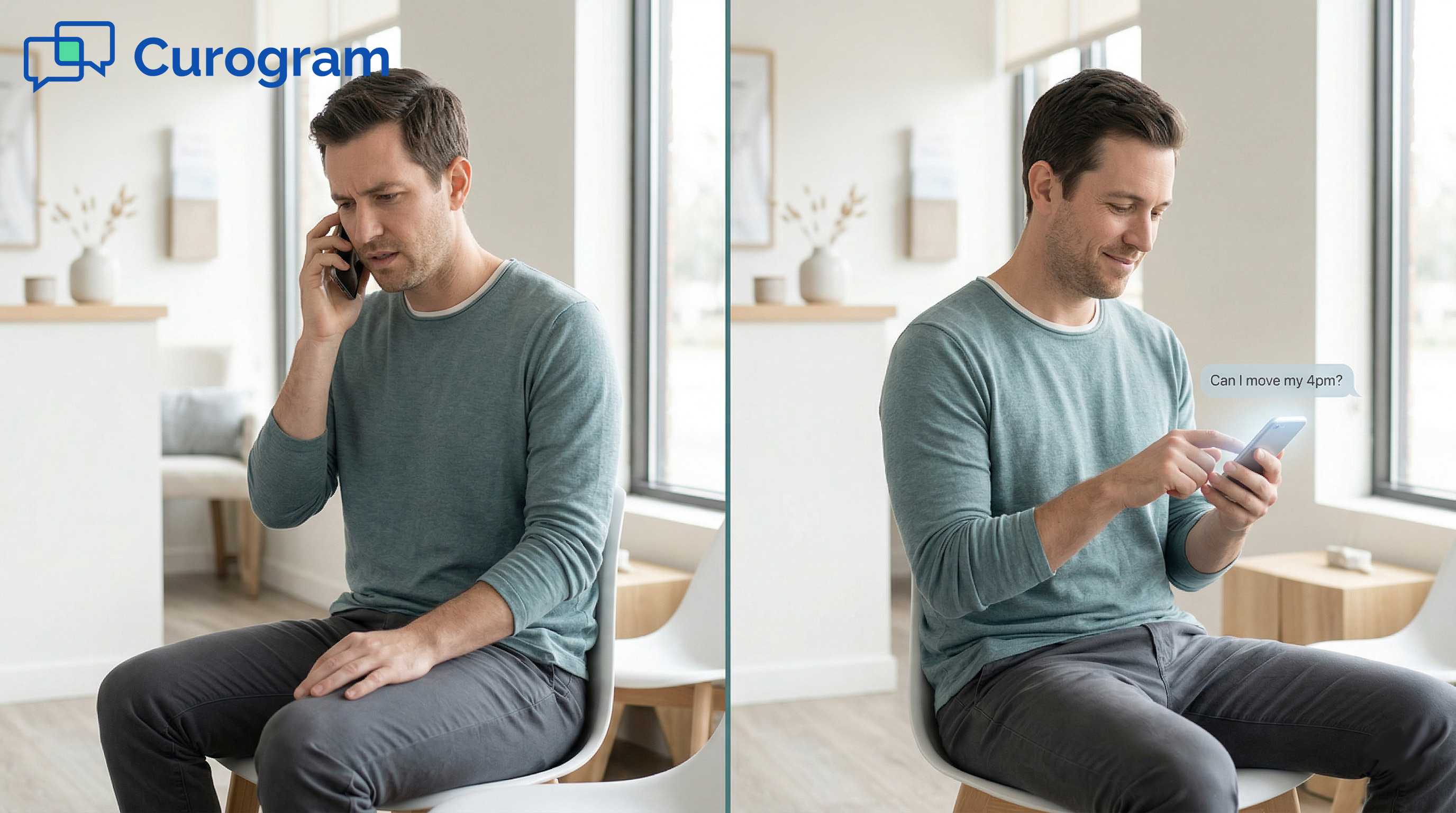
From the patient's side, the change is just as clear. Before, calling the office meant hold times, voicemails, and waiting for callbacks that sometimes never came. Now, they text the practice's number from their normal messaging app.

They don't download an app. They don't create an account. They don't log into a portal. They just text — the same way they'd text a friend. On their end, it looks and feels like regular SMS.

"Can I move my visit to Friday?" Send. Reply comes back in five minutes. Done. No hold music. No phone tag.

For a small practice that relies on word of mouth and Google reviews, this patient experience matters. Happy patients leave good reviews. Good reviews bring in new patients.

Based on our internal data, practices using Curogram's review tools have seen no-show rates drop by up to 75% — partly because patients who can text their office are more likely to confirm or reschedule than ghost.

A Real-World Morning

Consider a solo chiro office that opens at 8 AM. The front desk checks the inbox first thing. Here's what they see:

  • 6 appointment confirmations — auto-processed, no action needed
  • 3 scheduling requests — handled in 4 minutes
  • 2 billing questions — flagged for follow-up after the morning rush
  • 1 clinical question — routed to the chiropractor

By 8:20 AM, every interaction is done or sorted. The phone rings once. It's a new patient who found the practice on Google. They get the front desk's full attention — no rushing, no "can you hold?"

The practice feels organized. The patients feel heard. The front desk person isn't drowning. That's what good DrChrono message routing looks like when it actually works.


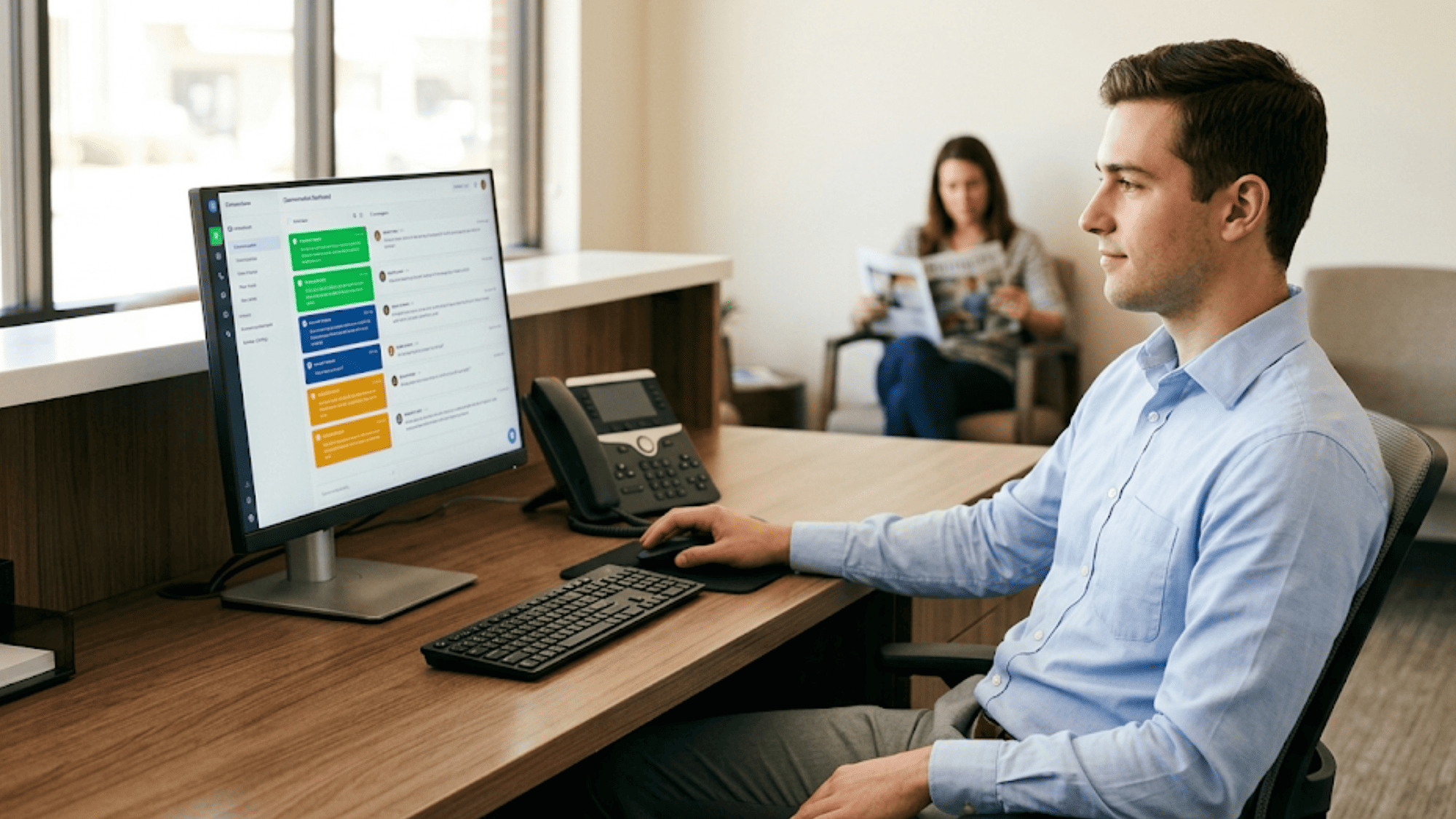
Front desk staff managing patient texts through Curogram unified inbox on desktop monitor

How Curogram's Unified Inbox Keeps Every Message From Falling Through the Cracks

Most small practices don't lose patients because of bad care. They lose patients because of missed calls, slow replies, and messages that fall through the cracks. The front desk isn't failing — the system is.

Curogram's Unified Inbox was built for this exact problem. It sits on top of your DrChrono setup and catches every patient text in one place. No more checking three apps. No more asking "did anyone call that patient back?"

Here's what makes it different from basic texting tools:

Every text is tagged by type. Scheduling, billing, clinical, insurance — each category has its own queue. The front desk person can scan the whole inbox in seconds and know exactly what needs attention first.

Messages can be assigned. In a solo practice, this means flagging a clinical question for the doctor while you handle the rest. In a growing practice, it means splitting the work across two or three people without confusion.

It works with your existing number. Patients text the same number they've always called. On their end, it's just texting. They don't download anything or sign up for a portal. That means higher response rates and fewer patients ghosting.

It's HIPAA compliant. Every conversation is encrypted and stored securely. You can discuss appointment details, send secure links, and manage sensitive topics without worrying about compliance gaps.

Based on our internal data, practices using Curogram reduce phone call volume by up to 50% and boost staff productivity by over 30%. That's not a theory — it's what happens when you give a small team the right tools.

The Unified Inbox doesn't replace your front desk person. It gives them room to breathe. And in a small practice, that changes everything.

Conclusion: One Inbox, Every Conversation, Finally Organized

Small DrChrono practices run on lean teams. One person at the front desk. One phone line. One long list of things to do. When texting tools like Updox fall short, every patient request defaults to a call. And calls can't be sorted, tagged, or batched.

Curogram's Unified Inbox fixes this by turning phone chaos into organized text chats. Each message is sorted by type. Each one can be assigned to the right person. The front desk goes from putting out fires to working through a clean queue.

DrChrono helped organize your clinical workflow on an iPad. Curogram does the same for your front desk — organizing patient communication in one inbox. Same idea: modern, mobile, simple. Just applied to the waiting room instead of the exam room.

The result isn't just fewer calls. It's a calmer office, faster replies, and happier patients. It's a staff workflow that actually scales when you add people, without needing to change platforms.

If your front desk is spending five hours a day on the phone, there's a better way. See how the Unified Inbox turns 80 daily phone calls into organized text conversations — without the Updox ecosystem tax.

Stop losing patients to missed calls and full voicemail boxes. Schedule a demo to see how every text gets tagged, routed, and answered — nothing slips through.


Frequently Asked Questions

Can I assign text conversations to different staff members?
Yes. Curogram’s Unified Inbox lets you assign conversations to specific staff members or create queues by category (scheduling, billing, clinical). In solo practices, the queues help one person prioritize. In growing practices, they enable task delegation. The system scales with your team without requiring a platform change.
Will patients know they’re texting through a platform, or does it feel like regular texting?
It feels like regular texting. Patients text the practice’s phone number from their native messaging app. They don’t see a branded interface, download an app, or create an account. The conversation looks and feels exactly like texting any other contact on their phone. On the practice side, all conversations are managed through Curogram’s dashboard — but the patient experience is seamless SMS.
What happens to our existing Updox conversations if we switch?

Curogram deploys alongside your existing tools — you don’t need to turn off Updox on day one. Many practices run both systems in parallel during transition, then gradually shift patient communication to Curogram as trust builds. There’s no migration required, no data loss, and no disruption to patient communication during the switch.

Why should a solo practice use text queues if one person handles everything?

Queues help you sort by urgency. You can tackle time-sensitive scheduling texts first and save billing questions for a slower window — so nothing gets lost in the shuffle.

How do patients send texts through Curogram?

Patients text your existing practice phone number from their regular messaging app. They don't download an app, create a login, or use a portal. It feels like normal texting to them.