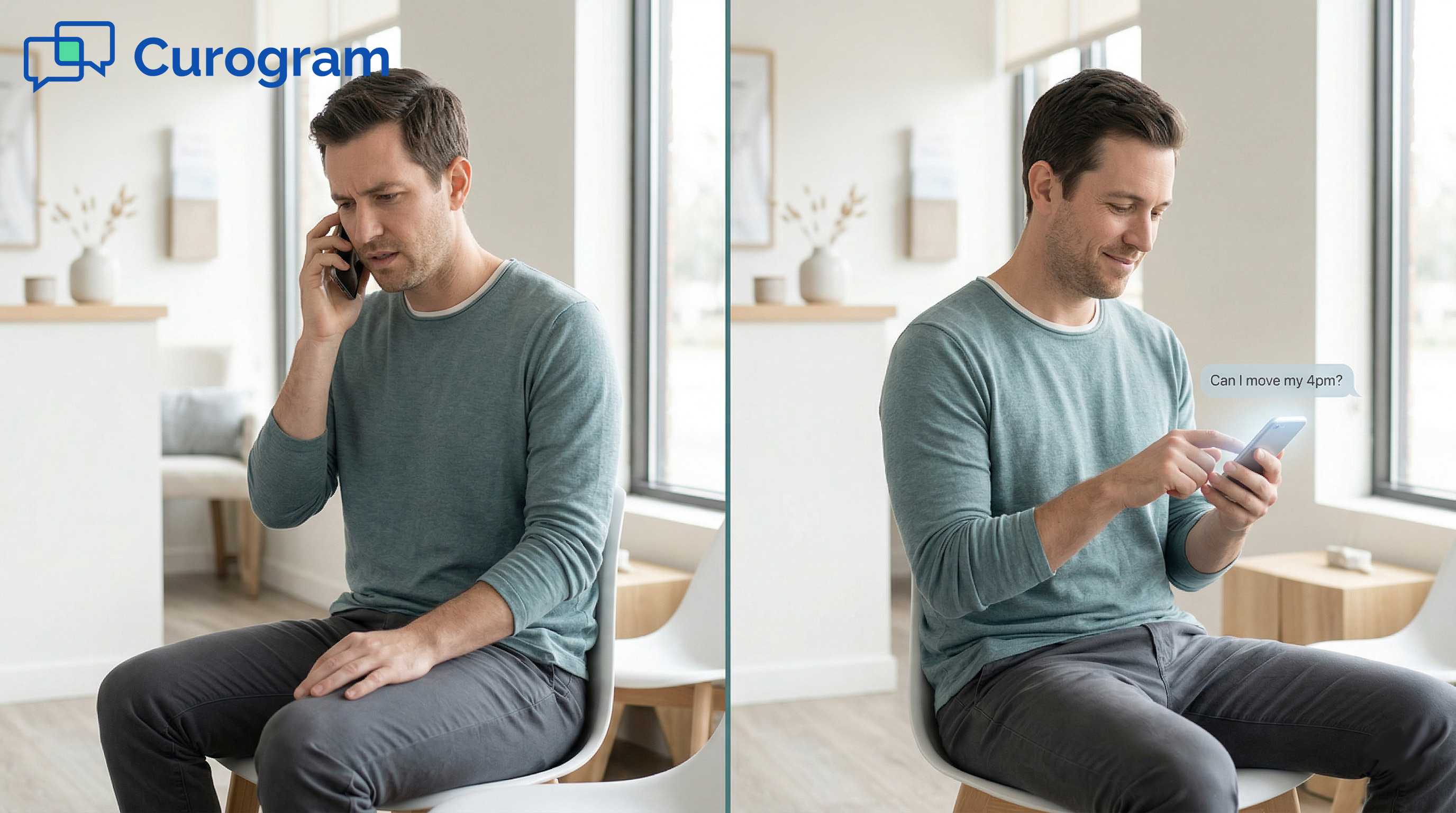
10 min read

Skip the Portal — Text Your DrChrono Doctor Directly

Skip the Portal — Text Your DrChrono Doctor Directly
💡 You can text your DrChrono doctor with Curogram — no app, no portal, no Updox needed.
  • Open your phone's built-in text app and message the practice number
  • Get a reply from the office as a normal text message
  • No OnPatient download, no portal login, no password to remember
  • All messages are HIPAA compliant and encrypted
  • Send texts anytime — the practice replies during business hours
Curogram gives DrChrono patients the easiest way to reach their doctor's office. Direct SMS means quick, easy patient practice communication without extra apps or tools.

You just want to ask your doctor a simple question. Maybe it's about your Thursday appointment. Maybe you need to know if you can take a certain med before your visit. It should take ten seconds.

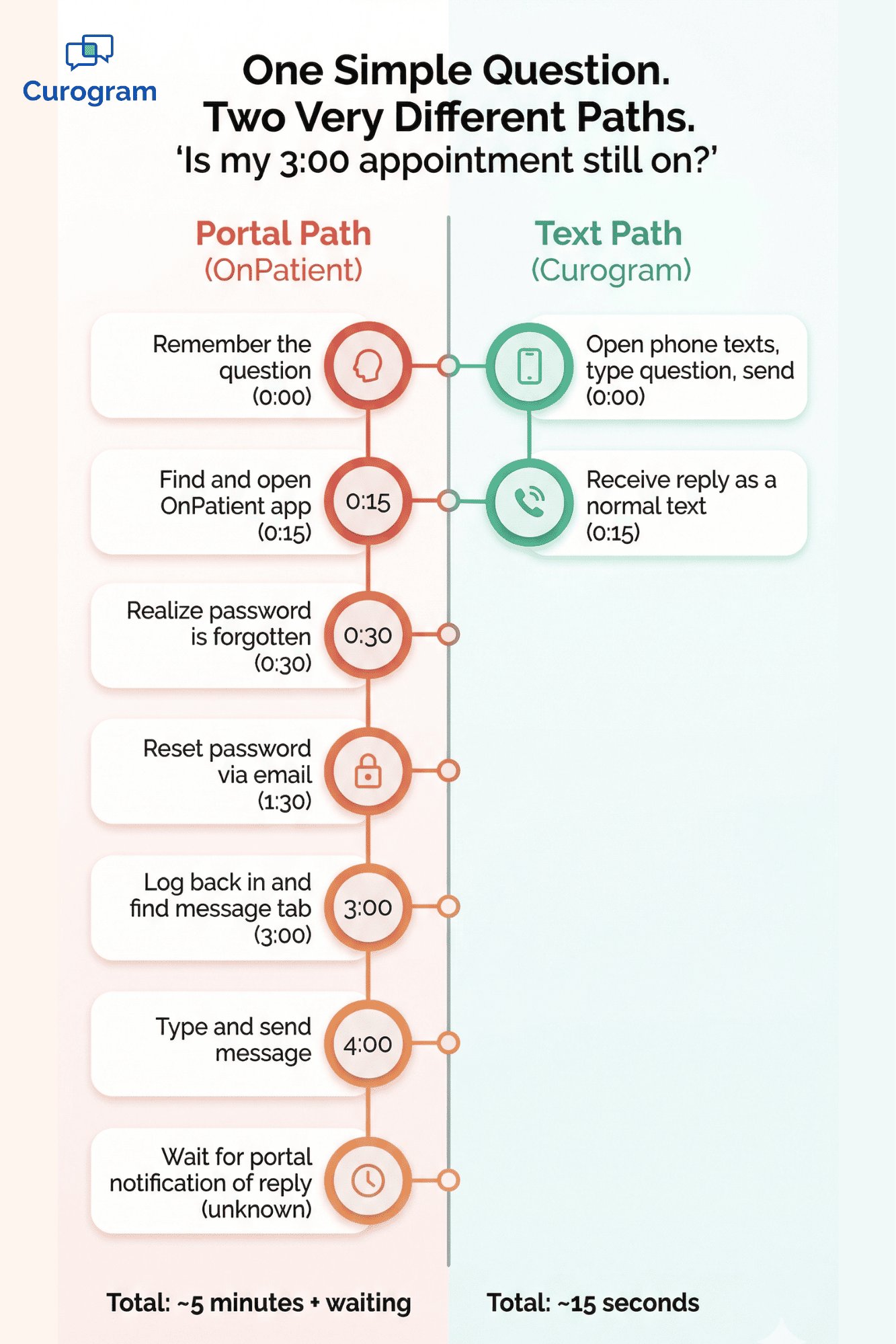
But instead, you're staring at a login screen. The OnPatient app wants a password you set a year ago. You tap "Forgot Password." You wait for an email. You reset it. You log in. You find the message tab. Five minutes gone — for a ten-second question.

Or maybe your DrChrono practice uses Updox. You've gotten texts from them before, so you text back. But the message never arrives. The practice never sees it. Now you're calling the office anyway, sitting on hold, waiting for someone to pick up.

This is the portal your doctor made you download. And it's standing between you and a simple answer.

Here's the good news: it doesn't have to work this way.

With Curogram, you can text your DrChrono doctor directly from your phone. No app to download. No portal to log into. No Updox to deal with. You open your regular text app, type the practice's number, and send your message. The office sees it and replies. You get a normal text back.

That's it. That's the whole process.

Your doctor chose DrChrono because it's a modern, iPad-based EHR. But the patient side of things — OnPatient's aging portal and Updox's spotty delivery — hasn't kept up. Curogram fixes that gap. It gives you direct SMS access to your doctor's practice, making patient communication as easy and quick as texting a friend.

No friction. No workarounds. Just a text.

The Villain: The Portal Your Doctor Made You Download

Think back to your first visit at your DrChrono practice. Someone at the front desk told you to download the OnPatient app. You found it in the App Store. You made an account. You picked a password. You logged in.

Maybe you filled out intake forms. Maybe you checked a test result. Then life moved on, and you forgot that password.

Six months later, you have a quick question: "Can I eat before my blood draw?" To get an answer through OnPatient, you'd need to reset the password, re-download the app if you deleted it, and tap through an interface that hasn't changed since 2019. For a ten-second question, the portal demands five minutes of hassle.

So what do you do? You call the office. And you wait on hold.

The Message That May Not Arrive

Some DrChrono practices use Updox for patient messaging. If your office uses Updox, you may have gotten texts from them before. The problem is that those messages don't always go through.

DrChrono users have noted that Updox messaging can be spotty. You might text back and the practice never gets it. Or the practice sends you something and you never see it. When the text channel itself feels broken, patients stop trusting it.

And when patients stop trusting texts from their doctor's office, they do one of two things. They call and sit on hold. Or they just don't reach out at all — even when they should.

The App Fatigue Problem

Your phone already has apps for your bank, your pharmacy, your insurance, your kids' school, and your grocery store. Now add healthcare. Your PCP wants you on their portal. Your dentist has a different one. Your therapist uses another. Your chiropractor has yet another.

Each one needs its own account, its own password, and its own updates. If you see three or four providers, that's three or four portal apps to manage. The effort is way out of line with the value.

Here's a simple comparison:

Action

Portal

Text

Ask about an appointment

Log in, find message tab, type, send

Open texts, type, send

Time to complete

3–5 minutes

10–15 seconds

Password needed?

Yes

No

App download needed?

Yes

No

Works on any phone?

Depends

Yes


You don't need an app to text your friend. You shouldn't need one to text your doctor's office, either.

The Feeling

Picture this. Dr. Chen's office told you to download their patient app for messaging. You did. You used it once to fill out forms. Now you can't find the password.

All you need is to ask if your 3:00 appointment is still on. You might need to reschedule. But you don't want to call and sit on hold for eight minutes. You don't want to reset a portal password. You just want to text them.

Why is this so hard?

That's the question Curogram answers. It removes the portal, the app, and the password from the equation. It lets you reach your DrChrono practice the same way you reach everyone else in your life — with a direct SMS from your phone. No app, no portal, no Updox, just easy, quick patient communication.

Infographic comparing 7 portal steps versus 2 text steps to reach a DrChrono doctor

The Guide: Direct Practice Texting

Curogram's direct practice texting lets you talk to your DrChrono doctor the same way you talk to everyone else — with a text message.

Open your phone's messaging app. Type the practice's number. Send your message. The office gets it in their Curogram dashboard and writes back. You see the reply as a regular text on your phone.

No app. No portal. No account. No password. The tech is invisible. The communication just works.

This is what it means to text your DrChrono doctor with no app, no portal, and no Updox. It's direct SMS between patient and practice — and it's as easy and quick as any text you send all day.

The Zero-Friction Text Channel

Here's why this works so well: it uses your phone's built-in SMS. There's nothing to install. Nothing to set up. Nothing to remember.

The practice's number is the same one you'd call if you wanted to reach them by phone. Now you can text it instead. When the practice gets your message, they see it next to your patient info. So they respond with full context — no need for you to explain who you are or spell out your date of birth.

The thread stays on your phone, just like any other text. You can scroll back and find past messages anytime. Compare that to a portal, where you'd need to log in again just to re-read a reply.

Anytime Access

Phone calls only work during office hours. Portal messages need a login. Text messages work anytime.

Say it's 9 PM and you remember you need to ask about your morning appointment. With a portal, you'd have to log in — if you even have the app still on your phone. With a phone call, the office is closed.

With Curogram, you just text. The practice sees it first thing when they open and responds right away. You don't have to wait on hold. You don't have to call during your work day. You don't have to plan around the office's phone hours.

This is how direct SMS patient practice communication should feel. You text when it works for you. They reply when it works for them. It respects everyone's time.

Based on our internal data, practices that use text-based messaging see phone call volume drop by as much as 50%. That means less time on hold for patients and more time for staff to focus on in-person care.

The Privacy Part

You might wonder — is it safe to text a doctor's office? With Curogram, yes.

All text messages through Curogram are HIPAA compliant. Your messages are encrypted. Your health info is protected. The practice keeps a complete, secure record of every exchange.

You get the ease of texting with the safety of a healthcare-grade platform. And unlike a portal that was built for compliance first and usability second, Curogram is built for both.

Here's a quick side-by-side to show what this looks like in practice:

Feature

OnPatient / Updox

Curogram

Download needed

Yes (app)

No

Password needed

Yes

No

Works after hours

Login needed

Text anytime

HIPAA compliant

Yes

Yes

Reply shows as regular text

No

Yes

Delivery reliable

Inconsistent (Updox)

Yes


The bottom line: you can text your doctor's practice easily, quickly, and safely — without jumping through hoops.

The Success: Texted at 9 PM, Answered by 8:15 AM, Done

Let's talk numbers. Patients who use text-based tools engage at higher rates than those stuck with portal-based messaging.

Based on our internal research, practices using Curogram's 2-way texting have seen no-show rates drop by up to 75%, phone call volume fall by 50%, and staff output rise by more than 30%.

Think about what that means in real terms. If a practice gets 200 calls a day, cutting that by half frees up 100 calls' worth of staff time. That's hours the front desk can spend on patients in the office instead of on the phone.

For routine questions — appointment check-ins, medication asks, schedule changes — a text resolves the issue in a single exchange. No hold time. No transfer. No follow-up call. The patient asks, the office answers, and it's done.

Compare the three main ways patients reach their DrChrono practice:

Channel

Avg. Wait Time

Steps to Start

Best For

Phone call

4–8 min on hold

Dial, wait, talk

Urgent or complex issues

Portal message

3–5 min setup

Open app, log in, navigate, type

Detailed records

Text (Curogram)

Seconds

Open texts, type, send

Everything else


Most patient questions are simple. "Is my appointment still on?" "Can I bring my son in this week?" "Do I need to fast before my labs?" These don't need a phone call or a portal. They need a quick text and a quick reply.

The Shift

The real change here isn't about technology. It's about behavior.

Before Curogram, the patient's thought process was: "I need to call the office during business hours and wait on hold." That meant most questions went unanswered, or they piled up at 8 AM when the phones opened.

With direct texting, the thought becomes: "I'll just text them." The barrier between patient and practice drops from a phone call or portal login to the simplest action most people do every day — sending a text.

This shift matters because it changes how often patients reach out. When it's easy to communicate, patients ask more questions, confirm more appointments, and follow through on more care plans. They don't skip the message because the portal is too much work.

And this isn't just theory. Based on our internal data, one multi-location practice saw 35% of patients who got an SMS recall schedule a visit within a month. That's 1,240 patients seen from text messages alone — patients who might not have come back through a portal or a phone call.

When you remove friction, people act. It's that simple.

The Outcome: A Real-World Example

Let's walk through what this actually looks like.

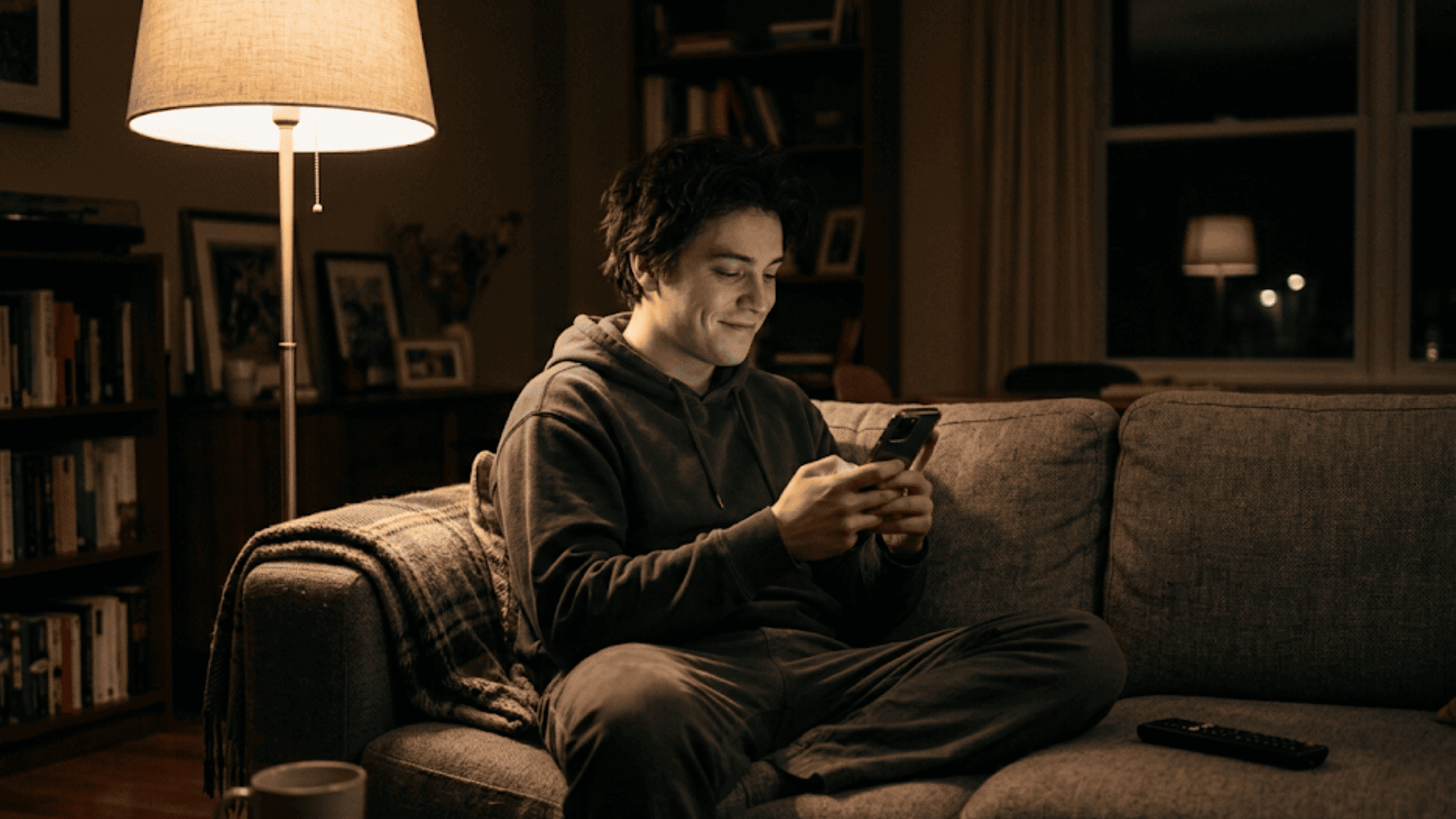
It's 9:14 PM on a Tuesday. You're on the couch, scrolling your phone, and you realize you need to reschedule tomorrow's PT appointment. You have a work conflict and can't make the 2:00 slot.

Old way (portal):

You open the OnPatient app — if it's still on your phone. You try to log in. You've forgotten the password. You reset it. You wait for the email. You click the link. You set a new password. You log in. You look for the messaging tab. You type your request. You close the app. Total time: 5–7 minutes, if everything goes smoothly. If the app crashes or the email is slow, longer.

Old way (phone call):

You can't call. The office is closed. You set a reminder to call at 8 AM. You forget. You remember at 10:30 during a work meeting. You call at lunch. You wait on hold. You finally get through, explain the situation, and reschedule. Total time: scattered across the day, 10+ minutes of active effort.

New way (Curogram text):

You open your texts. You type the practice's number. You write: "Hi, I need to move my 2:00 tomorrow. Any Friday afternoon spots?"

You put the phone down. You go to bed.

At 8:07 AM, you get a text: "Hi! We have 2:30 or 4:00 on Friday. Which works?"

You reply: "2:30 please."

Reply: "Done! See you Friday at 2:30."

Total effort: three texts. No hold time. No portal login. No app download. Your appointment is moved and you didn't leave the couch.


Relaxed person checking a text reply from their doctor's office on their phone at home
Why Curogram Is the Simplest Way to Text Your DrChrono Practice


Curogram was built to solve one core problem: the gap between how modern your doctor's clinical tools are and how outdated the patient side of communication has been.

DrChrono gives providers a fast, iPad-based EHR. But when it comes to reaching patients, the options have been limited — an aging OnPatient portal or Updox's unreliable messaging. Neither one makes it easy or quick for patients to get in touch.

Curogram fills that gap with direct SMS patient practice communication. No app download.

No portal account. No password. Patients text the practice's phone number from their built-in messaging app, and the staff sees the message in a HIPAA-compliant dashboard linked right to the patient's record.

Based on our internal data, practices using Curogram cut phone call volume by up to 50% and reduce no-show rates by up to 75%. One practice — Atlas Medical Center — dropped no-show rates from 14.20% to 4.91% in just three months, which is three times better than the industry average.

For patients, the value is just as clear. You text when it's convenient. The office replies when they're open. There's no login, no download, and no guessing whether your message was received. Every text is encrypted, HIPAA compliant, and part of a secure record.

Curogram also works for appointment reminders, payment links, intake forms, and review requests — all through the same trusted text channel.

If your DrChrono practice hasn't added Curogram yet, they can start with a free 30-day trial. Setup is fast. Staff training takes about 10 minutes.

And within the first week, most practices see a clear shift: fewer phone calls, more patient replies, and a front desk that can finally breathe.

Conclusion: Your Doctor Is Modern, Your Communication Should Be Too

Your DrChrono doctor invested in modern tools. They chart on an iPad. They prescribe with a few taps. Their clinical side is fast and smooth.

But the way you reach them? That hasn't kept up.

OnPatient's portal is aging and clunky. Updox's text delivery is unreliable. Both require effort that most patients shouldn't have to give for a simple question.

Curogram fixes this. It lets you text your DrChrono doctor directly — no app, no portal, no Updox. Just a text from your phone to the practice's number. Easy, quick, and done.

The shift from portals to direct SMS isn't just a tech upgrade. It's a mindset change. When you can text your doctor's office as simply as you text a friend, you stay more connected to your care. You confirm appointments. You ask follow-up questions. You don't let small barriers turn into missed visits.

Based on our internal data, practices that switch to Curogram see phone volume drop by 50%, no-show rates fall by up to 75%, and staff output rise by 30% or more. For patients, it means less time on hold and more time focused on what matters.

Your doctor's EHR is modern. Your patient communication should be too. Next time you need to reach your office, skip the phone call and the portal. Just text them.

If your practice already uses Curogram, you're set. If not, tell them about the 30-day free trial and show them there's a better way to keep in touch. Better patient practice communication starts with the simplest tool on your phone — a text message.

Watch your phone lines quiet down within a week. Request a demo to see how direct patient texting works inside your DrChrono workflow.


Frequently Asked Questions

Do I need to download anything to text my doctor?
No. You use your phone’s built-in messaging app — the same app you use to text family and friends. There’s nothing to download, no account to create, and no password to remember. Just text the practice’s phone number. It works on any phone, any carrier, any operating system.
Can I text my doctor after hours?
Yes. You can send a text at any time — evenings, weekends, or during the workday when calling isn’t convenient. The practice will respond during their business hours. Your message is waiting for them when they open. This asynchronous communication means you don’t have to schedule around their phone hours to reach them.
Is texting my doctor’s office private and secure?

Yes. All text communication through Curogram is HIPAA compliant with encrypted messaging and secure conversation logging. Your health information is protected to the same standard as any other medical communication. The practice maintains a complete, compliant record of every text exchange.

How does Curogram keep my health information safe over text?

Every message goes through Curogram's encrypted, HIPAA-compliant platform. The practice keeps a secure log of all texts tied to your patient record, meeting the same privacy standards as any other medical communication.

How quickly will the practice respond to my text?

You can text anytime, including nights and weekends. The office will reply during business hours. Most routine questions — like appointment changes or simple medication asks — are answered within minutes of the office opening.