
Streamlining Ortho Intake with Online Forms in Cloud 9
 Sharee Narciso : Dec 2, 2025, 8:00:00 AM
Learn how orthodontic practices using Cloud 9 streamline intake and reduce paperwork errors with Curogram’s HIPAA-compliant online forms.
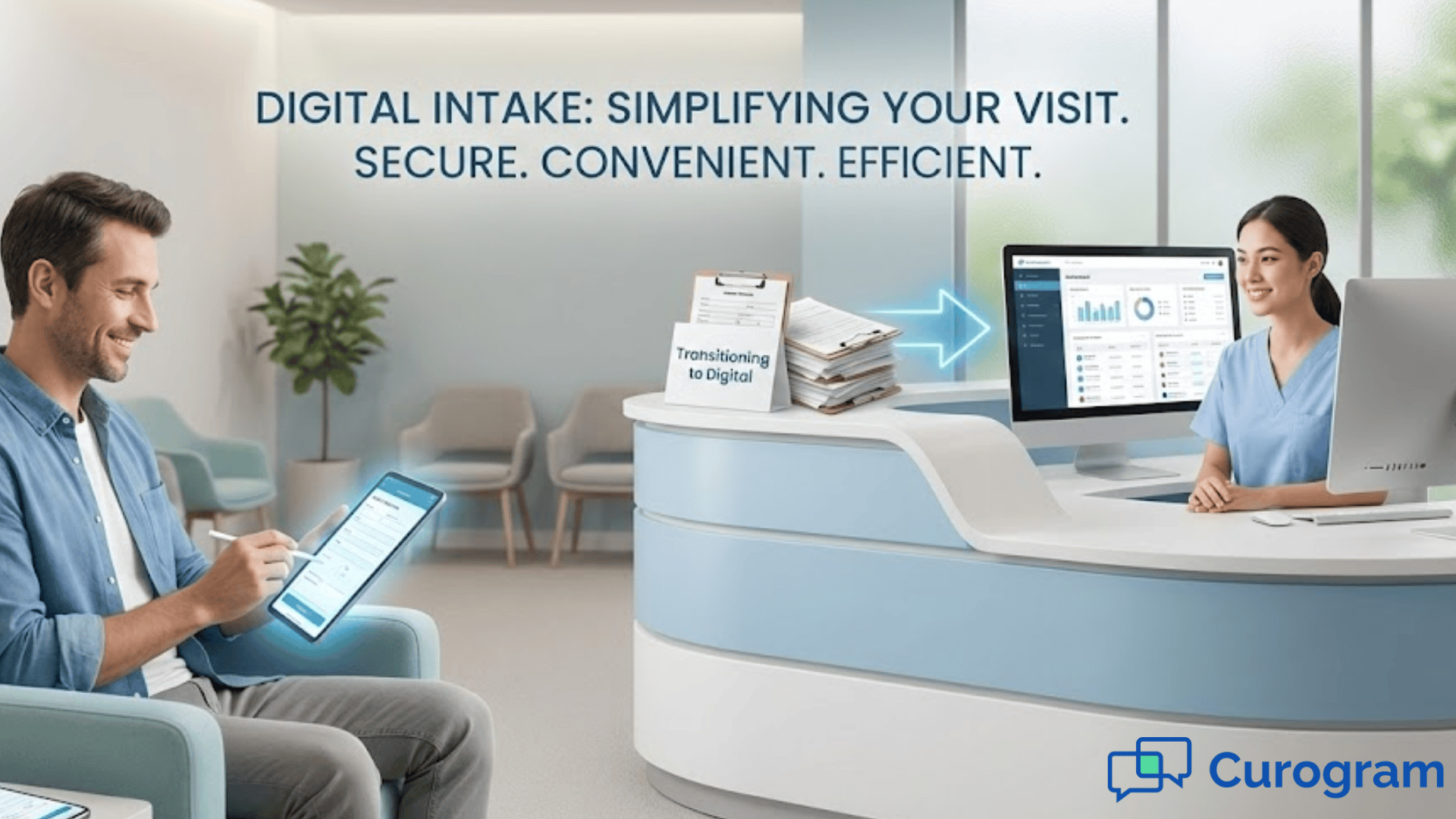
You can feel the pressure the moment the morning rush begins. Patients walk in holding clipboards, insurance cards, and half-completed papers. Some are missing signatures. Others are unsure how to answer certain questions. Your staff tries to keep up, but the line grows, and people start feeling stressed before they even reach the front desk. Much of this frustration has nothing to do with medical care. It comes from outdated paperwork that slows everyone down.
If your practice still relies on paper intake forms, you probably see the same problems day after day. Staff re-enter information by hand. They struggle to read handwriting. Small mistakes turn into billing issues or claim denials weeks later. Families have to juggle pens, clipboards, and ID cards in waiting rooms that already feel crowded. When a single missing detail sends the whole intake process backward, it affects your schedule and your mood for the rest of the day. No one wants that kind of chaos.
This is why digital intake Office Ally workflows can make such a difference. When patients fill out Office Ally secure forms ahead of time, the entire visit starts in a calmer, more organized way. They can use a phone, tablet, or computer at home. You can review everything before the appointment, confirm details, and avoid last-minute surprises. In this article, you will explore the challenges that come with paper-based intake, how Curogram streamlines online forms for Office Ally users, the benefits for both staff and patients, a real pediatric use case, and a simple path for getting started with digital intake at your own clinic.
When your clinic depends on paper forms, you create a slow and stressful start to the patient visit. People walk in and immediately face a stack of questions. Parents juggle children while trying to fill out paperwork. Older adults try to read small print or ask for help. These delays build up quickly, especially during peak hours. Long waiting times become normal, even when your team is doing its best.
Once the forms come back to the front desk, the next challenge begins. Someone must re-enter all the information into your system. This takes time. It also introduces opportunities for mistakes. Handwriting can be difficult to read, and patients may leave blanks or circle the wrong answer. A single missed digit in an insurance number can cause a rejected claim. Small errors turn into administrative headaches, and fixing them later requires even more time. This back-and-forth cycle affects everyone.
Paper intake also leads to high error rates in claims. When information is inaccurate or incomplete, insurance systems cannot process it correctly. Claims get denied or delayed. Staff must track down patients after the visit to confirm details. This creates extra work and delays payments that your practice depends on. It also leaves patients confused when they receive unexpected bills. The problem often traces back to the moment the form was filled out under pressure in a crowded waiting room.
Finally, paper forms increase clutter and slow your workflow. Clipboards pile up. Staff spend precious minutes searching for missing documents or scanning pages into the system. The waiting room becomes noisy and crowded. Patients feel rushed and anxious. Your team feels the pressure too. Without digital intake Office Ally workflows, the process becomes unpredictable and more prone to mistakes. Over time, this contributes to burnout and frustration for both staff and patients.
Curogram replaces paperwork with a smoother digital experience that connects directly to your patient workflows in Office Ally. Instead of handing patients clipboards, you send them Office Ally secure forms through a text message or email link. They can complete everything from home or from their car before walking in. This reduces stress for patients and helps your team prepare for the visit ahead of time.
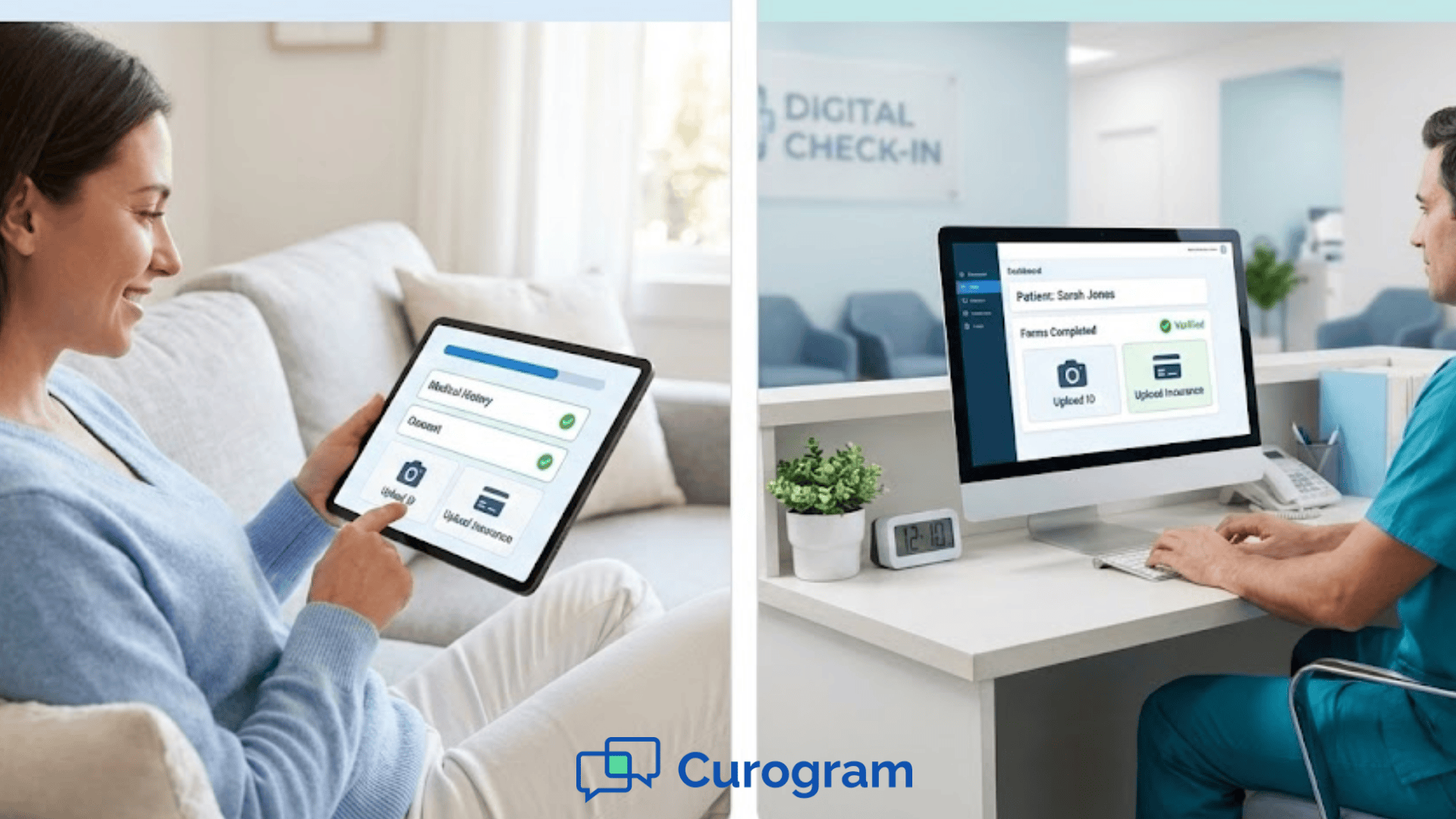
Digital intake Office Ally features allow patients to upload insurance cards and IDs securely using their phone’s camera. These uploads arrive neatly organized in your system, ready for staff review. You no longer need to photocopy, scan, or chase missing documents. This simple change saves time and keeps your workflow cleaner. It also reduces the risk of losing important paperwork or entering incorrect insurance details.
Curogram also supports standardized templates across visit types. Whether the patient is coming for a checkup, a follow up, or a new patient visit, you can assign forms tailored to each situation. These templates make sure you collect the right information every time. Patients see only the questions relevant to their care. Staff no longer need to guess which packet to hand out. This clarity helps create more structured patient workflows and reduces confusion for everyone.
Because everything is digital, staff can review submissions early. They can catch missing details before the patient arrives. If questions come up, your team can send a quick message or request an update. This helps avoid delays at check in and reduces the number of visits that start behind schedule. By the time a patient enters the exam room, the provider has clean information ready to go. The entire process feels more controlled and less chaotic.
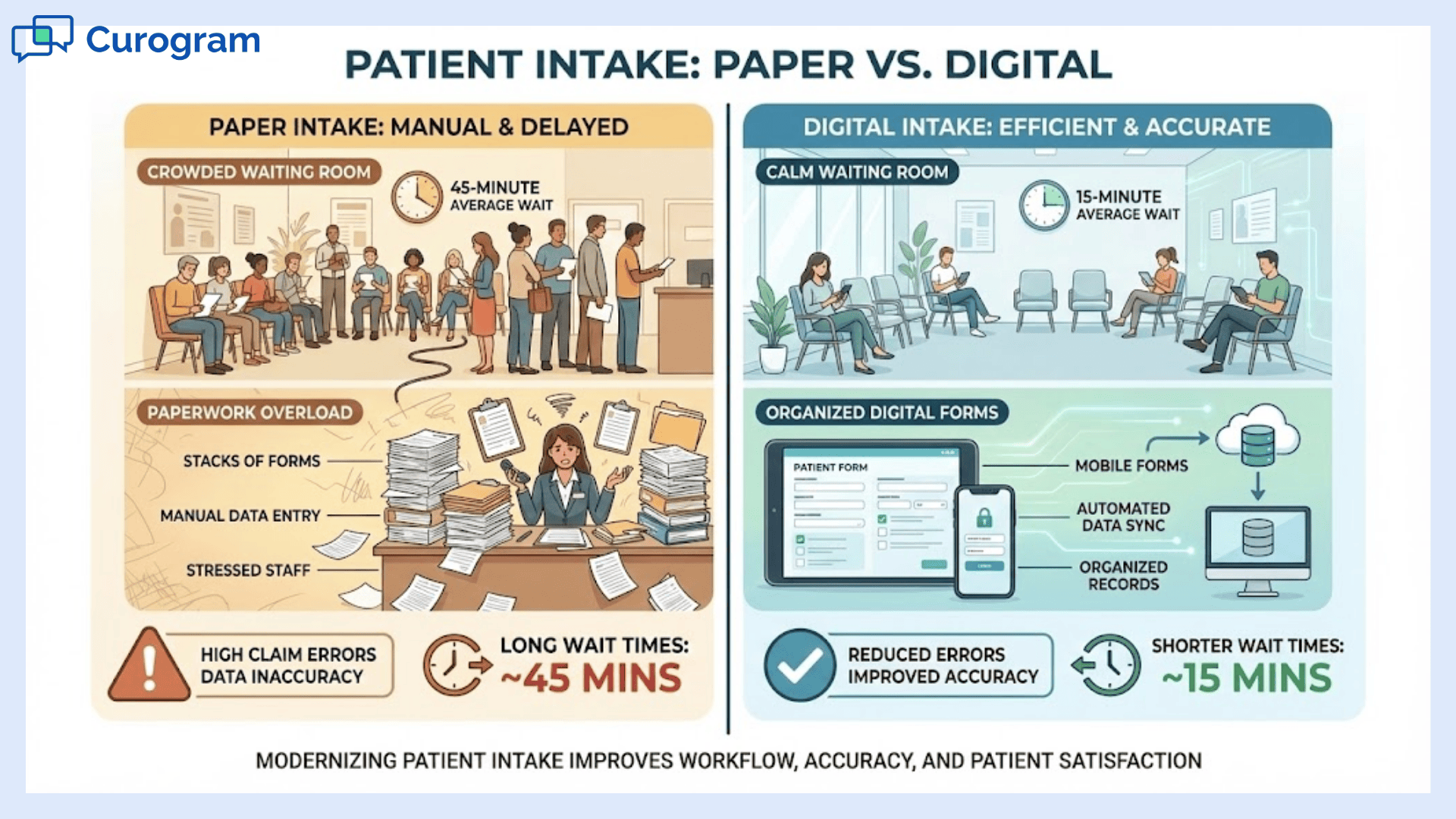
When your practice switches to digital intake Office Ally workflows, the benefits show up immediately and continue to grow over time. Both patients and staff experience less stress. The visit starts smoothly. Information is more accurate. The environment feels calmer. These improvements may seem small individually, but together they transform how your clinic operates.
Paper intake demands constant attention. Staff must hand out forms, answer questions, verify insurance cards, and key in details manually. For small teams, these steps eat up valuable time. Digital forms lighten this load. Your staff reviews completed forms instead of chasing them. They can focus on greeting patients and solving real problems instead of handling piles of paper. This creates a better experience for both the front desk and the people waiting to be seen.
Long waiting times frustrate patients. When they can complete forms in advance, check in becomes quick and simple. They walk in already prepared. This reduces bottlenecks at the front desk and allows your schedule to stay on track. Clinics that adopt online forms often see more predictable flow and fewer delays. Patients notice the difference. They feel respected and valued because their time matters. Even a few minutes saved per visit adds up across a busy day.
Accurate intake information plays a major role in whether claims get paid on time. Incorrect insurance details or missing fields cause denials that must be corrected manually. This slows down revenue and creates additional work. Digital intake reduces these errors by capturing clear, typed information directly from patients. Secure uploads of insurance cards further reduce mistakes. Billing teams spend less time fixing claims and more time moving work forward. This improves the financial health of your practice.
Patient workflows become clearer when intake is digital. People know exactly what to expect and what they need to complete. The process feels organized and supportive instead of rushed. Patients who feel prepared often feel more confident during their visit. This sets a positive tone before they even see the provider. Smooth workflows benefit every department, from check in to exam rooms to billing.
Paper forms create opportunities for errors at every step. Someone may write a number incorrectly or leave blanks unanswered. Staff may misread handwriting or scan a page incorrectly. Digital intake Office Ally features minimize these issues. The system captures clear text and guides patients through required fields. When fewer mistakes occur, the day flows more smoothly, and staff can focus on patient care instead of troubleshooting.
When fewer patients are stuck filling out forms at the front desk, the waiting area feels less overwhelming. Parents can focus on their children. Older adults can sit comfortably without juggling clipboards. Staff have more time for friendly interactions instead of rushing to keep up. A calmer environment helps reduce anxiety and improves the overall patient experience. It also gives your team room to breathe during the busiest parts of the day.
Because digital intake keeps information organized and accessible, providers and staff can work together more easily. Everyone sees the same forms at the same time. Providers can review notes before entering the exam room. Billing teams can verify insurance quickly. This shared foundation reduces miscommunication and strengthens teamwork. When everyone has access to clean, accurate information, the entire clinic runs more smoothly.
These benefits support long-term improvements. Once your clinic adapts to digital intake Office Ally workflows, you create a foundation for stronger, more predictable patient experiences. The work at check in becomes easier. Providers walk into visits with more confidence. Patients feel valued. And your day finally moves at a pace that feels manageable again.
A small pediatric clinic struggled with frequent insurance errors and long waiting lines. Parents often arrived juggling children and paperwork, and staff had to manually key in every detail. The clinic’s billing team repeatedly found issues tied to unclear handwriting or missing information. Claim denials became common, and fixing them required follow up calls that drained time.
After switching to digital intake Office Ally workflows with Curogram, the clinic saw rapid improvements. Parents completed Office Ally secure forms from home using their phones. They uploaded insurance cards before their visit, and staff verified everything early. Within months, the clinic reported a 30 percent reduction in insurance-related errors. Waiting room stress decreased, and families said the new process felt calmer and more predictable. The team felt more in control of each day.
If you want to bring digital intake into your practice, you can start with a few simple steps. First, identify the forms that cause the most delays—new patient packets, insurance updates, or consent forms. Next, convert these into digital templates tailored to your visits. Decide when patients should receive the forms and how they should return them. Encourage your staff to review submissions before check in so they can catch missing information early.
From there, introduce digital intake Office Ally features gradually. Ask patients how the process feels. Adjust your templates based on their feedback. Over time, you will see fewer delays, more accurate information, and a calmer start to each visit. When you are ready to take the next step, Curogram can guide you through integrating secure forms and building a smooth intake workflow that supports every part of your clinic.
Curogram strengthens the digital intake Office Ally experience by creating a clear, patient-friendly process that reduces the burden on your staff. Instead of juggling paper forms and manual data entry, your team works from organized digital submissions. Curogram sends patients secure links, reminds them to complete their forms, and stores everything in one place. This structure helps even busy families or older adults feel confident completing their paperwork.
The platform also supports secure image uploads so patients can submit insurance cards, IDs, and documents without needing to stop at the front desk. This helps your staff verify details early and catch potential issues before they turn into billing problems. Templates stay consistent across visits, reducing confusion and helping staff know exactly what to expect from each form. Everything becomes more predictable.
Most importantly, Curogram supports stronger patient workflows. People walk into the clinic already prepared. Staff spend less time chasing paperwork and more time supporting the patient experience. When digital intake becomes part of your routine, the entire visit feels smoother and more personal. Curogram makes that possible by connecting your online forms directly to the way your clinic already works, bringing organization and calm to a part of the visit that used to feel chaotic.
Paper intake forms slow clinics down in ways that often go unnoticed until the waiting room becomes crowded. Your staff works hard to keep things moving, but missing details, unreadable handwriting, and long lines create more stress than anyone wants. Patients begin their visit feeling rushed instead of supported. These problems repeat themselves day after day. That cycle is tiring for both staff and families.
Digital intake Office Ally workflows offer a clear way forward. When patients complete Office Ally secure forms ahead of time, they arrive calm and prepared. Staff review details early, billing errors drop, and the clinic feels more organized. This shift improves satisfaction for everyone involved. A smoother start to each visit sets the tone for better interactions and better outcomes.
You do not need to switch everything at once. Begin with your most challenging forms and expand as your team gets comfortable. Over time, digital intake becomes a natural part of your workflow. With support from Curogram, your clinic can reduce stress, strengthen patient workflows, and create a more predictable and welcoming experience. This is how intake should feel—simple, clear, and centered around the patient.
Learn how to streamline your intake process with digital tools that work. Book your demo today.
 Sharee Narciso : Dec 2, 2025, 8:00:00 AM
Learn how orthodontic practices using Cloud 9 streamline intake and reduce paperwork errors with Curogram’s HIPAA-compliant online forms.
 Sharee Narciso : Dec 2, 2025, 11:00:00 AM
Learn how Dolphin users reduce paperwork errors and improve check-in workflows with Curogram’s HIPAA-compliant online forms.
 Sharee Narciso : Dec 2, 2025, 2:00:00 PM
Learn how small practices using DrChrono simplify intake and reduce errors with Curogram’s HIPAA-compliant online forms.