8 min read
Cloud 9 Ortho Recall | Target Dormant Patients & Recover Revenue
Aubreigh Lee Daculug
:
April 11, 2026
Pre-built templates cover retainer check recall, treatment reactivation, consultation follow-up, and seasonal outreach.
Each campaign sends personalized texts with direct scheduling links, tracks performance in real time, and recovers dormant patients without involving the front desk.
Text-based recall campaigns consistently outperform traditional phone and email recall — delivering recovery rates of 30–35% versus the typical 5–17%.
It's the first Monday of the quarter. Your practice manager pulls the recall list — 412 patients overdue for retainer checks, lapsed mid-treatment, or consultation no-shows.
She prints it out and hands it to the front desk. "Call as many as you can between patients."
Two weeks later, the numbers come in. The front desk reached 62 patients by phone. Emails went to the remaining 350. Of those, 104 opened the email. Eighteen clicked the link. Nine scheduled.
Total recovered from 412 patients: 71. That's a 17% recovery rate. The other 341 patients are still sitting in your database, doing nothing — until the next quarterly push. If it happens at all.
This isn't a staffing problem. Your front desk isn't failing you. The process is.
Phone calls hit a hard ceiling. Parents don't answer numbers they don't recognize during the workday. Voicemails pile up. Emails get opened but rarely acted on — there are too many steps between "open email" and "scheduled appointment."
By the time anyone follows up, the moment has passed.
The recall list doesn't need more phone calls. It needs a different channel.
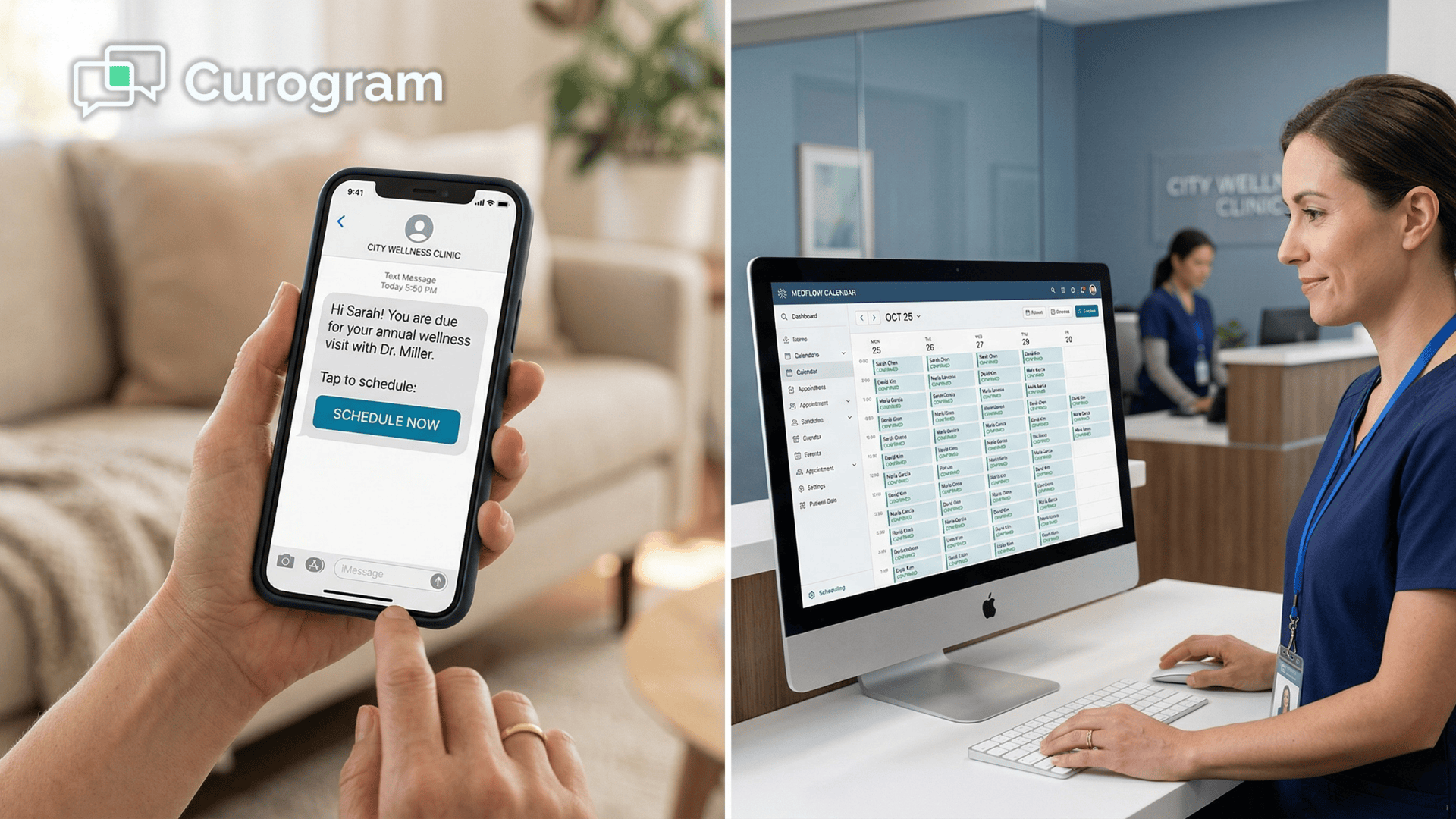
Cloud 9 orthodontic recall campaigns build, target, and send through Curogram's Campaign Builder — giving your practice manager a self-service tool to reach every dormant patient via text, in three clicks, without touching a printed list or asking the front desk to dial a single number.
In the time it takes to export that quarterly recall spreadsheet, your manager can launch a targeted text campaign to every overdue patient on the list, with a personalized message and a direct scheduling link.
No phone calls. No email blasts with a 5% click rate. No quarterly ritual that resets to zero the next time it runs.
The patients are already in your system. They're already overdue.
All they need is a message that reaches them where they actually are — on their phone.
Why Your Recall List Is Quietly Costing You Revenue
Your recall process isn't broken in an obvious way. It runs. It generates activity.
There are phone calls, there are emails, and at the end of each quarter, there is a number of patients recovered. It looks like effort. It doesn't look like failure.
But the math tells a different story.
The Quarterly Export Ritual
At most Cloud 9 practices, recall is a manual, quarterly exercise.
The practice manager exports an overdue patient list from the system, cleans it up, removes duplicates, and hands it to the front desk with verbal instructions. The front desk starts calling.
They fit the calls in between checking patients in, answering questions, processing payments, and managing a waiting room.
After two weeks, the recall push quietly stops — not because it's complete, but because daily patient volume takes over. The list goes into a folder.
Three months later, the cycle starts again. Many of the same patients are still on it.
The process generates activity, but the execution channel can't actually reach the majority of the list.
The Phone Call Ceiling
Front-desk phone recall has a structural ceiling. Parents are at work during business hours.
They don't answer calls from unknown numbers. They mean to call back. They don't. Your front desk team can realistically make 30–40 calls per day between patients, reaching maybe 5–8 people — and that's before their other responsibilities get in the way.
15–20% |
| The maximum phone contact rate for front-desk recall, even when the team is fully dedicated to it. |
The phone call approach isn't failing because your team isn't trying. It's failing because it's 2026, and this isn't how most parents communicate anymore.
The Email Afterthought
After the phone calls hit their ceiling, the rest of the recall list gets an email. Generic subject line. Brief message. A phone number to call.
Even when a parent opens the email, the next step requires too much friction — open, read, find the number, call during business hours, wait on hold, schedule — which is especially challenging when managing dental care for medically compromised patients who need personalized follow‑up and streamlined care pathways.
Most parents abandon the process somewhere in between.
2–5% |
| The email recall conversion rate from send to scheduled appointment. |
Email recall doesn't fail because the message is bad. It fails because the channel requires too many steps.
The Multi-Location Chaos
For DSOs and OSOs managing multiple locations, every problem above compounds.
Each location runs recall on its own timeline — some quarterly, some monthly, some barely at all.
The VP of Operations has no reliable visibility into which locations are actually executing recall, what their recovery rates are, or where the biggest revenue gaps exist.
Without a centralized system for building and tracking orthodontic recall campaigns, recall stays inconsistent, location-dependent, and invisible at the organizational level.
Revenue that should be flowing back to the practice sits untouched in the database.
Three Clicks to Launch — How the Campaign Builder Actually Works
Curogram's Campaign Builder — paired with Cloud 9 mass texting capabilities — gives your practice manager a self-service tool to build, target, and send a recall campaign without involving the front desk, without a printed list, and without a single phone call.

The entire workflow has three steps.
Step 1: Select the patient segment.
Filter by last visit date, treatment status, appointment type, provider, or location. Want to reach every post-treatment patient whose last retainer check was more than 12 months ago at your Riverside location?
That's a segment. Two clicks to build it.
Step 2: Choose or customize a message template.
The Campaign Builder includes pre-built orthodontic templates for the four recall types that matter most to Cloud 9 practices — retainer check recall, treatment reactivation, consultation follow-up (at 30, 60, and 90 days), and seasonal campaigns tied to the calendar.
Each template is editable, and your practice manager can save custom versions for campaigns unique to your practice.
Every message is personalized — patient name, provider name, time since last visit — so it doesn't read like a broadcast.
Step 3: Schedule the send time and launch.
Set the exact date and time. Most practices find mid-morning on Tuesday through Thursday — around 10 to 11 AM — generates the strongest response.
Schedule it once, or configure it to recur automatically each month.
That's it. The campaign goes out via text to every patient in the segment. Each parent receives a personalized message with a direct scheduling link.
No hold music. No back-and-forth. One tap takes them to the schedule.
What Happens After the Send
Every campaign generates real-time performance data.
Your practice manager sees exactly how it's performing:
- Total texts sent and delivered
- Link click rate — how many parents actually tapped the scheduling link
- Appointments scheduled, with date and time
- Revenue recovered, based on appointment type value
- Comparison to previous campaigns
This is where orthodontic recall campaigns on Cloud 9 stop being a quarterly exercise and start becoming a learning system. The next retainer check campaign adjusts timing, messaging, or segment criteria based on what worked last time.
Over a few campaign cycles, your manager builds a recall playbook — the exact combination of message, timing, and segment that produces the best recovery rate for each patient type.
Centralized Campaign Coordination for DSOs and OSOs
For multi-location operations, the Campaign Builder supports centralized creation with location-specific execution. Your VP of Operations sets a retainer check recall template at the corporate level.
Each location's campaign uses the same message but routes patients to that location's scheduling page.
Performance rolls up two ways:
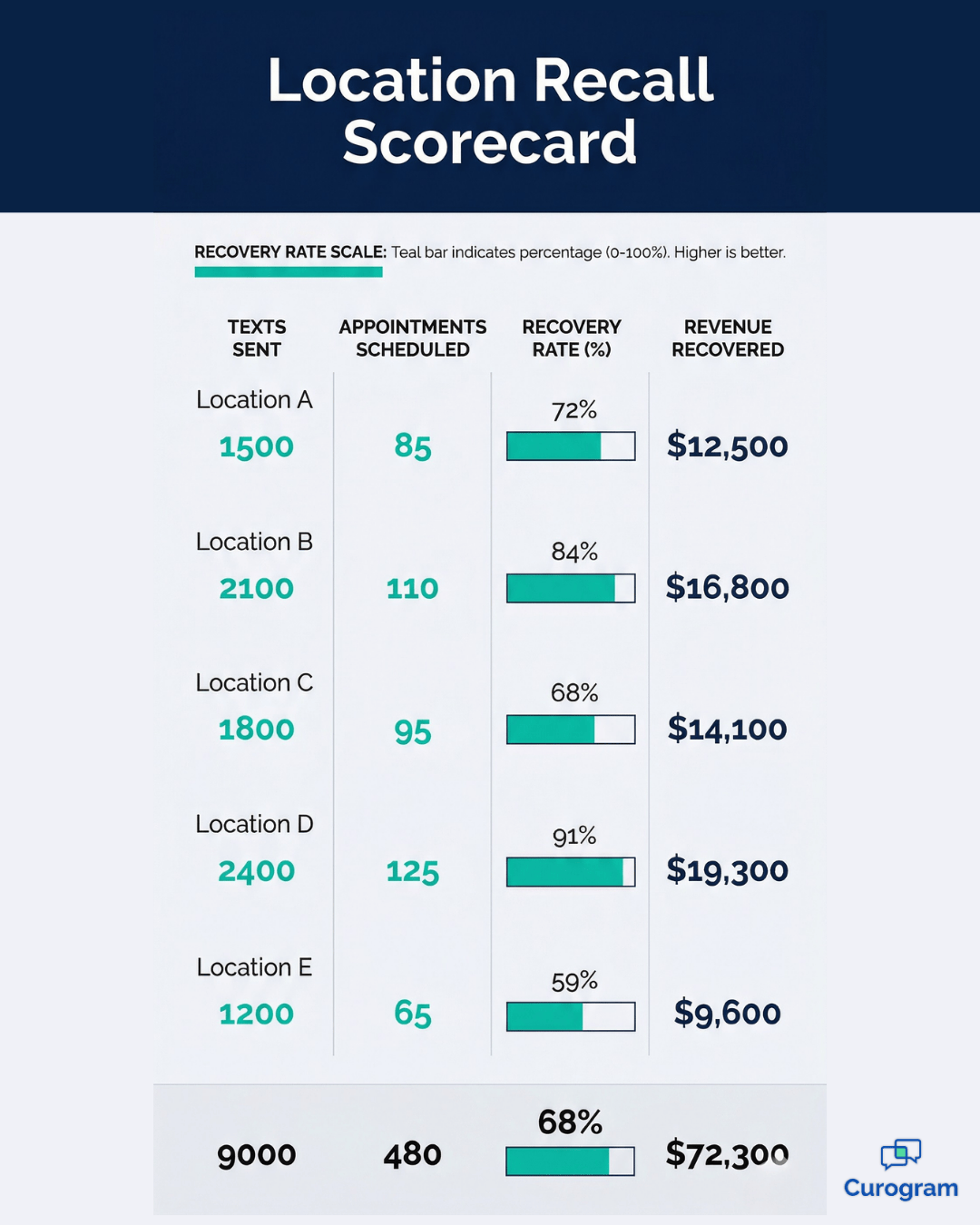
Aggregated at the organizational level (total patients reached, total appointments scheduled, total revenue recovered) and detailed at the location level (recovery rate by location, response rate by location).
This means you can see which locations are executing recall consistently, identify top performers, and replicate their approach across the network — rather than hoping each practice manager finds time to run a recall push this quarter.

What 35% Recovery Actually Means in Dollars
Here's the number that makes this concrete.
A multi-location practice using Curogram's text-based recall system achieved a 35% appointment reconversion rate — recovering 1,240 patients from dormant status through targeted text campaigns.
For a single Cloud 9 practice with 400 dormant patients, that means 120–140 patients returning to the schedule from a single campaign.
Now translate that gap into revenue. A retainer check runs $200–$300. A treatment reactivation is worth $5,000–$7,000.
If your recall list is a mix — say, 300 patients overdue for retainer checks and 100 lapsed treatment patients — a 35% recovery rate means roughly 105 retainer check appointments and 35 treatment reactivations per campaign.
At those midpoints, 105 retainer checks at $250 each returns $26,250. The 35 treatment reactivations at $6,000 each add another $210,000.
That's approximately $236,250 recovered from a single recall cycle.
That gap — 70 to 100 patients left on the table each quarter — isn't a small operational inefficiency. It's six figures of recoverable revenue sitting in your patient database.
From Quarterly Push to Always-On Recovery
The bigger shift isn't a single campaign's performance. It's what happens when recall stops being a quarterly manual exercise and becomes a continuous, automated system.
With the Campaign Builder, your practice manager sets up recurring campaigns that run on their own:
- Retainer check recall fires monthly, targeting patients who cross the overdue threshold each month
- Consultation follow-up sends automatically at 30, 60, and 90 days post-consultation
- Treatment reactivation runs every month, catching lapsed patients as they fall behind
The system runs continuously, recovering patients as they become overdue rather than waiting for a quarterly batch. The recall schedule stays current. The list never collects dust.
And the front desk stays focused on the patients walking through the door — not on a phone list that can't reach the majority of the people on it.
Build It. Target It. Send It.
Your practice's recall process doesn't need a bigger team or more phone hours. It needs a channel that actually reaches parents — and a system that makes launching a campaign faster than exporting a spreadsheet.
Cloud 9 recall campaigns built through Curogram's Campaign Builder give your practice manager the ability to select a patient segment, choose a pre-built orthodontic template, schedule the send time, and reach your entire dormant patient panel via text in minutes.
No front-desk involvement. No phone call lists. No email blasts that convert at 3%.
For practice managers, the workflow becomes manageable and measurable instead of exhausting and invisible. For VPs of Operations managing multiple Cloud 9 locations, it becomes consistent across the network instead of dependent on which location has a motivated practice manager this quarter.
The patients sitting in your dormant panel aren't gone. They're just waiting to hear from you in a way that actually works.
Stop printing the list. Stop asking the front desk to fit in calls between patients. Build a targeted text campaign, send it to the right segment, and let the scheduling links do the work.
Schedule a demo to see exactly how Curogram's Campaign Builder recovers revenue from your Cloud 9 orthodontic practice's dormant patient panel — and what a 35% recall recovery rate looks like for your specific patient mix and location volume.
Frequently Asked Questions
Yes. The Campaign Builder includes scheduling controls that let you set the exact date and time for campaign delivery. Most practices find that mid-morning — around 10 to 11 AM — on Tuesday through Thursday generates the highest response rates for recall campaigns. You can also set up recurring campaigns that automatically run at configured intervals, such as a monthly retainer check recall that targets newly overdue patients each month without your practice manager having to set it up again.
Recall texts sent through Curogram are two-way. If a parent replies with a question — "How much does a retainer check cost?" or "Can we come in on Saturday?" — the message appears in your practice's Curogram inbox for your team to respond. The recall campaign opens the conversation, and the two-way texting platform continues it. The parent never needs to call the office. The entire interaction, from recall text to scheduled appointment, can happen entirely over text.
Curogram's campaign analytics include delivery status for every text. Messages that fail to deliver — due to invalid or disconnected numbers — are flagged in the campaign report. Your practice manager can export the list of undeliverable numbers for manual outreach or database cleanup. Over time, as your practice uses Curogram for all patient communication, phone numbers stay current because patients naturally provide updated contact information through the two-way texting platform during regular interactions.
Start with post-treatment patients overdue for a retainer check. This segment tends to be the largest on most Cloud 9 recall lists, responds well to a single personalized text, and produces the fastest scheduling turnaround. Once that campaign is running, layer in a consultation follow-up campaign targeting patients who never started treatment — particularly those who consulted within the last 90 days. These two segments alone typically account for the majority of recoverable revenue in a dormant patient panel.
Most responses come within the first 24 to 48 hours of the send. Parents who tap the scheduling link tend to book on the same day. This is one of the clearest advantages text has over phone and email recall — there is no delay between receiving the message and taking action. The scheduling link removes every step between intent and appointment. For practices running their first campaign, it is not unusual to see 30 to 50 appointments scheduled within the first two days of launch.